

Serial Numbers On Products
A serial number on a product is a unique code tied to one specific physical unit. It is not a product type code. It is not a batch code. It is the fingerprint of a single item. If you sell electronics, appliances, tools, or any warranted goods, serial numbers on products are how you prove what shipped, to whom, and when.
Reviewed September 2026. Each figure comes from the assumptions stated beside it, so you can substitute your own and the arithmetic still holds.
Published 11 July 2026. Reviewed and updated 15 September 2026.
Book a callWhat Is a Serial Number on a Product?
A serial number is a code assigned to one unit and no other. A warehouse worker receiving a pallet of 50 power drills will see 50 different serial numbers, one stamped or labeled on each unit. Every number is unique to that drill.
This is different from a SKU (stock keeping unit), which names the product type. Every one of those 50 drills shares the same SKU. It is also different from a barcode, which is a scannable label.
A barcode can carry a serial number, a SKU, a lot number, or all three. The barcode is the delivery method. The serial number is the data inside it.
Would you rather have it built around your operation?
The first look is free. If you would rather not compare products, describe how your operation already works and we build the system around it.
No build cost. You see it running on your own process first, and the monthly subscription starts only once it is live.
Book a callHow Do Serial Numbers Differ From Lot Numbers, and Why Does It Matter?
A lot number identifies a batch made together, not a single unit. One lot number might cover 500 units built on the same production run.
The IRS Publication 538 notes that "to figure taxable income, you must value your inventory at the beginning and end of each tax year," which means the records behind those values need to be accurate at the unit level for high-value serialized goods. IRS Publication 538
Mixing these terms causes real receiving and shipping errors. A receiver who logs a lot number in the serial number field creates a lookup that will never match. Standardize the language before you standardize anything else.
| Identifier | Scope | Example use |
|---|---|---|
| Serial number | One unit | Warranty claim, recall trace |
| Lot number | One batch | Expiry tracking, batch recall |
| SKU | One product type | Reorder, pricing, picking |
| Barcode | Label encoding any of the above | Scanning at receiving or shipping |
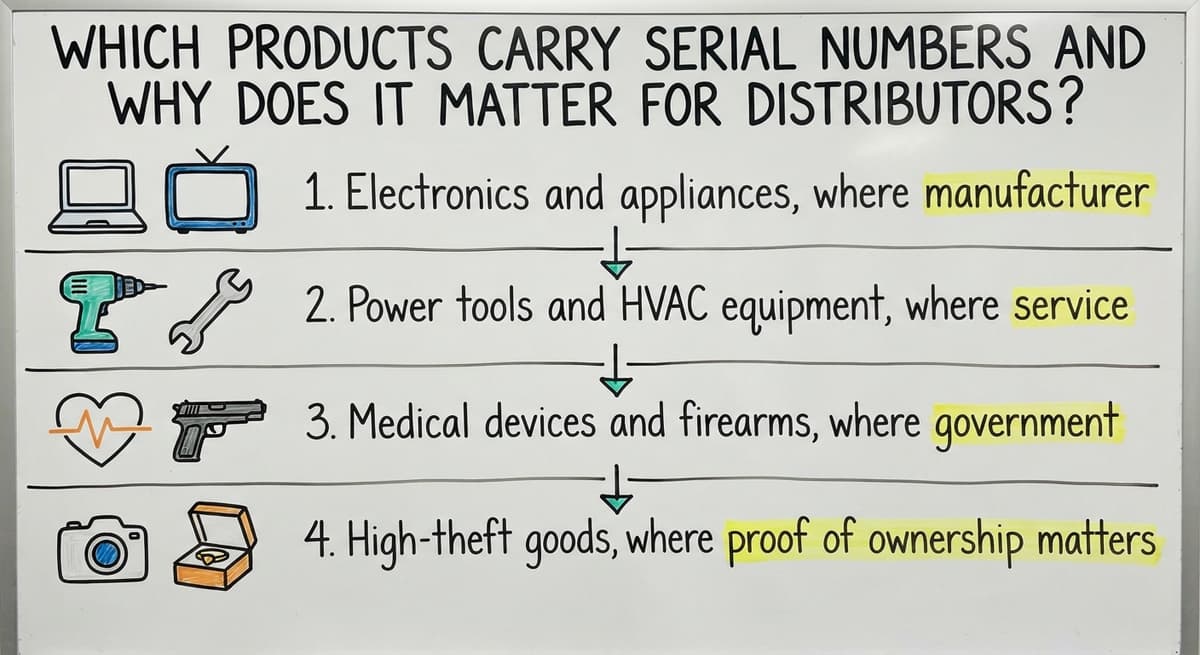
Which Products Carry Serial Numbers and Why Does It Matter for Distributors?
Why do serial numbers matter for wholesale and distribution? Because when a customer calls to dispute a warranty claim, you need to prove which unit you shipped, not just that you shipped one.
Products that carry serial numbers include:
- Electronics and appliances, where manufacturer warranties are tied to the individual unit
- Power tools and HVAC equipment, where service history follows the machine
- Medical devices and firearms, where government regulations need chain of custody records
- High-theft goods, where proof of ownership matters at every handoff
Not every product needs serialization. Commodity consumables like tape, fasteners, or packing materials have no unit-level identity worth tracking.
When Does Serial Number Tracking Decide a Dispute?
The decision comes down to whether a single unit can generate a warranty claim, a recall notice, or a dispute.
For distributors handling warranted or regulated goods, serial number tracking is the difference between resolving a dispute in 5 minutes and spending 3 days digging through email threads. It also removes finger-pointing between supplier, warehouse, and customer when a unit arrives damaged or goes missing.
How Are Serial Numbers Assigned, and Where Do They Live?
Most serial numbers come from the manufacturer, stamped or labeled at the factory before the product ships. For branded goods, this is the norm.
Some distributors assign their own serial numbers at receiving when the manufacturer does not provide one. Inventory software can auto-generate a number the moment a unit is scanned in.
Format varies: purely numeric, alphanumeric, GS1 standard (a global format used in retail and healthcare supply chains), or an internal convention your team defines. What matters is consistency. A serial number formatted differently across 3 suppliers creates lookup failures downstream.
Is the comparison easier when one option is built for you?
Yes. Off-the-shelf means fitting your process to the software, and custom is the other way round. The first look costs nothing.
Book a callEvery Document That Must Carry the Serial Number
A serial number should appear in every document that touches the unit:
- The physical label on the product or packaging
- The item record in your inventory system, linked to a bin or shelf location
- The buy order and receiving document
- The pick ticket, packing slip, and outbound shipment record
- The customer account record and any warranty or service file
One number, appearing the same way, across all of these. That is the goal. When it breaks in one place, the chain breaks everywhere.
Why Tracking Serial Numbers in Excel or QuickBooks Breaks Down
QuickBooks does not natively track serial numbers at the unit level in most versions. It tracks quantities. You can add notes, but notes are not searchable fields tied to orders and customers. When a customer calls about unit SN-88421, QuickBooks will not find it.
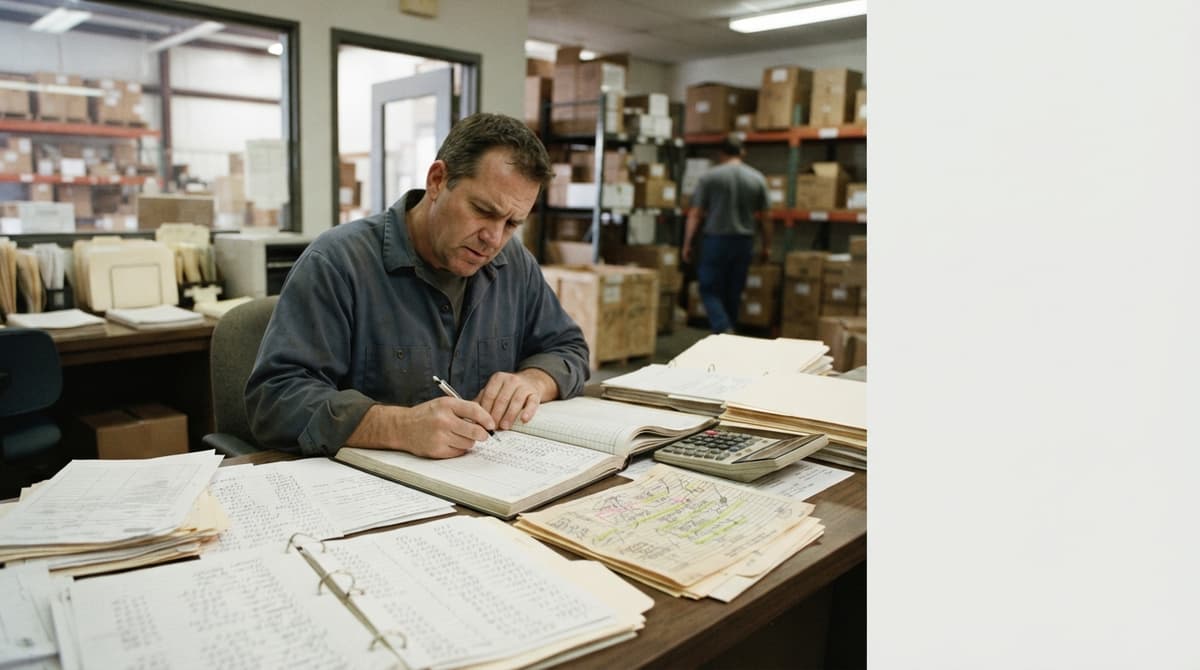
Excel has a different problem. It works fine for one person entering data once. It falls apart when 3 people update the same file, volumes grow past a few hundred rows, or someone makes a typo that turns SN-88421 into SN-884Z1. That unit is now unsearchable.
The Real Cost of Manual Serial Number Lookups
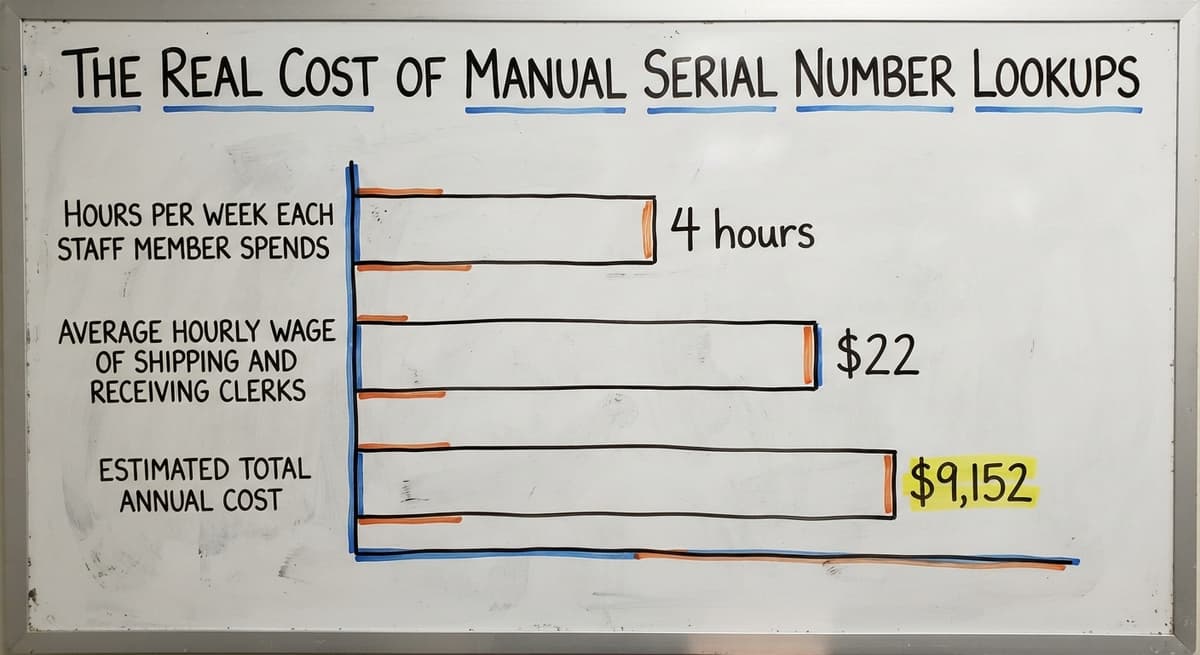
The cost is real. If 2 staff members spend 4 hours a week each resolving serial number lookups manually at an average wage of $22 an hour (see BLS wage data for shipping and receiving clerks), that is $9,152 a year in labor on a problem a proper system removes. That math does not include the cost of a lost warranty dispute or a recall handled without records.
Manual entry also breaks the link between a serial number and its receiving PO, storage location, and outbound order. Without that link, you have a list of numbers with no story attached to them.
How Does Scanning a Barcode Capture a Serial Number?
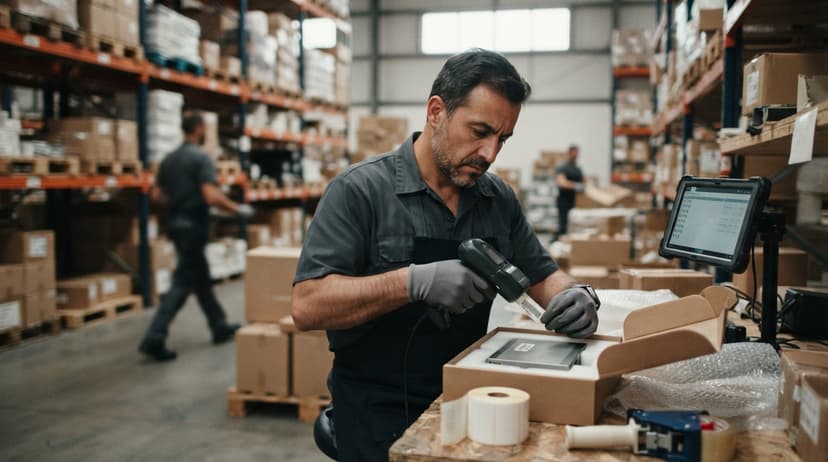
Scanning a barcode at receiving captures the serial number automatically, without typing. The scanner reads the encoded data from the label and passes it directly to your inventory system, where it is tied to the open buy order line in real time.
This matters because manual keying is the biggest source of serial number errors. A barcode scan takes under a second and produces no typos. A staff member typing a 12-character alphanumeric code produces errors at a rate that compounds with volume.

The Step-by-Step Receiving Workflow for Serialized Units
The receiving workflow looks like this:
- Open the buy order in your warehouse inventory system
- Scan each unit's barcode as it comes off the pallet
- The system matches the serial number to the expected line item
- Mismatches flag at once, before the unit goes to a shelf
- Confirmed units are linked to a bin location automatically
Handheld barcode scanners are the standard tool for this. For small operations just starting out, a smartphone with a scanning app can handle lower volumes, though dedicated hardware is faster and more durable for daily warehouse use.
The Warehouse barcode scanning hardware guide covers the hardware options in detail.
The Barcode Inventory Management System overview page explains how the full system connects receiving, storage, picking, and shipping in one data trail.
What does it look like running on your own process?
The first thing you see is it running on your own process, at no build cost. The subscription starts once it is live and doing the job, not before.
Book a callPicking, Shipping, Returns, and the Chain of Custody
Once a serialized unit is received and located, the same discipline carries through every downstream step.
At picking: the pick ticket specifies which serial number to pull, or prompts the picker to scan whatever they pull.
A scan confirmation before packing ensures the right unit goes into the right box. The serial number is recorded on the outbound shipment and the customer order.
At delivery: the packing slip and invoice can include the serial number. The customer now has it in their records too, which speeds up any future warranty call.
How Returns Close the Final Link in the Chain
At returns: scan the returned unit's serial number first. This confirms the unit matches the original sale and prevents return fraud, where a customer returns a different or damaged unit.
The system creates a return receipt, updates the inventory location, and flags units needing inspection before resale. Returns management in a warehouse covers this workflow in more depth.
Every one of these steps closes a link in the chain of custody. Skip one and the chain has a gap. A gap is where disputes live.

What Happens During a Product Recall Without Serial Number Tracking?
A recall needs you to identify every customer who received an affected unit. With serial number tracking, that is a report: which serial numbers in the affected range did we ship, and to whom. It runs in minutes.
Without it, you are searching email inboxes, paper invoices, and memory. Regulatory bodies and insurance carriers increasingly expect documented traceability. The NIST Manufacturing Extension Partnership provides vendor-neutral guidance on supply chain traceability, and the direction is consistently toward unit-level records, not batch estimates.
How Serial Number Records Resolve Warranty Disputes Quickly
The same logic applies to warranty disputes. A customer calls. You search the serial number. You see the sale date, the original PO, the shipping record, and the customer account. The call takes 5 minutes. Without that record, you are guessing.
Product recall tracking and warranty tracking are not features for large companies only. Any distributor handling warranted goods faces this risk. The question is whether you have the records when you need them.
What Reports Should a Serial Number Tracking System Produce?
A system is only as useful as what you can ask it. The reports that matter most for a distributor handling serialized inventory are:
- Current on-hand by serial number, with bin location, so a picker can find any unit in under a minute
- Shipped serial numbers by date range and customer, the core recall and warranty lookup
- Dwell time per unit, showing how long each serialized item sat before shipping, which surfaces slow movers at the unit level
- Return rate by serial number range or supplier, which can reveal quality issues before they become recall events
These reports are only possible when serial numbers are captured at every step. A system that captures at receiving but not at shipping produces half a record. Half a record is not useful when a regulator asks for a full trace.
Not sure this is the right shape for your operation?
The call is free. Describe how the work runs today. We map it on a call and show you what it would look like built around that, before you spend anything.
Book a call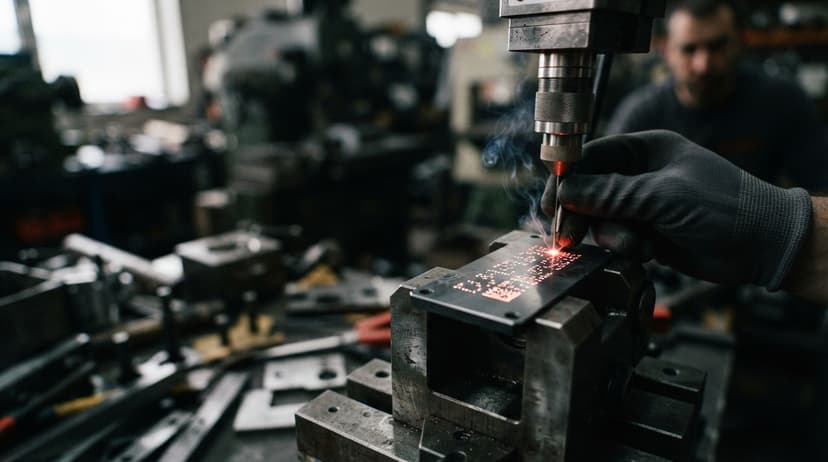
Do I Need Serial Number Tracking If I'm a Small Distributor?
You likely need it if any of these apply:
- Products carry manufacturer warranties tied to individual units
- You handle regulated goods (medical, firearms, HVAC with refrigerants)
- You have had a warranty dispute or recall in the past 2 years
- Customers ask for serial numbers on invoices or packing slips
You may not need it if every product you sell is a commodity consumable with no unit-level identity. Tape, labels, and packing peanuts do not need serialization.
For operations in between, start with the product categories where a single error is most costly. Set up the serial number field in your inventory system before you need it.
Train receiving staff to scan first. Phase in the shipping scan, the return scan, and the customer record link over the following weeks. Small steps work better than a full rollout for lean teams.
How Small Distributors Can Add Serial Number Tracking Without a Full ERP
The QuickBooks integration for warehouse operations approach works well here: QuickBooks stays as the accounting and invoicing tool. A separate inventory layer handles serial number capture, storage, and lookup.
Completed transactions sync back so financials stay accurate. This avoids the cost and disruption of a full ERP migration, which most 5-to-80-person operations do not need.
Custom inventory software maps to how your team already works, including your receiving steps, naming conventions, and report formats.
Off-the-shelf systems charge for features a small distributor will never use and need adapting your process to their workflow. The right fit depends on your volume, your product mix, and how much your current gaps are costing you.
Common Mistakes With Serial Number Tracking
The mistakes that cause the most damage are consistent across operations of every size:
- Entering serial numbers by hand instead of scanning, which produces typos that make units unsearchable
- Tracking at receiving but stopping there, so the outbound record has no serial number attached
- Accepting inconsistent formats from different suppliers without standardizing at intake
- Failing to link serial numbers to customer records, which defeats the warranty and recall purpose entirely
- Treating serialization as a one-time setup rather than a discipline applied at every transaction

How to Fix Serial Number Tracking Gaps in Your Current Process
The fix for all of these is the same: a system that makes the right action the easy action. Scanning should be faster than typing.
Linking to a customer record should happen automatically. Format rules should be enforced at data entry, not corrected after the fact.
If your current process has any of these gaps, that is where to start. Pick the one that caused the most recent problem and close it first.
Next Steps for Your Operation
Serial numbers on products are only useful when a system captures and connects them at every step, from the receiving dock to the customer record. A number on a label that never makes it into a searchable system is decoration.
Think about where your current process breaks down. Is it at receiving, where units are logged by hand? At shipping, where the serial number never makes it onto the order? At the customer level, where a warranty call sends staff digging through email?
The Software Society builds inventory systems around how your operation already works, connecting serial number capture to your receiving process, your orders, your customer records, and your QuickBooks file without replacing the tools your team already knows.
If you want to talk through where your gaps are and what a practical fix looks like, that conversation starts with your current workflow, not a sales pitch.
Frequently asked questions
Can you identify a product by its serial number?
Yes, in most cases. The manufacturer assigns the serial number and keeps a record linking it to the product model, production date, and sometimes the original retailer.
If you contact the manufacturer with a serial number, they can confirm what the product is and when it was made. Some manufacturers offer online lookup tools. Distributors with their own serial number tracking can also identify which customer received a unit and when it shipped.
How to check a product serial number?
Find the serial number on the physical label, on the back, bottom, or inside a battery compartment of the product. Then go to the manufacturer's website and look for a warranty registration or product lookup page.
Enter the number there. If you are a distributor checking your own records, search the serial number in your inventory system. It should return the receiving PO, current location, and any outbound shipment tied to that unit.
What are some examples of serial numbers?
A laptop might carry a serial number like 5CD1234XYZ printed on a sticker under the keyboard. A power drill might have SN-2024-88421 stamped on the housing. A medical device might use a longer alphanumeric string that follows GS1 formatting standards.
Firearms have federally required serial numbers engraved on the frame. The format varies by manufacturer and industry, but the purpose is the same: one code, one unit, no duplicates.
Can I look up a serial number?
The answer depends on who assigned it. For manufacturer-assigned serial numbers, the manufacturer's website or customer service line is the starting point. Many brands have online warranty or product registration tools that accept serial number lookups.
For serial numbers your own operation assigned, your inventory system should return the full record. Serial numbers from other distributors or retailers are generally not publicly searchable.
What is the difference between a lot number and a serial number on a product?
A serial number identifies one specific unit. A lot number identifies a batch of units made together. If 500 units came off the same production run, they share a lot number but each has a unique serial number.
Lot numbers are common in food, pharmaceuticals, and manufacturing for batch-level recalls. Serial numbers are used when you need to trace a single unit through its full life cycle.
Can I add serial number tracking without replacing QuickBooks?
Yes. QuickBooks handles accounting and invoicing well but does not track serial numbers at the unit level in most versions.
The practical approach is to add a separate inventory layer that captures serial numbers at receiving and shipping, links them to customer records, and syncs completed transactions back to QuickBooks. Your financials stay accurate and your team keeps the tools they already know.
What should I do if a product is recalled and I don't have serial number records?
Without serial number records, a recall becomes a manual search through invoices, emails, and shipping documents. You may not be able to identify every affected customer, which creates liability and regulatory risk.
The immediate step is to pull every record you have for the affected product and cross-reference by date range and customer. Going forward, a serial number tracking system makes this a report that runs in minutes rather than days.
How do I handle a return for a serialized product?
Scan the returned unit's serial number before accepting the return. Your system should match it against the original sale record. If the number matches, the return is legitimate and the unit can be restocked or flagged for inspection.
If it does not match, the unit may be a different item than what was sold. This step prevents return fraud and keeps your inventory records accurate.
Where can I find the serial number on my product?
On a label on the back, base, or inside a battery compartment, marked S/N and printed beside a barcode. Appliances carry it inside the door frame, and electronics repeat it under Settings or About.
Can I look up a product using its serial number?
Yes. The manufacturer's support site returns the model, ship date, and warranty status from the serial. Inside a warehouse, the inventory system returns the receipt date, bin, and the order it shipped on.
What should I do if the serial number is missing or unreadable?
Check the packaging, receipt, and any registration email first, since all three repeat it. A warehouse that scanned the unit at receiving still has it on record. If nothing carries it, the manufacturer can sometimes recover it from the model and purchase date.
How can I check whether a serial number is valid?
Enter it on the manufacturer's warranty or registration page: a valid serial returns a product record, an invalid one returns nothing. Inside your own system, a valid serial is one that matches a received unit not yet shipped.
What is in a free first look?
A 30 minute call, your operation mapped, and a clear picture of what we would build. No obligation and nothing to install.
Book a callRelated guides
The rest of this guide, for the parts of the job this page does not cover.
Guides
- Manufacturer's Serial Number
- Serial Numbering
- Manufacturing Serial Number
- Tracking Number Barcode
- Product Fulfillment Center
- Barcode Abbreviation
- Barcode Scan Machine
- Barcode Reader Machine
- Barcode Scanner App Ios
- 2d Barcode Readers
- Barcode Producer
- Barcode Systems for Warehouse
- Barcode Reader Description
- Barcodes and Labels
Common questions
- What is a Serial Number on a Product
- What Are Serial Numbers
- What Are Serial Numbers Used For
- Where Are Serial Numbers
- How to Read a Barcode Number
- What Are the Numbers on a Barcode
- What is Bin Number in Inventory Management
- What Does a Barcode Look Like
- How to Create a Barcode System for Inventory
- How to Use a Barcode Scanner