

What Is A Serial Number On A Product
A serial number on a product is a unique code assigned to one specific unit. No two units of the same product share the same serial number. Manufacturers assign it before the item ships. It lets anyone in the supply chain identify that exact unit, not just the product type.
Reviewed August 2026. Each figure comes from the assumptions stated beside it, so you can substitute your own and the arithmetic still holds.
Published 26 August 2026. Reviewed and updated 15 September 2026.
Book a callThe Simple Definition of a Serial Number on a Product
A serial number is a unique identifier for one single unit. Think of it like a fingerprint. Every phone, laptop, or power tool gets its own code.
Two identical printers sitting side by side share a model name and a price. They do not share a serial number.
Serial numbers can be all digits, all letters, or a mix of both. The format depends on the maker. A serial number might look like SN-48271039 or XK7-2209-BRAVO. The format does not matter. What matters is that no other unit carries the same code.
The manufacturer or seller assigns the serial number before the item ships. That assignment is the starting point of the unit's life in the supply chain.
Would you rather have it built around your operation?
The first look is free. If you would rather not compare products, describe how your operation already works and we build the system around it.
No build cost. You see it running on your own process first, and the monthly subscription starts only once it is live.
Book a callWhere Do You Find a Serial Number on a Product?
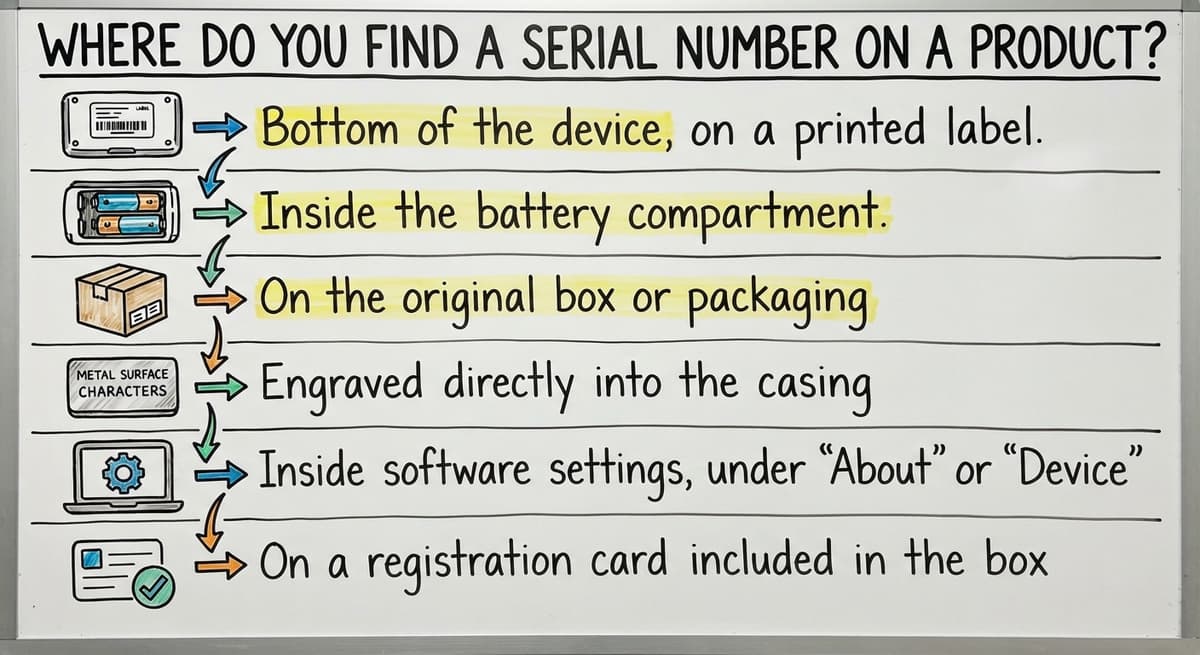
Serial numbers appear in several places depending on the product type.
- Bottom of the device, on a printed label
- Inside the battery compartment
- On the original box or packaging
- Engraved directly into the casing
- Inside software settings, under "About" or "Device Info"
- On a registration card included in the box
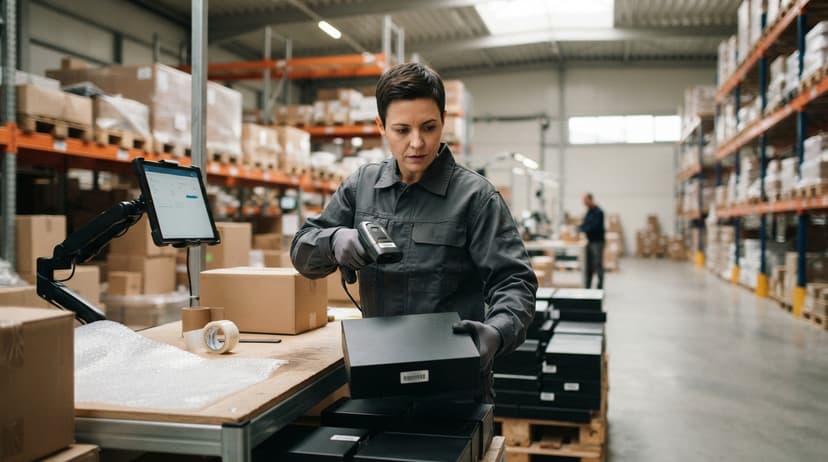
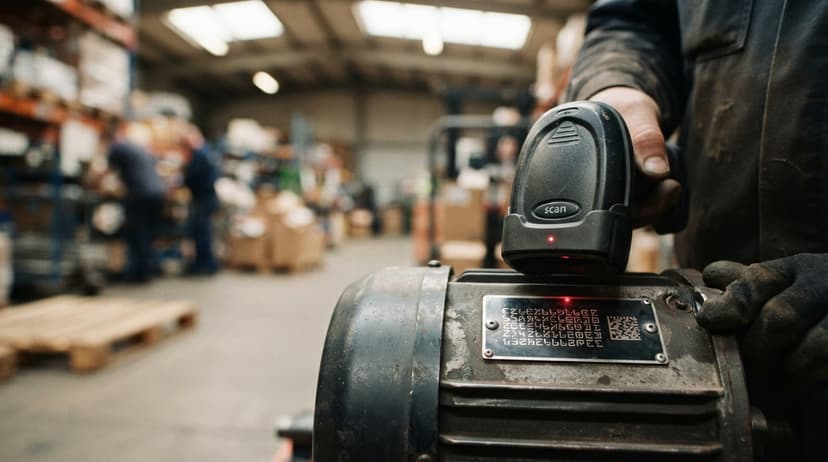
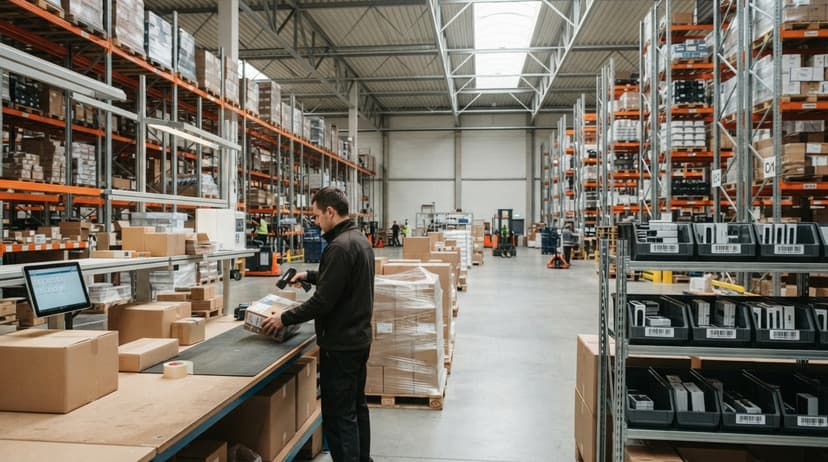
In a warehouse, serial numbers appear as barcodes or QR codes on the unit or its label. A barcode scanner reads the code in under a second. That scan logs the serial number without anyone typing a digit.
Where Does a Serial Number Appear in Software or Legal Records?
Digital products are the exception: they sometimes display the serial number only in software. A computer's serial number, for example, may appear in the operating system settings even if the physical label has worn off.
The IRS also recognizes inventory records as a legal obligation. As stated in IRS Publication 538, "To figure taxable income, you must value your inventory at the beginning and end of each tax year." Knowing which specific units you hold, by serial number, is one way to support that valuation accurately.
Serial Number vs Lot Number vs SKU: What Is the Difference?
Serial numbers, lot numbers, and SKUs are three different tools. Each one answers a different question.
| Term | Identifies | Example use |
|---|---|---|
| Serial number | One single unit | Warranty claim, theft recovery |
| Lot number | A batch made together | Product recall, quality control |
| SKU | A product type | Reorder, pricing, catalog |
A serial number identifies one single unit. A lot number identifies a group of units made in the same production run. A SKU, short for stock keeping unit, identifies a product type across all units.
Why Does Mixing Up These Identifiers Cause Real Problems?
Here is a real example. A distributor receives 50 identical label printers. All 50 share the same SKU. All 50 may share the same lot number if they came from one production run. Each of the 50 has its own serial number.
A product recall targets a lot number, not a serial number. A warranty claim targets a serial number, not a lot number. Using the wrong identifier wastes time and creates errors.
For a deeper look at how these two tracking methods work side by side in a warehouse, the guide on Lot number vs serial number tracking in a warehouse covers the practical differences in receiving and shipping workflows.
Is the comparison easier when one option is built for you?
Yes. Off-the-shelf means fitting your process to the software, and custom is the other way round. The first look costs nothing.
Book a callWhy Do Serial Numbers Matter for Inventory Management?
Serial tracking gives a warehouse unit-level accountability. That means the system knows exactly the unit in each location at any moment.
Without serial tracking, a warehouse knows it has 47 printers. With serial tracking, it knows printer SN-48271039 is in bin C-14, and printer SN-48271040 is on a pallet in the staging area.
That level of detail does several things:
- Reduces shrinkage because every item is individually logged
- Supports warranty claims with a clear purchase record: a customer claims a unit is under warranty, and the serial number proves the purchase date and the original buyer. Without it, the distributor has no clean way to verify the claim. With it, the answer takes seconds.
- Makes product recalls fast and accurate
- Helps resolve customer disputes without guesswork

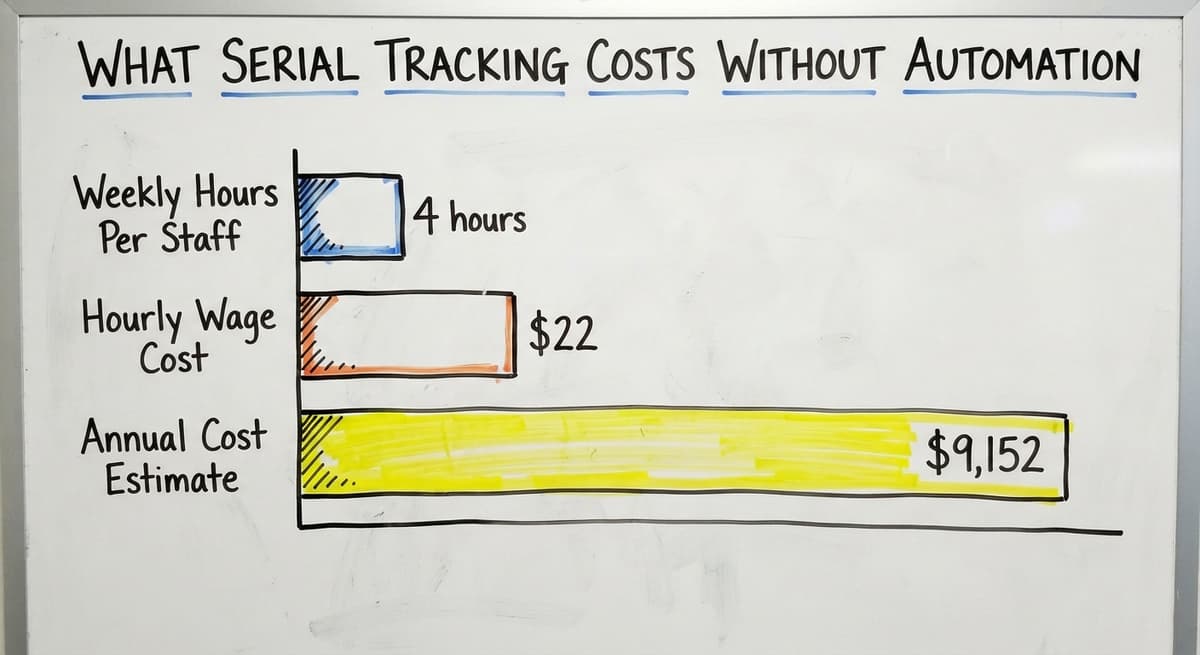
What Does Serial Tracking Cost Without Automation?
The US Census Bureau's Monthly Wholesale Trade data shows that wholesale distributors carry significant inventory relative to sales. When those inventories shift, errors compound quickly without unit-level records.
Consider the labor cost alone. If 2 warehouse staff each spend 4 hours a week tracking down serial number discrepancies manually, and the Bureau of Labor Statistics shows stock clerks and order fillers earn around $22 per hour, that is $9,152 a year spent on a problem a barcode system can largely eliminate.
Serial Tracking and Product Recalls
A product recall without serial data is a guessing game. A distributor might know it sold 200 units of a recalled product in a 3-month window. Without serial numbers tied to orders, it cannot tell the customers who received each unit.
With serial tracking, the process is straightforward. Pull every serial number shipped in the date range. Match those numbers to customer records. Contact only the affected buyers. That is faster, cheaper, and less damaging to customer trust.
Serial Tracking and Warranty Disputes
A customer claims a unit is under warranty. The serial number proves the purchase date and the original buyer. Without it, the distributor has no clean way to verify the claim. With it, the answer takes seconds.
How Serial Numbers Work in a Barcode Inventory System
A barcode or QR code is the carrier for the serial number, so a scanner reads it instantly. The scanner does not need a human to type anything.
Here is how the flow works in a basic barcode inventory management system:
- A shipment arrives at the dock.
- A staff member scans each unit's barcode.
- The system logs that serial number as received, tied to the purchase order.
- When the unit is picked for an order, another scan logs it as picked.
- At shipping, a final scan ties the serial number to the outbound order.

What That Scan History Makes Possible
The result is a full movement history for every unit. The system knows when it arrived, where it was stored, who picked it, and which shipment it left on.
Warehouse staff no longer type serial numbers by hand. Manual entry is slow and error-prone. Scanning is fast and consistent.
The NIST Manufacturing Extension Partnership notes that supply chain accuracy depends on reliable data capture at each handoff point. Scanning at every transaction is how that accuracy gets built.
What does it look like running on your own process?
The first thing you see is it running on your own process, at no build cost. The subscription starts once it is live and doing the job, not before.
Book a callSerial Number Tracking Without a Full ERP
Many small distributors are still on spreadsheets for serial numbers. A spreadsheet works for a while. It breaks down when volume grows, staff change, or someone saves over the wrong row.
A full ERP, which stands for enterprise resource planning software, solves the problem but costs more than most small distributors want to spend. The good news is that a full ERP is not required.
A custom barcode inventory system can add serial tracking on top of the accounting software without replacing it. Staff scan items at receiving and shipping. The system ties each serial number to the right the accounting software record automatically.
No expensive migration is required to get accurate, unit-level tracking. The existing accounting workflow stays in place. The barcode layer adds the serial data that the accounting software alone cannot capture.
For teams already using the accounting software, the guide on how barcode scanning connects to the accounting software shows exactly how that connection works in practice.
What This Looks Like Day to Day
Day to day it is 4 scans: at receiving, a staff member scans each incoming unit. The system records the serial number, the purchase order, and the date. At shipping, the same scan ties the serial number to the outbound order and the customer.
If a dispute comes up later, the answer is already in the system. No one needs to search a spreadsheet or call the supplier. The record is there.
Common Problems That Serial Numbers Solve
Serial tracking is the fix for 5 specific, costly problems that warehouses face regularly.
- Wrong item shipped: Serial data shows exactly which unit left the dock and on which order.
- Warranty dispute: The serial number ties a unit to a purchase date and a buyer.
- Product recall: A date-range query pulls every serial number sold in that window.
- Missing stock: Serial records show the last scan location for any unit.
These are not edge cases. They happen in warehouses that move high-value goods. Each one takes time to resolve manually. Serial tracking cuts that resolution time sharply.
When Should a Business Start Tracking Serial Numbers?
Start serial tracking when individual accountability matters more than batch accountability. That means one or more of these conditions apply:
- Products carry warranties or service contracts tied to a specific unit
- Items are high enough in value that one missing unit is a meaningful loss
- The business operates in a regulated industry where audit trails are required
- Returns, disputes, or missing inventory are already causing pain
For operations already struggling with any of those issues, the cost of adding serial tracking is almost always lower than the cost of the problem it solves.
How to Start Serial Tracking Without Replacing Your Whole System
Start by identifying which product lines need unit-level tracking. Not every SKU requires it. Focus on the lines where a mistake is expensive.
Then make sure the receiving process captures the serial number at the point of entry. A barcode scanner and a simple software layer can replace manual spreadsheet logging without disrupting the rest of the operation.
A local implementation partner can build this around your existing workflow and the accounting software setup. For teams exploring what that looks like, custom inventory software for small distributors outlines the options without requiring a full system replacement.
Serial number tracking is not a big-company tool. It is a precision tool. Any warehouse that moves items worth tracking individually can use it, at any scale.
Frequently asked questions
Frequently asked questions
How do I find a serial number on a product?
Check the bottom of the item first. If it is not there, look inside the battery compartment or on the original box.
For electronics, the serial number appears in the device settings under About or Device Info. Some products have it engraved directly into the casing.
Can you give me an example of a serial number?
Yes. A serial number might look like SN-48271039 or XK7-2209-BRAVO. The format varies by manufacturer. Some use only digits, some use letters and digits together. The key is that no other unit of the same product carries that exact code.
Does every item have a serial number?
No. Consumable goods like food, paper, or bulk materials do not carry serial numbers. High-value items like electronics, appliances, tools, and medical equipment do.
Whether a product gets a serial number is a decision the manufacturer makes, based on warranty, regulatory, or tracking needs.
Where do I find my product serial number?
Start with the label on the bottom or back of the product. Check inside any battery compartment or access panel. Look on the original packaging.
For software or digital products, open the settings menu and look for About or Device Information. If the physical label is gone, the serial number may still appear in the device's system settings.
What is the difference between a serial number and a lot number?
A serial number identifies one single unit. A lot number identifies a group of units made together in one production run.
A recall targets a lot number because it affects a batch. A warranty claim targets a serial number because it applies to one specific unit.
Can a small distributor track serial numbers without buying an ERP?
Yes. A barcode scanner paired with a lightweight inventory software layer can capture serial numbers at receiving and shipping and tie them to the accounting software records.
No full ERP migration is needed. The existing accounting setup stays in place, and the barcode system adds the unit-level tracking on top of it.
Why do warehouses track serial numbers instead of just quantities?
Quantity tracking tells you how many units you have. Serial tracking tells you which units you have and where they are. That distinction matters when a customer disputes a shipment, a product gets recalled, or a unit goes missing. Serial data gives you a specific answer instead of a count.
How do I check if a serial number is valid?
Enter it on the manufacturer's warranty page; a valid serial returns the product and its ship date. In a warehouse system, a valid serial is one that was scanned at receiving and has not yet shipped.
Can I use a serial number to register a warranty?
Yes. Warranty registration asks for the serial because it ties the cover to one unit and its ship date. Keep the receipt too, since some makers date the warranty from purchase rather than manufacture.
Is it safe to share a product's serial number?
Usually. A serial identifies a unit, not a person, and support teams ask for it routinely. Do not post it publicly for licensed software or devices where the serial doubles as an activation key.
Is a serial number the same as a model number?
No. A model number names the design and is shared by every unit of it. A serial number belongs to one unit only. Support asks for both: the model to know what it is, the serial to know which one.
What is in a free first look?
A 30 minute call, your operation mapped, and a clear picture of what we would build. No obligation and nothing to install.
Book a callRelated guides
The rest of this guide, for the parts of the job this page does not cover.
Guides
- Serial Numbers on Products
- Manufacturer's Serial Number
- Serial Numbering
- Manufacturing Serial Number
- Tracking Number Barcode
- Product Fulfillment Center
Common questions
- What Are Serial Numbers
- What Are Serial Numbers Used For
- Where Are Serial Numbers
- What Are the Numbers on a Barcode
- What is Bin Number in Inventory Management
- How to Read a Barcode Number
- What Does a Barcode Look Like
- What Do Barcode Scanners Scan
- What is the Most Important Part of Warehouse Organization
- What Are the Benefits of Warehouse Management System
- What is the Point of Warehouse Management System
- What Are the 7s Rules in a Warehouse?
- What is Picking and Packing in a Warehouse?
- What Are the Top 5 Warehouse Management Systems?
- What is Asn in Warehouse Management System
- What is a Warehouse Management System
- What is the Difference Between Aggregate and Item Inventory Management
- What is the Best Warehouse Inventory Management System?