

Barcodes And Labels
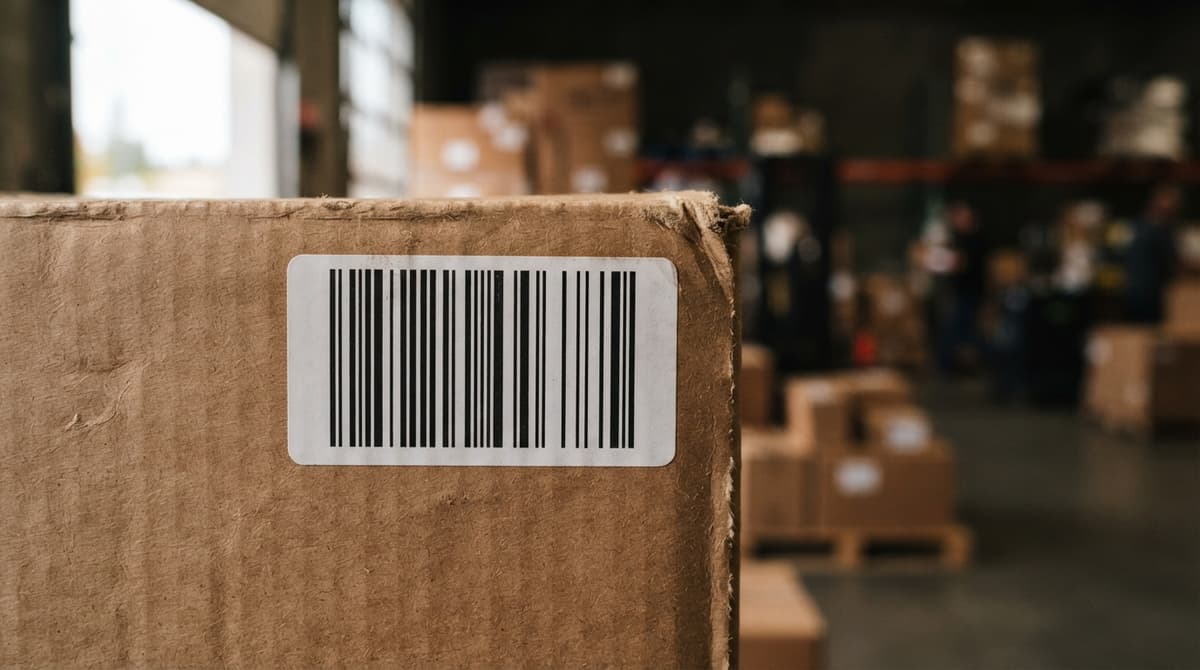
A barcode is a machine-readable code. A label is the physical sticker that carries it. Together, barcodes and labels let your team scan an item instead of writing it down, and your software updates instantly. This guide covers what to print, what to scan, which printers and scanners fit a lean team, and how to start without breaking what already works.
Published 7 August 2026. Reviewed and updated 15 September 2026.
Reviewed and updated 15 September 2026.
Book a callWhat Do Barcodes and Labels Actually Do in a Warehouse?
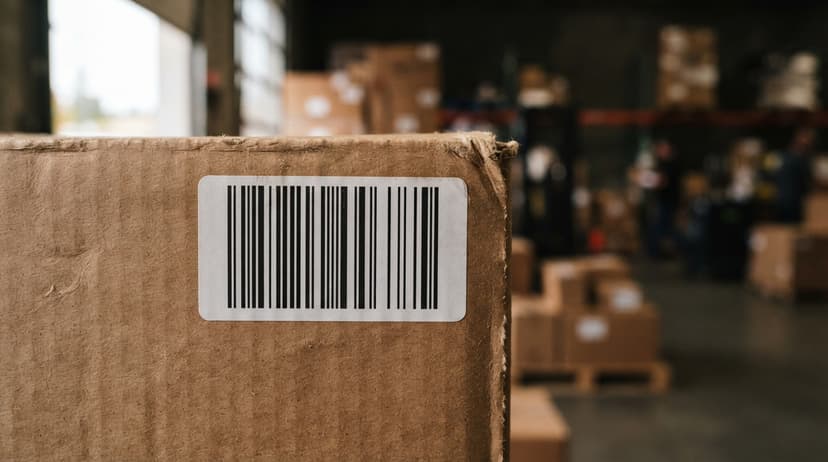
Every warehouse label has 2 jobs: tell the human what something is, and tell the scanner the same thing in a format software can read.
The barcode is the machine-readable part, a pattern of bars or dots. The human-readable part sits below it in plain text.
A typical warehouse label carries:
- SKU and product name so a picker knows what they are holding
- Bin location so the system knows where the item lives
- Quantity, lot number, or receive date depending on the operation
- A barcode that encodes one or more of those fields
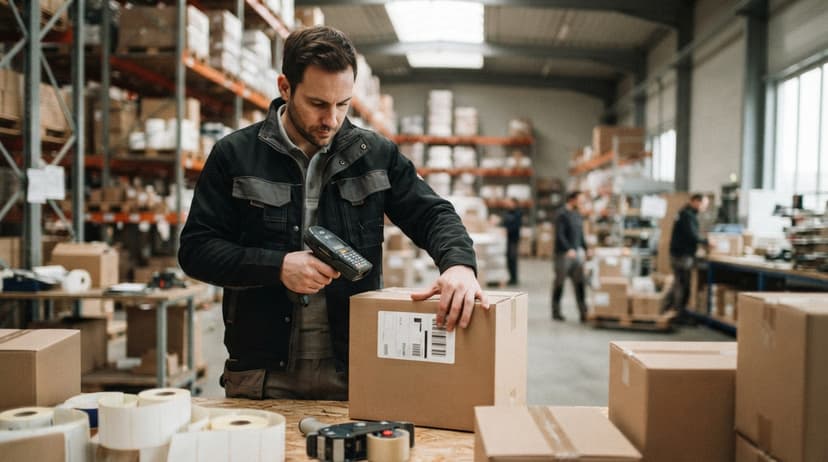
When a worker scans that label, the barcode scanner sends the code to your inventory software, which looks up the item and updates the record. No typing. No clipboard.
Would you rather have it built around your operation?
The first look is free. If you would rather not compare products, describe how your operation already works and we build the system around it.
No build cost. You see it running on your own process first, and the monthly subscription starts only once it is live.
Book a callWhy Does Manual Tracking Break Down?
The problem is not that people make mistakes. The problem is that each mistake gets copied.
A worker writes a count on a sheet. Someone else keys it into a spreadsheet. A third person reads the spreadsheet to build a pick list. At every step, errors compound.
For a team of 5 to 30 people, one wrong number can send the wrong product to a customer, trigger a reorder you do not need, or hide a shortage until it is too late.
The IRS does not make this easier. IRS Publication 538 states: "To figure taxable income, you must value your inventory at the beginning and end of each tax year." That means your counts have to be right, not just close.
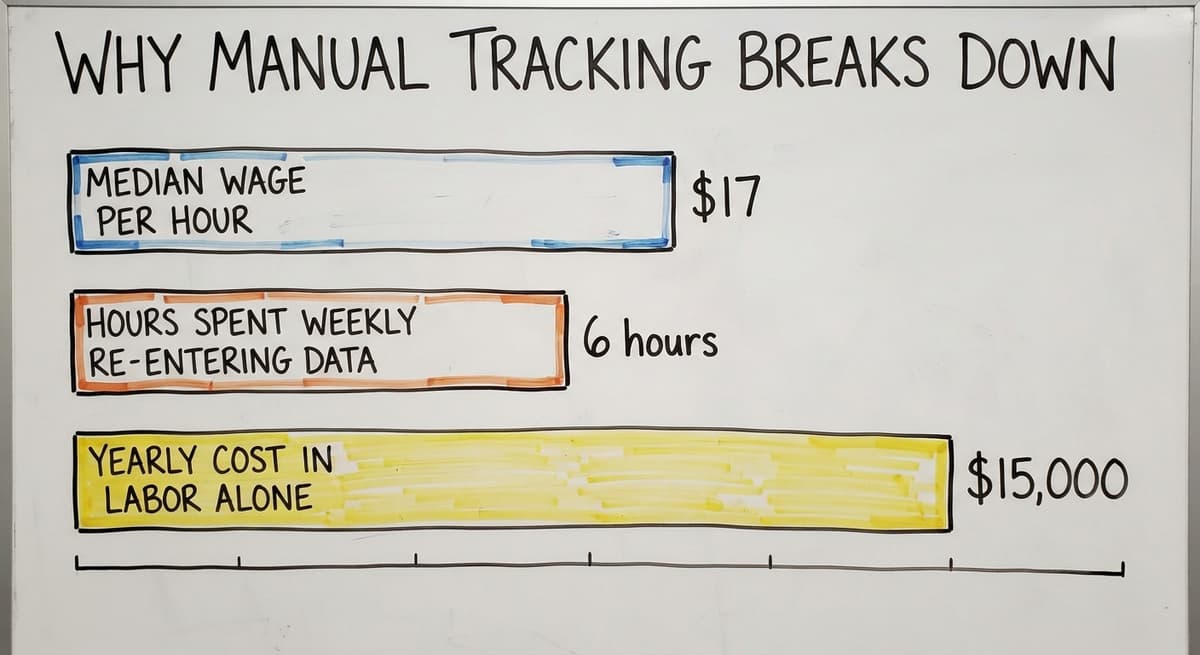
According to the US Bureau of Labor Statistics, stock clerks and order fillers earn a median wage of around $17 per hour. 3 workers spending 6 hours a week re-entering data costs over $15,000 a year in labor alone, before counting the errors those hours produce.
As GS1 explains in its barcode standards records, barcodes give every item a unique, globally consistent identifier that any compliant scanner can read. That consistency is what makes the data trustworthy across suppliers, carriers, and software systems.
What Kind of Barcodes Are Used in Warehouses?
The 2 main families are 1D and 2D. Each fits different tasks.
1D barcodes are the familiar striped codes. Code 128 is the most common in warehouses because it encodes letters and numbers quickly.
UPC and EAN are standard on retail products and supplier cases. If a supplier already puts a barcode on a case, it is almost certainly one of these.
2D barcodes like QR codes and Data Matrix store more data in a smaller space.
A Data Matrix code can hold a lot number, expiration date, and serial number in a space smaller than a fingernail. That makes them useful for small parts or labels where space is tight.
A practical rule: use the barcode your supplier already prints when you can. Create internal barcodes for private-label items, bulk goods, or anything that arrives with no barcode at all.
| Type | Common Use | Stores |
|---|---|---|
| Code 128 | Cases, pallets, internal SKUs | Up to 48 characters |
| UPC / EAN | Retail and supplier products | 12 to 13 digits |
| QR Code | Mixed data, mobile scanning | Up to 4,296 characters |
| Data Matrix | Small parts, pharma, lot tracking | Up to 2,335 characters |
Is the comparison easier when one option is built for you?
Yes. Off-the-shelf means fitting your process to the software, and custom is the other way round. The first look costs nothing.
Book a call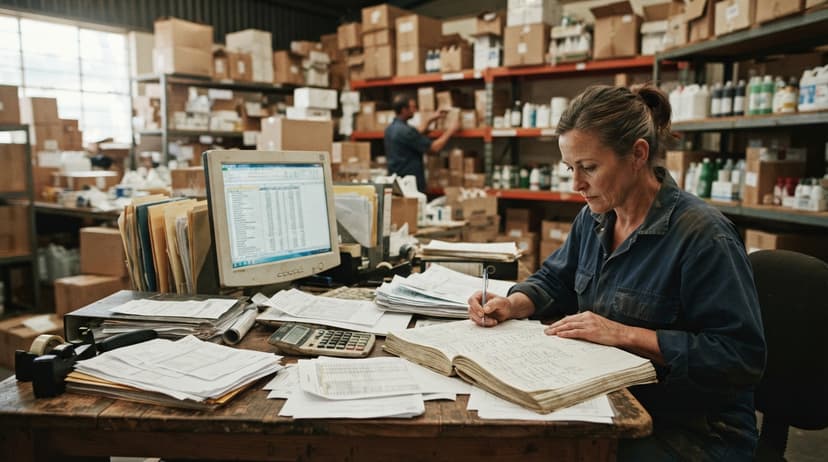
What Kind of Printer Do I Need for Warehouse Labels?
The right printer depends on how long the label needs to last and how often you print.
There are 2 thermal printing methods used in warehouses:
- Direct thermal uses heat-sensitive paper. No ribbon needed. Labels are cheap to print but fade over weeks or months. Good for shipping labels that leave the building the same day.
- Thermal transfer uses a ribbon to melt ink onto the label. Labels last years. Right for bin location labels, product labels, and anything that stays in the warehouse.
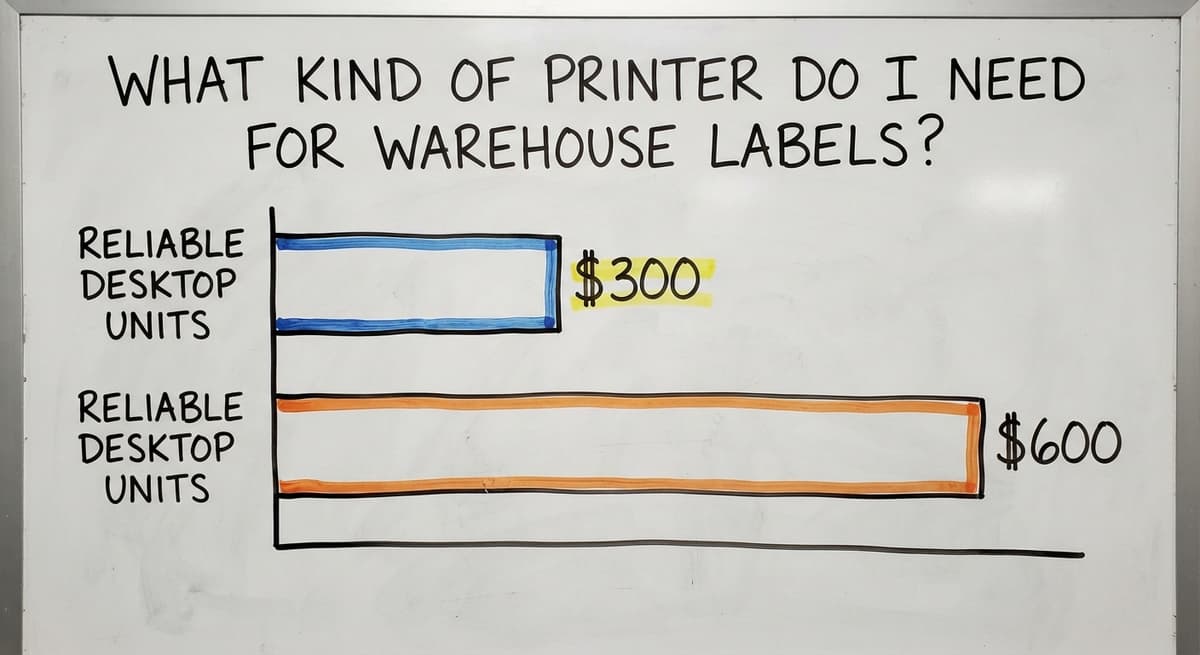
For a team under 30, a desktop thermal transfer printer handles most label jobs. Zebra and Brother both make reliable desktop units in the $300 to $600 range.
Larger operations printing thousands of labels a day benefit from an industrial unit, but most small distributors do not need one at the start.
Label material matters as much as the printer. Paper labels work fine in a dry indoor warehouse.
Cold storage, outdoor racks, or high-touch surfaces need synthetic or polyester labels that resist moisture and abrasion. The wrong material causes labels to peel, fade, or scan poorly within weeks.

How Do Barcode Scanners Connect to Inventory Software?
A scanner reads the barcode and sends the encoded data to your software, which matches it to an item record and updates the count or transaction. The scan only works if the software already knows what that barcode means.
That link between barcode and item record is called the item master. Before you scan anything, each SKU in your software needs a barcode assigned to it. For supplier products, you can import the supplier's barcode. For internal items, you assign one.
Scanner options for small operations:
- Handheld USB or Bluetooth scanners connect to a desktop or tablet. Simple, reliable, and cheap. A good entry point for a receiving desk.
- Mobile computers with built-in scanners run warehouse apps and handle Wi-Fi. More expensive but better for workers moving around the floor.
- Smartphones with a scanning app cost nothing extra if the team already has phones. Scan volume and environment work out whether this holds up.
Can I Add Barcode Scanning Without Replacing QuickBooks?
Yes. Many small distributors run financials in QuickBooks and do not want to change that. A custom inventory layer can handle barcodes and labels on the warehouse side while syncing transactions to QuickBooks on the financial side.
The inventory layer manages receiving, picking, bin locations, and label printing. When a shipment goes out or stock is received, the sync pushes the relevant data to QuickBooks so the books stay current. This is not a full ERP replacement. It is a targeted fix for the part of the operation that paper cannot handle.
QuickBooks Integration for Warehouse Operations is a practical starting point for distributors who want scanning without a platform overhaul. The goal is to add the barcode inventory system where it helps most, not to rebuild everything at once.
How Do Barcodes Work Across Receiving, Picking, and Shipping?
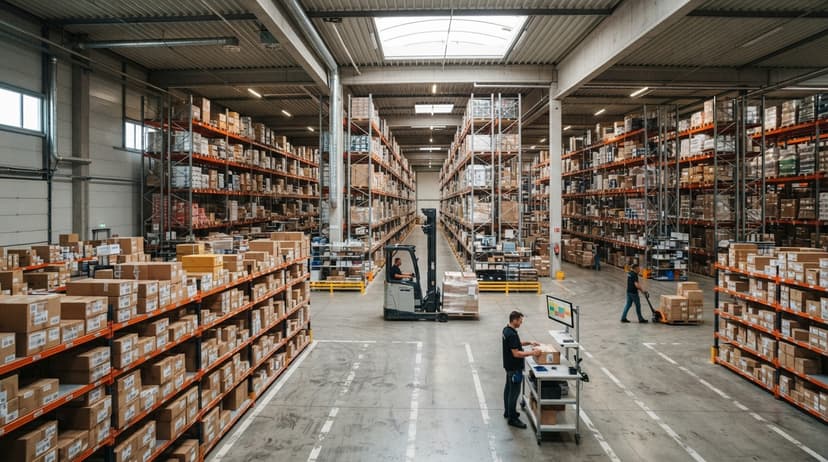
Barcodes and labels earn their cost by removing manual steps at every handoff.
Receiving: A truck arrives. The worker scans each supplier label. The system matches the scan to the open buy order and flags any shortages or extras right away. No paper receiving log. Discrepancies appear in seconds, not days.
Bin location labels on racks and shelves are just as important as product labels. When a worker scans a bin label before putting an item away, the system records exactly where that item lives.
Scan-to-pick works the same way in reverse: the worker scans the bin location, then scans the item to confirm the right product and quantity before moving it. This is what prevents wrong-item errors on outbound orders.
Shipping labels are a separate category. Carriers like UPS, FedEx, and USPS need specific label formats with their own barcodes. Shipping software generates these. The internal inventory label and the outbound shipping label are different documents serving different readers.
Pick and Pack Software for Small Distributors covers the picking side in more detail if your biggest pain is outbound accuracy.
What does it look like running on your own process?
The first thing you see is it running on your own process, at no build cost. The subscription starts once it is live and doing the job, not before.
Book a callLot Tracking, Serial Numbers, and What to Print on Each Label
Not every operation needs both. Knowing the difference saves setup time.
Lot tracking ties a group of items to one production run or buy. One barcode covers the whole batch. If a supplier recalls a lot, you can find every unit from that buy in seconds. Food, pharma, and regulated goods almost always need this.
Serial tracking assigns one unique barcode to one individual unit. Right for high-value items, warranty tracking, or anything regulated at the unit level. It takes more label printing and more scans, so only use it where the business actually needs it.
For most small distributors, lot tracking is the right starting point. Add serial tracking for the specific product lines that need it, not across the board.
Is Your Operation Ready for a Barcode System?
Four signs point to yes:
- Inventory counts are frequently wrong, and the team spends time chasing the difference between what the system says and what is on the shelf
- Workers re-enter data from paper, copying counts or order details into a spreadsheet or software by hand
- Shipping errors are hurting customer relationships, with wrong items or quantities going out regularly
- The team has grown past what a spreadsheet can manage, and one person's mistake now affects everyone
If 2 or more of these are true, the manual process is costing more than a barcode system would. Inventory Counting and Cycle Count Software explains how cycle counts work once scanning is in place.
How Do You Start Small and Build From There?
Start with one process, not the whole warehouse. Receiving is the right first step because every item enters the system there. Get scanning working at the dock before adding bin location labels or scan-to-pick.
A phased approach keeps disruption low for a lean team. Week 1 might be printing labels for incoming stock and scanning at the receiving desk.
Week 4 might add bin location labels to the top 3 aisles. Week 8 might roll out scan-to-pick for the 20 fastest-moving SKUs.
Warehouse Receiving Software and Barcode Inventory Management System both describe what a working system looks like at each stage.
Common mistakes to avoid from the start:
- Printing barcodes too small to scan reliably from the distance workers actually stand
- Using paper labels in a cold or wet environment where they will peel within days
- Skipping location labels and only labeling products, which means the system knows what you have but not where it is
- Not testing labels with the actual scanner before printing a full run of hundreds
- Failing to update labels when product details change, so old labels stay on shelves and cause wrong picks
If you want to talk through which process to start with and what a practical setup looks like for your team size and environment, that conversation costs nothing.
The goal is a system that fits how your operation already works, not one that forces you to change everything to fit the software.
Frequently asked questions
Can I print my own barcode labels?
Yes. A thermal label printer and label design software are all you need. Desktop thermal transfer printers from brands like Zebra or Brother start around $300 and handle most warehouse label jobs.
You design the template, assign barcodes to your SKUs in your inventory software, and print on demand. The main decisions are label size, material, and which fields to include.
Can I create my own barcode for my product?
Yes, with one important distinction. For products you sell only internally or to direct customers who do not resell them, you can create any barcode you like and assign it in your software.
For products sold through retail channels or to trading partners who scan them into their own systems, you need a GS1-registered barcode. GS1 issues the company prefix that makes the number globally unique. You can learn more at gs1.org/standards/barcodes.
What are barcodes called now?
The word barcode still covers the whole category. Within that, the older striped codes are called 1D barcodes or linear barcodes. The newer square-pattern codes like QR and Data Matrix are called 2D barcodes.
GS1 is developing a format called GS1 Digital Link that embeds a web address alongside the product identifier, but 1D and 2D barcodes remain the standard in most warehouses today.
Where can I get barcodes for products?
For retail or trade products that need a globally unique number, buy a GS1 company prefix at gs1.org. That prefix lets you generate as many valid GTINs as your product line needs.
For internal warehouse use only, you do not need GS1 numbers. You can generate Code 128 or QR barcodes free using any barcode generator tool and assign them in your inventory software.
What label material should I use in a cold storage or outdoor environment?
Use synthetic or polyester labels rather than paper. Paper absorbs moisture, peels at low temperatures, and fades under UV light.
Synthetic labels printed with a thermal transfer printer hold up in freezers, outdoor racks, and high-touch areas. The adhesive matters too: ask your label supplier for a low-temperature or permanent adhesive rated for your storage conditions.
What is the difference between lot tracking and serial tracking?
Lot tracking assigns one barcode to a group of items from the same production run or buy. Serial tracking assigns one unique barcode to each individual unit.
Lot tracking is simpler and covers most food, pharma, and regulated goods requirements. Serial tracking is right for high-value items or anything tracked at the unit level for warranty or compliance purposes.
How do barcode scanners connect to inventory software?
The scanner reads the barcode and sends the encoded data to your software over USB, Bluetooth, or Wi-Fi. The software matches the code to an item record in the item master and updates the count or transaction.
The connection only works if every barcode is already assigned to an item in the software before scanning starts.
What are the most common mistakes when setting up barcodes and labels?
The most common mistakes are printing barcodes too small to scan reliably, using paper labels in wet or cold environments, skipping bin location labels so the system tracks quantity but not location, and not testing labels with the actual scanner before a full print run.
A close second is failing to update labels when product details change, which leaves outdated labels on shelves.
What is the difference between a barcode and a QR code?
A barcode stores data in one row of bars and holds about 20 characters; a QR code stores it in a grid and holds thousands. Both are barcodes in the broad sense.
For a bin or a SKU a 1D code is enough; for a label that has to carry a lot, expiry, and a URL, use a QR code.
What is the best barcode type for inventory?
Code 128 for anything internal: it is compact, holds letters and numbers, and every scanner reads it. Keep the manufacturer's UPC on retail goods and add your own Code 128 label only where the UPC is missing or the unit needs a lot or serial.
What information should be included on a product label?
The barcode, the same code printed as text beneath it, a one-line description a human can read at arm's length, and, where the product needs it, the lot number and expiry date. Anything more makes the label slower to read and no more useful.
What printer is best for barcode labels?
A direct thermal printer for labels that live indoors for under a year, and a thermal transfer printer for anything that has to survive cold, sun, or handling. Desktop models start near $150; industrial units for pallet volumes run $800 and up.
What is in a free first look?
A 30 minute call, your operation mapped, and a clear picture of what we would build. No obligation and nothing to install.
Book a callRelated guides
The rest of this guide, for the parts of the job this page does not cover.
Guides
- Barcode Abbreviation
- Barcode Scan Machine
- Tracking Number Barcode
- Barcode Reader Machine
- Barcode Scanner App Ios
- 2d Barcode Readers
- Barcode Producer
- Barcode Systems for Warehouse
- Barcode Reader Description
- Alphanumeric Barcode
- Barcode Scanner Inventory System
- Lpn Barcodes
- Imager Barcode Scanner
- Barcode System for Inventory Free
- Inventory Management Software Barcode Scanner
- Make Barcode
- 2d Wireless Barcode Scanner
- System Id Barcode Solutions