

Alphanumeric Barcode
An alphanumeric barcode encodes both letters and numbers, not just digits. That lets your team embed product category, lot, or location directly into the barcode string. Numeric-only codes like UPC can only hold digits. Alphanumeric formats like Code 128 or Code 39 hold letters too, which gives small distributors far more flexibility without adding a new system.
Published 24 August 2026. Reviewed and updated 15 September 2026.
Reviewed August 2026. Each figure comes from the assumptions stated beside it, so you can substitute your own and the arithmetic still holds.
Book a callWhat Is an Alphanumeric Barcode?
A standard UPC barcode holds 12 digits. That is enough for a retail checkout lane. It is not enough if you want to encode a warehouse zone, a lot number, and a product prefix in one scan.
An alphanumeric barcode stores both letters (A through Z) and numbers (0 through 9) in a single scannable label. Some formats also include a small set of symbols.
The extra characters matter because they let you build codes that mean something. Instead of scanning 0039847, a picker scans WH-A3-0039. The code itself says which warehouse, which aisle, and which item. No lookup table needed.
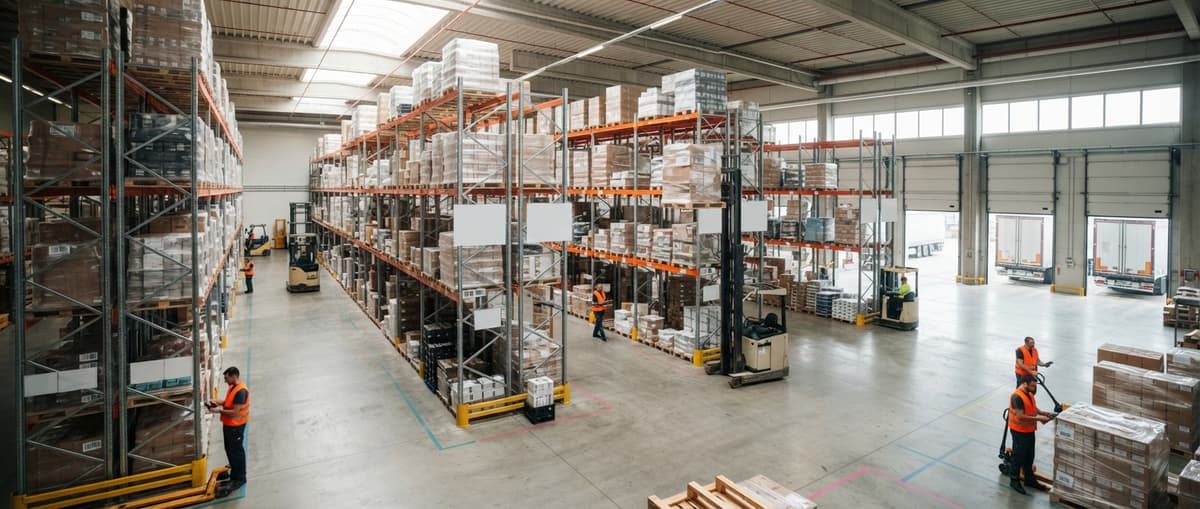
This is not a niche format. Most modern inventory barcodes used in warehousing and distribution are alphanumeric.

Would you rather have it built around your operation?
The first look is free. If you would rather not compare products, describe how your operation already works and we build the system around it.
No build cost. You see it running on your own process first, and the monthly subscription starts only once it is live.
Book a callHow Does an Alphanumeric Barcode Store Data?
Bars and spaces in a barcode represent characters. A scanner reads the pattern of light and dark and converts it to a string of letters and numbers. That string then matches a record in your inventory system or database.
As GS1, the global standards body for barcodes, explains: "Barcodes are the most widely used automatic identification and data capture (AIDC) technology in the world," and their standards define how characters are encoded in each symbology.
The practical result: one scan pulls up the right record, updates the quantity, and logs the location. No typing. No transcription errors.
Alphanumeric vs. Numeric-Only Barcodes: Which One Does Your Operation Actually Need?
Numeric-only barcodes are the right choice for retail products that need UPC or EAN compliance. Every grocery store scanner in the country reads them. They work perfectly at point of sale.
The limit shows up inside the warehouse.
| Feature | Numeric-Only (UPC, EAN) | Alphanumeric (Code 39, Code 128) |
|---|---|---|
| Characters supported | 0 to 9 only | A to Z, 0 to 9, symbols |
| Typical use | Retail checkout | Warehouse, logistics, manufacturing |
| Embed location or lot | No | Yes |
| Flexible internal coding | No | Yes |
| Scanner compatibility | Universal | Most modern scanners |
Alphanumeric lets a warehouse embed location, lot, or category codes directly into the label string. A numeric-only code forces you to look that information up after the scan. That extra step slows picking and creates room for error.
If your products go to retail shelves and need a UPC, you may run both: a UPC for the customer-facing side and an internal alphanumeric inventory barcode for your own warehouse operations.

Common Alphanumeric Barcode Formats
Four formats cover most warehouse and distribution needs.
- Code 39: Simple, widely supported, encodes 43 characters
- Code 128: Higher density, full ASCII, the standard for shipping and logistics
- Data Matrix: 2D format, packs more data into a smaller label
- QR Code: 2D format, stores URLs and long strings, common in consumer contexts
Code 39 Explained
Code 39 is the oldest alphanumeric barcode standard still in active use. It encodes 43 characters: uppercase A through Z, 0 through 9, and a small set of symbols like hyphens and spaces.
Printing and scanning Code 39 requires no special equipment. Almost every barcode scanner made in the last 20 years reads it without any setup. That makes it a practical choice for manufacturing floors, defense supply chains, and internal warehouse labeling where simplicity matters more than label density.
Is the comparison easier when one option is built for you?
Yes. Off-the-shelf means fitting your process to the software, and custom is the other way round. The first look costs nothing.
Book a callCode 128 Explained
Code 128 fits more characters into a smaller label than Code 39. It supports the full ASCII character set, which includes lowercase letters, numbers, and a wide range of symbols.
Code 128 is the format behind GS1-128 labels used by major retailers and logistics providers.
If your operation ships to a big-box retailer or uses a 3PL, you have almost certainly seen a GS1-128 label. For most distributors starting with alphanumeric barcodes today, Code 128 is the safe default.
Why Do Warehouses and Distributors Use Alphanumeric Barcodes?
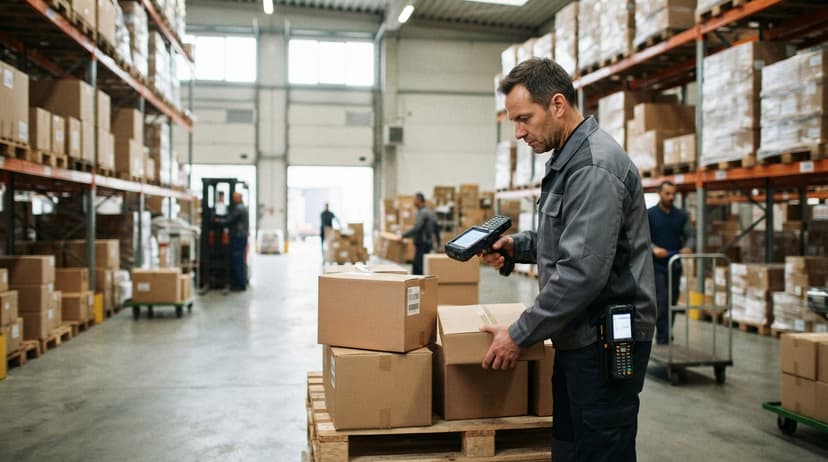
A distributor carrying 3,000 SKUs with similar part numbers faces a real risk every day. A picker grabs the wrong item. The error ships. A return follows.
Letters and numbers together let a business encode meaningful information in one string: product line prefix, warehouse zone, lot number. A picker scanning TX-4412-B2 knows the product line (TX), the item ID (4412), and the bin location (B2) before the scan even completes.
This supports faster receiving, picking, and shipping. It also reduces the need to cross-reference a printed sheet or a second screen.
Consider the math: 2 pickers spending 30 minutes a day on avoidable lookups, at the median wage for stock clerks of around $18 per hour, costs roughly $5,400 a year in labor alone, before you count mis-picks and returns.
Building a Useful Alphanumeric Barcode Schema
A barcode schema is simply your naming convention: the rule that says what each part of the barcode string means.
A simple example for a small distributor:
- First 2 letters: product category (e.g.
ELfor electronics) - Next 4 digits: item ID (e.g.
0047) - Final 2 letters: warehouse location (e.g.
A3)
Result: EL0047A3
The schema should match how your business already thinks about its products. If your team calls a product line "TX" internally, use TX in the code. Do not invent a new system just for the barcode.
Keep the schema short enough that a staff member can read it and understand it without a manual. A code that requires a decoder is a code that causes errors.

What Scanner Hardware Do You Need to Read Alphanumeric Barcodes?
Most modern handheld barcode scanners read alphanumeric formats out of the box. No special configuration is needed for Code 39 or Code 128.
- Laser scanners read 1D formats like Code 39 and Code 128 quickly and accurately
- Imager scanners (camera-based) read both 1D and 2D formats, including QR and Data Matrix
- Bluetooth and WiFi scanners send scan data directly to your inventory software, removing manual entry entirely
For most small distributors, a mid-range imager scanner covers every format you are likely to need today and in the future. Expect to spend $150 to $400 per unit for a reliable warehouse-grade device.
Alphanumeric Barcodes in a Barcode Inventory Management System
The barcode is the input. Your barcode inventory management system is what acts on it.
Every scan should update a record: quantity on hand, bin location, lot number, status. The system does this automatically when the scan arrives. No one types anything.
Alphanumeric codes give the system more structured data to work with. A system receiving EL0047A3 can parse the category, item ID, and location in one pass. A system receiving 00047 has only the item ID and must look up the rest.
For a deeper look at connecting this to your broader workflow, see the barcode inventory management system overview on this site.
What does it look like running on your own process?
The first thing you see is it running on your own process, at no build cost. The subscription starts once it is live and doing the job, not before.
Book a call
How Do Alphanumeric Barcodes Reduce Picking Errors?
Human eyes misread handwritten part numbers. Scanners do not.
An alphanumeric barcode can encode enough detail that a picker verifies the right item before confirming the pick. The scanner beeps green. The pick is right. No second-guessing.
Fewer mis-picks means fewer returns, credits, and unhappy customers. A distributor with 3,000 SKUs and similar part numbers benefits most from this. When TX-4411 and TX-4412 look nearly identical on a shelf label, a scanner catches the difference every time.
For a full breakdown of how this connects to warehouse operations, see the guide on warehouse picking accuracy and error reduction.
Connecting Alphanumeric Barcodes to the accounting software
Many small distributors already use a standard accounting package for accounting and basic inventory. That is a reasonable setup. You do not need to replace it to add scan-based accuracy.
The accounting software item numbers can serve as the alphanumeric string encoded in the barcode. A middleware or custom software layer passes scan data to the accounting software without double entry. The warehouse floor gets real scan accuracy. The accounting software stays in place.
For step-by-step guidance, see how to connect barcode scanning to the accounting software on this site. The short version: the scan fires, the middleware matches the alphanumeric string to a the accounting software item, and the record updates. No one types a part number.

When Numeric-Only Barcodes Are Enough
Not every operation needs alphanumeric. Here is an honest assessment.
- Retail-facing products that require UPC or EAN compliance do not need alphanumeric internal codes unless you also run a warehouse
- Operations with fewer than a few hundred SKUs may not need the extra characters
- If your inventory system already assigns pure numeric IDs and staff know them well, switching adds complexity without a clear gain
The question is whether your current codes carry enough meaning on their own. If a picker can identify the right item from a numeric code alone, and errors are rare, stay with what works.
Printing Alphanumeric Barcode Labels
Thermal transfer printers are the standard for durable warehouse labels. The heat-and-ribbon process produces a label that holds up to shelf life, cold storage, and handling.
Direct thermal printing is cheaper but fades over time. It works for short-lived labels like shipping cartons. It is not ideal for bin labels or long-shelf-life products.
Label design software or inventory system print templates handle barcode generation automatically. You enter the item data. The system builds the alphanumeric string, encodes it in the chosen format, and sends it to the printer.
Label size should match the scanner range and the surface area on the product or bin. A label too small for the environment is a label that causes scan failures. For a full setup guide, see label printing setup for warehouse operations.
What is in a free first look?
A 30 minute call, your operation mapped, and a clear picture of what we would build. No obligation and nothing to install.
Book a call
What Are the Most Common Mistakes When Implementing Alphanumeric Barcodes?
Most implementation problems come from decisions made before a single label is printed.
- Inconsistent schemas across product lines create confusion at scan time. Pick one convention and apply it everywhere
- Labels printed too small for the scanner or the environment cause read failures and slow down staff
- No staff training on what each segment of the code means leads to errors when something looks wrong
- Failing to update the barcode when a product attribute changes, such as location or lot, leaves the system out of sync with the floor
Fix these before you scale. A pilot on one product line or one warehouse zone surfaces the problems cheaply.
Alphanumeric Barcodes vs. QR Codes
QR codes are a 2D barcode format that can store alphanumeric strings plus much more: URLs, serial numbers, long product descriptions. They are not a replacement for Code 128 in most warehouse contexts.
For internal warehouse use, Code 128 is simpler and faster to scan than a QR code. Laser scanners read Code 128 in a single pass. QR codes require an imager and a moment to focus.
QR codes make sense when you need to encode a URL or a long product description that would not fit in a 1D barcode. The choice depends on how much data you need to store and which scanners are already on the floor.
Getting Started with Alphanumeric Barcodes in Your Operation
- Define the barcode schema based on existing item numbers or a new convention your team will remember
- Choose a barcode format. Code 128 is the right default for most distributors
- Verify scanner compatibility before printing labels at scale
- Connect scan output to your inventory system and test the data flow
- Pilot one product line or one warehouse zone before rolling out across the operation
Starting small is not a compromise. It is how you find the problems before they multiply.
How Custom Software Makes Alphanumeric Barcodes Work Harder
Off-the-shelf systems force you to fit their barcode logic. Custom software encodes your existing logic instead.
A custom layer can parse the alphanumeric string and trigger different workflows based on the prefix or suffix. A location code suffix can automatically route the scan to the right bin record without any extra steps from the picker.
The barcode becomes an instruction, not just an identifier. For operations with complex routing, lot tracking, or multi-location inventory, this is where alphanumeric barcodes pay back the most.
Custom inventory software for small distributors takes shape around the schema you already use, rather than asking you to change how you work.
The NIST Manufacturing Extension Partnership recommends aligning technology to existing process before adding new layers, and that principle applies directly here: build the software around the operation, not the other way around.
If your current setup is outgrowing manual processes, a connected system that parses your alphanumeric barcodes and acts on them automatically is worth a conversation. That is exactly what a custom workflow built around your operation can deliver.
Frequently asked questions
Frequently asked questions
What are the different types of barcodes?
Barcodes fall into two broad groups: 1D (linear) and 2D. Common 1D formats include UPC, EAN, Code 39, and Code 128. Common 2D formats include QR Code and Data Matrix.
The right type depends on how much data you need to store and what scanners you have. For most warehouse operations, Code 128 covers the majority of needs.
Can you make a barcode with letters?
Yes. Alphanumeric barcode formats like Code 39 and Code 128 encode both letters and numbers. Code 39 supports uppercase A through Z plus digits and a few symbols.
Code 128 supports the full ASCII character set, including lowercase letters. Most barcode label software and inventory systems can generate these formats without any special setup.
How to generate a 12 digit barcode?
A 12-digit barcode is a UPC-A, the standard retail barcode. To generate one, you need a GS1 Company Prefix, which you obtain from GS1 US. Once you have the prefix, your inventory software or a barcode generator tool can produce the label.
If you only need an internal barcode and do not require GS1 compliance, most inventory systems let you generate any numeric or alphanumeric string without a GS1 prefix.
How do I figure out what type of barcode I have?
Look at the physical label. A UPC has 12 digits and a thin-to-wide bar pattern with a quiet zone on each side. Code 39 barcodes start and stop with an asterisk character and have wider bars.
Code 128 is denser and narrower for the same number of characters. QR codes are square with three corner squares. Most barcode scanner apps on a smartphone will identify the format when you scan it.
How many characters can an alphanumeric barcode hold?
The answer depends on the format. Code 39 handles up to about 20 to 25 characters before the label becomes impractically wide.
Code 128 is more efficient and handles up to around 48 characters in a practical label size. 2D formats like Data Matrix can store hundreds of characters in a small area. For most warehouse labels, 8 to 20 characters is enough to encode all the information you need.
Can I connect alphanumeric barcode scanning to the accounting software?
Yes. The accounting software item numbers can be encoded as the alphanumeric string in a barcode.
A middleware or custom software layer reads the scan output and matches it to the accounting software item record, updating inventory without manual entry. This keeps the accounting software in place while adding scan-based accuracy on the warehouse floor.
Is an alphanumeric barcode the same as a 2D barcode?
No. Alphanumeric refers to the character set a barcode can store: letters and numbers. 2D refers to the physical structure of the barcode, meaning it stores data in both horizontal and vertical directions.
A QR code is a 2D barcode that can store alphanumeric data. Code 128 is a 1D barcode that also stores alphanumeric data. The two categories overlap but are not the same thing.
Do I need special software to generate alphanumeric barcodes?
No. Many free web-based tools generate Code 39 and Code 128 barcodes from any string you enter. Most inventory and warehouse management systems include a built-in barcode generator.
Label design software like Bartender or ZebraDesigner also handles this. Special software is only needed if you have complex formatting rules or need to generate labels in bulk from a database.
What is the difference between Code 39 and Code 128?
Both hold letters and numbers. Code 39 uses a smaller character set, prints wider for the same data, and has no built-in check digit.
Code 128 holds the full ASCII set, prints about 30 percent narrower, and includes a check digit, which is why it is the default for new labels.
How do I create an alphanumeric barcode?
Pick Code 128, enter the text in any barcode generator or label software, and print on a thermal printer. Keep the text under about 20 characters so the label stays readable at scanner range, and print the same text beneath the bars.
Can a barcode contain lowercase letters?
Code 128 can; Code 39 cannot, and a scanner reading Code 39 returns uppercase. If case matters to your records, use Code 128 and check that the software stores the case rather than folding it.
Can I scan an alphanumeric barcode with my phone?
Yes. A phone camera with a scanning app reads Code 128 and Code 39 as well as numeric codes. For all-day warehouse use a dedicated scanner is faster and handles glare and worn labels better.
Not sure this is the right shape for your operation?
The call is free. Describe how the work runs today. We map it on a call and show you what it would look like built around that, before you spend anything.
Book a callRelated guides
The rest of this guide, for the parts of the job this page does not cover.
Guides
- Barcode Abbreviation
- Barcode Scan Machine
- Tracking Number Barcode
- Barcode Reader Machine
- Barcode Scanner App Ios
- 2d Barcode Readers
- Barcode Producer
- Barcode Systems for Warehouse
- Barcode Reader Description
- Barcodes and Labels
- Barcode Scanner Inventory System
- Lpn Barcodes
- Imager Barcode Scanner
- Barcode System for Inventory Free
- Inventory Management Software Barcode Scanner
- Make Barcode
- 2d Wireless Barcode Scanner
- System Id Barcode Solutions