

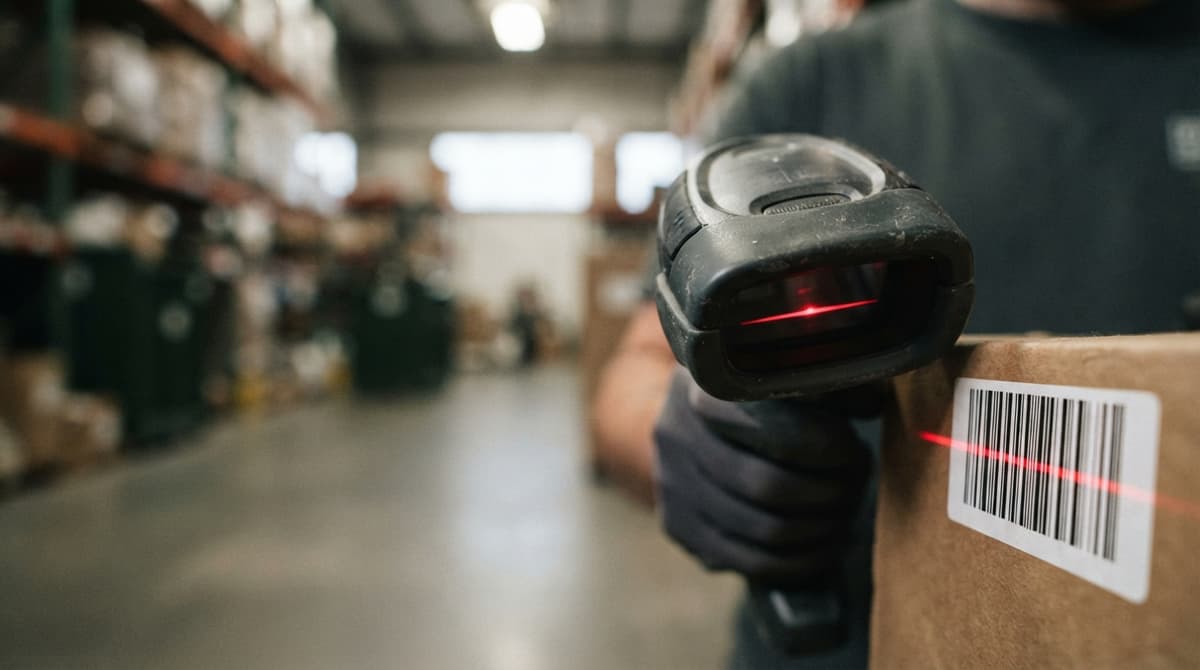
Barcode Reader Description
A barcode reader is a device that turns a label into data. It scans the bars and spaces in under a second, and paired with the right software it replaces typing on the warehouse floor. This guide, reviewed in September 2026, describes the reader part by part: the light source, the sensor, the decoder, and the interface that sends the result to a computer as if it were typed. It then covers the 4 types you can buy, from a $30 wired wand to a $1,500 rugged mobile computer, what each one reads, and how to pick one for a counter, a dock, or a cold room. The last section covers the software side, which is where the accuracy comes from.
Reviewed August 2026. Each figure comes from the assumptions stated beside it, so you can substitute your own and the arithmetic still holds.
Published 26 August 2026. Reviewed and updated 15 September 2026.
Book a callWhat Is a Barcode Reader and What Does It Do?
A barcode reader captures the pattern on a label and turns it into a number or text string. That string is then sent to a computer, inventory system, or app. Your staff do not type anything. The reader does it for them.
Operations managers do not need to understand the electronics. What matters is this: a barcode reader removes the step where a person reads a label and keys in a number. That one change cuts errors and speeds up every process it touches.
Would you rather have it built around your operation?
The first look is free. If you would rather not compare products, describe how your operation already works and we build the system around it.
No build cost. You see it running on your own process first, and the monthly subscription starts only once it is live.
Book a callHow Does a Barcode Reader Work, Step by Step?
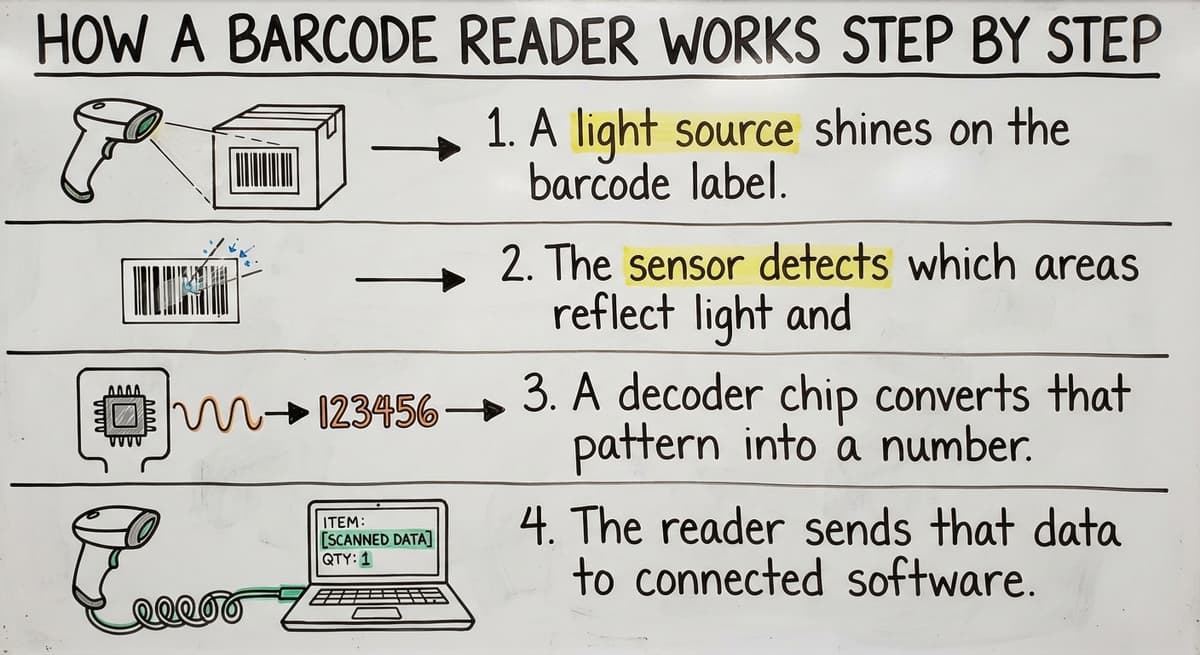
The process is fast, but it has clear stages:
- A light source shines on the barcode label.
- The sensor detects which areas reflect light and which absorb it.
- A decoder chip converts that pattern into a number or text string.
- The reader sends that data to connected software via USB, Bluetooth, or Wi-Fi.
As GS1, the global standards body for barcodes, explains on its barcode standards page: "Barcodes are machine-readable representations of data." That data travels from the label to your system in one scan.
The software receiving the scan decides what happens next. The reader is the input. The software is where the work gets done.
What Are the Main Parts Inside a Barcode Reader?
Every barcode reader has 4 core parts. Each one affects how reliable the reader is in a busy warehouse.
- Light source. Usually an LED or laser. It illuminates the label so the sensor can read it. A weak light source fails under bright or dim conditions.
- Image sensor or photodetector. This reads the reflected light and maps the bar pattern. Better sensors handle dirty or damaged labels.
- Decoder chip or software. This converts the bar pattern into usable data. A slow decoder creates lag at high-volume scan points.
- Output interface. This is how the data leaves the reader: USB cable, Bluetooth radio, or Wi-Fi. The interface you choose determines how far your staff can move.
In a warehouse setting, every part needs to hold up to drops, dust, and long shifts. Consumer-grade parts do not last.
Types of Barcode Readers
Several form factors and scanning technologies exist. The right type depends on your workflow, not your budget. A cheap reader that slows your line costs more than a good one.
Is the comparison easier when one option is built for you?
Yes. Off-the-shelf means fitting your process to the software, and custom is the other way round. The first look costs nothing.
Book a call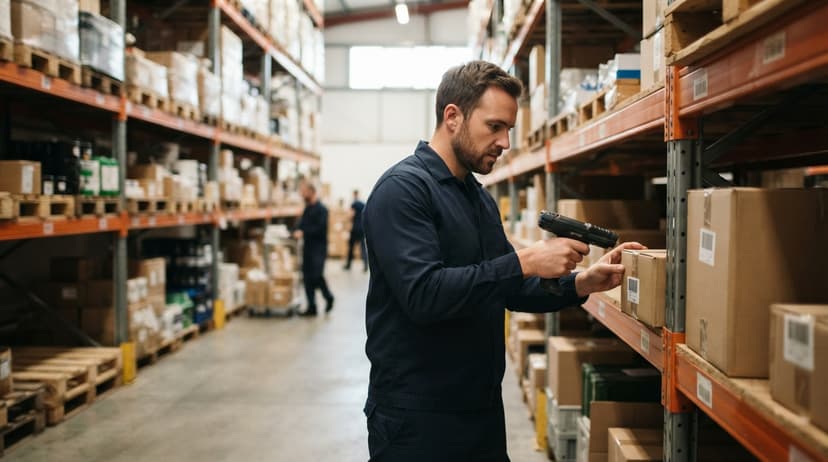
1D Barcodes Versus 2D Barcodes
| Feature | 1D Barcode | 2D Barcode |
|---|---|---|
| Data stored | Short number | Number, URL, serial, lot code |
| Label size needed | Wider | Smaller |
| Reader required | Any type | 2D imager only |
| Inventory use case | Simple SKU lookup | Detailed product or shipment data |
A 1D barcode stores a short number that points to a record in your database. Scan it and your system pulls up the item. That is enough for most basic SKU lookups.
A 2D barcode stores more data in a smaller label. A single scan can return a serial number, a lot code, an expiry date, and a URL. If your operation tracks shipment detail or product history, 2D codes carry that data directly on the label.
Only a 2D imager reads both types. A 1D-only reader cannot read a QR code or Data Matrix label.
Wired Versus Wireless Barcode Readers
Connectivity choice matters as much as scanner type. Match it to the size and layout of your space.
- Wired USB readers are reliable and need no charging. Staff are tied to a workstation. Good for fixed receiving desks.
- Bluetooth readers pair with a base station and work within roughly 30 feet. Good for small warehouse floors.
- Wi-Fi readers connect directly to your network. They work across a full warehouse floor with no range limit from a base station.
- Batch readers store scans locally and upload when docked. Useful where network coverage is patchy.
A small operation with 1 or 2 scan points can use wired readers and save money. A warehouse floor with roaming staff needs wireless.

How Do Barcode Readers Connect to Inventory Software?
Most barcode readers appear to software as a keyboard. The reader types the scanned value into whatever field is active on screen. No special setup is needed for basic use.
More advanced setups use APIs or middleware to route scan data directly to the right record. A scan at receiving can update a purchase order, log a timestamp, and trigger a put-away task, all without a staff member touching a keyboard.
Custom inventory systems takes shape to accept scan input and update stock counts, pick lists, or receiving logs in real time. For operations running the accounting software, a bridge between the scanner and the books means stock levels update the moment a scan happens.
A barcode inventory management system overview can show you how those connections are structured before you buy any hardware. How inventory tracking software works with the accounting software is a separate question worth answering before you order a single reader.
Barcode Readers in a Warehouse or Distribution Operation
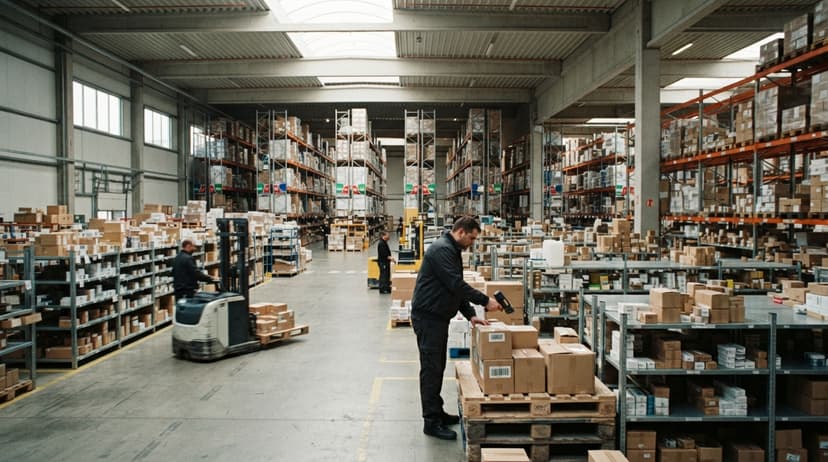
Every stage of the warehouse process has a scan point. Here is where readers fit:
- Receiving: Scan incoming shipments and match them to purchase orders.
- Put-away: Confirm product is placed in the correct bin location.
- Picking: Verify the right item and quantity are pulled for an order.
- Shipping: Confirm the correct box leaves with the correct label.
- Cycle counts: Scan shelf by shelf to update stock without a full shutdown.
Warehouse receiving process automation starts with a scan at the dock door. Pick and pack workflow software uses scan events to confirm each step. Each scan creates a record. That record is your audit trail.
What Goes Wrong Without a Barcode Reader?
Staff who key in item numbers by hand make typos. Typos create wrong stock counts. Wrong counts lead to short shipments, overstock, and time spent fixing records instead of running the operation.
The IRS is direct about why this matters: IRS Publication 538 states, "To figure taxable income, you must value your inventory at the beginning and end of each tax year." A count you cannot trust is a liability at tax time, not just an operational problem.
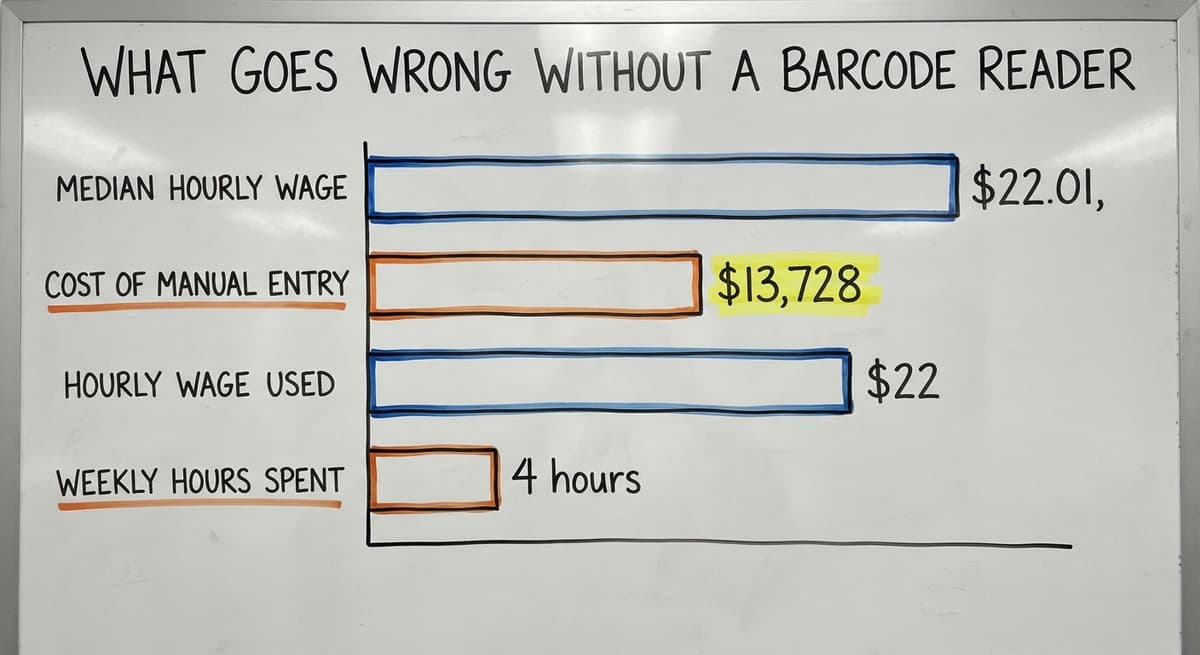
Consider the math. 3 staff members spending 4 hours a week on manual entry at $22 an hour costs $13,728 a year. That figure does not include the cost of errors those entries create downstream.
The Bureau of Labor Statistics puts the median hourly wage for stock and order clerks at $22.01, which is the figure used here.
What does it look like running on your own process?
The first thing you see is it running on your own process, at no build cost. The subscription starts once it is live and doing the job, not before.
Book a callWhich Barcode Reader Is Best for a Small Warehouse or Distribution Centre?
The best reader for your operation is the one that fits your barcode types, your environment, and how your staff move. There is no single answer.
Work through these 4 questions:
- Barcode type: Do you scan 1D barcodes only, or do you also use QR codes or Data Matrix labels? Mixed use requires a 2D imager.
- Environment: Office, warehouse floor, cold storage, and outdoor use each put different stress on hardware.
- Volume: Occasional scanning needs a basic reader. Hundreds of scans per hour needs something faster and more durable.
- Connectivity: Fixed workstations can use wired readers. Roaming staff need Bluetooth or Wi-Fi.
For most small to mid-size warehouses, a mid-range 2D imager covers all current and future needs without enterprise pricing.
Custom warehouse software for small distributors takes shape around the scan events you already have, so the hardware choice follows the workflow rather than the other way around.
Barcode Reader Durability and Drop Ratings
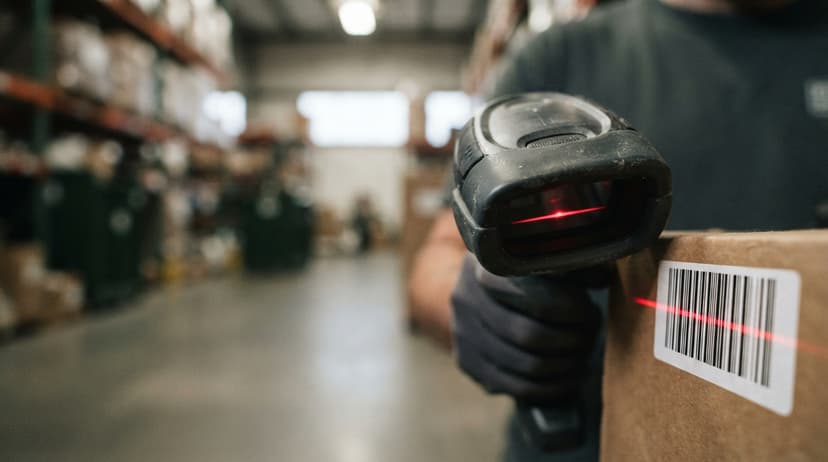
Consumer-grade readers are not built for warehouse drops. A reader that falls from a picking cart onto concrete will not survive the shift.
Look for 2 ratings when buying for a warehouse:
- IP rating: Covers dust and moisture resistance. IP54 or higher suits most warehouse floors.
- Drop-test rating: Most rugged readers are tested at 1.5 to 2 meters onto concrete.
Rugged readers cost more upfront. They last years longer in active operations. The cost difference pays back quickly when you stop replacing broken units every few months.
Common Barcode Reader Mistakes in Small Operations
Small operations repeat the same buying mistakes. Avoid these:
- Buying a reader before the software is ready to receive scan data.
- Choosing a 1D-only reader and then needing 2D codes six months later.
- Using consumer USB scanners in a high-drop environment.
- Not training staff on the correct scan angle and distance for their specific reader model.
- Treating the reader as the whole solution instead of one part of a connected system.
The reader is the input device. The software is where the value lives.
How Does Custom Software Make Barcode Readers More Useful?
Off-the-shelf software forces your operation to match its workflow. Custom software is built around the scan events that already happen in your building.
A scan at your receiving dock can automatically update a the accounting software item count, trigger a put-away task, and log a timestamp. That is 3 manual steps replaced by 1 scan. Small and mid-size distributors get that result without adopting a full ERP.
The Software Society builds systems around how your operation already works. Custom workflow means the scan does the work, not the staff member standing behind it.
Next Steps for Adding Barcode Scanning to Your Operation
Start with the process, not the hardware.
- Audit your current manual steps. Where are items counted, entered, or verified by hand?
- Identify which of those steps a scan could replace.
- Choose a reader type that fits those scan points.
- Make sure the software receiving the scan data is ready before the hardware arrives.
If you are not sure where to start, talk through your current process with the team. Bring a rough map of where items move in your operation. That conversation will tell you more than any spec sheet.
Frequently asked questions
Frequently asked questions
What is barcode reader in simple words?
A barcode reader is a device that reads the pattern of bars on a label and converts it into a number or text your software can use. It works like a camera pointed at a label, except instead of saving a photo, it sends the data directly to your computer or inventory system.
What is the description of a scanner?
A barcode scanner is a handheld or fixed device with a light source, a sensor, and a decoder.
The light hits the label, the sensor reads the reflected pattern, and the decoder turns that pattern into data. The data is then sent to connected software via USB, Bluetooth, or Wi-Fi.
How do you describe a barcode?
A barcode is a machine-readable label made up of bars and spaces in a set pattern. Each pattern represents a number or string of characters.
A 1D barcode holds a short number. A 2D barcode, such as a QR code, holds more data including URLs, serial numbers, and lot codes.
What is the purpose of a barcode scanner?
A barcode scanner removes the step where a person reads a label and types in a number. It replaces manual entry with a single scan, which is faster and far less prone to error.
In a warehouse, scanners are used at receiving, put-away, picking, shipping, and cycle counts.
What is the difference between a 1D and 2D barcode reader?
A 1D barcode reader reads standard linear barcodes that store a short number. A 2D barcode reader, called an area imager, reads both linear barcodes and 2D codes such as QR codes and Data Matrix labels.
If your operation uses or plans to use any 2D codes, a 2D imager is the only type that will work.
What is the difference between a wired and wireless barcode reader?
A wired reader connects via USB and is reliable but keeps staff tied to one spot. A Bluetooth reader works within about 30 feet of a base station.
A Wi-Fi reader connects directly to your network and works across a full warehouse floor. Choose based on how far your staff need to move while scanning.
How durable do barcode readers need to be for warehouse use?
For warehouse use, look for an IP54 rating or higher for dust and moisture resistance, and a drop-test rating of at least 1.5 meters onto concrete. Consumer-grade readers are not built for warehouse conditions and will fail quickly in an active operation.
How does custom software make a barcode reader more powerful?
Custom software is built around the scan events in your operation rather than forcing you to match a generic workflow.
A single scan at receiving can update a stock count, trigger a put-away task, and log a timestamp automatically. That replaces 3 manual steps with 1 scan and removes the risk of entry errors at each stage.
What are the main types of barcode readers?
Four: pen or wand readers, laser scanners, CCD or linear imagers, and 2D area imagers. Laser and linear imagers read 1D codes; area imagers read 1D and 2D codes and are the usual buy today. Each comes in handheld, fixed-mount, and mobile-computer forms.
Where are barcode readers commonly used?
Retail checkouts, warehouse receiving and picking, hospital wards, libraries, and parcel sorting. Anywhere a person would otherwise type a number, a reader does it faster and without the typo.
What are the advantages of using a barcode reader?
Speed and accuracy. A scan takes under a second against 5 to 10 seconds of typing, and a scan error rate near 1 in a million against about 1 in 300 keystrokes.
The record updates at the moment of the movement instead of at the end of the day.
Can a standard barcode reader scan codes off a smartphone screen?
A 2D imager can; a laser reader cannot, because the screen's glass and backlight scatter the beam. If phones will be presented at the counter or dock, choose an imager.
What is in a free first look?
A 30 minute call, your operation mapped, and a clear picture of what we would build. No obligation and nothing to install.
Book a callRelated guides
The rest of this guide, for the parts of the job this page does not cover.
Guides
- Barcode Scanner Description
- Barcode Reader Machine
- 2d Barcode Readers
- Quickbooks Barcode Reader
- Barcode Abbreviation
- Barcode Scan Machine
- Tracking Number Barcode
- Barcode Scanner App Ios
- Barcode Producer
- Barcode Systems for Warehouse
- Barcodes and Labels
- Alphanumeric Barcode
- Barcode Scanner Inventory System
- Lpn Barcodes
- Imager Barcode Scanner
- Barcode System for Inventory Free
- Inventory Management Software Barcode Scanner
- Make Barcode