

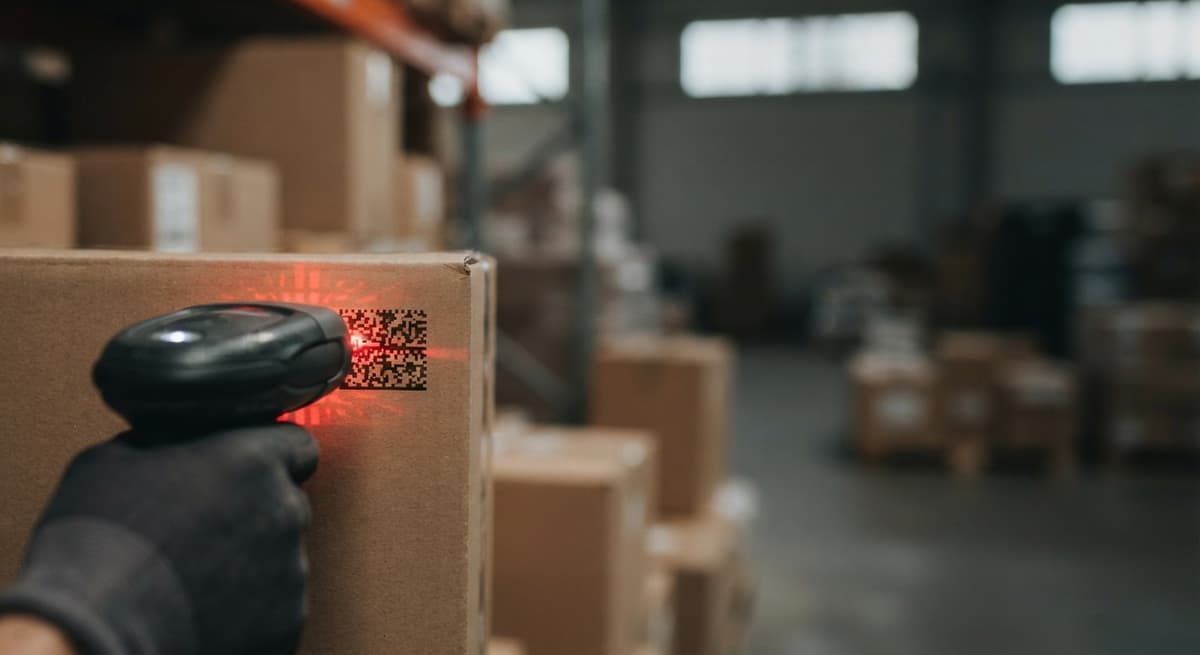
2d Barcode Readers
Reviewed and updated 15 September 2026. This guide addresses the owner or operations manager of a small warehouse or wholesale distributor who is still running on QuickBooks and printed pick sheets. It covers what 2D barcode readers actually do, which type fits your workflow, and what it takes to connect one to your inventory system.
Published 10 August 2026. Reviewed and updated 15 September 2026.
Book a callWhat Is a 2D Barcode Reader and How Does It Differ from a 1D Scanner?
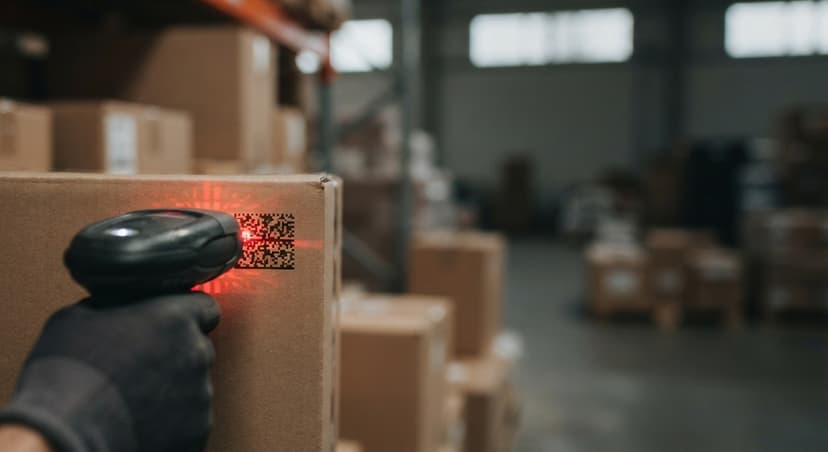
A 2D barcode reader is a device that captures and decodes barcodes that store data in two directions: across and down. A traditional 1D laser scanner reads a single line of bars. A 2D reader uses an image sensor, more like a small camera, to capture the whole code at once.
Most 2D readers also read 1D barcodes, so you do not lose backward compatibility. The scanner works at many angles too. You do not need to line it up perfectly, which speeds up picking and receiving.
Would you rather have it built around your operation?
The first look is free. If you would rather not compare products, describe how your operation already works and we build the system around it.
Reviewed September 2026. Each figure comes from the assumptions stated beside it, so you can substitute your own and the arithmetic still holds.
No build cost. You see it running on your own process first, and the monthly subscription starts only once it is live.
Book a callWhy Does the Extra Dimension Matter for Data Capacity?
A 2D code can hold far more data than a 1D barcode. A standard 1D barcode holds around 20 to 25 characters. A QR code or Data Matrix code can hold hundreds. That extra capacity lets one scan carry a SKU, a lot number, an expiry date, and a bin location at the same time.
GS1, the global standards body for barcodes, notes that barcode symbologies "enable data to be captured automatically at the point of activity, reducing errors and improving the speed and accuracy of business processes." That is the core case for moving from paper to scanning.
1D vs 2D Barcode Readers: Which One Does Your Operation Actually Need?
If your labels carry only a product code and nothing else, a 1D scanner may still be enough. The moment you need to track lot numbers, expiry dates, or locations in a single scan, you need 2D.
Here is a side-by-side view of the key differences:
| Feature | 1D Laser Scanner | 2D Imager |
|---|---|---|
| Data capacity | ~25 characters | Hundreds of characters |
| Scan angle | Straight on only | Any angle, any rotation |
| Reads 1D codes | Yes | Yes |
| Reads QR / Data Matrix | No | Yes |
| Entry price | Lower | Slightly higher |
| Best fit | Simple SKU lookup | Lot, expiry, location tracking |
A 1D scanner is still a solid choice for a retail counter or a single-SKU stockroom.
The Labour Cost of Choosing the Wrong Scanner
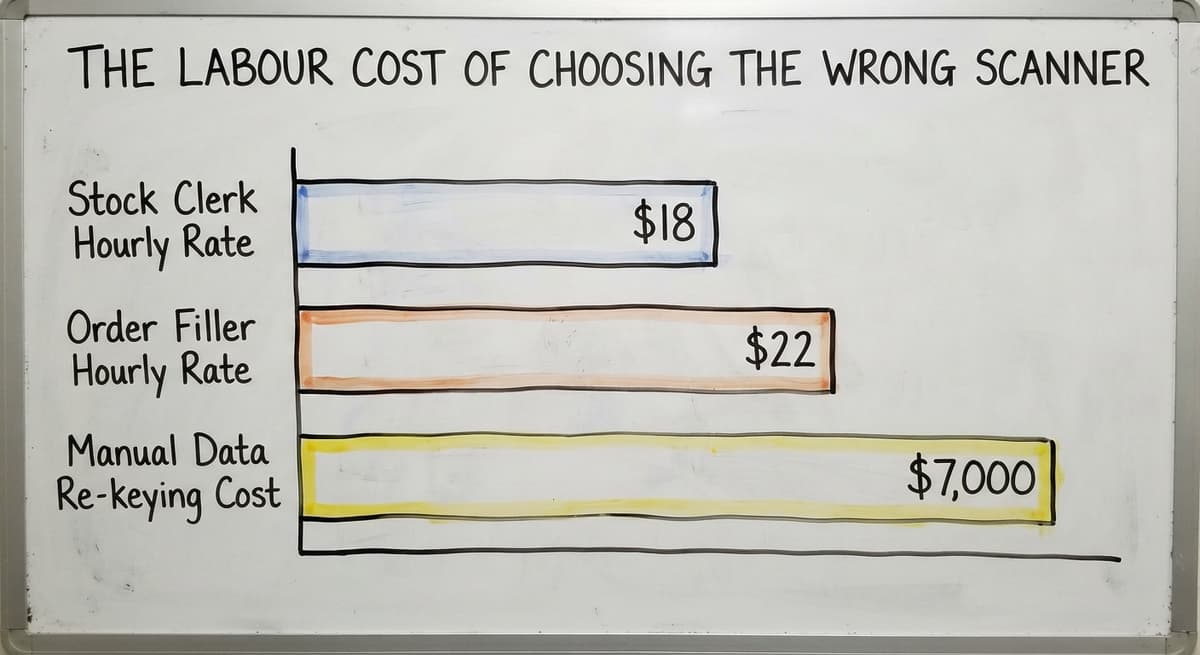
For a wholesale distributor receiving mixed pallets with supplier lot data printed on the carton, a 2D reader pays for itself quickly in time saved at the dock. The US Bureau of Labor Statistics reports that stock clerks and order fillers earn around $18 to $22 an hour.
If 2 people each spend 30 minutes a day re-keying data that a 2D scan would have captured automatically, that is roughly $7,000 a year in labour doing a job the scanner can do in seconds.
Common 2D Barcode Formats These Readers Decode
2D readers handle several code types. Knowing which formats your suppliers and software use helps you confirm a reader will work before you buy it.
- QR Code is the most widely recognised format. It is common on product labels, shipping documents, and supplier cartons. Most inventory apps generate and read QR codes natively.
- Data Matrix is a compact square code used on small parts, circuit boards, and tight labels where space is limited. It is the preferred format in medical device and electronics supply chains.
- PDF417 appears on shipping labels, driver licences, and compliance documents. It holds more data than a 1D code but is larger than a QR code.
- Aztec Code is less common but valid. You will see it on transit tickets and some pharmaceutical labels.
Confirm which formats your suppliers print before choosing a reader. Most mid-range handheld units decode all 4 of these without extra setup.
Is the comparison easier when one option is built for you?
Yes. Off-the-shelf means fitting your process to the software, and custom is the other way round. The first look costs nothing.
Book a callTypes of 2D Barcode Readers: Matching the Hardware to the Job
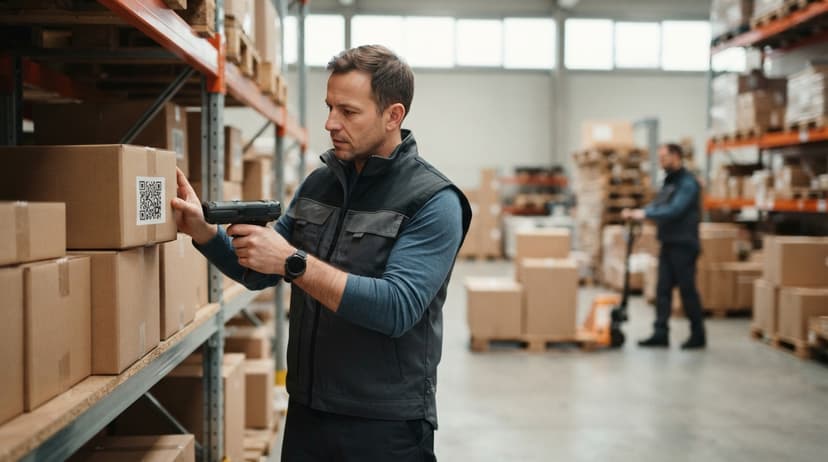
Four main form factors exist. The right one depends on where scanning happens and how often. A corded handheld plugs into a USB port and sends keystrokes directly to whatever field is active on screen, making it a reliable choice for a fixed packing or receiving station. A cordless handheld connects via Bluetooth and gives the picker freedom to move without trailing a cable.
A mobile computer scanner is a rugged handheld device with its own screen that runs warehouse apps directly, replacing printed pick sheets and a separate terminal. A fixed-mount reader sits above a conveyor or at a gate and scans automatically as items pass, suited to high-volume lines where no operator is needed at the scan point.
Handheld and Mobile Computer Scanners
A handheld barcode scanner is the most common starting point for small warehouses. Corded models plug into a USB port and send keystrokes directly to whatever field is active on screen. Cordless models connect via Bluetooth and give the picker freedom to move without trailing a cable.
Look for a drop rating of at least 1.5 metres and an IP42 rating or better for warehouse use. Most handheld units read from contact distance out to about 18 inches, which covers shelf scanning and carton labels without stretching.
When Should You Step Up to a Mobile Computer Scanner?
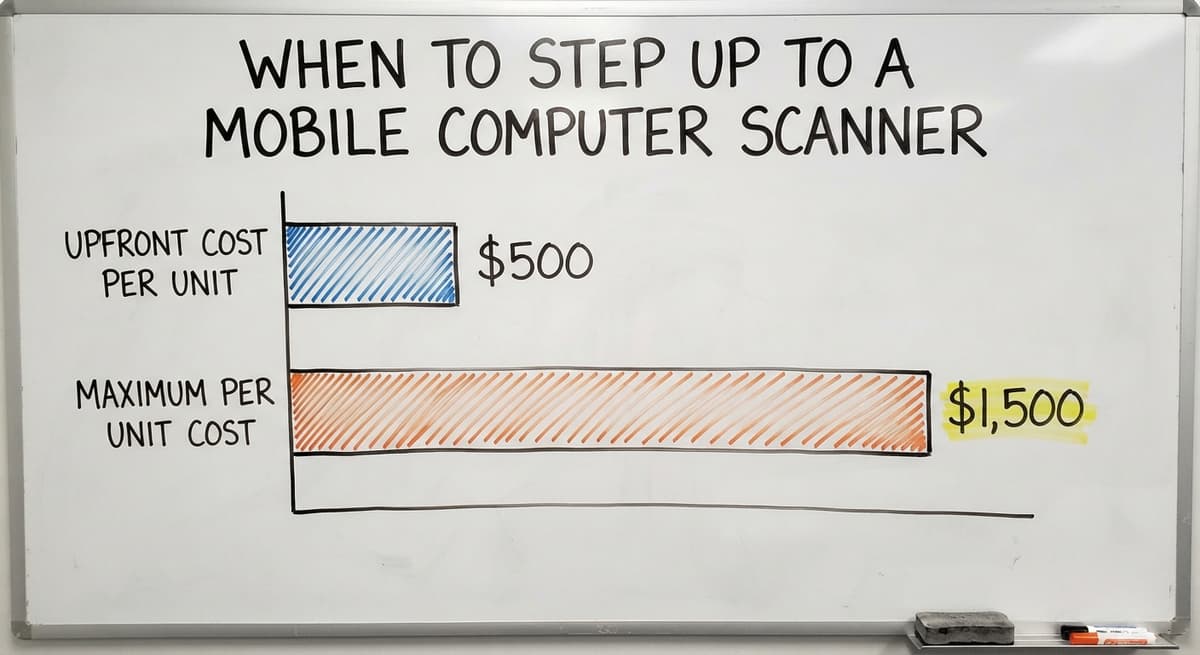
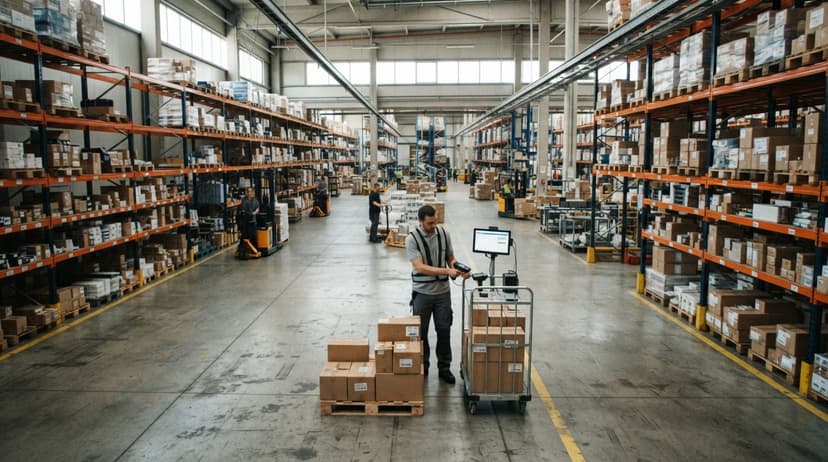
A mobile computer scanner takes this further. It is a rugged handheld device with its own screen and the ability to run warehouse apps directly. Staff see the pick list, scan the item, and confirm the pick on one device.
The upfront cost is higher, $500 to $1,500 per unit, but it replaces printed pick sheets entirely and removes the need for a separate terminal nearby.
Fixed-Mount and Smartphone Options
A fixed-mount barcode reader bolts to a conveyor line or packing station. It scans automatically as items pass through, triggered by a sensor, a timer, or a signal from the line. This setup suits high-volume fulfilment operations where hands-free throughput matters. It is less common in small warehouses but worth knowing about if your volume grows.
Can a Smartphone Camera Replace a Dedicated 2D Barcode Reader?
A smartphone can read 2D codes with the right app, but it is slower and less reliable than a dedicated scanner in a warehouse setting. Modern rear cameras decode QR codes and Data Matrix codes well in good light.
The problems appear in bright sunlight, under fluorescent glare, or when a label is slightly damaged. A phone also has no drop rating designed for concrete floors.
Smartphone scanning is practical for low-volume operations or for teams getting started before committing to hardware. Once scanning volume rises above a few dozen scans a day, a dedicated handheld pays for itself in speed and fewer failed reads.
Key Specs to Check Before You Buy a 2D Barcode Reader
Specs matter, but only the ones that affect daily use. Focus on these 5 before comparing prices.
- First-read rate is the share of scans that decode on the first attempt. A reader with a low first-read rate forces staff to re-scan repeatedly, which slows every process down. Look for 98% or higher in published specs.
- Drop rating tells you how far the unit can fall onto concrete without breaking. 1.5 metres is a baseline for warehouse use; 1.8 metres is better.
- IP rating covers dust and moisture resistance. IP42 keeps dust out. IP65 adds protection against water jets, useful near a wash-down area.
What does it look like running on your own process?
The first thing you see is it running on your own process, at no build cost. The subscription starts once it is live and doing the job, not before.
Book a callSpecs That Affect Connectivity and Power
- Battery life for cordless units should cover a full shift, 8 hours of active use. Check whether a spare battery is available and how long a charge cycle takes.
- Connection type work out how data reaches your system. USB is simple and reliable at a fixed station. Bluetooth suits picking. Wi-Fi models send data directly to a server or cloud app without pairing to a single device.
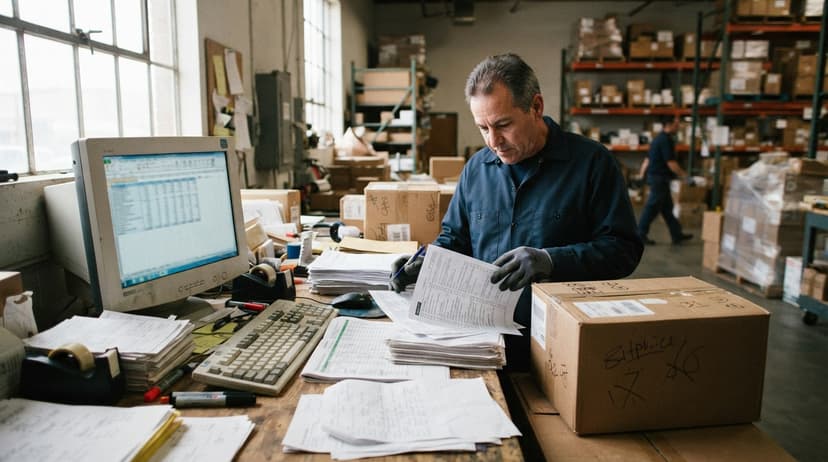
How Do 2D Barcode Readers Connect to Your Inventory System?
The scanner is just the input device. The software decides what happens with the data. Most handheld readers act as a keyboard wedge: they send the decoded string as keystrokes into whatever field is active on screen. This works with almost any software and needs no special driver.
Wireless models send data to a server or cloud app over Bluetooth or Wi-Fi, letting the system respond in real time and flag a wrong item during a pick before it goes in the box.
SDK and API Options for Deeper Integration
For deeper connections, many enterprise readers offer an SDK (a set of tools that lets a developer link the scanner directly to your software) or an API (a channel that lets two software systems exchange data automatically). These options matter when you want the scan to trigger a chain of events, such as updating stock, posting a receipt, and sending a supplier confirmation, without any extra keystrokes.
The NIST Manufacturing Extension Partnership advises small manufacturers and distributors to map their data flow before choosing hardware, because a scanner that does not fit the software creates more work than it removes.
2D Scanning Across Your Warehouse Workflow
A barcode inventory management system works as a loop: label a product, scan it in, track every move, scan it out. 2D codes carry enough data to close that loop with one scan per event.
Receiving inventory is where the gains are clearest. Scan the supplier label on arrival and the system matches it against the open buy order automatically. Supplier cartons encode quantity and lot data in a Data Matrix or QR code. That data flows straight into your stock record without a keyboard.
For a wholesale distributor receiving mixed pallets from several suppliers in one delivery, this cuts dock time significantly. See the Warehouse Receiving Process section of this site for a step-by-step breakdown.
Does Pick and Pack Get Faster with a 2D Barcode Reader?
Yes, and the bigger gain is accuracy, not just speed. The scanner confirms the right item is picked before it goes in the box. A mis-pick caught at the packing station costs seconds. The same error caught after delivery costs a return, a replacement shipment, and a frustrated customer.
Pick and Pack Software for Small Warehouses can display the pick list on a mobile computer. The picker scans each item, and the software marks it complete. No paper, no pencil tick, no end-of-shift matching.

How 2D Scanning Improves Cycle Counting and Compliance
Cycle counting works the same way. Walk the warehouse with a handheld, scan items in each bin, and the system compares the count to the record. Cycle Counting Software feeds those results directly into the inventory system for matching. This replaces the clipboard-and-pencil count that shuts down a section of the warehouse for hours.
The IRS states plainly in Publication 538: "To figure taxable income, you must value your inventory at the beginning and end of each tax year." Accurate counts are not optional. A 2D scanner makes them faster and less prone to the transcription errors that create discrepancies between the physical count and the books.
Not sure this is the right shape for your operation?
The call is free. Describe how the work runs today. We map it on a call and show you what it would look like built around that, before you spend anything.
Book a callQuickBooks Inventory and 2D Scanners: What You Need to Know
QuickBooks does not have a native barcode scanning module, so a middleware layer sits between the scanner and the accounting records. That layer receives the scanned data, matches it to the right item or transaction, and posts the update to QuickBooks automatically.
This setup keeps QuickBooks as the financial record while the scanner handles the warehouse floor. QuickBooks Inventory Integration covers the specific connection options in detail, including which middleware tools work with QuickBooks Online versus Desktop.
The practical result: a receiver scans a carton, the system posts the receipt against the buy order, and QuickBooks reflects the updated stock value without anyone typing a number.
A 3-person receiving team spending 2 hours a day on manual entry at $20 an hour is $43,800 a year in labour on a task the scanner and middleware handle in minutes.
What to Watch For Before You Buy, and How to Choose
How Do I Choose the Right 2D Barcode Reader for My Operation?
Start by mapping where items are scanned and who does the scanning, then match the form factor to that task. A fixed packing station suits a corded handheld.
A picker covering 5,000 square feet of racking needs a cordless unit with solid battery life. A high-volume line needs a fixed-mount reader. A few things to check before committing:
- Cheap readers with low first-read rates slow the whole team down. The scanner price is one line item. Lost time across every shift is the real cost.
- Wireless scanners need a stable Wi-Fi network on the floor. Dead spots cause dropped connections and missed scans. Test coverage before you deploy.
- Confirm software compatibility before the hardware arrives. A reader that sends data to the wrong field, or to a system that cannot parse it, creates errors rather than removing them.
- Count the full cost: hardware, any middleware or software licence, setup time, and staff training. A $150 scanner that needs $2,000 of integration work is a $2,150 decision.
Rolling Out a 2D Scanner Without Disrupting the Operation
Most staff learn basic scanning in under an hour. Pair hardware training with software training on the same day. Start with one process, such as receiving, and prove it out before rolling to picking and cycle counts. Document the steps so a new hire can follow them without a senior team member standing beside them.
The Software Society builds custom workflow systems around the processes a business already runs, so the scanner connects to the right record from day one rather than sending data somewhere it has to be moved again. If your current setup is a mix of QuickBooks, spreadsheets, and printed sheets, that is a common starting point and a solvable one.
Frequently Asked Questions About 2D Barcode Readers
What is a 2D barcode reader? A 2D barcode reader is a device that uses an image sensor to capture and decode barcodes that store data in two directions. It reads codes like QR codes and Data Matrix codes that hold far more data than a standard 1D barcode.
What is the best 2D barcode reader? There is no single best option. The right reader depends on your workflow. For a small warehouse, a mid-range cordless handheld from Zebra, Honeywell, or Datalogic covers most needs at a reasonable price.
For high-volume conveyor lines, a fixed-mount reader from the same brands is worth the investment. Match the form factor to the task first, then compare models within that category.
Can a phone read a 2D barcode? Yes. Most modern smartphones read QR codes and Data Matrix codes with a standard camera app or a free scanning app.
The limitation in a warehouse is durability and speed. A phone is slower than a dedicated scanner, has no drop rating for concrete floors, and struggles in bright or uneven light.
More Frequently Asked Questions About 2D Barcode Readers
How much does a 2D scanner cost? Entry-level corded handheld units start around $100 to $150. Mid-range cordless handhelds run $200 to $400. Rugged mobile computers with built-in scanners cost $500 to $1,500.
Fixed-mount industrial readers start around $300 and go up depending on speed and integration requirements. Add software, middleware, and setup to get the true cost.
Can a 2D reader scan 1D barcodes? Yes. Almost all 2D imagers decode standard 1D barcodes as well, so you do not need separate hardware for legacy labels.
Will a 2D scanner work with my current software? It depends on how the scanner sends data and whether your software can receive it.
Most scanners work as a keyboard wedge and send data to any active field. Deeper integration, such as automatic record matching, needs middleware or a custom connection. Check compatibility before buying.
Frequently asked questions
What is a 2D barcode reader?
A 2D barcode reader uses an image sensor to capture and decode barcodes that store data in two directions, across and down. It reads codes like QR codes and Data Matrix codes that hold far more data than a standard 1D barcode.
Most 2D readers also decode traditional 1D barcodes, so you keep backward compatibility.
What is the best 2D barcode reader?
There is no single best option. The right reader depends on your workflow. For a small warehouse, a mid-range cordless handheld from Zebra, Honeywell, or Datalogic covers most needs.
For high-volume conveyor lines, a fixed-mount reader suits better. Match the form factor to the task first, then compare models within that category on first-read rate, drop rating, and battery life.
Can a phone read a 2D barcode?
Yes. Most modern smartphones read QR codes and Data Matrix codes with a standard camera app or a free scanning app. The limitation in a warehouse is durability and reliability.
A phone is slower than a dedicated scanner, has no drop rating for concrete floors, and struggles in bright or uneven light. It works for low-volume use but is not a long-term substitute for a dedicated handheld.
How much does a 2D scanner cost?
Entry-level corded handheld units start around $100 to $150. Mid-range cordless handhelds run $200 to $400. Rugged mobile computers with built-in scanners cost $500 to $1,500.
Fixed-mount readers start around $300. Add software, middleware, and setup time to get the true cost of adding scanning to your operation.
Can a 2D barcode reader scan 1D barcodes?
Yes. Almost all 2D imagers also decode standard 1D barcodes, so you do not need separate hardware for legacy labels or supplier cartons that still use older barcode formats.
Will a 2D scanner work with my current software?
The answer depends on how the scanner sends data and whether your software can receive it. Most scanners work as a keyboard wedge and send data to any active field, which works with nearly any software.
Deeper integration, such as automatic record matching or buy order confirmation, needs middleware or a custom connection layer. Confirm compatibility before buying the hardware.
How long does it take to train warehouse staff on 2D scanning?
Most staff learn basic scanning in under an hour. The hardware itself is straightforward. The training time that matters is on the software side, understanding what to scan, when, and what the screen should show in response.
Pair both on the same day, start with one process like receiving, and document the steps for new hires.
What is the difference between a 1D and 2D barcode scanner?
A 1D scanner reads a single line across the bars, so it handles UPC and Code 128 only.
A 2D scanner takes an image of the code and decodes it in both directions, so it reads QR, Data Matrix, and PDF417 as well as every 1D format.
Can 2D barcode readers scan barcodes from phone screens?
Yes. Reading from a screen is one of the reasons to choose a 2D imager over a laser scanner, which the glass and backlight defeat. Brightness up and the phone held flat gives the cleanest read.
Can a 2D barcode scanner read regular 1D barcodes?
Yes. Every 2D imager reads 1D codes, faster than a laser scanner does. There is no reason to keep a separate 1D device once a 2D reader is on the floor.
How do I connect a 2D barcode reader to a computer?
USB readers plug in and act as a keyboard, so the code types into whatever field has the cursor.
Bluetooth readers pair the way a wireless keyboard does. Either way the reader needs no driver for basic use; the inventory software decides what happens with the scan.
What is in a free first look?
A 30 minute call, your operation mapped, and a clear picture of what we would build. No obligation and nothing to install.
Book a callRelated guides
The rest of this guide, for the parts of the job this page does not cover.
Guides
- Barcode Reader Machine
- Barcode Reader Description
- Quickbooks Barcode Reader
- 2d Wireless Barcode Scanner
- 2d Imaging Barcode Scanners
- 2d Imager Barcode Scanner
- 2d Usb Barcode Scanner
- 2d Image Barcode Scanner
- Barcode Abbreviation
- Barcode Scan Machine
- Tracking Number Barcode
- Barcode Scanner App Ios
- Barcode Producer
- Barcode Systems for Warehouse
- Barcodes and Labels
- Alphanumeric Barcode
- Barcode Scanner Inventory System
- Lpn Barcodes
- Imager Barcode Scanner
- Barcode System for Inventory Free