

Warehouse Operations
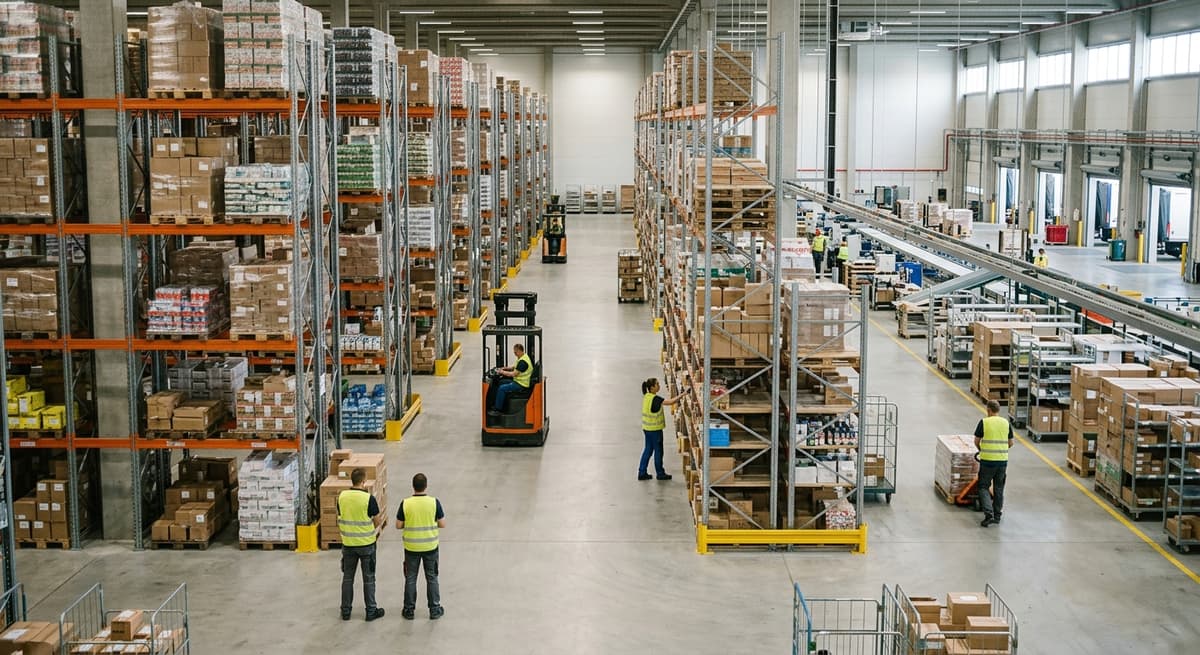
Warehouse operations are every activity that moves goods through your building: receiving, putaway, storage, picking, packing, shipping, and returns. Get these right and orders go out on time. Get them wrong and customers notice fast. This guide addresses operations managers running 5 to 100 staff, on QuickBooks and spreadsheets, who need practical answers, not enterprise sales pitches.
Published 6 August 2026. Reviewed and updated 15 September 2026.
Book a callWhat Do Warehouse Operations Actually Mean?
Warehouse operations cover every step a product takes from the moment it arrives at your dock to the moment it leaves in a box. That sounds simple. In practice, it involves dozens of small decisions, handoffs, and records that all have to line up.
From the Dock Door to the Shelf
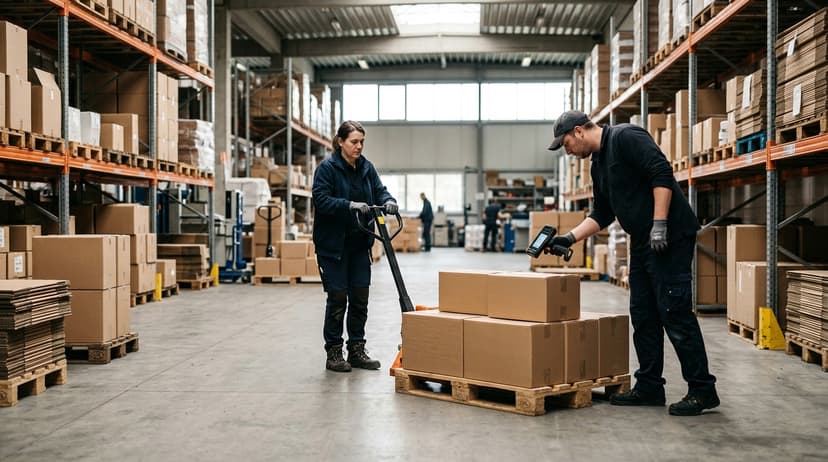
Receiving is the first warehouse operation: goods arrive, someone counts them, checks them against a purchase order, and moves them to a shelf. That shelf location gets recorded somewhere: a system, a spreadsheet, or a person's memory.
Every one of those steps is part of warehouse operations. Miss one and you spend the next week looking for a pallet that should be easy to find.
From the Shelf to the Customer
Warehouse order fulfillment is a clear sequence of 4 warehouse operations. A picker finds the right item, confirms the quantity, and hands it to packing. Packing seals the box and prints a label. Shipping scans it out. Returns come back and start the loop again.
The quality of each step shapes order accuracy, customer satisfaction, and your profit margin. A warehouse running 500 orders a day with a 2% error rate ships 10 wrong orders every day. That adds up fast.
Would you rather have it built around your operation?
The first look is free. If you would rather not compare products, describe how your operation already works and we build the system around it.
No build cost. You see it running on your own process first, and the monthly subscription starts only once it is live.
Book a callThe Core Functions of Warehouse Operations
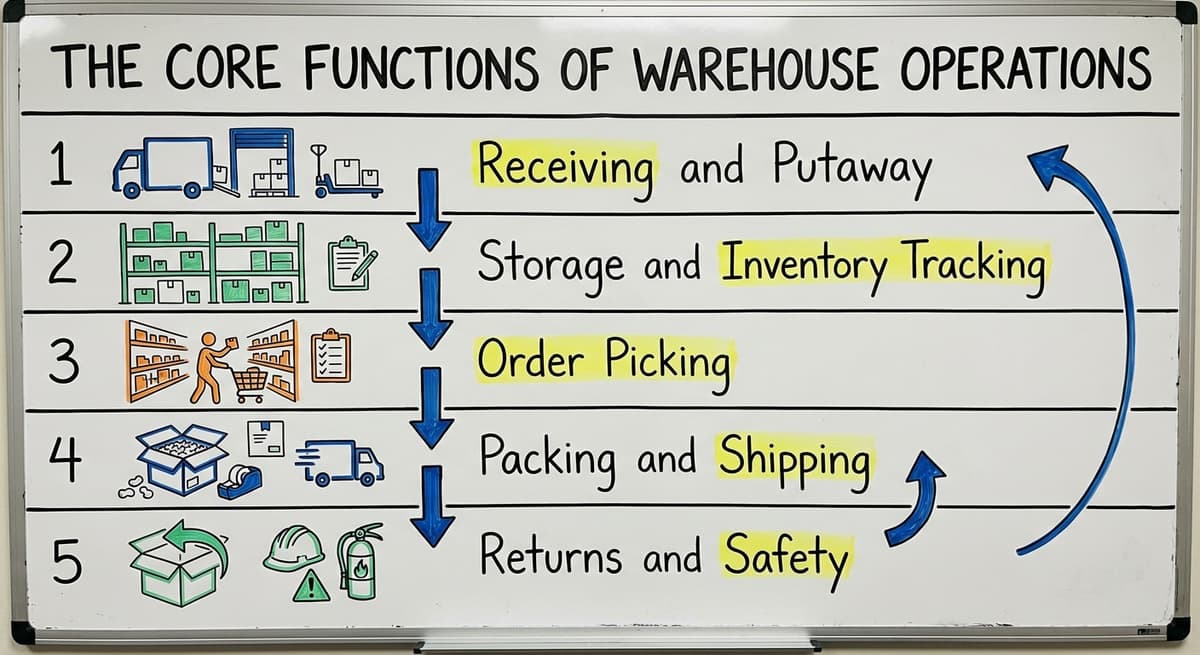
Every warehouse, regardless of size, runs on the same core functions. The tools change. The steps do not.
Receiving and Putaway
Receiving is the first gate. Goods come in and staff check them against a purchase order. Counts, condition, and item numbers all need to match.
Putaway means moving verified goods to their storage location and recording where they went. Receiving and putaway done well means everything downstream is easier. Done poorly, errors compound through every step that follows.
Storage and Inventory Tracking
Storage, as a warehouse operation, is not just finding a place for things. It is knowing where everything is at all times. Warehouse inventory accuracy depends on a clean storage system. Items need a home, and that home needs to be recorded.
Inventory tracking can run on paper, a spreadsheet, or a dedicated system. The method matters less than the discipline. But as volume grows, paper and spreadsheets start to fail.
Order Picking
Order picking is where most errors happen. A picker works from a list, walks the floor, pulls items, and confirms quantities. Pick and pack operations account for a large share of labor cost in most warehouses.
Errors here mean wrong items in boxes, which means returns, refunds, and unhappy customers. Digital pick lists reduce errors sharply compared to printed sheets. A picker confirming each scan catches mistakes before the box is sealed.
Reviewed August 2026. Each figure comes from the assumptions stated beside it, so you can substitute your own and the arithmetic still holds.
Packing and Shipping
Packing is the warehouse operation that turns a picked order into a shipment. Staff choose the right box, add protection, seal it, and apply a label. Shipping scans the package out and hands it to a carrier.
Fulfillment operations live or die at this stage. A fast pick means nothing if packing creates a backlog. Shipping accuracy, meaning the correct label on the correct package, is the last check before the order leaves your control.
Returns and Safety
Returns are part of warehouse operations whether you plan for them or not. Goods come back, need inspection, and go back to stock or to disposal. A clear returns workflow keeps returned inventory from sitting in a grey zone that distorts your counts.
Safety runs through every function. As OSHA notes, "The warehousing and storage industry includes establishments operating facilities for general merchandise, refrigerated goods, and other products." OSHA's warehousing guidance covers the real hazards: forklifts, racking, manual handling, and slips on busy floors.
Warehouse efficiency and worker safety are not in conflict. A safe floor is an organized floor.
Why Do Warehouse Operations Break Down at Small and Mid-Size Businesses?
Most small warehouses did not start broken. They started small. The tools that worked at 20 orders a day stop working at 200. That is not a character flaw. It is a scale problem.
The Spreadsheet and Verbal Communication Era
A typical small warehouse runs on a mix of QuickBooks for accounting, Excel for inventory, printed pick lists, and a lot of verbal communication. One person knows where everything is.
Another knows which supplier to call when a shipment is short. This works until that person leaves. When they go, they take years of institutional knowledge with them. The operation does not fail overnight. It just gets slower and more error-prone every week.
Is the comparison easier when one option is built for you?
Yes. Off-the-shelf means fitting your process to the software, and custom is the other way round. The first look costs nothing.
Book a callThe Five Most Common Failure Points
The five most common failure points are where warehouse workflow breaks down most often:
- Manual data entry. Staff type the same number into QuickBooks, a spreadsheet, and a pick list. Each step is a chance to make a mistake.
- No real-time visibility. Managers cannot answer "how much do we have on hand" without checking 3 places.
- Paper-based pick lists. Printed sheets go out in the morning and are wrong by noon when stock moves.
- Disconnected receiving. Goods arrive and counts update hours later, if at all.
- Annual inventory counts. The IRS requires inventory to be valued at tax time. As IRS Publication 538 states, "To figure taxable income, you must value your inventory at the beginning and end of each tax year." Counting once a year means errors build for 12 months before anyone sees them.
The Cost of Doing It Manually
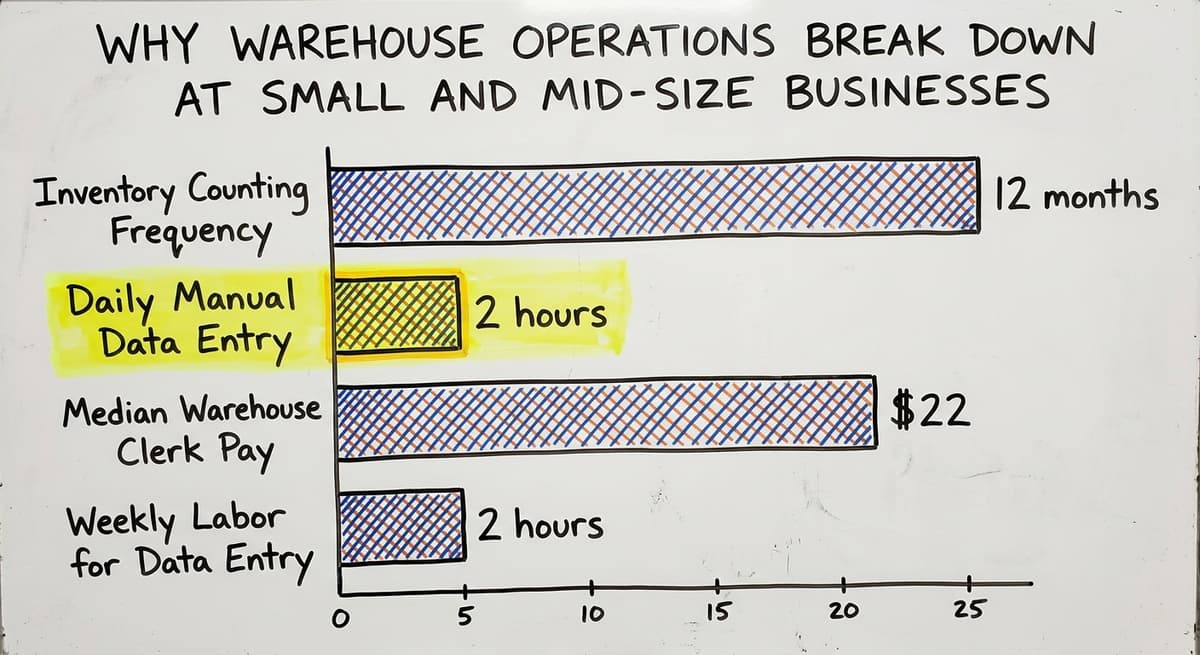
Manual warehouse operations are not free. They cost staff time every single day. Consider 3 people each spending 2 hours a day on manual data entry at an average wage.
The US Bureau of Labor Statistics puts median pay for warehouse stock clerks near $22 per hour. That is 3 people, 2 hours, 5 days a week: roughly $34,320 a year in labor spent on re-entering data that a connected system would handle once. That number does not include the cost of fixing errors those entries create.
The Role of Technology in Warehouse Operations
Technology should cut manual steps. Not add new ones. The right tool fits the warehouse. The wrong tool makes the warehouse fit the tool.
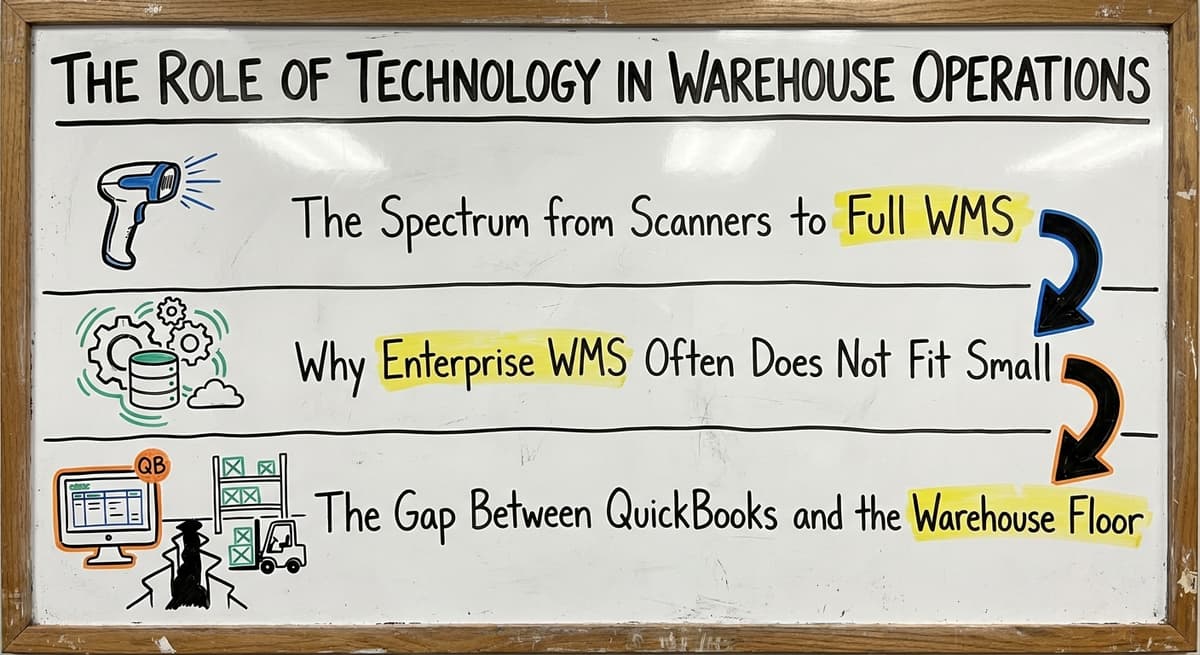
The Spectrum from Scanners to Full WMS
Warehouse operations technology is a wide spectrum, with 4 points on it:
- Barcode scanners are the entry point. A scanner linked to a spreadsheet is better than a handwritten sheet. GS1 barcode standards mean a barcode printed by one business scans correctly at another, which matters for receiving.
- Warehouse management systems (WMS) are dedicated software platforms built to run the full operation: receiving, putaway, picking and packing, shipment tracking, and returns, all in one place.
- Custom-built tools are software built specifically for how one warehouse works, rather than forcing the warehouse to adapt to a generic platform.
Why Does Enterprise Warehouse Management Software Often Not Fit Small Warehouses?
Enterprise WMS platforms target large operations. They are powerful. They are also expensive, complex, and slow to implement. A platform built for a 500-person distribution center does not map cleanly onto a 15-person warehouse.
Implementation projects for large WMS platforms can run 6 to 18 months and cost more than many small warehouses earn in a year. That is not a viable path for most operations managers running lean teams.
The Gap Between QuickBooks and the Warehouse Floor
QuickBooks handles accounting well. It tracks invoices, payments, and costs. It does not track where a pallet is on the floor, whether a pick list is current, or whether a receiving count matched the purchase order. That gap, between the books and the physical operation, is where most small warehouse problems live.
The NIST Manufacturing Extension Partnership offers vendor-neutral guidance on closing exactly this kind of process gap in operations of this size. Filling it does not require replacing QuickBooks. It requires adding an operational layer that connects to it.
What does it look like running on your own process?
The first thing you see is it running on your own process, at no build cost. The subscription starts once the system is live and doing the job, not before.
Book a call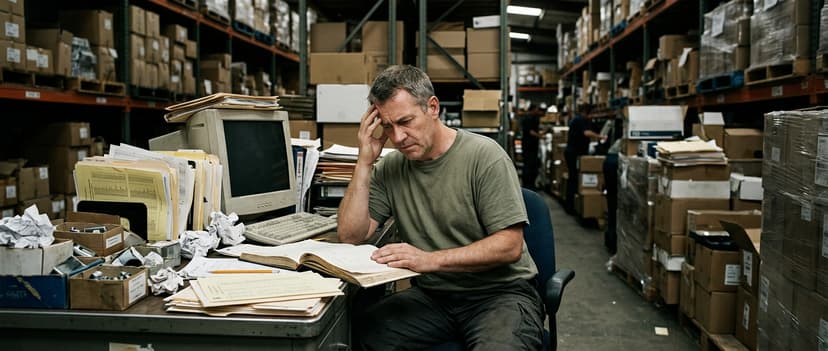
How Does Custom Software Support Warehouse Operations Without Replacing Your Accounting Software?
Custom warehouse software is built around how your warehouse already works. Not the other way around.
QuickBooks Stays. The Operational Layer Gets Added.
QuickBooks Integration for Warehouse Operations means the accounting system stays exactly where it is. It keeps handling invoices, vendor payments, and financial reporting.
Custom software sits between the warehouse floor and QuickBooks. It handles the operational work: real-time inventory location, digital pick lists, receiving workflows, and cycle count tools. Staff stop re-entering the same data twice. The two systems talk to each other.
What Do Custom Tools Actually Handle?
Custom warehouse software for distributors is built for the warehouse operations QuickBooks was never meant to cover:
- Real-time inventory location by bin, shelf, or zone
- Pick lists that update automatically as stock moves
- Receiving workflows that confirm counts before putaway
- Cycle count tools that let staff count sections of the warehouse on a rolling basis rather than shutting down for an annual count
- Alerts when stock falls below a set level
These are not exotic features. They are the basics that paper and spreadsheets cannot reliably deliver at scale.
Implementation That Does Not Shut You Down
The biggest fear most operations managers have about new warehouse operations software is disruption. A months-long implementation that requires retraining everyone and changing every process is a real risk with large platforms. Custom software built around your existing workflow is different.
Staff learn one new tool that mirrors what they already do. The process does not change. The record-keeping does. For warehouses with 5 to 100 staff, this is the difference between a project they can survive and one they cannot.

Signs Your Warehouse Operations Need a Better System
Warehouse operations warning signs are not failures. They are signs that the operation grew past its tools.
Day-to-Day Warning Signs
There are 6 warehouse operations warning signs; check this list against your last normal week:
- Staff spend more than 1 hour a day retyping data by hand
- Picking errors happen more than once a week
- Inventory counts take days and still come out wrong
- New employees take weeks to learn where things are stored
- Managers cannot answer "how much do we have on hand" without checking multiple places
If 3 or more of these are true, the tools are the problem. The people are not.
The Compounding Cost of Waiting
Each week with broken warehouse workflow is a week of errors, re-work, and staff frustration. Picking errors cost time to fix and money to reship.
Inventory counts that take 3 days pull staff off the floor. A manager who cannot see stock levels in real time makes slower decisions. These costs are real even when they are invisible on a spreadsheet.
These Problems Are Solvable
Warehouse operational problems are solvable without a full ERP project. Warehouse Inventory Management Software built for small operations can close most of these gaps without a long implementation or a large capital spend.
The goal is not perfection. It is a system that gives staff and managers the information they need, when they need it, without a phone call or a manual count.
What is in a free first look?
A 30 minute call, your operation mapped, and a clear picture of what we would build. No obligation and nothing to install.
Book a call
What Do Good Warehouse Operations Look Like Day to Day?
A well-run small warehouse is not a miracle. It is a set of simple systems that work together.
At the Dock
At the dock the warehouse operation is 4 steps. Goods arrive. A receiving staff member opens a tablet or handheld device and pulls up the purchase order. They scan or confirm each item. Counts update in real time.
If there is a short shipment, it is flagged immediately, not discovered 3 days later when a picker cannot find the stock. The receiving workflow feeds directly into putaway, so the item has a home before it leaves the dock.
On the Floor
On the floor, warehouse operations run from digital lists on a phone or handheld device. Each pick gets confirmed with a scan or a tap. The list updates as orders come in. Inventory is visible immediately, without a physical count.
Inventory Tracking for Small Warehouses at this level means a manager can see what is on hand, what is on order, and what is committed to open orders from one screen. No spreadsheet. No phone call to the floor.
At the End of the Day
Order Fulfillment Software handles the outbound side. Packed boxes are scanned out. Shipment data moves to QuickBooks without anyone retyping it. Returns come in through a simple workflow that puts items back in the right location.
Staff spend less time on paperwork. They spend more time on work that actually moves product. QuickBooks still handles invoicing and accounting. Nothing changed there. The warehouse just got a layer of tools that connects the physical operation to the books.
Frequently Asked Questions About Warehouse Operations

Where Do You Go From Here?
Warehouse operations do not have to be complicated. They have to be connected. Receiving feeds putaway. Putaway feeds picking. Picking feeds packing. Packing feeds shipping. When each step talks to the next, errors drop and managers see what is happening without delay.
If your warehouse is running on QuickBooks, spreadsheets, and a lot of verbal communication, you are not behind. You are at a normal growth stage. The question is whether your tools can keep up with where you are going.
The Warehousing Education and Research Council publishes benchmark data on distribution center performance. Most small warehouses never see those benchmarks because the tools to track them do not exist in their operation yet. That is the gap custom warehouse software closes.
The Software Society builds operational tools for warehouses exactly like yours: 5 to 100 staff, running on QuickBooks, growing past what spreadsheets can handle. The accounting stays. The manual work does not.
If you want to see what that looks like for your specific operation, start with a conversation. No long sales process. Just a clear look at where the gaps are and what it would take to close them.
Frequently asked questions
Frequently asked questions
What are warehouse operations and what do they include?
Warehouse operations are every activity involved in moving goods through a warehouse: receiving, putaway, storage, picking, packing, shipping, and returns. Each step has to connect to the next. A breakdown in any one step creates errors downstream.
What causes picking errors in a warehouse?
Most warehouse operations picking errors come from paper-based pick lists that go out of date, unclear bin locations, and no confirmation step at the point of pick.
A picker working from a printed sheet has no way to know if the item moved since the list was printed. Pick lists with scan confirmation catch most errors before the box is sealed.
Can I improve warehouse operations without replacing QuickBooks?
Yes. QuickBooks handles accounting well and most small warehouses should keep it. The gap is in the operational layer: inventory location, pick lists, receiving workflows, and cycle counts.
Custom software can fill that gap and connect to QuickBooks so data flows between the two systems without manual re-entry.
How do small warehouses track inventory without a big ERP system?
Many small warehouses use a combination of QuickBooks, spreadsheets, and manual counts. This works at low volume. As volume grows, real-time inventory tracking becomes necessary.
Small warehouse software built to integrate with QuickBooks can add inventory visibility without replacing the accounting system or running a large ERP project.
What is the difference between a WMS and custom warehouse software?
A WMS, or warehouse management system, is a pre-built platform with a fixed set of features. The warehouse adapts to the software.
Custom warehouse software is built around how the warehouse already works. It handles the specific gaps in the current process rather than replacing the whole operation. For small and mid-size warehouses, custom tools are faster to implement and less disruptive.
How long does it take to implement warehouse operations software?
A large enterprise WMS can take 6 to 18 months to implement. Custom software built around an existing warehouse workflow takes weeks, not months, because the process does not change.
Staff learn one new tool that mirrors what they already do. The shorter the implementation, the sooner the operation sees results.
How do I know if my warehouse operations need better software?
If staff spend more than 1 hour a day retyping data by hand, picking errors happen more than once a week, or managers cannot see stock levels without checking multiple places, the current tools are not keeping up. These are signs the operation has grown past its systems, not signs of a failing team.
What does a well-run small warehouse look like day to day?
In well-run warehouse operations, receiving staff confirm inbound goods on a tablet and counts update immediately. Pickers work from digital lists and confirm each pick. Managers see real-time inventory from one screen.
QuickBooks still handles invoicing. Staff spend time moving product, not re-entering data. That is the target, and it is achievable without a large ERP project or months of downtime.
What is a warehouse management system?
A warehouse management system (WMS) is a dedicated software platform built to run the full warehouse operation in one place, covering receiving, putaway, storage, picking, packing, shipping, and returns.
Unlike scanners linked to spreadsheets, a WMS ties every step together so managers can track inventory and orders without checking multiple separate records or systems.
How can warehouse efficiency be improved?
Warehouse efficiency improves by tightening the core functions: accurate receiving and storage placement, disciplined inventory tracking, and reliable picking and packing. Replacing hand-typed records and paper-based pick lists with connected, real-time tools cuts errors and delays.
Scan-confirmed pick lists catch mistakes before boxes are sealed, and a safe, organized floor supports faster, more accurate work throughout the operation.
What are the main responsibilities of a warehouse operations manager?
A warehouse operations manager oversees every activity that moves goods through the building: receiving and putaway, storage and inventory accuracy, order picking, packing and shipping, and returns handling. They ensure counts match purchase orders, storage locations are recorded correctly, picking and packing stay accurate, and safety practices around forklifts, racking, and manual handling are followed throughout daily operations.
Which KPIs should be tracked in warehouse operations?
Key metrics include order accuracy and error rate, since a 500-order-a-day warehouse with a 2% error rate ships 10 wrong orders daily.
Inventory accuracy, shipping accuracy (the right label on the right box), and labor time spent on manual data entry are also worth tracking, along with real-time stock visibility and safety incidents, since these directly affect customer satisfaction and profit margin.
Not sure this is the right shape for your operation?
The call is free. Describe how the work runs today. We map it on a call and show you what it would look like built around that, before you spend anything.
Book a callRelated guides
The rest of this guide, for the parts of the job this page does not cover.
Guides
- Warehousing Operations
- Operations Management Suite
- Warehouse Inventory Management Software
- Warehouse Inventory Tracking Software
- Warehouse Inventory Management Systems
- Pick and Pack in Warehouse
- Warehouse Receiving Software
- Warehouse Inventory Systems
- Warehouse Stock Management Software
- Warehouse Management System Top 10
- Software for Warehouse Management System
- Warehouse Shipment
- Warehouse Tracking System
- Inventory and Warehouse Management Software
- Small Business Warehouse Management System
- Cloud Based Warehouse Management
- Warehouse Management System Types
- Warehouse Inventory Management System
- List of Warehouse Management Software