


Warehouse Inventory Management Software
Warehouse inventory management software tracks what stock you have, where it lives in your warehouse, and what moves in and out each day. We build it for wholesale distributors and fulfillment operations of 5 to 100 staff. It replaces printed pick sheets, spreadsheets, and guesswork with a system that gives your team accurate, real-time information at every step from receiving to shipping.
Published 20 July 2026. Reviewed and updated 15 September 2026.
Book a call
What Does Warehouse Inventory Management Software Actually Do?
At its core, a warehouse management system answers three questions: what do we have, where is it, and what is moving. Every feature in a good system ties back to one of those 3 questions.
If the term itself is new to you, start with what a warehouse management system is and come back. The rest of this page assumes you already know the difference between counting stock and controlling it.
Here is what the software handles in a typical operation:
- Receiving: When a shipment arrives, the system logs it against a purchase order and updates stock counts on its own.
- Putaway: Stock gets assigned to a specific bin or location so anyone can find it later without hunting.
- Picking: A picker gets a digital list showing exactly where to go and what to grab, in the most efficient order.
- Packing and shipping: The system confirms what went into the box and marks the order as shipped.
- Stock counts: Cycle counts and full counts are faster because the system already knows what should be where.
How Does Warehouse Inventory Management Software Differ From a Basic Inventory App?
Warehouse inventory management software is different from a generic inventory tool. A basic inventory app might tell you that you have 200 units of a SKU.
Warehouse inventory management software tells you that 80 are in bin A-3, 60 are in bin C-7, and 60 are already allocated to open orders. That distinction matters the moment your team tries to pick an order or a manager needs to know what is actually available to sell.
This kind of system is not just for large operations. Small and mid-size warehouses, wholesale distributors, and fulfillment centers deal with the same location and movement problems as big ones. They just have fewer resources to absorb the cost of errors.
What Does an Unreliable Stock Count Actually Cost?
Mispicks, write-offs and lost customer trust are not signs of a poorly run operation. They are signs of an operation that has outgrown its inventory tools. That gap costs real money in mispicks, write-offs and lost customer trust, and it comes back again at year end.
IRS Publication 538 is blunt about it: "To figure taxable income, you must value your inventory at the beginning and end of each tax year." A stock figure nobody trusts makes that number a guess.
If any of those scenarios sound familiar, this section is your self-diagnosis. The question is not whether you need a better system. It is which system fits your operation.
Getting that count right is its own discipline, from labelling bins to deciding how often to scan. The guide to warehouse inventory tracking software covers barcode against RFID, cycle counting, and how accurate the count actually needs to be.
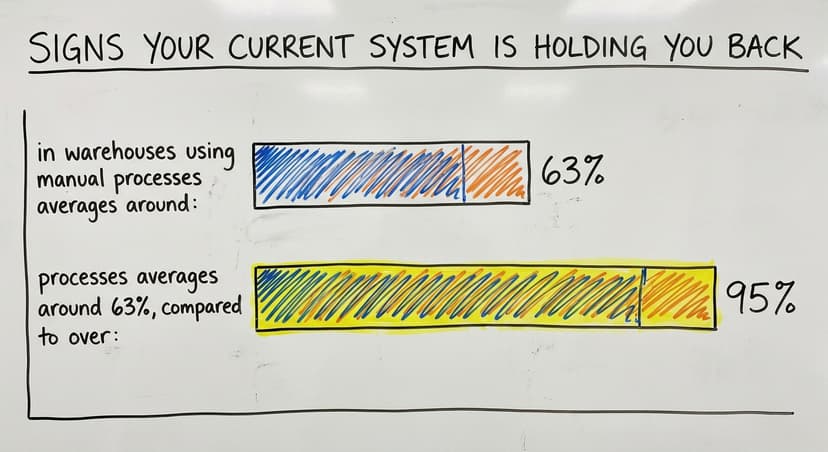
Signs Your Current System Is Holding You Back
Most small warehouses did not plan to end up where they are. General accounting software handled the books. Someone built a spreadsheet tracker to manage stock.
A printed pick sheet got added when orders picked up. Email chains filled the gaps. It worked, until it did not.
Here are the signs that your current setup is costing you more than you realize:
- A fulfillment team spends hours checking a physical count against a spreadsheet, only to find the numbers still do not match.
- A manager cannot answer a simple question: how much of product X do we actually have right now? That is a failure of inventory control, not of effort.
- Orders ship wrong because a picker worked from an outdated printed list.
- Someone updates stock in the accounting platform and forgets to update the spreadsheet, or the other way around.
- New employees take weeks to learn where things are because the system lives in one person's head.
We build it for your warehouse, and the first look is free
Everything below is worth reading if you are comparing warehouse inventory management software. If you would rather not compare, describe your operation once and we build the system around how it already receives, picks and counts.
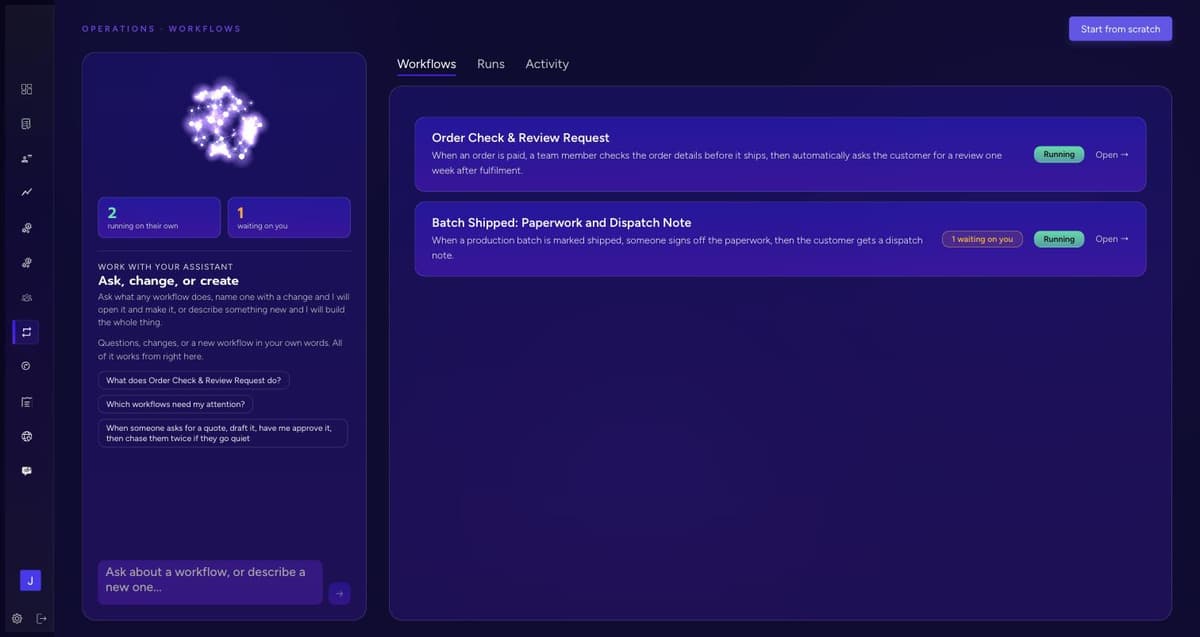
No build cost. You see it running on your own process first, and the monthly subscription starts only once it is live. This is what that looks like, in 20 seconds.
Get a free first look
Core Features to Look for in Warehouse Inventory Management Software
Not every feature matters equally. Here is what actually moves the needle for small and mid-size operations, and why each one matters in practice.
Reviewed August 2026. Figures below are worked from the assumptions stated beside them, so you can substitute your own assumptions and the arithmetic still holds.
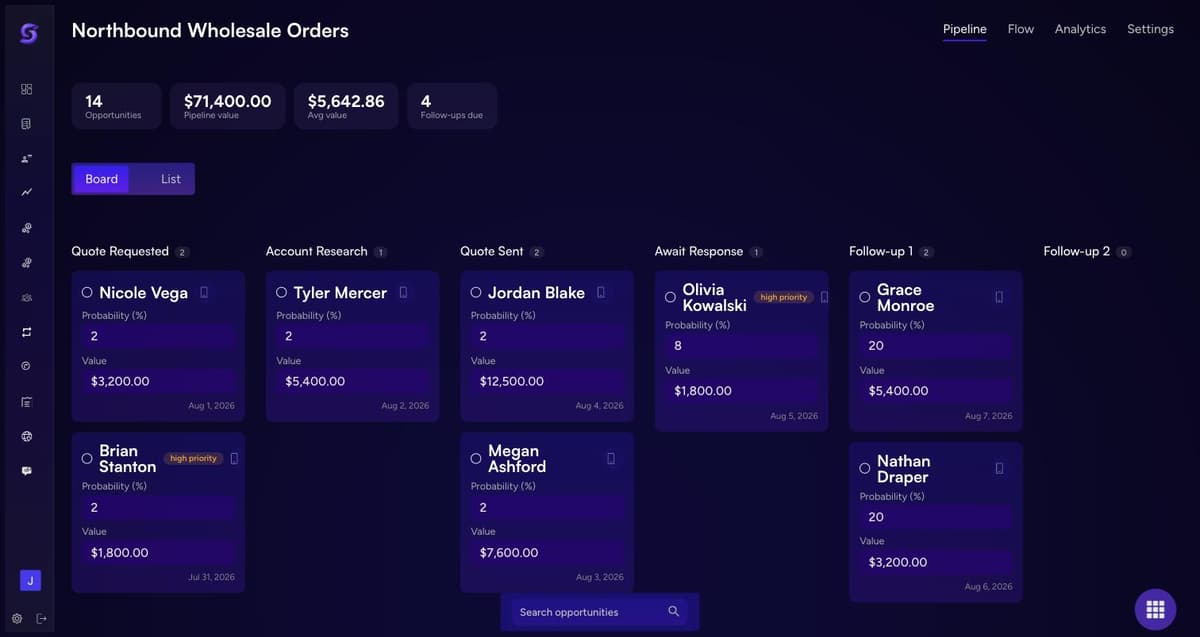
How Does Warehouse Inventory Software Work With Your Accounting Software?
No, warehouse software does not replace your accounting software. The 2 systems do different jobs, and the integration is what keeps them from duplicating each other.
- Your bookkeeping platform keeps: accounting, invoicing, vendor payments and financial reporting. Its maker documents exactly what its API will and will not expose, which is the real boundary any integration works within.
- The warehouse system keeps: the bin a product is in, the pick workflow, and the picker's real-time list.
- The integration carries: a shipped order back as a sale, a received purchase order back as a payable.
Your team stops entering the same figures twice, and both sets of records stay accurate without anyone checking them by hand.
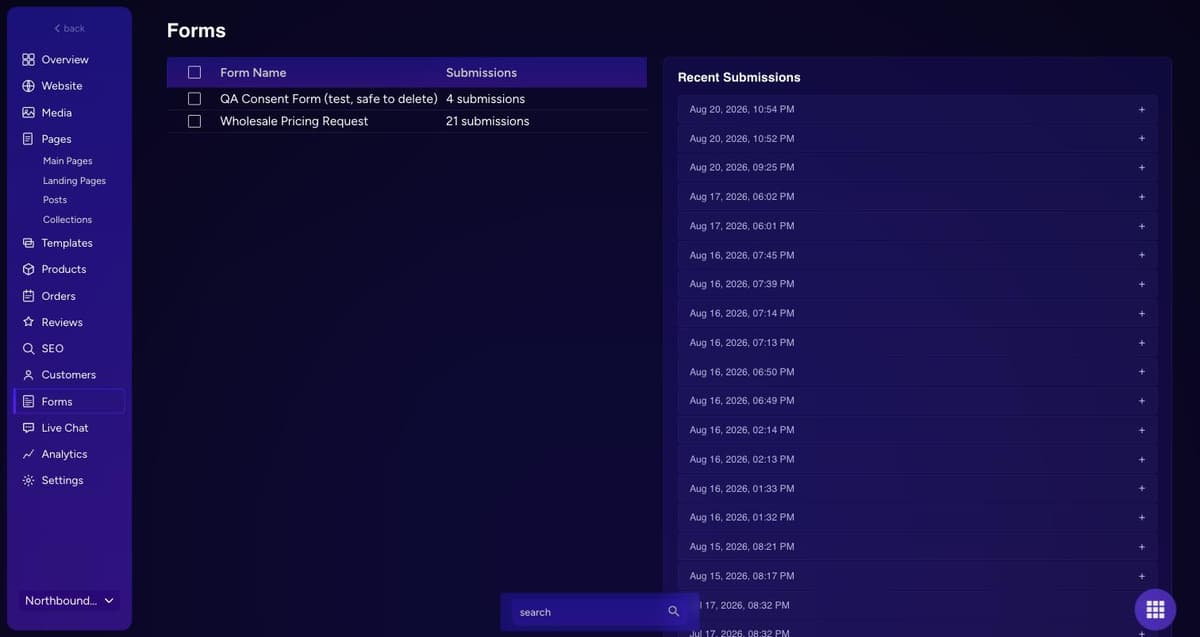
We build the warehouse side and leave your accounting software where it is
Most small operations do not need to replace their accounting. They need warehouse inventory management software that fits how they already receive, pick and count, and that hands clean numbers to the books they already keep. That is the part we build: no build cost, and a monthly subscription that starts only after launch. The first look costs nothing.
See what it would look likeOff-the-Shelf Software vs Custom Warehouse Inventory Management Software
There are two paths, and the difference is whether you adapt to the software or it adapts to you.
Where it runs matters as much as what it does. A cloud warehouse management system needs no server in the building and updates without a maintenance window, the deciding factor for an operation without its own IT staff.
If you are still working out which of these questions to ask a vendor, we set them out in how to choose a warehouse management system.
If the gap is stock control rather than the software around it, the guide to a warehouse stock management system covers receiving, locations, cycle counts and reorder points.
| Factor | Off-the-Shelf | Custom Built |
|---|---|---|
| Time to deploy | Faster, weeks | Longer, months |
| Upfront cost | Lower | Higher |
| Ongoing cost | Monthly subscription, scales with users | Depends on agreement |
| Fit to your workflows | You adapt to the software | Software adapts to you |
| Features | Many you may not use | Only what you need |
| Integration | Standard connectors, may need workarounds | Built to connect to your tools |
| Support | Vendor help desk | Direct relationship with builder |
Commercial off-the-shelf tools target a broad market, so they assume workflows that may not match yours, and a subscription at $200 a month per user adds up quickly across a twenty-person warehouse.
Custom warehouse software is not a luxury for large companies. Where an operation has specific workflows, unusual product types, or systems that have to stay in place, it is the more practical of the two.
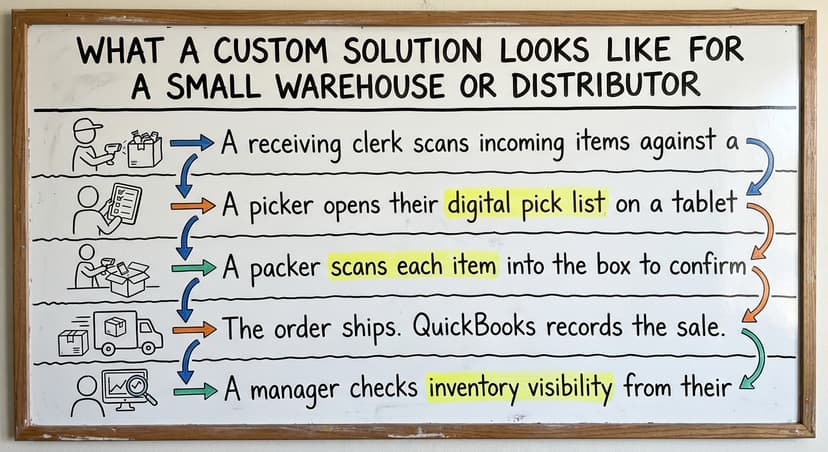
What Does a Custom Solution Look Like for a Small Warehouse or Distributor?
Custom does not mean complicated. It means right-sized inventory software. Here is what a typical day looks like in a 15 to 60 person wholesale distributor or fulfillment center running a custom warehouse inventory management software system.
A Typical Day in Practice
A typical day at 40 orders is 4 handoffs: receiving, put-away, picking, and packing, each one a scan instead of a note.
- Receiving
A receiving clerk scans incoming items against a purchase order. The system confirms quantities, flags any gaps, and updates bin locations on its own.
- Picking
A picker opens their digital pick list on a tablet or handheld scanner. The list routes them through the warehouse in the most efficient order.
- Packing
A packer scans each item into the box to confirm accuracy before sealing, which is the check most order fulfillment errors get caught by. The system generates a shipping label.
- Shipping
The order ships. The bookkeeping system records the sale. Stock counts update in real time.
- Review
A manager checks inventory visibility from their desk and sees exactly what is available, what is allocated, and what needs to be reordered.
This is the part most warehouse inventory software gets wrong
Deciding what to buy is the easy half. Making it match how your team actually receives, picks and ships is where months disappear. That is the half we do.
The consult costs nothing. Bring your process and we will say plainly whether a custom build earns its place, or whether an off-the-shelf system is genuinely the cheaper answer for an operation your size.
Book a free consult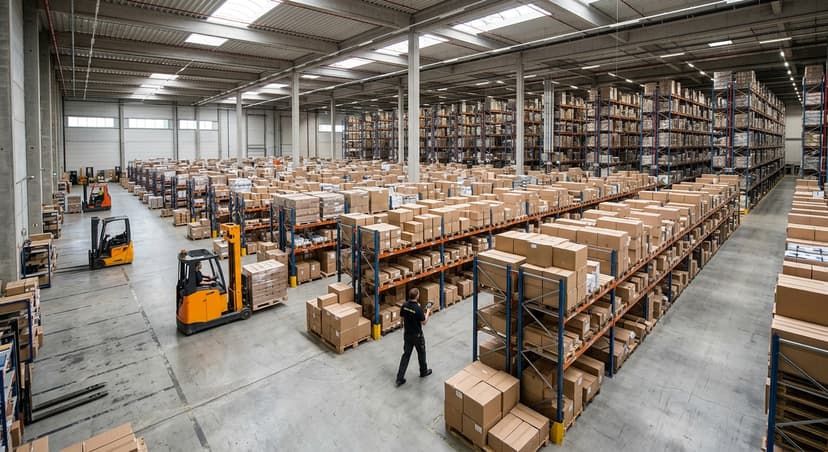
What Does Warehouse Inventory Management Software Cost?
Packaged software is charged per user per month, with separate fees per location and for the accounting integration. Custom is a project cost rather than a subscription: larger up front, smaller afterwards, with no per-seat fee for as long as you run it.
- What the sticker price leaves out: setup, data migration, and the weeks your team spends learning it. The total cost of ownership is the number that matters.
- What your current setup costs: the hours spent checking counts, priced at what those hours actually cost (the Bureau of Labor Statistics publishes the going rate).
- What it costs when it goes wrong: stock written off because nobody knew it was there, and orders shipped wrong.
Work out the third figure before either call. Most operations find the setup they already have is the expensive one.
How Do You Choose the Right Warehouse Inventory Management Software?
Choosing software before you understand your own operation is the most common mistake. Here is a practical evaluation process for business owners and operations managers who are not software experts.
Step-by-Step Evaluation Guide
- Map your current pain points first. Include how your existing records will move across: data migration is where most rollouts lose time. Write down the three or 4 things that cost you the most time or cause the most errors. These are your requirements.
- Document your workflows. How does stock move from receiving to shipping today? What steps happen, and who does them?
- Ask whether the software fits your operation, or forces your operation to change. If a vendor cannot explain how their system handles your specific workflows, that is a warning sign.
- Check your accounting integration. Ask exactly how data moves between the systems and whether it requires manual steps.
- Evaluate setup support. Who helps when something breaks? How fast do they respond? Do they understand small warehouse operations?
- Calculate total cost. Add up upfront fees, monthly subscriptions, training time, and the cost of future changes. Compare that to the cost of your current errors and inefficiencies.
- Talk to the vendor about your operation before committing to anything. A good partner asks more questions than they answer in the first call.
How We Build Warehouse Inventory Management Software
How we build custom software for small operations starts with exactly this kind of call. The goal is to understand the operation first, then build something that fits.

Common Questions About Warehouse Inventory Management Software
There are 4 questions that come up in almost every call we have with operations at this size.
- Can a small warehouse afford it? What mispicks and manual checking by hand cost exceeds the price of a well-fitted system. The real question is whether it pays for itself faster than the problems you are already absorbing.
- Do employees need technical skills? No. Barcode scanners, simple screens and clear prompts are standard, and most teams are comfortable within a few days.
- What if our needs change? With packaged tools you wait for the vendor or work around it. With a custom system you describe what changed to the people who built it.
- Will it handle unusual products or workflows? That is exactly where custom outperforms packaged: a system built around your actual process beats one built for the average warehouse.
Ready to Replace the Spreadsheets
The right warehouse inventory management software is not a new way of working forced on your team. It makes the way your team already works faster, more accurate, and easier to manage. It keeps your accounting software where it belongs and fills in the gaps that bookkeeping tools were never built to handle.
Running a wholesale distributor, fulfillment center, or small warehouse on a patchwork of spreadsheets and printed sheets means the next step is a call about your operation, not a software demo. This team builds connected operational systems for growing businesses that have outgrown manual processes.
Start with a call about what is not working, and we will show you what right-sized looks like for your operation.
And this is how it gets built
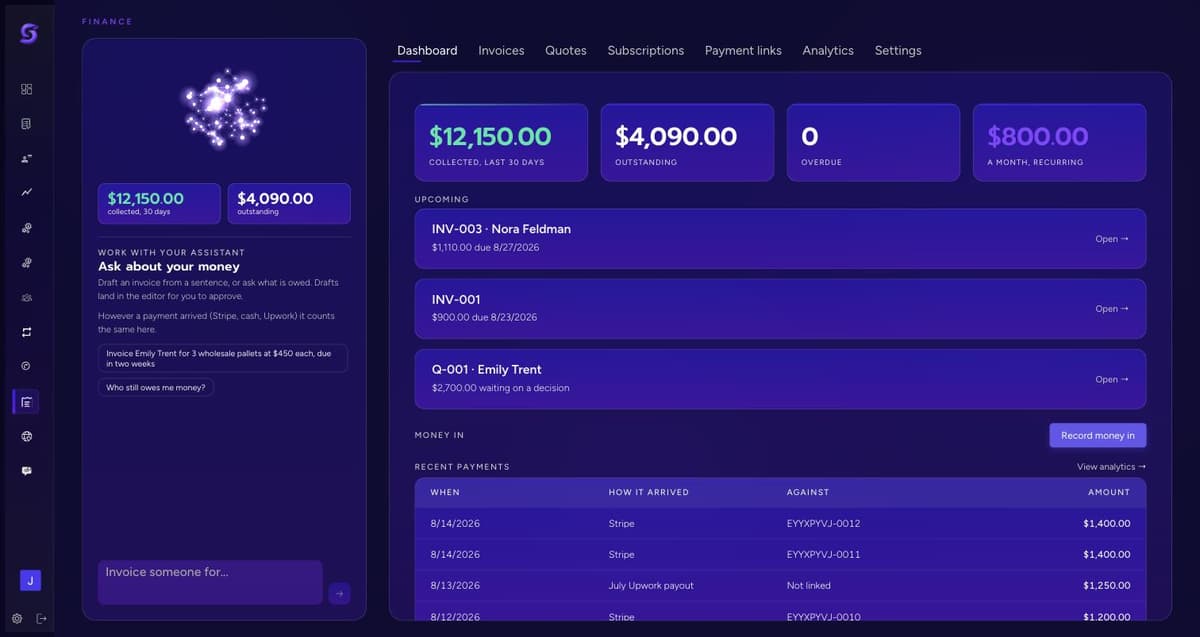
Describe the operation once. What comes back is a workspace built around how it actually runs, not a template you adapt to. This is that, in 20 seconds. The first look is free.
Frequently asked questions
Frequently asked questions
What is warehouse inventory management software and what does it do?
Warehouse inventory management software tracks what stock you have, where it is located in your warehouse, and what moves in and out each day. It manages receiving, putaway, picking, packing, and shipping workflows, giving your team accurate information at every step instead of relying on spreadsheets or printed sheets.
How do I know if my warehouse needs inventory management software?
If your team spends significant time checking stock counts, orders ship wrong because of outdated pick lists, or you cannot answer basic stock availability questions without checking multiple places, your operation has outgrown its current tools. These are reliable signs that a dedicated system would pay for itself quickly.
Will warehouse inventory management software replace your accounting software?
No. Good warehouse inventory management software works alongside your bookkeeping software, not instead of it. The accounting platform handles accounting, invoicing, and vendor payments. The warehouse system handles location tracking, pick workflows, and real-time stock.
The 2 systems share data automatically so your team stops entering the same information twice. Its maker publishes what the accounting side can exchange, and that is the boundary between the 2 systems.
What is the difference between off-the-shelf and custom warehouse inventory software?
Off-the-shelf software is built for a broad market, so you have to adapt your workflows to fit it. Custom warehouse inventory software is built around how your operation already works.
Custom takes longer to build but fits better, costs less over time in many cases, and can connect to your existing tools including your financial software. The trade is the standard one between commercial off-the-shelf software and something built to fit.
How long does it take to implement warehouse inventory management software?
Off-the-shelf tools can be deployed in a few weeks. A custom system takes 2 to 4 months depending on how complex your workflows and integrations are. Either way, a phased rollout with proper training reduces disruption and gets your team comfortable before going fully live.
A realistic plan accounts for data migration, where most of the elapsed time actually goes.
What features should I look for in warehouse inventory management software?
Prioritize real-time inventory visibility, barcode scanning, pick and pack workflows, purchase order management, low stock alerts, and integration with your accounting software.
Every feature should solve a specific problem your team faces today. Avoid paying for features built for operations much larger or more complex than yours.
Can a small warehouse or distributor afford inventory management software?
In most cases, yes. What mispicks, manual checking by hand, and stock errors cost a small warehouse exceeds the price of a well-fitted system.
The real calculation is whether the system saves more than it costs, and for most operations running on spreadsheets and printed sheets, it does.
Do my employees need technical skills to use warehouse inventory management software?
No technical background is needed. Most warehouse inventory systems target warehouse workers, not IT staff. Barcode scanners, simple screens, and clear step-by-step prompts are standard. Most teams reach comfortable daily use within a few days of hands-on training.
What is the best warehouse inventory management system?
There is no single best system, and any answer that names one is selling something.
The right system is decided by 4 things: how many SKUs and locations you carry, whether your workflows are standard or specific to your operation, what your accounting system is and what it will exchange, and how much change your team can absorb at once.
An operation running standard pick and pack on a few hundred SKUs is well served by an off-the-shelf tool.
An operation with unusual product types, custom kitting, or processes a vendor cannot describe back to you is better served by a system built to fit it.
What is the best software for warehouse management?
The answer depends on whether you need warehouse management or inventory control, two different things. Inventory control answers what you have and where it is.
A full warehouse management system adds labour planning, slotting, wave picking and yard management, and it is worth its complexity only at a scale where those things cost you real money.
Most warehouses under about 60 people need accurate inventory, barcode scanning and clean pick and pack, not a full WMS. Buying the larger category first is the single most expensive mistake in this market.
What is the most common WMS?
The market is fragmented rather than dominated by one system. In large operations you will most often meet a warehouse module attached to a larger enterprise resource planning suite, or a dedicated enterprise-grade logistics platform.
In small to midsize warehouses you will more often meet a lightweight inventory app, a niche stock tracker, or a spreadsheet sitting beside your accounting system.
The practical answer is that the most common system in warehouses your size is still a spreadsheet, which is why the comparison that matters is against what you do today rather than against another vendor.
What is the most popular inventory software?
For small businesses the most widely used starting point is the inventory feature inside general accounting software, because the accounting system is already there. It tracks quantity and value well and was never built to track location, so it stops being enough at the point where knowing a number is no longer the same as being able to find the stock.
Dedicated stock tracking tools pick up from there. Popularity is a poor guide here: the useful question is which system matches how your warehouse actually moves stock.
The trade is that it is a subscription rather than a purchase. You are not buying a codebase you would then have to maintain, you are paying us to run it and keep improving it.
If what you need is bigger than we should take on, we will tell you on the call rather than after it.
We will build your warehouse inventory management software
Software built around one warehouse normally runs to 5 figures and several months before anyone can use it. We do not charge for the build. You pay a monthly subscription once it is running, and if it is not right you stop.
We can work that way because we are not starting from an empty repository. Accounts, permissions, data, workflows, the website and the reporting already exist.
What gets built for you is the part that is specific to how your warehouse actually moves stock, and that is days of work rather than months.
Start with a free first look. We map your warehouse on a call and show you what the software would look like built around it, before you commit to anything.
Book a free first lookRelated guides
The rest of this guide, for the parts of the job this page does not cover.
Guides
- Inventory and Warehouse Management Software
- Warehouse Stock Management Software
- Software for Warehouse Management System
- List of Warehouse Management Software
- Online Warehouse Management Software
- Software Warehouse Management
- Warehouse Inventory Tracking Software
- Warehouse Inventory Software Programs
- Inventory Software Warehouse
- Quickbooks Inventory Management Software
- Custom Inventory Management Software
- Warehouse Inventory Management Systems
- Warehouse Inventory Management System
- Stockroom
- Kpi Warehouse
- Warehousing Models
- Warehouse Management Functions
- Warehousing Tasks
Common questions
- Why is Warehousing and Inventory Management Important
- How to Manage Inventory in a Warehouse
- What is the Best Warehouse Inventory Management System?
- What is the Difference Between Warehousing and Inventory Management
- What is B Type of Inventory in Warehouse Management
- What is Warehousing and Inventory Management