


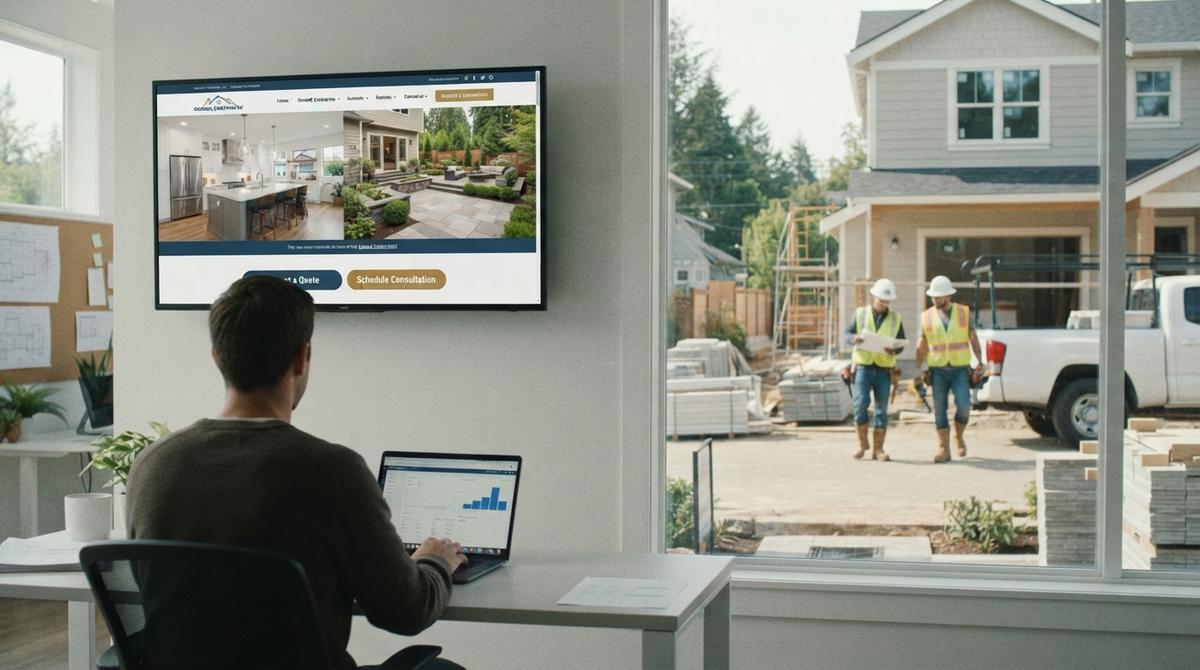
Best General Contractor Website
The best general contractor website is a fast sales tool that turns local searches into calls.
In April 2026, most homeowners check 3 local firms on their phones before dialing. Your site must show your trade, towns and phone line in under 3 seconds.
Fancy graphics do not book jobs. Clear service pages, real job photos and working call buttons do. Judge your site by tracked calls and form leads.
Book a callWhat Makes the Best General Contractor Website?
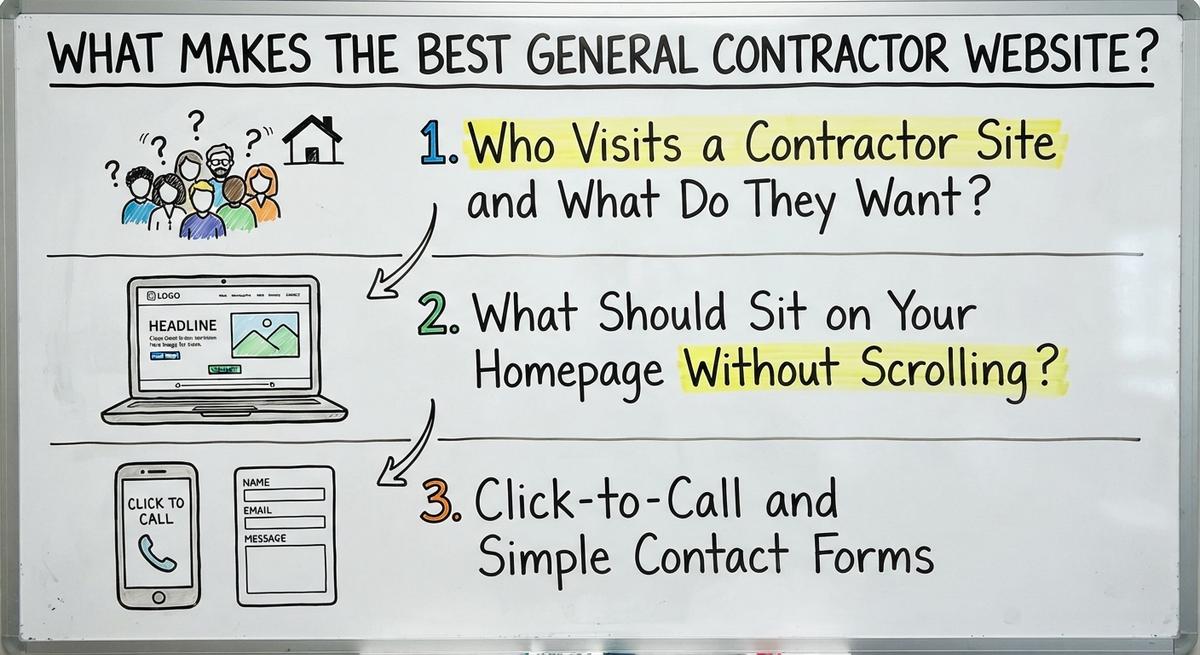
The best site is the one that books the most jobs. Homeowners care about 3 facts when a roof leaks. They need your trade, your service towns and a working phone line.
Speed and plain words turn local searches into booked estimates. Pretty animations do not pay your crew. Judge the site by the monthly calls it brings in.
Who Visits a Contractor Site and What Do They Want?
Most visitors are homeowners comparing 2 or 3 builders. Many open your site on a phone in their driveway. They want to confirm what you build and where your crew works.
Mobile visitors leave fast if they must pinch and zoom. Clear answers right away keep buyers on the page. Good general contractors make that first view easy.
What Should Sit on Your Homepage Without Scrolling?
Your trade, your area and a call button belong at the top. Write "General Contractor Serving Springfield and Nearby Towns." Skip "Building Your Dreams Today."
Keep 1 main action on the first screen. A plain headline beats a clever slogan for busy buyers. Clear top screens turn hurried searchers into phone calls.
Click-to-Call and Simple Contact Forms
Click-to-call is a phone link that dials your office in 1 tap. Put that number in the top header of every page.
Keep your quote form to 3 fields: name, phone and project type. Two taps should connect a homeowner to your team.
Short forms and visible phone links turn more visits into estimates. See our general contractor website guide for the full page list.
See your new homepage before you pay anything
Your homepage, rebuilt free. You see it before you pay anything.
Past SEO campaigns grew organic traffic 26x in 14 months.
New website: $50 a month, built and hosted, cancel anytime
Book a call
Essential Contractor Website Pages for Jobs and Towns
Separate pages help buyers and Google. One crowded site cannot explain 6 trades or 15 cities well.
Dedicated pages match exact searches like kitchen remodeling or roof repair. In 2026, local searchers expect a clear page for each job.
Focused pages bring in buyers ready to book. They also give a contractor website more ways to show up in search, one page per job and town.
Separate Pages for Each Service
Each core trade needs its own page. One generic Services page cannot rank for 5 different trades.
Kitchens, baths, additions, decks and roofing each deserve a page. A buyer who searches for a deck builder should land on the deck page, not a long list.
Look at how trade sites handle this, like a roofing contractor website or a painting contractor website.
What Goes on a Service Page?
A service page has 5 parts. Each one answers a question before the buyer calls.
- Project scope: List the exact materials and repair types your crew handles.
- How the job goes: Walk buyers through inspection, scheduling, cleanup and the final walkthrough.
- Real job photos: Show finished work from that trade, never stock pictures.
- Common questions: Answer permit, material and timeline concerns up front.
- Call to action: End with a short form and a tap-to-call button for an estimate.
Focused trade pages on a contractor website attract buyers who already know the job they need.
Separate Pages for Each Town You Serve
Service area pages are local town pages. They show homeowners and search engines where you work. Each city page needs real local details, like housing styles or permit rules.
Swapping only the city name across 10 identical pages breaks search rules. Google's spam policies call it "Doorway abuse" when pages exist only "to rank for specific, similar search queries."
Real local details prove you work in those neighborhoods. Picture a builder with a dozen towns and a real page for each one on the website.
What Makes a Page Helpful for Homeowners?
Helpful pages answer buyer questions directly. The best contractor pages skip fluff and sales hype.
Google Search Central says helpful content is "created primarily for people", not to game rankings.
Explain how estimates work and who pulls city permits. Note how weather affects schedules. Never state response times you cannot keep every week. Honest answers build trust and help local visibility.

Find out where you show up on the map
A free map check for your company. See which towns find you and which call a competitor.
Book a call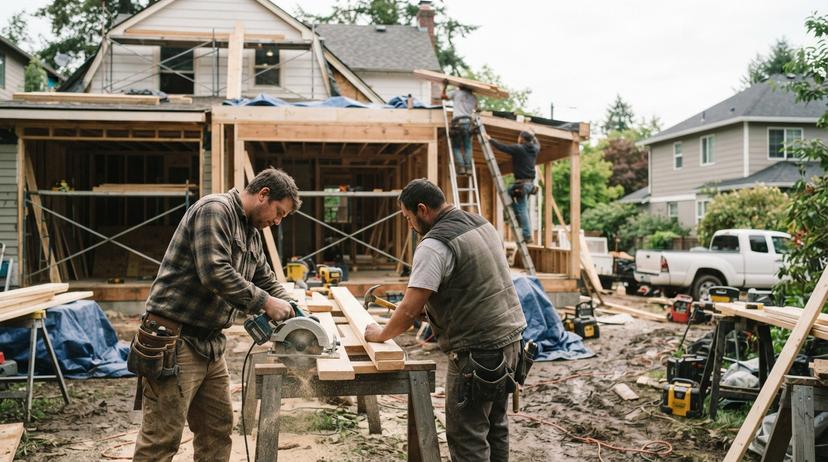
General Contractor Website Examples That Build Real Trust
Top examples are proof of skill. Homeowners spend thousands on their homes. They look for solid proof before they call.
The best general contractor sites share 3 traits. They tell a real story, show real specifics and quote real customers. Here are 3 examples from the field, each from a different trade. Each one shows a single trait done well on a live website.
A Custom Home Builder Example
AR Homes leads with its track record. It says it has "designed and built extraordinary custom luxury homes" for over 40 years.
The line names the trade, the market and the years. A visitor knows in seconds who the firm serves. Your homepage should do the same for your own contractor niche.
A Roofing Example With Hard Specifics
Erie Home shares material facts, not slogans. Its metal roofs are built "to weather even the most extreme conditions, including hail and winds of up to 120 mph."
Numbers like 120 mph give buyers something to compare. Add the real specs for the materials your crew installs. A contractor website with numbers reads as more honest than one with adjectives.
An HVAC Example With a Founder Story
Hoff Heating & AC tells a plain origin story. The company "was run from a detached garage next to Henry's house" after its 1983 start.
A short, true founder story makes a firm feel local. Write yours in 3 or 4 sentences. Skip the mission statement. Put it on the About page of your website and link it from the homepage.
Trust Signals on the Best General Contractor Websites
Trust signals are proof a buyer can check. Galleries, reviews and credentials do most of the work on a contractor website.
A site with no proof asks the buyer to guess. A site with real proof gives them a reason to call you first. The next 3 parts cover each signal.
Project Galleries That Prove Your Work
Real job photos are the best proof a contractor has. Homeowners spot generic studio pictures right away.
Pair each before-and-after shot with 2 short sentences. Name the scope and the town. Tag every gallery item by trade and city so visitors can find jobs like theirs.
Local photos show prospects the quality your crew delivers.
Reviews and Honest Trust Signals
Customer reviews are public proof of quality. BrightLocal's Local Consumer Review Survey found, "97% of consumers still lean on reviews to guide their purchase decisions."
Post real feedback with approved customer names only. Wilco Contractors shows one: "I would ABSOLUTELY recommend this contractor for any job, big or small."
Follow Google's review policy. It says reviews "must reflect a genuine experience." Our guide on how to get more Google reviews covers the ask.
Licenses, Insurance and Badges
Display only the licenses, insurance and awards you hold. A fake badge on a contractor website is a legal risk.
List the license number where your state needs it. Link to the issuing board if it offers a public lookup. Honest credentials win over cautious homeowners. Update them each year when renewals come in.
How Does Google Rank Local Contractors on the Map?
Google ranks local contractors on 3 signals. Google Business Profile Help says, "Local results are mainly based on relevance, distance, and popularity."
Relevance is how well your site matches the job someone typed. Popularity reflects reviews and web mentions. Distance depends on where the searcher stands.
Strong trade pages and steady reviews improve the 2 factors you control. Read more in local SEO for contractors.
Connect Your Site to Your Google Business Profile
Your Google Business Profile is a map listing. It appears above normal search results for local jobs.
Match your company name, address, phone and trade list across the site and the profile. Link the profile to your homepage or main location page.
Consistent details on both confirm your business is active and trustworthy. Our general contractor SEO guide covers the rest.
Mobile Speed and Easy Reading on Cell Data
Slow pages are expensive. Mobile callers close any contractor website that stalls on a cell network.
Use large fonts and wide tap buttons for thumbs. Compress every project photo so pages load fast and still look sharp.
Fast mobile pages keep impatient callers around long enough to tap. Test yours on a phone away from office Wi-Fi.

Results you can check
Past SEO campaigns grew organic traffic 26x in 14 months, and 15x on another. Top Rated Plus on Upwork with 99% job success.
Work for hundreds of small businesses and large clients like New Balance. Before The Software Society, our founders’ agency worked with Planned Parenthood.
Book a callWhat to Avoid in Contractor Website Design
Weak design is the most common leak. It hides phone links and fills pages with words that say nothing. Removing friction raises the share of visitors who call a contractor.
Fixing common layout errors recovers lost leads without buying new ads. It is the cheapest upgrade most builders can make. For layout ideas, see contractor website design.
Common Mistakes That Cost You Calls
Simple design errors lose jobs every week. Check your contractor website for these 6 mistakes.
- Stock photography: Fake models replace your real crew and finished work.
- Hidden phone numbers: Mobile visitors must hunt through menus just to dial.
- Mobile pop-ups: Boxes cover the screen and block your services.
- Copied city pages: Identical paragraphs across towns risk search penalties.
- Fake badges: Unproven awards or license claims expose you to legal trouble.
- Dead links: Old pages and broken buttons tell buyers nobody checks the site.
Clear these 6 errors. Your site gets cleaner, faster and safer for local buyers.
Good General Contractor Website vs. Weak One
A side-by-side check is the fastest audit. It shows where a website lets leads slip away. Every feature below shapes who wins the call.
| Feature | Strong Site | Weak Site | Why It Matters |
|---|---|---|---|
| Homepage | Trade, towns, phone up top | Vague slogan, no town | Buyers see fit in 3 seconds |
| Trade pages | Full page per trade | Short list for all work | Matches exact job searches |
| Town pages | Unique notes per city | Same text, swapped cities | Ranks nearby without spam risk |
| Gallery | Real photos tagged by town | Stock photos, no notes | Proves your crew does the work |
| Call button | Tappable button in header | Tiny number in footer | Turns visits into 2-tap calls |
| Tracking | Calls split by source | Visit counts only | Shows what pages book jobs |
Score your own site against this table. The fastest upgrades to make first show up in the weak column.
Who Owns the Site and Can You Edit It Fast?
Ownership is the first contract term to check. You must own your domain and content. Get ownership terms in writing before you pay for any website build.
Some builders learn too late that an agency registered the domain in its own name. Never get locked out of your own brand. A contractor who owns the domain can switch providers in a day.
Why Fast Edits Keep Pages Fresh
Your business changes every season, and 4 seasons a year means 4 updates. New photos, new towns and new trades all need a place on the website.
Waiting 3 weeks for a small update leaves the site stale. Ask any provider how long a simple text or photo edit takes. A contractor website builder can help if you want to edit it yourself.
Questions to Confirm Ownership Before You Sign
Written rules protect your contractor business later. Confirm these 5 items in writing.
- Domain access: The registration sits in your own account under your business email.
- Content rights: You keep every service page, town page and photo.
- Clean exit: You can move your domain and files without penalty fees.
- Analytics access: You get an admin login to your own call and traffic reports.
- Hosting terms: You know who hosts the site and what it costs each month.
Without all 5 in writing, walk away from the deal.
With these 5 rights, you stay in control of your storefront at all times.
How to Track If Your General Contractor Website Works
Calls are the score, not raw clicks. A working general contractor website proves its value in booked estimates.
Visit counts can climb from bots or out-of-state traffic without 1 local job. Split leads by source. Measure real calls to judge your return. Booked estimates per month is the one number to watch.
Calls, Forms and AI Visits by Source
Source tracking is simple. Log calls and forms from organic search, the Map Pack, paid ads and AI tools. Each source gets its own bucket on your contractor report.
Paid options differ. With Local Services Ads you "Pay only for leads related to your business and the services you offer." Knowing what channel delivers estimates stops wasted ad spend.
How Do You Check Your Map Pack Position?
The Map Pack is the box of 3 listings at the top of local results. A search from your desk misleads you. Rankings shift block by block.
A monthly grid scan plots your rank across dozens of map pins. It shows weak neighborhoods to target next. See SEO for contractors for the full picture.
Get a second opinion on your current setup
Already paying for marketing? Get a free second opinion on what works and what wastes money.
Book a callA Simple Checklist to Score Your Current Site
A fast 10-point audit takes under 5 minutes. Answer each item yes or no. Count your yes answers.
Run it today on your own phone, then again in 90 days. Write the score down each time. By March 2027 you should see more yes answers and more calls from the same contractor website.
Ten-Point Contractor Website Score
Score your site on these 10 items.
- Homepage clarity: Trade, towns and phone show without scrolling.
- Mobile call button: One tap from the header dials your office.
- Short contact form: Name, phone and project type only.
- Service pages: Each core trade has a full page with scope details.
- Town pages: Each city has real local project notes.
- Project gallery: Real job photos, no stock images.
- Trust signals: Verified reviews and credentials you hold.
- Map profile link: Name, address, phone and categories match.
- Mobile speed: Pages load fast on cell data without pop-ups.
- Source tracking: Calls and forms split across search, map, ads and AI.
What Do You Fix First?
Fix the call button and homepage first. Those 2 items touch every visitor to your contractor website.
Next, add the missing service pages for your highest-margin work. Town pages and gallery tags come after. Fix map profile details last, since they take minutes.
Low scores fixed in this order bring the fastest lift in calls.
Should You Build Your Site Yourself or Hire Help?
DIY tools fit a 1-truck startup. Hiring help for a contractor website makes sense once you scale across several towns.
The choice comes down to spare time. Hours spent on web layouts come out of estimating and crew time. Be honest about how many evenings you have. Most owners have fewer than they think.
When DIY Builders Fit and When They Stall
DIY builders cost about $20 to $50 a month. They work well for a starter site.
Building 20 service and town pages yourself takes dozens of evenings. One owner spending 5 hours a week at $40 an hour gives up $10,400 a year in field time.
Hiring help pays off once you need steady growth across nearby cities. Compare options in websites for contractors.
What Should You Ask a Provider Before Paying?
Direct questions expose weak providers fast. Ask any contractor website team these 5 questions first.
- Work samples: Can I see live sites you built for other builders?
- Who builds it: Will the person I talk to actually build my site?
- Monthly reporting: How do you track calls, forms and map grid spots?
- Ranking promises: Do you promise a top spot or fixed lead counts?
- Edit speed: How long does a small text or photo change take to go live?
Walk away if a provider promises guaranteed rankings. Nobody controls Google's results.
Red Flags When Hiring a Web Provider
Spotting sales traps saves thousands. Watch for these 4 warning signs.
- Guaranteed top rankings: A promise of a number 1 map spot nobody can control.
- Guaranteed lead counts: A deal that has you paying for spam or out-of-area calls.
- Hidden analytics: No access to your own call and traffic data.
- Long vague contracts: A 12-month deal with no list of exact deliverables.
Honest providers earn your business with clear scope and open reporting. See how to pick a contractor website design company.
Your First Three Steps for the Best General Contractor Website
Three actions are enough to start. Begin with the phone screen before rewriting a single word.
Small fixes on a phone screen bring the quickest new calls. Big rebuilds can wait. A contractor who does these this week will see the effect within a month.
Three Actions to Take This Week
Do these 3 things in the next few days.
- Test your mobile call button on cell data and confirm 1-tap dialing.
- List every service and town you want to win, and spot the missing pages.
- Upgrade your top service page with real photos, scope and FAQs.
Follow the 3 steps, and you are ahead of rivals who ignore their online storefront. Then score the site against the 10 points above, and keep building the best general contractor website in your market.
Frequently asked questions
What pages should a general contractor website have?
A general contractor website needs a clear homepage, a page for every core service and a unique page for each town. Add a real project gallery, a short contact form and a page on permits and estimates.
Do I need a page for each town I serve?
Yes. A separate page for each town helps local buyers and search engines confirm where a contractor works. Each one needs unique local notes or project photos, never copied text with a swapped city name.
How can I show trust without false claims?
Show real before-and-after photos labeled with the town and scope. Add approved customer reviews. Display only the licenses, insurance and memberships you hold. Unproven claims on a contractor website create legal risk.
What drives the cost of a contractor website?
Page count, custom design work and ongoing SEO across towns drive the cost. A starter contractor website with 5 pages costs far less than a multi-town build with monthly tracking.
How long does local SEO take to bring in calls?
Timing depends on local competition, site health and how many service and town pages you launch. Most contractors see early map movement over several months as reviews grow and new pages get indexed.
How many reviews does a contractor need to win local calls?
Steady, recent reviews matter more than one magic number. Earn real feedback after every job. It builds popularity in Google Maps and reassures homeowners comparing a contractor against nearby rivals.
Start with a free homepage rebuild
Book a short call. Your new homepage is free to see and yours to keep.
New website: $50 a month, built and hosted, cancel anytime
Book a callRelated guides
More on the same work.
- Website General Contractor
- General Contractor Website
- General Contractor SEO
- Contractor Website Development
- Contractor Website Design Company
- Best Contractor Websites
- Painting Contractor Website Design
- Electrical Contractor Website
- Paint Contractor Website
- Contractor Website Builder
- Contractor Bidding Website
- Roofing Contractor Website
- Contractor Website Design
- Roofing Contractor Website Design
- Website for Electrical Contractor
- Website Builder Contractor
- Websites for Contractor
- Painting Contractor Website
- Concrete Contractor SEO
- Roofer Contractor Marketing
- How to Get More Jobs as a Contractor
- Roofing Contractor Leads
- Free Leads for Contractors
- Facebook Ads for Contractors