


General Contractor Website
A general contractor website is a sales tool that turns local visitors into calls.
Homeowners use it to check your work, see where you build and ask for a quote.
Book a call
What a General Contractor Website Is Really For
A general contractor website is a lead machine, not an online brochure. As of 2026, people find builders through search results, the local map, sponsored listings and chatbots.
Every visit should lead toward one goal. That goal is a call or a quote request from a homeowner in your area. It is the same goal behind all contractor lead generation.
Why Calls Beat Visitor Counts
Calls and signed work are the real score for a contractor. Raw traffic is not.
Picture 500 visits and 0 calls: that site fails its main job. Now picture 80 visits and 6 calls. That one is doing fine.
Judge every page by one test. Does it move a local owner closer to picking up the phone? Our guide on how to get more jobs as a contractor shows where the site fits.
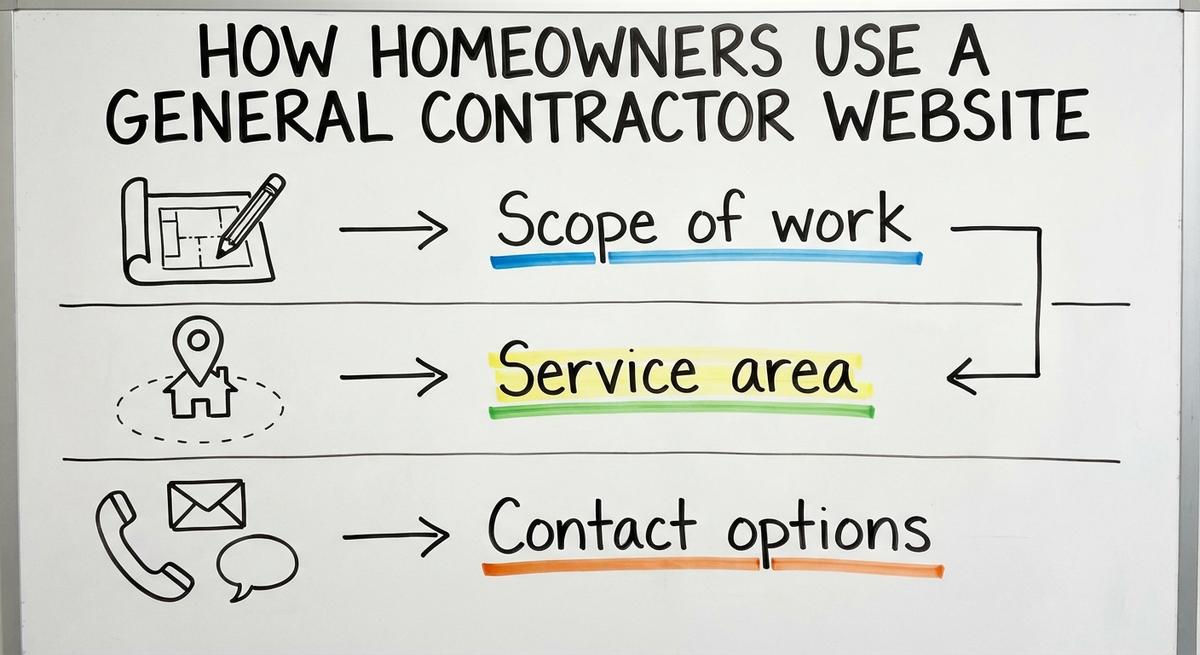
How Homeowners Use a General Contractor Website
Most homeowners scan 3 to 5 general contractor websites on their phones before they call. They move fast. Anything confusing gets skipped.
Short, direct pages beat long, clever copy on a small screen. Plain words win. A website that reads in seconds earns the call.
The Three Questions Every Visitor Asks
Visitors to a contractor site want 3 answers right away.
- Scope: Do you handle the exact remodel or fix they need?
- Service area: Do your crews drive to their town?
- Contact: Can they tap a button and reach you fast?
Answer all 3 above the fold. A visitor who has to hunt for any of them leaves.
See your new homepage before you pay anything
Your homepage, rebuilt free. You see it before you pay anything.
Past SEO campaigns grew organic traffic 26x in 14 months.
New website: $50 a month, built and hosted, cancel anytime
Book a callWhat Makes the Best General Contractor Website?
The top pick is simple: the site that wins the most calls for profitable jobs. Fancy animations and design awards never pay a crew.
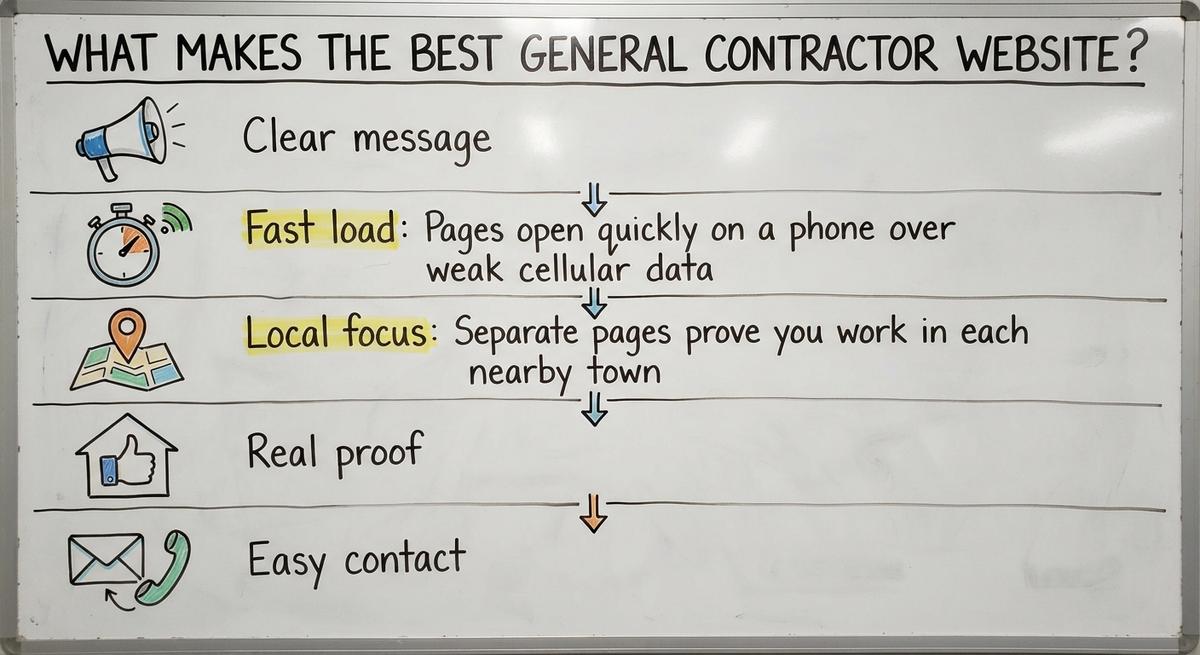
Five traits separate strong builder sites from weak ones.
- Clear message: Visitors see your trade and your area in 3 seconds.
- Fast load: Pages open quickly over weak cell data.
- Local focus: Separate pages prove you work in each nearby town.
- Real proof: Genuine reviews and job photos back up every claim.
- Easy contact: A tap-to-call button and a short form sit on every screen.
See how other builders handle this in our best general contractor website roundup.
What to Put on Your Homepage
A contractor homepage is a front door. It tells visitors what you do and where you work.
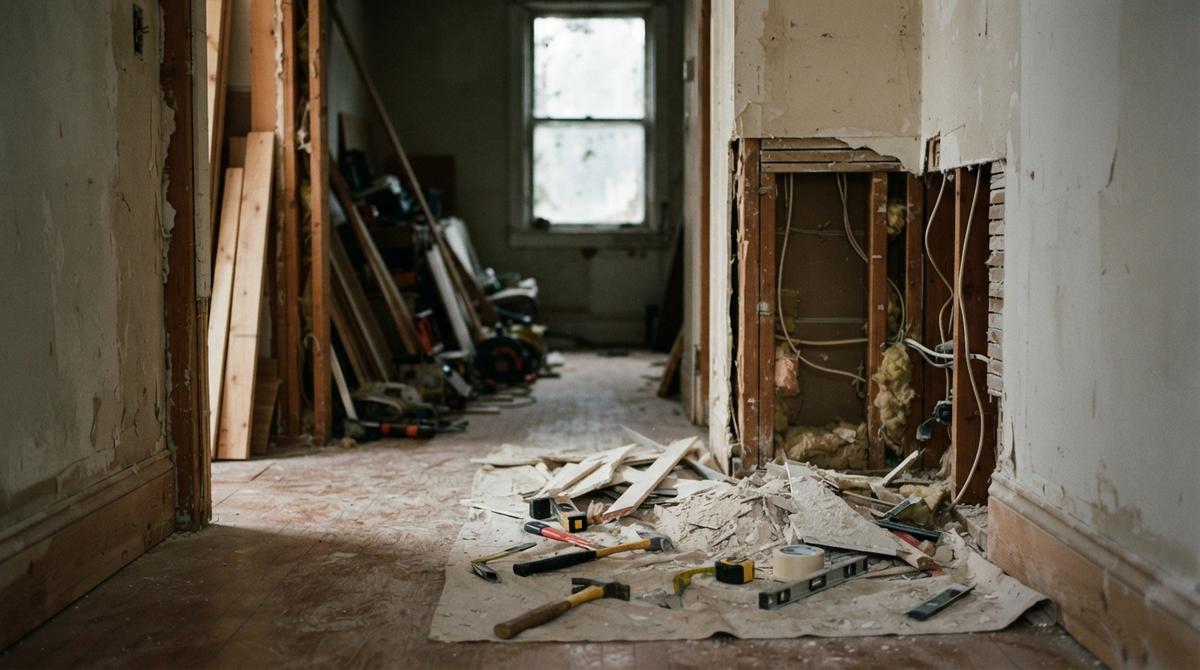
Place your number and a quote button near the top. Link straight to your main services and your top towns.
Add only proof you can back up with facts. Empty slogans make homeowners doubt you.
Every element there should guide an owner to call or open a service page.
Why the First Screen Matters Most
The first screen is the area a visitor sees before scrolling. It is where most people decide to stay or go on a contractor website.
Your headline must name your trade and your city. Put one action button right below it.
Show a real photo of your crew's work. Skip the stock picture. Never let a tall menu or banner push the call button out of view.
Homeowners stay and call when that top area answers their needs at a glance.
Pages Every General Contractor Website Needs
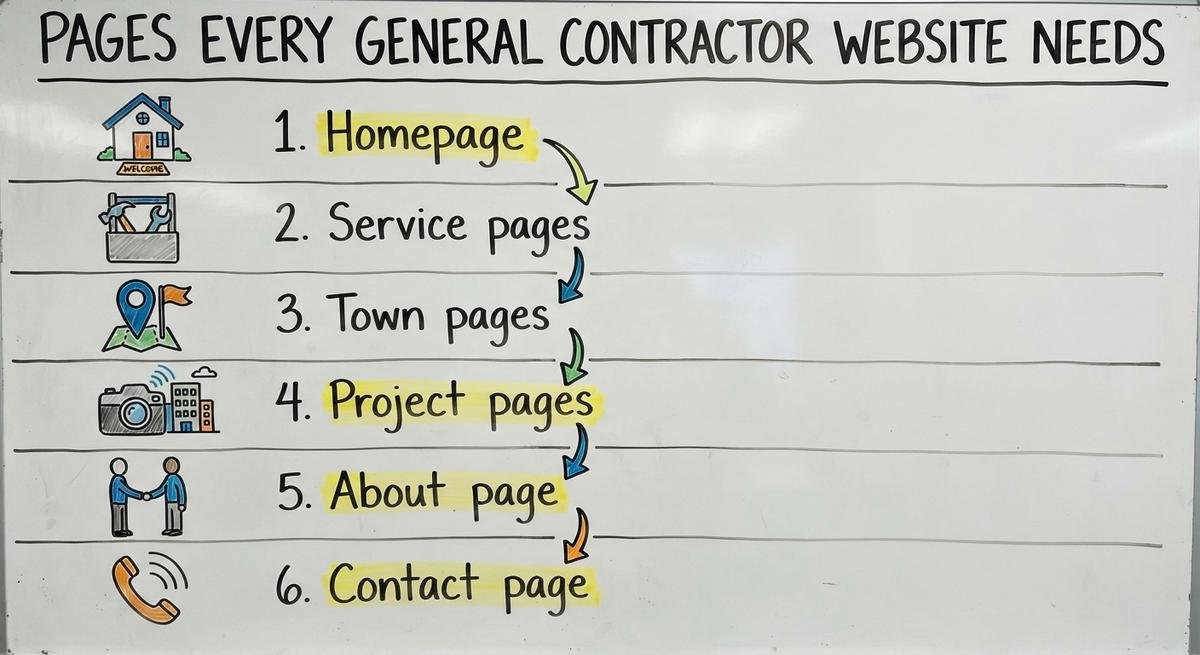
A working general contractor website needs 6 core page types. Each one has a single job.
- Homepage: Introduces your trade, your area and your contact buttons.
- Service pages: Explain each job type separately.
- Town pages: Prove to people and Google the cities your crews serve.
- Project pages: Display real before and after photos from local jobs.
- About page: Shares true facts about your company.
- Contact page: Lists your number, area and a short quote form.
Keep the top menu short. Never hide all services in one long list. For layout ideas by trade, see our guide to contractor website design.
Service Pages for Each Type of Work
A service page is a page built for one type of remodel or repair.
Kitchen remodels, home additions, roofing and decks each deserve a separate page. Explain the job in plain words. List the steps. Share smart questions to ask.
One topic per page helps both Google and homeowners understand your trade. Trade sites work the same way: see a roofing contractor website, a painting contractor website or an electrical contractor website.
Never paste identical text across service pages. Distinct pages give clear answers and earn more calls.
Find out where you show up on the map
A free map check for your company. See which towns find you and which call a competitor.
Book a callTown Pages That Show Where You Work
A town page is a local page that proves you serve a specific city.
Build one for every town where you want work. Share true details about the homes, weather or common projects there.
Picture a remodeler serving a dozen towns. Each local page on the contractor's website names neighborhoods, shows nearby jobs and speaks to real needs in that place.
Swapping only the town name inside copied text creates thin pages. Google's spam policies call that "Doorway abuse".
How Many Pages Should You Start With?
A first website for a contractor is usually 10 to 20 pages. The core pages come first. Then each service and each target town gets its own.
Grow from there as you add trades or areas. A small, complete site beats a big, thin one. Quality per page matters more than the total.
How Should You Show Project Pages and Photos?
Project pages are strongest with the before, the work and the after in real photos.
List the town, the job and what the homeowner needed fixed. Use your own photos from real sites, not a contractor stock library.
Never post project claims you cannot prove. Google's advice fits here: write "primarily for people", not for rankings.
What Makes a Good Project Photo?
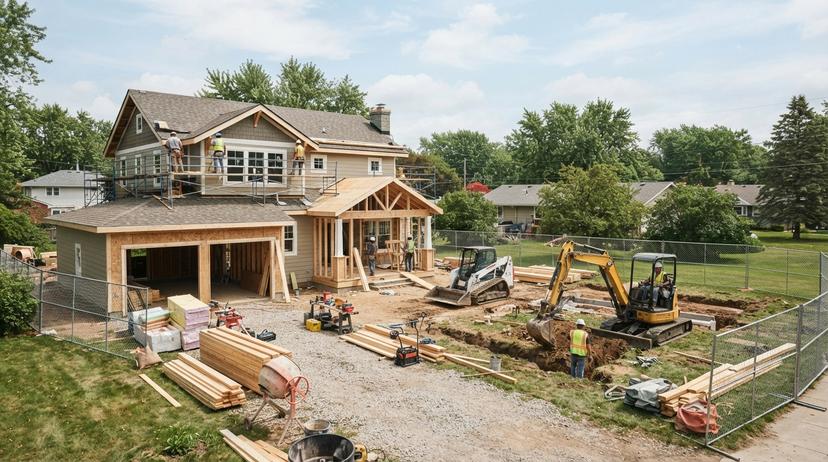
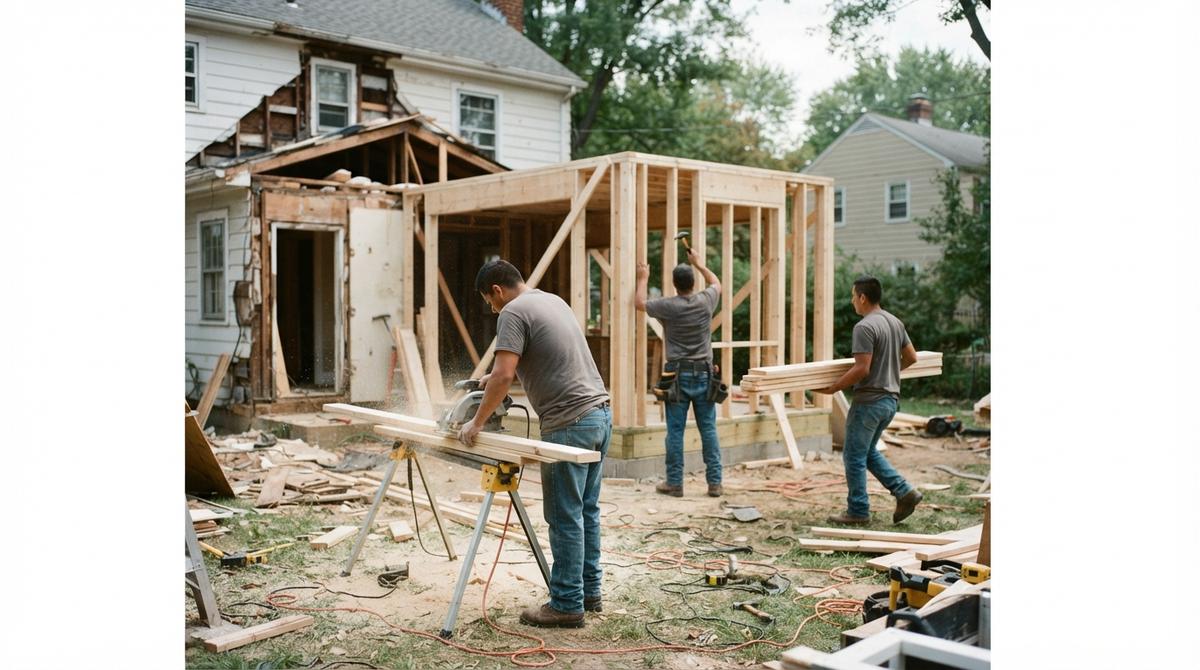
A strong job photo is honest, bright and local. Shoot in daylight. Stand back far enough to show the whole room or roofline.
Shoot from one spot for the start and the finish. Add a one-line caption naming the town. These shots show homeowners what your crew can build on their street. They also give your website fresh local proof.
Proof That Builds Trust Without Risky Claims
Real proof is any checkable fact: genuine reviews, finished local projects and a license you can show.
BrightLocal reports "97% of consumers still lean on reviews" to guide what they buy.
Never post licenses, awards or a founding year without proof. Unverified claims create real liability for a contractor. Check every claim before it goes live.
How Many Reviews Do You Need?
Twenty is the first bar. The same 2025 BrightLocal survey shows 47% of shoppers skip businesses with fewer than 20 reviews.
Keep them real on your website and your profile. Google's policy says reviews "must reflect a genuine experience". Ask every happy client right after the final walkthrough. Our guide on how to get more Google reviews covers the ask.
General Contractor Web Design for Calls and Speed
Strong general contractor web design makes calling or asking for a quote fast on any screen.
Place a tap-to-call link at the top and bottom of every page. Keep the quote form to 3 or 4 fields.
Describe the next step after a form only if your office really does it. Never promise callback times your crew cannot keep.
Less friction in the contact steps turns more visitors into booked estimates. Our contractor web design guide shows layouts that do this.
Speed and Phone Use on Job Sites
Test your contractor website on your own cell, away from office Wi-Fi. Buttons should be large enough for a thumb. Text should read cleanly.
Slow pages lose impatient homeowners before the number even appears.
Compress large images before upload. Pages should open fast. Quick mobile pages keep visitors around long enough to call.
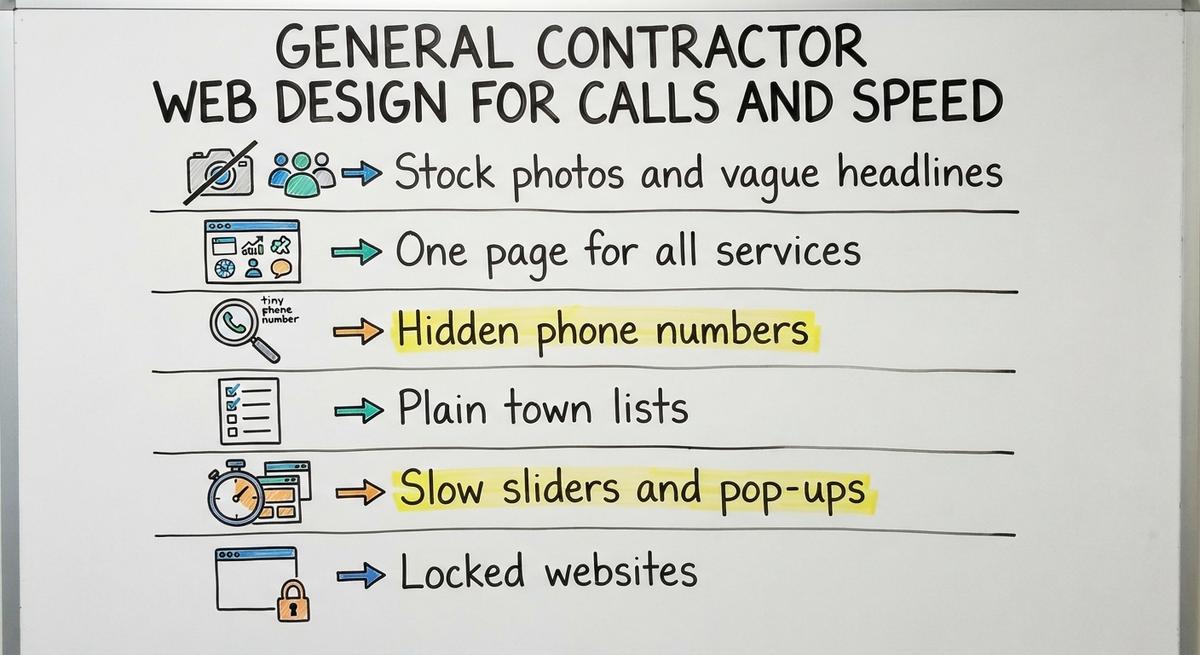
Web Design Mistakes to Avoid
Six common contractor website mistakes send callers to your rivals.
- Stock photos and vague headlines: Fake pictures and broad slogans make owners doubt your work.
- One page for all services: Cramming every trade together confuses visitors and crawlers.
- Hidden phone numbers: Making people hunt for a number kills mobile calls.
- Plain town lists: Twenty towns in one footer block prove nothing.
- Slow sliders and pop-ups: Moving banners and pop-up boxes block small screens.
- Locked sites: A site you cannot edit leaves old photos up for months.
Fix these first. Your call rate improves without buying more ads.
Results you can check
Past SEO campaigns grew organic traffic 26x in 14 months, and 15x on another. Top Rated Plus on Upwork with 99% job success.
Work for hundreds of small businesses and large clients like New Balance. Before The Software Society, our founders’ agency worked with Planned Parenthood.
Book a call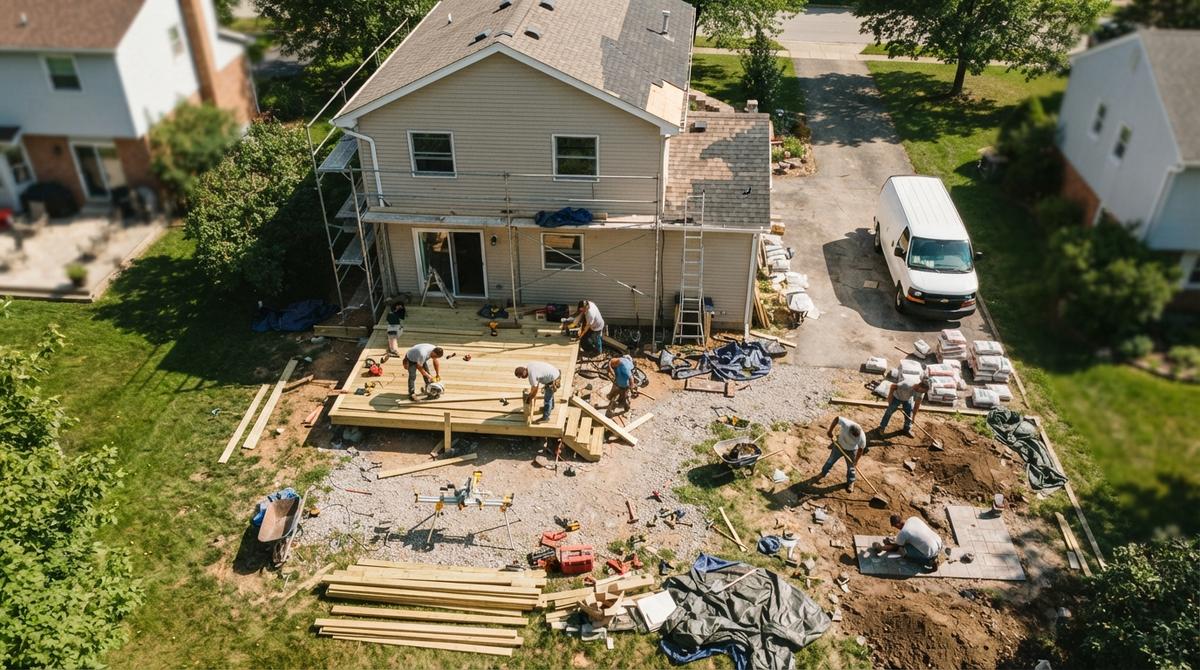
How Google Finds a General Contractor Website
Organic results and the Map Pack use different signals. The Map Pack is the box of 3 local listings shown with a map.
Your pages build relevance for organic search. Your profile drives visibility on Maps. Google says "Local results are mainly based on relevance, distance, and popularity."
Good local SEO for contractors connects both. Homeowners then find you either way. Some owners hire local SEO services for contractors for this part.
Paid options exist too. With Local Services Ads, you pay per lead, not per click. Standard Google Ads for contractors charge per click. No honest provider can promise a top spot, so focus on relevance and real reviews.
How Do You Connect Your Website to Google Business Profile?
A Google Business Profile is a free listing that puts your company on Google Maps.
Connect the two by matching your business name, service area and phone number everywhere.
Link your listing to the homepage or main location page of your contractor website. Make its services list mirror your service pages.
Consistent details earn Google's trust. Read Google Business Profile Help for the official ranking notes.
Basic SEO Setup for a Contractor Site
Basic SEO for contractors starts with page titles that name the service and the town.
Write clear H2 and H3 headings that say what each section covers. Cross-link related job and town pages inside the text.
Crawlers need to reach every page. Slow scripts should not block them. Clean structure helps Google match your site to local searches. Our general contractor SEO guide goes further.
Getting Found in AI Search Tools
AI tools like ChatGPT, Gemini and Perplexity now send homeowners to general contractor websites. They read plain, direct answers best.
State plain facts about what you build and where. Skip vague fluff.
Log chatbot referrals as a separate channel each month. Nobody can promise a spot in AI answers. Clear pages give you the best shot.
Get a second opinion on your current setup
Already paying for marketing? Get a free second opinion on what works and what wastes money.
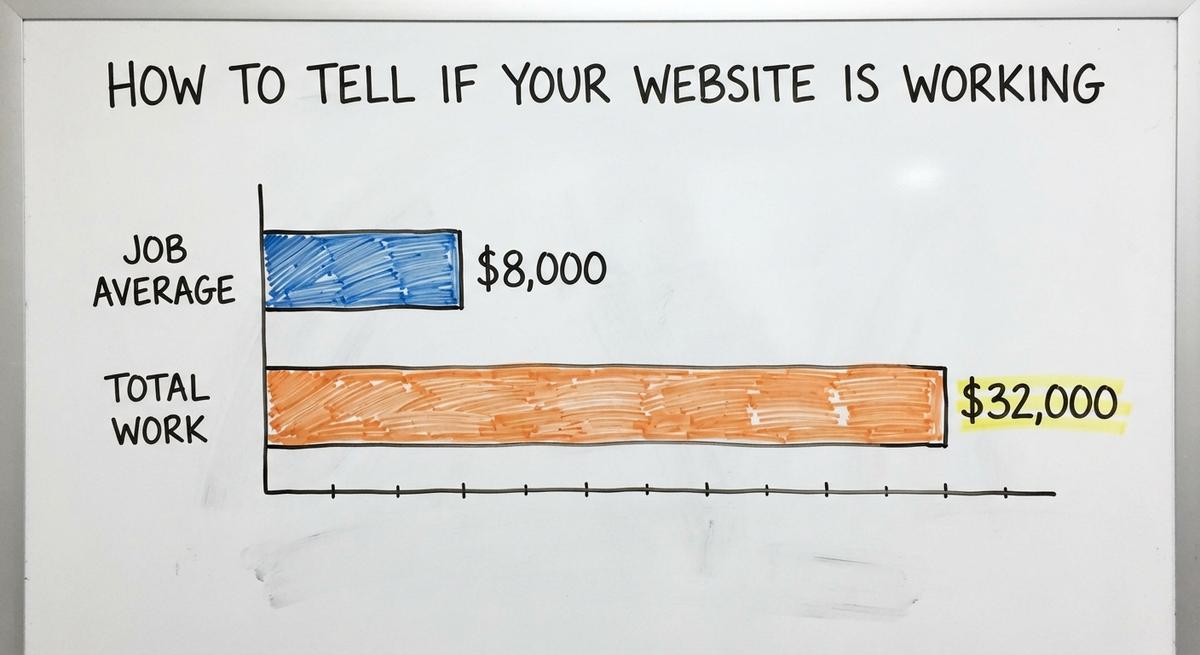
Book a callHow to Tell if Your Website Is Working
A general contractor website works when it brings real calls and quote forms.
Count calls and form fills, not raw visits. Split leads by source: organic, the map, paid clicks and chat tools.
Filter out spam and bot forms so fake leads never inflate the count. Say 200 visits bring 12 calls and 4 booked jobs at $8,000 each. That is $32,000 in work.
Ask your office what calls became signed contracts. That is your true return.
Track Your Map Position by Area
A grid scan is a map check that shows your rank block by block.
Your rank shifts just a few miles from your shop. Run a scan each month and compare.
Weak spots on the grid point to towns that need stronger local pages and more reviews. Over time the grid shows where contractor visibility grows or drops.

Questions to Ask Before Hiring a Web Designer
Smart owners ask 5 direct questions before paying for general contractor website design.
Use this list with any designer, contractor website design company or contractor website builder.
- Work samples: Can they show live sites for other builders, with real results?
- Direct access: Who actually builds the site? Can you talk to that person?
- Edit speed: How fast can a small photo or text update go live?
- Monthly reporting: What numbers will they report, such as calls and map grids?
- Honest ranking talk: Do they avoid promising top spots or set lead counts?
Clear answers protect your budget from bad contracts. For a build from scratch, our contractor website development guide lists more questions. Vague answers on reporting are a warning sign. So is any pressure to sign before you see real work for other remodelers and builders.
Should You Build It Yourself, Use a Template, or Hire Out?
Each path has a cost. DIY costs evenings. A template costs uniqueness. A specialist costs money up front.
| Website Option | Main Trade-off for Owners |
|---|---|
| DIY builder | Costs your nights and weekends after long job-site days |
| Pre-built template | Looks like every other local contractor in your town |
| Specialist hire | Costs more up front but saves time and guesswork |
Owners need fast updates when crews finish new jobs. Pick the path that lets you edit a contractor website quickly without losing weekends. More options are in our guide to websites for contractors.
General Contractor Website Checklist
A 10-minute general contractor website check spots missing pieces that cost calls today.
Review your own site against these 9 checks.
- Above the fold: Trade, town and call button show before any scroll.
- Job pages: Every main service has a dedicated page.
- Town pages: Each target town has unique local details.
- Real photos: Every picture shows your crew at work nearby.
- Tap-to-call: Your number works as a tap link on every page.
- Short form: The quote form asks for 3 or 4 details.
- Phone speed: Pages load fast over cell data with no blocking pop-ups.
- Lead tracking: Every call and form carries its source.
- Proven claims: Every review, project and fact on the site holds up.
Fix any missing item first. More local visits then turn into booked jobs. Then see how the site fits your wider contractor marketing. Run the same check again each quarter; new photos and services pile up fast.
Frequently asked questions
How many pages does a general contractor website need?
Plan on 10 to 20 to start. That means a homepage, about, contact and a gallery. Then add one page for each service you sell and each town you target.
Do I need a separate page for each town I serve?
Yes. A distinct town page on your contractor website tells people and Google where your crews build. Fill each one with real local job notes, never a city swap.
What claims should a contractor avoid putting on a website?
Leave off any license, award or founding date you cannot document. Leave off callback promises your office cannot keep. False claims on a contractor website create legal risk.
How do I know if my contractor website brings in calls?
Give every channel its own number and form. Each month, count leads from organic search, the map, paid clicks and chatbots. Strip out spam before you total them.
Can I change my general contractor website myself?
Yes, a good site lets you swap photos and edit text in minutes. Ask any designer how edits work before you sign. Simple changes should never wait weeks.
What should go on a contractor homepage first?
Lead with your trade, your main city, one real photo and a tap-to-call button. Keep banners out of the way so mobile visitors to the website can act fast.
How can I track my Google Map Pack position?
Run a monthly grid scan across your service area. Each dot on it is one search spot. Compare months to find towns that need more reviews or better contractor pages.
Start with a free homepage rebuild
Book a short call. Your new homepage is free to see and yours to keep.
New website: $50 a month, built and hosted, cancel anytime
Book a callRelated guides
More on the same work.
- Website General Contractor
- Best General Contractor Website
- General Contractor SEO
- Contractor Website Development
- Contractor Website Design Company
- Best Contractor Websites
- Painting Contractor Website Design
- Electrical Contractor Website
- Paint Contractor Website
- Contractor Website Builder
- Contractor Bidding Website
- Roofing Contractor Website
- Contractor Website Design
- Roofing Contractor Website Design
- Website for Electrical Contractor
- Website Builder Contractor
- Websites for Contractor
- Painting Contractor Website
- Concrete Contractor SEO
- Roofer Contractor Marketing
- How to Get More Jobs as a Contractor
- Roofing Contractor Leads
- Free Leads for Contractors
- Facebook Ads for Contractors