


Website for Electrical Contractor: 2026 Guide
A website for electrical contractor work has one job: it books local calls. This April 2026 guide covers 3 core tasks. A good site gets found. It builds trust. It wins the call.
Homeowners with a tripped breaker skip fancy graphics. They check services and the town list first. They want fast answers and a working phone button.
A clear site turns urgent searches into paid work.
Book a call
What a Website for Electrical Contractor Work Needs to Do
Your electrical contractor website is property you own.
Directories and social pages work like rented space. Platforms change rules overnight. A contact button can vanish without warning. A site you own protects the message and the job list.
The site pairs with your Google Business Profile. Together they show a real local shop. Visitors see your work with no rival ads beside it.
Ownership keeps your services and direct line in front of every caller. That control is the core of good contractor web design.
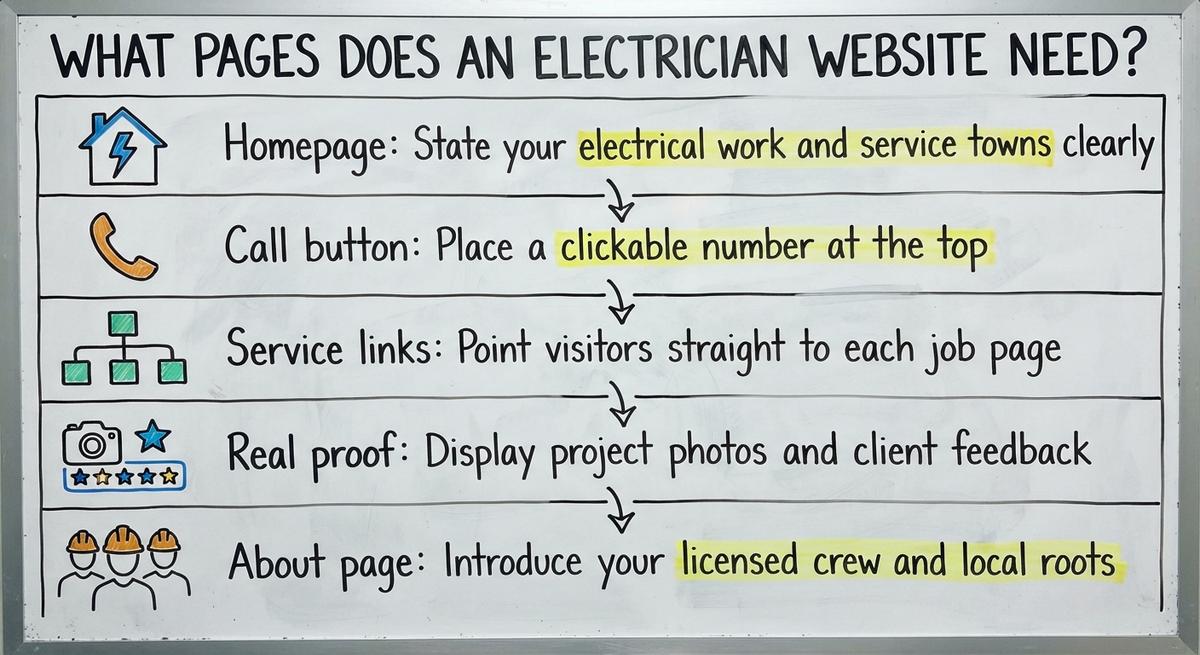
What Pages Does an Electrician Website Need?
Six page types cover the basics.
Each page answers 1 job for 1 searcher. Clear menus tie the pages together. Strong navigation gets callers to answers in seconds. For layout ideas, browse these websites for contractors.
- Homepage: State your electrical work and service towns.
- Call button: Put a tappable number at the top.
- Service links: Send visitors straight to each job page.
- Job proof: Add project photos and client feedback.
- About page: Introduce your licensed crew and local roots.
- Contact page: List hours, phone, and a quick inquiry box.
Linked pages help people and search engines read your business. Planning this structure is step one of contractor website development.
See your new homepage before you pay anything
Your homepage, rebuilt free. You see it before you pay anything.
Past SEO campaigns grew organic traffic 26x in 14 months.
New website: $50 a month, built and hosted, cancel anytime
Book a call
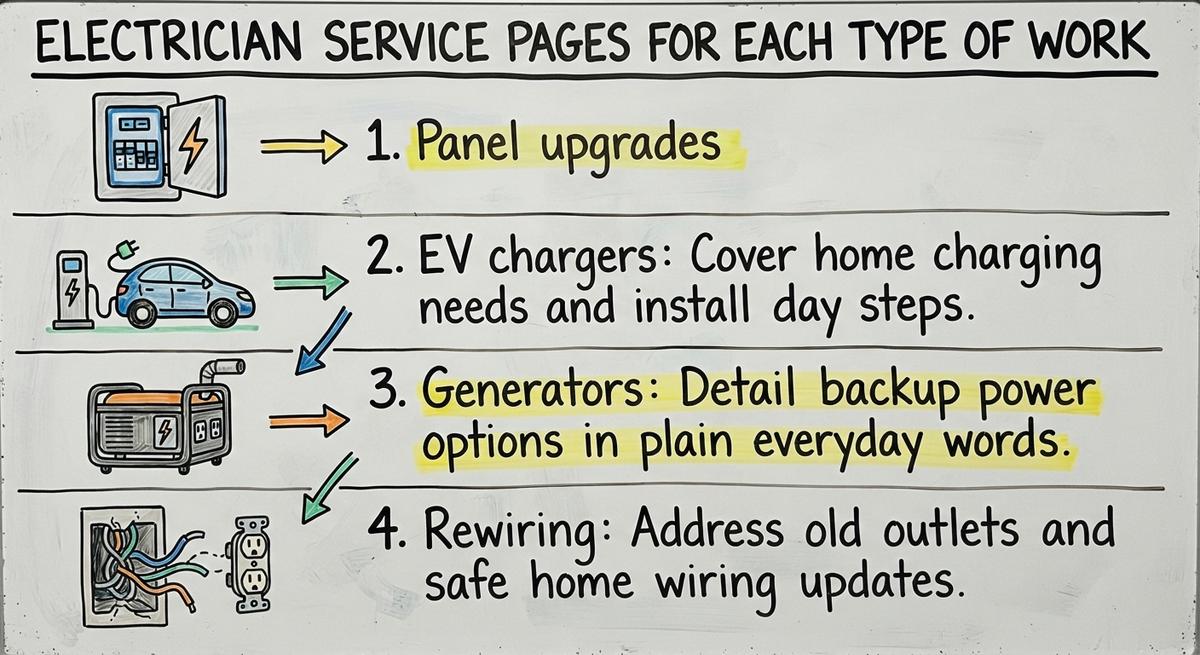
Electrician Service Pages for Each Type of Work
A dedicated service page is a focused tool.
Lumping panels, lighting, and rewiring together blurs search matches. Give each major job its own URL. Explain the problem, the repair, and the next step.
- Panel upgrades: Cover flickering lights and 200-amp panel swaps.
- EV chargers: Explain home charging needs and install day.
- Generators: Describe backup power options in plain words.
- Rewiring: Address old outlets and safe wiring updates.
Separate pages give homeowners the exact answer they need to call. A focused electrical contractor website lists every job this way. So does a strong general contractor website.
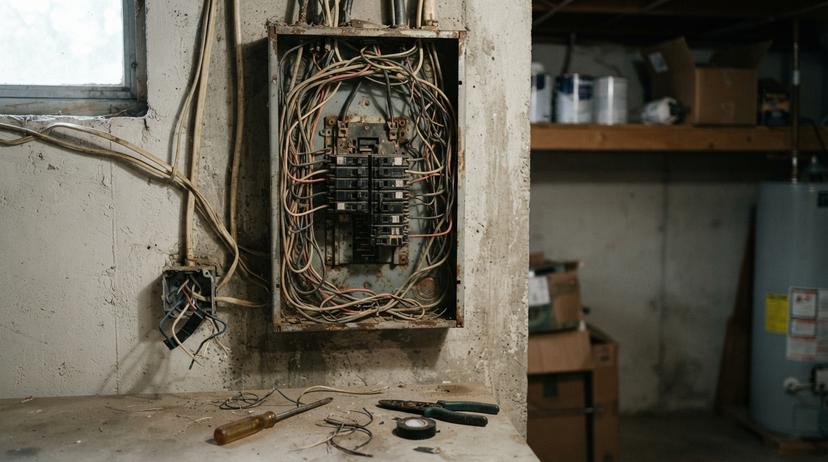
Town Pages for the Areas You Serve
Town pages are local landing pages.
Homeowners type their city name into Google. A & P Electric, for example, puts Los Angeles right in its page title. A matching city page connects your shop with nearby callers. Each one needs real local detail. Copied city pages can break Google's spam rules.
Mention neighborhoods, local permit offices, and common home ages. Old homes and new builds raise different wiring questions. Roofers use the same idea in roofing website design. The same approach drives local SEO for contractors in every trade.
List only towns you cover. Crews avoid wasted drive time. For outside help on city pages, compare local SEO services for contractors.

Residential, Commercial, and Emergency Electrical Work
Home and business buyers want different things.
Homeowners worry about safety and a clean job indoors. Facility managers ask about permits and power downtime. Give residential and commercial work their own pages.
Promise 24/7 emergency help only with staff on the phones. False urgency frustrates callers during a late-night outage. Clear hours set honest expectations. Eagle Electric, for one, advertises round-the-clock emergency service.
Speaking to each buyer directly brings better calls.
Find out where you show up on the map
A free map check for your company. See which towns find you and which call a competitor.
Book a callSafe Trust Signals for an Electrical Contractor Website
Trust comes from real proof.
Show crew portraits, panel photos, and active license numbers. Long local history helps too. RDS Electric in Arizona, for example, has served the area since 1981.
Never post invented awards or untrue guarantees. False claims create legal risk. They also break buyer trust. Verified credentials tell callers your crew is safe to invite inside.
Honest crew proof beats any stock badge.
Where Reviews Come From and Where to Show Them
Customer reviews are public proof.
Ratings shape the first call a homeowner makes. Ask happy clients for feedback right after the job. Never buy ratings or post fake comments.
BrightLocal found 97% of consumers lean on reviews to guide buys. Google's review policy also needs genuine customer experiences. Place real testimonials on service and city pages.
Reply to every review, good or bad. The guide to contractor lead generation shows how reviews feed more calls.
How Do Project Photos Help Win Electrical Jobs?
Project photos are visual proof.
A neat breaker panel shows pride and care. Clear wire labels impress callers ahead of the visit. Caption each image with the job and town.
Get homeowner permission for every job shot. Skip stock images of smiling models in clean hardhats. Real pictures from your trucks build instant credibility.
Fresh job photos keep the site active and grounded.

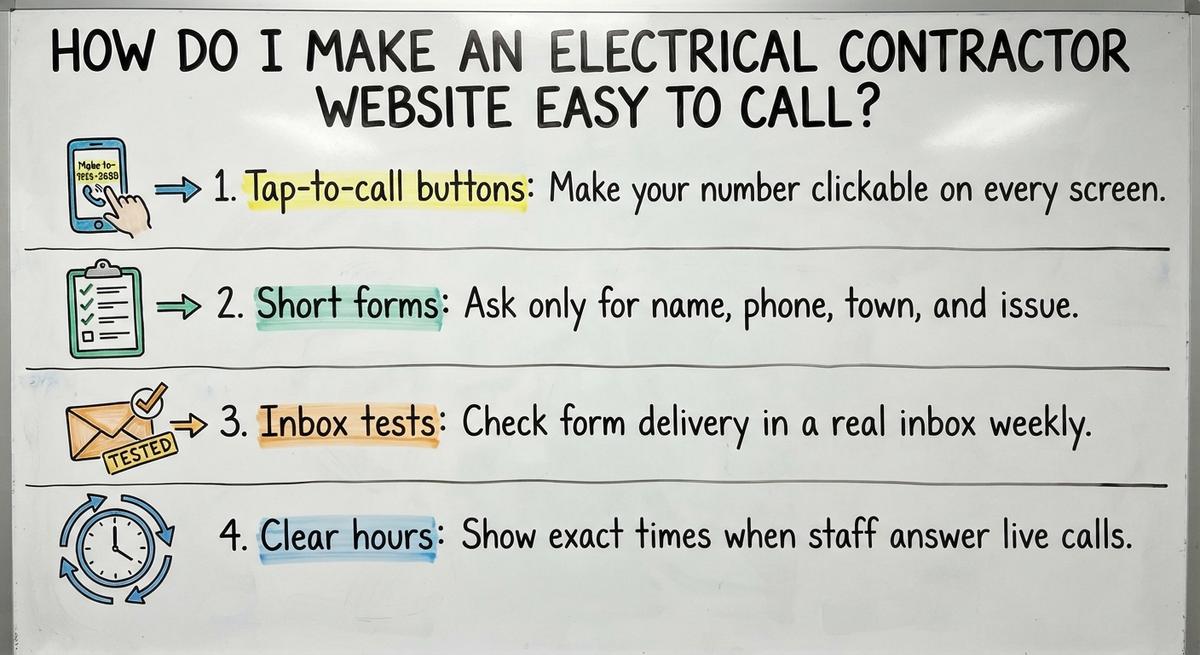
How Do I Make an Electrical Contractor Website Easy to Call?
Easy sites offer 2 contact tools.
Put your office line and a brief form in every header. Picture missing 2 calls a week at $450 each. That adds up to $46,800 a year. Every extra click costs your shop real revenue.
- Tap-to-call buttons: Make your number tappable on all devices.
- Short forms: Ask only for name, phone, town, and issue.
- Inbox tests: Send a test form to a real inbox weekly.
- Clear hours: Show the exact times staff answer live.
Fewer clicks turn hurried visitors into booked work. More ideas live in our contractor leads guide.
Cell Phone Design and Page Speed
Phones carry most web visits.
HubSpot cites Statista data on this. Phones drove 58.67% of global web traffic in late 2023. Most homeowners look for help on a phone.
Tiny buttons and pop-ups push callers to competitors. Use large text and compressed photos for fast loading. Turn on HTTPS. Test every page on real phones.
Fast mobile pages keep callers around long enough to dial.
Results you can check
Past SEO campaigns grew organic traffic 26x in 14 months, and 15x on another. Top Rated Plus on Upwork with 99% job success.
Work for hundreds of small businesses and large clients like New Balance. Before The Software Society, our founders’ agency worked with Planned Parenthood.
Book a callHow Google Ranks an Electrician Website in the Map Pack
Map rankings use 3 clear signals.
Google's local ranking help page names three local ranking factors: relevance, distance and popularity. Each one points to work your shop can do.
Relevance checks how well a page matches a search. Distance measures how close your shop sits to the caller. Popularity reflects ratings and your wider web presence.
Focus on clear relevance and steady reviews, not agency promises. For deeper tactics, read about electrical contractor SEO.
Connecting Your Website and Map Listing
Your profile is your map anchor.
The site and the listing must share exact business details. Match your company name, street address, and main number. Matching details remove doubt for people and search tools.
Link the listing to your homepage or location page. Pick accurate categories, a basic step in contractor SEO. Keep hours and towns true.
Consistent details tie the site to local map results. Paid help with listings falls under contractor SEO services.

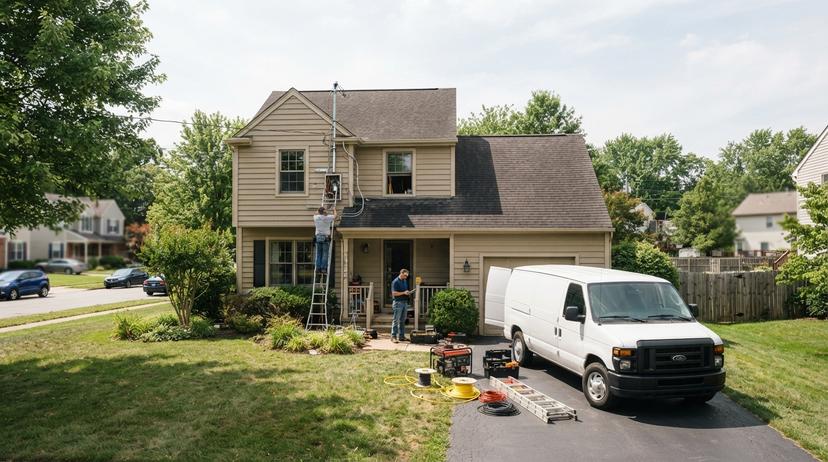
Questions Customers Ask Before Calling an Electrician
Helpful pages answer common buyer questions.
Short question blocks help callers feel ready to book. Clear answers also save office staff time on the phone.
- Permit rules: Explain the local jobs that need a city inspection.
- Tripping breakers: Share common causes without unsafe DIY steps.
- Panel signs: List warm outlets or buzzing boxes.
- Pricing factors: Note what drives job cost without guessing totals.
Google Search Central describes people-first content as content "created primarily for people." Plain, honest answers fit that test.
Honest answers build buyer confidence without risking safety.
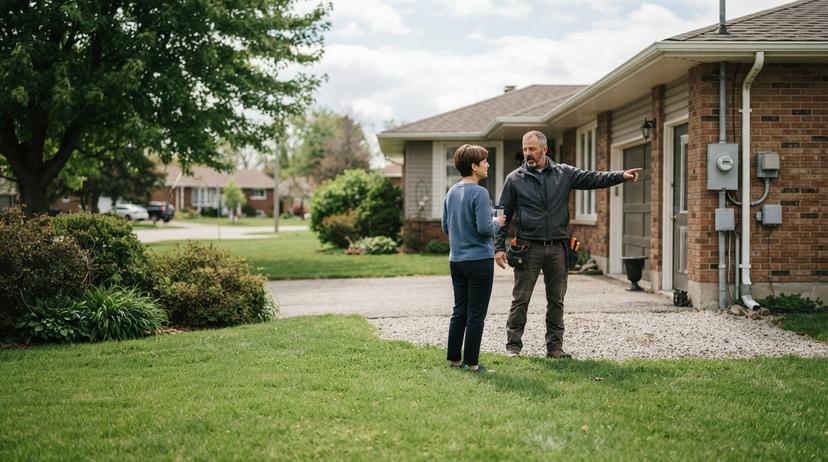
Mistakes That Make Electrical Contractor Websites Lose Calls
Website mistakes are lost calls.
Basic errors hide contact details and confuse search engines. Fixing them brings more leads with no ad spend.
- Combined pages: Cramming all services together weakens local search.
- Copied text: Google's spam policies flag pages built "to rank for specific, similar search queries."
- Stale details: Old numbers and stock images hurt credibility.
- Slow edits: A broken form left for weeks costs jobs.
Strong contractor website design keeps every page unique and current. A site with all four problems needs a full website redesign package.
Tracking Calls and Forms on an Electrician Website
Tracking is proof of real jobs.
Without it, you guess at the source of new work. Separate tracking numbers show calls from search, maps, and ads. You spot spam bots and wasted ad spend fast.
Google Local Services Ads Help makes a simple promise. "Pay only for leads related to your business and the services you offer." Compare call logs against booked jobs every month.
Clear numbers reveal the channels that pay off. Broader contractor marketing plans start from this data.
Map Grid Scans and AI Referrals
Grid scans are block-by-block checks.
Map visibility changes from street to street within one city. A Google Maps grid scan tests rankings at many spots across town. You see the neighborhoods where competitors outrank your shop.
Run a scan each month to spot weak areas. Also log ChatGPT, Gemini, and Perplexity referrals as a separate channel. AI referrals show how modern homeowners find help.
Grid spots and AI traffic together reveal full local demand. The electrician SEO company guide explains how to read these reports.
How Often Should a Website for Electrical Contractor Work Be Updated?
Site updates are a monthly habit.
Edit pages the day services, towns, staff, or phone numbers change. Review traffic monthly. Post new job pictures after big installs. Outdated hours or a dead phone line cost busy crews real work.
Ask any provider how fast they make simple text edits. Some promise most edits within 24 hours. Never wait weeks for a fix in peak season. A good contractor website builder makes quick edits simple.
Set a reminder for January and July to audit every page. A monthly website hosting plan can bundle small edits. Regular updates keep details accurate for callers and Google.

Get a second opinion on your current setup
Already paying for marketing? Get a free second opinion on what works and what wastes money.
Book a callQuestions to Ask Before Hiring an Electrical Contractor Website Design Team
Hiring takes 5 direct questions.
Good electrical contractor website design teams welcome clear checks. Direct answers protect your budget ahead of any contract.
- Direct contact: Ask who you will speak with day to day.
- Full ownership: Confirm you own the domain and files.
- Design preview: Ask to see the homepage first.
- Lead reporting: Check how they track calls and inquiries.
- Fast edits: Ask how quickly they update service pages.
Walk away from any agency that guarantees top spots. Vet each contractor website design company with the same list. Compare options against the best contractor websites in the trades.

Checklist for Your Electrical Contractor Website
Strong sites cover 6 core neededs.
A strong electrical contractor website turns searches into steady calls. Check your current setup against this 2026 list today.
- Core pages: Build separate pages for services and towns.
- Easy contact: Keep a call button in view at all times.
- Honest proof: Post crew pictures and verified license numbers.
- Real reviews: Collect client feedback after each job.
- Map match: Sync your name and address with Google.
- Clear tracking: Measure calls, map grids, and AI visits.
Open your site on your own cell today and fix the biggest gap.

Frequently asked questions
What should a website for an electrical contractor include?
Build a clear homepage, one page per service, and unique town pages. Add real job photos, genuine customer reviews, and a tap-to-call number in view at all times. Keep the contact form brief. Match your business details to your Google listing.
Do I need a page for each service and each town?
Yes. Separate pages match specific homeowner searches. Each service page explains one job. Each town page shows real local details for areas your crew covers. Never copy the same text across locations.
What trust signals are safe to put on an electrician's site?
Use real photos of finished panels and your own crew. Add genuine customer reviews and current license or insurance numbers. Never display unearned badges, fake awards, or arrival guarantees your team cannot keep.
What is a Map Pack grid scan?
A grid scan measures your Maps position at dozens of spots around your service area. Map spots shift block by block. A monthly scan points to the neighborhoods that need stronger local pages.
How many pages should an electrician's site have?
Local electricians need 10 to 25 pages, based on services and towns. Open with a homepage, about page, and contact page. Then add 1 page per electrical service and 1 page per town.
Can I use my Google Business Profile instead of a site?
No. A profile alone leaves you without full control of the message. The listing works best paired with your own domain. The site explains your services, towns, and proof in depth.
Should I track visits from AI tools?
Yes. Count AI assistant referrals as a distinct analytics channel. Clear pages with real facts help homeowners on AI search tools find your shop and call.
Is my electrical contractor website working?
Check monthly call logs, form submissions, and booked job records together. Split the numbers by search, map, ads, and bot traffic. The split shows the pages that bring paying customers.
Start with a free homepage rebuild
Book a short call. Your new homepage is free to see and yours to keep.
New website: $50 a month, built and hosted, cancel anytime
Book a callRelated guides
More on the same work.
- Electrical Contractor Website
- Electrical Contractor SEO
- Website General Contractor
- Contractor Website Development
- Contractor Website Design Company
- Best Contractor Websites
- Painting Contractor Website Design
- Paint Contractor Website
- Contractor Website Builder
- General Contractor Website
- Contractor Bidding Website
- Roofing Contractor Website
- Contractor Website Design
- Roofing Contractor Website Design
- Best General Contractor Website
- Website Builder Contractor
- Websites for Contractor
- Painting Contractor Website
- Concrete Contractor SEO
- General Contractor SEO
- Roofer Contractor Marketing
- How to Get More Jobs as a Contractor
- Roofing Contractor Leads
- Free Leads for Contractors