


Open Source WMS
An open source WMS is a warehouse management system (WMS) with public code you can download for free. A WMS tracks stock, bin spots, receiving, picking, packing and shipping. The license costs nothing. Support, setup and upkeep are not included.
Book a callWhat Is an Open Source WMS and How Does It Work?
Stock counts matter by law too. As IRS Publication 538 says, "To figure taxable income, you must value your inventory at the beginning and end of each tax year." Good warehouse inventory tracking makes that count easier.
Reviewed November 2026.
An open source warehouse management system works like any other WMS, but you own the install. You download the code and put it on a server or cloud account. Then you set up locations, products and users, alone or with a developer.
Updates come from a community. You apply them on your own schedule. Scanners and label printers need extra setup.
We build it for your operation, and the first look is free
If you would rather not compare products, describe how your operation already works and we build the system around it.
No build cost. You see it running on your own process first, and the monthly subscription starts only once it is live.
Book a callIs an Open Source WMS Really Free?
The cost starts small and grows with paid time. A developer hour spent on a fix is an hour you pay for. Free to start does not mean free to run.
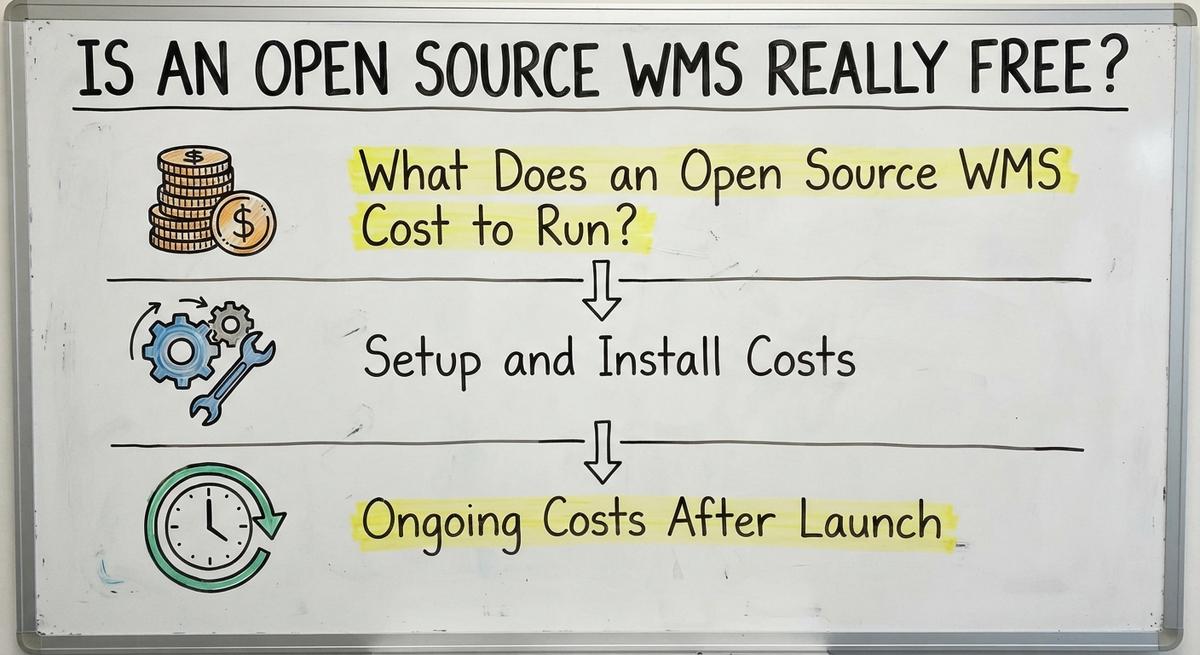
No. An open source WMS has a free license, but the work around it costs real money. Free warehouse management software still needs hosting, setup, training, fixes and upgrades.
What Does an Open Source WMS Cost to Run?
WMS cost falls into 2 buckets: one-time and ongoing. Ask each helper for a written estimate. Do not trust a guess. Then add up year 1 with this sum:
- One-time setup costs.
- Twelve months of ongoing costs.
- Staff hours lost to learning, at what you pay those staff.
For inventory management software cost, the first-year total tells the truth. The sticker price does not.
Setup and Install Costs
Setup is the first bill you pay. It has 3 parts:
- Server or cloud hosting must be built and secured.
- Product and stock data must move in from your spreadsheets.
- A developer or IT person must set up the rules.
Budget for all 3 before you start.
Ongoing Costs After Launch
Ongoing costs begin the day you go live. Plan for these:
- Hosting, backups and security patches repeat every month.
- Staff spend time on fixes and questions.
- Upgrades can break custom changes.
A tool with no monthly fee still has a monthly bill.
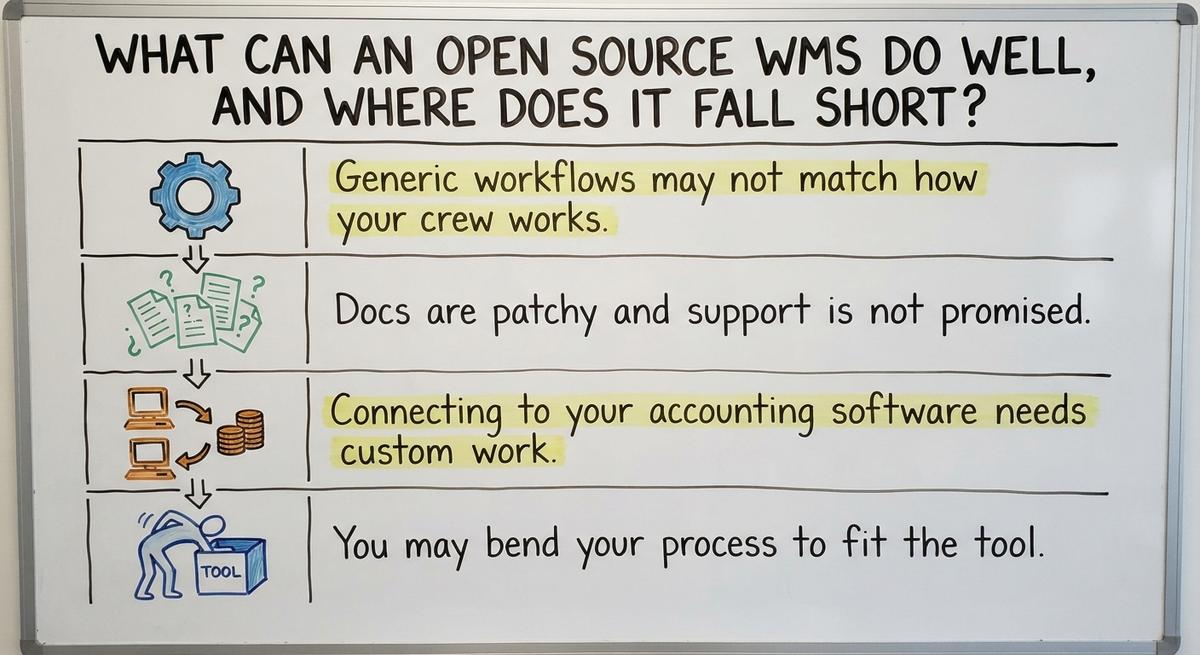
What Can an Open Source WMS Do Well, and Where Does It Fall Short?
An open source WMS handles the basics well. It covers receiving, put-away (moving goods to a shelf), picking and stock counts. There is no per-user license fee. A developer can change the code. A team with in-house tech skill gets the most from it.
It also has limits:
- Generic workflows may not match how your crew works.
- Docs are patchy and support is not promised.
- Connecting to your accounting software needs custom work.
- You may bend your process to fit the tool.
The tool is strong when your team has the skill to shape it.
Not sure this is the right shape for your operation
Describe how the work runs today. We map it on a call and show you what it would look like built around that, before you spend anything.
Book a callDoes an Open Source WMS Work With Your Accounting Software?
Sometimes. WMS accounting software integration comes from connectors or custom code, and quality varies. Ask what syncs: items, quantities, buy orders and sales orders.
Two-way sync errors cause trouble. Stock and books then disagree, and someone must fix both. Keeping your accounting software for accounting is a sound choice. Let the WMS handle the shelf and let your accounting software handle the money.
Is an Open Source WMS Right for a Small Warehouse?
Yes, but only with a clear process, a technical helper and patience. A WMS for small warehouse teams of 5 to 100 people often hits a wall. Spare IT time is rare. Many tools are built for larger scale and feel heavy.

See also our notes on wms for small business and best 3pl wms software if you want to compare paths. A top 10 wms systems list will not tell you which one fits your crew.
Signs You Have Outgrown Spreadsheets
You have outgrown spreadsheets when the files stop matching the shelf. Watch for these signs:
- Counts in Excel or Access disagree with what you see.
- Printed pick sheets and email orders cause errors.
- Only one person knows how the files work.
You do not need a big ERP (a system that runs the whole company) to fix this. A smaller step works.
What Are the Risks of an Open Source WMS?
The main risk is that you run it all. You apply patches. You keep backups. A project that its community drops leaves you stuck with old code.
Custom changes make upgrades hard. Each change you add is one more thing that can break. The NIST Manufacturing Extension Partnership offers vendor-neutral guidance on inventory process. Read it before you pick a tool.
What Questions Should You Ask Before You Choose?
Ask these 4 questions before you commit:
- Who fixes it when it breaks?
- How active is the project, and when was the last update?
- How will it connect to your accounting software?
- Who owns your data, and can you export it?
A tool with no clear answer to these is a tool to skip.
The comparison is easier when one option is built for you
Off-the-shelf means fitting your process to the software. We do it the other way round, and the first look costs nothing.
Book a call
How Is Custom WMS Software Different From Open Source?
Custom WMS software starts with your workflow. Open source starts with someone else's. Both need people to build and keep them running.
| Point | Open source | Custom |
|---|---|---|
| Start | Another team's flow | Your flow |
| License fee | None | None |
| Accounting software | Often custom work | Stays in place |
| Upkeep | You or a hired helper | One team you pick |
Custom can replace only the manual parts. Open source usually asks you to adopt the whole tool.
When Does a Custom Build Make More Sense?
A custom build makes more sense when your process is unusual and already works. It also fits when you want to skip a full move to a new system. Finally, it fits when you want one team to answer for the software. Weigh each point against your own crew.
A Middle Path: Replace Only the Manual Parts
Pick the 1 or 2 worst spots, such as pick sheets or receiving. Replace those first. Keep your accounting software where it helps.
Small steps lower risk and cost. The Software Society builds software around how your operation already works. You keep what runs well and fix what does not.
A small fix on one pain point beats a big move you cannot finish.

How to Decide: A Simple Checklist
Use this list to choose your next step:
- List your top 3 warehouse pain points.
- Note the technical help you have in-house.
- Compare first-year total cost, not the sticker price.
- Run a small pilot before you commit.
Here is a sample sum. 3 people lose 5 hours a week to paper errors at $22 an hour. That is $17,160 a year. The Bureau of Labor Statistics tracks pay for this kind of work, so check local rates.
A pilot proves the fit before you spend the full budget.
Talk Through Your Warehouse With a Local Team
The Software Society is a Columbus, Ohio team. We build software, websites and search presence together. Want a no-pressure talk about your current process? Reach out. We will listen first and help you see your options.
Frequently asked questions
Is open source WMS safe for business use?
Yes, if you keep it patched and backed up. The code is public, so many eyes can check it. You carry the duty to apply updates and guard your data. Without a technical helper, the risk rises.
Can I switch later?
Yes, if you can export your data. Ask this before you start. Items, locations and stock counts should leave in a plain file. Heavy custom changes make a move harder, so keep them few.
Do I need a developer to use an open source WMS?
In most cases, yes. Someone must install it, set up locations and fix problems. A small team can do some tasks alone. Scanner setup and accounting software links need technical skill.
Can it handle barcode scanning?
Often yes, but you set it up yourself. Scanners and label printers need extra work. Test your own devices in a small pilot before you roll it out to the floor.
Start with a free first look
A 30 minute call, your operation mapped, and a clear picture of what we would build. No obligation and nothing to install.
Book a callRelated guides
More on the same work.
Guides
- WMS Software Open Source
- Warehouse Management System Open Source
- Best 3PL WMS Software
- WMS for Small Business
- Top 10 WMS Systems
- Cost of Inventory Management Software
- Inventory Management Software Freeware
- Free Inventory Management Software for Small Business
- Warehouse Management Cost
- Total Cost of Inventory Formula
- Price of Inventory Management Software
- Simple Inventory Management Software Free