


WMS Software Open Source
WMS software open source is free to download but not free to run. See the real costs, QuickBooks limits and when custom software is the better path.
Book a callWhat Is WMS Software Open Source?
WMS software open source means a warehouse management system (WMS) with public code. You can download it, change it and use it for free. It can work for a small warehouse. Someone on your team must own it. Free code still costs time, hosting and support. Reviewed November 2026.
An open source WMS is free to get, not free to run.
We build it for your operation, and the first look is free
If you would rather not compare products, describe how your operation already works and we build the system around it.
No build cost. You see it running on your own process first, and the monthly subscription starts only once it is live.
Book a callWhat Does a WMS Do for a Small Warehouse?
Counts matter for tax too. IRS Publication 538 says, "To figure taxable income, you must value your inventory at the beginning and end of each tax year." A WMS keeps those numbers ready.
A WMS tracks every item by bin and location, and it guides each step from the dock to the truck. Staff scan or key in goods at receiving, put-away, picking and shipping. The system replaces printed sheets, Excel files and Access databases.
Why Does Open Source WMS Look So Attractive?
The code can be changed to fit your floor. No vendor owns it, so no vendor can lock you in. Those are real gains. The next question is what the free code costs once it runs in your building.
Open source WMS looks attractive because the code costs nothing to download. Owners also fear long, costly projects. A free tool feels safe by comparison.
What Does Open Source WMS Cost to Set Up and Run?
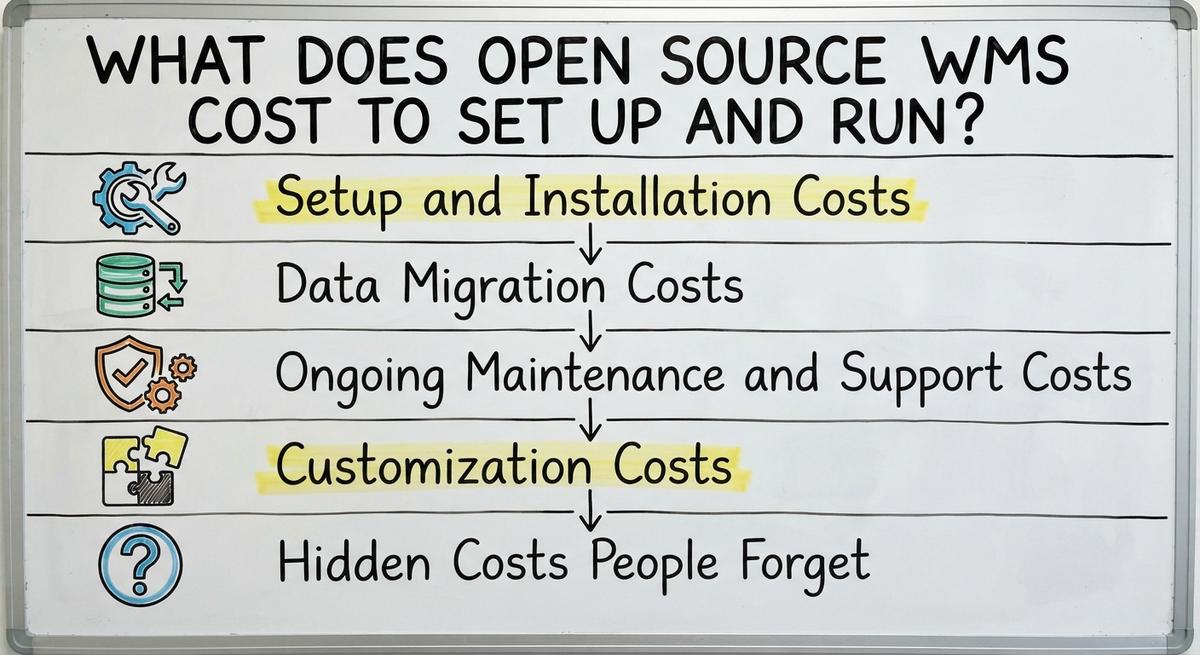
Open source WMS has no license fee, yet it has four other costs: setup, data, upkeep and changes. Each one takes money or staff time. This is the same question behind any inventory management software cost check. It is also why warehouse management software cost is more than a price tag.
I give no price figures here. Your hours and your hosting choice set them. Here is where the spend lands.
Setup and Installation Costs
Setup starts with a server or a cloud host. Someone must build it and secure it. Then you set up locations, units of measure and item records.
This work needs technical skill. A small team often has none spare. You pay a contractor or you pull your best person off the floor. Either way, setup is a bill you pay in hours.
Data Migration Costs
Migration means moving your item lists out of Excel and Access. Old lists hold duplicates, odd codes and blank fields. Someone must clean them.
Then you map each field to the new system and test the counts. Errors here cause wrong stock numbers. Wrong numbers lead to bad picks and lost trust. Clean data is the base of every later step.
Ongoing Maintenance and Support Costs
Picture a busy Friday when scanning stops. Who fixes it? Say one person spends 10 hours a week on upkeep at $30 an hour. That is $300 a week, or $15,600 a year. The Bureau of Labor Statistics lists pay for shipping, receiving and inventory clerks. Use real pay for your own math. Upkeep never ends.
A live system needs updates, security patches and backups. Open source gives you no help desk by default. You get forums and volunteers.
Customization Costs
Changes to fit your workflow need a developer. The code is open, but you still pay for the person who edits it.
Custom edits also make upgrades harder. A new release can break your changes. Then you pay again to fix them. Hours add up fast. Each edit adds a cost to every future update.
Not sure this is the right shape for your operation
Describe how the work runs today. We map it on a call and show you what it would look like built around that, before you spend anything.
Book a callHidden Costs People Forget
Some costs never reach the first budget:
- Staff need training time before they work at full speed.
- Mistakes happen during the switch and cost real orders.
- Time on forums and workarounds adds up each week.
- Scanners and label printers cost money, and most WMS tools need them.
Count these four before you call the code free.

Does Open Source WMS Work With Accounting Software?
Open source WMS can work with accounting software, but the sync is rarely built in. Most open source tools run on their own. A connector may need custom work.
Without a link, staff enter the same sale twice. That means double entry and more mistakes. Keep your accounting software for what it does well: books, bills and tax. Let the WMS handle stock. Plan the WMS accounting software integration before you pick a tool.
What Are the Pros and Cons of Open Source WMS?
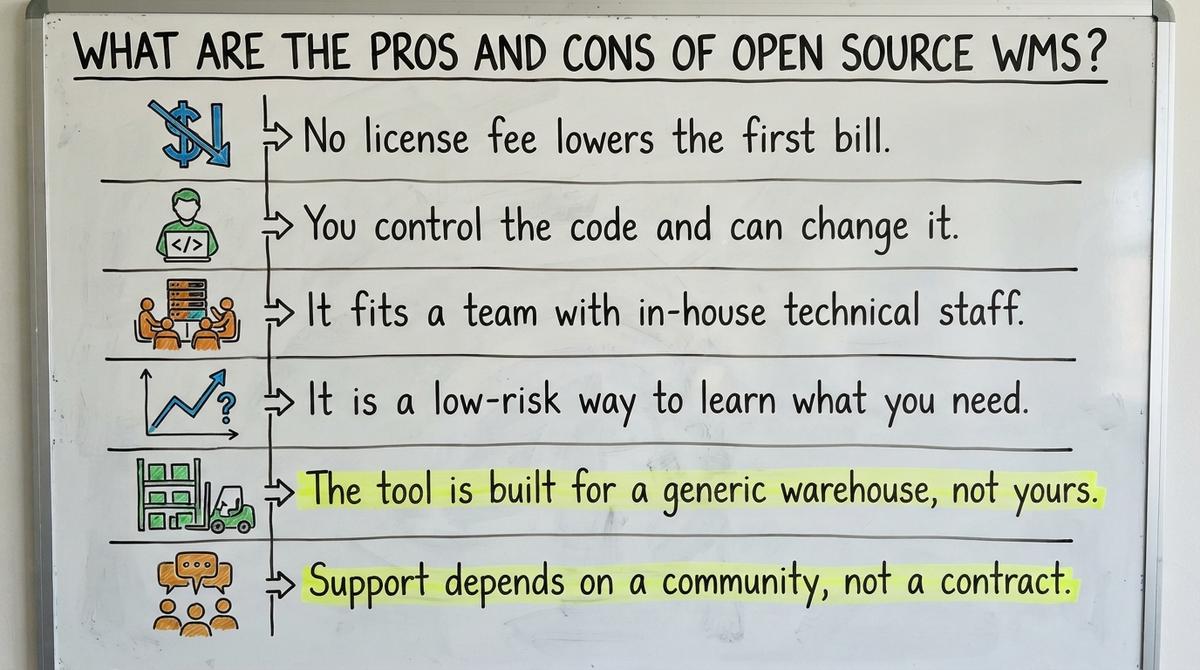
Open source WMS has clear gains and clear limits. Weigh both.
Pros
- No license fee lowers the first bill.
- You control the code and can change it.
- It fits a team with in-house technical staff.
- It is a low-risk way to learn what you need.
Cons
- The tool is built for a generic warehouse, not yours.
- Support depends on a community, not a contract.
- Some features are missing or half-finished.
- Your staff must change habits to fit the tool.
Open source suits a team that can carry the load itself.

Who Should Use Open Source WMS, and Who Should Skip It?
Open source WMS fits a small warehouse that has a technical person to own it. The flow should be simple and standard. You also need time to test before going live. A team like that can use free WMS software well.
Skip it in four cases:
- You have no technical staff.
- Your workflows are unusual, such as special pick rules or customer-specific packing.
- You cannot afford downtime.
- Your lean team wants to run the business, not the software.
An honest answer to a small warehouse software question starts with who will own the tool.
The comparison is easier when one option is built for you
Off-the-shelf means fitting your process to the software. We do it the other way round, and the first look costs nothing.
Book a callHow Do I Judge an Open Source WMS Before I Commit?
Judge an open source WMS by four checks. See how recently the code was updated. Look at the size and activity of the community. Confirm the license allows business use. Then run a trial with real orders, not sample data. Old code and a quiet forum are warnings. A tool is safe to rely on only when people still keep it. I do not rank products here. Shoppers who want that can search lists such as best 3pl wms software or top 10 wms systems.
What Should You Ask Before You Start?
Ask five questions before you start, and answer each in writing:
- Who will install and keep it?
- How will it connect to your accounting software?
- What happens if the main developer leaves?
- How will we back up data?
- Who do we call when it stops?
A blank answer marks a gap that will cost you later.
Open Source vs. Off-the-Shelf vs. Custom Built
Three paths exist, and each trades cost for effort. Open source has a low upfront cost and needs high effort. Packaged software is ready to use, but you adapt to it. Custom software is shaped around how you already work.

| Path | Upfront cost | Effort | Fit |
|---|---|---|---|
| Open source | Low | High | Generic |
| Packaged | Varies | Medium | You adapt |
| Custom | Varies | Shared with builder | Your process |
Pick the path that matches who will carry the work.
When Does Custom WMS Software Beat Open Source?
Custom WMS software wins when your process is your edge. A template would flatten it. A custom build replaces only the manual parts: sheets, Access files and email threads.
It works at small scale, not only at large firms. You need no big ERP and no long migration. Wholesale firms hold large stock, and the Census Bureau tracks it each month. Your stock deserves a system shaped to you.
What Does a Right-Sized Custom Build Look Like?
A right-sized build starts with one pain point, such as receiving or picking. You fix that first. Your accounting software stays for accounting.
Then you add pieces in steps, as each one proves its worth. Nothing gets ripped out at once. For vendor-neutral process help, see the NIST Manufacturing Extension Partnership. Small steps keep the floor running.
How Do I Compare Total Cost and Decide?
Compare total cost by listing one-time and monthly costs for each path. Add staff hours at their real value. Look at a few years, not the first month. A free tool with 10 weekly hours of upkeep can cost more than a paid one.
Then decide in three steps:
- Write down how your warehouse works today.
- Mark what hurts most.
- Match that pain to a path.
If the fit looks poor, talk to a local team.
Talk to a Columbus Team About Your Warehouse
The Software Society is local to Columbus, Ohio. One team builds the software, the website and your search presence. We build custom WMS software around the way you already work, and you keep your accounting software.
If you want to talk through your workflow, reach out. There is no pressure. A plain talk may show which path fits.
Frequently asked questions
Is open source WMS really free?
The code is free to download. Hosting, setup, data cleanup, upkeep and staff time are not. Count those costs before you call it free.
Can a small warehouse run one without an IT person?
Rarely. Someone must install it, apply patches and run backups. If no one on your team can do that, hire help or pick another path.
Does it work with your accounting software?
It can, but the sync is rarely built in. A connector may need custom work. Plan this before you pick a tool to avoid double entry.
When is custom software a better choice?
Pick custom when your process is your edge, your workflows are unusual or you cannot afford downtime. It replaces only the manual parts.
Start with a free first look
A 30 minute call, your operation mapped, and a clear picture of what we would build. No obligation and nothing to install.
Book a callRelated guides
More on the same work.
Guides
- Open Source WMS
- Warehouse Management System Open Source
- Best 3PL WMS Software
- WMS for Small Business
- Top 10 WMS Systems
- Cost of Inventory Management Software
- Inventory Management Software Freeware
- Free Inventory Management Software for Small Business
- Price of Inventory Management Software
- Simple Inventory Management Software Free
- Warehouse Management Cost
- Total Cost of Inventory Formula