


Warehouse Management System Open Source
An open source warehouse management system (WMS) is stock software with public code that is free to download. You run it yourself. The code costs nothing. Setup, hosting and upkeep do not.
Book a callWhat Is an Open Source Warehouse Management System?
A warehouse management system open source project is a WMS whose source code is public. Anyone can download it for free. You can read the code, change it and run it on your own server. Free code is not a free system. Someone must still install it, set it up and keep it running. Open source WMS projects differ a lot in size and polish.
Reviewed November 2026.
What Does a WMS Do?
A WMS tracks every item by place and count. It guides receiving, put-away, picking, packing and shipping. It replaces paper sheets and guesswork with one shared record. Floor work carries real risk, and OSHA describes the field this way: "The warehousing and storage industry includes establishments operating facilities for general merchandise, refrigerated goods, and other products." A clear record of what sits where keeps that floor orderly.
How Does Open Source Warehouse Software Work?
Open source warehouse software works when a community or company publishes the code and you host it yourself. You pick your own server or cloud account. You install it, set it up and keep it patched, or you pay someone to. Updates come from the project, not from a vendor support desk. You own the upkeep.
We build it for your operation, and the first look is free
If you would rather not compare products, describe how your operation already works and we build the system around it.
No build cost. You see it running on your own process first, and the monthly subscription starts only once it is live.
Book a callCore Features You Can Expect From an Open Source WMS
Features vary widely between projects. One project tracks bins and lots well. Another stops at simple counts. Check each feature against a real daily task, such as one pick on a busy morning, before you trust it.
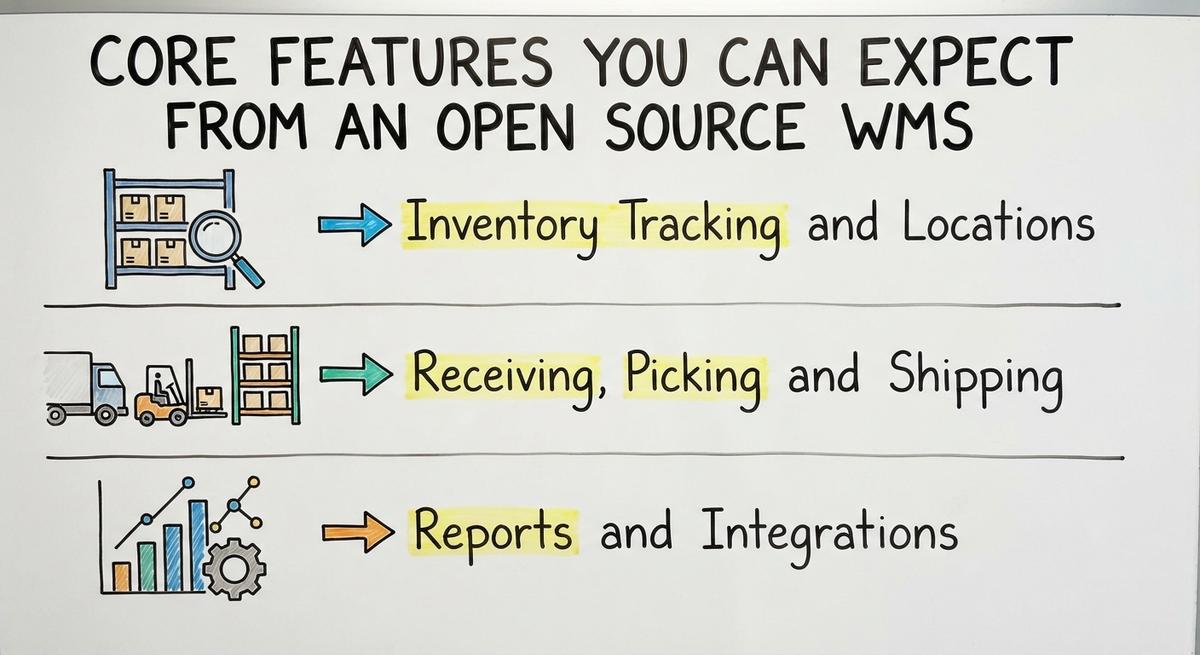
Inventory Tracking and Locations
Good tracking records where each item sits and how many are there. Look for bins, shelves, lots and serial numbers. Cycle counts (small counts of a few items each day) keep the record true. Low-stock alerts warn you before a shelf runs empty. Some projects skip lots or serials, so check that before you install.
Receiving, Picking and Shipping
Receiving should match each delivery to a buy order. Pick lists tell staff what to grab. Pack steps check the box before it leaves. Barcode scanning needs hardware, such as handheld scanners and a label printer. A shared standard from GS1 lets a label printed by one company scan at another. Scanners cut typing errors but add a hardware bill.
Reports and Integrations
Most projects give basic stock and order reports. Links to accounting tools like popular small business accounting software are limited or need custom work. Ask how data moves in and out. Can you export a file? Is there an API (a door that lets two programs talk)? Clear answers matter more than a long feature list, because a report is only as good as the data that feeds it.
Benefits of Going Open Source
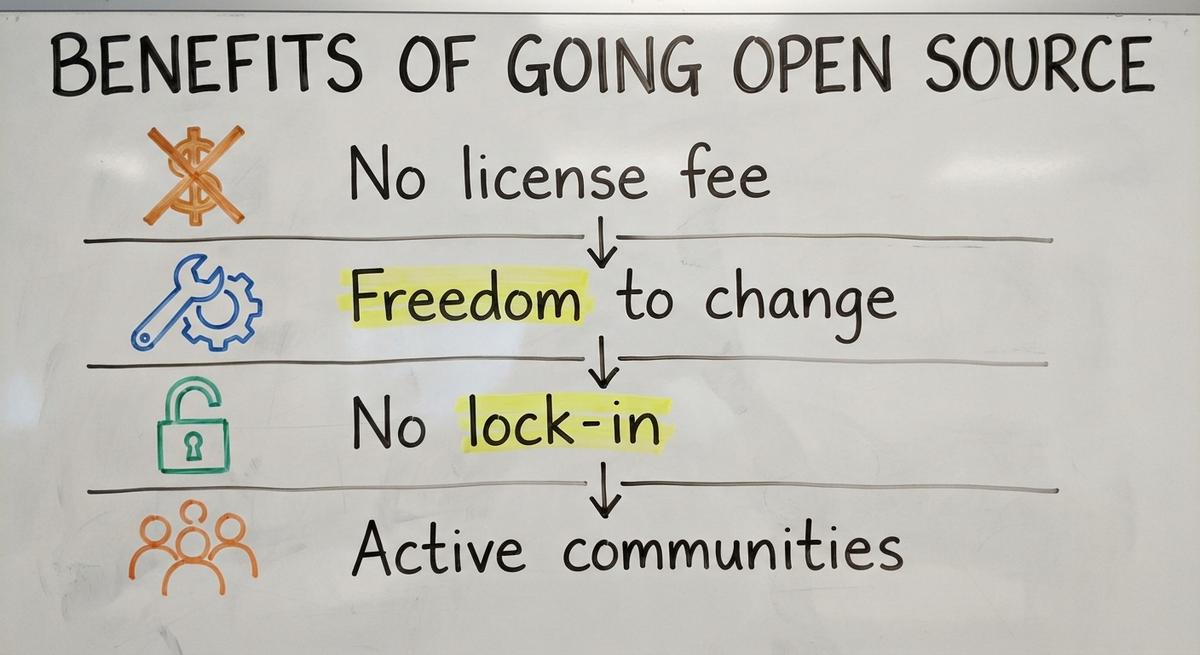
Open source gives four real gains to a team that can use them.
- No license fee: the code costs nothing to download, so you pay for work, not for seats.
- Freedom to change: a developer can alter how a screen or rule works to match your floor.
- No lock-in: you hold the code, so no single vendor can end it or raise the price.
- Active communities: large projects have forums, fixes and shared know-how.
Each gain is real. Each one also costs work, as the next section shows.
Not sure this is the right shape for your operation
Describe how the work runs today. We map it on a call and show you what it would look like built around that, before you spend anything.
Book a callIs Open Source Warehouse Software Really Free?
No. The code is free, and the work is not. Free warehouse management software still needs setup, hosting, training and care. The true warehouse management system cost shows up in labor, not on an invoice. Owners who compare inventory management software cost should add every line below first.
The Hidden Costs of an Open Source WMS
Hidden costs sit in 5 places. Each varies by size and setup.
- Setup and setup time: someone maps your items, bins and rules into the tool.
- Hosting, backups and security: you pay for the server and you guard the data.
- Data cleanup: moving from Excel or Access means fixing duplicates and bad part numbers first.
- Training staff: every picker and receiver learns new screens, and speed drops for a while.
- Ongoing fixes and upgrades: each new release needs a test before it goes live.
Staff time is the big line. Pay for stock clerks is posted by the US Bureau of Labor Statistics. Say 3 people lose 6 hours a week at $22 an hour. That is $20,592 a year. A slow rollout is never free.
Who Fixes It When Something Breaks?
Your team fixes it, or a developer you hire does. Community forums give help, not a promise. Nobody there answers on your deadline. Name one owner, inside or outside the company. A crash on a busy shipping day stops trucks and costs sales. Plan a backup path before you go live.

Why Small Warehouses Often Struggle With Open Source
Small warehouses struggle because most projects target larger, standard operations. Teams of 5 to 100 rarely have an in-house IT person. Owners fear long, costly rollouts, and the fear is fair. Then the business bends to fit the tool. Staff drop steps they need or invent workarounds. A small warehouse inventory system must fit the floor first. Forcing the fit is where the friction starts.
How Open Source Works With Your Accounting Software
Open source WMS tools reach your accounting software only with extra work. Your accounting software is the money record. The WMS is the stock record. An accounting software integration needs custom code in many projects. Without it, staff key each order twice. Double entry breeds errors, and errors cost money. Keep your accounting software where it helps. Let each fact live in one place.
The comparison is easier when one option is built for you
Off-the-shelf means fitting your process to the software. We do it the other way round, and the first look costs nothing.
Book a call
When Is Open Source a Good Fit, and When Is It Not?
Open source is a good fit when someone technical can own it and your process is standard. It is a poor fit when no one owns it or your rules are odd. Look at both sides.
Good fit:
- A technical person owns the system and its updates.
- Your process is fairly standard.
- You have time to test before going live.
- Your budget pays for setup help.
Poor fit:
- No one on staff can own the system.
- Your workflows are unusual, such as special pricing, kitting or customer rules.
- You need a fast, steady rollout.
- Your staff are already stretched thin.
Honest answers here save months of pain.
Open Source vs. Off-the-Shelf vs. Custom Software
Three paths exist. Open source trades cash for effort. Off-the-shelf trades flexibility for speed. Custom warehouse software trades upfront cost for fit.
| Open source | Off-the-shelf | Custom | |
|---|---|---|---|
| License cost | Low | A fee for the product | Higher upfront |
| Start speed | Slow, you set it up | Fast | Planned in steps |
| Fit to your work | Standard, changed by code | Fixed way of working | Built around your process |
| Effort on you | Highest | Lowest | Shared with the builder |
Open source saves on license cost. Off-the-shelf saves on time. Custom saves on friction.
A Middle Path: Replace Only the Manual Parts
You do not need to replace everything. Keep your accounting software and swap out the weak spots with custom warehouse software built around how the operation already works. Small teams can use it, not just large ones.

- Excel sheets that hold stock counts give way to one live record.
- Access databases that only one person understands move into a shared tool.
- Printed pick sheets become lists on a screen.
- Email chains for orders become a single queue.
Replace the manual parts and keep what works.
Signs You Have Outgrown Spreadsheets
Spreadsheets fail in clear ways. Stock counts never match the shelf. Staff keep separate versions of one file. Orders get lost in email. Picking is slow and shipping errors climb. The IRS adds a legal angle in Publication 538: "To figure taxable income, you must value your inventory at the beginning and end of each tax year." A record you cannot trust is a tax risk too.
How to Evaluate an Open Source WMS Step by Step
A short test tells you more than a long demo. Follow these steps in order.
- List your daily tasks first: receiving, put-away, picking, counts and shipping.
- Check project activity. Recent updates and answered forum posts show a live project.
- Review the license terms so you know what you may change and share.
- Test with a copy of real data. Run one full day of past orders through it.
The Warehousing Education and Research Council publishes standard distribution center measures. Use them to compare before and after. Then ask these questions before you commit:
- Who will install and keep it?
- How will it connect to your accounting software?
- What happens to our data if we leave?
- What is the total cost over the first year?
A clear answer to all 4 means you are ready.
Next Steps for Your Warehouse
Free code is a starting point, not a finished system. Decide based on who will own it and how unique your process is. The NIST Manufacturing Extension Partnership offers vendor-neutral guidance on supply chain process. If you want a second opinion, talk with our Columbus, Ohio team. We build custom software around your existing operation, and the same team builds your website and search presence. Bring your spreadsheets and we will show you what to replace.
Frequently asked questions
Is there a truly free warehouse management system?
The code can be free, but running it is not. You pay in setup time, hosting, training and upkeep. Free warehouse management software shifts cost from a license fee to labor. Add those lines before you call it free.
Can a small warehouse run an open source WMS without an IT team?
Yes, but only if someone can own it. That person can be a staff member or a hired developer. Without an owner, updates slip and problems pile up. Small teams of 5 to 100 rarely have that person in house.
Does open source WMS work with your accounting software?
Some projects connect with extra work. Many need custom code. Without a link, staff enter data twice, which breeds errors. Ask each project how data moves in and out before you choose one.
Is open source warehouse software secure?
It is only as secure as how you host and update it. Public code lets many people find flaws. You still must patch the server, set strong logins and keep backups. Security is your job, not the project's.
How to learn warehouse management system?
Start with the daily tasks: receiving, put-away, picking, packing, shipping and counts. Map your own process on paper first. Then test a WMS with a copy of real data. Free guidance on supply chain process is available from NIST.
What tools are commonly used in warehouse management?
Common tools include spreadsheets, barcode scanners, label printers and a WMS. Many teams also use accounting software for the money record. Small teams often start with spreadsheets and add scanners and a system as errors grow.
What is the best warehouse management software?
No single answer fits every warehouse. The right choice depends on your size, your process, your budget and who will own it. The kinds of option are spreadsheets, open source, off-the-shelf and custom builds. Match the kind to your floor.
Start with a free first look
A 30 minute call, your operation mapped, and a clear picture of what we would build. No obligation and nothing to install.
Book a callRelated guides
More on the same work.
Guides
- WMS Software Open Source
- Open Source WMS
- Warehouse Management Cost
- Warehouse Inventory Management Software
- Warehouse Inventory Management Systems
- Warehouse Stock Management Software
- Warehouse Management System Top 10
- Software for Warehouse Management System
- Inventory and Warehouse Management Software
- Small Business Warehouse Management System
- Cloud Based Warehouse Management
- Warehouse Management System Types
- Warehouse Inventory Management System
- List of Warehouse Management Software
- Warehouse Management Costs
- Warehouse Management Cloud
- Warehouse Management System Examples
- Warehouse Management System Implementation
- Online Warehouse Management Software