

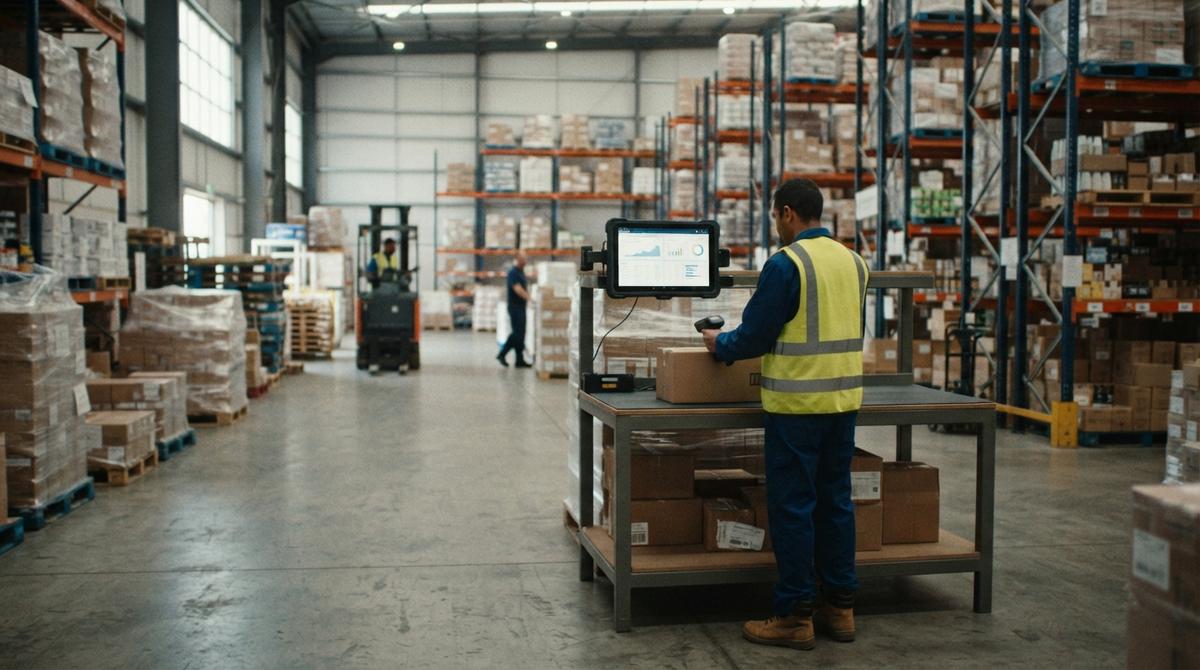
It Inventory Management Software
IT inventory management software is a program that tracks what stock you own, where it sits, and when it moves. Here, IT means information technology. It is for teams of 5 to 100 staff that run on accounting software, spreadsheets and paper.
Book a callWhat Is IT Inventory Management Software, and Why Do Spreadsheets Fail?
IT inventory management software is a program that records your stock, its locations and every move. The "IT" means the software side of the job. The software is not a help desk tool. It tells you what you have and where it is. Owners read the answer on a screen. No one walks the aisles to guess.
We build it for your operation, and the first look is free
If you would rather not compare products, describe how your operation already works and we build the system around it.
Reviewed November 2026.
No build cost. You see it running on your own process first, and the monthly subscription starts only once it is live.
Book a callWhy Do Spreadsheets and Paper Stop Working as Orders Grow?
Spreadsheets and paper stop working as orders grow. Excel files, Access databases, printed sheets and email drift out of sync. Two people edit one file and the counts clash. Many teams run accounting software plus an overflow sheet for the rest. The GS1 barcodes page explains the global standards that let a scan replace typing.
What Does Fixing Spreadsheets Cost Each Year?
Say 3 people spend 6 hours a week fixing sheets at $22 an hour. That is $20,592 a year. The Bureau of Labor Statistics lists stock clerk pay, so you can use your own rate.
What Does Inventory Management Software Track?
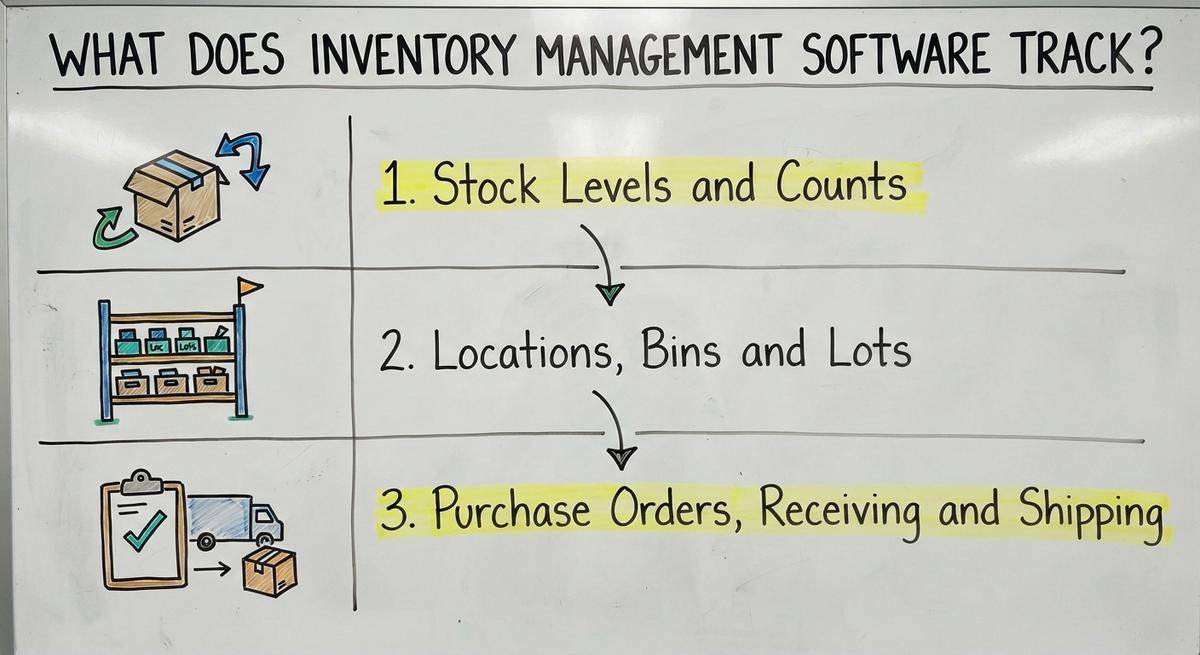
Inventory management software tracks stock levels, locations and movement. Each one gets its own record. Together they give you stock tracking you can trust. The three parts below show how.
Stock Levels and Counts
Locations, Bins and Lots
Location tracking records where each item sits. You log the warehouse, the shelf and the bin. Some goods need lot numbers or serial numbers. A lot number marks a batch made together. A serial number marks one unit. Clear locations speed up picking. A picker walks to the exact bin and does not hunt. Good inventory control starts with a label on every spot.
Purchase Orders, Receiving and Shipping
Receiving starts with a buy order, or PO. A PO is the order you send a supplier. When goods arrive, staff check them against it. Then come the pick, pack and ship steps. Each step updates the count. Every move leaves a record with a name and a time. When a number looks wrong, you trace it back in minutes. A team that ships from one site gets the same trail as a team with 3 sites.
Key Features to Look For
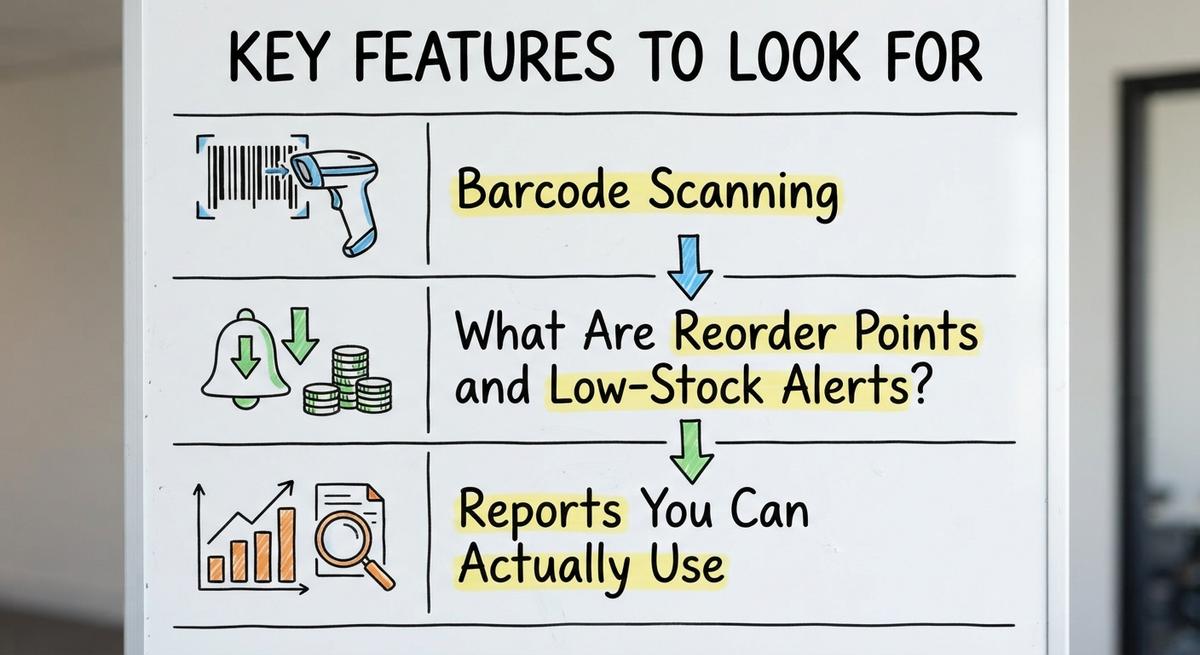
Pick features that match daily work. A small team needs a short list done well. Do not pay for tools no one opens. Three features matter most for a small warehouse or distributor.

IRS Publication 538 puts it plainly: “To figure taxable income, you must value your inventory at the beginning and end of each tax year.”
Barcode Scanning
Barcode scanning inventory tools cut typing mistakes. A worker scans a label and the system fills in the item. Most work with common handheld scanners and with phones. Scanning speeds up receiving and picking. It also makes cycle counts fast. A scan takes a second. A typed code takes far longer and gets more errors.
What Are Reorder Points and Low-Stock Alerts?
Reorder points are the minimum stock level that triggers a new order. You set one per item. The system sends a low-stock alert before you run out. Then you buy in time. Use sales history to adjust each minimum. A fast mover needs a higher floor. A slow mover needs a lower one. Check the numbers each season.
Not sure this is the right shape for your operation
Describe how the work runs today. We map it on a call and show you what it would look like built around that, before you spend anything.
Book a callReports You Can Actually Use
Good reports show stock value, turns, slow movers and backorders. Turns count how often you sell through your stock. Simple screens beat dense dashboards. An owner should read them in minutes. If a report needs a guide, no one will open it. The Census Bureau tracks wholesale inventories and sales each month. Your own numbers deserve the same plain view.
How Inventory Software Works With Accounting Software
Your accounting software stays for accounting, and the inventory software handles stock detail. Accounting software inventory integration keeps both sides in step. The link syncs items, quantities, buy orders and costs. Staff enter each fact once. They do not retype it in a second system. The warehouse gets bins, lots and scans. The books get clean totals. Some teams look for inventory management software for their accounting package to fill this gap. The better path is to keep your accounting software and add a tool built for the floor. Then the counts on the shelf match the counts in the ledger. Ask any vendor which fields sync and how often.
Custom or Off-the-Shelf Inventory Software, and Do You Need an ERP?
Off-the-shelf software starts fast. You adapt to its rules. Custom inventory software is built around how you already work. Each has trade-offs.

- Off-the-shelf software costs less up front and has a short start.
- Off-the-shelf tools force you to change steps that already work.
- Custom builds fit your process and grow with it.
- Custom builds take more planning and a larger first outlay.
Custom can also replace only the manual parts. You keep your accounting software and the steps that work. Some teams call this custom inventory management software.
Most teams of 5 to 100 people do not need a big ERP. That is a large system that runs every part of a company. Big rollouts cost a lot and take long. A smaller system covers stock, orders and receiving. Inventory software for small business should fit the team, not the other way around.
Signs It Is Time to Replace Manual Tracking
Manual tracking has failed when the paper stops matching the shelf. Look for these signs.
- Counts rarely match what sits on the shelf.
- Staff spend hours each week to reconcile sheets.
- Stockouts or overstock happen often.
- Only 1 person knows how the files work.
- Customers get late or wrong orders.
One sign is a warning. Three signs mean the cost is already real. Late orders hurt trust, and you lose repeat buyers.
The comparison is easier when one option is built for you
Off-the-shelf means fitting your process to the software. We do it the other way round, and the first look costs nothing.
Book a callHow Do You Choose the Right Inventory Software?
Choose by starting with your problems, not a feature list. Write down what goes wrong each week. Then test each tool against that list. The NIST Manufacturing Extension Partnership offers vendor-neutral guidance on supply chain and inventory process.

Map How Your Operation Works Today
Mapping means you walk through your own steps. Follow an item from receiving to storage, picking and shipping. Note where paper and spreadsheets come in. Mark each spot where errors start. Keep the steps that work. The goal is software that fits your floor. You do not rebuild a process that already runs well. A 1 page sketch is enough to start.
List Your Must-Haves
A must-have list splits needs from wants. Include your accounting software link, scanning and reporting needs. Ask who will use it on the floor. A tool that office staff love but pickers hate will fail.
- Must-haves are things you cannot work without.
- Nice-to-haves can wait for a later phase.
- Floor staff should test any tool before you buy.
A short must-have list keeps you from paying for extras.
Ask About Rollout and Training
A phased rollout lowers risk. Staff training matters as much as the software. A tool no one knows how to use gives you nothing. Ask how data from old sheets will move over. Ask who cleans it and who checks it. Ask what help staff get in the first weeks. Good answers to these three questions tell you how the vendor works.
How to Roll Out Inventory Software Without Disruption
A good rollout moves in small steps. Follow this order.
- Clean up item lists first. Remove dupes and fix names.
- Start with one area or product group.
- Run old and new side by side for a short time.
- Count stock to confirm the starting numbers.
Four mistakes cause most failures. Skipping a clean data start copies old errors into the new tool. Buying too many features adds cost and clutter. Ignoring warehouse staff means the tool does not fit the floor. Having no owner for upkeep lets the data decay. Name one person who owns the system.

What Does Inventory Management Software Cost?
Inventory management software cost depends on users, features and setup. A subscription charges a regular fee. A custom build is a one-time project. We do not quote prices here, because they differ by team and scope. Weigh the cost against what errors and lost time cost you now. Use the math above as a start: hours times pay times 52 weeks. Add the cost of late orders and dead stock. Then compare.
Next Steps for Your Operation
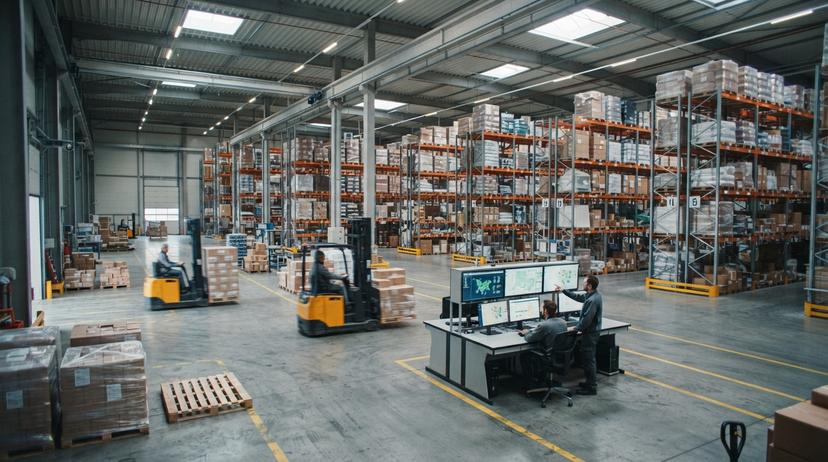
Know your process. Pick what fits. Roll out in phases. That plan works for warehouse inventory software and for any stock tracking tool. If you want to talk it through, reach out for a short conversation about your current setup. The Software Society team is based in Columbus, Ohio. The same team builds the software, the website and the search presence. We start with how your floor runs today.
Frequently asked questions
What features matter most for a small warehouse or distributor?
Barcode scanning, reorder alerts, clear locations and simple reports matter most. Add an accounting software link if you use one. Skip extras you will not open. A short list used daily beats a long list that sits idle.
How do I move from Excel to inventory software?
Clean your item list first. Load one product group. Run Excel and the new tool side by side for a short time. Count stock to confirm the numbers. Then move the next group.
How long does it take to set up?
Setup time depends on item count, sites and how clean your data is. One product group can go live first. Staff then learn on a small scale before the full move.
Start with a free first look
A 30 minute call, your operation mapped, and a clear picture of what we would build. No obligation and nothing to install.
Book a callRelated guides
More on the same work.
Guides
- Multi Location Inventory Management Software
- HVAC Inventory Management Software
- Inventory Management Software for Schools
- Inventory Management Software Costs
- Inventory Management Software Retail
- Simple Inventory Management Software
- Top 5 Inventory Management Software
- Inventory Management Software List
- Cloud Stock Management Software
- Retail Stock Management Software
- Best Inventory Software
- Inventory of Software
- Inventory Counting Software
- Material Inventory Software
- Event Inventory Software
- Inventory Software for Retail Shop
- Software for Purchasing and Inventory
- Barcoding and Inventory Software
- Inventory Stock Software
- Inventory Software Download
- Small Business Inventory Software
- Retail Inventory Tracking Software