


Top 5 Inventory Management Software
The top 5 inventory management software options are five types of tools, not five brands. They are QuickBooks inventory tools, cloud inventory apps, spreadsheets and databases, full ERP suites, and custom-built software. Each gets a fair look at cost, setup time, fit and QuickBooks use.
Reviewed November 2026.
The best pick depends on how your floor works, not on a brand name.
Book a callWhat Does a Small Warehouse Need From Inventory Software?
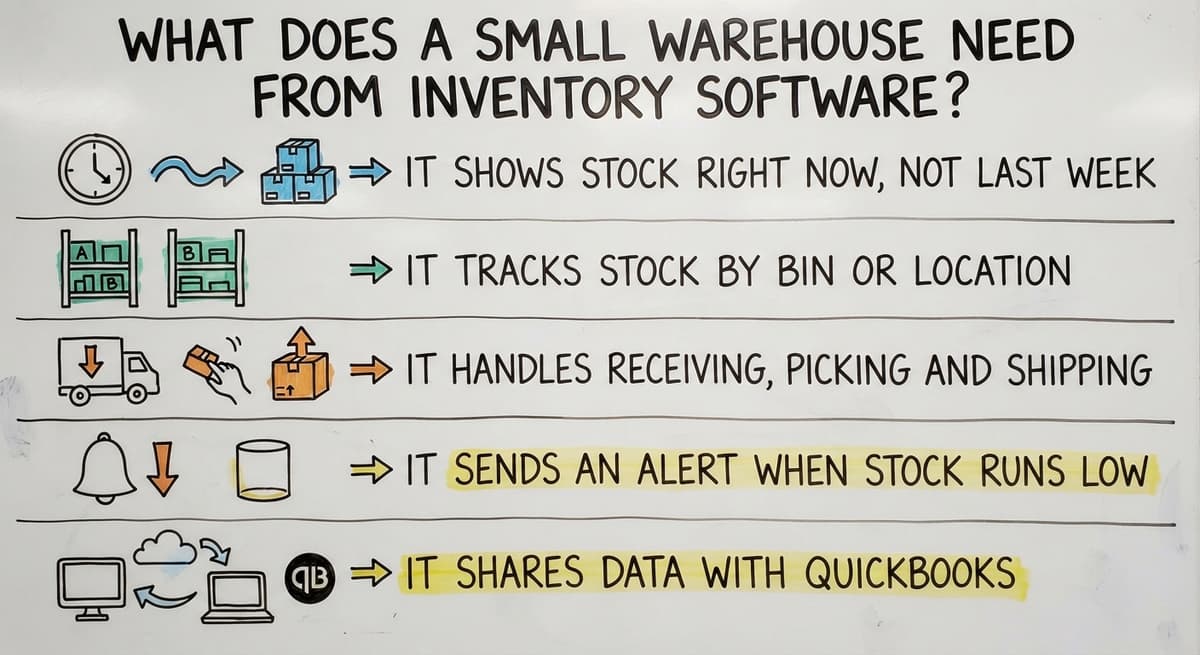
A small warehouse needs a live, trusted count of what is on the shelf. Good inventory software for small warehouses does five jobs:
- It shows stock right now, not last week.
- It tracks stock by bin or location.
- It handles receiving, picking and shipping.
- It sends an alert when stock runs low.
- It shares data with QuickBooks.
A tool that misses two of these will cost your staff time every day.
How We Ranked These 5 Inventory Tools
We judged each type on fit, cost, setup time, ease of use and room to grow. We rank categories only and name no vendors. Scan-based counts rely on barcode standards, and GS1 says its standards help firms "identify, capture and share" data, as its barcode standards page explains. A tool that scans well wins points.
We build it for your operation, and the first look is free
If you would rather not compare products, describe how your operation already works and we build the system around it.
No build cost. You see it running on your own process first, and the monthly subscription starts only once it is live.
Book a callThe 5 Types of Inventory Management Software, Ranked
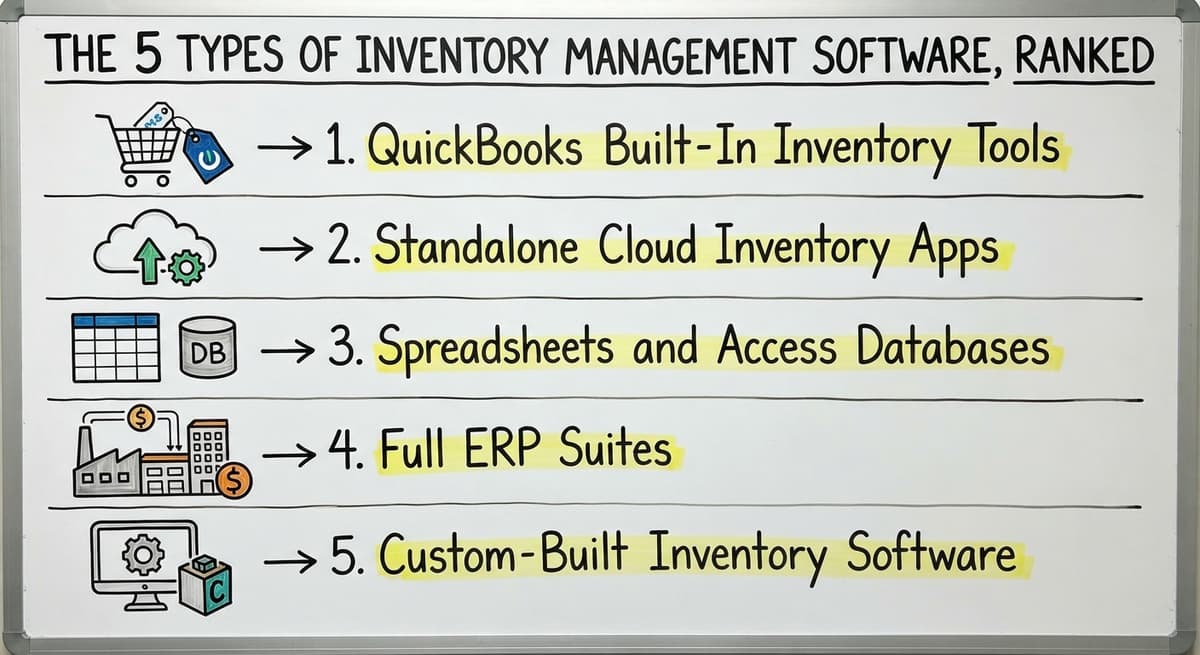
The five types run from the tool you already own to one built for you. Each fits a different kind of team.
1. QuickBooks Built-In Inventory Tools
QuickBooks inventory management is the starting point most owners already use. It tracks item counts and cost. It ties to sales and bills, so you need no new login and no new training.
The limits show up on the floor. It has little bin or location tracking. It is weak for lot, batch or multi-step picking. Teams then add Excel to fill the gaps. Pick this type when counts are right but slow.
2. Standalone Cloud Inventory Apps
Cloud inventory apps are ready-made tools you rent by the month. You sign up, load your items and start. Costs begin low, and setup is fast.
The trade-offs are real. Workflows are fixed, so you adapt to the tool. Many charge per user, and the bill grows with your team. The QuickBooks sync may cover only part of your data. Pick this type when your process is standard.
3. Spreadsheets and Access Databases
Teams still use spreadsheets because they cost little and bend to any need. A small shop can run well on one for a while. Owners trust what they built themselves.
Then the cracks show. Two people edit two versions. Typing errors slip in. One person holds all the know-how. Nobody sees live stock while staff walk the floor. Printed sheets and email add delays. Pick this type only while volume stays low.
4. Full ERP Suites
An ERP, or enterprise resource planning suite, is one large system for finance, stock, sales and more. It is strong for big, complex firms with many sites.
For a team of 5 to 100, an ERP is often too much. Setup is long and costly. Staff must change how they work. Many features go unused. Pick this type only when finance, stock and sales all need one system.
5. Custom-Built Inventory Software
Custom inventory software is built around how your team already works. It keeps QuickBooks where QuickBooks helps. It replaces only the manual parts.
A team might ask for a receiving screen, a pick list, a live stock view and a low-stock alert. Sales and costs sync back to QuickBooks. It works at small scale. The Software Society builds this kind of custom inventory management software. Pick this type when your workflow is unique.
What Is the Best Inventory Software Comparison for Each Team?
The best option is the one that matches your pain point. This inventory management software comparison uses plain terms and no prices.
| Type | Cost | Setup time | QuickBooks link | Best for |
|---|---|---|---|---|
| QuickBooks tools | Low | Short | Native | Simple counts |
| Cloud apps | Low to mid | Short | Partial | Standard workflows |
| Spreadsheets | Very low | Short | Manual | Very small teams |
| ERP suites | High | Long | Varies | Large, complex firms |
| Custom software | Mid to high | Medium | Built to fit | Unique workflows |
A small wholesale distributor with odd picking steps lands on the last row.
Not sure this is the right shape for your operation
Describe how the work runs today. We map it on a call and show you what it would look like built around that, before you spend anything.
Book a callHow to Choose the Right Inventory Software
Start with your biggest pain and work down. If stock counts are right but slow, try an add-on or a cloud app. If workflows are unique, consider custom. If you run many sites and all finance, choose an ERP.
Ask these four questions before you buy:
- Will it fit how we pick and ship?
- What happens to QuickBooks?
- What does setup really involve?
- Who supports us after launch?
The signs you have outgrown your setup are plain. Counts rarely match. Staff re-type the same data. Orders ship late from lookup delays. Only the owner knows the system. Here is the cost. 3 people who lose 6 hours a week at $22 an hour lose $20,592 a year. A late shipment also risks the FTC rule on shipping when you said you would.
One fact makes counts matter. IRS Publication 538 says, "To figure taxable income, you must value your inventory at the beginning and end of each tax year." A wrong count is a tax problem too.

How to Move to New Inventory Software Without Disruption
The safest move is small steps, not one big switch. Follow this path:
- Pick the most painful manual step and fix that first.
- Run the old and new tools side by side for a short time.
- Train a few staff first. Let them teach the rest.
- Add the next step only when the first one works.
This path suits teams leaving spreadsheets. The floor keeps moving the whole time. NIST offers vendor-neutral guidance on supply chain process if you want a second view.
The comparison is easier when one option is built for you
Off-the-shelf means fitting your process to the software. We do it the other way round, and the first look costs nothing.
Book a callCan You Keep QuickBooks With Inventory Software?
Yes, you can keep QuickBooks and add inventory software. Most teams keep it for accounting. The inventory tool handles the floor work. Data passes between the two, so sales and costs stay in one ledger. Ask each vendor how deep the sync goes. A full two-way link beats a nightly file. For many teams, warehouse inventory tracking and the books work best as two tools that talk.

How Much Does Inventory Management Software Cost?
The cost of inventory management software depends on four drivers: users, features, setup and support. Subscriptions spread cost over months and often add a fee for each user. A one-time build costs more up front and has no per-seat fee. Compare the 3-year total, not the first bill. Wholesale stock is large, and the Census Bureau tracks it each month. Small errors on that stock add up fast.
Common Mistakes When Picking Inventory Software
Four mistakes cause most bad buys:
- Buying features you will never use.
- Skipping staff input. The people on the floor know the real steps.
- Ignoring QuickBooks fit until after the deal.
- Overbuying an ERP when a smaller fix would do.
Avoid these four, and most of the regret goes away.

Next Steps for Your Warehouse
The five types are QuickBooks tools, cloud apps, spreadsheets, ERP suites and custom software. The right one fits your floor. The Software Society builds custom software around how your operations already work. We are local to Columbus, Ohio, and we also build your website and search presence. Book a short talk about your current workflow, and we will help you see which type fits.
Frequently asked questions
Which inventory management software is best for a small wholesale distributor?
Pick the type that fits your steps. A cloud app or QuickBooks add-on suits standard work. Custom software suits odd picking or receiving steps. Spreadsheets only work while volume stays low.
When is QuickBooks inventory not enough?
QuickBooks inventory falls short when you need bin tracking, lot or batch control, or multi-step picking. If staff keep a side spreadsheet to fill gaps, you have reached that point.
Is an ERP too big for a small warehouse?
Often yes. ERP suites bring long setup, high cost and many unused features. A team of 5 to 100 staff usually needs less. An ERP fits only when finance, stock and sales all need one system.
Which option is best for a small distributor?
Match the tool to your pain. Standard steps suit a cloud app or QuickBooks add-on. Unique steps suit custom inventory software. Choose by fit, not by feature count.
Do I need to replace QuickBooks?
No. Most teams keep QuickBooks for accounting and add an inventory tool for floor work. Data passes between the two, so sales and costs stay in one ledger.
How long does it take to set up inventory software?
Setup time depends on the type. Cloud apps start fast. ERP suites take long. Custom builds fall in between. Move in small steps and run old and new tools side by side.
Is custom software only for big firms?
No. Custom builds work at small scale. A team of 5 can start with one receiving screen and add a pick list or low-stock alert later.
Start with a free first look
A 30 minute call, your operation mapped, and a clear picture of what we would build. No obligation and nothing to install.
Book a callRelated guides
More on the same work.
Guides
- Multi Location Inventory Management Software
- HVAC Inventory Management Software
- Inventory Management Software for Schools
- Inventory Management Software Costs
- Inventory Management Software List
- Cloud Stock Management Software
- Best Inventory Software
- Inventory Counting Software
- Inventory Management for Multiple Locations
- Inventory Management System for Manufacturing
- Inventory Management Pics
- B2B Inventory Management
- Jewelry Inventory Management
- Dental Inventory Management
Common questions
- What Are the 5 Benefits of Inventory Management?
- What Software is Used for Inventory Management
- What Are the Top 5 Warehouse Management Systems?
- What is the Difference Between Aggregate and Item Inventory Management
- What is Jit Inventory Management
- What is Kanban System of Inventory Management
- What is the Definition of Inventory Management
- What is an Important Factor in Inventory Management
- What is Abc Classification in Inventory Management
- What is Inventory Management in Working Capital