


Retail Stock Management Software
Retail stock management software is a tool that tracks stock counts, locations, receiving, sales and reorders. It keeps one true number for every item. Reviewed November 2026.
Book a callWhat Is Retail Stock Management Software?
Retail stock management software gives your team one place to see what you own and where it sits. It also shows what to buy next. Owners also call it stock management software or inventory management software. The jobs are the same.
We build it for your operation, and the first look is free
If you would rather not compare products, describe how your operation already works and we build the system around it.
A stockout costs more than the sale. 40 items out of stock a week, at 28 dollars each, is 1,120 dollars a week and about 58,000 dollars a year of demand you could see and could not fill.
No build cost. You see it running on your own process first, and the monthly subscription starts only once it is live.
Book a callWhy Do Spreadsheets Stop Working?
Spreadsheets stop working when many people edit them. Counts drift. Email orders get missed. Nobody trusts the number on the screen. That is a growth signal, not a failure. Your business got bigger than the tool.
The US Census Bureau, Monthly Retail Trade tracks retail inventories and sales each month. Your customers watch those numbers closely. You need yours to be right too.
What Does Retail Stock Management Software Do?
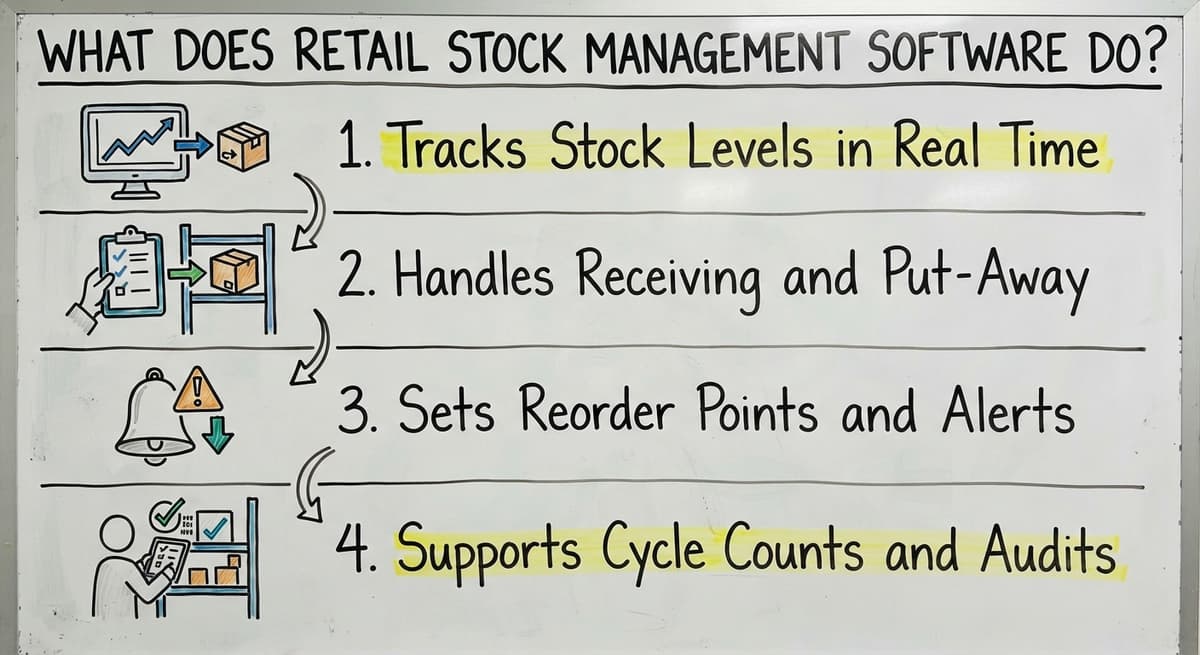
Retail stock management software does 4 core jobs: it tracks levels, handles receiving, sets reorder alerts and supports counts. Each job removes a manual step.
Tracks Stock Levels in Real Time
Picture a small distributor with 400 items. A clerk scans a pick at 10:05. The sales desk sees the new count at 10:06. No one oversells.
Stock tracking updates a count the moment goods arrive, get picked or ship. Your screen matches your shelves. You sell fewer items you do not have.
The Procurement Tactics roundup notes that "around 34% of retail businesses shipped an order late because they sold an out-of-stock product." Live counts prevent that.
Handles Receiving and Put-Away
Receiving is the step where staff check goods in against a buy order. Put-away is where they shelve the goods. The software handles both.
- Staff match each delivery line to the open buy order.
- Staff record the shelf or bin for every item.
- Staff flag short or damaged shipments on the spot.
A clean check-in means the first count is right.
Sets Reorder Points and Alerts
A reorder point is the stock level that tells you to buy more. The software holds one per item. It sends an alert before the item runs out.
- Set a minimum level for each item.
- Get an alert when stock hits that level.
- Use sales history to raise or lower each level.
Good levels cut rush orders and dead stock.
Supports Cycle Counts and Audits
A cycle count is a small count done daily instead of a full shutdown count. Staff check a few items each day.
- The software shows the gap between system and shelf.
- It keeps a record of who changed what.
- You never close the doors to count.
The IRS Publication 538 says "To figure taxable income, you must value your inventory at the beginning and end of each tax year." Steady counts make that year-end task easy.
Not sure this is the right shape for your operation
Describe how the work runs today. We map it on a call and show you what it would look like built around that, before you spend anything.
Book a callWhich Features Matter Most for Small Teams?
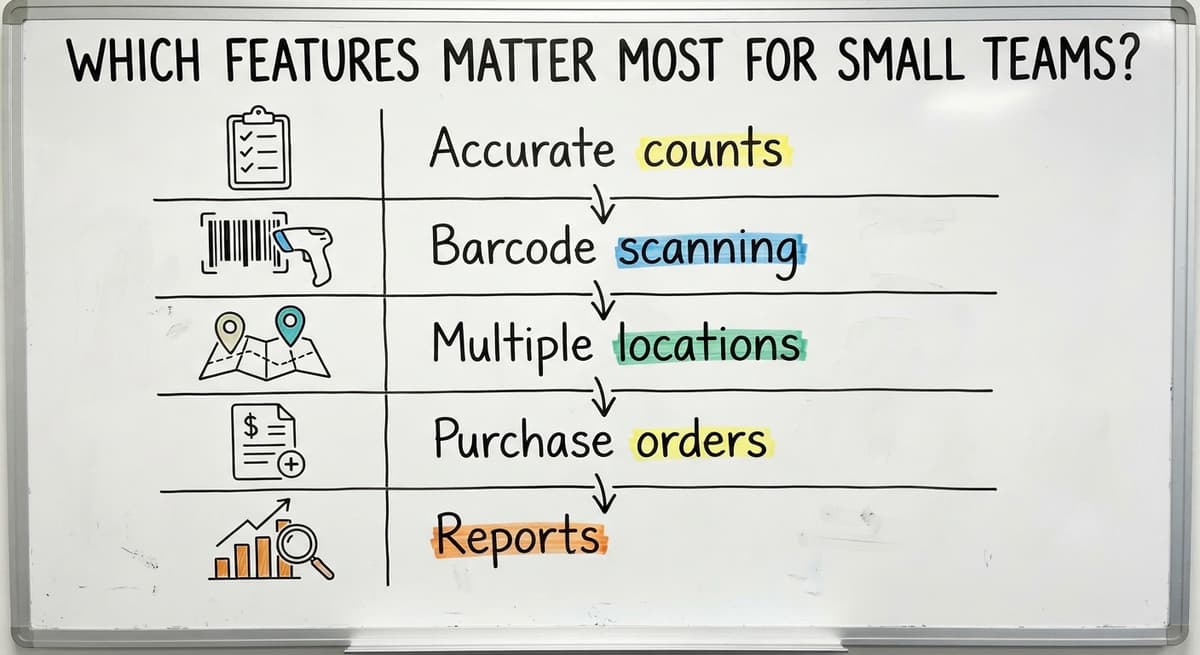
For a small team, 5 features matter most. Rank them in this order:
- Accurate counts
- Barcode scanning
- Multiple locations
- Buy orders
- Reports
Skip features you will not use. Floor staff must find the tool easy. A tool that nobody likes gets bypassed. Pick the simple one that fits your daily work.
How Does Barcode Scanning Help?
Barcode scanning cuts typing mistakes because a scan reads the code and a person does not retype it. Staff use handheld scanners or phones.
Keep the steps few. A new hire should learn a scan, a count and a put-away in one shift. Simple screens mean fewer errors.

How Do You Track Stock in Multiple Locations?
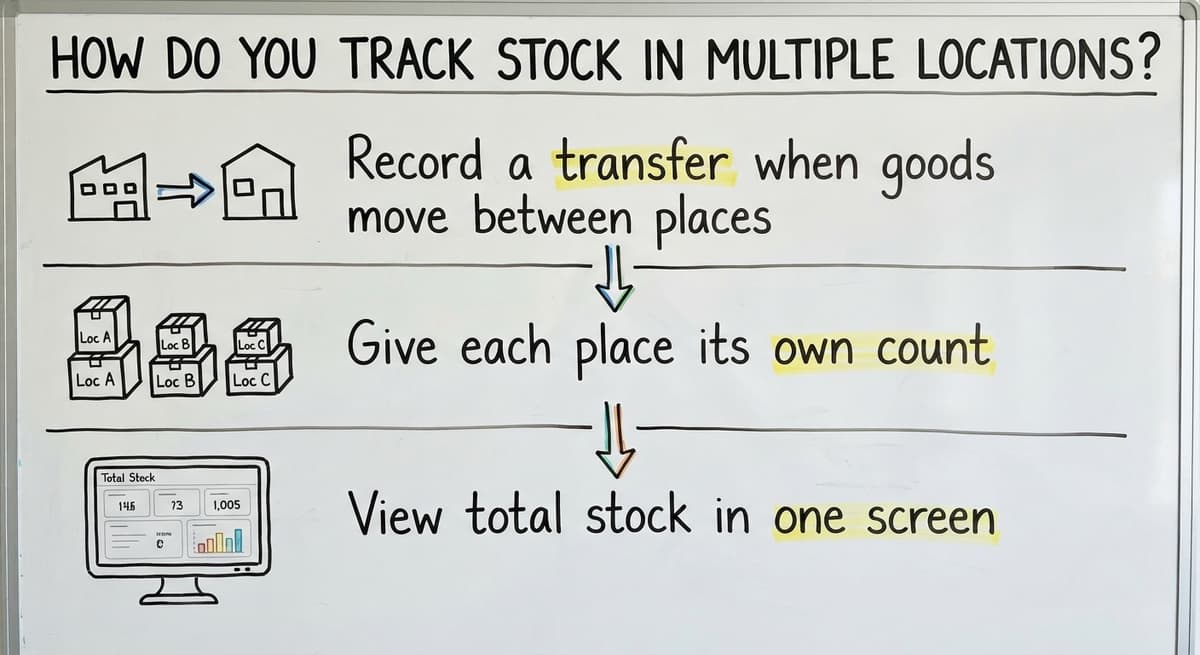
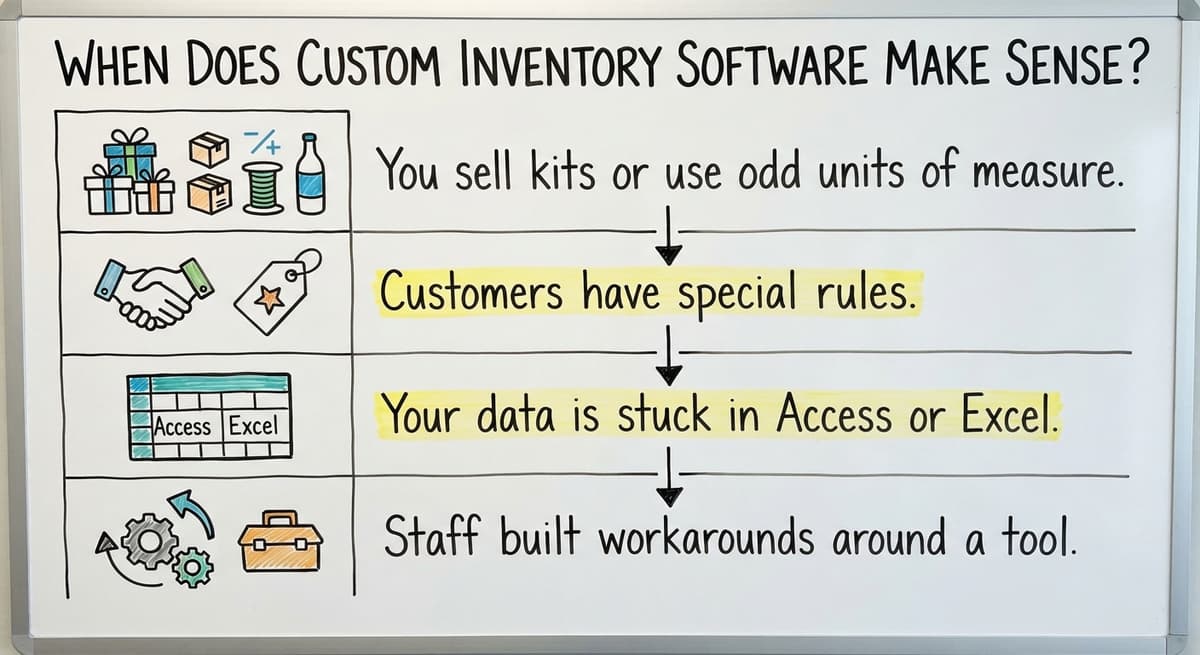
Multi-location inventory tracks stock in each place you keep it. That means the warehouse, the back room, trucks and third-party storage.
- Record a transfer when goods move between places.
- Give each place its own count.
- View total stock in one screen.
One view of total stock ends the phone calls to ask who has what.
The comparison is easier when one option is built for you
Off-the-shelf means fitting your process to the software. We do it the other way round, and the first look costs nothing.
Book a call
Do You Need Lot, Batch and Expiration Tracking?
You need it if you sell food, supplements, chemicals or other regulated goods. A lot is a set of items made together. The software links each lot to a date and a shelf.
If a recall happens, you find the affected lots fast. The tool helps your records. It does not guarantee you meet any rule.

Can It Work With Your Accounting Software?
The two tools sync item, cost and order data. Staff stop typing the same data twice. It is about getting the stock side right and letting your books stay put.
Yes. Accounting software integration lets you keep your current accounting package where it already works. The stock system handles counts, locations and reorders.

Off-the-Shelf, Custom or Full ERP?
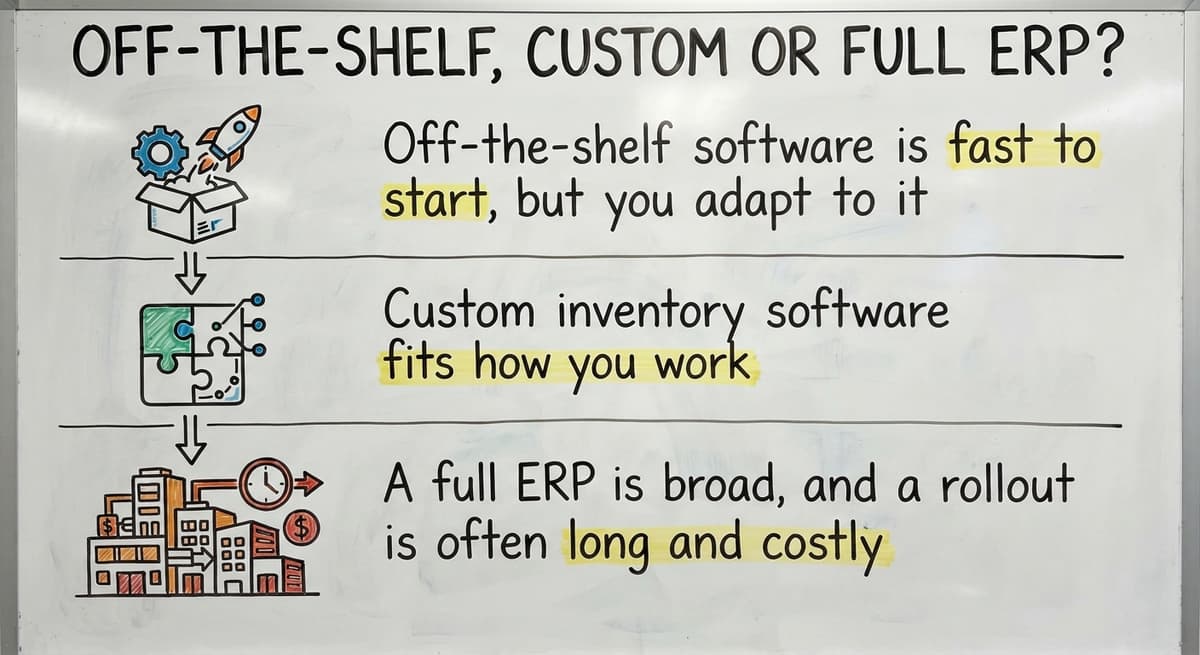
There are 3 paths. An ERP is a large system that runs finance, stock, sales and more in one.
- Off-the-shelf software is fast to start, but you adapt to it.
- Custom inventory software fits how you work.
- A full ERP is broad, and a rollout is often long and costly.
Most 5 to 100 person teams do not need a full ERP. Pick the smallest path that fixes your real problem.
When Does Custom Inventory Software Make Sense?
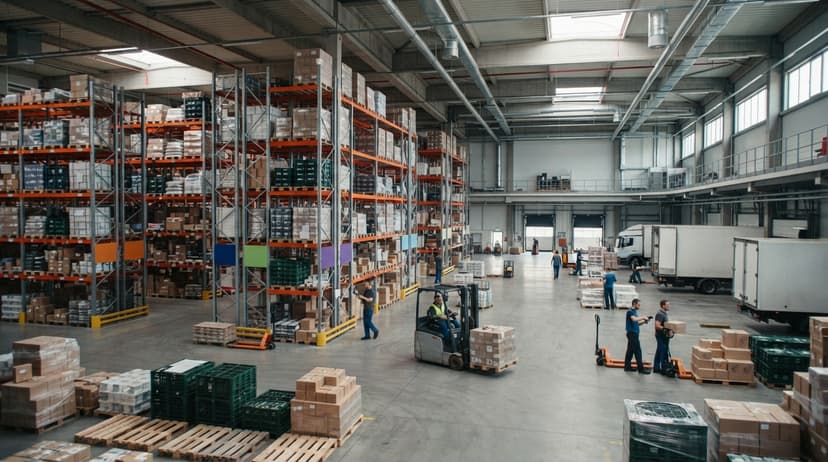
Custom inventory software makes sense when your work does not fit a stock tool. It is built around how the operation already works.
- You sell kits or use odd units of measure.
- Customers have special rules.
- Your data is stuck in Access or Excel.
- Staff built workarounds around a tool.
In each case the workaround is the clue. Build the tool to match it.
See it running on your own process first
No build cost. The subscription starts once it is live and doing the job, not before.
Book a call
Have You Outgrown Your Current Setup?
You have outgrown your setup if you see 4 signs:
- Count errors come up often.
- Staff lose time hunting for items.
- Orders get oversold.
- Only one person knows how the sheet works.
One sign is a warning. Two means act now.

How to Choose and Roll Out the Right Software
Follow these steps to choose well:
- Map your process from dock to ship.
- List your pain points.
- Rank your must-haves.
- Test with real data.
- Check what support you get.
Ask floor staff to join each step. They know where the work breaks.
Then move in phases. Fix the most manual step first. Run old and new side by side for a short time. Clean item data before import. Avoid a big-bang switch.
Start with a small first release. Train staff on real tasks. We do not set fixed timelines or prices here, since each shop differs. A phased rollout keeps the doors open and the risk small.
What Mistakes Should You Avoid?
Four mistakes cause most failed projects:
- Buying more software than the team needs.
- Skipping data cleanup before import.
- Ignoring floor staff.
- Leaving no one in charge of stock accuracy.
Name one owner for accuracy. That single step fixes the most.
How Do You Know the Software Works?
Track 4 numbers before and after launch:
- Count accuracy, as a percent of items that match the shelf.
- Stockouts and overstock.
- Hours spent on counts and order lookups.
- Manual re-entry steps.
A test: 3 people spending 6 hours a week at $22 an hour cost $20,592 a year. Cut that in half and you see the gain. Pay data lives at the US Bureau of Labor Statistics. Falling hours and rising accuracy prove the tool works.

Next Steps for Your Stock Process
Fix the manual parts first. Keep what works, like your accounting software. A Columbus, Ohio team at The Software Society can review your current workflow with you. One team builds the software, website and search presence, if you need all three. Book a workflow review today.
Frequently asked questions
What is retail stock management software?
Retail stock management software is a tool that tracks stock counts, locations, receiving, sales and reorders. It gives wholesale distributors and warehouses one true number for every item. Staff stop guessing and start trusting the screen.
Can retail stock management software work with accounting software?
Yes. You keep your accounting software for the books. The stock system handles counts, locations and reorders. The two tools sync item, cost and order data. Your team stops typing the same data twice and the books stay as they are.
Do I need a full ERP to fix stock accuracy?
No. Most teams of 5 to 100 people do not need a full ERP. Replace the most manual steps first. Pick off-the-shelf or custom software that fits your work. A full ERP is broad and often long to roll out.
How do I move off Excel or Access safely?
Replace the most manual step first. Clean your item data before import. Run the old and new tools side by side for a short time. Avoid a big-bang switch. Train staff on real tasks.
Start with a free first look
A 30 minute call, your operation mapped, and a clear picture of what we would build. No obligation and nothing to install.
Book a callRelated guides
More on the same work.
Guides
- Inventory Management Software Retail
- Cloud Stock Management Software
- Inventory Software for Retail Shop
- Retail Inventory Tracking Software
- Stock Software
- Hospital Stock Management System
- Medical Stock Management System
- Multi Location Inventory Management Software
- HVAC Inventory Management Software
- Inventory Management Software for Schools
- Inventory Management Software Costs
- Simple Inventory Management Software
- Top 5 Inventory Management Software
- Inventory Management Software List
- Retail Inventory Management
- Retail Inventory Management Systems
- Make to Stock Examples