

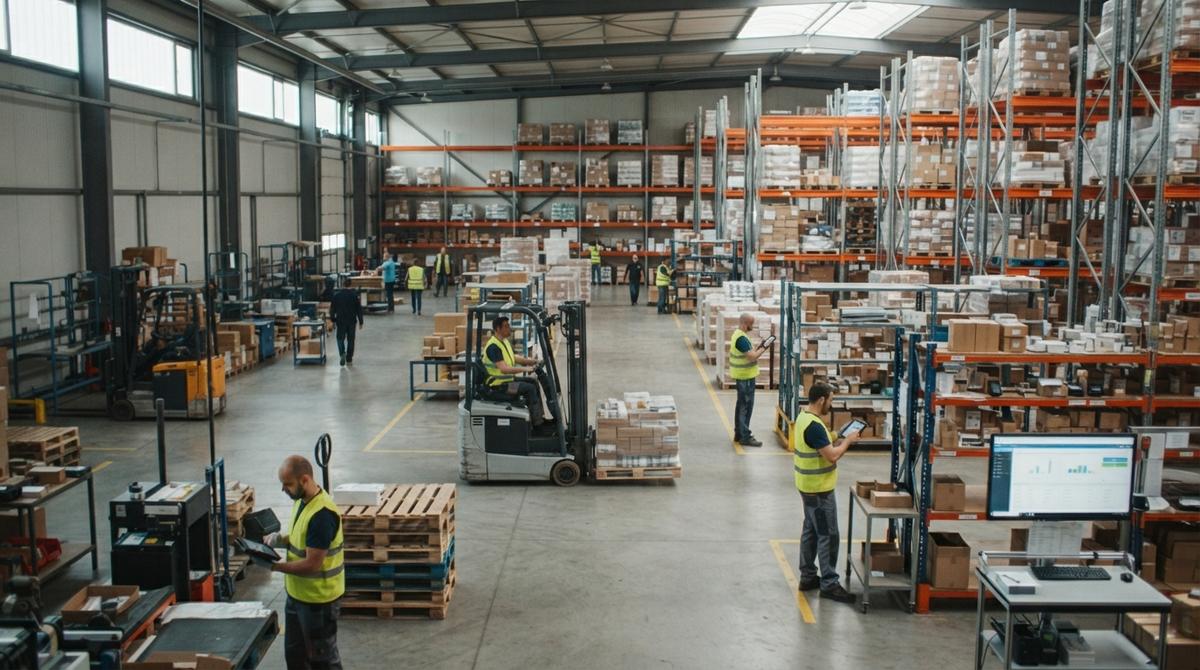
Software for Purchasing and Inventory
Software for purchasing and inventory is one system that tracks what you buy, what sits on your shelves, and what you ship. It links each buy order to your stock counts. You order the right amount at the right time. Reviewed November 2026.
Book a callWhat Is Software for Purchasing and Inventory?
Software for purchasing and inventory is one system for the whole buy, hold, and sell cycle. Buying and stock are two halves of one loop. Owners and managers can run it without help from IT staff.
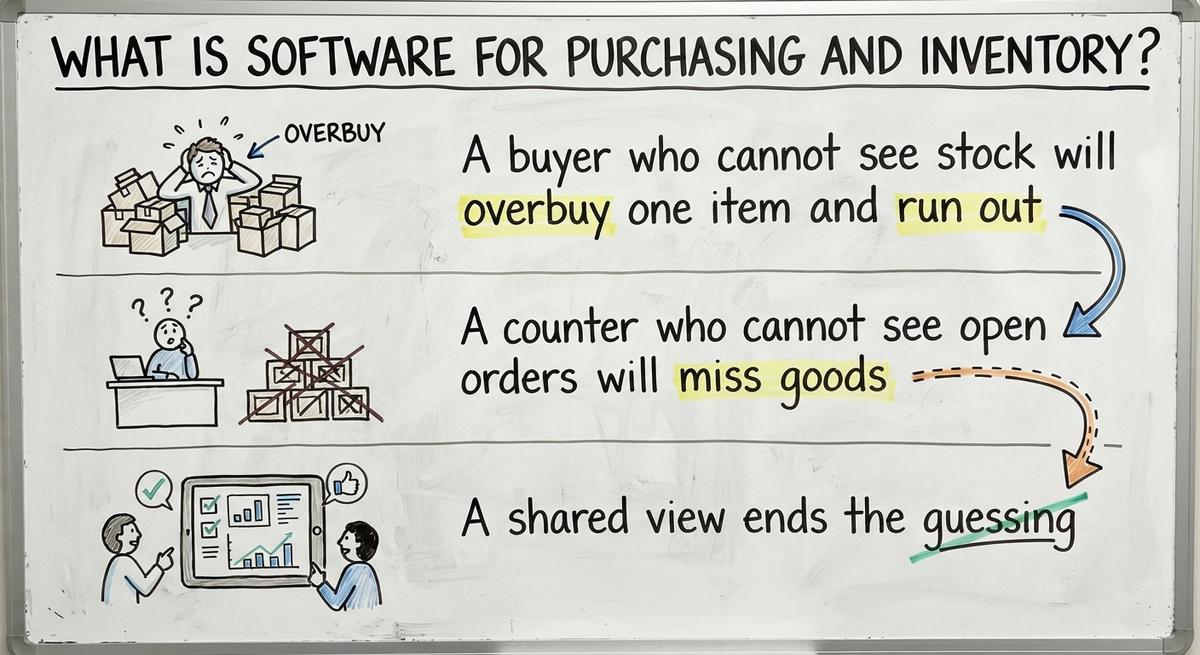
Why keep both in one place? Look at what breaks when they sit apart:
- A buyer who cannot see stock will overbuy one item and run out of another.
- A counter who cannot see open orders will miss goods that arrive next week.
- A shared view ends the guessing.
Barcodes make the link stronger. The GS1 barcode standards set the shared codes that scan-based counts depend on. One system, one view, fewer wrong orders.
We build it for your operation, and the first look is free
If you would rather not compare products, describe how your operation already works and we build the system around it.
No build cost. You see it running on your own process first, and the monthly subscription starts only once it is live.
Book a callHow Do Purchasing and Inventory Work as One Loop?
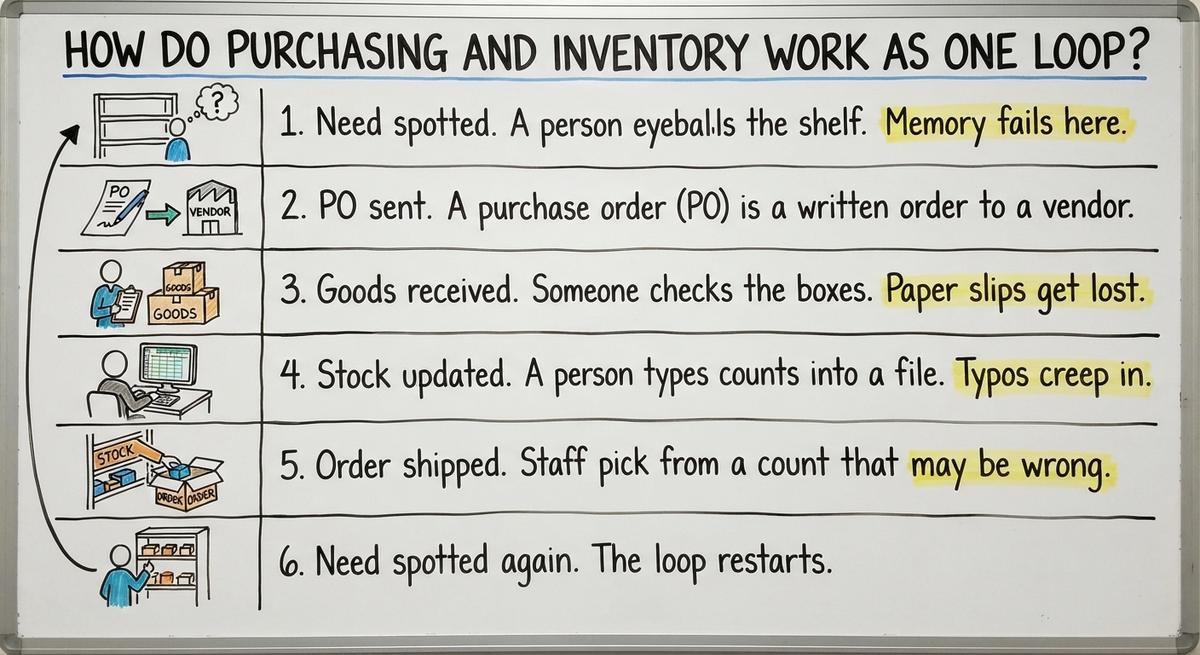
Purchasing and inventory work as one loop because each sale starts the next buy. Here is the loop, with the spot where hand work usually fails:
- Need spotted. A person eyeballs the shelf. Memory fails here.
- PO sent. A buy order (PO) is a written order to a vendor. Email threads lose the final version.
- Goods received. Someone checks the boxes. Paper slips get lost.
- Stock updated. A person types counts into a file. Typos creep in.
- Order shipped. Staff pick from a count that may be wrong.
- Need spotted again. The loop restarts.
One weak link ruins every step after it.
Signs Spreadsheets Have Stopped Working, and What They Cost
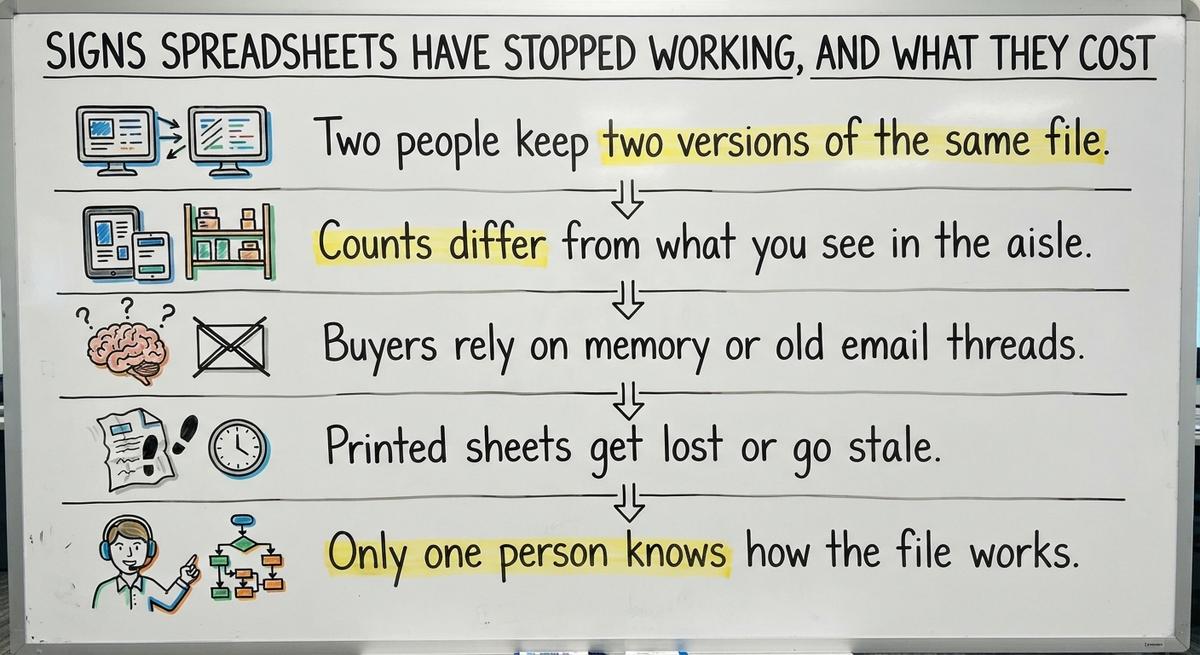
Spreadsheets have stopped working when the file no longer matches the shelf. Look for these signs:
- Two people keep two versions of the same file.
- Counts differ from what you see in the aisle.
- Buyers rely on memory or old email threads.
- Printed sheets get lost or go stale.
- Only one person knows how the file works.
The cost shows up in three places. Extra stock ties up cash. Stockouts lose sales. Staff re-key the same data. Say 2 people spend 5 hours a week each on re-keying at $24 an hour. That is 2 x 5 x 24 x 52, or $12,480 a year. The Bureau of Labor Statistics publishes pay data for the clerks who do this work, so you can use your own rate.
An accurate count also protects a promise. The FTC mail order rule says you must ship when you said you would. A wrong count breaks that promise.
Purchasing Features to Look For
Buy order software should cover three jobs: place orders, flag what to buy, and check goods in. Small distributors and warehouses should test these first. Fancy extras can wait.

Purchase Orders and Vendor Records
PO tools let you create, send, and track every order in one place. Each vendor record holds prices, lead times, and contacts together. A lead time is the number of days from order to delivery.
Your buyer then stops hunting through inboxes. Open POs show what is due and what is late. One vendor record replaces five scattered notes.
Reorder Points and Suggested Orders
A reorder point is the stock level that triggers a new order. You set a minimum for each item. The system flags what to buy and how much.
Good tools base the number on your own sales pattern. A fast mover gets a higher floor than a slow one. Your buyer reviews a short list each morning instead of walking the aisles. Reorder points turn a guess into a rule.
Not sure this is the right shape for your operation
Describe how the work runs today. We map it on a call and show you what it would look like built around that, before you spend anything.
Book a callHow Do You Handle Receiving Against Purchase Orders?
Receiving against buy orders means you check each delivery against the PO before you shelve it. Staff scan or tick each line as boxes arrive.
Record short or damaged goods on the spot. Stock updates the moment you receive, so sales staff see true counts right away. You also have proof when you ask a vendor for a credit. A receipt tied to a PO settles most vendor disputes.

Inventory Features to Look For
Inventory management software should show true stock, handle your special tracking needs, and make counting easy. Match each feature to your real work. Skip the rest.
Stock Levels Across Locations and Bins
Warehouse inventory tracking starts with 3 numbers per item: on hand, committed, and on order. Committed means promised to a customer but not yet shipped.
Good tools track by warehouse, shelf, or bin. Pickers find items fast. If you want more depth, see our guide to warehouse inventory tracking software. Three numbers per item tell you what you can really sell.
Lots, Serial Numbers, and Expiration Dates
Lot, serial, and expiration tracking matter only for some firms. Food sellers need dates. Parts sellers may need serial numbers. A lot is a batch made at one time.
If your goods have none of these, skip the feature. Do not pay for what you will not use. Fit the tool to your goods, not the other way around.
Cycle Counts and Adjustments
Record why each adjustment happened: damage, theft, or a typing slip. Patterns then show where the leak is. The IRS states the legal reason to count: "To figure taxable income, you must value your inventory at the beginning and end of each tax year." Small, steady counts keep that year-end number honest.
Cycle counts mean you count a few items often instead of closing down for a full count. A worker counts one aisle on Monday and another on Tuesday.

Reports That Help You Decide
Useful reports answer daily questions. A report that only looks nice wastes your time. Ask for these five:
- Slow movers show stock that ties up cash.
- Fast movers show what to buy deeper.
- Stock value shows what your shelves are worth.
- Open POs show what is on the way.
- Late vendor deliveries show who to call.
The Census Bureau's monthly wholesale data tracks inventories against sales for the whole sector. Use that kind of ratio as a model for your own check. Pick reports that tell you what to do today.
The comparison is easier when one option is built for you
Off-the-shelf means fitting your process to the software. We do it the other way round, and the first look costs nothing.
Book a call
Can You Keep Your Accounting Software and Still Use Inventory Software?
Yes, you can keep your accounting software and add purchasing and inventory software next to it. Your accounting software stays your books. The new tool handles buying and stock.
Purchasing and stock data can flow into your accounting software, so nobody types twice. Many owners search for accounting software inventory tools or inventory management software that works with their accounting software because the built-in stock features feel thin at scale. Ask any provider exactly what syncs and how. Do not assume.
Your accountant keeps the same reports. Your team drops the double entry. Replace only the manual parts and leave the accounting alone.
Off-the-Shelf, ERP, or Custom Built?
You have 3 paths: a ready-made tool, a big ERP, or custom inventory software. ERP means one large system that runs every part of a company.
- Off-the-shelf: Fast to start. You bend your process to its rules.
- Big ERP: Broad in scope. Setup runs long and costs a lot, which small teams fear.
- Custom: Built to fit your current workflow.
Do you need a big ERP? A team of 5 to 100 usually does not. Searches for the best inventory software often point to large suites. Many small firms need only the loop fixed. NIST's supply chain guidance offers vendor-neutral advice on process before you pick a tool.
When Does Custom Software Make Sense?
Custom software makes sense when your process is unusual. Maybe you sell in special units or bundles. Maybe orders need approval steps. Maybe your team keeps many side files.
Custom also fits if you want to keep your current accounting software. A builder can design around it. Be honest about the limits: custom is not right for every business. If a ready-made tool fits 90% of your work, buy it. Build only when the gap is real.
How to Move Off Spreadsheets Without Stopping Work
To replace spreadsheets without stopping work, change one step at a time. Do not force a full switch in a weekend.

- Start with the most painful step, such as receiving or reordering.
- Run the new tool next to the old files for a short time.
- Move one area at a time, not everything at once.
- Retire a file only when staff trust the new number.
Daily orders keep shipping the whole time. Staff learn in small bites. A slow switch beats a risky one.
What Should You Prepare Before You Start?
Prepare 4 things before you talk to any provider:
- A list of your items, vendors, and locations.
- A written path of how an order flows today.
- The name of who does each step.
- One result to fix first, such as fewer stockouts.
A clear list saves weeks of setup. It also shows where your real gaps sit.
Questions to Ask Any Software Provider
The right questions expose how a provider works. Ask these 5:
- How will it fit our current process?
- What happens to our accounting software data?
- Who trains our team?
- Who supports it after launch?
- What does the first phase cover?
A good answer is plain and specific. A vague answer is a warning. Pick the partner who answers in your words.
What Mistakes Should You Avoid?
The biggest mistakes are buying too much, skipping staff input, moving messy data, and changing everything at once. Staff on the floor know where the loop breaks. Ask them first.
Clean your item names and counts before you move them. Dirty data in means dirty data out. Compare tools such as warehouse inventory management systems on fit, not on feature count. Start small and clean.
Next Steps for Your Operation
Connect buying and stock. Keep your accounting software. Fix the manual steps first. That is the whole plan.
Our team in Columbus, Ohio can talk through your current process with you. One team builds the software, your website, and your search presence, so you manage one partner instead of many. Bring your item list and your order path. We will help you find the first step to fix.
Frequently asked questions
What is software for purchasing and inventory?
Software for purchasing and inventory is one system that tracks what you buy, what you hold, and what you sell. It links buy orders to stock counts. You see what is on hand and what is on the way in one place.
Why should purchasing and inventory be in one system?
Buyers who cannot see stock overbuy or run out. Counters who cannot see open orders miss incoming goods. One system gives both teams the same numbers, so orders match real need and nobody has to guess.
Can I keep my accounting software and still use inventory software?
Yes. Your accounting software stays your accounting tool. The new software handles buying and stock, and the data can flow into your accounting software so nobody types twice. Ask any provider exactly what syncs before you sign.
Do I need a big ERP?
Most teams of 5 to 100 do not. A big ERP is broad but slow and costly to set up. If your main problem is the buy and stock loop, a focused tool or a custom build can fix it faster.
What drives the cost of purchasing and inventory software?
Cost depends on user count, locations, features, and setup work. Custom work costs more upfront but fits your process. Ask for a first-phase scope so you can see a clear boundary before you commit.
Is purchasing and inventory software built for small teams?
Yes. A team of 5 to 100 can run it. Small teams gain the most from one shared view. Start with the step that hurts most and grow from there.
How long does a first phase take?
Timing depends on your data and your scope. A narrow first phase, such as receiving and reorder points, moves faster than a full rollout. Ask your provider for a plan in steps.
Start with a free first look
A 30 minute call, your operation mapped, and a clear picture of what we would build. No obligation and nothing to install.
Book a callRelated guides
More on the same work.
Guides
- Best Inventory Software
- Multi Location Inventory Management Software
- HVAC Inventory Management Software
- Inventory Management Software for Schools
- Inventory Management Software Costs
- Inventory Management Software Retail
- Inventory of Software
- Inventory Counting Software
- Material Inventory Software
- Simple Inventory Management Software
- Event Inventory Software
- Top 5 Inventory Management Software
- Inventory Management Software List
- Inventory Software for Retail Shop
- Barcoding and Inventory Software
- It Inventory Management Software
- Inventory Stock Software
- Inventory Software Download
- Small Business Inventory Software
- Retail Inventory Tracking Software
- Cloud Stock Management Software
- Stock Software
- Retail Stock Management Software