

Inventory Tracking Software For Small Business
Inventory tracking software for small business is the record of your stock. It updates by a scan or an entry as goods move and tells you when to reorder. For a team of 2 to 30 people it costs $50 to $300 a month packaged, or $8,000 to $25,000 once for a build around your own process, and it pays back in the first year at about 500 orders a month. This guide, reviewed in September 2026, covers what inventory tracking software for small business does, the 6 signs a spreadsheet has run out, the features worth paying for, and what implementation looks like.
Reviewed August 2026. Each figure comes from the assumptions stated beside it, so you can substitute your own and the arithmetic still holds.
Published 26 August 2026. Reviewed and updated 15 September 2026.
Book a callWhat Does Inventory Tracking Software Actually Do for a Small Business?
Inventory tracking software keeps a live count of every item you stock. It records what comes in, what goes out, and what is left. That is the whole job.
It is not an ERP (enterprise resource planning system, a large all-in-one platform that covers finance, HR, and operations).
Good inventory software does one thing well: it tells you the state of your stock in real time. Your accounting stays in the accounting software. Your orders stay in your order system. The inventory layer connects them.
This is not a massive overhaul. It is a focused fix for a specific problem.
Would you rather have it built around your operation?
The first look is free. If you would rather not compare products, describe how your operation already works and we build the system around it.
No build cost. You see it running on your own process first, and the monthly subscription starts only once it is live.
Book a callWhy Do Spreadsheets Stop Working as You Grow?
Most small businesses start with Excel, and it is fine for the first 200 items. One person owns the file, updates it each morning, and the team trusts it.
Then the team grows. Two people edit the file on the same day. One version overwrites the other. A receiving clerk writes counts on paper and enters them later.
By then the numbers are wrong. A warehouse team counts by hand before every purchase order because no one trusts the sheet.
These are not signs of failure. They are signs of growth.
Version conflicts, manual entry mistakes, and no real-time visibility are the three points where spreadsheets break. Software fixes all three.
Why Do Barcode Scanning and Tax Compliance Make the Fix Urgent?
Barcode standards exist precisely because manual entry breaks at scale. As GS1 explains, the barcode system was built to remove human transcription from the count process entirely.
When a scan replaces a handwritten tally, the error rate drops to near zero.
The IRS adds another reason to get this right. IRS Publication 538 states: "To figure taxable income, you must value your inventory at the beginning and end of each tax year." A spreadsheet that drifts out of sync puts your tax position at risk, not just your warehouse.
Do I Need Inventory Tracking Software?
You need inventory tracking software when the gaps between what you think you have and what you actually have start costing you money or customers.
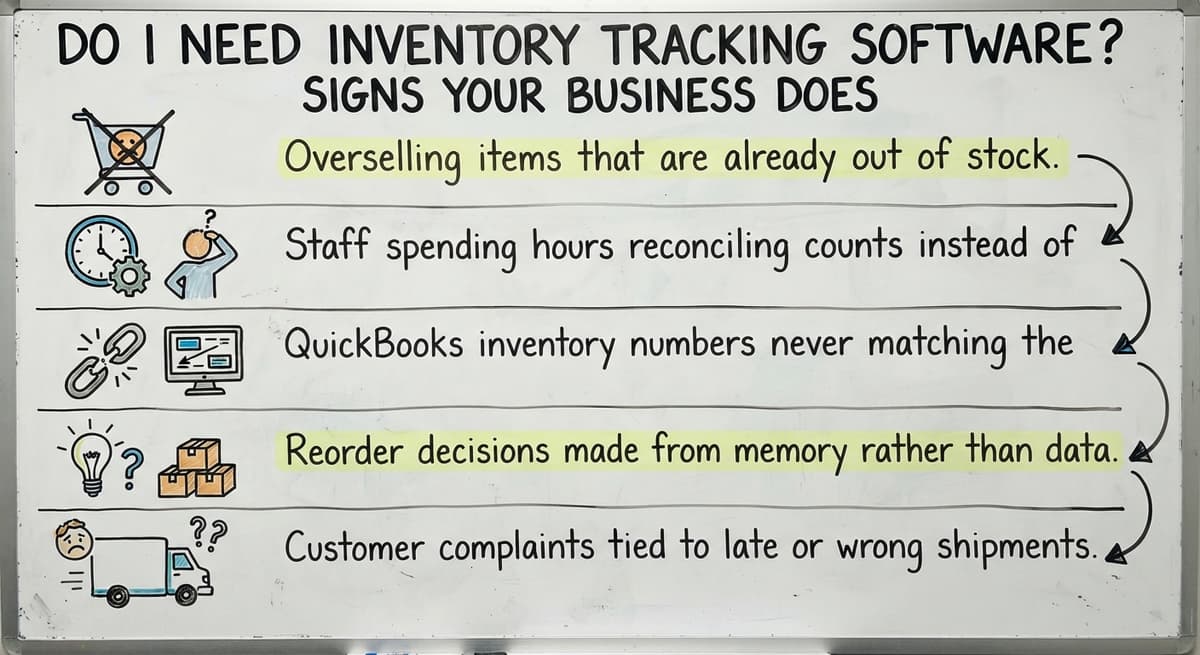
Here are the clearest signs:
- Overselling items that are already out of stock
- Staff spending hours reconciling counts instead of filling orders
- The accounting software inventory numbers never matching the warehouse floor
- Reorder decisions made from memory rather than data
- Customer complaints tied to late or wrong shipments
The US Federal Trade Commission's Mail, Internet, or Telephone Order Rule requires you to ship when you said you would or give customers the option to cancel.
Accurate stock counts are not just good practice. They are part of your legal obligation to buyers.
If 2 of these 5 signs apply to your business right now, software will pay for itself quickly.
How Does Inventory Tracking Software Fit a Small Operation?
Good software scales down, not just up. A 10-person warehouse has different needs than a 500-person distribution center.
You do not need lot serialization, wave picking, or 40 user roles. You need to know what you have and where it is.
Fit the tool to your team. Do not retrain your team to fit the tool.
The best inventory software for a small business is the one your warehouse staff will actually use on day one, not the one with the longest feature list.
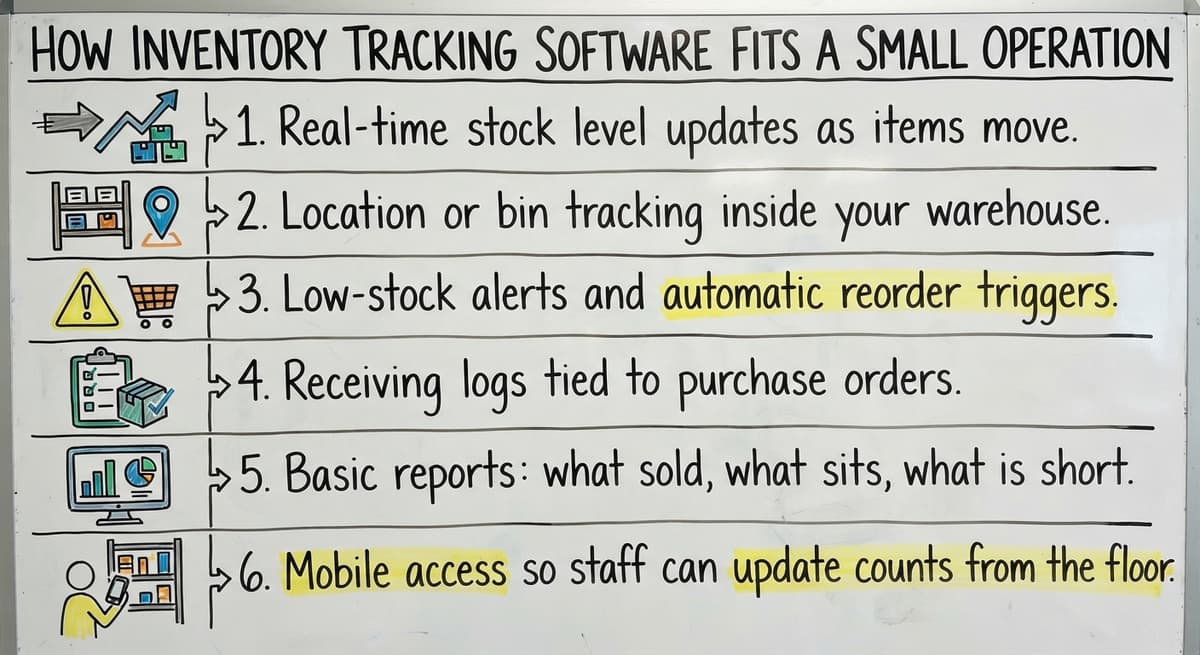
Small businesses do not need every enterprise feature. They need the right 6.
Core Features Worth Paying For
- Real-time stock level updates as items move
- Location or bin tracking inside your warehouse
- Low-stock alerts and automatic reorder triggers
- Receiving logs tied to purchase orders
- Basic reports: what sold, what sits, what is short
- Mobile access so staff can update counts from the floor
Each feature on this list addresses a specific failure point in manual tracking. Real-time updates eliminate the version conflicts that plague shared spreadsheets. Bin tracking tells a picker exactly where stock lives without a phone call.
Low-stock alerts replace the habit of counting by hand before every purchase order. Receiving logs tied to purchase orders create a paper trail the IRS and your own audits can follow. If a system you are evaluating is missing more than one of these, keep looking.
Is the comparison easier when one option is built for you?
Yes. Off-the-shelf means fitting your process to the software, and custom is the other way round. The first look costs nothing.
Book a callAccounting Integration: Keeping What Already Works
Most small businesses already run accounting in the accounting software. That is not a problem. It is a starting point.
Good inventory software syncs with the accounting software rather than replacing it. When stock moves, the inventory system updates. Those changes flow into the accounting software without anyone entering the same number twice.
The accounting software stays the financial layer. The inventory software becomes the operational layer.
Be cautious of any system that demands you abandon the accounting software entirely. That is a much bigger change than most small businesses need. accounting integration for warehouse operations is a solved problem. Any serious inventory tool should handle it out of the box.
What Does the Sync Actually Do?
- Item received in the warehouse: inventory count goes up
- Inventory software sends the update to the accounting software automatically
- The accounting software reflects the new asset value without manual entry
- When an order ships, the count drops and the accounting software follows
No spreadsheet. No double entry. No reconciliation at month end.

Barcode Scanning and Mobile Access
Barcode scanning removes the biggest source of warehouse errors, which is human transcription at about 1 mistake in 300 keystrokes.
When a staff member scans an item at receiving, the system logs it. When they scan it at pick, the system deducts it. No one types a number. No one misreads a label.
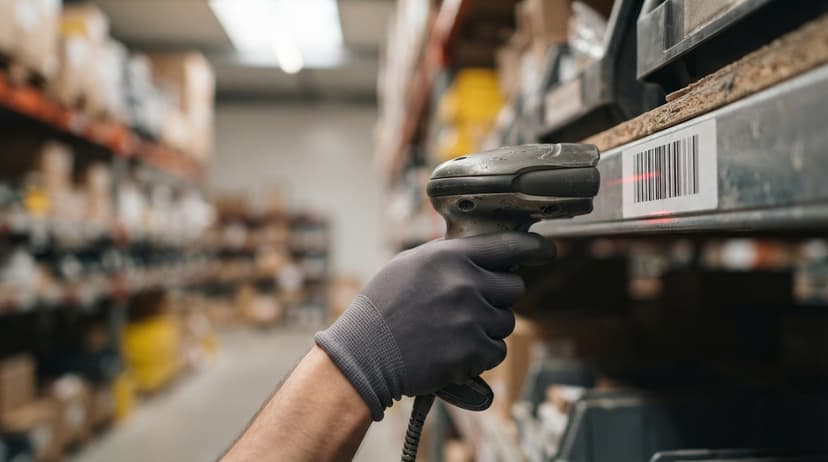
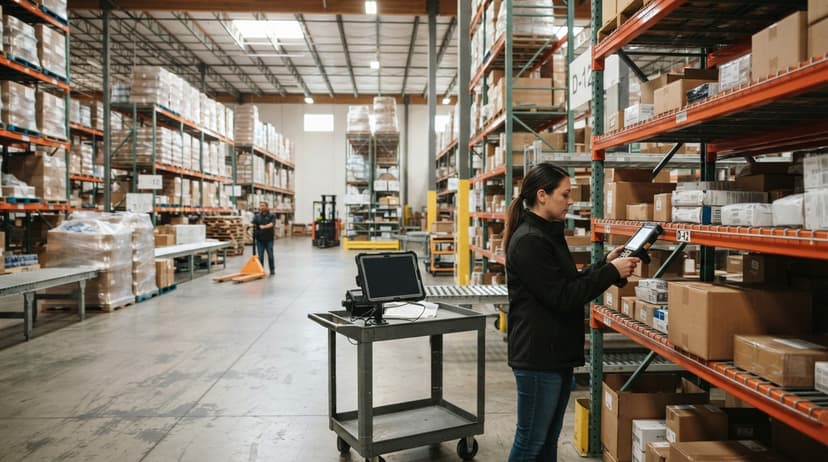
Modern systems run on a basic Android or iOS device. Your team does not need dedicated hardware to start. Scan it, the system knows. That is the whole idea.
Mobile access means warehouse staff can update counts from the floor, not just from a desk. This matters when your team is moving fast and the office is at the other end of the building.
Purchase Orders and Receiving Workflows
Inventory tracking software can generate purchase orders or log ones you already create. Either way, the receiving step is where accuracy starts.
When a delivery arrives, your team scans or confirms each item. Stock updates automatically. No paper receiving log. No email confirmation chain. No guessing whether the supplier sent 48 units or 50.
This one step removes most of the discrepancies between what you ordered and what you actually got.
Replacing spreadsheet inventory tracking with a proper receiving workflow is the fastest win a small warehouse can make.

How Does Pick, Pack, and Ship Tracking Work?
Pick, pack, and ship tracking works like this: the system generates a pick list when an order comes in, your team scans items as they pick them, and the order is marked shipped when it leaves. Stock drops in real time.
Printed pick sheets go out of date the moment they are printed. By the time a picker reaches bin 14, someone else may have taken the last unit.
A live pick list tied to real stock levels stops that from happening.
This is the core of order fulfillment software for small business. Fewer wrong picks. Fewer short shipments. Fewer calls from unhappy customers.
Inventory Reporting That Helps You Make Decisions
Reports should be readable by an operations manager, not just an analyst. The useful ones are short and direct.
| Report | What it tells you |
|---|---|
| Turnover rate | How fast stock moves |
| Dead stock | What has not sold in 60 or 90 days |
| Top sellers | Where to focus your buying budget |
| Shrinkage | What went missing between receiving and shipping |
| Short picks | Where you ran out during fulfillment |
These reports replace gut-feel reordering. Instead of ordering more of something because it feels low, you order based on actual movement data. That alone reduces overstock and stockouts.
What does it look like running on your own process?
The first thing you see is it running on your own process, at no build cost. The subscription starts once it is live and doing the job, not before.
Book a call
Multi-Location and Multi-Warehouse Tracking
Even small businesses sometimes run 2 locations or use an overflow space during busy seasons. Multi-location inventory tracking tells you exactly where each item is, not just how many you have in total.
Transfers between locations should be logged, not guessed. When 20 units move from your main warehouse to your satellite space, the system records it. Both locations show accurate counts. You stop calling the other site to ask what they have.
This feature is useful at modest scale. You do not need 5 warehouses to benefit from it.
Off-the-Shelf Software Versus Custom Inventory Software
Off-the-shelf tools are faster to start. You sign up, import your items, and begin. The trade-off is that you adapt your process to fit the software, not the other way around.
Custom inventory software is built around how you already work. Your warehouse layout, your product types, your receiving steps.
Custom does not always mean expensive or slow if the scope is tight and the build is focused.
Small businesses outgrow off-the-shelf tools faster than they expect. The per-user monthly fees stack up. The workarounds multiply.
A custom build has an upfront cost but no ongoing per-user fees and no features you will never touch.
What Can a Custom Inventory System Include?
- Fields built for your specific product types
- Workflows that match your existing receiving or picking process
- Integration with the accounting software, your website, or your shipping carrier
- User roles so warehouse staff see only what they need
- Reports formatted the way your team actually reads them
Custom workflow software for wholesale distributors is a practical option at this scale, not just an enterprise luxury.
What Does Implementation Actually Look Like?
Implementation is a 5-step path: discovery, build, test with real data, train staff, go live. A focused custom build for a small operation can go live in weeks, not months.
Large ERP rollouts take a year or more. That is not what a 10 to 50 person warehouse needs. Start with the most painful problem first, prove the system works, then expand.
Your existing data from spreadsheet or the accounting software can be imported. Operations do not need to stop during the move.
Good partners work alongside your team rather than handing off a manual and walking away.
How Much Does Inventory Tracking Software Cost for a Small Business?
Off-the-shelf SaaS tools charge per user per month. For a team of 8 users, that can add up to a meaningful annual cost before you add integrations or premium tiers.
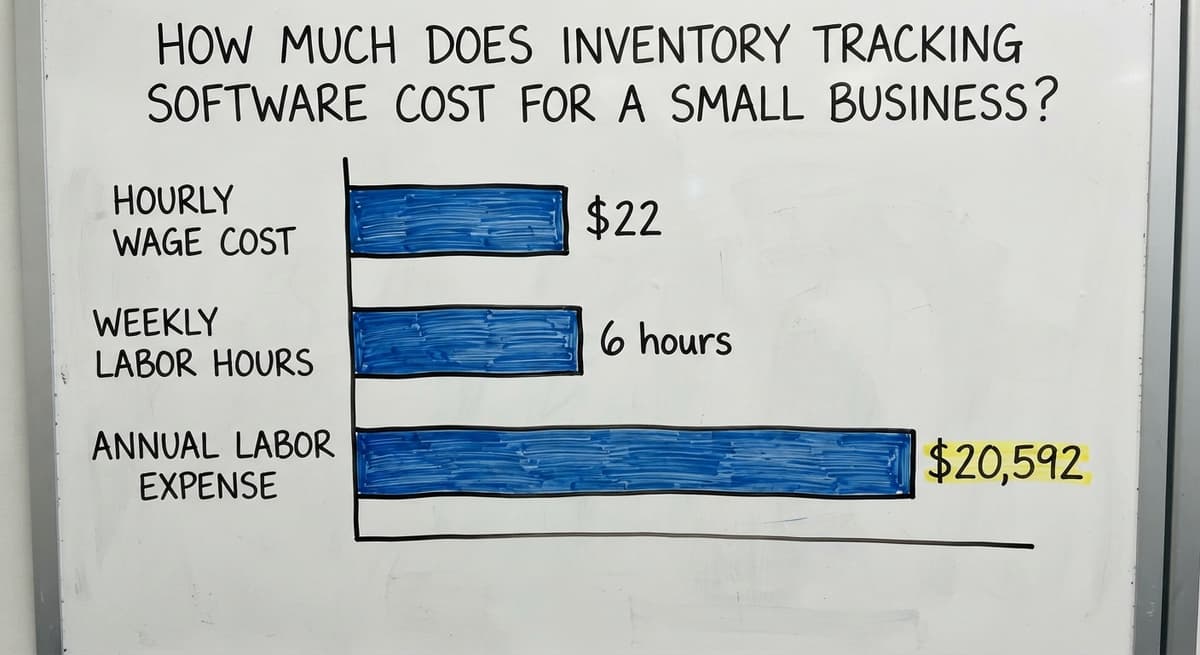
Consider the cost of not fixing the problem. The Bureau of Labor Statistics reports that stock clerks and order fillers earn around $22 per hour on average.
If 3 staff members spend 6 hours a week on manual counts and reconciliation, that is $20,592 a year in labor doing work software would handle in minutes.
Custom Builds Versus SaaS: Which Math Wins Over Three Years
Custom builds carry an upfront cost. They do not carry ongoing per-user fees. For a business that plans to stay on the system for 3 or more years, the math favors custom.
Warehousing and wholesale firms carry real inventory weight. The US Census Bureau's Monthly Wholesale Trade data tracks national inventory-to-sales ratios for wholesale firms, and the numbers show how much capital sits in stock at any given time. Mismanaging that stock is not a small error.
What is in a free first look?
A 30 minute call, your operation mapped, and a clear picture of what we would build. No obligation and nothing to install.
Book a callInventory Tracking for Wholesale Distributors
Wholesale distributors are the operations with high SKU counts, large order volumes, and tight supplier relationships. Small business inventory tracking built for retail will not cover these needs.
Bulk receiving and case-pack tracking matter here. When you receive 500 units in 10 cases of 50, the system should handle both the case count and the unit count.
Lot tracking and expiry dates matter if you handle food, chemicals, or regulated goods.
Faster order turnaround and fewer supplier disputes come directly from accurate receiving logs.
When you can show a supplier exactly what arrived and when, the conversation changes. Warehouse inventory software built for wholesale makes that possible.

What Does Inventory Management for Fulfilment Centers Actually Require?
Fulfilment centers face a specific challenge: many clients, many SKUs, fast movement, and the need to prove accuracy to each client separately.
Inventory management for fulfilment centers must handle all of this in one system.
Bin and location tracking stops mis-picks before they happen. When every item has a home and every pick is scanned, the error rate drops sharply.
Audit trails let you resolve client disputes with data rather than memory.
Good software handles multiple clients or product lines without mixing their stock.
The NIST Manufacturing Extension Partnership offers vendor-neutral guidance on supply chain process that applies directly here: visibility and traceability are the foundation of a reliable fulfilment operation.
Getting Started Without Disrupting Daily Operations
The safe start is a single workflow or one product category. Prove the system works there before rolling it across everything.
Run the new system alongside the old one briefly. This builds confidence. Staff see the new system give correct answers. They stop trusting the spreadsheet on their own, without being told to.
Staff buy-in comes from seeing the system make their job easier, not from a memo.
When scanning takes 10 seconds instead of writing on a clipboard, the team adopts it. The goal is a smooth handoff, not a forced cutover.
Warehouse management software for small operations works best when it is introduced as a help, not a mandate.
Common Mistakes Small Businesses Make When Choosing Inventory Software
Small businesses choosing inventory software repeat the same 5 avoidable errors:
- Buying more features than the team will ever use
- Choosing a system that cannot connect to the accounting software without a third-party workaround
- Underestimating how long it takes warehouse staff to get comfortable with a new tool
- Picking the cheapest option and rebuilding 6 months later
- Not involving the people who actually use the system in the selection process
The people who pick and pack every day know where the current system breaks. Leave them out of the decision and you will buy the wrong tool.
Questions to Ask Before You Buy or Build
The first step, before talking to any vendor, is documenting your current process. Write down where it breaks. Then ask:
- Does it connect to the accounting software without a workaround?
- Can it match my warehouse layout and product types?
- What does the vendor do when something breaks at 7am on a Monday?
- How long until the team is actually using it daily, not just trained on it?
- What happens when my needs change in a year?
A discovery conversation is more useful than a demo as a first step. A demo shows you what the vendor built. A discovery call finds out whether it fits what you need.
Next Steps: Finding the Right Inventory Tracking Software
The decision path is short. Identify your biggest pain point. Check the accounting software compatibility. Decide whether off-the-shelf or custom fits your timeline and budget. Then talk to someone who has built this before.
Document your current process before any vendor conversation. Know your SKU count, your team size, your warehouse layout, and your top 3 daily frustrations. That information shapes every recommendation.
Replacing spreadsheet with custom operational software is not a big-bang project. It is a focused fix that starts with the worst problem and expands from there.
The Software Society works with small and growing operations to build inventory systems that fit the way the team already works.
No pressure to buy a platform you do not need. No year-long rollout. Start with a conversation about your operation and what is breaking. That is the right first step.
Frequently asked questions
Frequently asked questions
What are the top 5 inventory management software?
There is no single right answer because the best fit depends on your warehouse size, SKU count, and whether you need accounting integration. The tools commonly used by small businesses each have trade-offs: some suit product-heavy operations, some work for very small teams, and some are solid mid-range options.
If none of these match how your operation actually works, a custom build may be more practical than forcing your process into an off-the-shelf system.
Is free inventory software really free?
The free plans exist, but each caps orders, users, and warehouses. Most small businesses with real volume hit those limits quickly and move to a paid tier.
The free plan is useful for testing the software before committing. It is not designed to run a growing operation long-term.
Is there a free inventory software?
Yes, several tools offer free tiers, some of them limited to a trial. Free plans almost always restrict the number of orders, users, or locations.
For a business moving real volume, the free tier runs out fast. It is worth starting free to test whether a tool fits your workflow, then budgeting for a paid plan or a custom build once you know what you need.
Can I use spreadsheet to keep track of inventory?
Yes, and many small businesses do. Spreadsheet works well when one person manages the file and volume is low. It breaks when multiple people edit it, when counts need to update in real time, or when the data needs to connect to the accounting software or an order system.
At that point, the time spent fixing errors costs more than the software that would replace the spreadsheet.
Can inventory tracking software work with the accounting software without replacing it?
Yes. Most serious inventory tools sync with the accounting software directly. Stock movements in the inventory system flow into the accounting software automatically.
The accounting software stays your accounting tool. The inventory software handles the operational side. You do not need to replace the accounting software or learn a new accounting platform.
How long does it take to implement inventory tracking software for a small business?
A focused off-the-shelf setup can run in days to a few weeks depending on how much data you are importing. A custom build scoped for a small operation goes live in 4 to 8 weeks.
Large ERP rollouts take a year or more, but that is not what most small warehouses need. Starting with one workflow and expanding from there keeps the timeline short.
What is the difference between off-the-shelf and custom inventory software?
Off-the-shelf software is ready to use but requires you to adapt your process to fit it. Custom software is built around how your operation already works. Off-the-shelf is faster to start and lower upfront cost.
Custom has higher upfront cost but no ongoing per-user fees and no features you will never use. Small businesses that have outgrown 2 or 3 off-the-shelf tools find custom is cheaper over 3 years.
How does barcode scanning help a small warehouse or distributor?
Barcode scanning removes manual entry from receiving and picking. When a staff member scans an item, the system logs it instantly. No handwriting, no transcription, no end-of-day data entry. Error rates drop sharply.
GS1, the body that sets barcode standards globally, built the system specifically to remove human transcription from the count process. A basic Android or iOS device is enough to get started.
What is the best free inventory tracking software for a small business?
A hosted free tier for one user and a few hundred items, scanning with a phone camera.
The caps on users, locations, and orders are the product, so plan on the paid tier or a build at the second user or the first accounting sync.
How much does inventory management software cost?
Packaged tools run $50 to $300 a month for a small team, rising with users and locations.
A build scoped to one operation runs $8,000 to $25,000 once with $100 to $400 a month for hosting and support. Scanners add $150 to $400 per station.
Is a spreadsheet good enough for inventory tracking?
For one person and under 200 items, yes. It breaks at the second person, because 2 people cannot update one file at once, and at the first physical count that disagrees with it. Most businesses reach both within a year of hiring.
Do I need barcode scanners for small-business inventory?
Not on day one; a phone camera scans through the app. A dedicated scanner at $150 to $400 pays for itself where one person scans more than 50 items a day, because it reads worn labels a camera misses and needs no unlocking between scans.
Not sure this is the right shape for your operation?
The call is free. Describe how the work runs today. We map it on a call and show you what it would look like built around that, before you spend anything.
Book a callRelated guides
The rest of this guide, for the parts of the job this page does not cover.
Guides
- Inventory Tracking Systems for Small Businesses
- Inventory Control Software for Small Business
- Best Inventory Management Software for Small Businesses
- Inventory Sales Software Small Business
- Small Business Stock Management Software
- Inventory Management Small Businesses
- Simple Inventory System for Small Business
- Small Business Inventory Management System
- Inventory Control for Small Business
- Inventory System for Small Business
- Small Business Inventory Management
- Accounting and Inventory Software for Small Business
- Free Inventory Management Software for Small Business
- Wms for Small Business
- Warehouse Inventory Tracking Software
- Small Business Warehouse Management System
- Erp System for Small Businesses
- Warehouse Management System for Small Business
Common questions
- How to Keep Track of Inventory Small Business
- What is the Best Inventory Management Software for Small Business
- How to Organize Inventory for Small Business
- Why is Inventory Management Important for Small Businesses
- How to Manage Inventory for Small Business
- What is the Best Inventory Management System for Small Businesses?