


Contractor web design that win more jobs.
Contractor web design means building a site that books jobs. This 2026 guide shows what each page must do.
A new website for your trade, built for you and hosted, fast on a phone with tap-to-call right at the top.
See your new homepage free before you pay. Cancel anytime.
For contractors
organic traffic growth over 14 months
growth on a second SEO campaign
job success score across Upwork projects
Trusted by local service businesses across the country and by New Balance. Before The Software Society, our founders' agency worked with Planned Parenthood.

What you get
One website. Built to book jobs.
A fast, clear site that turns the people who find you into calls. Add Google pages whenever you want more of them.
A new website, built for you
Fast on a phone, your best projects up front, and an estimate button people see right away.
Pricing
One price. Everything included.
Everything included
$50a month
- Website design for your trade
- Hosting, security and updates
- Tap-to-call and a quote or booking button up top
- Edit it yourself, or ask the AI assistant
- Month to month, no contract
Free checklist
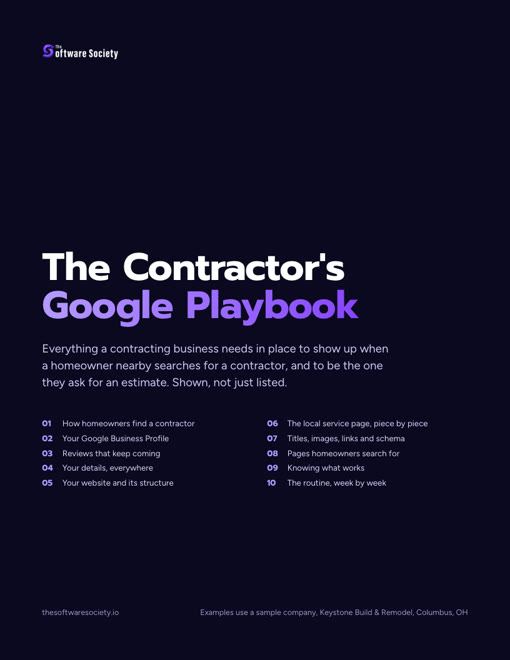
The contractor's Google playbook
Every part of showing up on Google for a contracting business, shown page by page: your profile, reviews, listings, website and the pages homeowners search for.
- Your Google Business Profile set up field by field, with "General contractor" as the primary category
- The service and the town in the address, title, headline, first sentence and photo names of every page
- The same name, address and phone on every listing, checked line by line
- A review request sent at every final walkthrough, with reply scripts
Send me the full checklist
On its way. You can also open it now.
We will email you the checklist and the occasional tip. Unsubscribe anytime. PDF

What Contractor Web Design Really Means
A contractor site is a sales tool. It works all day and all night. It should turn a search into a call or a form.
Owners want more leads from search and maps. That takes pages built for buyers who are ready to hire. A smart layout helps. Good contractor website design paired with SEO services helps even more. Together they keep a crew busy all year.
Why a Site Beats a Directory Listing
Directory pages work like rented space. Their rules can change at any time. A rival's ad can sit right beside your name. Your own domain is land you own.
You pick the words and the photos. You decide what the buyer sees first. Shared contractor leads can go to many shops at once. A call from your own site goes to you alone.
The One Job a Contractor Website Has
Any contractor website exists for 1 main job. It turns local searches into booked visits. A homeowner with a leak in the ceiling wants help fast. They do not want a long company story. Each page should point that stressed buyer to one next step.
Pretty art that hides your number fails this test. It fails no matter how modern it looks.
Google Business Profile Help names 3 local ranking factors: relevance, distance and popularity. Your contractor copy feeds the first of those. Name each service and each town in plain words. Then searchers know to call you first.
See your new homepage before you pay anything
Your homepage, rebuilt free. You see it before you pay anything.
Past SEO campaigns grew organic traffic 26x in 14 months.
New website: $50 a month, built and hosted, cancel anytime
How Do Homeowners Find Contractors Online?
Buyers reach a contractor through three doors. The first is Google search. The second is Google's Map Pack. The third is AI tools. Your site feeds facts to all three.
A homeowner types a problem into a phone. Search tools then scan pages for a fit. Weak pages leave you out of every channel at once. Strong pages give each tool the right facts.
Google Search Results and the Map Pack
Plain listings and local map results are where local home service clicks happen. Buyers rarely type a trade name alone. They type a problem plus a place. Think "roof repair" plus a nearby suburb.
One vague home page cannot match dozens of those searches. Map results sit above the regular links. It shows a short list of shops beside a map. Each page that pairs one trade with one town helps you there.
No honest provider can promise a rank. Clear structure still helps Google read a contractor business. Our primer on local search for contractors goes deeper on map rankings.
AI Tools and Answer Engines
ChatGPT, Gemini and Perplexity are now answer engines for buyers. People ask them who to call for a repair. These tools quote plain pages that list exact jobs and towns. Fluff gets skipped.
Spell out what you fix and where your trucks go. Then AI assistants can read your contractor site and suggest it. Visits from these tools keep growing. Track them as their own channel. Keep them apart from normal search. Clean pages today get you ready for how buyers search in 2027.

What Every Contractor Web Design Must Do
A strong home service website rests on 5 core habits. Miss one and leads leak to rivals.
- Easy calls: Put a tap-to-call number in every header.
- Plain trade and area: Name your work and your towns within 5 seconds.
- Real proof: Show true job photos and honest reviews.
- Fast phone loads: Shrink images and cut heavy scripts.
- Lead tracking: Count every lead by channel.
Meet all five and casual traffic turns into steady work. These traits show up on the strongest websites for contractors.
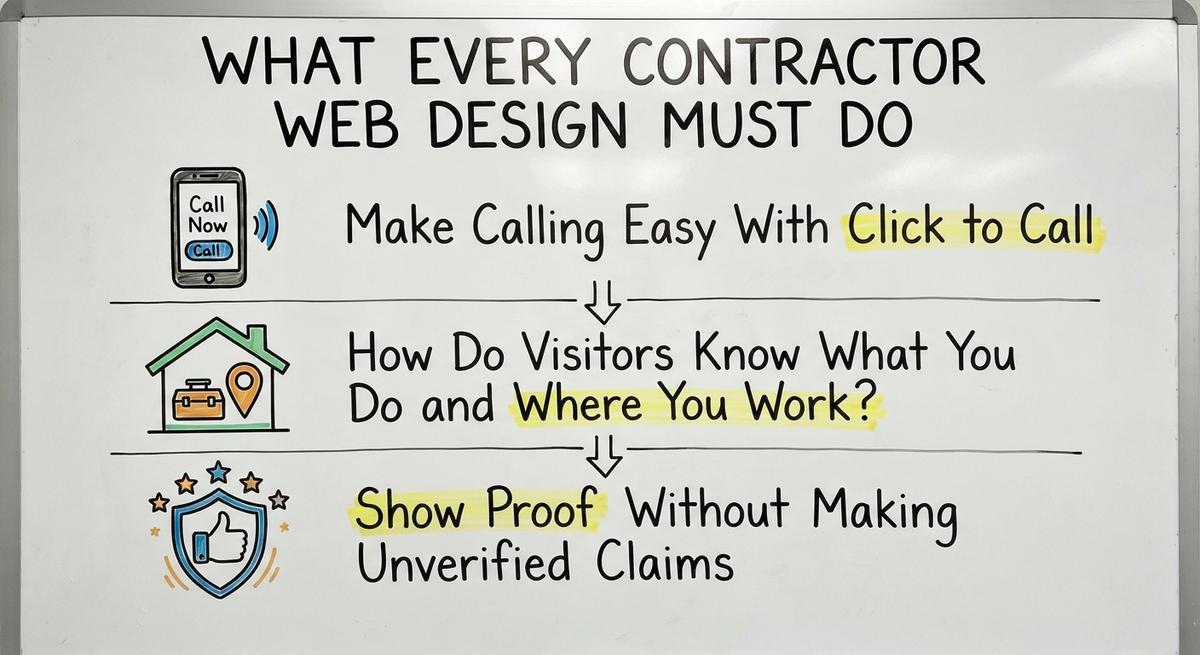
Make Calling Easy With Click to Call
Dialing is easier than email for most home service buyers. Tap-to-call buttons remove the typing. Picture a buyer in a hot attic with a phone in one hand. One tap should reach your office.
Put the number in the top corner. Keep a sticky call bar on screen during the scroll. Use large buttons with strong contrast. Every second spent hunting for digits raises the odds of a bounce. Good contractor design makes that one tap obvious. More call ideas sit in our contractor lead generation playbook.
How Do Visitors Know What You Do and Where You Work?
Visitors should know within 5 seconds. Your top headline should name your trade and your service area. Clever slogans make tired buyers guess. Do you fix roofs? Do you service heat pumps? Say so. Then name the county or towns you cover.
Green Mountain Turf shows the idea well. Its headline promises "smart watering systems for healthy lawns year-round." Its work dates back to 1977. A buyer knows the trade at a glance.
Clear words beat clever ones each time a buyer compares three tabs. Plain area names also stop out-of-area calls. That saves office time. Every contractor gains from that kind of design.
Show Proof Without Making Unverified Claims
Real project pictures and verified reviews build instant trust. They carry no legal risk. Show a license number only if it is active and yours. The same goes for insurance badges and third-party ratings.
Acclaim Contractors in Australia is one model. It names its JAS-ANZ accreditation for quality and safety systems. Years in business work the same way. Saba Stones points to its growth over the past 15 years.
Inflated awards create risk. So do response-time promises your crew cannot keep. Photos of your trucks and finished jobs tell a better story. Honest proof gives a careful buyer the nerve to call a contractor. Roofers can grow that proof with tips on how to get more roofing reviews.

Find out where you show up on the map
A free map check for your company. See which towns find you and which call a competitor.
Contractor Web Design: What to Put on a Homepage
Your home page is the front door. Referred buyers and brand searchers land here first. A good layout moves them from quick comfort to proof and then to action. The right blocks in the right order keep eyes on your phone number. For real samples, study the best contractor websites.
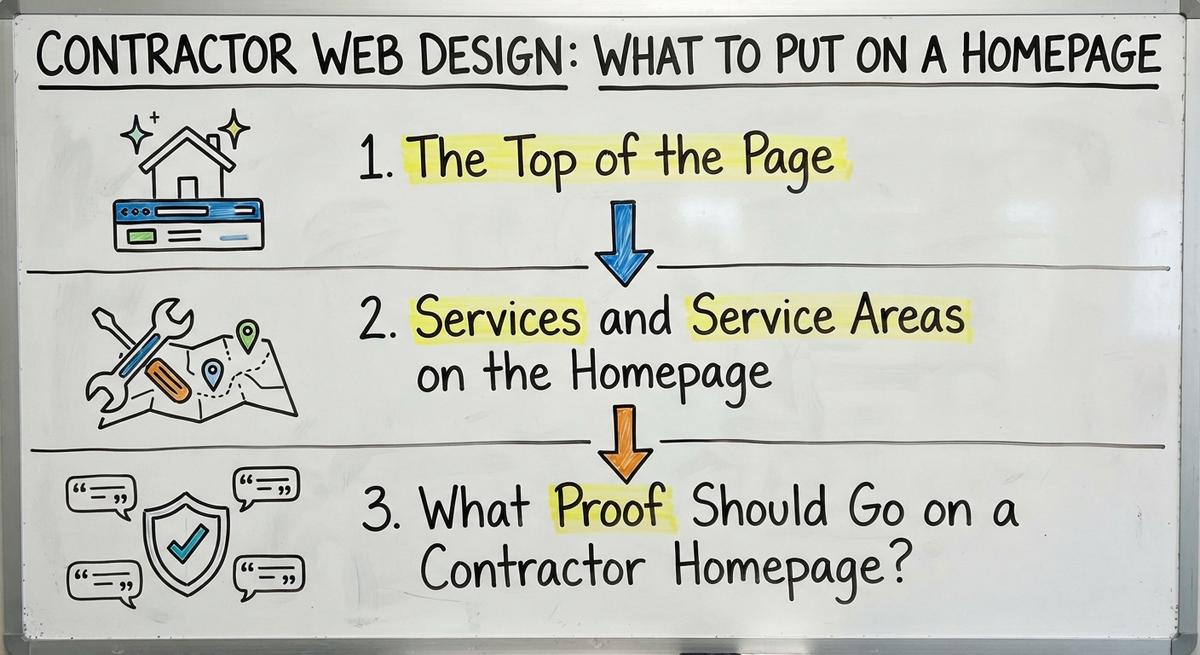
The Top of the Page
The top screen must answer 3 questions. What do you do? Where do you work? How does a buyer reach you?
Put a clear trade headline and a bright call button on the left. Place a real photo of your crew or a finished job beside it. Skip stock shots of models in spotless hard hats. Local buyers spot fake photos fast.
Keep one main action up there. One clear action cuts down on second guessing. That is the heart of contractor design. A focused roofing landing page follows the same rule.
Services and Service Areas on the Homepage
A simple grid of core services and covered towns is next. It helps buyers and search engines move through the site. Use plain words owners type. Think shingle repair or furnace tune-up or interior painting. Link each label to a page of its own.
Below the services list the towns your trucks cover. Link each town name to a matching area page. Never list far cities just to look bigger. A contractor who will not drive there should not claim it. Accurate links send each visitor to the right answer.
What Proof Should Go on a Contractor Homepage?
The lower half is where proof belongs. Show before and after job photos. Add real reviews and a short form beside a second call button.
A storm-worn roof next to a new shingle install proves the craft fast. It beats paragraphs of text. Pair those photos with quotes from happy clients. Get permission first. Name the neighborhood or the type of repair.
End with a three-field form and one more big phone button. That catches the buyers who would rather write than talk. This contractor layout serves both kinds of buyer.
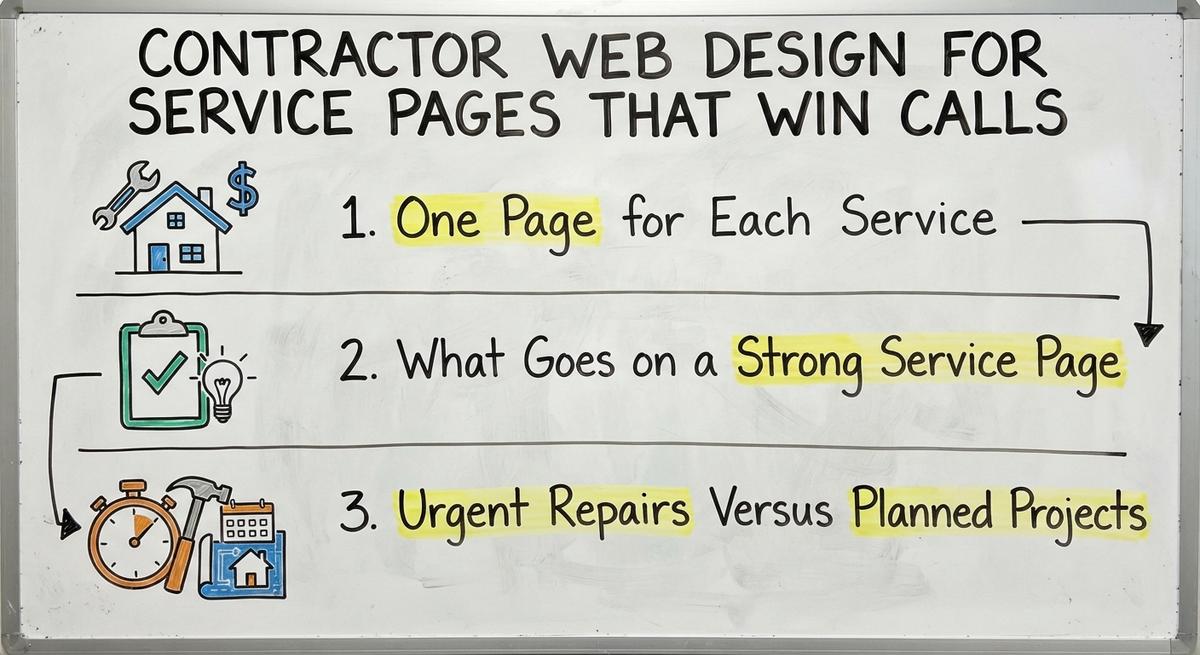
Contractor Web Design for Service Pages That Win Calls
Service pages are the biggest source of search traffic. Buyers look for specific repairs. They rarely search for a generic builder. One catch-all Services page forces Google to guess your focus.
Separate pages let you speak to the exact problem. That might be a sagging gutter or a dead furnace. Roofers see this in roofing website design. Painters see it in a strong painting contractor website. Each core service on its own URL adds more ways in from search.
One Page for Each Service
Roof repair and full roof replacement are separate jobs. Each needs a separate URL. So do furnace installs and panel upgrades. A single page for ten topics dilutes your focus. Shops with one page per job can bury it.
Keep each URL on one repair or install type. Then you can use the exact words buyers type. An HVAC shop splits furnace repair from AC tune-ups. The HVAC SEO guide explains why that split matters. A painter splits interior from exterior work. A roofing contractor website splits repair from replacement for the same reason. Focused pages match focused searches. They turn narrow queries into booked work for the contractor.
What Goes on a Strong Service Page
A good service page walks a buyer from symptom to booking in under 2 minutes. Include these blocks on each trade page:
- Plain work summary: Say what the service involves and when buyers need it.
- Warning signs: List visible clues like water stains or odd noises.
- Visit steps: Describe arrival and inspection through cleanup.
- Local job photos: Show real gear and finished work by your own crew.
- Short answers: Handle common worries about timing or prep in two lines.
- Two contact options: Offer a call button plus a quick form.
Answer each practical question up front. Doubt fades and the schedule fills. An electrician can copy this layout for a website for electrical contractor work.
Urgent Repairs Versus Planned Projects
A buyer with a roof leak is in a different mood than one planning new siding. Urgent repair pages need the phone number and service hours up front. Mention after-hours service only if your team truly answers at night.
Planned project pages win calls in a different way. They show material choices and photo galleries. Owings Brothers Contracting runs a design center for this kind of buyer. Its site says "our expert consultants will help you find the perfect design and products..."
| Feature | Urgent repair page | Planned project page |
|---|---|---|
| Buyer mood | Stressed and wants help now | Researching and comparing value |
| Top of page | Big phone number and quick form | Project gallery and material choices |
| Content depth | Short symptom list and visit steps | Process details and styles |
| Main action | Tap to call | Estimate request form |
Match layout to urgency. It respects the buyer's time and lifts conversions.
Results you can check
Past SEO campaigns grew organic traffic 26x in 14 months, and 15x on another. Top Rated Plus on Upwork with 99% job success.
Work for hundreds of small businesses and large clients like New Balance. Before The Software Society, our founders’ agency worked with Planned Parenthood.
Town Pages for Local Searches
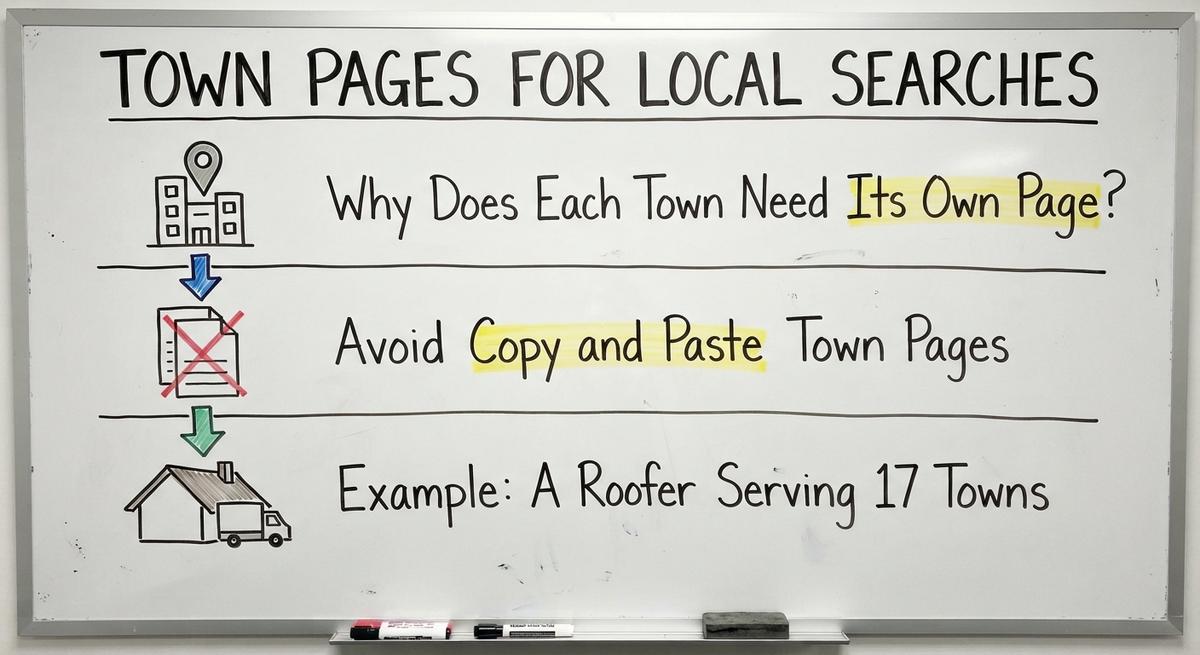
Town pages are how your business appears in searches inside a buyer's own area. Distance plays a big role in local results. Google's local ranking guide lists it as one of three key factors. Without pages that name nearby towns Google has little reason to show you across county lines. Every contractor with a wide territory needs them.
Why Does Each Town Need Its Own Page?
Distance is a core factor in Google's local results. Buyers also trust pages that name their town. A page built for one suburb confirms you work there. Familiar street names and landmarks help too. They tell the buyer there is no extra travel fee.
No page can promise top placement in every zip code. Missing town pages nearly ensure you stay unseen past your own block. Dedicated pages give your trucks a fair shot across the whole territory. That is basic contractor design. For outside help, compare local SEO services for contractors.
Avoid Copy and Paste Town Pages
Swapping only the city name across 20 templates makes thin pages. Search engines give those pages little weight. Unique local details turn a plain location page into real help. Build stronger contractor town pages with these specifics:
- Neighborhoods: Name subdivisions or historic districts your crew works in.
- Housing styles: Mention brick colonials or slab ranches and their common issues.
- Town photos: Show roofs or panels you finished in that town.
- Weather and code notes: Note freeze risk or local permit steps.
Ten rich town pages beat fifty thin copies.
Example: Pairing Service and Town Pages
Picture a roofer with 4 services and 12 towns. Each service page links out to all 12 town pages. Each town page links back to shingle repair and siding and gutters. That tight web of links shows people and Google where each trade applies.
The same contractor checks progress with a monthly map grid scan. A grid scan checks rank at many points across the area. One search from the office tells you very little. Linked pages plus steady tracking turn a big area into visibility you can measure. General builders can apply the same plan to a general contractor website.
Mobile Speed and Contractor Web Design
Phones are where many urgent home service searches happen. Imagine an owner by a dead thermostat, cell in hand. A slow or cramped layout sends that buyer to the next listing. Design for thumbs and cell data. It matters as much as a clear headline.
- Big tap targets: Make each button and form field easy to hit.
- Readable text: Use clean fonts that read well in bright sun.
- Short forms: Ask only for a name and phone and a brief note.
- Real phone tests: Load your own pages on an average phone over cell data.
Real-device tests catch overlaps ahead of paying buyers.
Why Do Fast Loading Pages Matter for Contractors?
Rushed mobile visitors are quick to leave if photos stall. Raw camera photos bloat the page. They delay the moment your call button shows up. Resize and compress each project image first. Skip spinning sliders and autoplay background video. Lean pages put your number on screen at once. Impatient buyers stay and call the contractor. Heating and cooling shops find more call tactics in HVAC contractor marketing.
How Big Should Job Photos Be?
Most job photos come off a phone at full size. That is far more than a web page needs. Resize each one to the width your design shows. Then compress it before upload. Modern formats like WebP keep the file small. Use a clear file name like shingle-repair-photo.jpg. Add short alt text that says what the photo shows. Your pages stay fast and easy to read. Electricians can see photo-led layouts on any well-built electrical contractor website.

Technical Basics That Help Local SEO for Contractors
Clean site upkeep is a quiet boost for local rankings. It helps search engines confirm your business details. Owners never have to write code. Knowing four basic checks still protects your spend on contractor SEO. Keep these basics clean across the domain:
- Matching profile details: Keep name and address and phone identical between your site and your Google listing.
- Smart profile link: Point the profile's website link at the home page or main location page.
- Truthful structured data: Add local business and FAQ markup only for facts shown on the page.
- Short page addresses: Use clean URLs like
/roof-repair/town-name. Keep them two or three clicks from home.
Roofers get a focused walkthrough in Google Business Profile for roofers. Avoid two pages that chase the same service. Competing URLs split your strength. Clean technical work lets Google index each page fast. Concrete and paving firms follow the same rules in concrete contractor SEO.

Get a second opinion on your current setup
Already paying for marketing? Get a free second opinion on what works and what wastes money.

Contractor Web Design Metrics: Forms, Calls, and Tracking
A site you cannot measure is a cost you cannot manage. Raw traffic means little if no one calls. Tie your analytics to real calls and booked jobs. Then you see the pages that earn their keep. Broader contractor marketing plans start from this data. So does any contractor advertising budget.
How Do You Track Calls and Forms by Source?
Use separate tracking numbers and form tags. They sort each inquiry by source. The sources are organic results and Maps. Paid ads and AI tools get their own buckets too. Spam gets a bucket last.
Without that split a jump in ad clicks can fool you. It can look like your organic pages improved. Review a monthly report that splits real leads from bots:
- Source split: Count real calls from search versus Maps versus ads.
- Top landing pages: Find the service or town pages behind the most booked jobs.
- Spam filter: Count form junk apart so fake entries never pad your totals.
Vendors make big claims about lead tools. HubSpot says its customers "acquire 129% more leads" after one year. Treat any vendor figure as a claim to test. Your own call log is the real proof. Put budget behind the contractor pages that fill your schedule.
Watching Your Map Position and AI Tool Visits
Map ranks are local down to the block. A search from your shop looks unlike one five miles north. A monthly grid scan plots your Map Pack spot across the whole area. Compare grids month to month. That shows real growth better than a weekly check on your own phone.
Also watch analytics for AI tool visits as a channel of their own. The early numbers look small today. Tracking the trend now gets your company ready for new buyer habits. Paid search needs its own grid of tests too. See Google Ads for contractors.
Common Contractor Website Mistakes and Fixes
Small errors on a trade site are a steady drain on qualified calls. Most take minutes to fix. Start with these three:
- Buried phone numbers: A number hidden in the footer or inside an image costs calls. Place a tappable number up in the header.
- Stock crew photos: Fake models and empty slogans kill trust. Use real shots of your own trucks and team.
- Stale details: Old prices, dead numbers and broken links drive buyers away. Pick a setup that allows fast edits.
Fix these three leaks and buyers respond better right away. A site with deeper problems needs a full website redesign package.
Questions to Ask Before Hiring a Web Designer
Clear questions are your best budget protection ahead of any design agreement. A good provider answers plain ownership questions without jargon. Ask these on the first call:
- Ownership: Who owns the domain and the written pages? Who keeps your job photos if you leave?
- Daily contact: Is the person on the call the one who builds and updates the site?
- Edit speed: How fast do small changes go live after hours or towns shift?
- Sample pages: Can you see live job pages and area pages made for other trades?
Compare each contractor website design company with the same list. Put any contractor SEO company through it too.
Red Flags in a Web Design Pitch
A promise of a number one rank is the first red flag. Walk away from anyone who makes it. No one controls Google's ranking system. A fixed count of leads is just as false. Ask for open reporting instead. A fair contractor partner shows real calls and real numbers. Vague charts with no call data are a warning sign.
What Affects the Cost of Contractor Web Design
Scope and goals are what set the price of a contractor build. A one-time launch differs from a monthly search campaign. A campaign builds authority over time. These factors shape any quote:
- Service count: Ten trades need far more pages than two.
- Territory size: Twenty suburbs need more town pages than one compact city.
- Content work: Original copy and fresh photography take real labor.
- Ongoing SEO: Map tracking and new town pages take steady effort after launch.
Match the budget to your real territory. That keeps you from paying for features you do not need. Ongoing upkeep can sit in a monthly website hosting plan. Some owners start with a contractor website builder instead. Others compare general small business website design services.

Next Steps for Your Contractor Website
Good contractor web design earns calls with 5 parts. You need clear job pages and unique local pages. You need fast mobile pages and honest proof. Clean tracking ties it all together.
No need to rebuild everything at once. Pick one fix this week. Add a call bar that stays on screen for mobile visitors. Or publish one missing page for your best paying repair. Then find the next leak. Ask any provider you hire to show you where calls drop off today. Read about contractor website development for the build side.
Frequently asked questions
What does a contractor's site need to win more calls?
It needs a call button in plain view. Headlines should state the trade and the towns served. Pages must load fast on phones. Add real job photos. Give every service and every town a dedicated page.
Do contractors need a page for each service?
Yes. Separate pages match specific searches like furnace repair or shingle replacement. One general page for every trade weakens relevance. It also makes exact answers harder to find.
How does Google decide which local businesses to show?
Google looks at three factors. Relevance is how well your pages fit the search. Distance is how close you sit to the searcher. Popularity is how well known you are across the web.
How can a website help a contractor rank in Maps?
Match your business name and address and phone to your Google listing. List the same trades in both places. Then link clear job pages to area pages.
How do I know if my website is bringing in calls?
Use call tracking numbers and form source tags. They separate real homeowner inquiries from spam bots. Monthly call logs by channel show what drives booked jobs.
What mistakes cost contractors calls?
Hidden phone numbers cost calls. So do fake stock crew photos and slow mobile pages. Outdated contact details push impatient homeowners toward rival trades.
Start with a free homepage rebuild
Book a short call. Your new homepage is free to see and yours to keep.
New website: $50 a month, built and hosted, cancel anytime
Ready when you are
Ready for the phone to ring more?
Book a short call. We rebuild your homepage first, and you decide after you have seen it.