

Google Business Profile for Roofers: Setup and Ranking Guide
A Google Business Profile for roofing companies is a free listing that shows your name, phone, reviews, and photos on Google Search and Google Maps. Claim it, prove you own it, pick the right categories, and keep it fresh. Homeowners who need a roof search there first: roofers near me draws about 165,000 searches a month in the US, according to Google Ads data from DataForSEO's keyword planner.
Google changes its menus often, so check the labels against your own screen as you go.
Book a callHow do I create a Google Business Profile for my roofing company?
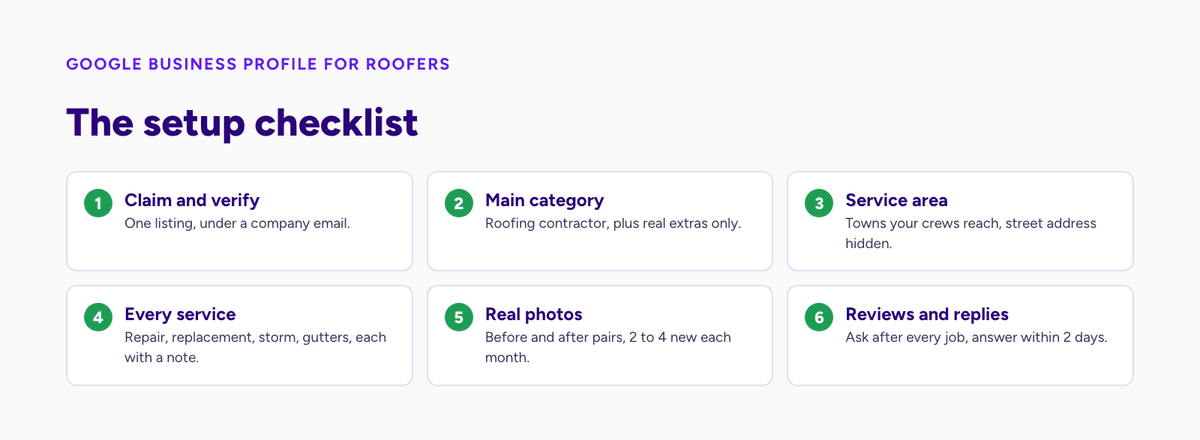
You create a profile by signing in with a Google account, adding your business name, and then proving you run the company. The whole job takes about 20 minutes. Check can take a few days. Use a company email, not a personal one, so you never lose access when staff change.
Follow these steps in order:
- Search for your company name on Google Maps. Check that no one has listed it already.
- Choose "Add your business" and type the exact name on your trucks, invoices, and license.
- Pick your main category. Choose "Roofing contractor."
- Say if you have a shop that customers visit. Most roofers do not. Pick service area only if that is you.
- Add your phone number and website.
- Verify. Google may ask for a video, a phone call, an email, or a postcard. Its help page on verifying your business lists the options.
A claimed and verified listing is the base that every other step sits on.
What if the listing already exists?
Google sometimes builds a listing from public records. If yours exists, do not make a second one. Click "Claim this business" and follow the prompts. If someone else already owns it, you can request access. The owner gets a notice and has a few days to respond.
Duplicates split your reviews and confuse Google. One clean listing per business always wins.
How does verification work for a roofer with no storefront?
Most roofing firms work from a yard or an office, and many work from home. Google often asks for a short video in that case. Show your truck with the company name, your tools, your license, and the place where you keep supplies. Film it in one clean take. Do not cut or edit the clip.
A clear, unedited video is the fastest way to pass the check without a postcard.
See your new homepage before you pay anything
Send us your site and the towns you cover. We rebuild your homepage free and show you where you rank on the map today.
Book a call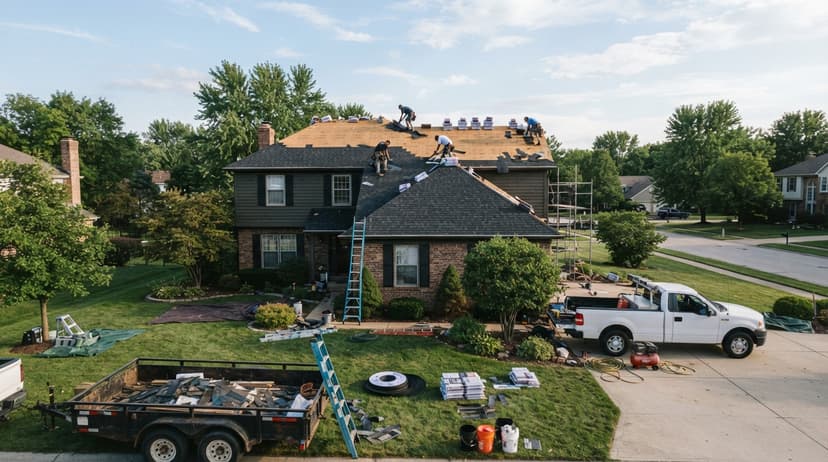
Choose categories and a service area that match how you sell
Categories and service areas tell Google which searches your listing should appear in. Get these right and you show up for the jobs you want. Get them wrong and you get calls for work you do not do.
Pick one main category and a few extras
Your main category carries the most weight. Set it to "Roofing contractor." Then add extras only if they describe real work you do. Think of options such as metal roofing contractor, roof repair service, or gutter installation service. Check the list inside your account, because Google adds and drops names over time.
Do not stack 9 categories to look bigger. A short, honest list reads as a company that knows its trade.
Set a service area you can actually reach
A service area is the list of cities or ZIP codes where you send crews. If you have no storefront, hide your street address and set a service area instead. Google's guidelines ask service-area businesses to keep one profile for their central office with a designated service area.
Be real about drive time. If a job 90 minutes away costs you more in fuel and crew hours than it earns, leave that town off. A tight area gives you better leads and fewer wasted quotes.
Fill out your Google Business Profile for roofing companies completely
A complete profile gives Google more to match and gives a homeowner more reasons to call. Fill every field you can. Empty fields look like a company that has stopped paying attention.
Write a plain description
You get 750 characters. Use them. Say who you are, what roofs you do, and where. Name the roof types, such as asphalt shingle, metal, and flat. Add your license and years in business if they are true. Skip hype words like "best" and "top-rated." Homeowners trust facts.
A plain description that names the work and the towns does more than a clever slogan.
Add every service with a short note
The services section lets you list each job type and add a line about it. List repair, full replacement, storm damage, inspections, and gutters if you do them. Add a short note to each one. Say what is included, and say if you give free estimates.
This section feeds the searches homeowners type, such as "roof leak repair near me." Each service you list is one more search you can match.
Find out where you show up on the map
We check your Google Maps position across your service area and walk you through it on a short call. Free, with no obligation.
Book a callUpload photos and video that prove the work
Photos are the part of a profile that homeowners look at first. Aim for real shots from real jobs. Good sets include:
- Before and after pairs of the same roof from the same angle, so the change is easy to see.
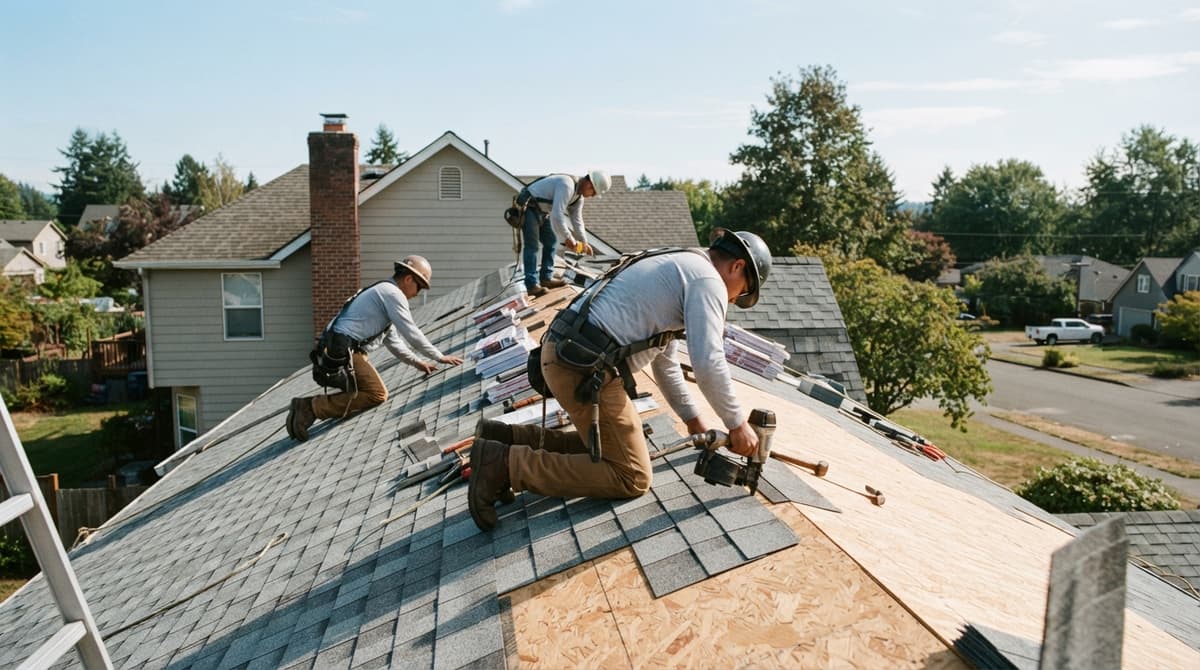
- Your crew at work, in safety gear, with trucks showing the company name.
- Close shots of flashing, vents, and edges, which show care that a quick glance would miss.
- A photo of your logo, your office or yard, and your team.
Add 2 to 4 new photos every month. Fresh uploads show that the company is active.
How do I get my Google Business Profile on top?
You rise by being relevant, close, and well known. Google's help page on improving your local ranking puts it in one line: "Local results are mainly based on relevance, distance, and popularity." It adds that "businesses with complete and accurate info are more likely to show up in local search results." You cannot move your office. You can work on the other two.
That means a full profile, steady reviews, and a website that backs up the listing. No trick replaces these. Pay no one who promises a top spot in a week.
Ask for reviews after every finished job
Reviews are the strongest signal you control, and homeowners weigh them heavily. BrightLocal's 2026 Local Consumer Review Survey found 47% of consumers will not use a business with fewer than 20 reviews and 74% look for reviews from the last three months. Ask at the right moment, which is the day the crew finishes and the homeowner is happy. Send a text with a direct link to your review page. Keep the message short.
A simple routine works best:
- The crew lead tells the owner a text is coming.
- Your office sends the link within 24 hours.
- A reminder goes out 3 days later if no review came in.
- You reply to every review within 2 days.
Do not pay for reviews or offer a discount for one. Google's page on managing reviews calls incentives "strictly prohibited," and the FTC's rule banning fake reviews lets it seek civil penalties. Reply to bad reviews calmly and offer to fix the problem by phone. Future customers read your replies as much as the stars.
Talk to the person who would do the work
The person you talk to is the person doing the work. Bring your questions, your towns and the jobs you want more of.
Book a callMatch your name, address, and phone everywhere
Google checks other sites to see if your details agree. Use the same business name, phone number, and service area on your website, social pages, and local directories. A tiny change, like "Co." in one place and "Company" in another, can add doubt.
Put your phone number on your site as text, not just inside an image. Add a page for each major town you serve, with real details about the work you did there. Consistent facts across the web make Google more sure that you are who you say you are.
Post updates and answer questions
Profile posts are short notes with a photo. Share a finished job, a storm warning, or a seasonal tip. Post once a week if you can. The Q&A area lets people ask you things in public. Seed it yourself with common ones, like "Do you work with insurance claims?" and answer them.
Activity will not beat a stronger rival with 200 reviews. It does keep a good profile from going stale.
Track what your profile brings in
A profile is only worth the jobs it produces, so count them. Google gives you basic numbers inside the profile: how many people called, asked for directions, or visited your site. Check them once a month. Write the totals in a sheet.
Then match calls to signed jobs. Ask every caller how they found you and write down the answer. Add a tracking link to your website button so you can see profile visits in your site stats. Without this step, you will not know if the listing earns its keep.
Do not let leads sit
A homeowner with a leaking roof calls 2 or 3 firms. The first one to answer often gets the job. Set up a missed-call text that says you will call back within the hour. Log every lead in one place, with a note on the next step and a date.
Call tracking helps here too. When every call and form is tagged by source, you can see which ones came from the profile, and spot the missed calls before they turn into lost jobs.
Mistakes that can get your profile suspended
Google can suspend a profile that breaks its rules, and a suspension can cut off calls overnight. Most cases come from small, avoidable errors. Check this list against your own listing:
- Keyword stuffing in the name. Use your real company name, not "Best Roofer Cheap Roof Repair Dallas."
- A fake address or a mailbox as your office. Google wants a real place, or a hidden address for service-area firms.
- Several listings for one business. Merge or remove the extras.
- Fake or bought reviews. Google removes them and may punish the listing.
- Changing the name, category, or address many times in a short span. Large edits can trigger a new review.
Keep a record of your check video and your license. If a suspension happens, you will need them to appeal. Clean habits protect the asset you built.
Put the profile to work this week
Start with one hour. Claim the listing, set the main category, and list your service area. Then add 10 real photos and 5 services. Send review requests to your last 10 happy customers. Those steps alone put you ahead of many local rivals.
If you would rather hand the profile, the website and the tracking to someone else, that is the work we do for roofers. We start by rebuilding your homepage free and showing it to you before you pay anything. Read the roofing SEO guide for how the profile fits the rest of the system, or local SEO for roofing companies for the town-by-town side.
Frequently asked questions
How do I create a Google Business Profile for my business?
Sign in with a Google account, search for your company on Google Maps, and choose to add or claim it. Enter your exact business name, pick a main category, add a phone number and website, and set your service area or address. Then verify by video, phone, email, or postcard, depending on what Google offers. Use a company email so you keep access if staff change.
How do I get my Google Business Profile on top?
Google ranks local results by relevance, distance, and popularity. You cannot change distance, but you can fill every field, choose accurate categories, upload fresh photos, earn steady reviews, reply to them, and keep your name, address, and phone number the same across the web. No trick guarantees first place, and anyone who promises one is guessing.
What is my business profile ID on Google?
The business profile ID is a number tied to your listing. In many accounts you can find it in the profile settings, under advanced settings. It is different from the Place ID that developers use with Google Maps tools. Menus change, so if you do not see it, search the help pages inside your Google Business Profile account.
Can a roofing company with no office have a Google Business Profile?
Yes. Set it up as a service-area business and hide your street address. List the cities or ZIP codes you serve. Google may ask for a video to prove you run a real company, so have your truck, tools, and license ready.
How many reviews does a roofer need to rank well?
No set number works for every town. Compare yourself to the top 3 roofers in your area. Count their reviews and note how recent they are. Then aim to match their pace by asking every happy customer after each finished job.
Does a Google Business Profile cost anything?
No. Creating and managing the listing is free. You pay only if you choose to run ads or hire help to manage it.
Start with a free homepage rebuild
Your homepage rebuilt, your map position checked and a clear plan for your market. Nothing to pay until you decide.
Book a callRelated guides
More on the same work.
Guides
- Google Ads for Roofing Companies
- Digital Marketing for Roofers
- Small Business Warehouse Management System
- Small Business Stock Management Software
- Inventory Tracking Software for Small Business
- Accounting and Inventory Software for Small Business
- Business Distributors
- Inventory Control Software for Small Business
- Inventory Management Small Businesses
- Inventory Tracking Systems for Small Businesses
- Simple Inventory System for Small Business
- Best Inventory Management Software for Small Businesses
- Inventory Sales Software Small Business
- Small Business Inventory Management System
- Free Inventory Management Software for Small Business
- ERP System for Small Businesses
- Inventory Control for Small Business
- Inventory System for Small Business
- Warehouse Management System for Small Business