


Stock Software
Running a warehouse or distribution operation on spreadsheets and paper logs works until it doesn't. Counts drift. Staff reconcile instead of ship. A customer calls about an order that was picked for stock that wasn't there. Stock software exists to close that gap, and this guide explains what it does, who needs it, and how to choose the right fit without taking on an enterprise-scale project.
Book a callWhat Stock Software Is and How It Differs from a Spreadsheet
Stock software is a digital system that tracks the quantity, location, and movement of physical inventory in real time. A spreadsheet can hold a list of items and quantities, but someone has to update it manually after every transaction. Stock software records each movement automatically, whether that is a receiving scan at the dock, a pick from a bin, or a return from a customer. The result is a live, accurate count of what is actually on hand, not what was on hand the last time someone remembered to update the file.
Reviewed October 2026.
The difference matters most at scale. A team managing 500 SKUs across three suppliers cannot rely on a spreadsheet to stay current. Errors compound, and the cost of a single bad count multiplies across every order that touches that SKU.
We build it for your operation, and the first look is free
If you would rather not compare products, describe how your operation already works and we build the system around it.
No build cost. You see it running on your own process first, and the monthly subscription starts only once it is live.
Book a callWho Uses Stock Software
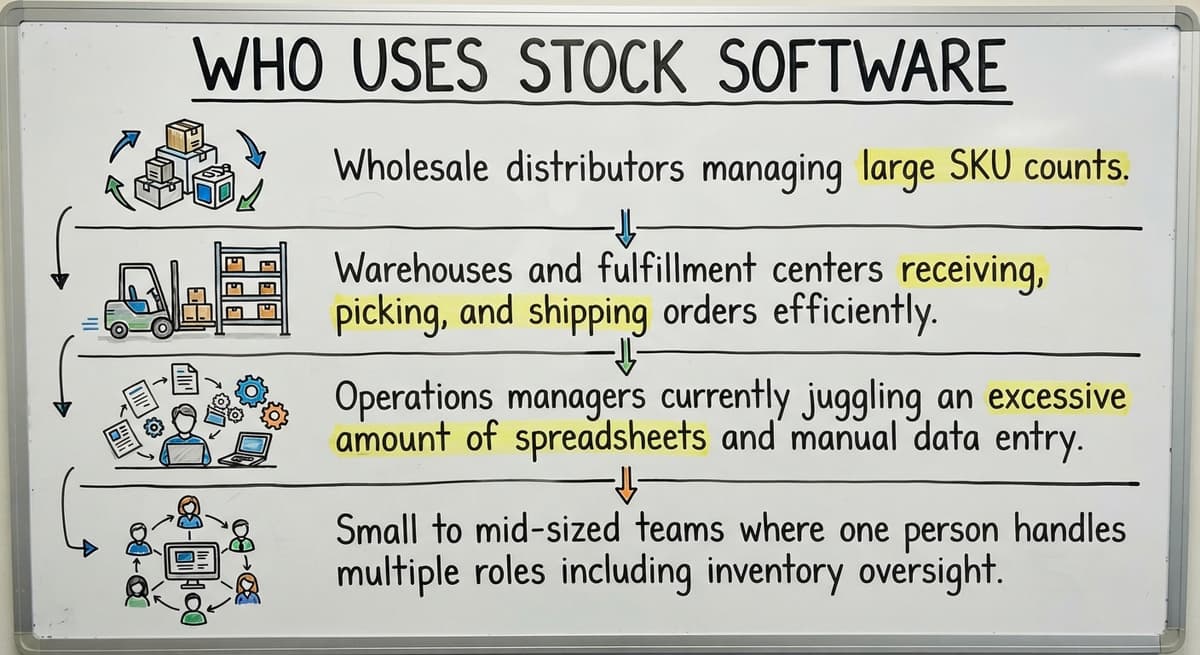
Stock software fits any operation where physical goods move daily and accuracy matters. The most common users include:
- Wholesale distributors managing large SKU counts across multiple suppliers
- Warehouses and fulfillment centers receiving, picking, and shipping every day
- Operations managers currently juggling an accounting package, a spreadsheet, and printed pick sheets
- Small to mid-sized teams where one person handles purchasing, receiving, and order management
Inventory accounting is also a compliance issue. The IRS notes in IRS Publication 538 that "a business must use a system of accounting that clearly reflects income," which means inventory records need to be consistent and defensible. Accurate stock records are not just an operations convenience; they are a financial reporting requirement.
What Problem Does Stock Software Actually Solve?
Manual tracking creates lag between what the system says and what is physically on the shelf. That lag causes overselling, stockouts, and receiving errors that cost money and damage customer relationships. Staff spend hours reconciling counts instead of fulfilling orders, and every small error compounds as order volume grows.
For a small distributor shipping 200 orders a day, a 2 percent error rate means four wrong shipments. Each one triggers a customer call, a return, and a re-ship. The real cost of inaccurate inventory is not the count itself; it is the downstream labor and lost goodwill that follows every mistake.
How Stock Software Works
Every item in the system gets a unique identifier, usually a SKU or barcode. Every movement, including receiving, picking, transfers between locations, and returns, is recorded at the moment it happens. The software keeps a running on-hand count and flags discrepancies when a scan does not match what the system expects.
Reports and dashboards surface that data without manual math. A manager can open the system and see current quantities by location, recent movement history, and items approaching reorder levels. The system does the counting so the team can focus on moving goods.
Core Features to Expect from Inventory Management Software
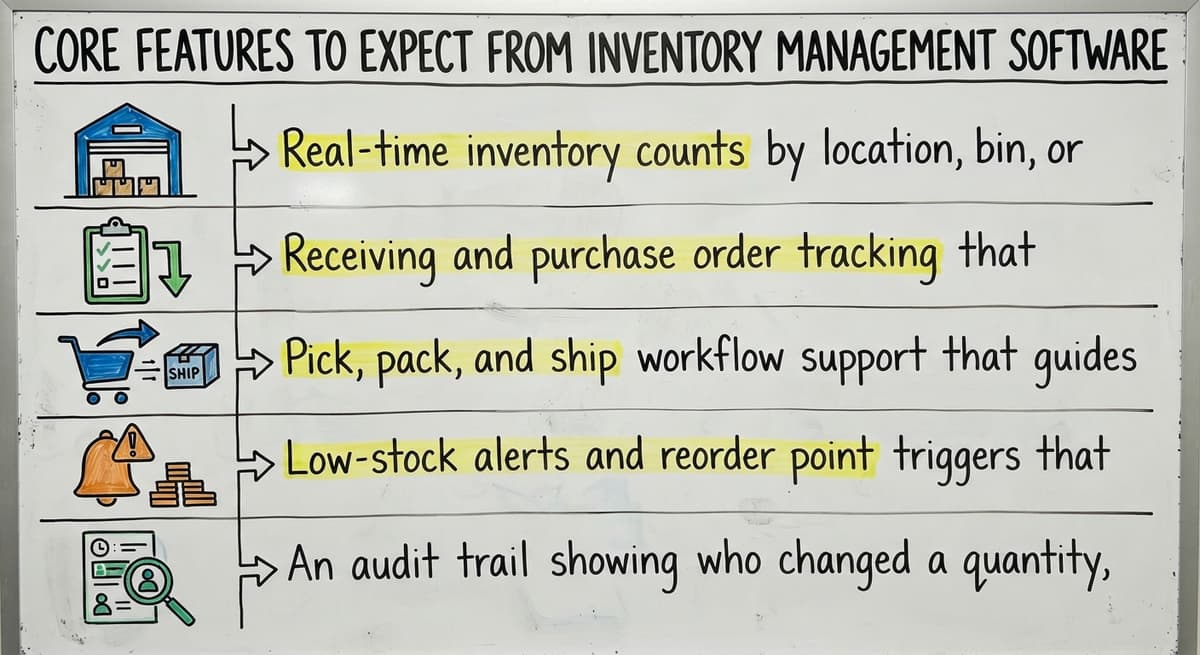
Not every tool offers the same depth, but a solid warehouse stock tracking system should include:
- Real-time inventory counts by location, bin, or warehouse zone so staff know exactly where stock lives
- Receiving and buy order tracking that confirms what arrived against what was ordered
- Pick, pack, and ship workflow support that guides staff through fulfillment steps in sequence
- Low-stock alerts and reorder point triggers that notify a buyer before a stockout happens
- An audit trail showing who changed a quantity, when, and why
Fulfillment software that lacks an audit trail makes it nearly impossible to investigate shrinkage or receiving disputes. Traceability is not a premium feature; it is a baseline requirement for any operation that needs to explain a variance.
The comparison is easier when one option is built for you
Off-the-shelf means fitting your process to the software. We do it the other way round, and the first look costs nothing.
Book a callCan Stock Software Work Alongside Your Accounting Package Instead of Replacing It?
Yes, and for most small distributors that is exactly the right approach. Many operations already use an accounting package for invoicing, vendor payments, and financial reporting and have no reason to replace it. Stock software can sit alongside your accounting package, handling warehouse operations while the accounting software handles the books.
An integration between your inventory platform and your accounting software usually syncs buy costs, received quantities, and inventory adjustments without requiring double entry. The warehouse team works in the stock system; the finance team works in the accounting package; the data moves between them automatically. The goal is to extend what already works, not to start over.
Off-the-Shelf vs. Custom Stock Software: Which Fits a Small Operation?
Off-the-shelf tools offer fast setup but need the business to adapt to the software's logic, terminology, and workflows. For operations with unusual receiving steps, customer-specific picking rules, or legacy data in spreadsheets and older databases, that adaptation creates friction and slows adoption.
Custom inventory software is built around the operation's existing workflows. Staff see screens that match the steps they already follow, which shortens training and reduces resistance. Custom solutions are practical for small and mid-sized teams, not just enterprise operations with large IT budgets. A local builder who understands distribution can deliver a fit that a packaged product cannot.
The table below shows where each approach tends to win:
| Situation | Off-the-shelf | Custom build |
|---|---|---|
| Standard workflows, quick start needed | Strong fit | Slower to launch |
| Unusual receiving or fulfillment rules | Needs workarounds | Built to match |
| Existing data in spreadsheets or Access | Migration risk | Can map to existing structure |
| Small team, limited IT support | Depends on vendor support | Depends on builder |
Is Cloud or On-Premise Stock Software the Right Choice?
Cloud systems are accessible from any device and need no server maintenance, which makes them practical for small teams without dedicated IT staff. On-premise systems keep data inside the building, which some operations prefer for security reasons or because internet connectivity at the warehouse is unreliable. Hybrid setups are possible, particularly for custom-built solutions where the data layer can be separated from the user interface.
The right choice depends on two factors: how reliable the internet connection is at the warehouse and how much IT capacity the business actually has. A cloud system running on a spotty connection causes more problems than it solves.
Barcode Scanning, Lot Tracking, and Multi-Location Inventory
Barcode scanning removes the manual entry step that causes most receiving and picking errors. Staff scan items rather than typing SKUs, which speeds throughput and removes transposition mistakes. Modern stock software supports standard USB scanners at a receiving station and handheld wireless units on the pick line. Mobile access lets a warehouse worker update counts from the floor without walking back to a terminal.
For operations handling food, chemicals, or electronics, lot tracking and serial number tracking add another layer of control. Lot tracking links a group of items to a specific production run or supplier batch, which is needed for recalls and compliance audits. Serial number tracking assigns a unique ID to each individual unit, supporting warranty claims and theft investigation.
Distributors with more than one storage location need multi-location inventory support. Transfers between sites should be logged so counts stay accurate at each address. Consolidated reporting across locations gives management a single view of total stock without manually adding up site-level spreadsheets.
See it running on your own process first
No build cost. The subscription starts once it is live and doing the job, not before.
Book a call
Reorder Points, Cycle Counting, and Keeping Records Accurate
A reorder point is the on-hand quantity at which a replenishment order should trigger. Stock software can alert a buyer or auto-generate a draft buy order when stock reaches that level, which reduces stockouts without requiring someone to check counts manually every day. Reorder points can be set per SKU and adjusted for seasonal demand.
Keeping those counts trustworthy over time needs a counting discipline. A full physical inventory stops operations and counts everything at once, which is disruptive. Cycle counting divides inventory into sections and counts a portion on a rolling schedule. Stock software supports cycle count schedules and flags variances for investigation, so records stay accurate without shutting down the warehouse.
How Does Stock Software Fit a Wholesale Distribution Operation?
Wholesale distributors deal with high volume, multiple suppliers, and customer-specific pricing, which creates demands that retail-focused tools were not built to handle. Stock software in a distribution context must support bulk receiving, break-pack fulfillment, and backorder management. It should surface what is available to promise without requiring a manual count before every sales call.
Integration with order management keeps the sales side and the warehouse side aligned. When a sales rep confirms an order, the system should already reflect current availability. Custom software for wholesale distributors can be built around those specific workflows rather than forcing a distribution operation to fit inside a retail product's logic.
Signs the Current System Is No Longer Good Enough
Some operations know they need better tools but are not sure when the tipping point arrived. These are the clearest signals:
- System counts regularly do not match what staff find on the shelf
- Orders are picked for items that are actually out of stock
- Receiving takes a long time because it involves paper forms and manual keying into a separate system
- Management cannot produce a reliable inventory total without running a full physical count
When fixing a count takes longer than filling an order, the system is costing more than it saves.

What Should I Ask Before Choosing Stock Software?
The right questions focus on fit, not features. Before committing to any tool or builder, ask:
- Does it connect to the existing accounting package without replacing it?
- Can it be configured to match the current receiving and picking process, or does the team have to change how it works?
- What does rollout actually look like, and who does the hands-on work?
- Is it designed for an operation this size, or is it an enterprise product that has been scaled down on paper?
A vendor who cannot answer the third question clearly is likely to hand the setup work back to the team. Rollout support is not optional; it is the part that work out whether the software actually gets used.
Next Steps for Operations Managers Ready to Improve
Start by documenting the specific pain points: where counts go wrong, where staff lose time, and where errors turn into customer complaints. Map the current workflow before evaluating any software, because a builder who understands the existing process can propose a fit rather than a replacement.
A conversation about the operation is the right starting point, not a software demo built around someone else's workflow. The goal is a system that matches how the team already works and makes the accurate parts of that process automatic.
If the current setup is holding the operation back, the first step is a straightforward assessment of what is actually breaking and why.
Frequently asked questions
What are some good stock market apps?
This page covers stock software for physical inventory management in warehouses and distribution operations, not stock market trading apps. If you are looking for trading or investment tools, the right choice depends on whether you need real-time quotes, portfolio tracking, or brokerage access. No single app suits every trader, and the best fit depends on your experience level, the assets you trade, and the features you actually use.
Can I make $1000 per day from trading?
This is a question about financial trading, not inventory or warehouse stock software. Consistent daily returns from trading are not guaranteed and depend on capital, market conditions, risk tolerance, and skill. Anyone promising a specific daily return figure is worth approaching with caution. This page focuses on stock software for physical goods management.
Can ChatGPT analyse stock market?
AI tools including large language models can summarize publicly available financial information, but they do not have real-time market data access and are not built for live trading analysis. For physical inventory management, AI can support demand forecasting and anomaly detection inside a stock software system, but it works best when the underlying inventory data is already accurate and structured.
What is the 3 5 7 rule in trading?
The 3-5-7 rule is a risk management guideline used in financial trading, not a concept in inventory or warehouse management. It generally refers to limiting individual trade risk to 3 percent, total exposure to 5 percent, and winning trades to at least 7 percent return. This page covers stock software for physical inventory, which is a separate topic entirely.
How is stock software different from a basic inventory list or spreadsheet?
A spreadsheet holds data but needs someone to update it manually after every transaction. Stock software records each movement automatically at the moment it happens, whether that is a receiving scan, a pick, or a return. The result is a live count rather than a snapshot that is already out of date. The software also acts on the data by triggering alerts, generating draft buy orders, and flagging variances, which a spreadsheet cannot do on its own.
What features does a wholesale distributor need in stock software?
A wholesale distribution operation needs real-time inventory counts by location, buy order tracking, bulk receiving support, pick and ship workflow tools, reorder point automating, and multi-location inventory visibility. Lot tracking and barcode scanning are important for accuracy at the receiving dock and pick line. The software should also integrate with an existing accounting package so financial data does not need double entry.
Is custom stock software realistic for a small operation with 5 to 100 staff?
Yes. Custom inventory software is not limited to enterprise buyers with large IT budgets. A builder who focuses on small and mid-sized operations can deliver a system built around existing workflows in weeks rather than months. The advantage over off-the-shelf tools is that staff see screens matching the steps they already follow, which shortens training and speeds adoption. The key is choosing a builder who works at that scale by design.
What does rollout look like and how long does it take?
A focused build targeting specific pain points can go live in weeks, not months. Phased rollouts let the team adopt one module at a time without shutting down operations. The rollout approach matters as much as the software itself. A builder who handles setup and data migration reduces the burden on the internal team and lowers the risk of a project that drags on without delivering results.
Start with a free first look
A 30 minute call, your operation mapped, and a clear picture of what we would build. No obligation and nothing to install.
Book a callRelated guides
The rest of this guide, for the parts of the job this page does not cover.
Guides
- Cloud Stock Management Software
- Warehouse Stock Management Software
- Warehouse Stock Software
- Small Business Stock Management Software
- Hospital Stock Management System
- Make to Stock Examples
- Types of Stock Control Systems
- Low Stock Alert
- Procedure for Stock Control
- Multi Location Inventory Management Software
- Hvac Inventory Management Software
- Inventory Management Software for Schools
- Inventory Management Software Costs
- Warehouse Stock Management System
- Warehouse Inventory Management Software
- Warehouse Inventory Tracking Software
- Warehouse Receiving Software
- Quickbooks Inventory Management Software
- Software for Warehouse Management System
- Inventory and Warehouse Management Software
- Custom Inventory Management Software
- List of Warehouse Management Software
- Online Warehouse Management Software