


Cycle Count Software
Cycle count software is a tool that plans, records and checks small, regular counts of your stock.
Reviewed November 2026.
Staff count a few bins each day. The software flags gaps and logs every fix. Your warehouse keeps running.
Owners get better inventory accuracy without a shutdown.
Book a call
What Is Cycle Count Software?
A cycle count is a count of part of your stock on a set schedule. Over a year, every item gets counted. Important items get counted more often.
Cycle count software replaces printed count sheets and one-off spreadsheets. It builds the day's list, takes each count and checks it against the system.
Picture 40 bins counted each morning. A bin is one shelf slot. In a few weeks, the whole floor is done.
People who ask what is cycle counting in inventory management want one short answer: count a little every day, not everything once.
The law cares about counts too. IRS Publication 538 says, "To figure taxable income, you must value your inventory at the beginning and end of each tax year."
Small daily counts keep that year-end value honest.
How Is Cycle Counting Different From a Full Physical Inventory?
Cycle counting spots errors sooner. The cause is still fresh, so staff can trace it. Many shops still run one yearly count for audit or tax reasons. Ask your accountant before you drop it.
A full physical inventory counts every item in one push. Most shops close the warehouse for a day or more to do it.
Stock clerks do most of this work, and the Bureau of Labor Statistics lists what they are paid.
A cycle count trades one big shutdown for many small checks.
Why Do Spreadsheets and Paper Sheets Break Down?
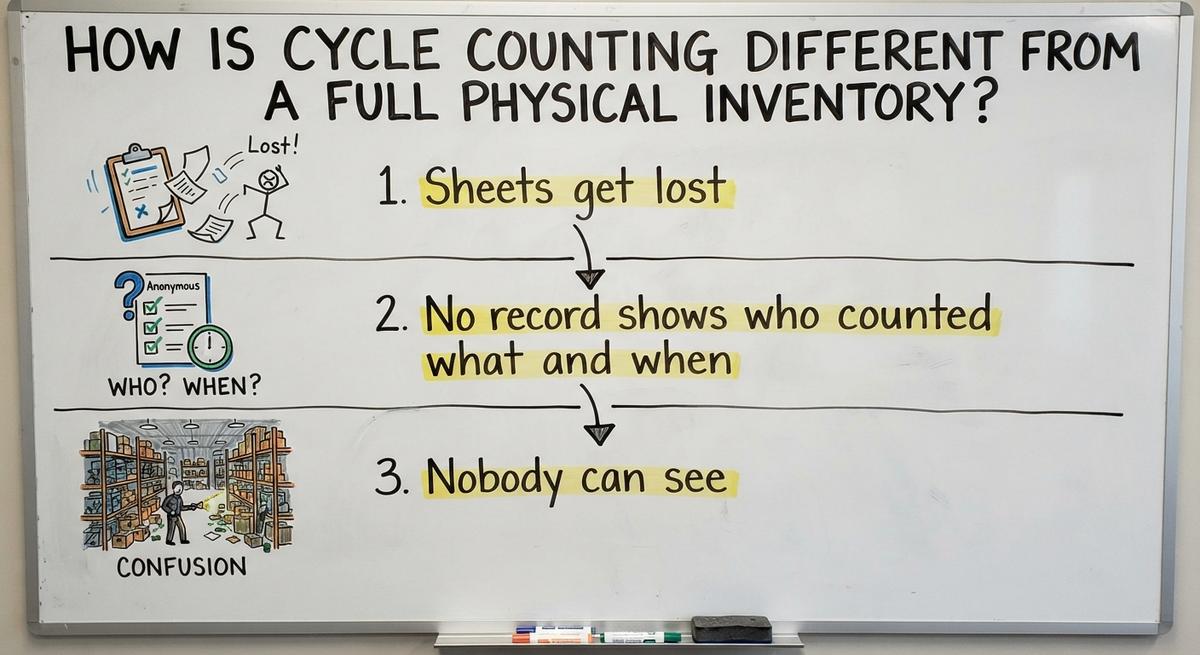
Manual counts fail in 3 ways. Each one hides the cause of an error.
- Sheets get lost, handwriting is hard to read, and re-typing adds new mistakes to the count.
- No record shows who counted what and when, so nobody can check a number later.
- Nobody can see which items keep coming up wrong, so the same errors repeat.
Say 3 people spend 6 hours a week on sheets at $22 an hour. That is $20,592 a year.
Manual sheets cost real money and bury the pattern behind each error.
We build it for your operation, and the first look is free
If you would rather not compare products, describe how your operation already works and we build the system around it.
No build cost. You see it running on your own process first, and the monthly subscription starts only once it is live.
Book a callHow Does Cycle Count Software Work?
Cycle count software follows 6 steps: build the schedule, assign counts, count, compare, fix and record.
Step 1: Build the Count Schedule
The software picks items or locations for each day. Schedules follow value, speed of sale or location.
A fast mover comes up weekly. A slow one comes up twice a year. Nobody has to guess what to count on a busy Monday.
The schedule turns counting into a daily habit.
Step 2: Assign and Perform the Count
A counter gets a list on a phone, tablet or scanner. The list is short, often 20 to 40 bins.
In a blind count, the counter does not see the system quantity. That stops anyone from nudging a number to match.
The software saves each count as the counter types it in.
A blind count gives you the true number on the shelf.
Step 3: Compare, Recount and Adjust
The software flags any gap over a set limit. Set it at 2 units or $50, for example.
Recount before you change any number. A second look clears most slips.
Then save the adjustment with a reason and a name.
Recount first, then adjust with a name attached, and the record stays clean.
Which Items Should You Count First, and How Often?
Count your high-value items first. ABC analysis ranks items by value. A items are high value. C items are low value. Many shops call this abc cycle counting.
Here is a sample rhythm:
| Item class | Sample count rhythm |
|---|---|
| A items | Monthly |
| B items | Quarterly |
| C items | Twice a year |
No single rhythm fits every shop. Value, sales speed and past accuracy decide it. Count items more often when they keep missing.
Two other ways to pick:
- Location counts: Count one aisle or zone per day, so the walk stays short.
- Triggered counts: Count a bin when stock hits zero, goes negative or a pick fails.
Pick by value first, then add zones and triggers.
What Features Matter in Cycle Count Software?
Five features matter most in cycle count software. Check each one before you sign anything.

- Count lists: The software builds daily lists by item class, location or last count date, with no manual picking.
- Barcode scanning: Counting at the shelf with a phone or scanner cuts typing mistakes. Use devices you own where you can.
- Variance report: A variance is the gap between system and shelf. The report shows it in units and dollars, with reason codes like damage, mis-pick or receiving error.
- Audit trail: Every change records who, when and why. Large adjustments need manager approval.
- Lots and bins: Count by bin, not only by item. Lots and serial numbers matter for expiry dates and traceable goods.
Cloud tools also need proof of security. One finance guide advises, "Look for ISO 27001 certification, SOC 1 Type 2, and SOC 2 Type 2 reports."
A tool that shows its trail and its trends will find root causes for you.
Not sure this is the right shape for your operation
Describe how the work runs today. We map it on a call and show you what it would look like built around that, before you spend anything.
Book a callCan Cycle Count Software Work With Your Accounting Package?
Yes. Count results can flow back as inventory adjustments. Your accounting software's inventory holds quantities and values but has no count workflow. Many count tools sync with your accounting software, so the books stay your source of truth.
Ask any provider these questions:
- What syncs? Ask whether quantities, costs, adjustments or all 3 move across, and in which direction.
- How often? Ask whether the sync runs live, hourly or nightly, and what delay you can live with.
- What happens on errors? Ask whether a failed sync retries, stops or skips, and who gets told.
- Which limits apply? Check your current edition's limits before you choose a design.
Clear answers on all 4 save a messy cleanup later.

Should You Buy, Add On or Build Cycle Count Software?
Three paths exist, and each trades speed for fit. The NIST Manufacturing Extension Partnership offers vendor-neutral guidance on supply chain and inventory process.
- Off-the-shelf: You start fast, but you adapt your floor to its rules.
- Add-on to your current system: The change is lighter, but the host system sets the limits.
- Custom: The tool fits how your floor already works. It costs more up front.
Match the path to your size and layout. Ask yourself:
- How many bins do you count?
- Do you track lots or serial numbers?
- How many people will count?
- Who fixes the tool when it breaks?
The right path is the one your floor will actually use.
Signs You Have Outgrown Manual Counts
Four signs show that manual counts have run their course.
- The system says an item is on hand, but the shelf is empty and the order ships late.
- The yearly count brings surprises, with big gaps nobody saw coming.
- Count sheets live in email or on a clipboard, not in one shared place.
- Only 1 person knows how counts are done, so a sick day stops the process.
Any 1 of these signs is reason enough to start small.
How Do You Roll Out Cycle Counting Without Disrupting the Floor?
A good rollout starts with 1 zone and grows. You keep your accounting package and replace only the manual count steps.
- Start with 1 zone or your top 50 items, so the first week stays easy.
- Train 1 or 2 counters first, then let them show the rest.
- Run the old and new methods side by side for 2 weeks.
- Review results every week, then widen the count to more zones.
Small steps let the habit settle before the volume grows.

The comparison is easier when one option is built for you
Off-the-shelf means fitting your process to the software. We do it the other way round, and the first look costs nothing.
Book a callHow Do You Measure Inventory Accuracy?
Inventory accuracy is the share of counts that match the system. Divide correct counts by total counts. If 190 of 200 bins match, accuracy is 95%.
Track dollar variance too. Note the repeat-offender items that miss again and again.
Set a target and watch the trend, not one day. The Census Bureau also posts monthly wholesale inventories and sales ratios, so you can compare stock to sales.
A rising accuracy line tells you the habit works.
Common Cycle Counting Mistakes
Four mistakes ruin warehouse inventory counts. Each one is easy to avoid.
- Counting bins during heavy picking with no freeze lets stock move under the counter's hands.
- Adjusting a number without a recount locks in the first error.
- Never fixing root causes brings the same variance back next month.
- Skipping counts when busy breaks the habit faster than any other slip.
Protect the daily count, and it will protect your numbers.
Pick Your First 40 Bins
Choose 40 bins and count them tomorrow morning. Write down every gap. Then ask any provider to run a live count on your own bins before you commit.
Frequently asked questions
What is cycle counting in inventory management?
Cycle counting is a method that checks a small slice of stock on a rolling schedule instead of everything at once. Staff compare each count to system records and fix gaps as they find them.
How to manage cycle count?
Name one owner, set a daily bin quota and review gaps every week. Keep the daily count short and at the same hour. Fix root causes first, then adjust the numbers.
How often are cycle counts?
Counts run daily, but each item has its own cycle. Fast, costly items get counted monthly. Slow, cheap items get counted once or twice a year. Past errors can shorten any cycle.
Do I need barcode scanners?
No. A phone with a camera works for a small shop. Dedicated scanners pay off as volume grows, since each scan replaces typing and speeds the walk down the aisle.
Can a small warehouse use cycle counting?
Yes. A 5-person shop can count 10 bins a day with a phone and a simple schedule. Small teams gain a lot, as one missing item can stall a whole order.
Will cycle counting replace my yearly count?
Maybe not. Ask your accountant first, as some auditors and lenders still want a full count. Strong cycle counts can shrink that yearly count to a quick spot check.
How many people does it take to run cycle counting?
One person can run it. Plan on 1 or 2 counters spending 20 to 30 minutes a day, plus 1 owner who reviews gaps and approves large adjustments each week.
Start with a free first look
A 30 minute call, your operation mapped, and a clear picture of what we would build. No obligation and nothing to install.
Book a callRelated guides
More on the same work.
Guides
- Cycle Counting Inventory
- Abc Cycle Counting
- Inventory Counting Software
- Replenish Stock
- Inventory Audit Checklist
- Inventory Audit
- Inventory Management Best Practices
- Moving Average Method Inventory
- Inventory Shrinkage Accounting Entry
- Inventory Shrinkage is Recorded When
- Calculate Inventory Shrinkage
- Inventory Process Flow
Common questions
- What is Cycle Counting in Inventory Management
- How to Calculate Cycle Stock
- What is a Good Inventory Accuracy Percentage
- How to Calculate Safety Stock in Excel
- Reorder Point vs Safety Stock
- What Common Events Could Result in Inventory Shrinkage
- How to Record Inventory Shrinkage
- What is the Cost Method to Value Inventory
- How is Shrinkage Calculated