

Warehouse Inventory Systems
Warehouse inventory systems are the software that records every stock movement in one place, visible to anyone who needs it. If you run a warehouse with 5 to 100 people, most of the content about them addresses large distribution centers with dedicated IT teams and six-figure budgets. This guide, reviewed in September 2026, is for the smaller floor: what the systems do, the features that matter, and how to pick one without a consultant.
Published 13 August 2026. Reviewed and updated 15 September 2026.
Reviewed August 2026. Each figure comes from the assumptions stated beside it, so you can substitute your own and the arithmetic still holds.
Book a callWhat Does a Warehouse Inventory System Actually Do?
A warehouse inventory system tracks three things: what comes in, what sits on your shelves, and what goes out. That is the whole job.
Right now, you might be doing that with paper logs, a shared spreadsheet, or a combination of both plus memory. A warehouse inventory system replaces all of that with one place that records every movement and shows it to anyone who needs to see it.
No more calling the warehouse floor to ask if something is in stock. No more finding out an item is gone only after a customer already ordered it.
Would you rather have it built around your operation?
The first look is free. If you would rather not compare products, describe how your operation already works and we build the system around it.
No build cost. You see it running on your own process first, and the monthly subscription starts only once it is live.
Book a callWhy Do Spreadsheets Stop Working as You Grow?
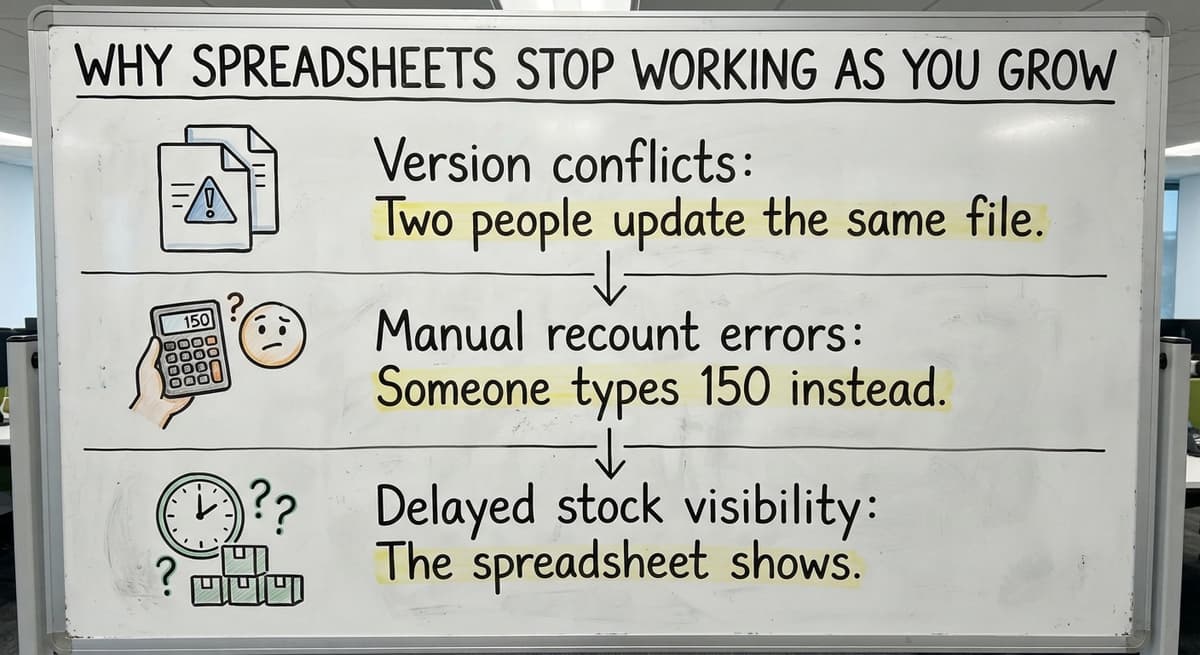
Spreadsheets work fine when one person runs inventory and nothing moves fast. The moment you add a second staff member, a second location, or a faster order volume, the cracks show up quickly.
Here is what breaks first:
- Version conflicts: Two people update the same file and one overwrites the other's work
- Manual recount errors: Someone types 150 instead of 15 and nobody catches it until a customer complains
- Delayed stock visibility: The spreadsheet shows what was true this morning, not what is true right now
Those are not small annoyances. Each one is a dollar leak. Picking the wrong item costs you a return.
Promising stock you do not have costs you a customer. Recounting shelves nobody trusts costs you staff hours you are already paying for.
And there is a safety angle too. According to OSHA, "Clutter and poor organization are among the leading causes of warehouse injuries", and a system that keeps inventory organized and findable is part of running a safer floor.
You are not doing anything wrong by still using spreadsheets. You built something that worked. It just stopped scaling.
What Features Should a Small Warehouse Look for in an Inventory System?
Think of this section as a checklist you can bring to any vendor conversation. Every warehouse inventory system should cover these five areas before you consider anything else.
Real-Time Stock Visibility
Real-time means any staff member can see current counts right now, without calling anyone. When a picker pulls an item, the count drops immediately. When a shipment arrives, it goes up.
Picking accuracy improves when the person pulling orders knows exactly what is available and where it is. Customer promises become reliable when your sales team is looking at the same live number your warehouse is working from.
Barcode scanning is the most common way counts stay current. A scan at receiving, a scan at picking, and the system does the math.
Receiving and Put-Away Tracking
When a shipment arrives, a good system matches it against the purchase order. You see what was expected, what actually showed up, and what is missing. That discrepancy catches supplier errors before they become your problem.
Put-away tracking assigns each item to a specific bin or location. Six months from now, when someone needs that item, the system knows exactly where it is rather than requiring a floor search.
This matters more in small warehouses than people expect. A 5,000 square foot space can still waste 20 minutes per day on locating items if nothing is tracked by location.
Order Picking and Fulfillment Workflows
When a sales order comes in, the warehouse inventory system generates a pick list. The pick list tells the staff member exactly what to pull and where to find it.
When the picker scans or confirms the item, the on-hand count drops and the order moves to fulfillment.
Errors caught at this step are cheap. Errors caught after a package ships are expensive. Returns, reshipping, and customer service time add up fast. A pick and pack software workflow that confirms items before they leave the building pays for itself in error prevention alone.
Low-Stock Alerts and Reorder Points
A reorder point is the count at which you need to order more before you run out. Instead of someone manually checking levels every week, the system watches those numbers and sends an alert when you hit the threshold.
This prevents two problems at once. Stockouts happen when you run out before you reorder. Overbuying happens when you order too much because you were not sure what you had. Correct inventory reorder points keep you in the middle.
Reporting and Inventory History
Good reporting answers questions like: what sold fastest last quarter, which items have not moved in 90 days, and where is shrinkage showing up.
Shrinkage tracking and cycle count support let you spot losses before they compound. The history also feeds better purchasing decisions because you are buying based on what actually happened, not what you think happened.
Is the comparison easier when one option is built for you?
Yes. Off-the-shelf means fitting your process to the software, and custom is the other way round. The first look costs nothing.
Book a callHow Do Warehouse Inventory Systems Connect to QuickBooks?
Most small operations do not want to abandon QuickBooks, and they should not have to. QuickBooks handles your books well. The question is how inventory data gets there without someone typing it in twice.
There are two models:
| Model | How It Works | Risk |
|---|---|---|
| Native QuickBooks add-on | Inventory lives inside QuickBooks or a certified add-on | Limited warehouse features; may not handle locations or scanning well |
| Separate system with sync | Inventory system handles the warehouse; syncs financials to QuickBooks | Requires a clean integration to avoid double entry |
QuickBooks inventory integration works best when the sync is automatic and one-directional for the right data. Sales orders flow from QuickBooks to the warehouse system. Inventory adjustments flow back. Nobody types the same number into two places.
Weak integration is where small operations get burned. If the sync is manual or unreliable, you end up with two versions of the truth and staff who do not trust either one.

Off-the-Shelf Systems Versus Custom-Built Systems
Every warehouse inventory buyer eventually faces this choice. Both categories have real advantages and real trade-offs.
What Does Off-the-Shelf Warehouse Software Get Right?
Off-the-shelf small warehouse software is faster to set up and costs less upfront. The workflows are already built.
If your operation is standard, meaning you receive, store, pick, and ship without unusual product types or locations, these systems can fit well. The vendor has already worked out most of the bugs. That is a genuine advantage.
Where Do Off-the-Shelf Systems Create New Problems?
The problem is that standard software assumes a standard operation. When your process does not match the software's assumptions, your staff has to change how they work to fit the tool. That slows people down and creates resistance.
You also pay for features built for operations ten times your size. A 15-person fulfillment center does not need the same dock management tools as a 500-person distribution center.
Long implementation timelines and training curves hit small teams harder because you cannot pull staff off the floor for weeks of onboarding.
What Does a Custom Warehouse Inventory System Look Like?
Custom inventory software is built around how your operation actually works, not a generic template. The screens match the steps your staff already follows. Receiving looks like your receiving process. Picking looks like your picking process.
A custom system can also keep QuickBooks exactly where it is and only replace the manual parts. You are not rebuilding your entire operation. You are removing the spreadsheets and the guesswork from the parts that are costing you time and money.
Staff adoption is faster when the software matches familiar workflows. There is less to unlearn.
Questions to Ask Before You Choose a System
Bring this list of 8 questions to every warehouse system vendor conversation:
- Does it connect to QuickBooks without double entry, and can you show me how?
- Can it handle our specific product types, bin locations, or storage zones?
- How long does implementation take, and who does the actual configuration work?
- What happens when our process changes next year, and what does that cost?
- Who answers the phone when something breaks on a Monday morning?
The answers to those questions tell you more than any feature list.
What Are the Most Common Mistakes When Implementing a Warehouse Inventory System?
Most implementation problems are predictable. Knowing them in advance is the cheapest way to avoid them.
- Buying for features the operation does not need yet. Software built to do everything sounds appealing until your staff is navigating screens built for problems that do not exist here.
- Skipping staff training. No software is intuitive to someone using it for the first time under pressure. Plan for real training time.
- Not cleaning up existing data before going live. If your current counts are wrong, the new system will inherit wrong counts. Start with a physical count.
- Choosing a vendor who disappears after the sale. Implementation support matters more than demo quality. Ask for references from customers who have been live for at least a year.
What does it look like running on your own process?
The first thing you see is it running on your own process, at no build cost. The subscription starts once it is live and doing the job, not before.
Book a callHow Are Small Warehouses and Distributors Different from Enterprise Operations?
Most warehouse management system content assumes you have an IT department, a project manager, and months to spare. A 10-person fulfillment center does not have any of those things.
Small teams need simple screens that staff can learn in a day, not a week. They need onboarding that does not pull everyone off the floor at once. They need support from someone who picks up the phone, not a ticket queue.
You do not need an ERP to run inventory well. An ERP targets companies managing finance, HR, manufacturing, and supply chain from one platform.
If you are a distributor or a small fulfillment operation, that is far more system than your problem requires. An inventory system for distributors that connects cleanly to QuickBooks and matches your workflow is a better fit.

What Does Implementation Really Look Like for a Small Operation?
A realistic implementation for a small warehouse takes two to six weeks, not six months. Here is the sequence:
- Map your current process: receiving, storage, picking, shipping, and where the gaps are
- Configure or build the system around those steps, not around a generic template
- Test with real data, including your actual SKUs, locations, and order types
- Train staff on the real system, not a demo environment
- Go live with a partner who stays available for the first few weeks
A good implementation partner does most of the heavy lifting. You provide the process knowledge. They provide the configuration work. You should not need to become a software expert to get a working system.
Signs Your Current Inventory Process Is Costing You Money
No consultant is required to diagnose this. The symptoms are visible:
- Stockouts that surprise you, meaning you ran out before you knew you were low
- Overstock write-offs on items that sat too long because you overbought
- Picking errors that show up as returns or customer complaints
- Staff spending hours each week on manual recounts because nobody trusts the numbers
- Time spent searching for items that should be in a known location
Each of those is a dollar leak. Picking errors alone cost two to three times the item value when you factor in return shipping, restocking, and replacement. If you have three picking errors a week, that number adds up fast.
How Do You Build a Business Case for a New System?
Start with numbers you already know:
- Track your current picking error rate for 30 days. Count the errors, estimate the cost per error in staff time and return shipping.
- Estimate hours per week spent on manual recounts or spreadsheet maintenance. Multiply by your average hourly labor cost.
- Estimate the value of inventory tied up in overstock that is not moving.
Add those three numbers together. That is your baseline cost of doing nothing. A system that cuts errors by half and eliminates manual recount time pays for itself in months, not years, for most small operations.
A complex financial model is not necessary here. You need a number your owner or CFO can compare against a software cost.
What is in a free first look?
A 30 minute call, your operation mapped, and a clear picture of what we would build. No obligation and nothing to install.
Book a callWarehouse Inventory Systems and Barcode or Mobile Scanning
A barcode inventory system connects handheld scanners to the inventory database. When a staff member scans an item at receiving, the count goes up. When they scan it at picking, the count goes down. No manual entry, no transcription errors.
Mobile access means staff on the floor are not tied to a desktop terminal. A handheld device or a tablet on a cart gives them the same visibility as someone at a desk.
Hardware costs are realistic for small operations. Basic handheld scanners start under $300. Tablet-based setups using existing devices cost even less. Real-time inventory tracking through scanning is not an enterprise-only feature.

How Do You Track Inventory Across Multiple Locations or Zones?
Multi-location inventory means the system keeps separate counts for each physical space, whether that is two buildings, different zones inside one warehouse, or remote storage. Each location has its own numbers, but you can see all of them together in one view.
This is where spreadsheets completely break down. A separate tab for each location works until someone forgets to update one. Then you have no reliable picture of total stock, and transfers between locations become invisible.
A warehouse inventory tracking system handles this by recording every transfer as a transaction. Stock moves from Zone A to Zone B, and both counts update immediately. You always know where everything is and how much of it exists across all locations.
What Should You Expect from a Local Software Partner?
A local partner can walk your floor. They can watch how your staff actually works, not just how you describe it in a meeting. That makes a real difference in how well the system fits when it goes live.
The contrast with offshore or faceless SaaS support is significant. When something breaks or a process changes, a local team responds in hours, not days. The same people who built the system are the ones who support it.
The Software Society operates with that model. The team that builds your system is the team that stays with you. If your operation is in or near Columbus, Ohio, that also means someone can be on your floor when it matters.
But the work extends nationally because the process of mapping, building, and supporting a system does not require proximity for most of what needs to happen.
For operations that also need help with Custom Warehouse Software for Small Distributors or connecting inventory to a broader growth system, having one partner who understands the full operation is more efficient than managing multiple vendors.
Next Steps If You Are Ready to Improve Your Inventory System
Start with the biggest pain point, not the longest feature list. If picking errors are the problem, focus there. If stock visibility is the problem, start there.
The decision path looks like this:
- Name the specific problem costing you the most time or money right now
- Shortlist two or three options that address that problem specifically
- Ask the questions from the buyer checklist above
- Start with a scoped implementation, not a full overhaul
Not everything needs solving at once. Fixing your top two problems with a setup that connects cleanly to QuickBooks makes a stronger starting point than one that promises everything and delivers friction instead.
If you want to talk through what this looks like for your specific operation, reach out to The Software Society.
There is no pitch, no pressure, and no assumption that you need more than you actually do. Just a conversation about what is costing you money and whether a better system would fix it.
Frequently asked questions
What the manual process costs, in numbers
The arithmetic is worth doing before the software conversation. 3 people spending 6 hours a week between them chasing the same questions, at 22 dollars an hour, is 936 hours a year of paid time spent confirming what a system would already know. Over 3 years that is 2,808 hours.
The sources behind this guide
The public record on this is worth reading directly: GS1 covers why a barcode printed by one company scans at another.
Frequently asked questions
What is the best warehouse inventory management system?
There is no single best answer because the right system depends on your operation's size, product types, existing tools like QuickBooks, and how your staff works.
For small warehouses, systems that connect cleanly to QuickBooks, support barcode scanning, and match your actual workflow tend to outperform feature-heavy platforms built for large distribution centers.
Fishbowl, inFlow, and Cin7 are commonly evaluated by small operations. Custom-built systems are worth considering when off-the-shelf options require too many workflow compromises.
Are SAP and WMS the same?
No. SAP is an ERP platform that includes a warehouse management module among many other business functions. A WMS (warehouse management system) is a dedicated tool focused specifically on warehouse operations: receiving, storage, picking, and shipping.
SAP's WMS capabilities target large enterprise operations and come with corresponding complexity and cost. Most small and mid-size warehouses do not need SAP and are better served by a standalone WMS or a custom inventory system that connects to QuickBooks.
What are the top 10 WMS systems?
Commonly evaluated warehouse management systems include Manhattan Associates, Blue Yonder, Oracle WMS, SAP Extended Warehouse Management, Infor WMS, Fishbowl, Cin7, inFlow Inventory, Deposco, and Extensiv (formerly 3PL Central).
The enterprise-tier systems (Manhattan, Blue Yonder, Oracle, SAP) target large distribution centers and are rarely the right fit for operations under 100 people. Fishbowl, Cin7, and inFlow are more commonly used by small and mid-size warehouses, particularly those running QuickBooks.
What are the four main types of inventory systems?
The four main types are: periodic inventory systems (counts happen on a schedule, not in real time), perpetual inventory systems (every transaction updates counts immediately), just-in-time systems (inventory is ordered to arrive exactly when needed, minimizing storage), and batch tracking systems (inventory is tracked by lot or batch, common in food, pharma, and manufacturing).
Most small warehouses benefit most from a perpetual system supported by barcode scanning, which keeps counts accurate without manual recounts.
How do warehouse inventory systems connect to QuickBooks?
Most modern warehouse inventory systems connect to QuickBooks through an API integration or a certified sync tool. The cleanest setups push sales orders from QuickBooks into the warehouse system and send inventory adjustments back automatically.
The risk is weak integration that requires manual data entry in both places. Before choosing a system, ask the vendor to demonstrate the QuickBooks sync with a live example, not just a diagram.
How long does it take to implement a warehouse inventory system?
For a small operation with 5 to 50 staff, a realistic implementation runs two to six weeks. The timeline depends on how complex your product catalog is, how many locations you track, and how clean your existing data is.
A good implementation partner handles the bulk of the configuration work. The steps are: map your current process, configure or build the system, test with real data, and train staff. Going live does not demand months of disruption when the scope is right-sized.
Do I need a full ERP or can I use a simpler inventory system?
Most small warehouses and distributors do not need an ERP. An ERP is designed to manage finance, HR, manufacturing, and supply chain from one platform.
If your core need is accurate inventory tracking connected to QuickBooks, a dedicated warehouse inventory system is a better fit. It costs less, implements faster, and requires less staff training.
An ERP becomes worth evaluating when you are managing complex manufacturing, multi-entity accounting, or operations across multiple business units.
Can a warehouse inventory system work with barcode scanners?
Yes. Most warehouse inventory systems support barcode scanning through handheld devices or mobile tablets. Scanning replaces manual data entry at receiving, put-away, and picking.
Basic handheld scanners start under $300, and many systems also support scanning through smartphones or tablets your team may already own. Barcode scanning is one of the most effective ways to cut picking errors and keep inventory counts accurate in real time.
What are the best warehouse inventory systems for small businesses?
The best systems for small businesses are the ones that cover five core areas: real-time stock visibility, receiving and put-away tracking, order picking and fulfillment workflows, low-stock alerts with reorder points, and reporting with inventory history.
Whether you choose an off-the-shelf tool or a custom-built system, use this checklist in vendor conversations. Off-the-shelf options fit standard operations well, while custom systems fit around how your warehouse already works.
How much does warehouse inventory software cost?
Cost depends on the model you choose. Off-the-shelf small warehouse software is faster to set up and costs less upfront since the workflows are already built.
Custom-built systems can involve no build cost, with a monthly subscription starting only once the system is live and running on your own process. Either way, weigh upfront cost against the staff hours currently lost to manual tracking.
What is the difference between inventory management software and a WMS?
Inventory management software mainly tracks what comes in, what sits on shelves, and what goes out, tied closely to accounting tools like QuickBooks.
A warehouse management system (WMS) goes further, handling location-based put-away, pick list generation, fulfillment workflows, and floor-level operations. In practice, a WMS manages the physical warehouse process, while inventory management software focuses on stock counts and financial reporting.
What KPIs should a warehouse inventory system track?
A warehouse inventory system should track real-time stock counts, receiving accuracy against purchase orders, and picking accuracy during fulfillment. It should also monitor reorder points to flag low stock before a stockout, and reporting metrics like what sold fastest, which items have not moved in 90 days, and where shrinkage is showing up.
Cycle count results are useful too, since they support better purchasing decisions.
Not sure this is the right shape for your operation?
The call is free. Describe how the work runs today. We map it on a call and show you what it would look like built around that, before you spend anything.
Book a callRelated guides
The rest of this guide, for the parts of the job this page does not cover.
Guides
- Warehouse Inventory Management Systems
- Warehouse Inventory Management System
- Warehouse Inventory Tracking System
- Warehouse Management System Top 10
- Software for Warehouse Management System
- Warehouse Tracking System
- Small Business Warehouse Management System
- Warehouse Management System Types
- Warehouse Management System Examples
- Warehouse Management System Implementation
- Cloud Warehouse Management System
Common questions
- What Are the Benefits of Warehouse Management System
- What is the Point of Warehouse Management System
- How to Choose a Warehouse Management System
- What is Asn in Warehouse Management System
- How to Create a Warehouse Management System
- What is a Warehouse Management System
- Which Warehouse Management System Would a Jeweler Most Likely Use
- How to Build a Warehouse Management System
- What is a Warehouse Management System Used For
- Warehouse Management System vs Warehouse Control System
- Meaning of Warehouse Management System
- Definition of Warehouse Management System
- Warehouse Management System Comparison