


How to Keep Track of Lularoe Inventory
Learn how to keep track of LuLaRoe inventory with 5 simple steps: count, label, log, store, and check. Includes when to move past a spreadsheet.
Book a callHow Do You Keep Track of LuLaRoe Inventory?
To keep track of LuLaRoe inventory, give every item a unique ID, record it in one master list, and update that list each time stock moves. Four moves make it work: count, label, log, and reconcile (check the list against the shelf). The same method fits a few dozen pieces or a few thousand. It is not for shoppers. Last.
We build it for your operation, and the first look is free
If you would rather not compare products, describe how your operation already works and we build the system around it.
No build cost. You see it running on your own process first, and the monthly subscription starts only once it is live.
Book a callWhy LuLaRoe Inventory Is Hard to Track
LuLaRoe inventory is hard to track because one style can come in dozens of prints, and many prints exist in only 1 or 2 pieces. A count by style and size cannot tell two look-alike items apart. Stock also arrives in mixed bundles. It leaves through live sales, online orders, and events. Small slips add up to wrong counts and missed sales.
Barcodes solve part of this. GS1 says that its "GS1 barcodes are the most widely used supply chain standards in the world," and you can read more on the GS1 barcode standards page. Most small sellers start with simpler labels, though. The same idea applies: one item, one code.
The math of prints
Say you carry 5 styles, 6 sizes, and 8 prints. That is 5 x 6 x 8 = 240 different combinations. Track only style and size, and you see 30 lines instead of 240. Each line hides 8 different looks. You need a way to see the print.
Step 1: How Do You Count Your Inventory the First Time?
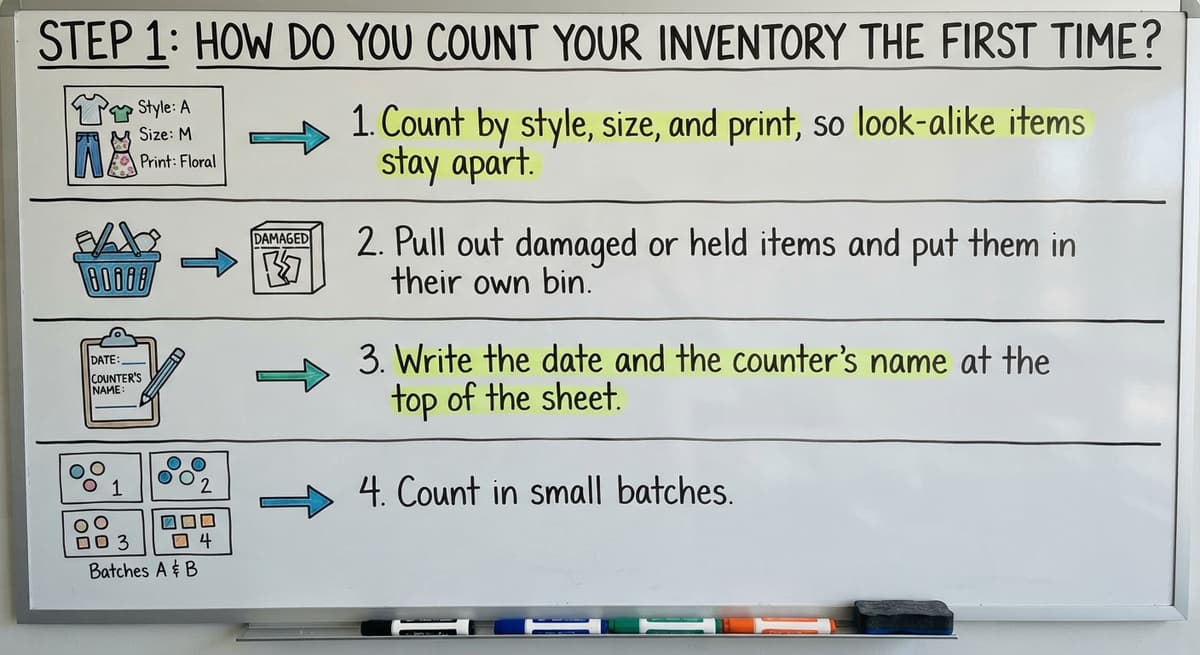
You count the first time by handling every piece once and writing down what you find. A full physical count gives you a clean starting point. Everything later builds on it.
Follow these rules as you count:
- Count by style, size, and print, so look-alike items stay apart.
- Pull out damaged or held items and put them in their own bin. They are not sellable.
- Write the date and the counter's name at the top of the sheet.
- Count in small batches, such as one rack at a time, so you do not lose your place.
IRS Publication 538 says, "To figure taxable income, you must value your inventory at the beginning and end of each tax year." You can read it in IRS Publication 538. A dated count meets that need and starts your list on solid ground.
Not sure this is the right shape for your operation
Describe how the work runs today. We map it on a call and show you what it would look like built around that, before you spend anything.
Book a callStep 2: Give Every Item Its Own ID or Label
A unique item ID is a short code that names one piece and no other. A simple code has four parts: style, size, print, and a running number. For example, a medium dress in print 14 could read DR-M-P14-003.

Pick a format and never change it. A steady format lets anyone read the code and find the piece.
Where to put the code
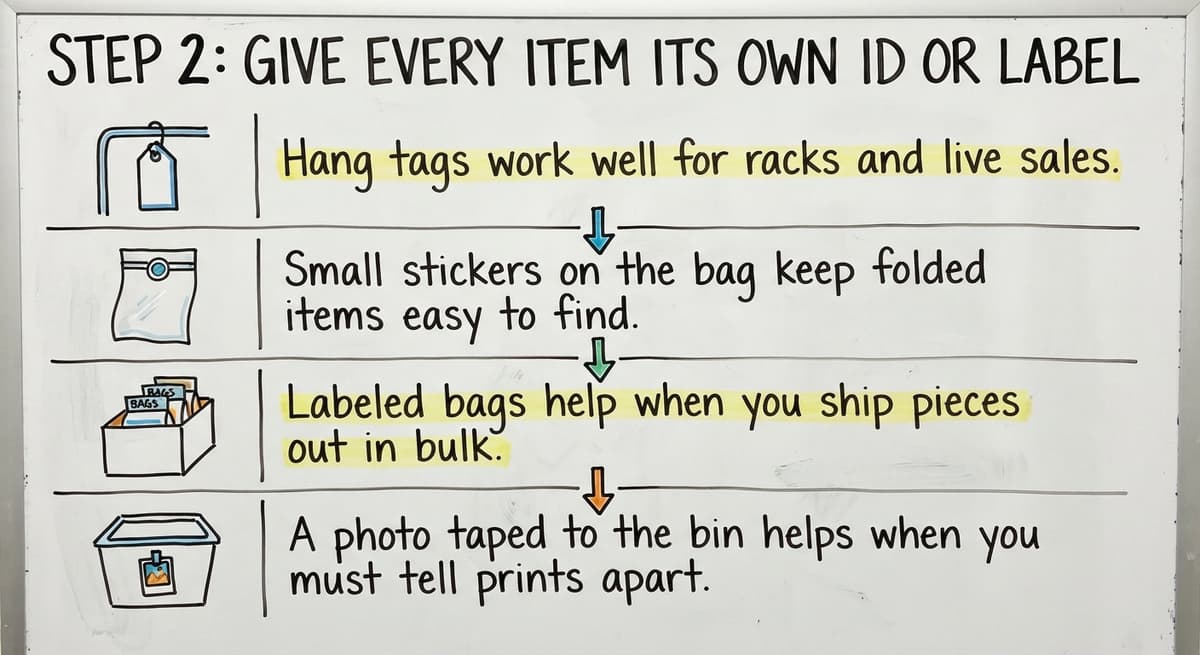
Choose the label that fits your work:
- Hang tags work well for racks and live sales.
- Small stickers on the bag keep folded items easy to find.
- Labeled bags help when you ship pieces out in bulk.
- A photo taped to the bin helps when you must tell prints apart.
Why one-of-a-kind prints need it most
If only 1 piece has a print, a style-and-size count cannot track it. A code can. When that piece sells, you know exactly which one left.
Step 3: Build One Master Inventory List
A master inventory list is a single sheet that holds every item you own. Keep one copy only. Several copies on different phones and laptops drift apart within days. A spreadsheet is a fine start at small scale. This is also the core of how to keep track of inventory in any shop.

What should be in an inventory list?
An inventory list should hold the ID, style, size, print, cost, price, status, and location. Cost and price let you see profit. Status and location tell you what you can sell and where it sits.
| Column | What it holds |
|---|---|
| ID | The unique code on the tag |
| Style, size, print | What the item is |
| Cost, price | What you paid and what you ask |
| Status | Where the item is in its life |
| Location | The bin, rack, or person holding it |
Status choices
Use five statuses only: in stock, reserved, sold, returned, and damaged. A short list keeps entries clean. A long list invites typos.
Step 4: Record Every Sale, Return, and Transfer
Record each move of stock the same day it happens. A list that lags by a week is wrong by a week. Wrong counts lead to selling pieces you no longer own.

The Federal Trade Commission's Mail, Internet, or Telephone Order Merchandise Rule says you must ship when you said you would. An accurate count is how you keep that promise.
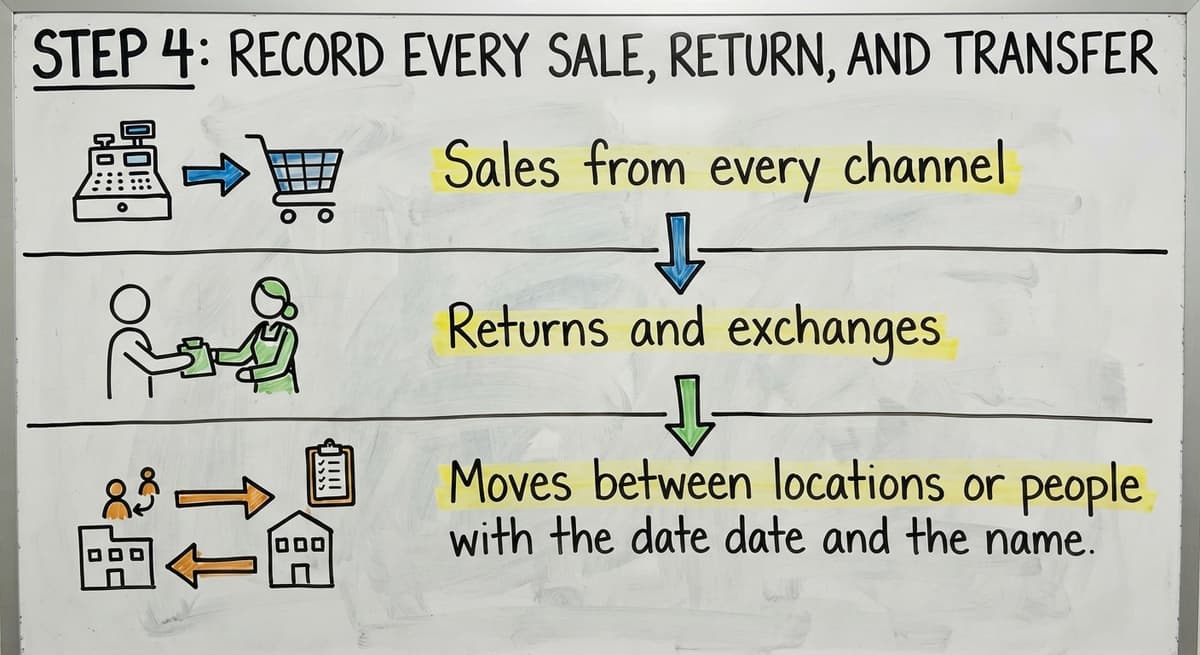
Log these events:
- Sales from every channel, such as live sales, online orders, and events.
- Returns and exchanges, with a short reason such as wrong size or flaw.
- Moves between locations or people, with the date and the name.
How do you track returns and damaged items?
Give returns and damaged items their own status and their own bin. Never fold them back into stock until you inspect them. A returned piece that passes inspection goes back to "in stock." A flawed one stays "damaged," and you note the cause.

Step 5: Organize Your Storage to Match Your List
Your storage should mirror your list, so each code points to one spot. Group items by style and size. Use labeled bins or racks. Then write the bin or rack name in the location column.
Keep three extra spots:
- A held bin for items set aside for a buyer.
- A returns bin for pieces waiting for inspection.
- A damaged bin for flawed pieces you may sell at a discount or write off.
Good storage makes counts faster. It also makes picking orders easier, because you walk to the spot instead of hunting. If you want more on the wider topic, see our guide on how to keep track of inventory in warehouse settings.
How Often Should You Do a Stock Count?
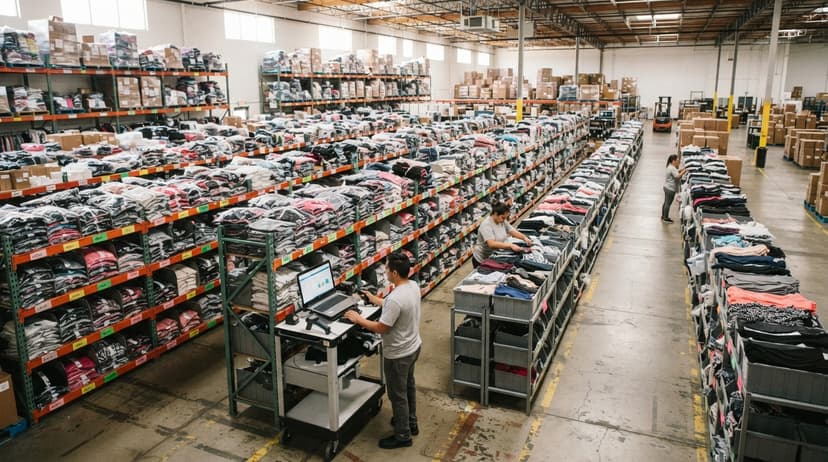
Do a full stock count at least once a quarter, and run quick spot checks every week. A spot check means counting one rack or one bin and comparing it to the list. Fast-moving items need checks more often, because errors build faster there.
Reconcile the gaps
Reconcile means you compare the physical count with the list and note each gap. Then look for the cause. Common causes include:
- A sale that nobody logged.
- A tag that went on the wrong piece.
- A return that stayed in the wrong bin.
Fix the cause, not just the number. A gap you explain once is a gap that does not return. Quarterly counts also give you a clean figure for the yearly value that IRS Publication 538 asks you to report.
The comparison is easier when one option is built for you
Off-the-shelf means fitting your process to the software. We do it the other way round, and the first look costs nothing.
Book a call
What Numbers Should You Watch?
Watch units on hand, units sold, and sell-through rate. Sell-through rate is the share of items you bought that you have sold. If you bought 100 pieces and sold 40, your sell-through is 40%.
Add these checks:
- Cost versus price for each item, so you know your margin.
- Slow movers, meaning pieces that sit longer than a set number of days, such as 60.
- Reorder points, meaning the count at which you buy more.
Use these numbers to pick what to buy next. If a style sells out in 2 weeks, buy more of it. If a print sits for 90 days, mark it down. The Census Bureau tracks the same idea for wholesale firms in its Monthly Wholesale Trade data, which reports inventories and sales.
Common Mistakes When Tracking LuLaRoe Inventory
The most common mistake is updating the list days late. By then you have forgotten which piece left. Other slips do just as much harm.
- Keeping several lists that disagree, so nobody knows which is right.
- Skipping labels on one-of-a-kind items.
- Mixing returns and damaged goods into sellable stock.
- Tracking only by style and size, which hides the print.
- Counting once a year, which lets errors grow for 12 months.
Each one is small. Together they cause missed sales and bad buying choices. If you also sell on consignment, see how to keep track of consignment inventory, because owner names add a column.
When Does a Spreadsheet Stop Being Enough?
A spreadsheet stops being enough when errors cost you more time than the sheet saves. Watch for these signs:
- Several people edit the list at once and overwrite each other.
- Orders come from many channels and reach you late.
- Counts keep missing, and you can't find why.
- You spend hours each week fixing the list.
Put a price on it. Say 2 people spend 5 hours a week fixing counts at $18 an hour. That is 2 x 5 x 18 x 52 = $9,360 a year. The Bureau of Labor Statistics lists real pay for this kind of work in its stock clerk data, so you can use your own local rate.
Keep your accounting, replace the manual part
Small wholesale and warehouse teams often end up with Excel, printed sheets, and email side by side. You do not need a big ERP (a large all-in-one business system) or a long move. You can keep QuickBooks for accounting and replace only the manual tracking with software built around how your work already runs. Our team builds that kind of custom workflow. It can feed counts to your accounting software's inventory records and connect to channels such as an online store builder or a handmade-goods marketplace.
NIST's supply chain guidance offers vendor-neutral advice on inventory process if you want a second view. For the wider picture, read how to keep track of inventory small business owners use.
Frequently asked questions
How to keep track of your inventory?
Count everything you own, give each item a unique ID, and record every item in one master list. Update the list the same day stock moves. Then compare the shelf to the list on a set schedule and fix each gap. A spreadsheet works at small scale. An inventory app or custom platform fits when several people or channels are involved.
What should be in an inventory list?
Include the ID, style, size, print, cost, price, status, and location. Status can be in stock, reserved, sold, returned, or damaged. These columns show what you own, what it earned, and where it sits.
How often should you count stock?
Do a full count at least once a quarter. Run quick spot checks every week on one rack or bin. Count fast-moving items more often, since errors build faster there.
How do you track returns and damaged items?
Give each its own status and its own bin. Do not add them back to sellable stock until you inspect them. Note the reason for each return so you can spot patterns.
Can I track LuLaRoe inventory in Excel?
Yes. Use one master list with a unique ID for each piece. Add columns for cost, price, status, and location. Keep a single copy, and update it the same day stock moves.
Should I use my accounting software for inventory?
Accounting software can hold item counts. Day-to-day tracking often needs more detail, such as print and bin. A custom tool can handle that detail and feed totals to your accounting software.
How do I track items with only one piece per print?
Give each piece its own ID. Put the code on a tag and in the list. When that piece sells, mark that one ID as sold.
What is the fastest way to start?
Count what you have, label each piece, then build the list. That order gives you a clean base. Add weekly spot checks once the list works.
Start with a free first look
A 30 minute call, your operation mapped, and a clear picture of what we would build. No obligation and nothing to install.
Book a callRelated guides
More on the same work.
- How to Keep Track of Inventory
- How to Keep Track of Inventory on Clover
- How to Keep Track of Computer Inventory
- How to Keep Track of Consignment Inventory
- How to Keep Track of Alcohol Inventory
- How to Keep Track of Product Inventory
- How to Keep Track of Ebay Inventory
- How to Keep Track of Poshmark Inventory
- How to Keep Track of Liquor Inventory
- How to Keep Track of Grocery Inventory
- How to Keep Track of Freezer Inventory
- How to Keep Track of Cigarette Inventory
- How to Keep Track of Inventory Electronically
- How to Keep Track of Paparazzi Inventory
- How to Create an Inventory Tracking System?
- How to Track Non Inventory Items
- How to Keep Track of Inventory in Warehouse
- How to Keep Track of Inventory Small Business
- How to Record Inventory on Hand
- How to Manage Inventory in Rocket League
- How to Improve Inventory Management
- How to Manage Fba Inventory
- How to Manage Inventory in Stardew Valley
- How to Manage Inventory Fallout 76