

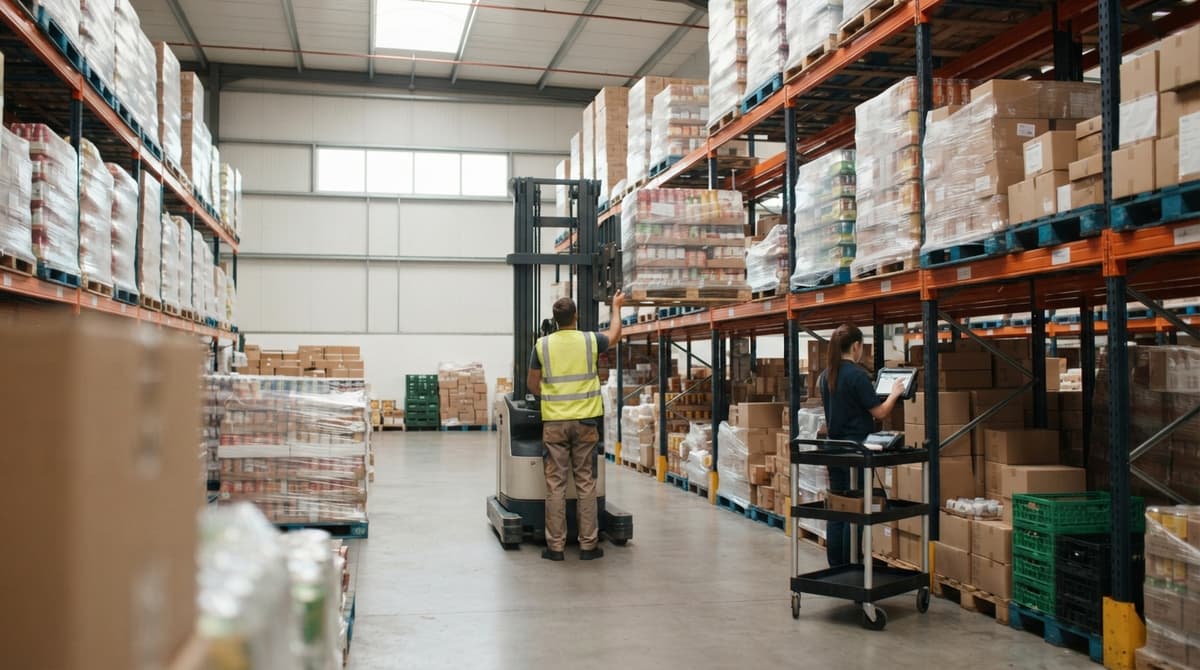
How To Keep Track Of Grocery Inventory
Learn how to keep track of grocery inventory in a warehouse: one item list, locations, receiving, shipping, and cycle counts. Works on paper or in a spreadsheet.
Book a callHow Do You Keep Track of Grocery Inventory?
List every item, count it, record every move in and out, and compare the numbers on a set schedule. That is the whole job. It rests on 4 basics: an item list, a receiving log, a shipping log, and regular counts.
Reviewed October 2026.
This guide is for wholesale distributors and warehouses that supply grocery stores. It is not for shoppers or home pantries. We reviewed the method in June 2025. It works on paper or in a spreadsheet today.
We build it for your operation, and the first look is free
If you would rather not compare products, describe how your operation already works and we build the system around it.
No build cost. You see it running on your own process first, and the monthly subscription starts only once it is live.
Book a callWhy Is Grocery Inventory Harder to Track Than Other Stock?
Grocery stock is harder to track because food spoils, so the date matters as much as the count. A pallet of canned beans can sit for months. A case of yogurt cannot.
Four other things add strain:
- Each item ships in many pack sizes, such as case, inner pack, and each.
- Stock lives in 3 temperature zones: dry, cooler, and freezer.
- Fast turnover means a small error grows into a stockout within days.
- Codes must match from the dock to the truck.
GS1, the standards body behind retail barcodes, calls its standards "the global language of business". Food moves fast, so everyone in the chain needs to speak it.
What Is the Easiest Way to Track Grocery Inventory?
The easiest way is a simple routine you can repeat every day. Start with a clean list, a place for every item, and a log for each move. You can run it on paper first.
Then add tools as the work grows. A spreadsheet helps at the start. A scanner helps when volume rises. Software helps when people lose time fixing numbers. The routine matters more than the tool, so build the habit first and pick the tool second.
Step 1: How Do You Build One Clean Item List?
You build one clean item list by giving each product exactly one name and one code, called a SKU (stock keeping unit). Every other step depends on this list. If the list is messy, every count will be wrong.
For each item, record these fields:
| Field | Example |
|---|---|
| Name and SKU | Long grain rice, RICE-25 |
| Case size | 6 bags per case |
| Unit size | 25 lb bag |
| Storage zone | Dry |
Duplicates sneak in when one person types "Tomato Sauce 15oz" in a spreadsheet and another types "Tom. Sauce 15 oz" in the accounting package. Merge them. A clean list is the base of all grocery inventory tracking.
Step 2: Give Every Item a Location
Give every item a home. Label each aisle, rack, shelf, and bin. A pallet with no address is a pallet someone will search for.
Record the location with every count and every move. When a forklift driver shifts 12 cases of juice, the log changes too. Put the cooler and the freezer on the map as well, with their own labels.
The payoff shows up fast:
- Fewer lost pallets.
- Faster picking, because pickers walk straight to the item.
- Fewer arguments about where stock went.
A location on every record turns a guess into a lookup.
The comparison is easier when one option is built for you
Off-the-shelf means fitting your process to the software. We do it the other way round, and the first look costs nothing.
Book a callStep 3: Record Everything That Comes In
Check each delivery against the buy order before the truck leaves. The dock is the one place where you can catch errors for free. After that, they cost money.
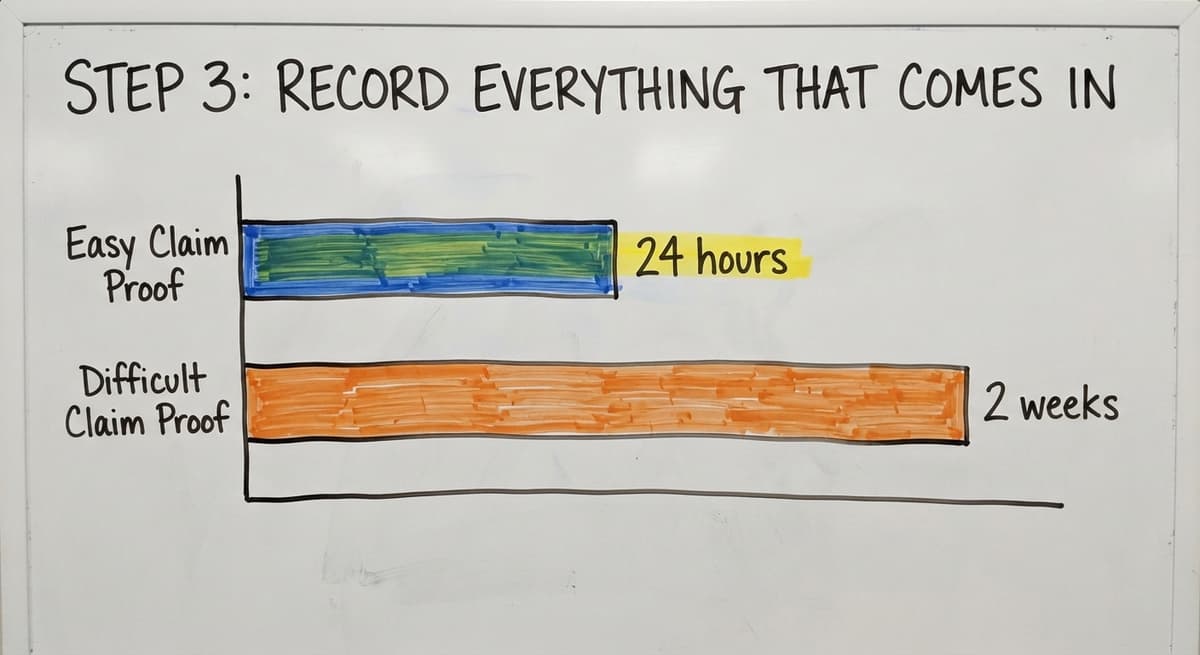
For each pallet, write down three things: the quantity, the lot or batch number, and the expiration date. A lot number is a code the maker prints to mark one production run. Also note damaged or short items the same day. A claim filed in 24 hours is easy to prove. A claim filed in 2 weeks is not.
A clear warehouse receiving and shipping workflow keeps this step the same for every driver and every shift. If the date is not recorded at the dock, it is lost for good.

Step 4: Record Everything That Goes Out
Subtract stock when an order is picked, not days later. A late entry means the next order may sell product you no longer have. The US Federal Trade Commission needs sellers to ship when they said they would, and an accurate count is what lets you keep that promise.
Pick by FEFO, which means first expired, first out. Ship the case with the earliest date first, even if it arrived later.
Also record:
- Returns, with the reason and the condition.
- Waste, such as dropped cases, spoiled stock, and donations.
- Short picks, so the count matches the shelf.
If waste is not logged, the count drifts and nobody knows why.
What Is FEFO and Why Does It Matter for Food?
FEFO stands for first expired, first out. It means you ship the stock with the nearest date, not the oldest arrival. Two pallets of the same item can carry very different dates.
FIFO, or first in, first out, ignores the date. It works for hardware. It can leave a short-dated pallet behind a fresh one. FEFO needs the date on every record, which is why Step 3 matters so much.
Step 5: Count Often With Cycle Counts
Cycle counts mean you count a small group of items each day or week. You do not shut down for one big count. The warehouse keeps shipping while you check.
Say you stock 600 items and count 30 a day. You cover the full list in 20 working days. Count fast-moving and high-value items more often. Count slow movers less often.
When a count does not match, find out why. Was it a missed receipt, a bad pick, or a wrong location? Fix the cause, not just the number. If you only edit the number, the same gap will return next week.
A scan-based count also leans on the barcode standards GS1 keeps, so labels need to be clean.
See it running on your own process first
No build cost. The subscription starts once it is live and doing the job, not before.
Book a call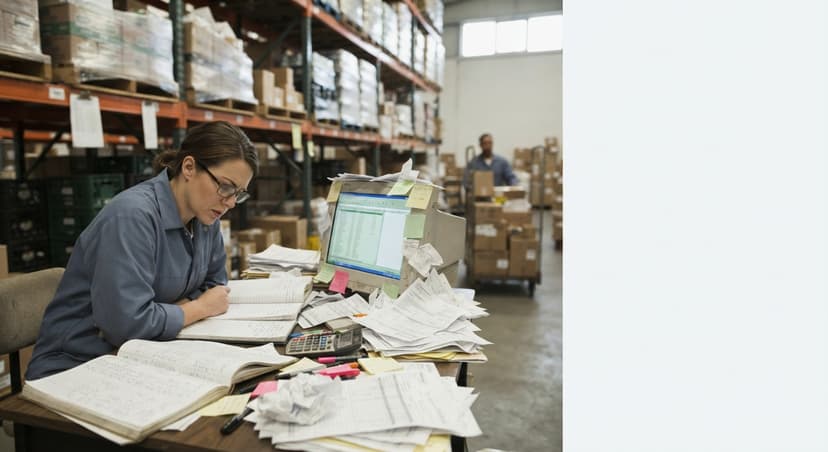
How Often Should You Count Grocery Inventory?
Count your top sellers every week and your slow movers every month or two. Every item should be counted at least a few times a year. A daily plan of 20 to 40 items suits most small warehouses.
Still, the law asks for one full valuation. IRS Publication 538 says, "To figure taxable income, you must value your inventory at the beginning and end of each tax year." Regular cycle counts make that year-end task a short one.
How Do You Track Expiration Dates?
Track expiration dates by lot or batch, with the date attached to each lot. Do not store the date in a note or in someone's memory. Every receipt gets a lot number and a date, and both follow the stock to its location.
Then build a weekly habit:
- Pull a list of lots that expire in the next 30 to 60 days.
- Move those lots to the front of the pick path.
- Plan a discount or a donation before the date passes.
This kind of lot tracking pays off again during a recall. If a supplier flags a batch, you can find which pallets and which customers got it in minutes, not days. Expiration date tracking is the heart of safe food distributor inventory.
How Do You Know When to Reorder?
You reorder when stock falls to the item's reorder point. Set a minimum level, called a par level, for each item. When on-hand stock hits that line, it is time to buy.
The formula is plain: reorder point equals daily use times supplier lead time, plus a small cushion. Say you ship 40 cases of pasta a day and the supplier takes 5 days. That is 200 cases. Add a cushion of 20, and the reorder point is 220.
Raise the levels before busy seasons and holidays. Lower them after. Review the top 20 items every month, since their use shifts the most.

What Does Manual Tracking Cost?
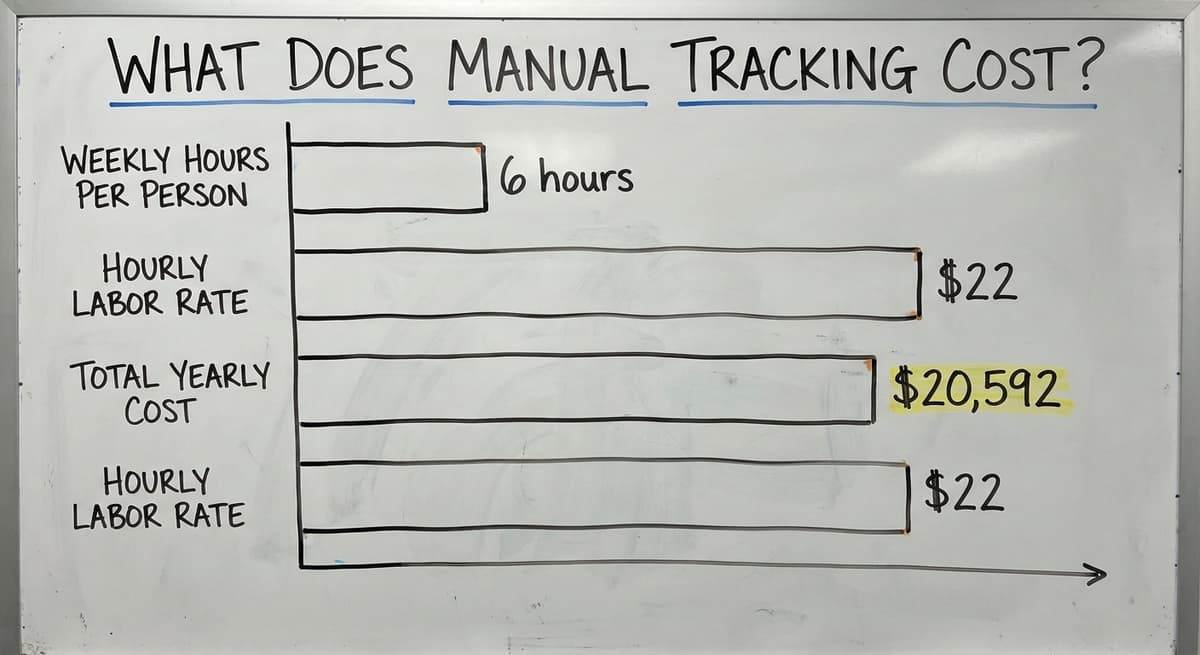
Manual tracking costs real wages. Take 3 people who spend 6 hours a week each fixing sheets, rechecking counts, and typing the same data twice. At $22 an hour, that is 3 x 6 x $22 x 52, or $20,592 a year. Use your own numbers in that formula.
The US Bureau of Labor Statistics lists what stock clerks and order fillers are paid, so you can check your rate. That cost does not include spoiled product or missed orders. Those losses often cost more than the labor.
The Census Bureau tracks monthly wholesale inventories and sales. It shows how much stock the sector holds against what it sells. Your own ratio is worth watching too.
Can You Track Grocery Inventory in a Spreadsheet or Accounting Package?
Yes, at first. A spreadsheet works well for a small item list, and you can track inventory in a spreadsheet with one tab for items, one for receipts, and one for shipments. An accounting package tracks cost and sales well.
They break in predictable ways:
- Several people edit the file and overwrite each other.
- Printed sheets go stale the moment they print.
- Neither tracks lot numbers or dates well.
- Neither shows where a pallet sits.
Watch for the signs that it is time to change. Counts miss. Stockouts repeat. Product spoils on the shelf. Staff spend hours each week matching sheets. If you see two or more, your system is costing you. Our guide on replacing Excel and paper sheets in a warehouse covers the move in detail.
Not sure this is the right shape for your operation
Describe how the work runs today. We map it on a call and show you what it would look like built around that, before you spend anything.
Book a callWhen Should a Distributor Move Off Spreadsheets?
Move when the manual parts take longer than the real work. If your team spends more time fixing the record than moving food, the sheet is in charge. That is the signal.
When Does Custom Inventory Software Make Sense?
Custom software makes sense when the manual steps eat more time than the work. It is built around how your team already works. You do not have to bend your day to fit a canned tool, and you do not face a forced move of all your data at once.
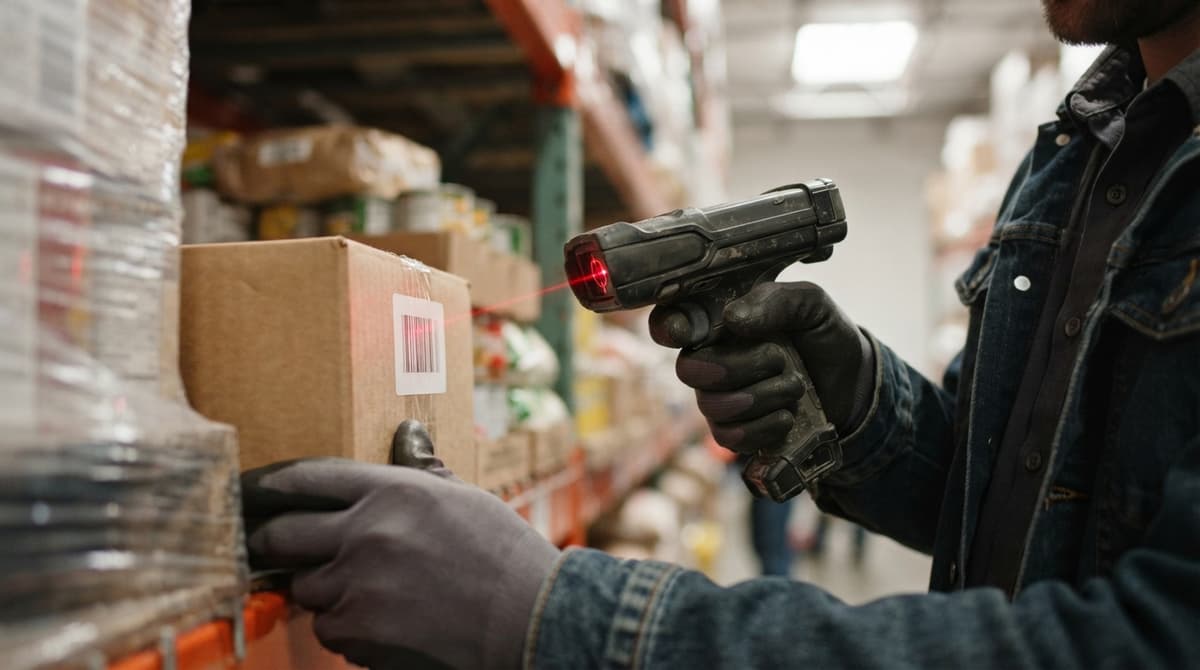
Your accounting stays where it is useful. Using accounting software alongside custom operations software is common: the accounting package keeps the books, and the new tool handles lots, dates, and locations. Only the manual steps are replaced.
This works at small scale. You skip a big ERP project, which is a huge system that runs a whole company. At The Software Society, custom workflow rollout means we map your receiving, picking, and counts, then build only what you need. Look for inventory management software for wholesale distributors that fits your floor, not the other way around.
What Are Common Grocery Inventory Mistakes?
The most common mistake is counting once a year. Gaps then grow for 12 months before anyone sees them. Four others do the same harm:
- Skipping dates at receiving, so FEFO cannot work.
- Letting one person hold all the knowledge, so a sick day stops the dock.
- Not recording waste and returns, so counts drift.
- Keeping stock numbers in more than one file, so no one trusts any of them.
NIST's supply chain guidance stresses a sound, repeatable process. Each mistake above is a break in that process. Fix them one at a time, starting with receiving.
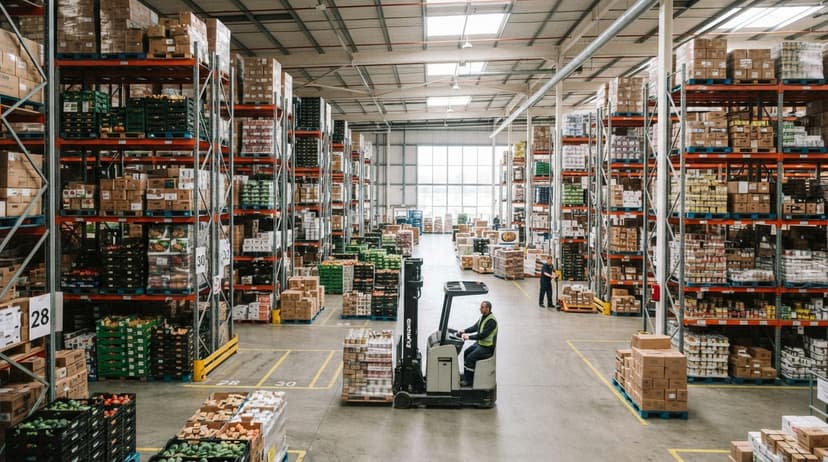
Where Should You Start?
Start this week with Step 1. Clean the item list, then add locations. Receiving and shipping logs come next, and cycle counts follow. If your team is already buried in sheets, talk to us. We will review your workflow and show which manual parts to replace first.
Frequently asked questions
What is the 5 4 3 2 1 rule for groceries?
There is no standard rule by that name in warehouse or distribution work. It sounds like a home shopping or meal planning shortcut, and it does not help a distributor track cases, lots, or dates. For a warehouse, use an item list, locations, receiving and shipping logs, and cycle counts.
What is the 3-3-3 rule for groceries?
It is not an inventory control standard. Rules like this are household shopping habits, so treat it as a home tip. A distributor needs par levels, a reorder point for each item, and expiration date tracking by lot.
How often should you count grocery inventory?
Count fast-moving and high-value items every week. Count slow movers every month or two. A small daily batch of cycle counts beats one big yearly count, because gaps are found while the cause is still fresh.
What is the best app to track grocery inventory?
There is no single best app. The right choice depends on your size, your pack sizes, and whether you need lot and date tracking. The main kinds are a spreadsheet, an inventory app, a cloud platform, and a custom build. Pick the one that handles your lots, dates, and locations with the least typing.
What is a good way to keep track of inventory?
Keep one clean item list, give every item a location, and log everything that comes in and goes out. Then run cycle counts on a schedule. Record lot numbers and expiration dates at receiving. This works on paper, in a spreadsheet, or in custom software.
Can accounting software track grocery inventory?
It can track cost and sales for stock items, and many distributors use it for that. It is weaker on lot numbers, expiration dates, and bin locations. Many teams keep it for accounting and add a separate tool for warehouse work.
What is FEFO and why does it matter for food?
FEFO means first expired, first out. You ship the stock with the nearest date first. It matters because two pallets of the same item can have very different dates, and shipping by arrival order can leave short-dated food behind.
When should a distributor move off spreadsheets?
Move when count mistakes, stockouts, spoiled product, or hours spent matching sheets keep happening. If several people edit files or you cannot see lots, dates, and locations, the sheet is holding you back.
Start with a free first look
A 30 minute call, your operation mapped, and a clear picture of what we would build. No obligation and nothing to install.
Book a callRelated guides
More on the same work.
- How to Keep Track of Inventory
- How to Keep Track of Inventory on Clover
- How to Keep Track of Consignment Inventory
- How to Keep Track of Alcohol Inventory
- How to Keep Track of Ebay Inventory
- How to Keep Track of Poshmark Inventory
- How to Keep Track of Freezer Inventory
- How to Keep Track of Cigarette Inventory
- How to Create an Inventory Tracking System?
- How to Keep Track of Inventory in Warehouse
- How to Keep Track of Inventory Small Business
- How to Record Inventory on Hand
- How to Manage Inventory in Rocket League
- How to Improve Inventory Management
- How to Manage Fba Inventory
- How to Manage Inventory in Stardew Valley
- How to Manage Inventory Fallout 76
- How to Manage Inventory Diablo 4
- How to Manage Pharmacy Inventory
- How to Manage Hardware Inventory
- How to Manage Food Inventory
- How to Manage Inventory Efficiently
- How to Manage Inventory Apex Legends
- How to Manage Consignment Inventory