

Inventory Management Software Free
Inventory management software free can work for a small start. Learn the types, the limits, the hidden costs, and when a custom fit makes more sense.
Book a callWhat Does Inventory Management Software Free Really Mean?
Free inventory software is a no-cost tool for tracking stock. Four types exist, and each costs $0 to start.
Reviewed November 2026. Figures are worked from the assumptions stated beside them, so you can substitute your own and the arithmetic still holds.
The holding cost is the part nobody prices. 500 units sitting for 90 days, at 3 dollars a unit a month, is 4,500 dollars of shelf time on stock that has not sold. Turning that stock 4 times a year instead of 2 halves it.
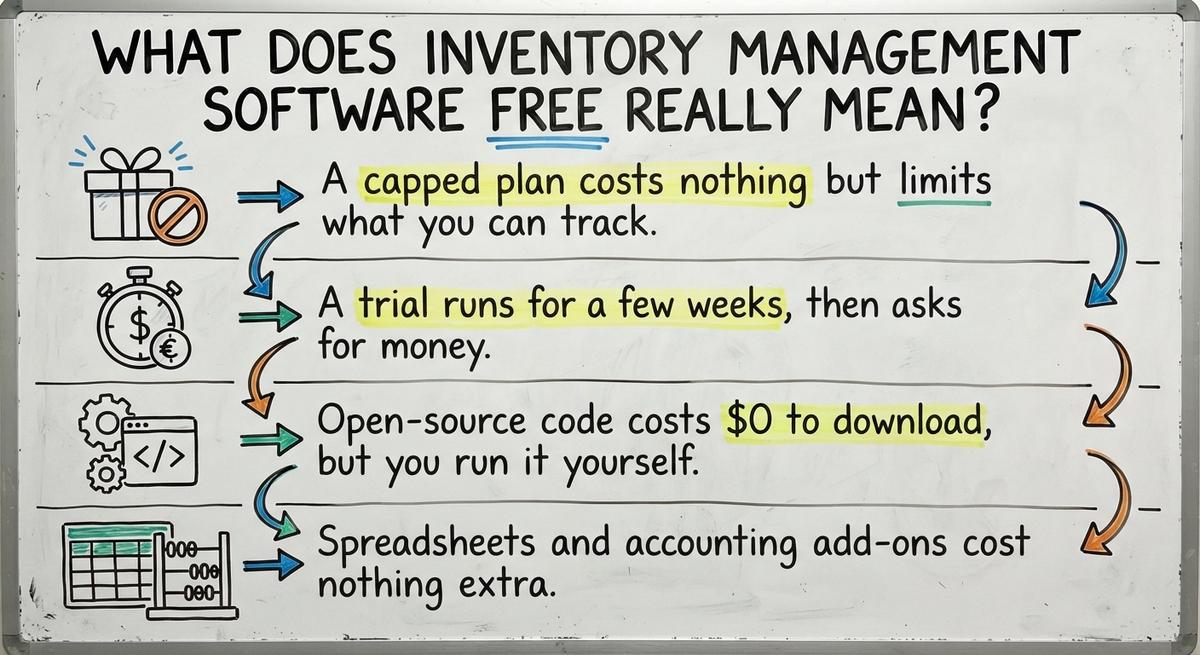
- A capped plan costs nothing but limits what you can track.
- A trial runs for a few weeks, then asks for money.
- Open-source code costs $0 to download, but you run it yourself.
- Spreadsheets and accounting add-ons cost nothing extra.
Free has real uses. It also has limits.
Spot those limits before you load your stock list into any tool.
We build it for your operation, and the first look is free
If you would rather not compare products, describe how your operation already works and we build the system around it.
No build cost. You see it running on your own process first, and the monthly subscription starts only once it is live.
Book a callWhat Are the Main Types of Free Inventory Software?
Your item numbers matter in every form. GS1 calls its standards "the global language of business." Learn its barcode standards before you label a single shelf.
Free inventory software for small business comes in four forms. Each form fits a different stage of growth.
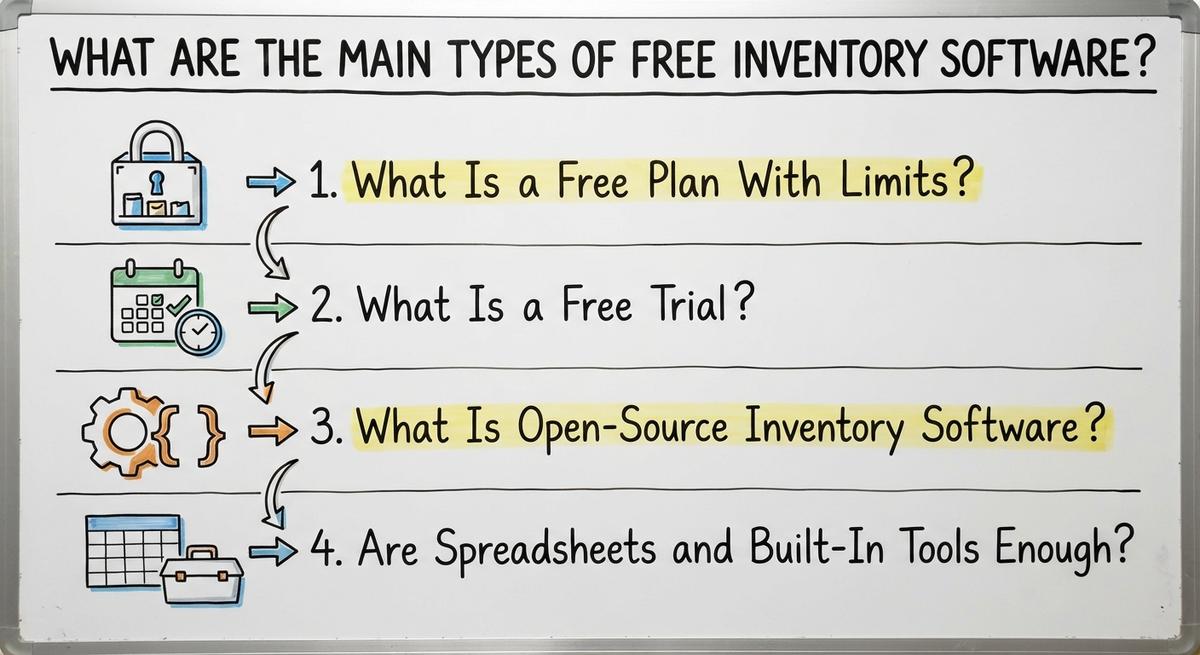
The four forms:
- Capped plans with limits on items, users, or locations.
- Free trials with full features for a short time.
- Open-source code with no license fee.
- Spreadsheets and built-in accounting tools you already own.
Pick the form that matches your size today.
What Is a Free Plan With Limits?
A free plan is a no-cost tier that caps items, users, locations, or orders. It suits a side business with a few dozen products and one person doing counts.
The cap is the catch. Add a second warehouse, a new hire, or a few hundred more SKUs, and you hit the wall.
A growing warehouse outgrows a free plan first.
What Is a Free Trial?
A free trial is a short test period with full features. Payment starts when the trial ends. The trial shows you how a tool feels.
The risk is lock-in. Load months of item data, and leaving feels painful. Many people pay just to avoid redoing the work.
Test with a small sample instead:
- Pick twenty real SKUs.
- Run one week of receiving and shipping.
- Count the extra steps your team takes.
- Decide whether the tool fits before you load more.
A small, real sample tells you more than a polished demo.
What Is Open-Source Inventory Software?
Open-source software is code that anyone can use without a license fee. InvenTree describes itself this way: "InvenTree is an open-source inventory management system which provides intuitive parts management and stock control."
ERPNext goes further. Its site calls it "100% open-source enterprise resource planning software." GitHub says ERPNext does "all of the above and more, for free."
The code is only the start. You still pay in other ways:
- A server to host the system.
- Setup and ongoing security updates.
- Backups that someone checks.
- A technical person to fix problems.
No technical person on staff means a consultant bill or lost hours. The license costs $0. The labor does not.
With open-source, the cost moves from a license to labor.
Are Spreadsheets and Built-In Tools Enough?
A spreadsheet is a grid of rows that holds item names and counts. Your accounting package adds its own inventory tools. Both cost nothing extra.
At small volume they work well. You list items, record counts, and see what is on hand. For a few hundred SKUs and one person entering data, that is enough.
Problems start as volume grows:
- More people edit the same file.
- Orders arrive by email.
- Numbers drift from the shelf.
- Nobody knows which copy is right.
Free tools you already own make a fine start but were never built to run a warehouse.
What Does Free Inventory Software Do Well and Where Does It Stop?
Free tools do three jobs well: stock counts, simple item lists, and low-stock alerts. For a startup, that is plenty.
The risk is low while you learn. You can switch later with little regret. Free tracking also shows which features you truly need.
Wholesale and warehouse work exposes gaps fast:
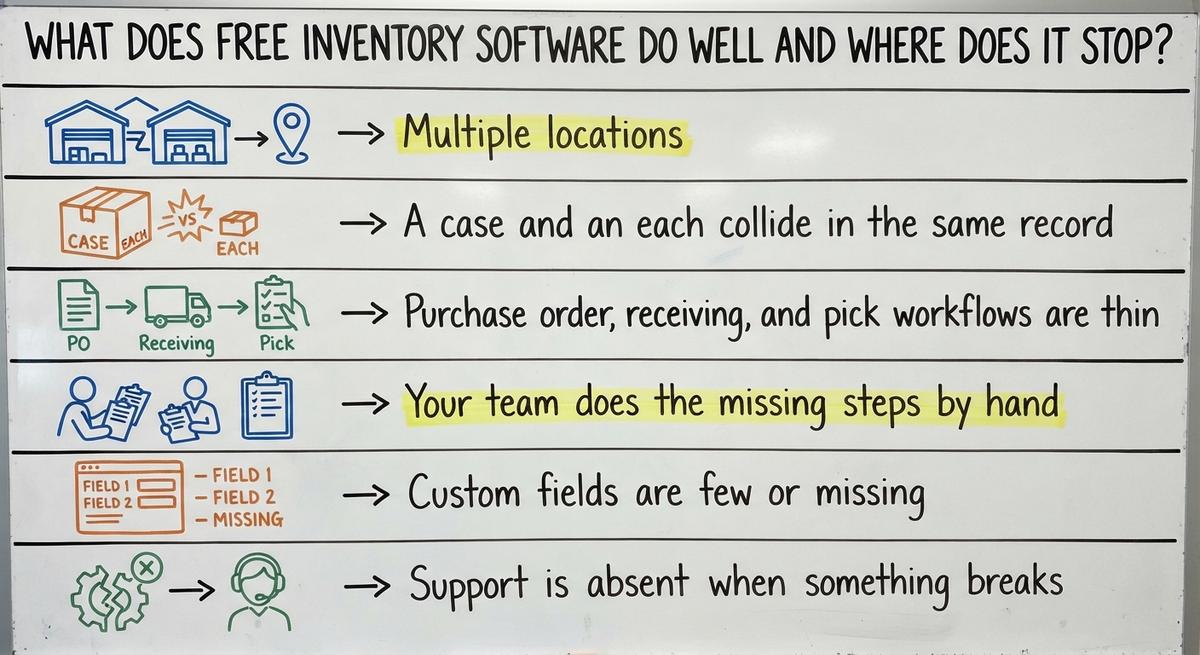
- Multiple locations, bins, lots, and units of measure get weak support.
- A case and an each collide in the same record.
- Buy order, receiving, and pick workflows are thin.
- Your team does the missing steps by hand.
- Custom fields are few or missing.
- Support is absent when something breaks.
Paid tools show what full coverage looks like. Almyta Systems lists nine modules in each standard package. They include inventory control, purchasing, bill of materials, assembly orders, and shipping. Free plans skip most of that list.
Wholesale distribution runs on these details.
Free covers counting, not the workflow around the count.
Not sure this is the right shape for your operation
Describe how the work runs today. We map it on a call and show you what it would look like built around that, before you spend anything.
Book a callWhat Are the Hidden Costs of Free Inventory Tracking?
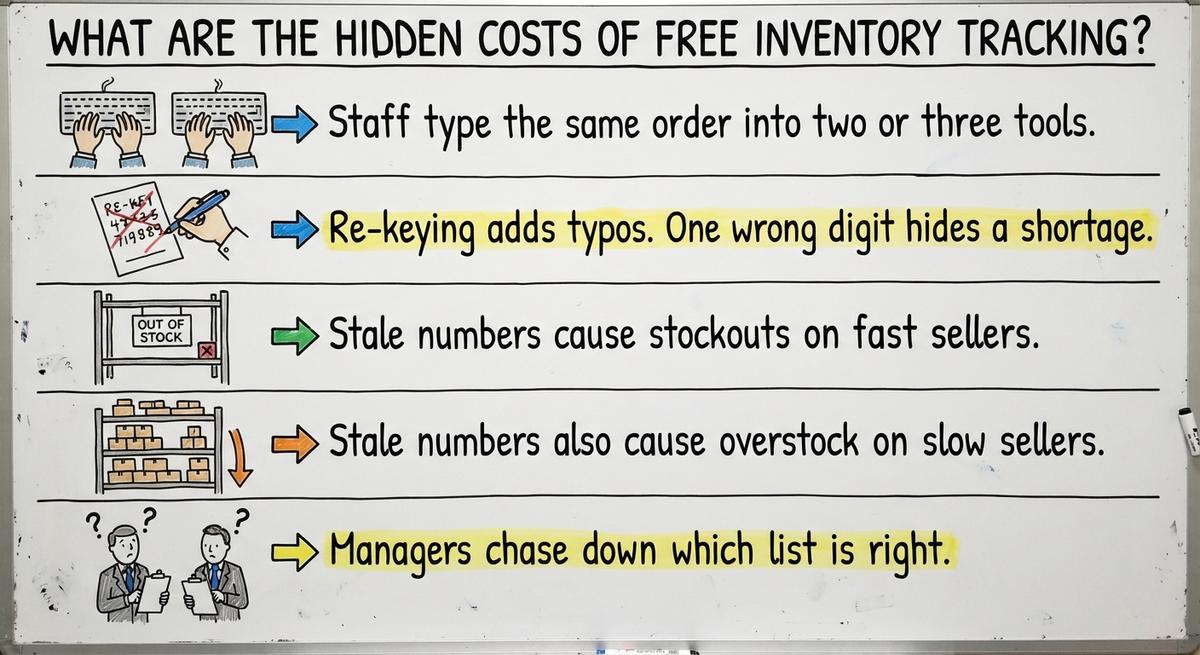
The hidden costs of free inventory tracking are staff time and mistakes. No bill shows them. Each workaround takes hours and adds risk.
Here is where the time goes:
- Staff type the same order into two or three tools.
- Re-keying adds typos. One wrong digit hides a shortage.
- Stale numbers cause stockouts on fast sellers.
- Stale numbers also cause overstock on slow sellers.
- Managers chase down which list is right.
None of this shows on an invoice. That makes it easy to miss.
Better control pays off. Katana tells of a company whose full inventory control uncovered "thousands in misplaced raw materials." That company then grew its facility 5x.
A free tool is cheap only when the time and errors around it cost you nothing.
How Do Free Tools Connect to Your Accounting Package?
Many free tools only export a file. You then import it by hand. Each manual step creates a gap. A missed import means your books and your shelf disagree.
Most free plans offer no accounting sync or a thin one. Check this first if you rely on your accounting software for inventory.
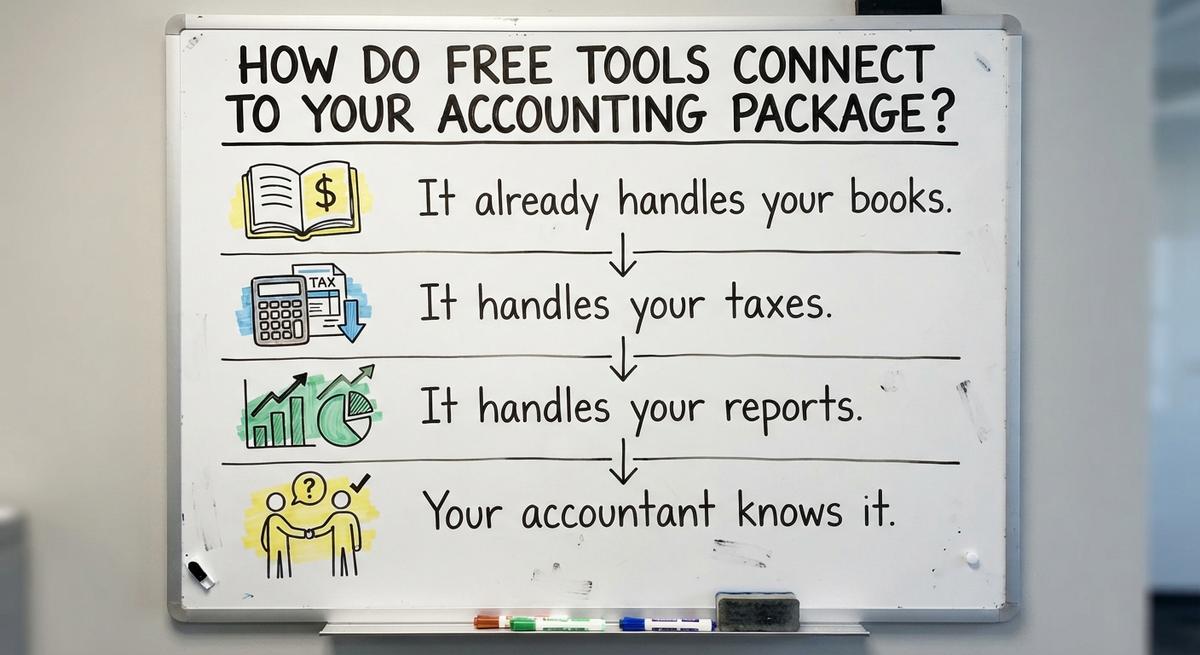
Keep your accounting package anyway. Four reasons:
- It already handles your books.
- It handles your taxes.
- It handles your reports.
- Your accountant knows it.
Replacing it adds risk and adds no stock control.
Keep the accounting package for accounting, and fix the stock side around it.

What Are the Signs You Have Outgrown Free Inventory Software?
You have outgrown free software when the tool creates more work than it saves. Check yourself against this list:
- Counts in the system do not match the shelf.
- Overflow lives in spreadsheets, printed sheets, and email.
- Staff keep a second list because they distrust the first.
- Orders slip or ship late from bad stock data.
- New hires need a long walk-through to learn the workarounds.
- Nobody can say what you have on hand right now.
Two or three signs are a warning. Four or more mean the tool no longer helps.
When people trust a side list over the system, the system has already failed.
The comparison is easier when one option is built for you
Off-the-shelf means fitting your process to the software. We do it the other way round, and the first look costs nothing.
Book a callHow Do You Choose a Free Tool Wisely?
Choose a free tool by testing it against your real work. Skip the feature page. Follow four steps:

- Write down your must-haves first, such as bins, lots, or buy orders.
- Check limits on items, users, and locations. Compare them to your size in a year.
- Ask how you can export your data later and in what format.
- Try the tool with one week of real data.
A tool that passes all four is a safe place to start.
SalesBinder shows why you should ask about change. Its site says all new signups now use "our latest v3 platform." Existing accounts must migrate. Platforms shift under you, so know your exit path.
A must-have list written first keeps a clever demo from choosing for you.
Is Free Inventory Software Safe for Your Data?
Free inventory software can be safe, but ask before you assume. Stock levels and supplier prices are business secrets.
Ask these questions:
- Where is your data stored?
- Who can see it?
- Do backups run on a set schedule?
- Can you pull a full export at any time?
- What happens to your records if the plan ends?
- What happens if the provider closes?
If you cannot get all your data out, you do not really own it.
What Questions Should You Ask Before Picking a Tool?
Four questions apply to every tool, free or paid:
- What happens when we pass the free limit, and what does the next step cost?
- Can we export all our data?
- Does it fit our workflow, or do we change to fit it?
- Who helps when something breaks?
The answers to these four reveal the true price of any tool.

How Do Free, Paid, and Custom Inventory Software Compare?
The three options differ in cost, fit, and effort. Free costs the least and fits the least. Paid off-the-shelf tools add features. You adapt your process to them. Custom software is built around how you already work.
| Free | Paid off-the-shelf | Custom | |
|---|---|---|---|
| Up-front cost | Lowest | Moderate | Highest |
| Fit to your process | Lowest | You adapt to it | Built around you |
| Effort to start | Low | Medium | Scoped with your team |
| Best for | Learning and tiny stock lists | Standard workflows | Unusual or growing operations |
Fit, not price, separates the three.
What Does Custom Inventory Software Cost Compared With Free?
Custom inventory software costs more up front than free. Free costs $0 to start. We say that plainly.
Now compare the build with what your workarounds cost each year:
- Staff hours spent on double entry.
- Errors that need fixing.
- Lost sales from stale numbers.
Scope drives cost. Scope means what you need the software to do. So we quote no prices here. Read our guide to inventory management software cost for a fuller breakdown.
The honest comparison is a one-time build against a yearly drain.
What Is a Middle Path That Keeps Your Accounting?
You do not need a big ERP or a long migration. Keep QuickBooks where it already works. Build only the piece that replaces your spreadsheets, printed sheets, and email.
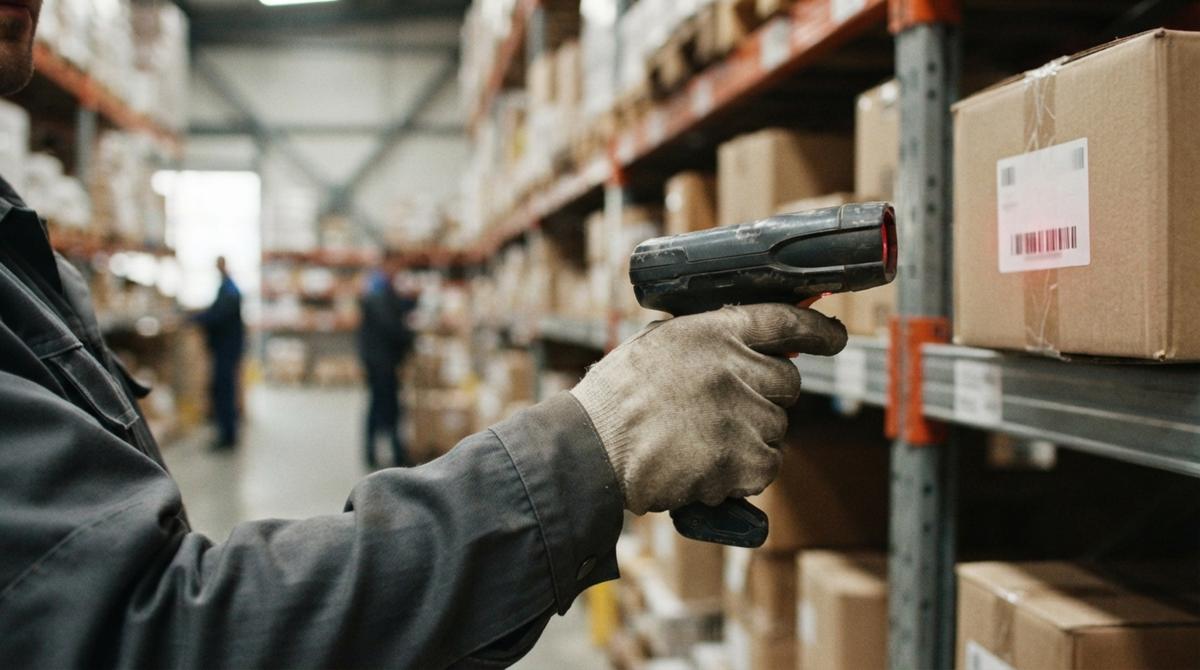
Custom inventory management software is a tool built around your own process. It handles three jobs:
- Receiving.
- Counts.
- Picking.
It then passes clean totals to your books. Your team learns less and changes less.
If you also sell online, it can connect to an e-commerce platform or a large online marketplace.
You replace the manual parts, not the parts that work.
What Does a Small Distributor Outgrowing Spreadsheets Look Like?
Picture a small distributor. This is a made-up example, not a client result.
Orders arrive by email. Stock lives in a spreadsheet that three people edit. Invoices live in your accounting software. Each order is typed two or three times. Counts slip.
Replace one piece first: the link between orders and stock. An order comes in. Stock updates once. Invoice data flows to the books.
Fix the point where the same entry is typed twice before touching anything else.
See it running on your own process first
No build cost. The subscription starts once it is live and doing the job, not before.
Book a call
How Do You Move Off Free Software Without Disruption?
Moving off free software goes smoothly in four small steps:
- Export your item list and counts first. Save a copy somewhere safe.
- Run the new system next to the old one for a short time. Compare numbers daily.
- Move one workflow at a time. Start with receiving, then picking.
- Retire the old lists only when the new numbers match the shelf.
A slow switch protects your orders.
One workflow at a time keeps the warehouse shipping while you change.

What Are the Next Steps for Your Inventory Process?
Free inventory software is a fine start when you know its limits. Your counts, spreadsheets, and email threads might fight each other. Then talk it through with us.
Our Columbus, Ohio team will sit down with you. We will look at how stock moves through your operation today. We will show where a small change helps most.
There is no pressure and no commitment. Bring your current process, even if it is messy. We take it from there.
Start with a clear look at what you have today.
Frequently asked questions
Does Square have an inventory management system?
Some point-of-sale and payment systems include basic inventory features, such as item lists and stock counts. There is no single best answer. What decides it is your volume, how many locations you have, whether you need receiving and buy orders, and how it connects to your accounting package.
Is there truly free inventory management software?
Yes, there is, but with limits. Free plans cap items, users, or locations. Trials expire. Open-source software has no license fee, yet it still needs setup, hosting, and upkeep from someone technical. Free is a fair place to start, as long as you know where it stops.
Can I run a warehouse on free software?
It is possible at very small volume. A few products, one location, and one or two people can get by. It gets harder with multiple locations, many SKUs, or more staff. Bins, lots, receiving steps, and pick lists are where free tools thin out.
Can I just use a spreadsheet for inventory?
Yes, a spreadsheet works early on and costs nothing extra. The risks are version mix-ups when several people edit, typos that go unnoticed, and no live updates when stock moves. Once orders come in faster than one person can type them, the file stops matching the shelf.
What is the difference between a free plan and a free trial?
A free plan stays free but caps items, users, or locations. A free trial gives you more features for a short time, then needs payment. A plan suits a tiny stock list for the long term. A trial is best used to test fit with a small sample of real SKUs.
Can free inventory software sync with my accounting package?
Sometimes, but free plans often have no sync or only a thin one. Many only export a file that you import by hand. That creates gaps between your books and your shelf. Check this before you load any data, and ask exactly what the sync covers.
How do I know if I have outgrown free inventory software?
Look for counts that do not match the shelf, overflow in spreadsheets and email, staff keeping a second list, and orders that ship late because stock data is wrong. If several of these happen at once, the free tool is costing you more than it saves.
Start with a free first look
A 30 minute call, your operation mapped, and a clear picture of what we would build. No obligation and nothing to install.
Book a callRelated guides
More on the same work.
Guides
- Free Inventory Management Software for Small Business
- Simple Inventory Management Software Free
- Free Software for Warehouse Inventory Management
- Inventory Pc Software Free
- Free Inventory Control Software for Small Business
- Cost of Inventory Management Software
- Inventory Management Software Freeware
- Price of Inventory Management Software
- Cheap Inventory Management Software
- WMS Software Open Source
- Warehouse Inventory Management Software
- Warehouse Inventory Management Systems
- Quickbooks Inventory Management Software
- Inventory and Warehouse Management Software
- Custom Inventory Management Software
Common questions
- What is the Best Free Inventory Management Software to Download?
- What is the Best Free Software for Warehouse Inventory Management?
- What is Free Stock in Inventory Management
- How Much Does Inventory Management Software Cost
- How to Keep Track of Inventory for Small Business Free
- How to Track Inventory Free
- What is Stock Out Cost in Inventory Management
- What is Holding Cost in Inventory Management
- What is Ordering Cost in Inventory Management