


Inventory And Warehouse Management Software
Running a warehouse on spreadsheets and printed pick lists works until it does not. At some point, the errors stack up, the reconciliation takes hours, and a customer calls about an order that never arrived. This guide addresses the owner or operations manager of a 10-to-50-person wholesale distributor or warehouse who is at that point right now.
Published 25 July 2026. Reviewed and updated 15 September 2026.
You need to understand what inventory and warehouse management software actually does, what it costs in real terms, and how to pick something that fits the way your operation already works.
That is exactly what this guide covers.
Book a callWhat Is Inventory and Warehouse Management Software?
Inventory and warehouse management software is a system that tracks what you have, where it is, and what is moving in or out of your facility. That is the plain-language version.
Most operations need both pieces to work well together, even if they do not realize it.
Inventory Management: Knowing What You Own
Inventory management is about knowing what stock you have at any given moment. It answers questions like: How many units of this SKU are on hand? What did we receive last week? What have we sold or shipped?
When do we need to reorder? This side of the software keeps a running count of your stock and flags when levels drop below a set threshold. It is the financial and operational record of your goods.
Warehouse Management: Knowing Where It Lives
Warehouse management is one level deeper than inventory management. It tracks where each item physically sits inside your facility.
Which bin, which shelf, which aisle. It guides your team through receiving and put-away, tells pickers exactly where to go, and confirms that the right item left the building before the box is sealed.
A warehouse management system (WMS) is concerned with movement and location, not just quantity.
One Platform or Two: What Makes Sense
Inventory management and warehouse management come together in a single platform, especially for small and mid-size operations. Some businesses use a standalone inventory tool connected to a separate WMS. Either approach can work.
The key is that both sides talk to each other and to your accounting system. When they do not, you end up reconciling three different sets of numbers at the end of every month. That is the problem most distributors are trying to solve.
Would you rather have it built around your operation?
The first look is free. If you would rather not compare products, describe how your operation already works and we build the system around it.
No build cost. You see it running on your own process first, and the monthly subscription starts only once it is live.
Book a callSigns Your Current System Is Holding You Back
Before looking at solutions, it helps to name the problem clearly. Most distributors running on a mix of bookkeeping software, spreadsheets, and printed lists share the same pain points. The symptoms are predictable.
The obligation behind all of this is not optional. IRS Publication 538 states: “To figure taxable income, you must value your inventory at the beginning and end of each tax year.” A stock figure nobody trusts makes that number a guess.
Reviewed August 2026. Each figure comes from the assumptions stated beside it, so you can substitute your own and the arithmetic still holds.
The Typical Small Distributor Setup
The typical small distributor setup is a familiar pattern. An off-the-shelf accounting package handles the books. A spreadsheet tracks inventory, updated manually by whoever remembers to do it.
Someone prints pick lists each morning and hands them to the floor team. Purchase orders live in email threads.
When a customer calls to ask about stock, someone walks to the shelf to check. This setup works at a small scale. It breaks down as volume grows, as SKU counts increase, or as the team adds a second shift.
Warning Signs That the System Is Failing
You do not need a consultant to tell you the warehouse system is failing. The signs are visible every day:
- Stock counts that never match what the spreadsheet says
- Orders shipped with the wrong item or wrong quantity
- Staff spending two or three hours a day reconciling data across systems
- Managers who cannot answer a basic stock question without going to check physically
- Pick-and-pack teams working from a printed list that was already out of date when it came off the printer
- Reorder decisions made on gut feel because the data is not trustworthy
Each of these is a real cost. Not just in errors, but in the time every person on your team spends working around a broken system.
The Hidden Time Tax
The visible cost of manual tracking is the errors. The hidden cost is the time tax. Every employee who touches inventory data spends time entering it, checking it, correcting it, and re-entering it somewhere else. That time adds up.
A picker who spends 20 minutes a day confirming locations because the list might be wrong loses more than 80 hours a year to a process problem. Multiply that across a team of 15 and the number becomes significant.
Why Do Owners Hesitate to Change?
Most owners who are still on spreadsheets have tried software before. It did not stick. It was too expensive, too complicated, or the vendor disappeared after the sale. That skepticism is reasonable.
OSHA notes directly that "warehousing is one of the most hazardous industries," and disorganized inventory systems contribute to unsafe conditions when workers are searching for items in the wrong locations or moving stock without a clear process.
The answer is not to avoid software. It is to choose software that fits your operation rather than forcing your operation to fit the software.
Core Features of Inventory and Warehouse Management Software
The features that matter most for a distributor or warehouse operation are worth walking through carefully. Each one is explained in terms of what it does for your team on the floor, not what it looks like in a demo.
Barcode Scanning and Item Verification
Barcode scanning lets your team scan items at every stage: receiving, put-away, picking, packing, and shipping. When a picker scans an item before it goes into a box, the system confirms it is the right product and the right quantity.
Errors get caught before the box leaves the building, not after the customer calls. Scanning paired with receiving software is one of the highest-return features for any operation doing more than 50 shipments a day.
Bin Location Management
Bin location management is the practice of giving every item in your warehouse a specific address. Aisle, shelf, bin.
When a picker gets an order, the system tells them exactly where to go. They do not have to remember, guess, or ask a colleague. This cuts pick time and reduces errors caused by grabbing the wrong item from a nearby location.
For operations with hundreds of SKUs, bin location management is not optional. It is the foundation of an accurate pick.
Receiving and Put-Away
Receiving and put-away is the process of logging incoming stock and assigning it a location. Good software guides your receiving team through this step by step: scan the purchase order, scan each item, confirm quantities, assign a bin.
The system updates stock on hand automatically. No manual entry. No spreadsheet update that someone forgets to do. This is where inventory accuracy starts, and it remains the step most manual systems handle worst.
Reorder Points and Stock Alerts
Reorder points are a minimum stock level you set for each SKU in the warehouse inventory software. When the system sees that stock on hand has dropped below that level, it flags the item for reorder.
You stop making reorder decisions based on memory or a weekly spreadsheet review. The system watches the numbers for you. This reduces both stockouts and overstock because you are ordering based on actual movement, not guesswork.
Cycle Counting
Cycle counting is a way of checking inventory accuracy without shutting down the warehouse for a full physical count. Instead of counting everything once a year, your team counts a portion of the warehouse on a rotating schedule.
The system tracks which locations have been counted and when. The system flags discrepancies immediately. Most operations that implement cycle counting see their inventory accuracy improve within the first 90 days.
Order Fulfilment and Pick Guidance
Pick and pack software for fulfilment centres is what guides your pickers through each order using the most efficient route through the warehouse.
Instead of reading a printed list and figuring out the path themselves, the system directs them. This cuts pick time, reduces errors, and means that a new team member can pick accurately on their first day without needing a senior employee to shadow them.
Accounting Software Integration
For most wholesale distributors, accounting integration is not a nice-to-have. It is a requirement. The warehouse system needs to push sales, receipts, and adjustments into your books automatically. When that connection works, you stop reconciling two sets of books.
Your accountant gets accurate data. Your operations manager sees real-time inventory visibility without waiting for end-of-month reports. A clean link to the general ledger is one of the most common reasons businesses look for purpose-built warehouse software in the first place.
The comparison is easier when one option is built for you
Choosing between off-the-shelf and purpose-built software is easier when one option is built for you. We do it the other way round, and the first look costs nothing.
Book a call
Types of Inventory and Warehouse Management Software
Not all software is built for the same size or type of operation. Understanding the categories helps you rule out the wrong options before you spend time on demos.
Standalone Inventory Management Tools
Standalone inventory management tools focus on tracking stock levels, purchase orders, and sales. They are a step up from spreadsheets but do not include warehouse-specific features like bin location management or pick guidance. These tools work well for businesses with simple operations: one location, limited SKUs, and no complex fulfilment requirements.
If your team picks orders from a single shelf and ships fewer than 20 orders a day, a standalone tool may be enough.
Combined Inventory and Warehouse Management Platforms
Combined platforms handle both inventory tracking and warehouse operations in one system. They include bin locations, receiving workflows, pick guidance, and cycle counting alongside the inventory management features. This is the right category for most wholesale distributors and fulfilment operations with 10 or more employees.
The main advantage is that inventory visibility and warehouse workflow live in the same database. There is no sync to manage between two separate systems.
ERP Systems With Warehouse Modules
Enterprise resource planning (ERP) systems are large platforms that manage every part of a business: accounting, HR, purchasing, manufacturing, and warehouse operations. They include inventory and warehouse management as one module among many.
ERPs target larger operations and carry a corresponding price tag and implementation complexity. For a 15-person distributor, an ERP is almost always the wrong choice. The cost and complexity of implementation will outweigh the benefit.
Small Business Warehouse Software
Small business warehouse software is a growing category of tools built specifically for operations that are too complex for a spreadsheet but not large enough for an enterprise system. These platforms are designed to be set up quickly, priced for smaller budgets, and connected to everyday accounting tools without requiring a dedicated IT team. This is where most 10-to-50-person distributors should start their search.
Custom Warehouse Software
Custom warehouse software is built specifically for your operation. It handles your workflows, your terminology, your exceptions. It is not a template that you adapt to. This option makes sense when off-the-shelf tools do not fit your process, when you have tried a generic tool and found it lacking, or when your workflow is specific enough that every off-the-shelf option requires significant workarounds.
Custom operational software for small businesses is more accessible than most owners expect, and the total cost is comparable to a poorly-fitted off-the-shelf tool plus years of workarounds.
How Do You Choose the Right Inventory and Warehouse Management Software?
Choosing software is not about finding the highest-rated tool. It is about finding the right fit for your operation. Here is a practical framework for making that decision.
Start With Your Actual Workflow
The first step is to write down how your warehouse operation actually works today, before you look at any software. How does a purchase order get created? How does incoming stock get logged? How does a pick list get generated?
How does a shipment get confirmed? The software you choose needs to match this workflow or give you a clearly better alternative. If a vendor cannot explain how their system handles your specific process, that is a signal.
Identify Your Non-Negotiables
Every operation has two or three things that the software must do well. For most distributors, these are accounting sync, barcode scanning, and bin location management.
Write your non-negotiables down before you start demos. Use them as a filter. If a tool cannot handle your non-negotiables out of the box, move on. Do not assume you can work around it.
Evaluate Implementation Support
The software itself is only part of the decision. How the vendor supports you during setup matters just as much.
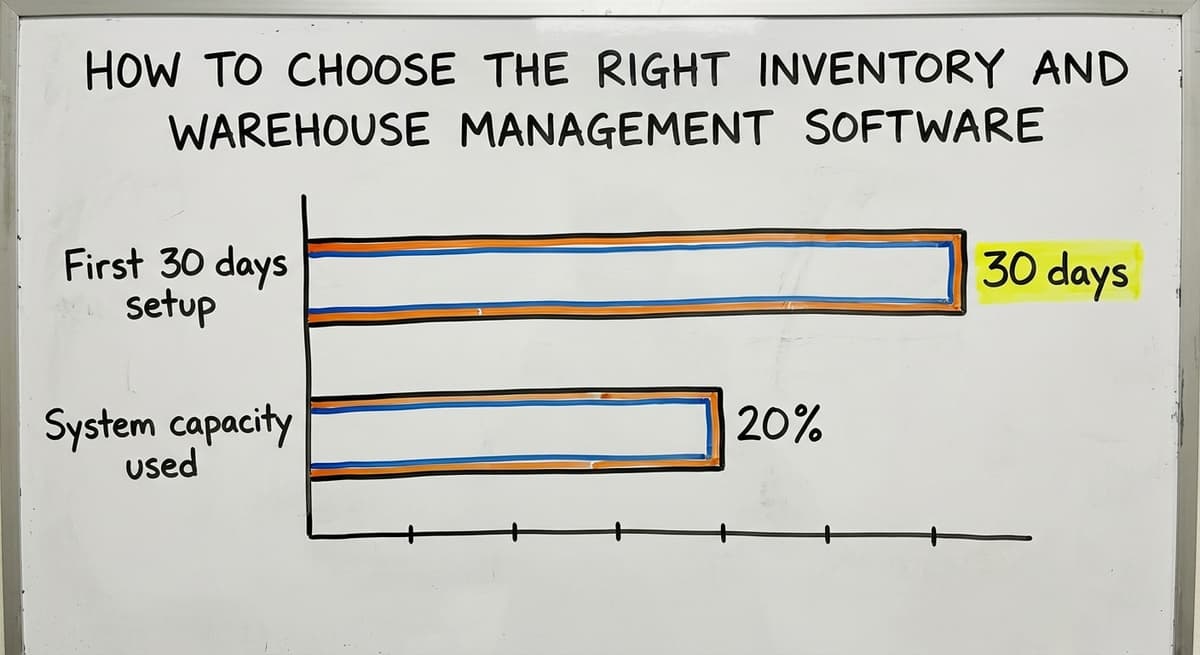
Ask specifically: Who will help us set up the system? What does the first 30 days look like? What happens when we have a question after go-live?
A tool that is cheap to buy but has no implementation support will cost you more in lost time and frustration than a slightly more expensive tool with real onboarding help. Software implementation for distribution operations is where most projects succeed or fail.
Ask About Integration and Data Ownership
Before you sign any warehouse software contract, there are 2 questions to ask. First: how does this system connect to our bookkeeping system and the other tools we use? Get a specific answer, not a general yes.
Second: if we ever want to switch systems, can we export all of our data? You own your inventory data. Make sure the contract reflects that. Vendors who are vague about data export are a red flag.
Match the Software to Your Scale
The right software for a 200-person distribution centre is not the right software for a 20-person operation. Bigger is not better. More features is not better.
The right software is the one your team will actually use, that fits your budget, and that can grow with you over the next three to five years without requiring a full replacement.
Wholesale distribution software designed for your scale will outperform an enterprise system that your team uses at 20% of its capacity.
What does it look like running on your own process?
The first thing you see is it running on your own process, at no build cost. The subscription starts once the software is live and doing the job, not before.
Book a callImplementation: What Getting Started Actually Looks Like
The fear of implementation stops a lot of owners from moving forward on warehouse inventory software. Here is what the process actually looks like for a small distributor.

Common Mistakes to Avoid When Buying Warehouse Inventory Software
Most mistakes when buying warehouse inventory software are predictable. Knowing them in advance saves you money and frustration.
What Does Good Inventory and Warehouse Management Software Do for Your Operation?
Features are how the software works. Outcomes are why you buy it. Here is what a well-implemented system looks like in practice.
Is Custom Inventory and Warehouse Management Software Right for Your Business?
Most articles about inventory and warehouse management software skip this question. It is worth answering directly.
Who Custom Software Is a Good Fit For
Custom warehouse software is the right fit in 4 specific situations. You have workflows that off-the-shelf tools do not handle without significant workarounds. You have tried a generic tool and found that your team spends more time working around it than using it.
You want to keep your existing accounts package and only replace the manual parts of your operation.
You have specific receiving, put-away, or fulfilment rules that are unique to your product type or customer requirements. If any of these describe your situation, a custom build deserves a serious look.
Who Custom Software Is Not a Good Fit For
Custom software is not the right choice if you need something live in two weeks. It is also not the right choice if your operation is still figuring out its own processes. Custom software captures your workflow.
If your workflow changes every month, you are not ready to build around it. If your budget is zero and your timeline is immediate, start with a small business warehouse software option and revisit custom when the operation stabilizes.
What is in a free first look?
A 30 minute call, your operation mapped, and a clear picture of what we would build. No obligation and nothing to install.
Book a callWhat Does a Custom Build Typically Involve?
A custom build for a small distributor's warehouse is a predictable path of 4 steps:
- Discovery: Understanding your workflow, your data, and your non-negotiables. Two to four weeks.
- Design: Mapping out how the system will work, what screens your team will see, and how data will flow. Two to three weeks.
- Build: Development of the core system. Four to ten weeks depending on scope.
- Testing: Your team tests the system against real workflows before go-live. Two weeks.
- Launch: Go-live with support from the build partner.
- Ongoing support: Bug fixes, adjustments, and improvements as your operation evolves.
For a focused build covering goods-in, put-away, picking, and ledger integration, the total timeline is three to five months.
The Cost Comparison That Most People Miss
Custom software has a higher upfront cost than a monthly subscription tool. That is true.
What most people do not calculate is the total cost of a poorly-fitted off-the-shelf tool: the subscription fee, the workarounds your team builds around the gaps, the consultant you hire to customize it, the time lost to a system that does not quite fit, and the eventual replacement project when the tool proves inadequate.
When you add those up over three years, custom software is the lower-cost option.
The Local Partner Advantage
A partner who can visit your warehouse, watch your team work, and build around what they see is a specific advantage over remote or template-based vendors. Most off-the-shelf vendors sell a template. A local implementation partner builds around your reality.
If you have been patching your books with spreadsheets for more than a year and the patches are no longer holding, that is the signal to have a conversation about what a purpose-built system would look like for your specific operation.

Frequently Asked Questions About Inventory and Warehouse Management Software
What is the best inventory software for warehouse management?
There is no single best option. The right software depends on your operation size, your SKU count, your fulfilment complexity, and whether you need to sync with your accounting system. Smaller distributors commonly settle on one of the mid-market cloud inventory platforms.
For operations with specific workflows that off-the-shelf tools do not handle well, a bespoke build may be the better fit. The best software is the one your team will actually use consistently.
What are the top 10 inventory management software options?
Rankings vary by source and category, but commonly referenced inventory management options fall into a handful of groups: standalone stock trackers, distribution-focused suites, ecommerce-oriented tools, open-source platforms, and add-ons sold by accounting vendors.
Each is built for a different type of operation. A ranking without context is not useful. What matters is which of these fits your size, your workflow, and your budget.
What is the best software for inventory management?
No universal answer exists for which inventory management software is best. For a smaller distributor already running an off-the-shelf accounting tool, the best choice is one that integrates cleanly with that ledger, supports barcode scanning, and handles bin location management without requiring a full ERP implementation.
For businesses with unique workflows, a custom solution built around your process will outperform any generic tool. Define your non-negotiables first, then evaluate options against them.
What is the best free software for warehouse inventory management?
Free warehouse inventory management software exists, and it is limited in 3 real ways. One popular cloud tool has a free tier with restrictions on order volume and users.
An open-source suite costs nothing but requires technical setup. A simple mobile app offers a basic free plan for very small operations.
For any operation doing meaningful volume, free software will hit its limits quickly. The cost of a paid tool is almost always lower than the cost of the errors and inefficiencies that come with an underpowered free system.
Do I need to replace my accounting software to use a warehouse management system?
No, a warehouse management system does not have to displace the package that runs your books. Your accounts stay where they are. The WMS handles your warehouse operations.
The two connect through an integration that keeps data in sync. You keep your existing accounting workflow and gain a purpose-built system for inventory and warehouse management.
How long does it take to implement warehouse management software?
For a modest operation using off-the-shelf warehouse management software, a realistic timeline is four to ten weeks from decision to go-live, including data preparation, configuration, and training.
For custom work, plan for three to five months. The biggest variable is data quality. Clean, organized SKU and location data speeds up every phase of implementation.
What is the difference between a WMS and an ERP?
A WMS (warehouse management system) focuses specifically on warehouse operations: receiving, put-away, picking, packing, and shipping. An ERP (enterprise resource planning) system covers the entire business, including accounting, HR, purchasing, and manufacturing, with warehouse management as one module.
For most small distributors, a WMS connected to your accounting package is the right choice. An ERP is overkill until the operation reaches a scale where managing everything in one system outweighs the cost and complexity.
What happens to my data if I switch software providers?
What happens to your data if you switch software providers is a question of the vendor and the contract. Before signing with any provider, ask specifically whether you can export all of your data in a standard format (CSV or similar) at any time.
Reputable vendors will say yes. If a vendor is vague or restrictive about data export, treat that as a serious warning sign. You own your inventory data. Make sure the contract says so clearly.
Frequently asked questions
The sources behind this guide
You do not need an enterprise system. There is no reason to rip out your accounting software.
Frequently asked questions
What is the best inventory software for warehouse management?
There is no single best option. The right software depends on your operation size, your SKU count, your fulfilment complexity, and whether you need a link to your bookkeeping platform.
Smaller distributors use one of the mainstream cloud inventory systems. Where off-the-shelf tools handle your specific workflows poorly, a purpose-built alternative may fit better. The best software is the one your team will actually use consistently.
What are the top 10 inventory management software?
Commonly referenced options include standalone stock trackers, distribution-focused suites, accounting-linked add-ons, ecommerce inventory tools, open-source platforms, and point-of-sale systems with stock modules.
Each suits a different type of operation. A ranking without context is not useful. What matters is which of these fits your size, your workflow, and your budget.
What is the best software for inventory management?
No universal answer exists. If you already run a modest distribution business on small business accounting software, the best fit is one that integrates cleanly with those records, supports barcode scanning, and handles bin location management without requiring a full ERP implementation.
Where workflows are unusual, a custom solution built around your process will outperform any generic tool. Define your non-negotiables first, then evaluate options against them.
What is the best free software for warehouse inventory management?
Free options exist but come with real limitations. One widely used cloud tool has a free tier with restrictions on order volume and users. An open-source suite costs nothing but needs technical setup. A basic mobile app offers a free plan for very small operations.
For any operation doing meaningful volume, free software will hit its limits quickly. The cost of a paid tool is almost always lower than the cost of the errors and inefficiencies that come with an underpowered free system.
Do I need to replace my accounting software to use a warehouse management system?
No. Most warehouse management systems work alongside your accounting platform, not replace it. Your ledger stays put. The WMS handles your warehouse operations.
The two connect through an integration that keeps data in sync. You keep your existing accounting workflow and gain a purpose-built system for inventory and warehouse management.
How long does it take to implement warehouse management software?
For a compact operation running off-the-shelf software, a realistic timeline is four to ten weeks from decision to go-live, including data preparation, configuration, and training.
For a tailored build, plan for three to five months. The biggest variable is data quality. Clean, organized SKU and location data speeds up every phase of implementation.
What is the difference between a WMS and an ERP, and which do I need?
A WMS focuses specifically on warehouse operations: goods-in, put-away, pick, pack, and dispatch. An ERP covers the entire business, including accounting, HR, and purchasing, with warehouse management as one module.
For most smaller distributors, a WMS wired into the finance system makes more sense. An ERP is overkill until the operation reaches a scale where managing everything in one system outweighs the cost and complexity.
What happens to my data if I switch software providers?
This depends on the vendor and the contract. Before signing with any provider, ask specifically whether you can export all of your data in a standard format such as CSV at any time.
Reputable vendors will say yes. If a vendor is vague or restrictive about data export, treat that as a serious warning sign. You own your inventory data. Make sure the contract says so clearly.
What is the difference between inventory management software and a WMS?
Inventory management software tracks what you own and how much of it: units on hand, receipts, shipments, and when to reorder.
A warehouse management system goes a level deeper and tracks where each item physically sits, guiding goods-in, put-away, pick and pack by aisle, shelf, and bin.
One is concerned with quantity and the financial record, the other with location and movement. Most operations need both working together.
How much does warehouse management software cost?
Warehouse management software cost runs from $300 to $2,000 a month for a small team, and it depends on how many users and locations you have, your SKU count, which features you turn on, and whether setup and data migration are included.
Most systems are sold as a recurring monthly or annual subscription, with separate costs for scanners, labels, and training. Some providers also charge a one-time implementation fee, while others build the system first and start billing only once it is running live.
How do I choose software for multiple warehouses?
Choose a system that treats each site as a separate location with its own bin addresses while still giving you one consolidated view of total stock.
Look for stock transfers between facilities, per-site reorder points, user permissions by location, and reporting that can be filtered by warehouse or rolled up. Make sure it syncs cleanly with your accounting system so you are not reconciling several sets of numbers.
What is the best warehouse management software for a small business?
The best system is the one that fits how your operation already works rather than forcing your team to change its process.
In a smaller distribution business, look for barcode scanning at goods-in, picking, and packing, bin location management, guided put-away, reorder point alerts, cycle counting, and a clean connection to the books you already keep.
Ease of training and responsive support matter more than a long feature list.
Not sure this is the right shape for your operation?
The call is free. Describe how the work runs today. We map it on a call and show you what it would look like built around that, before you spend anything.
Book a callRelated guides
The rest of this guide, for the parts of the job this page does not cover.
Guides
- Warehouse Inventory Management Software
- Warehouse Stock Management Software
- Software for Warehouse Management System
- List of Warehouse Management Software
- Online Warehouse Management Software
- Software Warehouse Management
- Warehouse Inventory Tracking Software
- Warehouse Inventory Software Programs
- Inventory Software Warehouse
- Quickbooks Inventory Management Software
- Custom Inventory Management Software
- Warehouse Inventory Management Systems
- Warehouse Inventory Management System
- Warehouse Receiving Software
- Warehouse Stock Software
- Warehouse Software System
Common questions
- Why is Warehousing and Inventory Management Important
- How to Manage Inventory in a Warehouse
- What is the Best Warehouse Inventory Management System?
- What is the Difference Between Warehousing and Inventory Management
- What is B Type of Inventory in Warehouse Management
- What is Warehousing and Inventory Management
- Which Software is Best for Warehouse Management?
- What Are the Benefits of Warehouse Management System