

How to Track Inventory Free
Learn how to track inventory free with a spreadsheet, SKU codes, regular counts and reorder points. See where free tracking breaks and what to do next.
Book a callCan You Track Inventory for Free?
Yes, you can track inventory for free. Use a spreadsheet you already own, give each item a code, and count stock on a set schedule. Free means no software fee. It still costs staff time.
Reviewed November 2026.
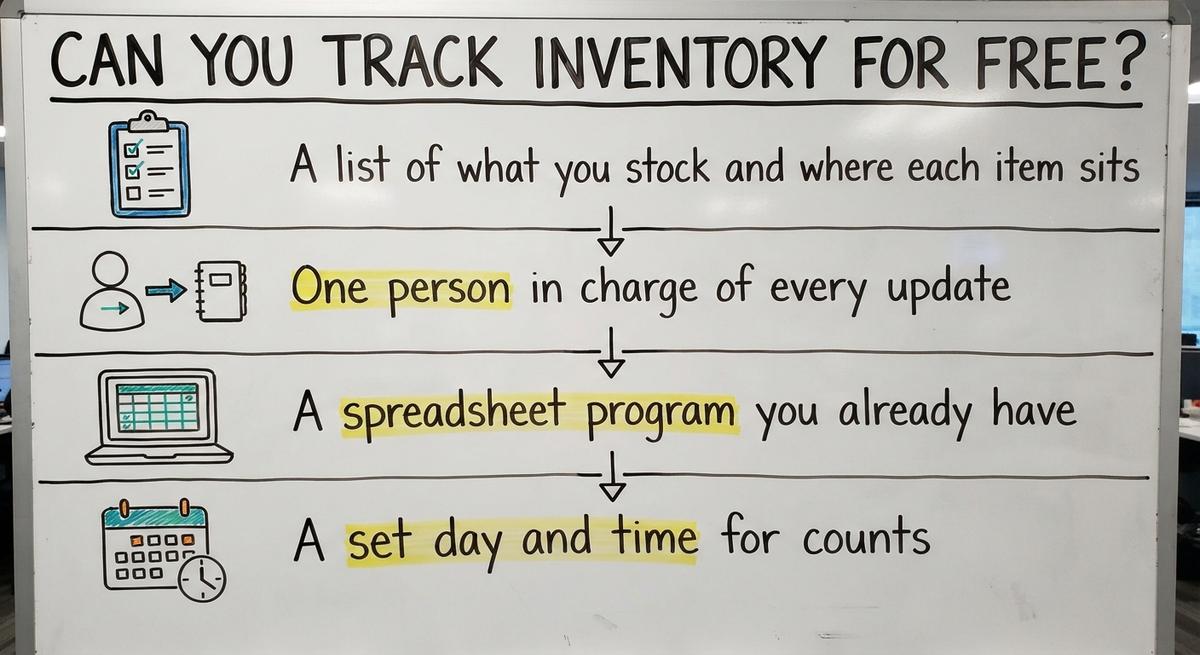
Get four things ready before you start:
- A list of what you stock and where each item sits.
- One person in charge of every update.
- A spreadsheet program you already have.
- A set day and time for counts.
Barcodes are optional. If you add scanning later, GS1 sets the barcode standards that most scanners read.
Counting is also a legal duty. IRS Publication 538 says: "To figure taxable income, you must value your inventory at the beginning and end of each tax year." A clean count makes that job easy.
We build it for your operation, and the first look is free
If you would rather not compare products, describe how your operation already works and we build the system around it.
No build cost. You see it running on your own process first, and the monthly subscription starts only once it is live.
Book a callSet Up Your Inventory Spreadsheet
An inventory spreadsheet is one file with one row per item. Two choices make it work: a clear code for each item and the right columns.
What Is a SKU and Why Does Each Item Need One?
A SKU is a short code that names one product, size and color. Every item needs one so two lookalike items never get mixed up. Say a distributor stocks two gray work gloves that differ only in size. Give them GLV-GRY-M and GLV-GRY-L. Never reuse a code. Print the same code on the shelf label and use it in your accounting item names.
Which Columns Go in the Sheet?
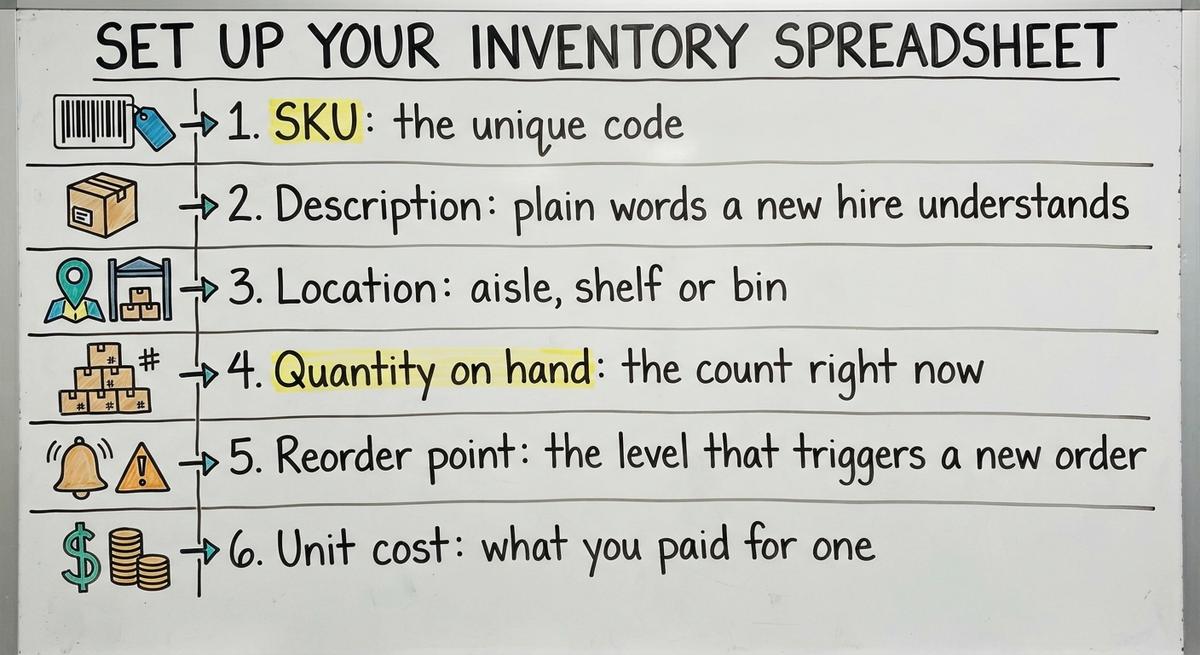
Six columns cover a small warehouse inventory:
- SKU: the unique code.
- Description: plain words a new hire understands.
- Location: aisle, shelf or bin.
- Quantity on hand: the count right now.
- Reorder point: the level that triggers a new order.
- Unit cost: what you paid for one.
Keep one master file. Do not pass copies by email. Skip merged cells and color-only rules, because they break sorting and filters. One clean master file is the base of free inventory tracking.
Count, Record and Reorder
Three habits keep the numbers true: a first count, daily logging and set reorder levels.

Count and Log Every Move
Start with a full physical count. Walk the building by location so no shelf is missed or counted twice. Write down the date. If the sheet and the shelf disagree, change the sheet.
Then add a second tab as an in and out log. Each row holds the date, SKU, quantity and reason. Log it the same day. Treat returns, damage and transfers as separate reasons. A daily log is how you track inventory for free without losing the thread.
How Do You Know When to Reorder?
You reorder when stock falls to the reorder point. The formula is plain: daily use times lead time in days, plus a safety cushion. Say you sell 10 a day and the supplier takes 7 days. That is 70. Add a 20 unit cushion and the reorder point is 90. Add a formula that flags any row where quantity on hand is below that number. Recheck the levels when sales shift.
Not sure this is the right shape for your operation
Describe how the work runs today. We map it on a call and show you what it would look like built around that, before you spend anything.
Book a callHow Often Should You Count Inventory?
Run a cycle count every week. A cycle count is a small count of one section instead of a full shutdown. Count fast movers and costly items more often. When a count is off, find out why and write it down. Small errors then never pile up. The NIST Manufacturing Extension Partnership offers neutral guidance on supply chain process.

Can Your Accounting Software Track Inventory for Free?
Maybe, and the answer depends on your plan. Many owners already run the books in their accounting software, so check what your plan covers before you add anything. Confirm features and prices with your own plan. Do not trust a general claim.
Until then, the spreadsheet can feed counts into your accounting software's inventory as a stopgap. Pick one source of truth for quantities. Two systems with two numbers cause more harm than none.
Common Mistakes and When Free Stops Working
Five mistakes sink most spreadsheets:

- Many versions of the file sit in email and on printed sheets.
- Staff update in a batch at week's end instead of daily.
- No one owns the data.
- Staff type one order into more than one place.
- No one checks the numbers against the shelf.
Fix those first. Some limits stay. Free tracking fails when you see stockouts, overselling, long count days, double entry or broken files. More than a few editors, a second location or rising order volume strain a sheet.
Errors cost real money. A promise to ship on time is also a rule: the FTC's mail, internet and telephone order rule needs you to ship when you said you would. An accurate count protects that promise.
Hours add up too. One clerk who spends 3 hours a week patching the sheet at $20 an hour costs $3,120 a year. The Bureau of Labor Statistics publishes pay data for stock clerks, so you can run your own numbers.
The next step is not a big ERP, which is a large system that runs a whole company. Fix the manual parts.
What to Do When You Outgrow Free
Start by writing down how your work runs today, from receiving to shipping. Mark the manual steps that cause the most errors or retyping. Those are your targets.
Then choose small fixes. One option is software built around your real process. It keeps your accounting software where it helps and replaces only the manual parts. Start with one problem at a time. Skip the long migration.
The Software Society is a local Columbus, Ohio team. The same team builds software, websites and search presence. If your sheet is straining, talk with us about your current process and the one step to fix first.
Frequently asked questions
How to keep track of inventory?
Give each item a unique SKU, list every item in one master spreadsheet, and do a full count to set a start number. Log each receipt and shipment the same day. Set reorder points and run weekly cycle counts.
What columns should an inventory spreadsheet have?
Use SKU, description, location, quantity on hand, reorder point and unit cost. Keep one row per item. Add a second tab that logs date, SKU, quantity and reason for each change.
How often should you count inventory?
Do a cycle count each week on one section of the shelves. Count fast-moving and high-value items more often. Do a full count to set your starting number and once a year for tax records.
How to turn on inventory tracking in your cloud-based accounting software?
Open your company settings, find the products and services options, and look for a switch to track quantity on hand. Whether your plan includes it depends on the plan. Confirm with your own plan or your accountant before you rely on it.
Can you track inventory for free?
Yes. A spreadsheet, unique SKUs, same-day logging and regular counts cost no software fee. The cost is staff time. The method works best for small product counts and low order volume.
When is a spreadsheet no longer enough?
A spreadsheet falls short when you see stockouts, overselling, long count days or staff typing the same order twice. More than a few editors, a second location or growing orders also strain it.
What is the next step after free inventory tracking?
Write down how your operation runs today and find the manual steps that cause the most errors. Fix those one at a time. Options range from an off-the-shelf tool to a custom build that keeps your accounting package in place.
Start with a free first look
A 30 minute call, your operation mapped, and a clear picture of what we would build. No obligation and nothing to install.
Book a callRelated guides
More on the same work.
Guides
- Free Inventory Management Software for Small Business
- Inventory Pc Software Free
- Simple Inventory Management Software Free
- Free Inventory Control Software for Small Business
- Warehouse Inventory Tracking Software
- Warehouse Inventory Tracking System
- Inventory Tracking Software for Small Business
- Inventory Tracking Systems for Small Businesses
- Inventory Tracking Barcode
Common questions
- How to Keep Track of Inventory for Small Business Free
- What is Free Stock in Inventory Management
- What is the Best Free Software for Warehouse Inventory Management?
- What is the Best Free Inventory Management Software to Download?
- How to Calculate Cost of Goods Sold Without Ending Inventory
- How Much Does Inventory Management Software Cost
- How to Keep Track of Inventory
- How to Keep Track of Inventory in Warehouse
- How to Keep Track of Inventory Small Business
- How to Create an Inventory Tracking System?
- How to Keep Track of Inventory on Clover
- How to Keep Track of Computer Inventory
- How to Keep Track of Consignment Inventory
- How to Keep Track of Alcohol Inventory
- How to Keep Track of Product Inventory