


How to Keep Track of Inventory for Small Business Free
Learn how to keep track of inventory for small business free with a spreadsheet, a count sheet, and an accounting package. Six steps, plus signs to upgrade.
Book a callCan You Keep Track of Inventory for Small Business Free?
Yes. You can keep track of inventory for small business free with a spreadsheet, a printed count sheet, and an accounting package you already own. Free works best with few products, 1 location, and a few people touching stock. Free costs time, not money. Reviewed November 2026.
The last section shows where free stops working.
We build it for your operation, and the first look is free
If you would rather not compare products, describe how your operation already works and we build the system around it.
No build cost. You see it running on your own process first, and the monthly subscription starts only once it is live.
Book a callWhat Should You Track for Each Item?
Track 5 core fields for every item: name, SKU, stock on hand, shelf location, and unit cost. A SKU is a short code that names one product. Give each item its own SKU so counts never mix.
Wholesale items need 2 more fields: reorder point and supplier. Start with the fields your team will really keep current.
Barcodes help later. GS1 sets the global standard for "GS1 barcodes", so a code you print today will scan on most systems tomorrow.
Counts also matter for tax. IRS Publication 538 says, "To figure taxable income, you must value your inventory at the beginning and end of each tax year." A clean record is a legal need, not a nice extra.

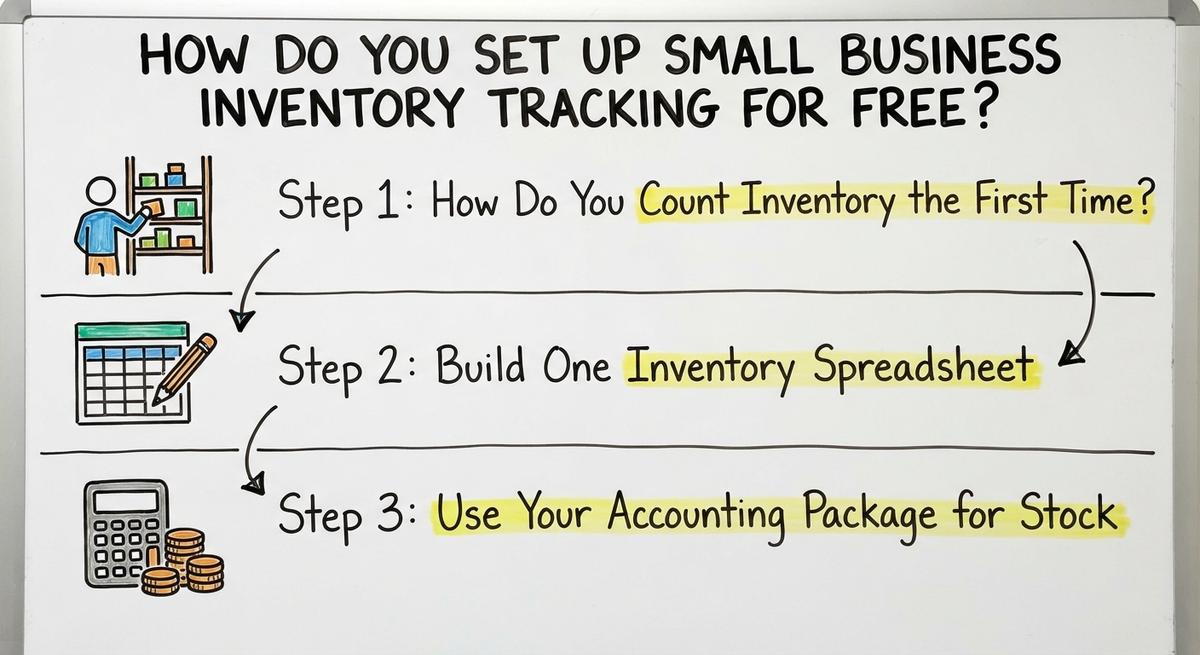
How Do You Set Up Small Business Inventory Tracking for Free?
Setup takes 3 steps: count, build a sheet, and link your books. Each step uses tools you own. Do them in this order.

Step 1: How Do You Count Inventory the First Time?
Use 2 people when you can. One counts out loud. One writes. A count with a date on it is the base for every later number.
You count every item by hand and write down the date. This sets your starting number. Count one shelf or bin at a time so nothing gets missed or counted twice.
Step 2: Build One Inventory Spreadsheet
An inventory spreadsheet needs one row per item and one column per field. Add columns for item name, SKU, location, stock on hand, unit cost, reorder point, and supplier. Add one more for total value, which is stock times cost.
Keep one master file in a shared folder. Never send copies by email. Lock the formula columns so no one types over them. One master file stops 2 people from holding 2 different counts.
Not sure this is the right shape for your operation
Describe how the work runs today. We map it on a call and show you what it would look like built around that, before you spend anything.
Book a callStep 3: Use Your Accounting Package for Stock
Many accounting packages track quantity on hand for products. This depends on your plan, so check your current one. When you log a buy, the count goes up. When you log a sale, it goes down.
This works well for basic stock and cost. It is weak for bins, lots, and pick lists. Keep the package as your money record even if stock lives elsewhere.
How Do You Keep Your Stock Numbers Right?
Accuracy comes from 3 habits: same-day updates, reorder points, and cycle counts. A cycle count is a small, regular count of one part of the stockroom. These habits matter more than any tool.

Step 4: Log Every Move the Same Day
Log items received, sold, returned, damaged, and moved. Same-day updates keep a manual inventory tracking system honest. Name one person who owns the log.
At a busy dock, tape an in and out sheet to the shelf. Someone types it into the sheet by close of day.
Step 5: How Do You Know When to Reorder?
Set a reorder point. That is the stock level that tells you to buy more. The math is daily use times supplier lead time, plus a small cushion.
Say you sell 20 cases a day. The supplier takes 7 days. That is 140 cases. Add a 30 case cushion. Reorder at 170.
Add a color rule that turns a row red below that number. Review your top sellers each week.
Step 6: How Often Should You Count Inventory?
Count a small section every week instead of shutting down for one big count. Count fast movers and high value items most often. Slow movers can wait.
When the count and the sheet differ, fix the sheet and write down why. Track your match rate each month. A rising rate proves the habits work.
The comparison is easier when one option is built for you
Off-the-shelf means fitting your process to the software. We do it the other way round, and the first look costs nothing.
Book a call
What Are the Common Mistakes With Free Inventory Tracking?
The biggest mistakes are 5 habits that break the numbers. Most come from busy days, not bad intent.
- Many copies of the file give you many conflicting counts.
- Skipped updates pile up when the team is rushed.
- Mixed item names or SKUs split one product into two rows.
- Stock in one place and orders in another leaves gaps.
- One person knows the file, so no one else can fix it.
Fix the habit first. A tool cannot save a team that skips the log.
When Does Free Stop Working, and What Comes Next?
Free stops working when fixing the data costs more than the tool saves. Watch for these signs:
- Staff type the same sale into the accounting package and the spreadsheet.
- You run out of stock or sell what you do not have.
- Your team prints pick sheets by hand.
- Fixing errors takes hours.
More staff, more sites, and more orders strain a spreadsheet. The hidden cost is staff time. Take 2 people who spend 5 hours a week fixing counts at $20 an hour. That is $10,400 a year. Late orders also hurt. The FTC expects you to ship when you said you would, and a bad count puts that at risk.
Do not rush into a big system. You can replace only the manual parts. The Software Society is local to Columbus, Ohio. One team builds the software, the website, and your search presence. Custom software can fit how your work already runs. It can sync with your accounting software, so the books stay where they help.
Quick Checklist
- Count everything and date it.
- Build one master spreadsheet.
- Use your accounting package for cost.
- Log every move the same day.
- Set reorder points.
- Cycle count each week.
Review each quarter whether free is still enough. If manual work is eating your week, talk with us about which parts to replace first.
Frequently asked questions
Can you keep track of inventory for free?
Yes. A spreadsheet, a printed count sheet, and an accounting package you already own are enough for few products and 1 location. The cost is staff time.
What should a small business track for each item?
Track item name, SKU, stock on hand, location, and unit cost. Add reorder point and supplier for wholesale items.
How do you track inventory in a spreadsheet?
Use one row per item and one column per field. Keep one master file in a shared folder and lock the formula columns.
Can an accounting package track inventory?
Many can track quantity on hand for products. It depends on your plan, so check it. Buys raise the count and sales lower it.
How often should you count inventory?
Count a small section every week. Count fast movers and high value items most often.
How do you know when to reorder?
Multiply daily use by supplier lead time and add a small cushion. At 20 a day and 7 days, plus 30, reorder at 170.
What are the biggest mistakes in free inventory tracking?
Many file copies, skipped updates, mixed SKUs, split systems, and one person who holds all the know-how.
When should a small business move beyond spreadsheets?
Move when you type the same data twice, run out of stock often, or spend hours fixing counts. Replace the manual parts first.
Start with a free first look
A 30 minute call, your operation mapped, and a clear picture of what we would build. No obligation and nothing to install.
Book a callRelated guides
More on the same work.
Guides
- Free Inventory Management Software for Small Business
- Free Inventory Control Software for Small Business
- Inventory Pc Software Free
- Simple Inventory Management Software Free
Common questions
- How to Track Inventory Free
- What is Free Stock in Inventory Management
- What is the Best Free Software for Warehouse Inventory Management?
- What is the Best Free Inventory Management Software to Download?
- How to Keep Track of Inventory
- How to Keep Track of Inventory in Warehouse
- How to Keep Track of Inventory Small Business
- How to Keep Track of Inventory on Clover
- How to Keep Track of Computer Inventory
- How to Keep Track of Consignment Inventory
- How to Keep Track of Alcohol Inventory
- How to Keep Track of Product Inventory
- How to Keep Track of Ebay Inventory
- How to Keep Track of Poshmark Inventory
- How to Keep Track of Dental Inventory
- How to Keep Track of Boutique Inventory
- How to Keep Track of Vaccine Inventory
- How to Keep Track of Liquor Inventory
- How to Keep Track of Grocery Inventory
- How to Keep Track of Lularoe Inventory