

What is the Best Free Software for Warehouse Inventory Management?
The best free software for warehouse inventory management is the one that fits your size, your item count, and how many people touch stock. A spreadsheet suits a tiny team. A free plan suits a small one. No single tool wins for every warehouse.
Book a callWhat Is the Best Free Software for Warehouse Inventory Management?
The best free option depends on three facts about your floor. Count your items. Count the people who move stock. Count your locations. Free tools fall into 3 groups: spreadsheets, free tiers of paid products, and open-source programs. Each group fits a different size of warehouse. A 1-person shop with 200 items needs far less than a 12-person team with 4,000. It also shows what free costs you in the long run.
We build it for your operation, and the first look is free
If you would rather not compare products, describe how your operation already works and we build the system around it.
Reviewed November 2026.
No build cost. You see it running on your own process first, and the monthly subscription starts only once it is live.
Book a callWhat Counts as Free Inventory Software?
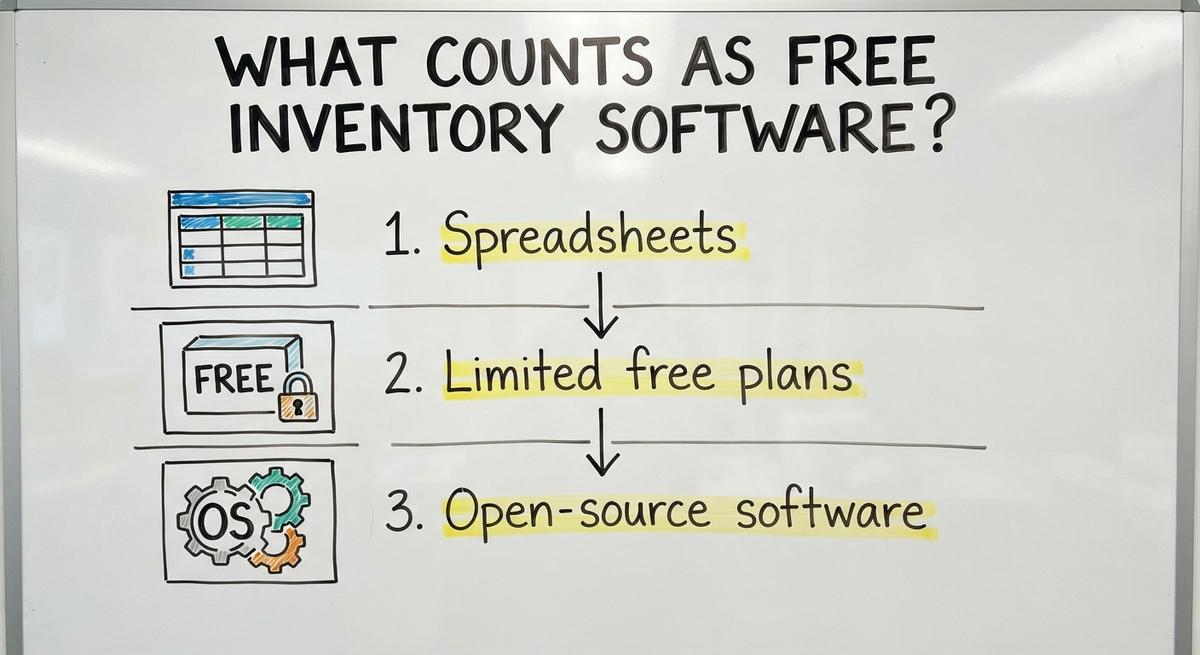
Free inventory software is any tool you can use without paying a license fee. Free to start is not the same as free to run. Setup, training, and fixes still cost time. Free plans also cap items, users, or locations. Once you pass a cap, the price jumps.
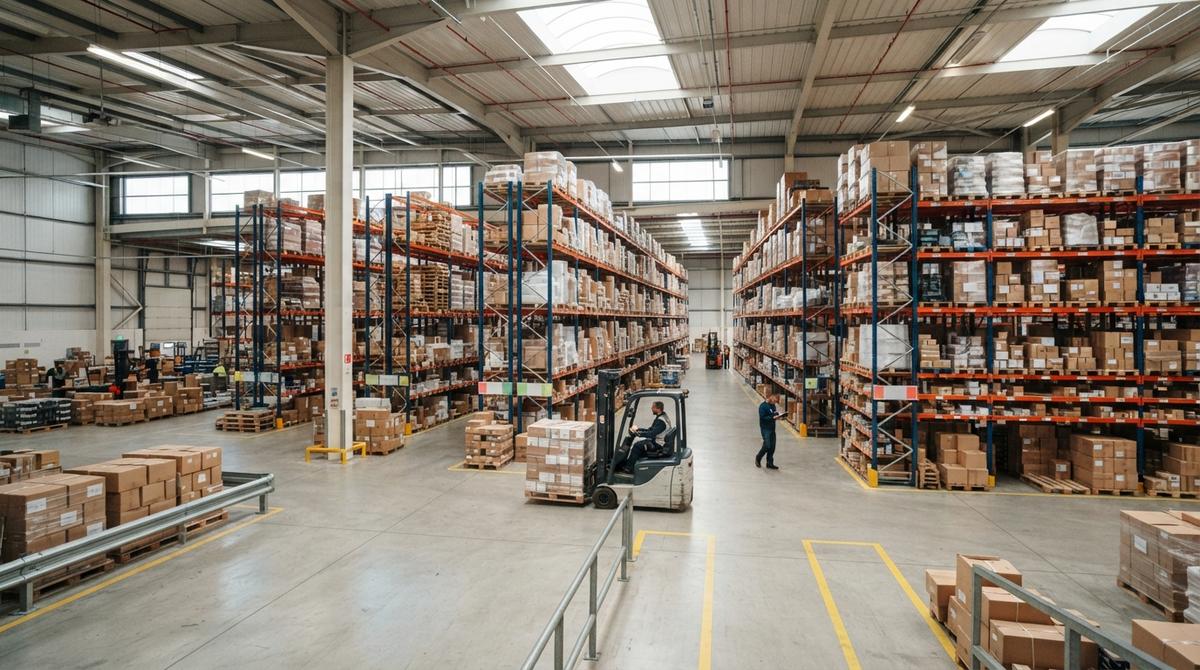
Warehouse work also carries real risk for people. The federal safety agency says that "The warehousing and storage industry includes establishments operating facilities for general merchandise, refrigerated goods, and other products." Your records must keep up with that busy floor.
Spreadsheets
A spreadsheet is a grid of rows and columns. You type in each item and its count. It costs nothing and every office already has one.
Limited free plans
Some paid products offer a free tier. You get basic features with a low cap on items, users, or sites.
Open-source software
Open-source code is free to download and change. Someone with tech skills must install it and keep it running.
What Can Free Tools Do Well?
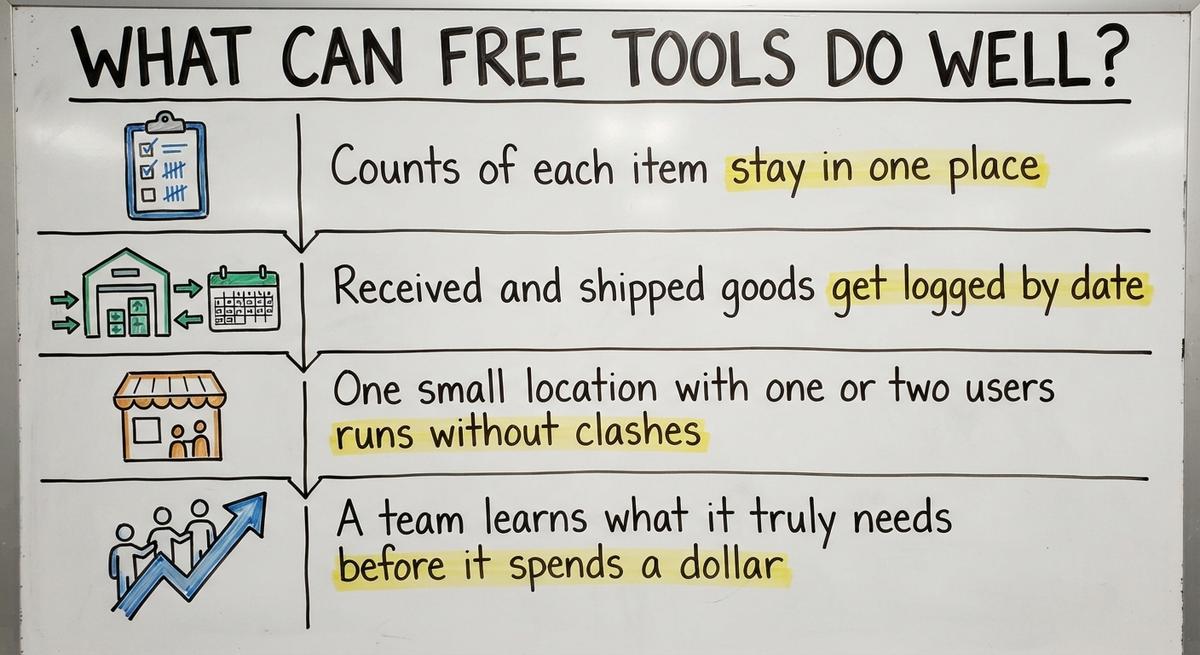
Free tools can track item counts, record goods in and out, and run a single small site well. They fit a team of 1 or 2 people who handle a few hundred items. Here is what they do best:
- Counts of each item stay in one place, so you see simple stock levels at a glance.
- Received and shipped goods get logged by date, so you can trace what left and what arrived.
- One small location with one or two users runs without clashes.
- A team learns what it truly needs before it spends a dollar.
That last point matters most. A few months on a free tool shows which features you miss. You then shop with a clear list instead of a guess.
Is a Spreadsheet Good Enough for Free Inventory Tracking?
A spreadsheet is good enough while one person owns it and the item list stays short. Free inventory tracking in a spreadsheet works for roughly the first few hundred items. Past that, errors pile up. Anyone can type over a cell, and nothing warns you. Use a spreadsheet to learn your flow. Plan to leave it once a second person starts editing the same file.
Not sure this is the right shape for your operation
Describe how the work runs today. We map it on a call and show you what it would look like built around that, before you spend anything.
Book a callWhere Do Free Tools Fall Short?
Free tools fall short on limits, support, and depth. The gaps show up fast once a warehouse grows past a few people. Look for these four weak spots:

- Caps on users, items, and locations force an upgrade as soon as you add a hire or a second shelf area.
- Support is thin or missing, so a broken tool stays broken until you fix it yourself.
- Barcode scanning, lot tracking, and bin locations are weak or absent. A bin location is the exact shelf spot where an item sits.
- Two people editing one spreadsheet can overwrite each other and cause errors.
Barcodes deserve a note. GS1 sets the barcode standards that let a code printed by one company scan at another. A free tool with poor scanning wastes that benefit.
Free tools cover the basics, and the basics stop at the first real growth step.
What Are the Hidden Costs of Free Software?
The hidden costs of free software are staff time, counting mistakes, setup work, and add-ons. None of them show on an invoice, so owners miss them. Work one case with numbers you can check. Say 2 people spend 5 hours a week re-keying data between tools at $22 an hour. That is 2 x 5 x $22 = $220 a week, or $11,440 a year. The US Bureau of Labor Statistics tracks what inventory clerks earn, so check your own local wage.
- Counting mistakes lead to stockouts, overstock, and wrong shipments.
- Setup and training eat hours that nobody puts in the budget.
- Add-ons turn a free plan into a paid one, one small fee at a time.
When you compare inventory management software cost, add the labor line. Free often loses.

How Do You Choose a Free Option for Your Warehouse?
Choose a free option by matching its limits to your numbers. Write those numbers down before you look at any tool. Then test the tool against real work.
The checklist
- How many items do you stock?
- How many people edit stock records?
- How many locations hold stock?
- How many orders ship each day?
- Does the tool connect to your accounting software?
- Can you export all your data if you leave?
The export question protects you. A tool that locks your data in is never free.
The one-week test
Run 1 week of real orders through the tool before you commit. Do not use test data. Real orders expose slow screens, missing fields, and count drift. A week of live work tells you more than any feature list.
The comparison is easier when one option is built for you
Off-the-shelf means fitting your process to the software. We do it the other way round, and the first look costs nothing.
Book a callWill Free Software Work With Your Accounting Software?
Free inventory software rarely links to accounting software without manual work. Many small warehouses keep accounting software for their books and track stock elsewhere. That split is sound. The trouble sits in the gap between the two.
Free tools need manual exports and imports to match your accounting software. Someone downloads a file, cleans it, and uploads it. Manual syncing is where mismatches start. One missed upload and the books disagree with the shelf.
The tax stakes are real. IRS Publication 538 states: "To figure taxable income, you must value your inventory at the beginning and end of each tax year." Bad stock counts feed bad books.
Keep your accounting software for what it does well. Fix only the manual stock work around it.

When Should You Move Past Free Software?
Move past free software when the tool slows your people down. The signs are easy to spot on any busy day:
- Stock counts do not match the shelves.
- Staff keep side spreadsheets that nobody else can read.
- Printed sheets and email fill the gaps the tool leaves.
- Orders slow down because people hunt for information.
- Free plan limits block you from taking on new work.
Speed matters because customers set the clock. The US Federal Trade Commission holds sellers to shipping when they said they would. An accurate count protects that promise.
The next step is not always a big ERP. An ERP is one large system that runs every part of a company. Many warehouses do not need that much.
What Is the Alternative to Free and Big ERP?
The alternative to free tools and big ERP is custom software built around how your warehouse already works. It replaces only the manual parts. It keeps your accounting software where that software helps. A big ERP asks you to change your habits. Custom software follows yours.
Custom work can fit small scale too, not just large companies. A 10-person warehouse with one painful manual step can have a tool built for that step alone.
The Software Society is local to Columbus, Ohio. The same team builds the software, the website, and the search presence. If free tools no longer fit, a plain talk about your workflow is a good place to start.
Quick Notes on Related Terms
Two plain terms help here. Warehouse inventory management software is a tool that records what you hold and where. WERC publishes a standard set of distribution center measures you can use to judge your own results. Warehouse inventory tracking software is the same idea with a focus on live location and movement. For long-run tracking at scale, Auburn's RFID Lab offers independent research on tagging goods. Wholesale firms also watch the stock-to-sales balance, which the Census Bureau reports each month for the whole country.
Frequently asked questions
What is the most popular inventory management software?
No single product is the most popular for every warehouse. Popularity depends on size and need. Tiny teams lean on spreadsheets. Small firms pick off-the-shelf tools with free tiers. Larger sites buy big ERP systems. Custom builds suit warehouses with odd workflows. Choose by item count, users, locations, and how well the tool links to your accounting package.
Which software is used in warehouse management?
Warehouses use 4 kinds of software: spreadsheets, off-the-shelf inventory tools, large ERP systems, and custom builds. A spreadsheet fits the smallest shops. Off-the-shelf tools fit growing ones. An ERP fits large, complex sites. Custom software fits teams with a workflow no packaged tool matches. Size, order volume, and budget decide the choice.
Is a spreadsheet good enough for warehouse inventory?
A spreadsheet is good enough for a small item list with one editor. It breaks down when 2 people edit the same file, because one can overwrite the other. It also lacks scanning, lot tracking, and bin locations. Use it to learn your needs, then plan to move on.
Does free inventory software work with accounting software?
Some free tools link to accounting software, but most need manual exports and imports. Manual syncing is where mismatches begin. Ask any tool how it connects before you commit. Keep your accounting software for accounting and fix only the manual stock steps around it.
What are the limits of free inventory software?
Free plans cap items, users, or locations. Support is thin. Barcode scanning, lot tracking, and bin locations are weak or missing. Spreadsheets add a risk of overwritten edits. Add-ons can turn a free plan into a paid one.
What are the hidden costs of free inventory tools?
The hidden costs are staff time, counting mistakes, setup and training hours, and paid add-ons. Two people re-keying data for 5 hours a week at $22 an hour costs $11,440 a year. Add that to any inventory management software cost comparison.
When should a warehouse stop using free software?
Stop when stock counts do not match, staff keep side spreadsheets, or orders slow down while people hunt for data. Stop too when plan limits block growth. A move does not have to mean a big ERP.
Do I need a big ERP to manage inventory?
No. A big ERP suits large, complex firms. Many small warehouses only need to replace a few manual steps. Custom software can do that and keep your accounting software in place for accounting.
Start with a free first look
A 30 minute call, your operation mapped, and a clear picture of what we would build. No obligation and nothing to install.
Book a callRelated guides
More on the same work.
Guides
- Free Inventory Management Software for Small Business
- Simple Inventory Management Software Free
- Cost of Inventory Management Software
- Inventory Management Software Freeware
- Price of Inventory Management Software
- WMS Software Open Source
- Warehouse Management Cost
- Warehouse Management System Open Source
- Warehouse Inventory Management Software
- Warehouse Inventory Tracking Software
- Warehouse Inventory Management Systems
- Warehouse Inventory Systems
- Inventory and Warehouse Management Software
- Warehouse Inventory Management System
Common questions
- What is the Best Free Inventory Management Software to Download?
- What is Free Stock in Inventory Management
- Which Software is Best for Warehouse Management?
- How Much Does Inventory Management Software Cost
- What Are the 5 Benefits of Inventory Management?
- What is the Main Function of Inventory Management?
- What is Stock Out Cost in Inventory Management
- What is Holding Cost in Inventory Management
- What is Ordering Cost in Inventory Management
- Warehouse Management System Price Comparison