

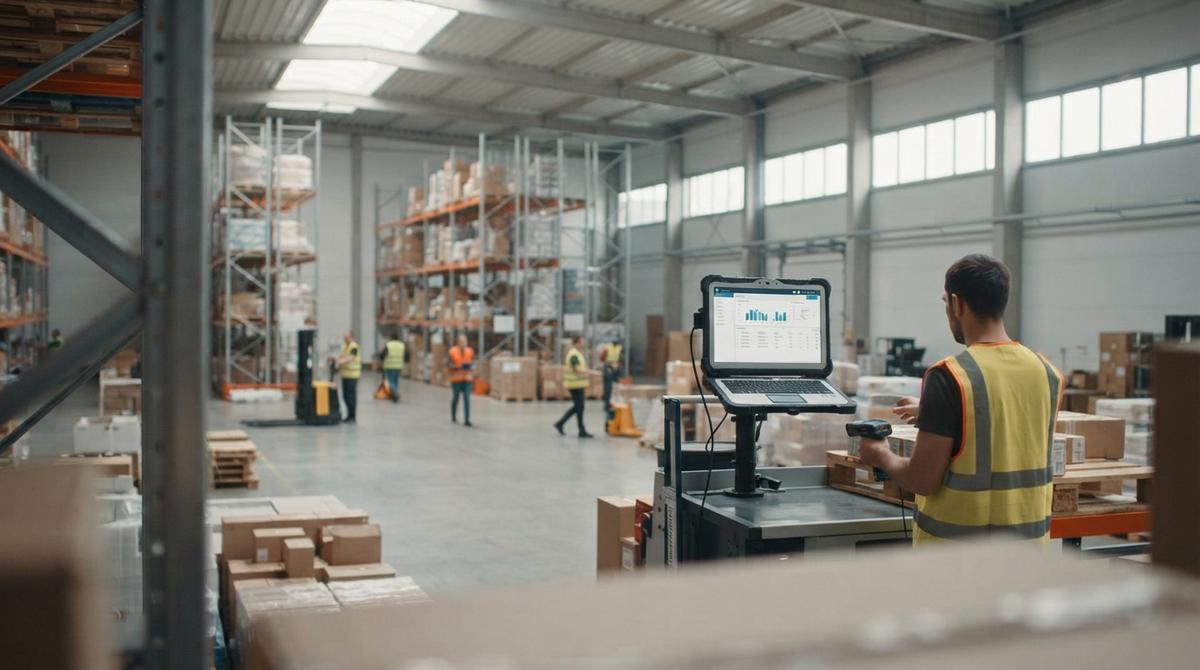
What is the Best Free Inventory Management Software to Download?
The best free inventory management software to download is the one that fits your size, your item count, and the way your team already works. No single download is best for every warehouse. Free tools suit small catalogs, one location, and a few users. Past that, the limits start to cost you.
Book a callWhat Is the Best Free Inventory Management Software to Download?
The best free inventory management software is the tool your team still uses in 6 months. Size decides the pick. A tool that suits 200 items and 1 location can choke on 5,000 items and 3 locations. Free tools work best for small catalogs, one location, and a few users.
Reviewed November 2026.
Ranked lists go stale fast. Your own test does not. Judge each download by its limits, its exports, and how fast your staff learn it. If the field is new to you, read what is warehousing and inventory management first. Then come back here and score each tool the same way.
We build it for your operation, and the first look is free
If you would rather not compare products, describe how your operation already works and we build the system around it.
No build cost. You see it running on your own process first, and the monthly subscription starts only once it is live.
Book a callWhat Does Free Inventory Management Software Include?
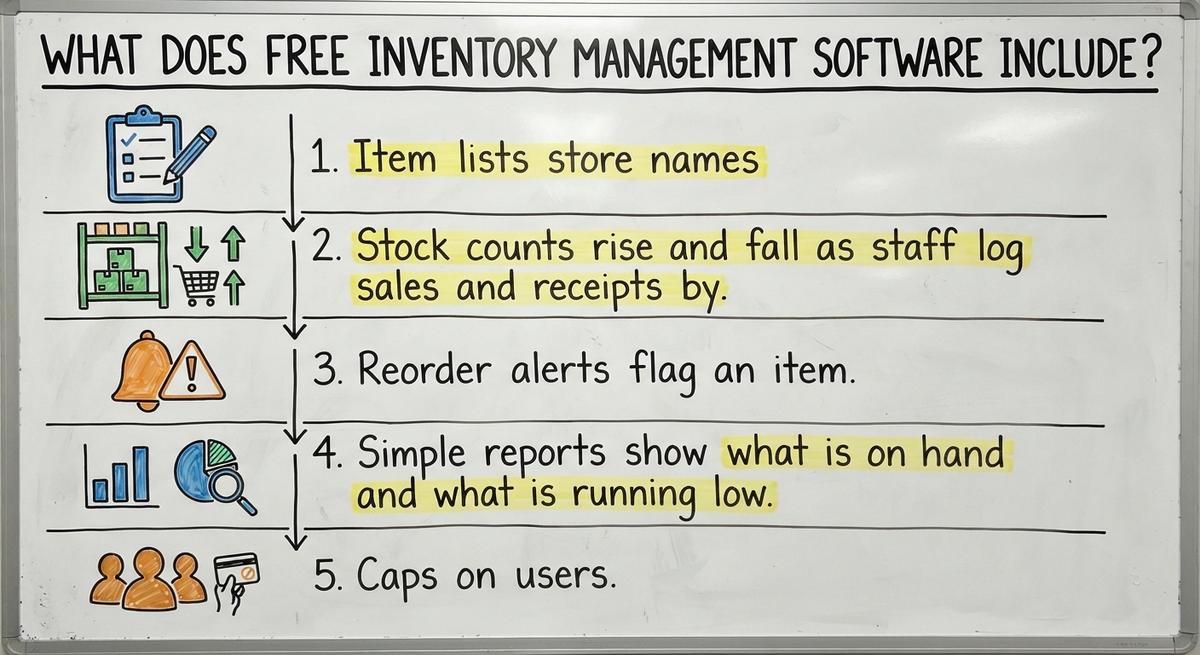
Free inventory management software is a starter tool, not a full system. Most downloads give you a short list of core features:
- Item lists store names, SKU codes (the short ID for each product), and prices in one place.
- Stock counts rise and fall as staff log sales and receipts by hand.
- Reorder alerts flag an item when stock drops below a level you set.
- Simple reports show what is on hand and what is running low.
- Caps on users, locations, or item totals keep the free tier small.
Scanning is the usual gap. GS1, the group behind the barcodes on retail goods, calls its standards "the global language of business" on its barcode standards page. Free tools rarely speak that language well. Support is thin too. Expect a help forum, not a phone call.
A starter tool covers the basics and stops there.
What Should You Check Before You Download?
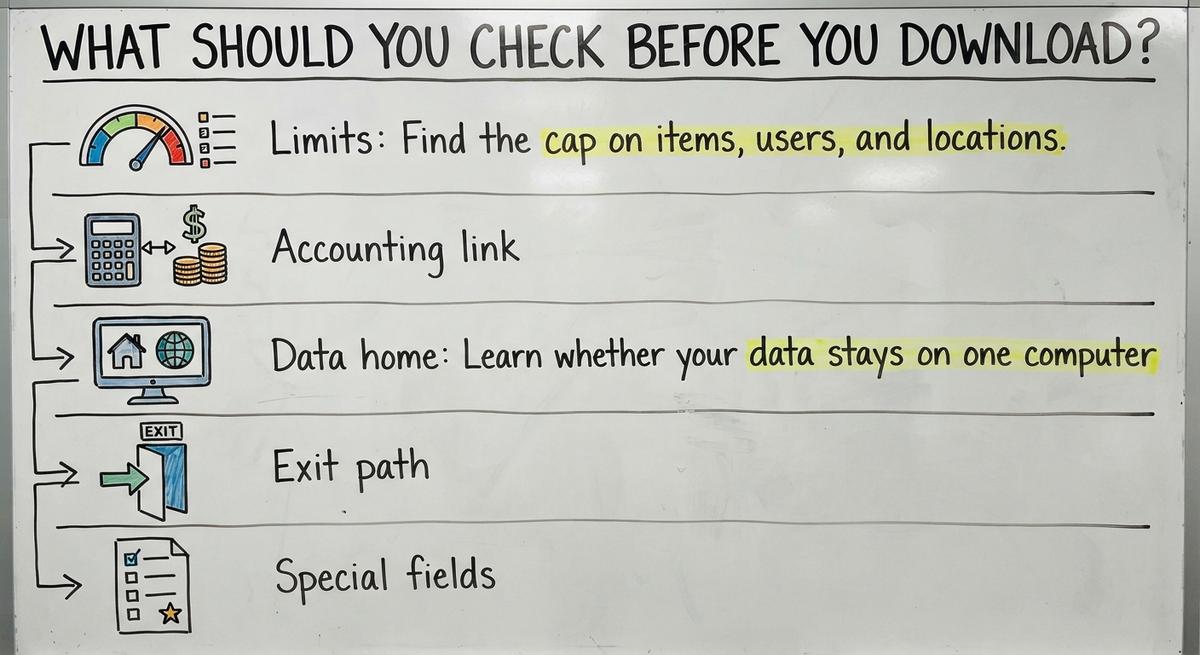
Check five things before you download any free tool: limits, accounting links, data location, exit path, and special fields. Each one is a place where free tools fail small warehouses.

- Limits: Find the cap on items, users, and locations. Ask what happens at the cap. Some tools lock you out. Others start charging.
- Accounting link: Ask whether the tool syncs with your accounting software or only exports files. A file export means someone re-keys the data by hand.
- Data home: Learn whether your data stays on one computer. Ask who backs it up. A dead hard drive can erase your records.
- Exit path: Run a full export of your data to a file any program can open. Do it in the first week, not the last.
- Special fields: Confirm support for lot numbers (batch codes), bin locations (shelf spots), and units of measure such as case versus each.
Spend 30 minutes on these checks with 20 real items. A tool that fails one check costs more to leave than to skip.
What Are the Hidden Costs of Free Inventory Software?
Free inventory software is free to download, not free to run. Inventory management software cost shows up in staff time, upgrade fees, and mistakes. Add them up before you call a tool free.

The Cost of Staff Time
Setup eats days. Someone loads items, prints labels, and trains the team. After that, staff re-key orders and fix errors. Say 2 people spend 5 hours a week on that work at $20 an hour. That is 2 × 5 × $20 = $200 a week, or $10,400 a year. The US Bureau of Labor Statistics publishes pay for shipping, receiving, and inventory clerks. Swap in your own rate and hours.
The Cost of Upgrades and Mistakes
Paid steps start once you pass the free limits. Extra users, support, and add-ons carry fees. Mistakes cost the most. An oversold item means an angry buyer. The FTC's rule on mail, internet, or telephone orders says you must ship when you said you would. A wrong count breaks that promise. Stockouts lose sales. Over-buying locks up cash.
Free software costs nothing on day 1 and plenty by month 6.
Not sure this is the right shape for your operation
Describe how the work runs today. We map it on a call and show you what it would look like built around that, before you spend anything.
Book a call
Is Excel Good Enough for Inventory Tracking?
Excel inventory tracking is good enough for small, slow-moving stock with 1 person doing the updates. A shop with 150 items and a few orders a day can run well on a clean sheet.
The sheet breaks in three cases: several editors, many SKUs, or fast orders. Two people save two copies, and the numbers split. Printed pick sheets go stale the moment they leave the printer. Email threads add more gaps, since the latest count sits in someone's inbox.
Some free downloads are only a slightly better spreadsheet. Staff still type every receipt and every sale. The screen looks nicer, but the manual work stays. Pick a tool that removes steps. A spreadsheet in a new skin does not.
Can Free Inventory Software Connect to Your Accounting Package?
Some free inventory tools connect to accounting software. Most only swap files. Your accounting software is strong for accounting and thin on warehouse detail. It has little room for bin locations, scan flows, or lot tracking.

Free tools fill that gap with manual import and export. Staff download a file from one system and upload it to the other. Double entry follows. A sale gets keyed in 2 places, and 1 of them is wrong. Then the books and the shelf disagree.
That gap matters at tax time. IRS Publication 538 states: "To figure taxable income, you must value your inventory at the beginning and end of each tax year." Your counts feed that number.
Good inventory management with your accounting software keeps that software as the books. Look for a clean link between the two. Then fix only the manual parts.
When Have You Outgrown Free Inventory Software?
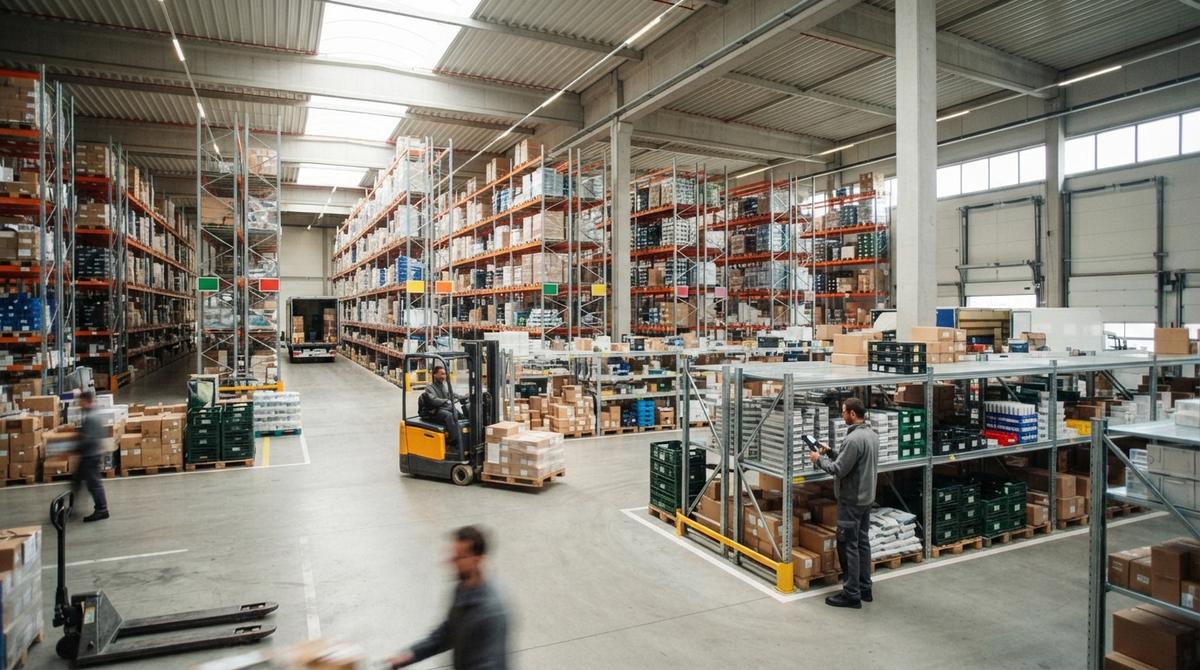
You have outgrown free inventory software when staff keep a side spreadsheet to patch its gaps. That sheet is the loudest sign. Check the rest of the list for your inventory software for small warehouse needs:
- Counts and system numbers do not match after a cycle count (a small, repeated count of a few items).
- You hit the free cap on items, users, or locations.
- Orders slow down because people re-enter data from one screen to another.
- Buyers ask about stock, and staff must walk the floor to answer.
- Receiving piles up because nobody trusts the numbers on screen.
The US Census Bureau tracks the inventories-to-sales ratio for wholesale firms each month on its wholesale trade page. You can work out the same ratio for your own shelves. If stock sits while orders slip, the tool is the problem.
Tick 2 boxes, and the free tool now costs more than it saves.
The comparison is easier when one option is built for you
Off-the-shelf means fitting your process to the software. We do it the other way round, and the first look costs nothing.
Book a callWhat Are Your Options After Free Software?
Three paths sit past free software: a paid off-the-shelf tool, a large ERP, or custom software. The table shows how they compare.
| Path | Start speed | Fit to your process | Best for |
|---|---|---|---|
| Paid off-the-shelf tool | Fast | You adapt to the tool | Simple, standard workflows |
| Large ERP | Slow, with long setup | You adapt to the system | Big, multi-site firms |
| Custom software | Starts small | Built around your steps | Teams with odd or tight workflows |
Each path trades speed against fit.
Paid Tools and Large ERP
Paid off-the-shelf tools are faster to start. The cost is that you bend your process to match them. ERP (enterprise resource planning, one big system for the whole company) is more than a 5 to 100 person operation needs. Setup takes long, and training takes longer. For a wider view, read what is the best inventory management software for small business and what is the best warehouse inventory management system?
Custom Software for the Manual Parts
Custom inventory software is built around how you already work. It keeps your accounting software where that software helps. It can start small and replace only the manual parts, such as receiving, pick lists, or count sheets. The Software Society is a Columbus, Ohio team that builds this kind of software for growing companies. For a small distributor, that is the alternative to a big ERP: fix the broken steps and leave the rest alone.
How Can You Pick the Right Next Step?
Pick the next step by writing down where your team loses time today. Then work through these steps in order:
- List each task where staff re-key data, hunt for stock, or fix counts.
- Split your needs into must-haves and nice-to-haves. Lot tracking may be a must. A pretty dashboard is a nice-to-have.
- Choose a stock method first. The method shapes the tool. Read what is jit inventory management or what is kanban system of inventory management to see two common ones.
- Try a free download with a small test batch of 20 items. Never load the whole catalog on day 1.
- Read the NIST Manufacturing Extension Partnership supply chain guidance for vendor-neutral advice on process.
- If free tools do not fit, talk to a local Columbus, Ohio team that builds around your workflow.
A short test with real items tells you more than any review page.
Talk Through Your Workflow
If your free tool has become a patchwork, bring your list of lost hours to The Software Society. The team builds custom software around how your operation works, keeps your accounting software where it helps, and works at small scale. Start with one broken step. Share it, and the two of you can map what to fix first.
Frequently asked questions
What limits do free inventory tools usually have?
Free inventory tools cap items, users, or locations. Many allow 1 user and 1 location. Some limit item counts or lock reports and scanning behind a paid plan. Read the cap before you load any data.
Is free inventory software really free?
Free inventory software costs nothing to download, but it has costs to run. Staff spend time on setup and re-keying data. Paid upgrades start once you pass the free limits. Mistakes such as wrong counts and oversold items add more cost.
Is Excel good enough for inventory?
Excel is good enough for small, slow-moving stock with 1 person updating it. It breaks down with several editors, many SKUs, or fast orders. Copies split, and counts drift apart.
What is the most popular inventory management software?
No single tool is the most popular for every business. Popularity depends on size, industry, and budget. The kinds of option are a spreadsheet, a free starter tool, a paid off-the-shelf tool, a large ERP, and custom software. Judge each by item and user limits, accounting links, data export, and how well it fits your steps.
Can free inventory software connect to your accounting package?
Some can, but most only export and import files. That means staff move data by hand, and double entry can cause mismatched numbers. Ask whether the link is a true sync before you commit.
When should a warehouse move past free software?
Move on when staff keep a side spreadsheet, counts stop matching, or you hit a free limit. Slow orders from re-entered data are another sign. Two or more signs mean the tool costs more than it saves.
What is the alternative to a big ERP for a small distributor?
Custom software built around your workflow is the alternative. It can start small and replace only the manual parts, such as receiving or pick lists. It can also keep your accounting package for the books.
Start with a free first look
A 30 minute call, your operation mapped, and a clear picture of what we would build. No obligation and nothing to install.
Book a callRelated guides
More on the same work.
Guides
- Free Inventory Management Software for Small Business
- Simple Inventory Management Software Free
- Cost of Inventory Management Software
- Inventory Management Software Freeware
- Price of Inventory Management Software
- WMS Software Open Source
- Warehouse Inventory Management Software
- Warehouse Inventory Management Systems
- Quickbooks Inventory Management Software
- Inventory and Warehouse Management Software
- Custom Inventory Management Software
- Warehouse Inventory Management System
- Retail Inventory Management
- Multi Location Inventory Management Software
- Inventory Management for Multiple Locations
Common questions
- What is the Best Free Software for Warehouse Inventory Management?
- What is Free Stock in Inventory Management
- How Much Does Inventory Management Software Cost
- What is Stock Out Cost in Inventory Management
- What is Holding Cost in Inventory Management
- What is Ordering Cost in Inventory Management
- Why is Warehousing and Inventory Management Important
- What is the Difference Between Aggregate and Item Inventory Management
- How to Manage Inventory in a Warehouse