


Retail Inventory Management Systems
If your team is spending hours reconciling counts, customers are getting wrong stock information, or you are regularly surprised by a stockout, your inventory process is the problem, not your people. This guide explains how retail inventory management systems work, what they actually cost, and how to choose one that fits the way your operation already runs.
Published 17 August 2026. Reviewed and updated 15 September 2026.
Book a callWhat Is a Retail Inventory Management System and What Does It Actually Do?
A retail inventory management system is software that tracks stock levels, locations, movement, and orders in real time. It replaces the combination of spreadsheets, printed sheets, and email chains that most operations start with.
The system knows what you have, where it is, when it arrived, and when it needs to be replenished. Every action, a receiving scan, a sale, a return, updates the same record. Nothing sits in someone's inbox waiting to be entered.
Reviewed September 2026. Each figure comes from the assumptions stated beside it, so you can substitute your own and the arithmetic still holds.
The arithmetic is worth doing before the software conversation. 3 people spending 6 hours a week between them chasing the same questions, at 22 dollars an hour, is 936 hours a year of paid time spent confirming what a system would already know. Over 3 years that is 2,808 hours.
This article covers how these systems work, what features to look for, how they connect to tools you already use like QuickBooks, and how to decide whether off-the-shelf software or a custom-built solution fits your situation better.
Would you rather have it built around your operation?
The first look is free. If you would rather not compare products, describe how your operation already works and we build the system around it.
No build cost. You see it running on your own process first, and the monthly subscription starts only once it is live.
Book a callWhy Does Manual Tracking Break Down as You Grow?
Most operations start with a spreadsheet. One person owns it. That works until a second person needs to update it at the same time, or until the file gets emailed around and three versions exist by Friday afternoon.
Errors compound because each person touching the data introduces a new opportunity for a typo, a missed row, or a formula that breaks silently.
The Hidden Cost of Stale Inventory Data
The hidden cost is not the time spent fixing the spreadsheet. It is the stockout you did not see coming because the count was two weeks stale, or the overstock you bought because no one noticed the slow-moving SKUs.
Bad data drives bad purchasing decisions, and at small scale those decisions hit harder because there is less margin to absorb them.
GS1, the global standards body for supply chain identification, notes that "inaccurate data is one of the leading causes of inventory distortion across retail supply chains," and their barcode standards documentation at gs1.org/standards/barcodes explains how structured identification reduces that distortion at the item level.
A dedicated retail inventory management system enforces that structure automatically rather than relying on each person to follow a convention.
How Is Inventory Software Different from a Spreadsheet?
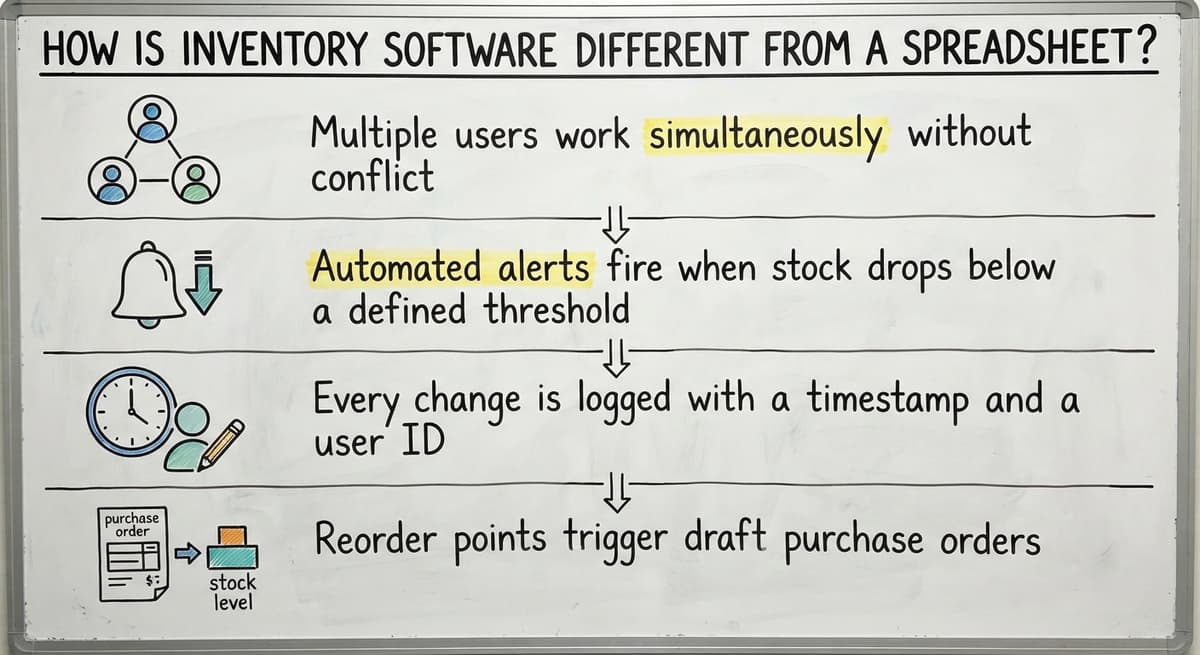
Inventory software updates every record the moment something happens. A spreadsheet requires someone to open it, find the right row, and type a number. Those are three steps where a mistake can enter the data. Software removes all three.
Beyond real-time updates, the differences are operational:
- Multiple users work simultaneously without overwriting each other's entries, which is structurally impossible in a shared spreadsheet.
- Automated alerts fire when stock drops below a threshold, so no one has to remember to check.
- Every change is logged with a timestamp and a user name, giving you an audit trail that a spreadsheet cannot produce.
- Reorder points trigger draft purchase orders without manual intervention.
A spreadsheet is a recording tool. Inventory software is an operating tool. The distinction matters when your operation grows past the point where one person can hold the whole picture in their head.
Core Features Every Retail Inventory System Should Have
Before evaluating any specific product, build a checklist of the capabilities your operation actually needs. Every retail inventory system should include real-time stock level tracking, purchase order management, receiving workflows, low-stock alerts, and sales history reporting.
Without these, the system cannot answer the basic questions that drive daily decisions: what do we have, what do we need to order, and what is selling. The sections below describe each non-negotiable feature and the operational problem it solves.
Frequently Asked Questions About Retail Inventory Management Systems
The questions below come up consistently when operations are evaluating whether to move to a dedicated system. Each answer is direct. More context is available in the relevant sections above.
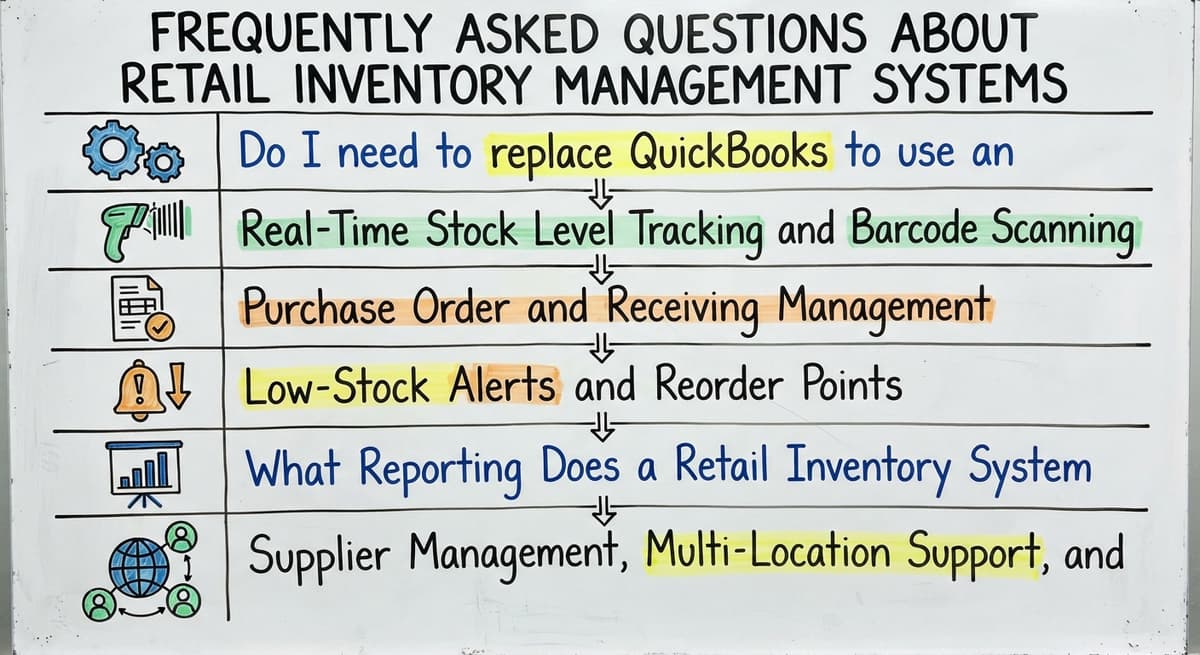
Do I need to replace QuickBooks to use an inventory system?
No. Inventory software works alongside QuickBooks, not replace it. The inventory system handles stock levels, purchase orders, and receiving.
QuickBooks handles the financial record. Data flows from the inventory system to QuickBooks automatically, eliminating double entry without requiring any change to how accounting is done.
Real-Time Stock Level Tracking and Barcode Scanning
Real-time inventory tracking means the system reflects the current state of your stock within seconds of a transaction. A sale posts and the count drops.
A shipment is received and the count rises. No batch update runs overnight. No one reconciles at the end of the week.
The input method matters. Barcode scanning removes the manual entry step that causes most receiving errors. A warehouse associate scans a barcode, and the system matches it to the SKU, the purchase order, and the location.
Mobile devices let that happen on the floor, not at a desktop terminal after the fact. This is the foundation of a barcode inventory system: accuracy at the point of action.
Purchase Order and Receiving Management
A purchase order management workflow inside the system creates the PO, sends it to the supplier, and waits for the shipment.
When goods arrive, the receiving workflow matches the physical shipment to the open PO line by line. Discrepancies are flagged immediately rather than discovered during a monthly count.
This replaces the email chain where someone forwards a supplier confirmation to the warehouse, the warehouse replies with what actually arrived, and someone else manually updates a spreadsheet three days later. The system holds all of that in one record.
Low-Stock Alerts and Reorder Points
A reorder point is the stock level at which a new order needs to be placed so that inventory does not run out before the next shipment arrives.
Safety stock is the buffer quantity held above that point to absorb unexpected demand or a late delivery.
The system monitors levels continuously and fires an alert or generates a draft purchase order when stock hits the reorder point.
No one needs to remember to check. The calculation runs in the background and surfaces a task only when action is required. This is one of the clearest efficiency gains a small business inventory system delivers.
What Reporting Does a Retail Inventory System Actually Give You?
Inventory reporting turns raw stock data into decisions. The most useful reports are:
- Inventory turnover rate: how many times stock is sold and replaced in a period, which signals whether capital is sitting idle or moving efficiently
- Sell-through rate: the percentage of stock sold versus received, useful for evaluating buying decisions by category
- Dead stock report: SKUs that have not moved in a defined period, so you can discount, bundle, or return them before storage costs accumulate
- Shrinkage variance: the gap between recorded and counted stock, which points to theft, damage, or receiving errors
- Top sellers by margin: not just by units, because a high-volume SKU with thin margin may be less valuable than a slower SKU with strong margin
Each report answers a specific buying question. Turnover tells you whether to reorder. Dead stock tells you what to stop ordering. Shrinkage tells you where to investigate.
Supplier Management, Multi-Location Support, and SKU Control
Three features that are treated separately belong together because they solve the same underlying problem: knowing exactly what you have, where it is, and who supplied it.
Supplier and vendor management stores lead times, minimum order quantities, and contact information in one place. When a reorder point fires, the system already knows which supplier to contact and what the minimum quantity is. Multi-location inventory tracking logs stock transfers between locations and shows on-hand quantities by site.
Even a two-location operation benefits from this, because stock sitting at the wrong location is effectively unavailable. SKU management ties every item to a unique identifier and a barcode, which is what makes scanning reliable and reporting accurate.
Is the comparison easier when one option is built for you?
Yes. Off-the-shelf means fitting your process to the software, and custom is the other way round. The first look costs nothing.
Book a callTypes of Retail Inventory Systems: SaaS, ERP, and Custom-Built
Three categories of retail inventory management systems exist. The right choice depends on how your operation works, not on which product has the most features.
Off-the-shelf SaaS tools are subscription-based platforms built for general retail use. Setup is fast, upfront cost is low, and the vendor handles updates. The limitation is rigidity: the workflow is built for a generic operation, and unusual processes get forced into workarounds.
Are ERP Systems Worth the Cost for a Mid-Size Retail Operation?
For most operations under 100 staff, the answer is no. Enterprise resource planning platforms include inventory as one module among many. Implementation takes months and costs significantly more than a standalone inventory tool. The breadth of an ERP is valuable when every module is needed.
When only inventory is the problem, paying for finance, HR, and manufacturing modules alongside it rarely makes sense. Some businesses do outgrow this concern as they scale, but that is a future decision, not a present one.
When Does Custom-Built Inventory Software Make Sense?
Custom-built inventory software is designed around one operation's specific workflows. There are no unused features, no workarounds for unusual product types, and no forced process changes. It integrates with the tools already in use rather than requiring those tools to be replaced.
The tradeoff is a higher upfront investment and the need for a capable development partner. Custom operational software for small business is the right choice when off-the-shelf software creates more friction than it removes, which happens more often than vendors of generic tools will acknowledge.
How Do Retail Inventory Systems Integrate with QuickBooks?
Accounting integration matters because every inventory movement has a financial consequence. Receiving stock increases an asset. Selling stock recognizes cost of goods sold.
Writing off dead stock reduces an asset. If the inventory system and the accounting system do not talk to each other, someone enters the same transaction twice.
Do I need to replace QuickBooks to use an inventory system? No. Most inventory software connects to QuickBooks rather than replacing it. Stock adjustments post to the correct accounts automatically.
Purchase orders sync to accounts payable. The goal is to stop entering the same data in two places, not to switch accounting platforms.
QuickBooks integration for distributors and retailers works through a direct API connection or a certified integration layer. The inventory system handles the operational detail.
QuickBooks handles the financial record. Each does what it was designed to do, and the data flows between them without manual intervention.
Inventory Valuation: FIFO versus LIFO in Retail Inventory Tracking
Does the valuation method your system uses affect your tax bill? Yes, and it also affects how profit is reported. Three methods are common:
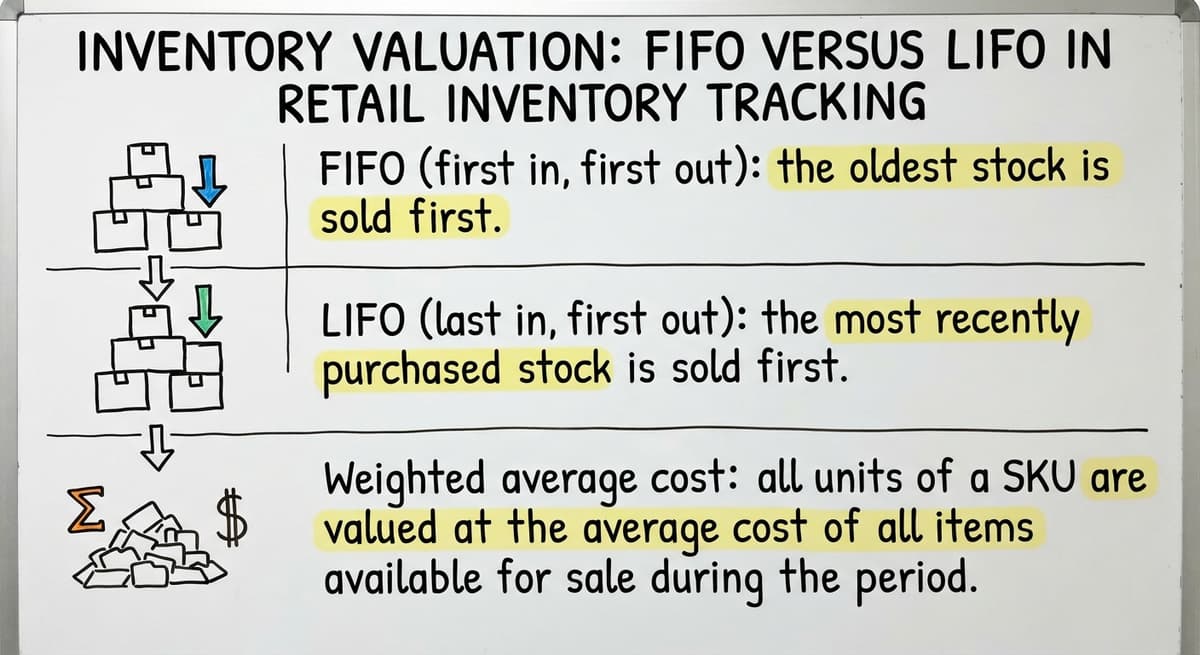
- FIFO (first in, first out): the oldest stock is recorded as sold first. This reflects physical reality for most perishable and fashion goods, and it tends to produce higher reported profit when costs are rising.
- LIFO (last in, first out): the most recently received stock is recorded as sold first. This is used in some industries to reduce taxable income when input costs are rising, though it is not permitted under international accounting standards.
- Weighted average cost: all units of a SKU are valued at the average cost of all units on hand. This smooths out price fluctuations and is common in commodity retail.
Choosing and Locking In Your Valuation Method
The method your system uses should match what your accountant recommends for your tax situation. Changing methods mid-year has financial reporting consequences, so confirm the choice before configuring the system.

Cycle Counting, Physical Counts, and How a System Manages Both
Cycle counting means counting a rotating subset of inventory on a regular schedule rather than shutting down to count everything once a year.
A system schedules which items to count each day or week, records the physical count, compares it to the system quantity, and flags discrepancies for investigation.
The process in practice:
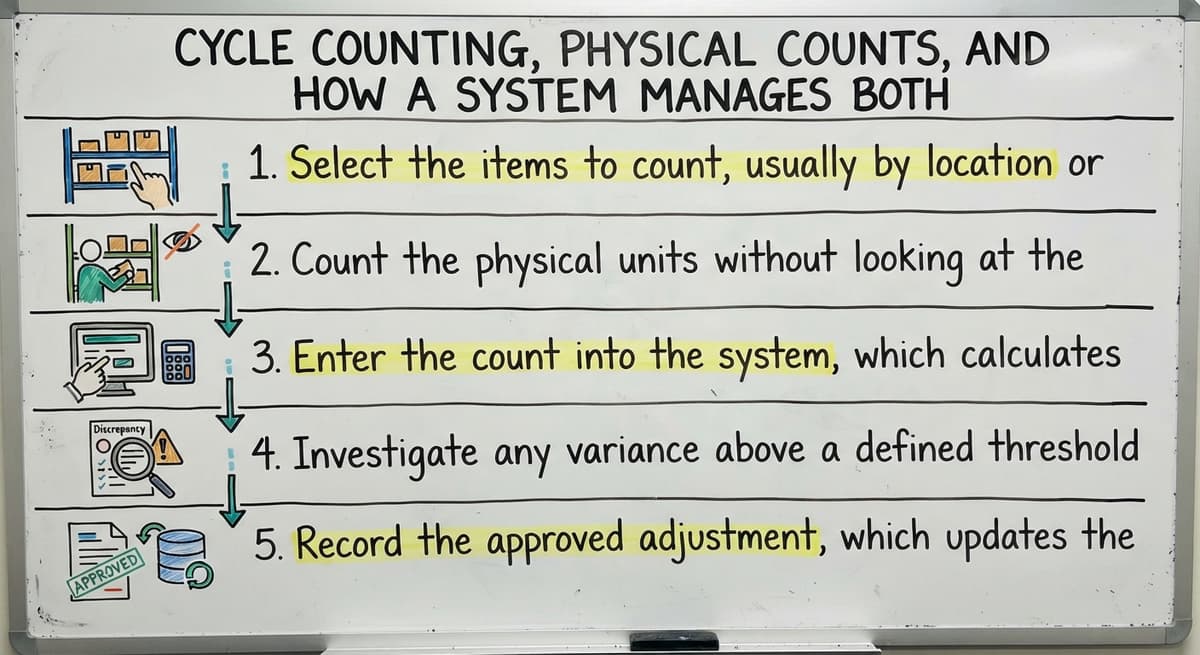
- Select the items to count, by location or product category on a rotating basis.
- Count the physical units without looking at the system quantity first to avoid anchoring.
- Enter the count into the system, which calculates the variance automatically.
- Investigate any variance above a defined threshold before accepting the adjustment.
- Record the approved adjustment, which updates the stock level and creates an audit entry.
What does it look like running on your own process?
The first thing you see is it running on your own process, at no build cost. The subscription starts once it is live and doing the job, not before.
Book a callWhy Does Cycle Counting Outperform Annual Physical Counts?
Cycle counting catches errors faster than an annual count because the gap between a mistake and its discovery is days rather than months.
Warehouse inventory management systems that support cycle counting also reduce the operational disruption of a full physical count, which requires pausing receiving and shipping.
Demand Forecasting and Seasonal Inventory Planning
Demand forecasting is predicting what you will sell in a future period based on what you have sold in past periods.
Even a simple trend analysis using twelve months of sales history beats a gut-feel buying decision, because it surfaces patterns that are not obvious when you are looking at one week at a time.

Using Historical Data to Plan for Peak Seasons
Seasonal planning uses those same historical patterns to adjust reorder points before a peak period arrives.
If your system shows that a category sells three times faster in October than in July, you can raise the reorder point for that category in September so stock is in place before demand spikes. This reduces both stockouts during peak periods and overstock after them, because the order quantity is grounded in data rather than optimism.
Inventory reporting is what makes this possible. A system without historical sales data cannot forecast. A system with it can surface the pattern and let you act on it.
Dead Stock, Shrinkage, and What Your System Should Make Visible
Dead stock is inventory that has not moved in a defined period, 90 or 180 days depending on the product category. It ties up cash and occupies storage space that active stock could use.
A system flags slow-moving SKUs automatically so you can decide whether to discount, bundle, return to the supplier, or write off the units before the carrying cost grows further.
What Is Inventory Shrinkage and How Does a System Help You Track It?
Shrinkage is the gap between the quantity the system says you have and the quantity you actually count. Common causes include theft, receiving errors where the shipment count differs from the PO, damage that is not logged, and data entry mistakes.
A retail inventory management system makes shrinkage visible through variance reports that show the difference between expected and counted quantities by location, by SKU, and by time period.
Visibility is the first step to reduction. An operation that does not measure shrinkage cannot distinguish between theft and receiving errors, which means it cannot address either one specifically.
A system that surfaces the variance by category and location points directly to where the investigation should start.
User Roles, Mobile Access, and Cloud versus On-Premise Deployment
Not everyone in the operation needs the same access. Warehouse staff need to receive, pick, and count. Buyers need to see stock levels and create purchase orders.
Managers need reporting. Finance needs valuation data. Role-based access protects records from accidental changes and keeps each person's view focused on what they actually need.

Mobile Access Is a Data Quality Feature, Not a Convenience
Mobile access determines whether the system gets used correctly on the warehouse floor. A system that requires a desktop terminal means staff walk back to a computer to log what they just counted or received, which introduces the delay and transcription error that the system was supposed to eliminate.
Tablet or handheld access at the point of action is not a convenience feature. It is a data quality feature.
Cloud versus On-Premise: How to Choose
Deployment choice comes down to two practical questions: Do you need access from multiple locations or while traveling? And how much IT infrastructure do you want to maintain? Cloud-based systems are accessible from any device with an internet connection, receive updates automatically, and require no server hardware.
On-premise systems give you full data control, function without an internet connection, and follow a one-time cost model rather than a subscription. Neither is universally better. The right choice depends on your connectivity, your IT capacity, and your preference for how costs are structured.
How Do You Choose a Retail Inventory Management System?
The decision process should start with your current workflow, not with a vendor demo. Document how an order moves from receipt to sale today.
Identify where the errors happen, where the delays are, and which steps require the most manual effort. That map tells you what the system needs to fix before you evaluate whether any specific product fixes it.
What Questions Should You Ask a Retail Inventory Software Vendor?
A vendor demo using their sample data tells you what the software looks like. A demo using your actual product types, your supplier structure, and your receiving workflow tells you whether it fits. Ask specifically:
- How does the system handle your product types, including any unusual attributes like variable weight, lot tracking, or serial numbers?
- What does the implementation process look like, and who owns each phase?
- What support is available after go-live, and what does it cost?
- How does the system handle the edge cases in your current workflow, not the standard ones?
Vague answers to specific questions are a signal. A vendor who cannot describe how their system handles your actual situation is telling you that their system was not built for your situation.
Understanding Total Cost of Ownership Before You Sign
Total cost of ownership extends well beyond the license fee. Build a three-year picture that includes implementation, data migration, staff training, any customization required to handle your workflows, and ongoing support.
A low monthly subscription can carry a high total cost when implementation is billed separately and customization is required for basic fit. Wholesale distribution software and retail inventory platforms differ significantly in this regard, so confirm what is included before signing.

Implementation: Timeline, Training, and Common Mistakes
A typical implementation moves through five phases: cleaning existing data, configuring the system to match your workflows, training staff by role, going live on a defined date, and receiving support through the first weeks of operation.
The longest phase is almost always data cleanup. Years of spreadsheet entries contain inconsistent SKU names, duplicate records, and quantities that no one is confident are accurate. Importing dirty data into a new system produces a new system with dirty data.
Timeline depends on system type and operational complexity. A SaaS platform for a straightforward single-location operation can be live in a few weeks.
A custom-built system for a multi-location operation with unusual workflows takes months, though a phased rollout reduces disruption by going live in one location or one product category first.
Not sure this is the right shape for your operation?
The call is free. Describe how the work runs today. We map it on a call and show you what it would look like built around that, before you spend anything.
Book a callCommon Implementation Failures and How to Avoid Them
The most common implementation failures share a pattern:
- Skipping the pilot phase and going live across the whole operation at once, which makes problems harder to isolate.
- Importing unverified data and treating the opening balances as accurate when they are not.
- No designated process owner after go-live, so questions go unanswered and workarounds accumulate.
- Choosing features over fit, meaning the system was selected because it had the most capabilities rather than because it matched the actual workflow.
Training matters as much as configuration. A system that warehouse staff do not know how to use on the floor will not be used correctly, and incorrect use produces the same bad data as no system at all.
Role-based training keeps each session focused: warehouse staff learn receiving and counting, buyers learn purchase orders and reorder points, managers learn reporting.
What Are the Signs That Your Current Inventory Process Is Holding the Business Back?
An inventory process that is holding the business back rarely announces itself as an inventory problem. The symptoms below appear first, and if several of them describe your operation, the process is already constraining growth:
- Stockouts happen regularly despite staff checking levels frequently, because the check relies on stale data.
- Reconciling counts takes hours at the end of each week or month, with no clear explanation for the variances.
- Customers receive wrong information about availability because the person answering does not have access to current stock.
- Returns sit in a staging area instead of being restocked, because the return process has no clear owner and the system does not prompt anyone to act.
- Buying decisions rely on gut feel rather than turnover data, because the data does not exist in a usable form.
- Staff have created their own tracking sheets alongside the official system, which means two records exist and neither is authoritative.
Small operations feel these symptoms more acutely than large ones because there is less redundancy to absorb the errors.
A small business inventory system does not need to be expensive or complex to address them. It needs to fit the actual workflow and be used consistently.

When Is Off-the-Shelf Software Not Enough?
Generic inventory software is built for a generic operation. When your operation has unusual product types, complex pricing rules, non-standard receiving workflows, or integrations with tools the SaaS platform does not support, the software creates workarounds rather than solutions.
Workarounds accumulate. Each one adds a manual step, a potential error, and a dependency on whoever invented the workaround.
Building Custom Warehouse Management Software Around Your Workflow
Custom warehouse management software is the appropriate response when the workarounds cost more in staff time and errors than a purpose-built system would cost to build and maintain.
The build process starts by documenting the current workflow in detail, identifying which steps should be automated, and building the system to match rather than requiring the operation to change. Existing tools, including QuickBooks, the POS system, and any supplier portals, are integrated rather than replaced.
This approach preserves the institutional knowledge embedded in how your team already works. It also means the system is immediately familiar to staff because it mirrors the process they already follow, which accelerates adoption and reduces training time.
Key Metrics Your Retail Inventory System Should Track
Tracking these metrics monthly changes how buying decisions are made. Each one answers a specific operational question:
| Metric | Plain-language definition | Decision it supports |
|---|---|---|
| Inventory turnover | How many times stock is sold and replaced in a period | Whether capital is moving or sitting idle |
| Sell-through rate | Percentage of received stock that was sold | Whether the buy quantity was right |
| Days on hand | How many days of supply remain at the current sales rate | When to reorder |
| Fill rate | Percentage of orders fulfilled from stock without delay | Whether service levels are being met |
| Shrinkage rate | Percentage of stock lost to theft, damage, or error | Where to investigate losses |

Why Is Inventory Turnover the Most Useful Number for a Retail Buyer?
Inventory turnover is the single most useful number for a retail buyer. A high turnover rate means stock moves quickly and capital is not tied up in sitting goods.
A low rate signals either a buying error or a demand problem. The right rate varies by product category and margin: a grocery operation expects high turnover on thin margins, while a specialty retailer may accept slower turnover on higher-margin items.
What is the difference between inventory management and warehouse management?
Inventory management tracks what you have and what it is worth. Warehouse management tracks where items are physically located within a facility and how they move through it, including putaway, picking paths, and dock scheduling. Some retail inventory management systems cover both.
Others focus on one. If your operation has a single storage area with straightforward flow, an inventory-focused system is sufficient. If you manage a large facility with multiple zones and complex movement, warehouse inventory management capabilities become necessary.
Can a small retailer afford a proper inventory management system?
SaaS platforms start at a low monthly cost and scale with the operation. Custom-built systems carry a higher upfront investment but lower ongoing cost and no per-user fees.
The more useful question is what the current manual process costs in staff hours, purchasing errors, and stockout revenue. For most small operations, that number exceeds the cost of a system within the first year.
What is the difference between FIFO and LIFO in retail inventory tracking?
FIFO records the oldest stock as sold first, which matches physical reality for most retail goods and tends to produce higher reported profit when costs are rising.
LIFO records the most recently received stock as sold first, which can reduce taxable income in rising-cost environments but is not permitted under international accounting standards. Most retail operations use FIFO. Confirm the right method with your accountant before configuring the system, because changing it later has reporting consequences.
How long does it take to implement retail inventory software?
A SaaS platform for a straightforward operation can be configured and live within a few weeks.
A custom-built system for a complex, multi-location operation takes two to four months, though a phased rollout reduces disruption. Data cleanup is the phase that most often extends the timeline beyond the initial estimate.
How does a retail inventory system handle returns?
The return workflow logs the customer return, records the inspection result, and either restocks the item or writes it off depending on condition. Each step adjusts the stock count automatically.
Unmanaged returns are one of the most common sources of inventory discrepancy because the physical unit comes back but the system record never updates.

Next Steps for Improving Your Retail Inventory Management
The path forward starts with an honest look at your current process, not a product search. Map how stock moves through your operation today.
Identify where the errors enter the record and where the delays accumulate. That picture determines what a system needs to do before any vendor conversation is worth having.
If your operation has outgrown manual tracking but does not fit neatly into a generic SaaS platform, a custom-built solution built around your existing workflows may be the more practical path.
The Software Society builds operational software designed to fit how a business already runs, connecting inventory, purchasing, and accounting without forcing a process overhaul. If that matches what you are looking for, reach out to describe your operation and we can assess whether a custom system makes sense for your situation.
Frequently asked questions
What is the difference between inventory management and warehouse management?
Inventory management tracks what you have and what it is worth. Warehouse management tracks where items are physically located within a facility and how they move through it, including putaway, picking paths, and dock scheduling.
Some retail inventory management systems cover both. Others focus on one. If your operation has a single storage area with straightforward flow, an inventory-focused system is sufficient.
Can a small retailer afford a proper inventory management system?
SaaS platforms start at a low monthly cost and scale with the operation. Custom-built systems carry a higher upfront investment but lower ongoing cost and no per-user fees.
The more useful question is what the current manual process costs in staff hours, purchasing errors, and stockout revenue. For most small operations, that number exceeds the cost of a system within the first year.
Do I need to replace QuickBooks to use an inventory system?
No. Inventory software works alongside QuickBooks, not replace it. The inventory system handles stock levels, purchase orders, and receiving.
QuickBooks handles the financial record. Data flows from the inventory system to QuickBooks automatically, eliminating double entry without requiring any change to how accounting is done.
How long does it take to implement retail inventory software?
A SaaS platform for a straightforward operation can be configured and live within a few weeks.
A custom-built system for a complex, multi-location operation takes two to four months, though a phased rollout reduces disruption. Data cleanup is the phase that most often extends the timeline beyond the initial estimate.
What is the difference between FIFO and LIFO in retail inventory tracking?
FIFO records the oldest stock as sold first, which matches physical reality for most retail goods and tends to produce higher reported profit when costs are rising.
LIFO records the most recently received stock as sold first, which can reduce taxable income in rising-cost environments but is not permitted under international accounting standards. Confirm the right method with your accountant before configuring the system.
How does a retail inventory system handle returns?
The return workflow logs the customer return, records the inspection result, and either restocks the item or writes it off depending on condition. Each step adjusts the stock count automatically.
Unmanaged returns are one of the most common sources of inventory discrepancy because the physical unit comes back but the system record never updates.
What is cycle counting and how does it differ from an annual physical count?
Cycle counting means counting a rotating subset of inventory on a regular schedule rather than shutting down to count everything once a year.
A retail inventory system schedules which items to count each day or week, records the physical count, and flags discrepancies automatically. Errors are caught within days rather than months, and the operational disruption is far smaller than a full physical count.
When does off-the-shelf inventory software stop being enough?
Generic software stops being enough when your operation requires workarounds for basic tasks. Common triggers include unusual product types, complex pricing rules, non-standard receiving workflows, or integrations the platform does not support.
At that point, the staff time spent on workarounds exceeds what a custom-built system would cost to build and maintain.
What is the best inventory management system for a small retail business?
For one store, the inventory built into the point-of-sale system, since every sale already updates the count.
For 2 or more stores, or a store plus an online channel, a system that holds one count per location and syncs the channels, at $50 to $300 a month, or a build around the operation past 5 locations.
How much does retail inventory management software cost?
Point-of-sale inventory is included or $30 to $100 a month per register. Standalone retail inventory systems run $50 to $300 a month by location and user count. A custom build for a multi-store retailer runs $10,000 to $30,000 once with a smaller monthly fee.
What features should a multi-location retailer prioritize?
One count per SKU per store, transfers between stores with a scan at each end, a reorder point per store rather than per chain, and a report that shows the same SKU's sell-through side by side across locations. Everything else follows from those 4.
How do I track inventory across multiple stores and online channels?
Hold the stock in one system with a location per store and one for the online warehouse, let each channel sell from its own location, and sync the totals to the website every few minutes.
A sale in any channel then reduces the right count, and the site never sells what the store just sold.
What is in a free first look?
A 30 minute call, your operation mapped, and a clear picture of what we would build. No obligation and nothing to install.
Book a callRelated guides
The rest of this guide, for the parts of the job this page does not cover.
Guides
- Retail Inventory System
- Retail Inventory Management
- Warehouse Inventory Management Systems
- Warehouse Inventory Management System
- Small Business Inventory Management System
- Inventory Management System for Manufacturing
- Automated Inventory Management System
- Warehouse Management System Top 10
- Software for Warehouse Management System
- Small Business Warehouse Management System
- Warehouse Management System Types
- Warehouse Management System Examples
- Warehouse Management System Implementation
Common questions
- How to Manage Inventory in Retail Store
- What is Kanban System of Inventory Management
- What is the Best Inventory Management System for Small Businesses?
- What is Online Inventory Management System
- What is Sales and Inventory Management System
- What is Inventory Management System Project
- How to Manage Inventory Between Etsy and Shopify
- What Are the Benefits of Warehouse Management System
- What is the Point of Warehouse Management System
- How to Choose a Warehouse Management System
- What is Asn in Warehouse Management System