

Warehouse Stock Management Software
Warehouse stock management software tracks every item that enters your building, records where it sits, and deducts it the moment it ships. It is not a massive ERP system. It is a focused tool built for the daily work of a warehouse: receiving, counting, picking, and shipping. This page addresses owners and operations managers running a 5-to-100-person wholesale, distribution, or fulfilment operation.
Published 26 August 2026. Reviewed and updated 15 September 2026.
Book a callWhat Does Warehouse Stock Management Software Do?
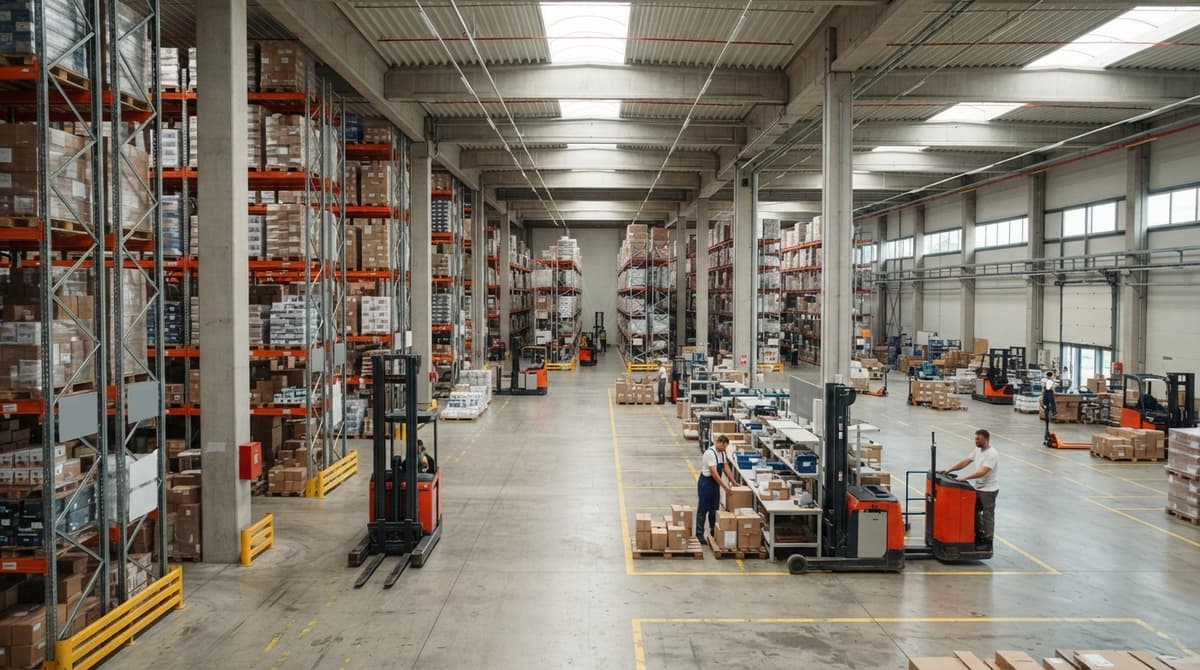
Warehouse stock management software gives every person on your team a single, live view of your inventory. When a pallet arrives, the system records it. When a picker pulls an item, the count drops. When an order ships, the shelf number updates.
Reviewed August 2026. Each figure comes from the assumptions stated beside it, so you can substitute your own and the arithmetic still holds.
This differs from an ERP, the giant system that handles finance, HR, and manufacturing together.
A warehouse stock management tool does one thing well: it tells you what you have, where it is, and where it went. That focus makes it faster to set up and easier for warehouse staff to use every day.
Would you rather have it built around your operation?
The first look is free. If you would rather not compare products, describe how your operation already works and we build the system around it.
No build cost. You see it running on your own process first, and the monthly subscription starts only once it is live.
Book a callThe Problem With Tracking Stock in Spreadsheets
Most small warehouses are on accounting software for invoicing and a mix of spreadsheets, printed pick lists, and email threads for everything else. That setup works at low volume. It breaks when orders grow.
Here is what breaks first:
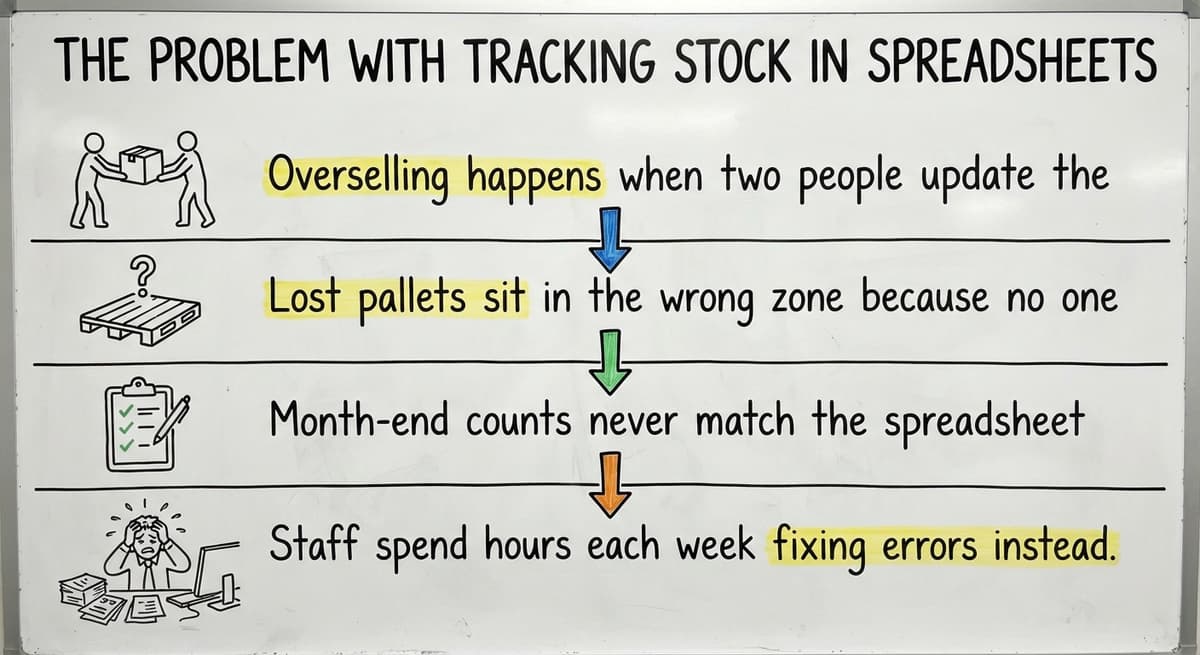
- Overselling happens when two people update the same sheet at different times
- Lost pallets sit in the wrong zone because no one logged the put-away
- Month-end counts never match the spreadsheet because corrections pile up all month
- Staff spend hours each week fixing errors instead of moving product
Spreadsheet Chaos Is a Safety Problem, Not Just a Counting Problem
OSHA notes that "The warehousing and storage industry includes establishments operating facilities for general merchandise, refrigerated goods, and other products," and the agency's guidance at https://www.osha.gov/warehousing makes clear that a disorganized floor creates real safety risk, not just counting errors.
You are not alone in running things this way. Most operations at your stage are in the same spot.
How Much Do Stock Errors Actually Cost a Warehouse?
Stock errors cost real money in three direct ways: lost sales, wasted labor, and damaged customer trust. A stockout on a fast-moving SKU means a customer buys from someone else. An overstock ties up cash on shelves while fresher product waits.
The US Bureau of Labor Statistics reports that warehouse workers earn a median wage around $20 per hour. Every hour a picker spends recounting a bin or correcting a wrong shipment is a paid hour that produced no output.
Multiply that across a team of ten and a week of daily corrections, and the number gets large fast.
Shipping the wrong item or wrong quantity does more than cost a return label. It costs the relationship. A wholesale buyer who receives a short shipment twice will find a supplier who does not make them chase their own order.
Is the comparison easier when one option is built for you?
Yes. Off-the-shelf means fitting your process to the software, and custom is the other way round. The first look costs nothing.
Book a call
Core Features of Warehouse Stock Management Software
Warehouse stock management software for a small or mid-size operation centers on a handful of features that matter most. Each one comes in plain terms. Skip to the part that matches the problem you are solving today.

Custom Built Versus Off-the-Shelf Software
Two main paths exist for a warehouse that needs better inventory tracking. One is buying a packaged warehouse management system. The other is building a custom system around your operation. Both have real trade-offs.

Common Questions About Warehouse Stock Management Software
The questions below about warehouse stock management software come up in almost every early conversation. Short, direct answers follow each one.
Real-Time Stock Levels Across Every Location
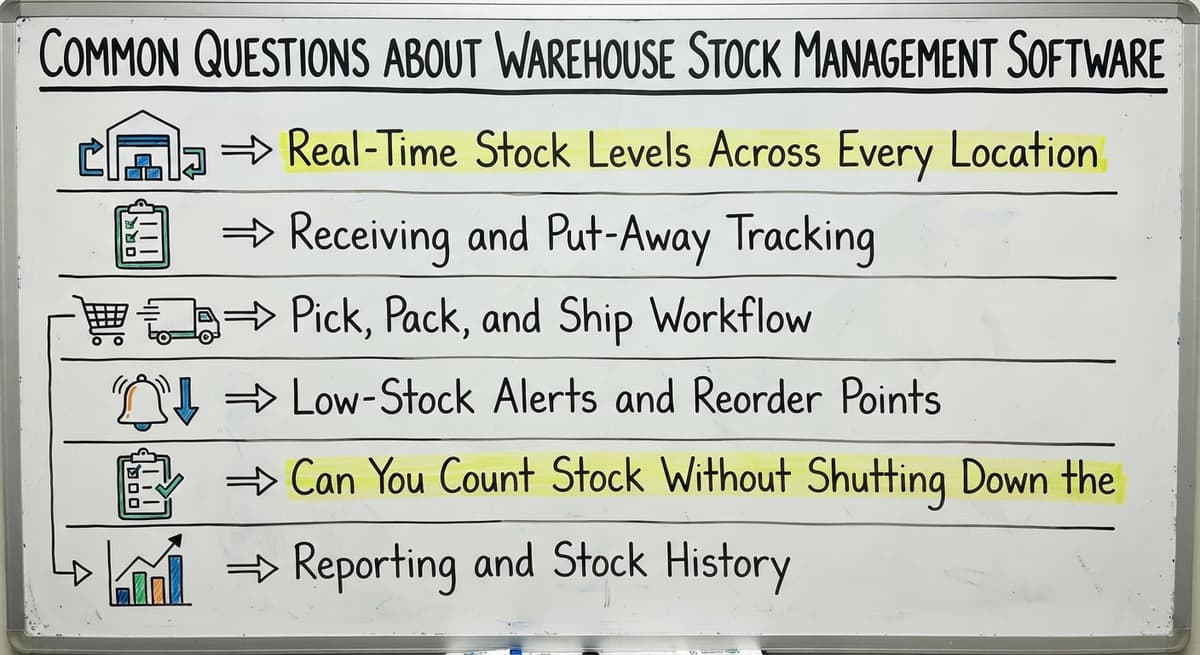
Real-time stock levels mean every staff member sees the same number at the same moment. The system tracks stock by bin, shelf, and zone. A bin is a single storage slot. A shelf holds multiple bins. A zone groups shelves by type or product family.
When someone scans or enters a count, the system updates instantly. No one is working from yesterday's spreadsheet. A picker in zone B and a manager at a desk see identical numbers, and that removes the most common source of count errors.
Receiving and Put-Away Tracking
When a delivery arrives, the system records the quantity, condition, and destination location for each item. Staff scan or enter the details at the dock. The system assigns a put-away location and logs the time and person who handled it.
This removes the paper receiving log entirely. Paper logs get wet, misread, or lost. A digital record stays attached to that stock until it ships. If a count question comes up later, the receiving record shows exactly what arrived and where it went.
Pick, Pack, and Ship Workflow
The pick and pack process is the 3 steps that follow a confirmed order. The system generates a pick list that shows the item, the bin location, and the quantity needed. A picker works through the list, scanning each item to confirm the pull.
When the order ships, the system deducts the stock on its own. The shelf count drops without anyone entering a manual adjustment. This closes the loop between the order and the inventory count, the step spreadsheets almost always miss.
Low-Stock Alerts and Reorder Points
A reorder point is the stock level that triggers a new purchase order. The system watches each SKU and sends an alert when stock falls to that level. The right person gets the alert before the shelf goes empty.
Thresholds work per SKU or per storage location. A fast-moving item gets a higher reorder point. A slow-moving seasonal item gets a lower one. Reorder points replace the habit of checking shelves by eye and hoping someone noticed the low stock in time.
What does it look like running on your own process?
The first thing you see is it running on your own process, at no build cost. The subscription starts once it is live and doing the job, not before.
Book a callCan You Count Stock Without Shutting Down the Warehouse?
Yes. Cycle counting is a rolling schedule that counts a portion of your stock without stopping operations. Instead of closing the warehouse for a full physical inventory, staff count a section each day.
The software guides staff through the items to count, in what order, and flags any discrepancy for review. Over a set period, every item gets counted at least once.
The IRS states that "To figure taxable income, you must value your inventory at the beginning and end of each tax year," so counting is a legal need, not just a best practice. Cycle counting meets that need without a shutdown.
Reporting and Stock History
Reports are the manager's side of the system: stock turnover, aging inventory, and discrepancy logs on demand. Turnover shows the SKUs that move fast and the ones that sit.
Aging stock shows what has been on the shelf longest. Discrepancy logs show where counts have not matched and when.
History makes buying decisions easier. When a supplier asks why you are ordering less, you have the data. When a buyer asks if you can fill a large order, you know the answer before you commit.

How Does Warehouse Stock Management Software Connect to Your Accounting Software?
Many warehouse managers worry that new software means replacing their accounting software. It does not. Accounting software handles what it does well: invoicing, accounts payable, and payroll.
A warehouse stock management system handles what that program was never built for: bin locations, movement logs, and live counts.
A tailored build can sit alongside your accounting software and pass data to it automatically. When an order ships, the warehouse system records the stock movement. That data flows to the accounting platform for invoicing without anyone re-entering it.
Accounting integration for warehouses keeps your accounting intact while removing the manual bridge between the warehouse floor and the books.
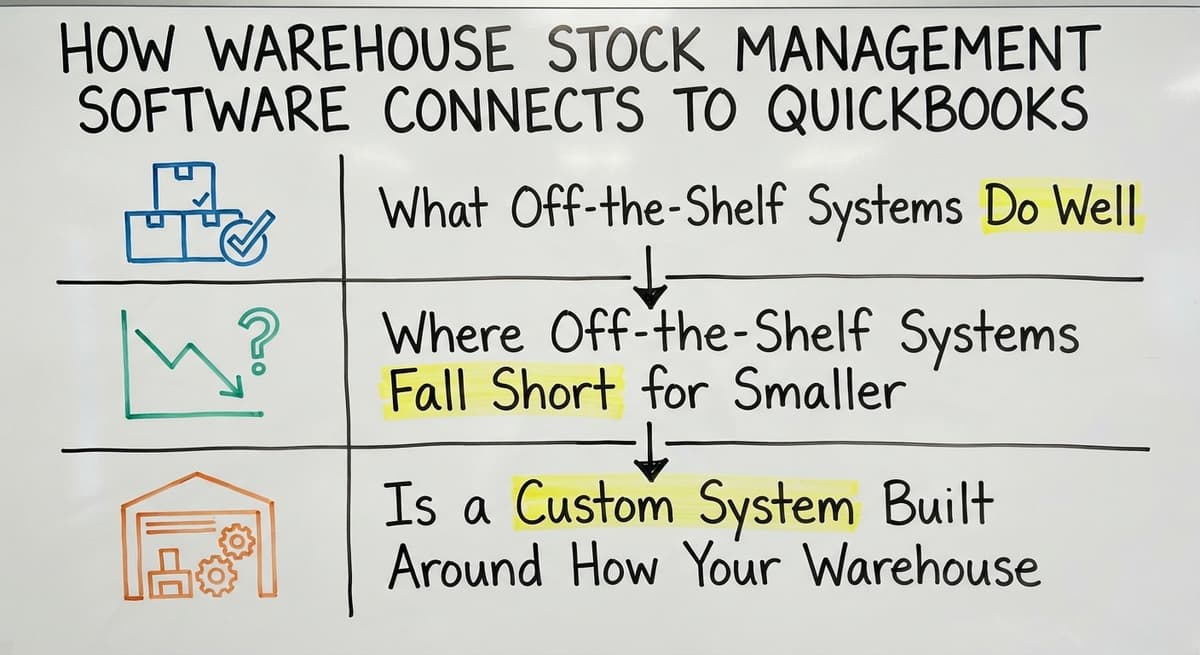
What Do Off-the-Shelf Systems Do Well?
Packaged warehouse management system tools work well for operations that match their assumptions. They have lower upfront costs and go live faster when the workflow is simple.
For a warehouse that runs a single product type, ships to a small customer list, and has no unusual processes, a packaged tool may be enough.
The honest case for off-the-shelf is speed. If your needs are standard, a packaged system gets you running without a build phase.
Where Do Off-the-Shelf Systems Fall Short for Smaller Operations?
Most packaged WMS tools target large distribution centers with dedicated IT teams. A small warehouse pays for features it will never touch and often finds that the one process it needs most is missing or locked behind a higher tier.
Implementation timelines for packaged systems run long. Consulting hours add up. Small teams end up keeping the spreadsheets running alongside the new system because the new system does not quite fit. That is the worst outcome: two systems, double the work, and no clear source of truth.
Is a Custom System Built Around How Your Warehouse Already Works?
Yes. A custom warehouse software build starts with your current workflow, not a vendor's template. The process maps what your team does today, identifies the steps that are manual and error-prone, and builds only what replaces those steps.
Staff do not have to learn a foreign way of working. The screens and steps match the habits already in place. That makes adoption faster and resistance lower.
Custom operational software for wholesale distributors is scoped to real needs, so you are not paying for a warehouse robot integration you will never use.
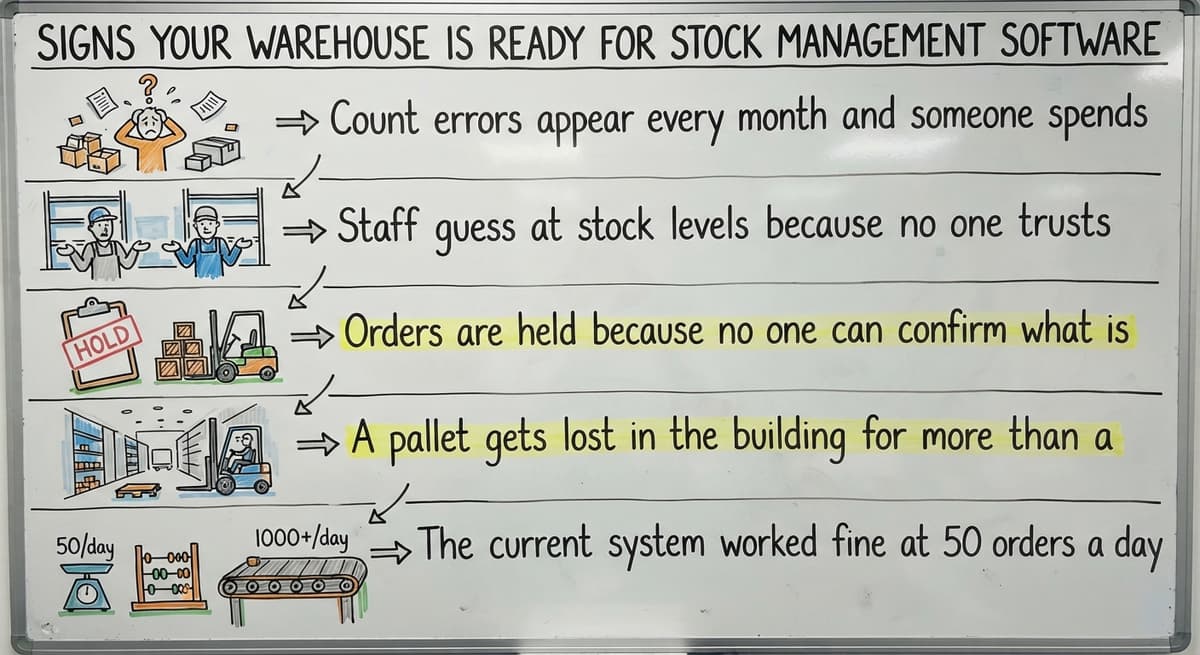
Signs Your Warehouse Is Ready for Stock Management Software
Some signals are clear. Others creep up slowly. Watch for these:
- Count errors appear every month and someone spends hours tracking them down
- Staff guess at stock levels because no one trusts the spreadsheet
- Orders are held when nobody can confirm what is actually on hand
- A pallet gets lost in the building for more than a day
- The current system worked fine at 50 orders a day but falls apart at 150
These are not failures. They are recognition moments. Every growing warehouse hits them. The question is whether to keep patching the spreadsheet or build something that scales.
What is in a free first look?
A 30 minute call, your operation mapped, and a clear picture of what we would build. No obligation and nothing to install.
Book a call
What Does a Typical Implementation Look Like?
A realistic build for a small operation is a 5-step sequence:
- Discovery: A conversation about your current workflow, your pain points, and your goals
- Workflow mapping: Document the steps your team takes today, from receiving to shipping
- Build: Develop only the features that replace the manual steps identified
- Test: Run the system alongside your current process until the team trusts it
- Go live: Switch over with support in place for the first weeks
For a small warehouse, this process takes weeks, not a year. The goal is to keep the warehouse running the whole time. This is not a big ERP project with a long budget and a distant launch date.

How Do Staff Learn to Use the System?
A system built around existing habits is faster to learn because the steps feel familiar. Training is hands-on, not a manual nobody reads. A staff member learns by doing the job inside the system, not by sitting through a slide deck.
Warehouse staff do not need to be technical to use a well-designed system. If the screen shows the bin, the item, and the quantity, and the scanner confirms the pick, the job is the same as before. The paper is just gone.
Does the Software Work With Barcode Scanners?
Yes. Most modern warehouse stock management systems support standard barcode and QR scanning.
GS1 maintains the global barcode standards that make a label printed by one company scannable by another, so your existing labels and scanners almost certainly work without changes. Learn more at https://www.gs1.org/standards/barcodes.
If your team already has handheld scanners, the system connects to them. Mobile device scanning is also an option for smaller budgets. A smartphone with the right app can scan a barcode just as well as a dedicated gun.
How Much Does Warehouse Stock Management Software Cost?
Cost depends on scope, not on company size alone. A custom build scoped to the five manual steps your team struggles with most will cost far less than an enterprise license for a system with two hundred features you will never touch.
The Warehousing Education and Research Council publishes benchmark data for distribution center performance at https://www.werc.org/resources/dc-measures/ that can help frame what a well-run operation looks like at your scale.
Ask for a scoped estimate based on your actual workflow, not a catalog price. The number will be more useful and more honest.
Can the System Grow as the Business Grows?
A custom system grows as your needs change. Adding a second warehouse location means adding that location to the system, not buying a new product. Adding a new product line means adding those SKUs and their storage rules.
Packaged software handles growth by moving you to a more expensive tier. A custom build handles growth by adding what you actually need. Fulfilment centre software solutions built this way scale with the business rather than ahead of it.
Next Steps for Warehouse Operations Managers in Columbus and Beyond
You now know what warehouse stock management software does, how it connects to your accounting software, and what separates a setup built for your operation from one built for a warehouse three times your size.
The decision in front of you is not which software to buy. It is whether to start the conversation about what your warehouse actually needs.
Replacing spreadsheets and ad-hoc databases with custom software does not have to mean a long project or a large upfront cost. It starts with mapping the work you already do.
How Does the Vendor Start the Conversation?
The Software Society works with warehouse operations managers in Columbus, Ohio and across the country. We start with your workflow, not a product demo.
If your team is spending hours each week correcting counts, chasing lost pallets, or holding orders when nobody knows what is on hand, that is the right place to start.
Reach out and describe what your warehouse looks like today. We will tell you honestly what a scoped system would replace and what it would cost.
Frequently asked questions
Frequently asked questions
What does warehouse stock management software actually do on a daily basis?
It records every item that arrives, tracks where each item is stored, and deducts stock automatically once a shipment goes out. Staff see live counts at all times. Managers can pull reports without waiting for a manual count.
Why do spreadsheets and printed sheets stop working as a warehouse grows?
Spreadsheets break when more than one person updates them at the same time, when corrections pile up faster than anyone can track, and when order volume makes manual entry too slow to keep up. The errors compound and the count becomes unreliable.
How does warehouse stock management software work alongside your accounting software instead of replacing it?
The warehouse system handles locations, counts, and movements. The accounting software handles invoicing, payroll, and accounts payable. Data passes between the two automatically, so nothing has to be entered twice and the accounting side stays in place.
What is the difference between a custom-built system and an off-the-shelf WMS?
An off-the-shelf WMS is built around assumptions that may not match your operation. A tailored setup is shaped around the workflow your team already uses. You pay for what you need and staff learn faster because the steps feel familiar.
How long does it take to implement warehouse stock management software for a small operation?
A focused build for a compact warehouse takes weeks, not months. The timeline depends on how many manual steps need to be replaced. The warehouse keeps running throughout the process.
How hard is it for warehouse staff to learn a new system?
A system built around existing habits is straightforward to learn. Training is hands-on. Staff do not need technical skills. If the screen shows the bin, the item, and the quantity, the job works the same way it did before, just without the paper.
What signs tell a manager that the warehouse needs stock management software now?
Count errors every month, staff guessing at stock levels, orders held when nobody can confirm what is on hand, and a system that worked at 50 orders a day but not at 150 are all clear signals that a manual process has reached its limit.
Can the system be expanded when the business adds locations or product lines?
Yes. A tailored setup adds new locations and product lines as the business grows. You are not forced into a more expensive software tier. The system grows by adding what you actually need, not by upgrading to a plan built for a larger operation.
What is the difference between inventory management software and a WMS?
Inventory management software mainly tracks how many units of each item you own and where they sit in a general sense, tied to accounting or sales records.
A warehouse management system goes further, controlling the physical workflow inside a building, including receiving, put away location, picking routes, and shipping confirmation. A WMS focuses on the operational steps that move stock through a warehouse floor, not just the resulting count.
How much does warehouse inventory software cost?
Cost varies depending on whether you choose a packaged product or a system shaped around your process. Packaged options charge a recurring subscription based on users, locations, or order volume, sometimes with setup fees.
Custom built approaches may avoid upfront build costs and only begin charging once the system is running live. The right comparison is total cost against the labor and errors the software eliminates, not the sticker price alone.
How do I choose warehouse software for multiple locations?
Choosing software for multiple locations starts with confirming it gives every site the same live view of stock, updated the moment items are received, picked, or shipped.
Look for tracking down to bin, shelf, and zone level at each location, plus reporting that lets you compare turnover and discrepancies across sites. The system should remove reliance on separate spreadsheets per location, so every manager and picker works from one shared, current number.
What is the best warehouse inventory software for a small business?
For small businesses, the best choice is software focused specifically on receiving, counting, picking, and shipping, rather than a full ERP built for finance and manufacturing too. Look for real time stock visibility, receiving and put away tracking, automatic deduction on shipment, and reorder alerts.
Whether you pick an off the shelf package or a workflow shaped around your existing process, it should match how a small team already works day to day.
What is in a free first look?
A 30 minute call, your operation mapped, and a clear picture of what we would build. No obligation and nothing to install.
Book a callRelated guides
The rest of this guide, for the parts of the job this page does not cover.
Guides
- Warehouse Stock Software
- Warehouse Stock Management System
- Warehouse Inventory Management Software
- Software for Warehouse Management System
- Inventory and Warehouse Management Software
- List of Warehouse Management Software
- Online Warehouse Management Software
- Software Warehouse Management
- Cloud Stock Management Software
- Small Business Stock Management Software
- Warehouse Inventory Tracking Software
- Warehouse Receiving Software
- Warehouse Inventory Software Programs
- Inventory Software Warehouse
- Warehouse Software System
- Quickbooks Inventory Management Software
- Custom Inventory Management Software
- Stock Software
- Warehouse Inventory Management Systems
- Warehouse Management System Top 10
- Small Business Warehouse Management System