

Retail Inventory Management
Getting inventory right is one of the most practical things a retail operation can do. This guide covers what retail inventory management actually involves, the terms worth knowing, the problems that show up most often, and how to improve your setup without starting from scratch.
Published 19 August 2026. Reviewed and updated 15 September 2026.
Book a callWhat Does Retail Inventory Management Mean?
Retail inventory management is the process of tracking, ordering, storing, and selling stock so the right products are available when customers want them. It is not a single tool or a single task. It is an ongoing set of decisions about what to buy, how much to hold, where to store it, and when to reorder.
Reviewed September 2026. Each figure comes from the assumptions stated beside it, so you can substitute your own and the arithmetic still holds.
This applies to a shop with 50 SKUs just as much as a warehouse with 5,000. The scale differs, but the core challenge is the same: keep stock levels accurate so the business can sell without wasting money on products that sit.
Would you rather have it built around your operation?
The first look is free. If you would rather not compare products, describe how your operation already works and we build the system around it.
No build cost. You see it running on your own process first, and the monthly subscription starts only once it is live.
Book a callWhy Does Getting Inventory Right Matter for Retail Operations?
Overstocking ties up cash that could fund other parts of the business. It also fills storage space with products that may not sell before they expire, go out of season, or become obsolete.
Understocking is the other side of the same problem: a stockout means a lost sale, and repeated stockouts push customers toward competitors.
Poor inventory visibility makes every downstream decision harder. You cannot forecast demand without accurate sales history. You cannot negotiate with suppliers without knowing your actual usage rates.
GS1, the global standards body behind barcodes, notes that "inventory inaccuracy is one of the leading causes of retail out-of-stocks," which is why barcode standards exist to create a shared language for tracking products across the supply chain. For small and mid-size operations, the stakes are sharper because there is less margin to absorb the cost of getting it wrong.
What Are the Core Goals of Inventory Management?
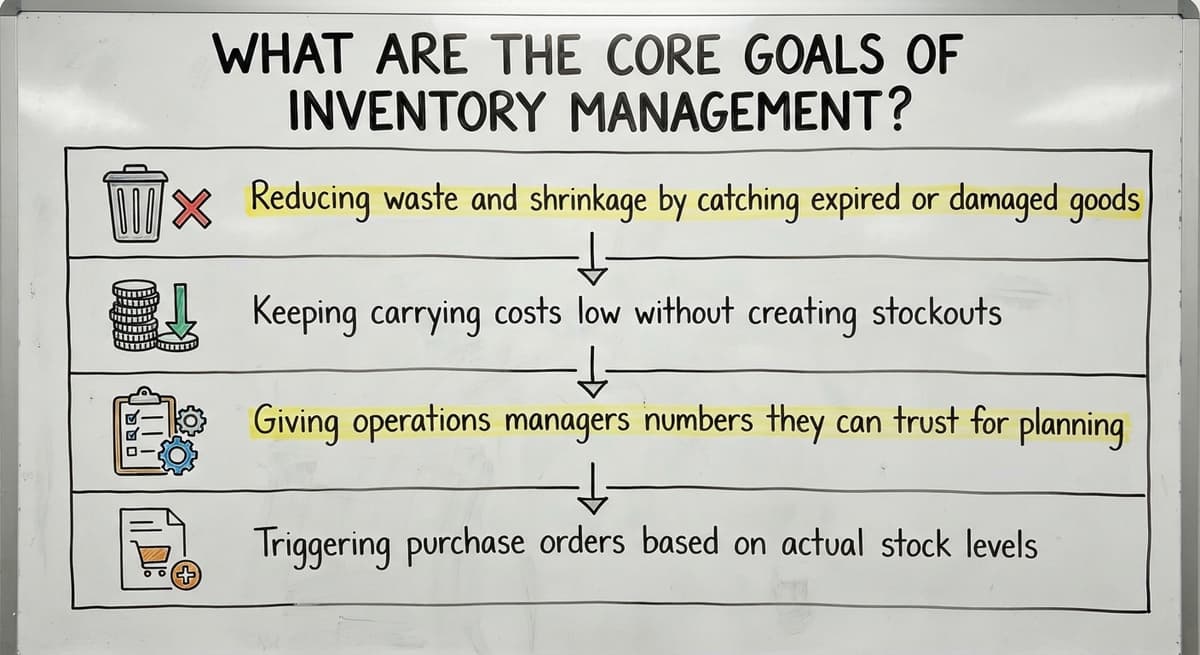
The core goals of inventory management are to have the right product available at the right place and time, while keeping the cost of holding that stock as low as possible. That sounds simple.
Achieving it consistently needs accurate data, clear reorder triggers, and a process that does not depend on one person's memory.
Specific goals include:
- Reducing waste and shrinkage by catching discrepancies early
- Keeping carrying costs low without creating stockouts
- Giving operations managers numbers they can trust without spending hours reconciling spreadsheets
- Triggering buy orders based on actual stock levels, not guesswork
When those goals are met, the business spends less time firefighting and more time making deliberate decisions.
How Do Most Small Retailers Actually Manage Inventory Today?
The honest picture looks like this: the accounting software handles accounting, a shared spreadsheet file tracks stock counts, printed pick sheets move with warehouse staff, and reorders happen by email when someone notices a shelf is getting low.
This works at first. When SKU counts are small and one person knows where everything is, informal systems are fast and cheap. The problems emerge gradually. A second person starts editing the spreadsheet.
A supplier changes their lead time. Sales volume doubles. Suddenly the file has three versions, nobody is sure which one is current, and the person who built it is on holiday.
This is a rational starting point, not a failure. Most operations land here because the tools were free, familiar, and good enough for the volume at the time.
The Hidden Cost of Spreadsheet Inventory Systems
Manual entry errors are small individually and damaging in aggregate. A quantity typed as 100 instead of 10 does not show up until a stockout happens or a physical count contradicts the file.
By then, the decision made on that bad number has already cost something.
No single source of truth means staff work from whichever version they downloaded last. One person places a buy order based on Tuesday's count. Another pulls from Thursday's. The discrepancy shows up in the next matching, which takes hours that could go toward operations.
Scaling this kind of system means adding headcount to manage the spreadsheet, not to grow the business. That is the real cost: not the errors themselves, but the labor required to contain them.
Is the comparison easier when one option is built for you?
Yes. Off-the-shelf means fitting your process to the software, and custom is the other way round. The first look costs nothing.
Book a callKey Terms Every Operations Manager Should Know
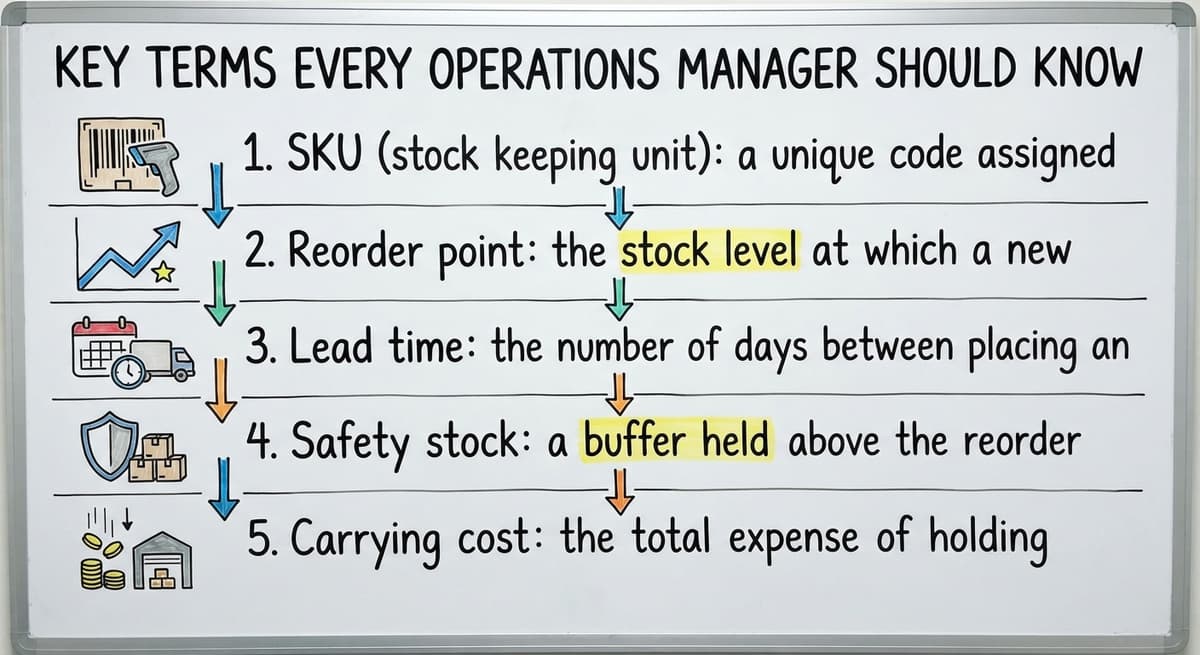
Five inventory terms appear in almost every operations conversation, and knowing them precisely removes ambiguity.
- SKU (stock keeping unit): a unique code assigned to each distinct product variant, such as a specific size and color combination. Every item you track needs one.
- Reorder point: the stock level at which a new buy order should be placed. Set it too high and you overstock. Set it too low and you run out before the supplier delivers.
- Lead time: the number of days between placing an order and receiving the goods. Lead time feeds directly into where you set the reorder point.
- Safety stock: a buffer held above the reorder point to absorb demand spikes or supplier delays. It is insurance, not waste.
- Carrying cost: the total expense of holding inventory over time, including storage, insurance, spoilage risk, and the opportunity cost of capital tied up in stock.
Understanding these terms makes every conversation about inventory systems more productive.

The Main Methods of Retail Inventory Management
Inventory management involves two separate questions: how you value stock on the books, and how you count it in practice.
For valuation, three methods are common. FIFO (first in, first out) assumes the oldest stock sells first, which matches physical reality for most perishable or dated goods.
LIFO (last in, first out) assumes the newest stock sells first, which is rarely how shelves actually work but has accounting implications in some jurisdictions. Average cost smooths buy price swings by averaging the cost of all units held.
For counting, the choice is between periodic and perpetual tracking. That distinction matters more for day-to-day operations than the valuation method.
Periodic Inventory Counting Explained
Periodic inventory means counting stock at fixed intervals, such as weekly or monthly, and updating records after each count. Between counts, the system does not know what has moved.
For a very small operation with a tight SKU range, this is manageable. The count is simple, the gaps are short, and errors are caught quickly.
As SKU count grows, the gaps between counts become expensive. A stockout that develops on day three of a monthly cycle goes undetected until the count on day thirty, by which point sales are already lost.
How Does Perpetual Inventory Tracking Work?
Perpetual inventory updates the stock count in real time with every sale, receipt, and adjustment recorded. The system always reflects the current state of stock, not the state as of the last count.
This needs a connected inventory system where point-of-sale, receiving, and adjustments all feed the same database. The payoff is a live view that operations managers can check at any moment without waiting for a count cycle.
When a reorder point is hit, the system flags it at once. Perpetual inventory does not remove the need for physical counts, but it makes them a check step rather than the only source of truth.
How Does Demand Forecasting Fit Into Inventory Management?
Demand forecasting uses historical sales data to estimate how much of each product will sell in a future period. That estimate feeds directly into reorder point calculations and safety stock levels.
Without forecasting, reorder decisions rely on intuition. A buyer who remembers last year's holiday rush may order well. A buyer who is new or distracted may not.
Even basic forecasting, using the last 90 days of sales to project the next 30, outperforms gut instinct on average.
Good forecasting depends on clean data. If the inventory system has counting errors, the sales history it produces is unreliable, and the forecast built on that history will be off. Accurate inventory tracking is a prerequisite for useful demand forecasting, not a separate concern.
What does it look like running on your own process?
The first thing you see is it running on your own process, at no build cost. The subscription starts once it is live and doing the job, not before.
Book a callCommon Retail Inventory Problems and What Causes Them
Four problems appear repeatedly across retail operations of every size.
- Phantom inventory: the system records stock that does not physically exist. This happens when receiving is logged incorrectly, returns are not processed, or shrinkage goes unrecorded. The result is a stockout the system did not predict.
- Dead stock: products that stop selling and occupy shelf or warehouse space indefinitely. Caused by over-ordering without forecasting, or by a product change that makes existing stock obsolete.
- Shrinkage: the gap between recorded stock and actual stock, caused by theft, damage, or counting errors. Every operation has some. The question is whether the process catches it quickly or lets it compound.
- Stockouts: running out of a product while customer demand exists. Traced to a reorder point set too low, a lead time that changed, or a count error that made stock appear higher than it was.
Each of these is a process or data problem before it is a purchasing problem.

What Does Good Retail Inventory Management Look Like in Practice?
A well-run inventory operation has a few recognizable qualities. Staff can check stock levels without asking a colleague or opening a spreadsheet. When a product hits its reorder point, a buy order is generated automatically or flagged for quick approval rather than discovered by accident.
Receiving is logged as goods arrive, not entered in a batch at the end of the week. That means the system reflects current stock within hours of a delivery, not days.
Reports show which products turn quickly and which sit, so buying decisions are based on movement data rather than shelf appearance.
The measure of a good inventory system is how rarely someone has to say "I think we have that" instead of "we have 47 units."
When Does a Spreadsheet Stop Being Enough?
There are a few clear signals. More than one person is editing the same inventory file, and reconciling their changes takes time every week.
Stockouts keep happening even though the spreadsheet showed adequate stock. Matching the accounting software to a physical count regularly produces unexplained differences.
These are not signs of poor management. They are signs that the volume and complexity of the operation have outgrown the tool. A spreadsheet is a general-purpose tool. Inventory control is a specific job, and at some point it needs a purpose-built system.
The answer does not have to be a full ERP rollout. Replacing spreadsheet with custom operations software built around the specific workflow of the operation is faster, cheaper, and less disruptive than an enterprise rollout.
Inventory Software Options for Small and Mid-Size Operations
Three broad categories exist, and each has a different fit depending on the operation.
- Off-the-shelf inventory tools are fast to set up and cover common workflows well. They work until the operation's process does not match the software's assumptions, at which point workarounds accumulate.
- Full ERP systems are powerful and complete. They are also expensive to license, slow to implement, and often need changing how the operation works to fit the software's model.
- Custom inventory software is built around the workflow that already exists. It handles the specific steps, the specific integrations, and the specific reporting the operation actually needs.
One practical advantage of the custom route: the accounting software can stay in place for accounting while a custom inventory layer handles stock tracking, reorder triggers, and receiving. The finance team keeps familiar tools. Operations gets accurate data. No full migration required.

Is Custom Inventory Software Only for Large Companies?
Custom inventory software is not limited to large companies, and the assumption that it is has kept many small operations stuck on spreadsheets longer than necessary.
A small team with a specific, repeatable workflow benefits more from a tailored tool than a large company with a dedicated IT department that can configure an off-the-shelf platform.
The goal of custom software at this scale is narrow: replace the manual steps that cause errors or consume time, and connect the result to the tools already in use. That is a smaller scope than most operations expect.
Local builders who understand the business can move faster and cost less than enterprise vendors. Custom warehouse management software does not have to mean a six-month rollout and a six-figure contract.
For many operations, the right custom tool is built in weeks and pays for itself in the first quarter through reduced matching time and fewer stockouts.
Not sure this is the right shape for your operation?
The call is free. Describe how the work runs today. We map it on a call and show you what it would look like built around that, before you spend anything.
Book a callHow Do You Keep the Accounting Software and Add Inventory Control?
The accounting software handles accounting well. It tracks expenses, generates financial reports, and manages payroll. It is not built to be an inventory control system, and pushing it to do that job creates friction.
The practical solution is a connected inventory layer that syncs with the accounting software rather than replacing it. Buy orders and receiving entries flow from the inventory system into the accounting software automatically.
The finance team sees what they need without manual re-entry. Operations managers get live stock data without waiting for an accountant to reconcile the books.
accounting integrations for distributors and retailers at this scale are well-established. The integration question is not whether it can be done, but whether the inventory system is built to do it cleanly.
Questions to Ask Before Choosing an Inventory System
Before committing to any platform, these questions will separate useful options from expensive ones.
- Does this system fit the way we already work, or do we have to change our process to match it?
- How long will rollout take, and who manages it on the vendor side?
- Can it connect to the accounting software without a full data migration?
- What happens when we need a change or a new feature after go-live?
- Is there a team we can actually speak to, or does support run through a ticket queue?
The answers reveal whether a vendor is selling software or solving a problem. A vendor who cannot answer question four clearly is telling you something important about what happens after the contract is signed.

Steps to Improve Retail Inventory Management Without Starting Over
Improvement does not need replacing everything at once. A staged approach reduces risk and keeps the operation running while changes are made.
- Audit what data you have and where it lives. List every place inventory information is stored: spreadsheets, the accounting software, paper records, email threads. This reveals repeats and gaps before anything is changed.
- Identify the one or two processes causing the most errors or delays. Receiving errors and reorder timing account for the majority of inventory problems in most small operations. Start there.
- Fix those processes first before automating anything else. Automating a broken process makes errors faster, not fewer.
- Add a system that connects to your existing tools rather than requiring a parallel setup. The goal is one source of truth, not two systems running side by side.
- Train the team on the new process before rolling out fully. A system that staff do not trust gets worked around, and workarounds recreate the problem the system was meant to solve.
Wholesale order management systems and fulfilment centre workflow automating follow the same logic: fix the process, then connect the tools.
Getting Started With Better Inventory Management
Retail inventory management is not a technology problem at its core. It is a data and process problem that technology can solve once the process is clear.
The right system gives operations managers accurate stock counts, automatic reorder triggers, and reports that show what is moving and what is not, without requiring a full ERP or a long rollout.
If your operation is running on an accounting package and spreadsheets and the cracks are starting to show, that is a normal growth threshold, not a sign that something went wrong. The fix is narrower than it looks.
Describe your current setup and the specific points where it breaks down. A practical conversation about what a connected inventory layer would look like for your operation costs nothing and takes less time than the next matching session.
Frequently asked questions
What is retail inventory management?
Retail inventory management is the process of tracking, ordering, storing, and selling stock so the right products are available when customers want them. It covers everything from setting reorder points and safety stock levels to logging receipts and counting physical stock. It applies to operations of all sizes, from a single shop to a multi-location distributor.
What is the 80/20 rule in inventory?
The 80/20 rule in inventory, sometimes called the Pareto principle, holds that roughly 80 percent of sales come from 20 percent of SKUs. In practice this means a small portion of products drives most revenue.
Operations managers use this to rank which items need tighter reorder controls and safety stock, and which can be managed more loosely or discontinued if they become dead stock.
How to manage inventory in a retail store?
Start by assigning a unique SKU to every product variant. Set a reorder point for each item based on its lead time and average daily sales. Choose between periodic counting and perpetual inventory tracking depending on your SKU volume.
Log receiving as it happens rather than in batches. Review slow-moving stock regularly to catch dead stock before it becomes a carrying cost problem. As volume grows, connect your inventory data to your accounting system so both stay current without manual re-entry.
Can spreadsheet track retail inventory?
Spreadsheet can track retail inventory at low SKU counts and low transaction volumes. It breaks down when more than one person edits the same file, when SKU counts grow past a few hundred, or when the operation needs real-time stock visibility rather than a snapshot from the last count.
At that point, matching time and error rates rise faster than the business can absorb them. Spreadsheet is a reasonable starting point, not a permanent solution.
What is the difference between periodic and perpetual inventory tracking?
Periodic inventory counts stock at set intervals, such as weekly or monthly. The system does not update between counts, so stockouts can develop without warning.
Perpetual inventory updates the count in real time with every sale, receipt, and adjustment. It needs connected software but gives operations managers a live view of stock at any moment. Most operations that have outgrown spreadsheets benefit from moving to perpetual tracking.
What causes stockouts, dead stock, and phantom inventory?
Stockouts trace to a reorder point set too low, a lead time that changed without updating the system, or a count error that made stock appear higher than it was. Dead stock comes from over-ordering without demand forecasting, or from product changes that make existing stock unsellable.
Phantom inventory, where the system shows stock that does not exist, results from receiving errors, unprocessed returns, or shrinkage that was never recorded. Each is a process or data gap before it is a purchasing mistake.
When does a spreadsheet stop being a good enough inventory tool?
A spreadsheet stops being adequate when more than one person needs to update it simultaneously, when stockouts happen despite the file showing adequate stock, or when reconciling the spreadsheet with the accounting software and physical counts takes more than a few hours each week. These are signs the operation has outgrown a general-purpose tool and needs a purpose-built inventory system.
Can a small business use custom inventory software, or is that only for large companies?
Custom inventory software is practical for small and mid-size operations. The scope for a small business is narrow: replace the specific manual steps causing errors, and connect the result to existing tools like the accounting software. That is a much smaller project than an enterprise ERP rollout.
Local builders familiar with the operation can deliver a working system in weeks rather than months.
How do you calculate a retail inventory reorder point?
Average daily sales multiplied by the supplier lead time in days, plus safety stock. A product selling 4 a day on a 10-day lead time with 3 days of safety stock reorders at 52 units.
What inventory KPIs should retailers track?
Inventory turnover, sell-through rate, gross margin return on inventory, stockout rate, and shrinkage. Five numbers, reviewed monthly, show whether stock is earning its shelf space.
How can a small business reduce overstock and stockouts?
Set a reorder point per product from real sales data, count the fast movers weekly, and mark down slow stock at 90 days instead of holding it. The reorder point removes most stockouts; the markdown rule removes most overstock.
What is the difference between inventory turnover and sell-through rate?
Turnover is how many times a year stock is sold and replaced, measured on cost. Sell-through is the share of units received that sold in a period, a month. Turnover judges the whole store; sell-through judges one buy.
What is in a free first look?
A 30 minute call, your operation mapped, and a clear picture of what we would build. No obligation and nothing to install.
Book a callRelated guides
More on the same work.
Guides
Common questions
- How to Manage Inventory in Retail Store
- How to Manage Inventory Between Etsy and Shopify
- What is E Inventory Management
- What is Roq in Inventory Management
- What is Barcoding in Inventory Management
- What is Online Inventory Management System
- What is Effective Inventory Management
- What is the Definition of Inventory Management
- What is Inventory Management Mary Kay
- What is Inventory Management Practices
- What is Fluctuation Stock in Inventory Management
- What is Abc Classification in Inventory Management
- What is the Purpose of Inventory in Operations Management
- How to Manage Food Inventory
- What is Sales and Inventory Management System
- What is the Importance of Quality Inventory Management
- What is Inventory Management System Project
- How to Manage Consignment Inventory
- What is Inventory Management Meaning in Hindi
- What is Fifo in Inventory Management
- What is Telecom Inventory Management
Added since this page was reviewed
The newer guides in this cluster are here.
- How to Manage Inventory in Rocket League Answered on its own page.
Added since this page was reviewed
The newer guides in this cluster are here.
- How to Manage Inventory in Stardew Valley Answered on its own page.
Added since this page was reviewed
The newer guides in this cluster are here.
- How to Manage Inventory Fallout 76 Answered on its own page.
Added since this page was reviewed
The newer guides in this cluster are here.
- Warehouse Inventory Management Software Answered on its own page.
- Warehouse Inventory Management Systems Answered on its own page.
- Quickbooks Inventory Management Software Answered on its own page.
- Inventory and Warehouse Management Software Answered on its own page.
- Custom Inventory Management Software Answered on its own page.
- Warehouse Inventory Management System Answered on its own page.
- Multi Location Inventory Management Software Answered on its own page.
- Why is Warehousing and Inventory Management Important Answered on its own page.
- What is the Difference Between Aggregate and Item Inventory Management Answered on its own page.
- How to Manage Inventory in a Warehouse Answered on its own page.
- Inventory Management for Multiple Locations Answered on its own page.
- What is the Best Warehouse Inventory Management System? Answered on its own page.
- What is the Difference Between Warehousing and Inventory Management Answered on its own page.
- Manufacturing Inventory Management Software Answered on its own page.
- Cost of Inventory Management Software Answered on its own page.
- Manufacturing Inventory Management Answered on its own page.
- Inventory Management Software Freeware Answered on its own page.
- What is B Type of Inventory in Warehouse Management Answered on its own page.
- What is Warehousing and Inventory Management Answered on its own page.
- What is Jit Inventory Management Answered on its own page.