


How to Keep Track of Boutique Inventory
To keep track of boutique inventory, give every item a SKU, record it in one master sheet, update counts each day, and check the shelves against the sheet each week. Start with labels and a simple spreadsheet. Move to software only when the sheet stops keeping up. Reviewed October 2026.
Book a callWhat does it mean to keep track of boutique inventory?
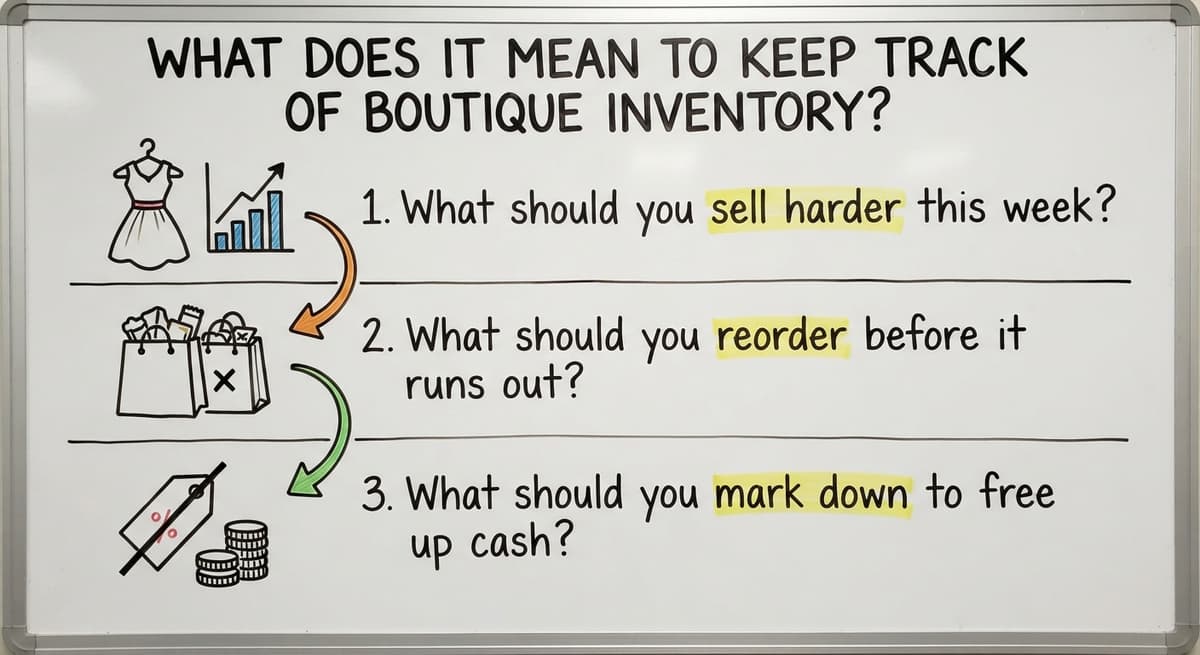
To keep track of boutique inventory is to know what you have, where it sits, and what it cost you. That is all inventory tracking means.
Boutique stock is hard to follow. One dress comes in 5 sizes and 3 colors. Some pieces are one of a kind.
Good tracking answers 3 questions:
- What should you sell harder this week?
- What should you reorder before it runs out?
- What should you mark down to free up cash?
It skips your website and marketing. Clear stock records tell you what to buy, push, and cut.
We build it for your operation, and the first look is free
If you would rather not compare products, describe how your operation already works and we build the system around it.
No build cost. You see it running on your own process first, and the monthly subscription starts only once it is live.
Book a callWhy is boutique inventory so easy to lose track of?
Boutique inventory slips because small gaps add up. One style in 4 sizes and 3 colors is 12 items to count. Ten styles is 120.
Stock also sits in many places. Some is on the floor, some in the back room, and some at a pop-up or at home.
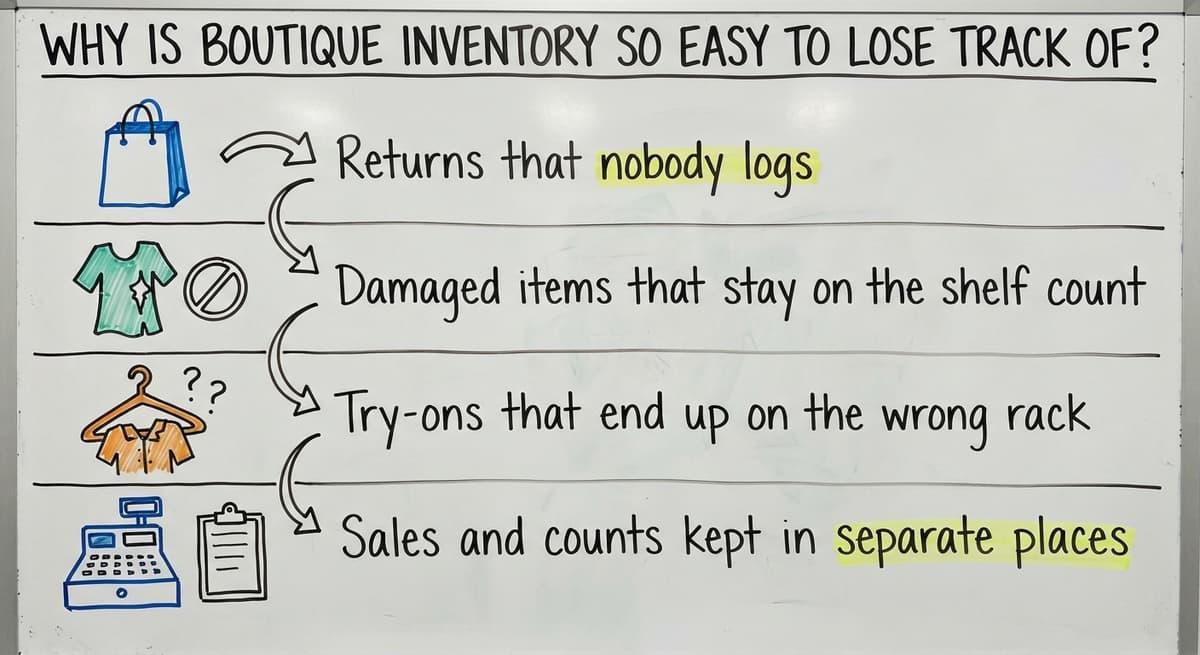
Then come the gaps:
- Returns that nobody logs.
- Damaged items that stay on the shelf count.
- Try-ons that end up on the wrong rack.
- Sales and counts kept in separate places.
The GS1 barcode standards exist so every item can carry one scannable ID. Even without scanners, the same idea works: one item, one code.
How do you give every item a SKU?
You give every item a SKU by writing a short code that names one exact item. SKU stands for stock keeping unit. A tag reads the same at the register and on the shelf.
Use a simple pattern: style, color, size. A blue top in medium becomes TOP-BLU-M.
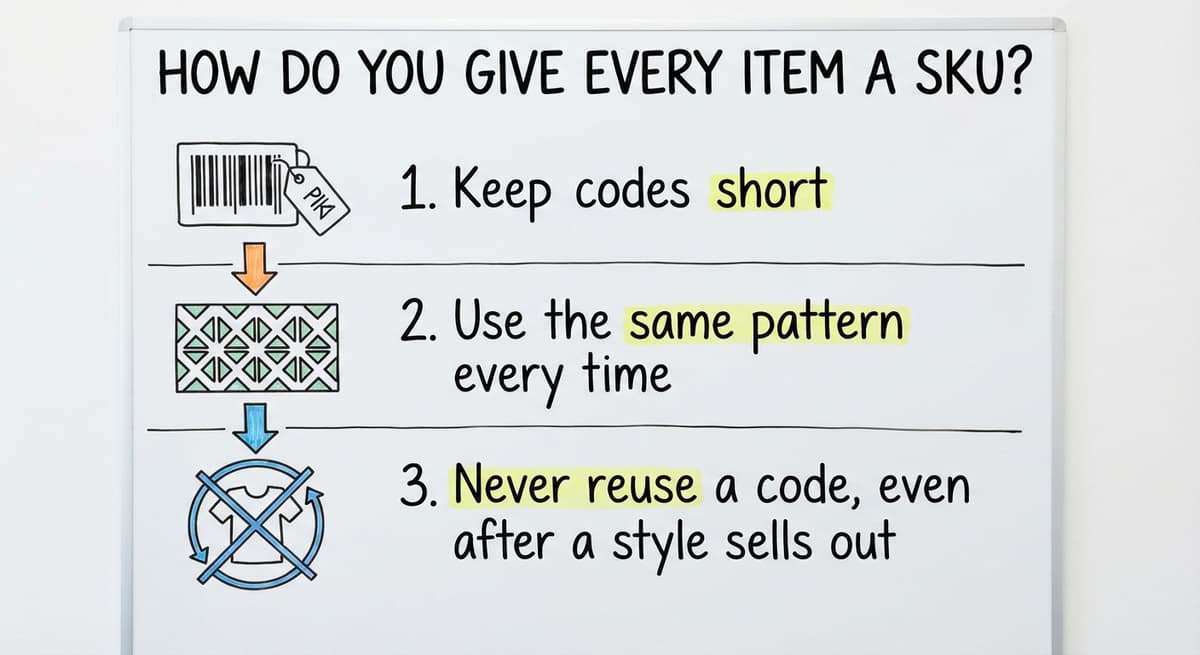
Follow 3 rules:
- Keep codes short.
- Use the same pattern every time.
- Never reuse a code, even after a style sells out.
Write the SKU on the tag or label. Staff then find the same code at the register, on the shelf, and in the sheet.
One code per item ends most mix-ups before they start.
What information should you record for each product?
Record only the fields your team will fill in every time. A short list beats a long one that people skip. This is the core of how to keep track of product inventory.
Core fields
Every row in your inventory sheet needs 7 fields. Together they identify each item, describe it, and show what it costs and earns. Without all seven, your counts and your margins will be hard to trust.
- SKU
- Name
- Size
- Color
- Cost
- Retail price
- Quantity on hand
Fill in every field for every row. A missing value, such as an absent cost, makes later calculations unreliable.
Helpful extras
Add supplier, date received, and storage location when you can. These fields are optional, but they make reordering, aging checks, and finding stock much easier.
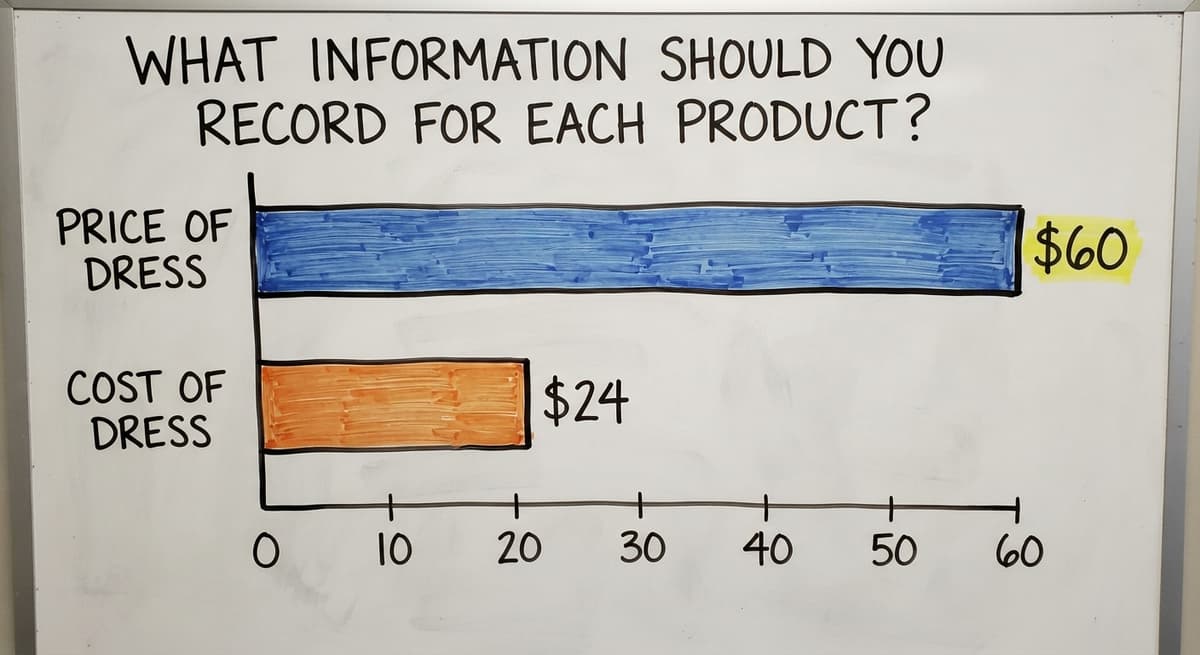
Cost matters most. A $60 dress that cost $24 earns $36. Sales alone hide that. A sheet that lists only what you sold shows revenue, while the cost column shows what you actually kept.
Cost is the field that turns sales into real profit.
Not sure this is the right shape for your operation
Describe how the work runs today. We map it on a call and show you what it would look like built around that, before you spend anything.
Book a call
How do you track stock in a spreadsheet?
An inventory spreadsheet works with one row per SKU and one column per field. That is the easiest way to track inventory for a small shop. It is also the short answer to how to keep track of inventory small business owners can start today.
Set it up
Build the columns from the last section, using the core fields first and any helpful extras after them. Give each field its own column, and give each item its own row, so the sheet stays easy to scan and sort.
Keep one master copy in one place. Many copies mean many wrong counts. When several people each hold their own version, quantities drift apart and no one knows which number is correct. Share a single file instead.
Keep it current
Update quantities at a set time, such as the end of each day. Choosing a fixed time turns updating into a habit rather than a chore you remember only when something goes wrong.
A sheet works at small scale. It still relies on people remembering to update it. That is its main weakness, so build the routine into the daily close.
A sheet that is updated on a schedule beats a perfect one that is updated when someone has time.
How often should you count your inventory?
Count everything once or twice a year, and count small groups all year long. The tax rules also expect it. IRS Publication 538 says, "To figure taxable income, you must value your inventory at the beginning and end of each tax year."

Full counts
A full count takes the whole store. Every item on the floor and in storage gets counted, so the work can tie up staff for hours or days.
Plan it for a slow week. Fewer customers means fewer sales and fewer stock movements while you count, which keeps the numbers from shifting under you.
Cycle counts
A cycle count is a check of a small group of items each week. Instead of counting the whole store at once, you spread the work across the year in short, manageable pieces.
Count fast sellers more often than slow ones. Compare each count to your records. Write down why they differ.
Small weekly counts catch errors while you can still trace them.
How do you know when to reorder?
You reorder when stock hits your reorder point. A reorder point is the stock level that triggers a new order.

The formula
To find your reorder point, multiply daily sales by supplier lead time. Daily sales tell you how fast an item leaves the shelf, and lead time tells you how many days you wait for new stock to arrive.
Then add a small cushion. The cushion covers a late shipment or a sudden bump in sales, so you do not run out before the order lands.
A worked example
Say you sell 2 black tees a day. The supplier needs 7 days to ship. That is 14 tees. Add a cushion of 6. Your reorder point is 20.
When the count drops to 20, place the order. Raise the number before busy seasons. Lower it for slow ones.
A reorder point turns a guess into a rule.
The comparison is easier when one option is built for you
Off-the-shelf means fitting your process to the software. We do it the other way round, and the first look costs nothing.
Book a call
How do you connect sales to your stock counts?
Every sale must lower the count. That holds in store, online, or at an event. Manual entry leaves gaps. A shared system closes them.
Log returns and damaged goods the same day. A return not logged is a ghost item.
Accurate counts also protect your promises. The FTC's mail, internet, or telephone order rule needs you to ship when you said you would. You cannot do that with stock you do not have.
If your books live in your accounting software, keep stock quantities in line with what is recorded there.
One count, fed by every sale, is the only count you can trust.
How do you spot slow movers and shrinkage?
You spot both by comparing counts to records and sales to time on the shelf. Review a short list each month.

Slow movers
A slow mover is an item unsold after a set number of weeks. Having a clear rule keeps you from guessing about which items are stuck on the shelf.
Pick a number, such as 8. Check your sheet against it regularly, using the date received field to see how long each item has been waiting.
Act early with a markdown, a bundle, or a return to the vendor.
Shrinkage
Shrinkage is loss from theft, error, or damage. Some of it is deliberate and some is simple mistakes, such as a miscounted delivery or a ruined item that was never recorded.
Your cycle counts show it. A gap between the count and the record is the sign. Write down each gap and look for a pattern.
Catch dead stock early and you free cash for pieces that sell.

When does a spreadsheet stop being enough?
A spreadsheet stops being enough when it costs more time than it saves. Many small shops do fine with one for a long time.
Watch for these signs:
- Stock counts disagree between sheets.
- You sell items you do not have.
- Updates eat hours each week.
- Several files and tabs hold the same data.
Growth adds strain. Wholesale orders, a second location, or a back-room warehouse all push a sheet past its limit.
You then have 2 options: off-the-shelf inventory software, or a custom tool built around how you already work. Math helps. If 2 people spend 5 hours a week at $20 an hour, that is $10,400 a year.
What should inventory software do for a growing business?
Inventory software should keep one live count that updates on every sale and receipt. That count is the point of the tool.
It should work beside your accounting software, not force you to leave it. It should replace only the manual parts, such as paper sheets and re-typing.
Look for 3 traits:
- One count that is always current.
- A link to the accounting package you already use.
- A rollout that a small team can finish without a long or costly project.
The Retail Exec's inventory software roundup shows the range of tools on offer. No single tool is best. Your volume and team size decide.
If you want help, The Software Society builds custom workflows around how your shop runs today.
What is a simple first step you can take this week?
Start small this week. Pick one section of the store and count it. That count is your first honest data.
Then follow these steps:
- Assign SKUs to that section.
- Fix the fields you will record.
- Set one daily habit for updating counts.
- Write down the task that eats the most time.
That last note shows you what to fix later. If you want a hand, The Software Society can map that task and build a fix. Contact us to review your workflow.
One counted section beats a plan for the whole store.
Frequently asked questions
How to keep track of inventory in a small business?
Give every item a SKU, record it in one master sheet, and update counts at the end of each day. Count a small group of items each week and compare to your records. Add software only when the sheet stops keeping up.
How to keep track of inventory in Excel?
Use a spreadsheet with one row per SKU. Add columns for name, size, color, cost, price, and quantity on hand. Keep one master copy and update it on a set schedule. This works well at small scale.
What is a SKU and how do I make one?
A SKU is a short code that names one exact item. Join the style, color, and size, such as TOP-BLU-M. Keep codes short and never reuse one.
How do I know when to reorder boutique stock?
Set a reorder point. Multiply daily sales by supplier lead time and add a small cushion. Order when stock falls to that number.
How often should I count inventory?
Do a full count once or twice a year. Add weekly cycle counts of small groups. Count fast sellers more often than slow ones.
When should I move from a spreadsheet to software?
Move when counts disagree, you oversell, updates take hours, or you juggle many files. Wholesale orders or a second location also push you past a sheet.
What is the easiest way to track stock for a small shop?
There is no single best way. A labeled SKU system with one spreadsheet is the easiest start. Team size, sales volume, and number of locations decide when to change.
Start with a free first look
A 30 minute call, your operation mapped, and a clear picture of what we would build. No obligation and nothing to install.
Book a callRelated guides
More on the same work.
- How to Keep Track of Inventory
- How to Keep Track of Inventory on Clover
- How to Keep Track of Computer Inventory
- How to Keep Track of Consignment Inventory
- How to Keep Track of Alcohol Inventory
- How to Keep Track of Product Inventory
- How to Keep Track of Ebay Inventory
- How to Keep Track of Poshmark Inventory
- How to Keep Track of Dental Inventory
- How to Keep Track of Vaccine Inventory
- How to Keep Track of Liquor Inventory
- How to Keep Track of Grocery Inventory
- How to Keep Track of Lularoe Inventory
- How to Keep Track of Freezer Inventory
- How to Keep Track of Cigarette Inventory
- How to Keep Track of Inventory Electronically
- How to Keep Track of Paparazzi Inventory
- How to Keep Track of Fba Inventory
- How to Create an Inventory Tracking System?
- How to Track Inventory for Home Staging
- How to Track Non Inventory Items
- How to Track Inventory with Qr Code
- How to Track Inventory in Real-time
- How to Keep Track of Inventory in Warehouse