


How to Resolve Stock Discrepancy?
A stock discrepancy is a gap between the count in your records and the count on the shelf. To resolve it, confirm the gap, recount, trace the paper trail, find the cause, post an adjustment, and log it. Reviewed November 2026.
Book a callWhat Is a Stock Discrepancy and How Do You Resolve It?
A stock discrepancy is a stock count mismatch: your records say 40 units, and the shelf holds 36. That is a shortage. If the shelf holds 44, that is an overage. Small gaps still cost money. They cause wrong orders, lost sales, bad buying, and skewed accounting software inventory values.
Most gaps are found with a basic paper trail review. Follow these steps in order:
- Confirm the gap is real.
- Recount the item.
- Trace the paper trail.
- Find the cause.
- Adjust the records.
- Write down what you found.
- Stop it from coming back.
The law cares too. IRS Publication 538 says "To figure taxable income, you must value your inventory at the beginning and end of each tax year." Bad counts mean bad tax numbers.
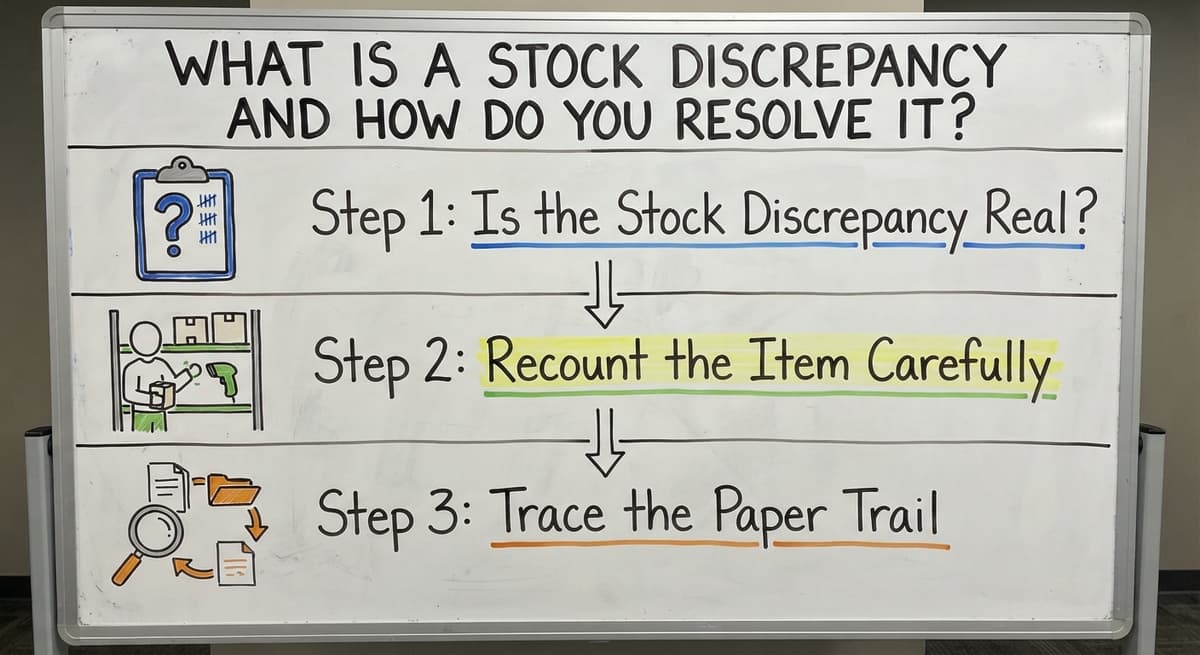
Step 1: Is the Stock Discrepancy Real?
Not always, so check for simple slips before you dig. Many gaps vanish in 10 minutes. Look for these:
- The count used the wrong unit, such as a case instead of an each.
- The item sits in the wrong bin, a staging area, or on the dock.
- A pending pick, an open order, or an unposted receipt has not reached the system yet.
Rule out these three, and only then call the gap real.
Step 2: Recount the Item Carefully
A careful recount settles the true number. Ask a second person to count without seeing the system number. Then count every place the item could sit. Freeze movement of that item while you count, if you can. A pick in the middle of a count ruins it. Two matching counts from two people give you a number you can trust.
We build it for your operation, and the first look is free
If you would rather not compare products, describe how your operation already works and we build the system around it.
No build cost. You see it running on your own process first, and the monthly subscription starts only once it is live.
Book a callStep 3: Trace the Paper Trail
The paper trail is the set of records that touched the item, and it shows where the count broke. Start at the last date the count was right. Then work forward and review:
- Receiving records, pick tickets, packing slips, and returns.
- Buy orders, vendor invoices, and shipments, side by side.
- Every place records live: your accounting software, spreadsheets, desktop databases, printed sheets, and email.
Compare the quantities line by line. The first record that disagrees with the others is your lead. That is how you find the source of an inventory mismatch.
What Causes a Stock Discrepancy?
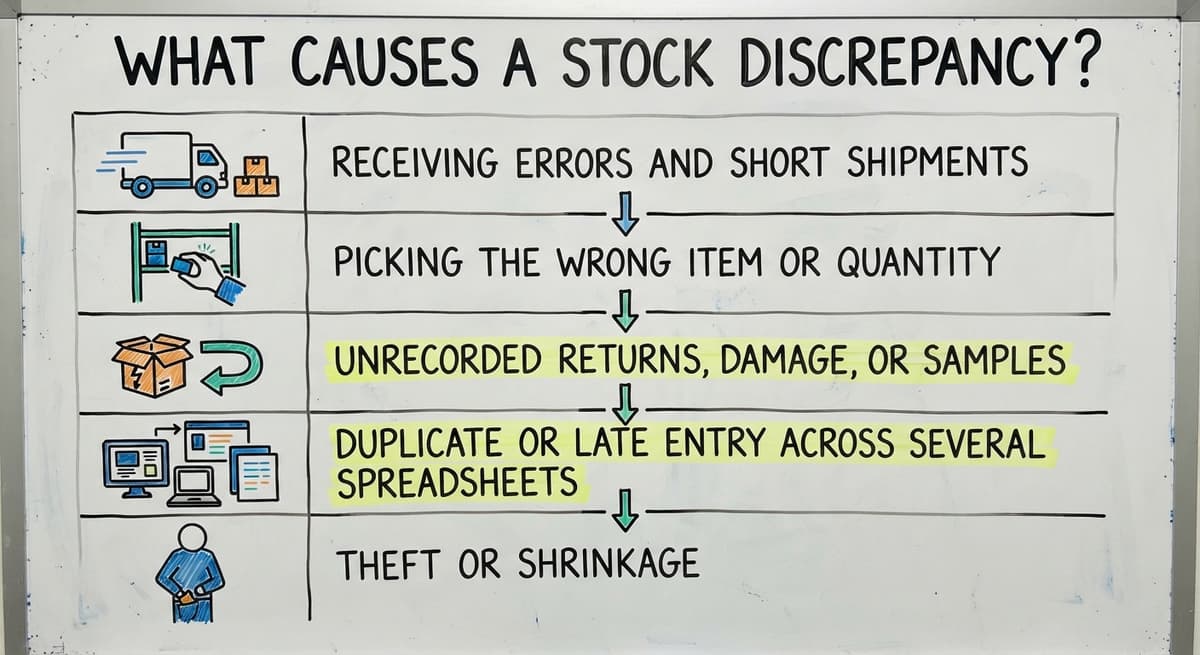
Five causes explain most inventory discrepancy cases. Check them in this order:
- Receiving errors and short shipments. The box held fewer units than the invoice said.
- Picking the wrong item or quantity.
- Unrecorded returns, damage, or samples.
- Duplicate or late entry across several spreadsheets.
- Theft or shrinkage, which is the last explanation and never the first.
Blame people last. Process gaps explain far more misses than bad intent.
Step 4: Correct the Records the Right Way
An inventory adjustment is a new entry that moves the count to the true number. Never overwrite the old number. Add an entry with a reason, a date, and a name. In your accounting software, the adjustment changes the quantity on hand and the asset value on the balance sheet. It also posts the difference to an expense account. Ask a manager to approve large changes. The old number stays visible, and that keeps your audit trail clean.
Not sure this is the right shape for your operation
Describe how the work runs today. We map it on a call and show you what it would look like built around that, before you spend anything.
Book a callStep 5: Write Down What You Found
A simple log turns one fix into a lesson. Record the item, the gap size, the cause, the fix, and who made it. Review the log each month. Repeat entries point to a weak step, such as one dock door or one spreadsheet. Fix that step, and the same gap stops coming back.

How Do You Prevent Stock Discrepancies?
You prevent stock discrepancies by counting often, recording at once, and keeping one set of numbers. Four habits do the work:
- Run cycle counting on fast-moving and high-value items. Cycle counting means counting a few items each week instead of everything once a year. A and B items weekly or monthly is a common start.
- Scan or enter every receipt and pick when it happens.
- Keep stock numbers in one place, not in many copies.
- Name who may adjust counts, and nobody else.
These habits raise warehouse inventory accuracy without new tools. NIST offers vendor-neutral supply chain guidance for small firms that want more.
The comparison is easier when one option is built for you
Off-the-shelf means fitting your process to the software. We do it the other way round, and the first look costs nothing.
Book a call
When Do Spreadsheets and Paper Make Discrepancies Worse?
Spreadsheets and paper make gaps worse when staff re-type the same number twice. Each re-entry is a new chance for a typo. Copies of one sheet also drift apart. One person updates the file on a desk. Another updates the one on a laptop.
Start with small fixes. Tighten counts, clean up the log, and name one master sheet. Look at inventory management software only when the same gaps keep returning.

Can You Fix a Stock Discrepancy Without Replacing Your Accounting Software?
Yes. Keep your accounting software for the books, and replace only the manual stock-tracking steps around it. The Software Society builds custom software around how your operation already works. There is no forced move to a new system. It fits small teams, not just large firms. Our team is local to Columbus, Ohio. Good warehouse stock management software links to your accounting package and removes the hand-offs where errors start.
When Should You Ask for Help?
Ask for help when small fixes stop working. Watch for three signs:
- The same items go wrong again and again.
- Counts take days and still do not match.
- Staff keep personal spreadsheets to work around the system.
Any one of these means the process is the problem, not the people. The Software Society offers a simple review of your current process. Contact us to book one.
Frequently asked questions
What does it mean when there is a stock discrepancy?
A stock discrepancy means your records show a different count than the shelf holds. If records are higher, you have a shortage. If the shelf is higher, you have an overage. Either way, the numbers need a recount and a trace.
How do you find the source of an inventory mismatch?
Start at the last date the count was right. Review receiving records, pick tickets, packing slips, returns, and invoices after that date. The first record that disagrees with the rest is your lead.
How do you adjust inventory records after a recount?
Post an adjustment entry with a reason, a date, and a name. Never overwrite the old number. Have a manager approve large changes.
How often should you do cycle counts?
Count fast-moving and high-value items weekly or monthly. Count slow items less often. Pick a schedule you can keep, and stick to it.
What causes a stock discrepancy?
Common causes are receiving errors, wrong picks, unrecorded returns or damage, and late or duplicate data entry. Theft is possible but should be the last cause you check.
Can you fix stock discrepancies when you use accounting software and spreadsheets?
Yes. Use one master sheet, record every receipt and pick at once, and log each adjustment. If the same gaps return, replace the manual hand-offs between the tools.
When is it time for custom inventory software?
The time comes when small fixes fail. Repeat errors, counts that take days, and private spreadsheets are the signs. Custom software can replace those manual steps and keep your accounting package.
Start with a free first look
A 30 minute call, your operation mapped, and a clear picture of what we would build. No obligation and nothing to install.
Book a callRelated guides
More on the same work.
Guides
- Cloud Stock Management Software
- Hospital Stock Management System
- Make to Stock Examples
- Types of Stock Control Systems
- Stock Software
- Low Stock Alert
- Procedure for Stock Control
Common questions
- How to Resolve Inventory Discrepancies
- How to Stock Control
- How to Calculate Cycle Stock
- How to Maintain Stock Levels
- How to Prevent Stock Discrepancies
- What is Stock Taking in Inventory Management
- What is Fluctuation Stock in Inventory Management
- Why is Stock Rotation Important in Relation to Food Safety
- Stock Inventory Definition
- Why is Safety Shot Stock Dropping
- How to Keep Track of Inventory
- How to Record Inventory on Hand
- How to Create an Inventory Tracking System?
- How to Manage Inventory in Rocket League
- How to Improve Inventory Management
- How to Manage Fba Inventory
- How to Manage Inventory in Stardew Valley