

Warehouse Inventory Tracking Software
Warehouse inventory tracking software is the record of what stock you hold, where each item sits, and every movement in or out. It updates the moment a scan happens, across the 500 to 20,000 SKUs a small warehouse carries, so the number on screen matches the number on the shelf. This guide, reviewed in September 2026, covers what it does, how much accuracy a warehouse needs, barcode against RFID, and why rollouts fail.
Published 20 July 2026. Reviewed and updated 15 September 2026.
Reviewed August 2026. Figures below are worked from the assumptions stated beside them, so you can substitute your own assumptions and the arithmetic still holds.
Book a callWhat Does Warehouse Inventory Tracking Software Actually Do?
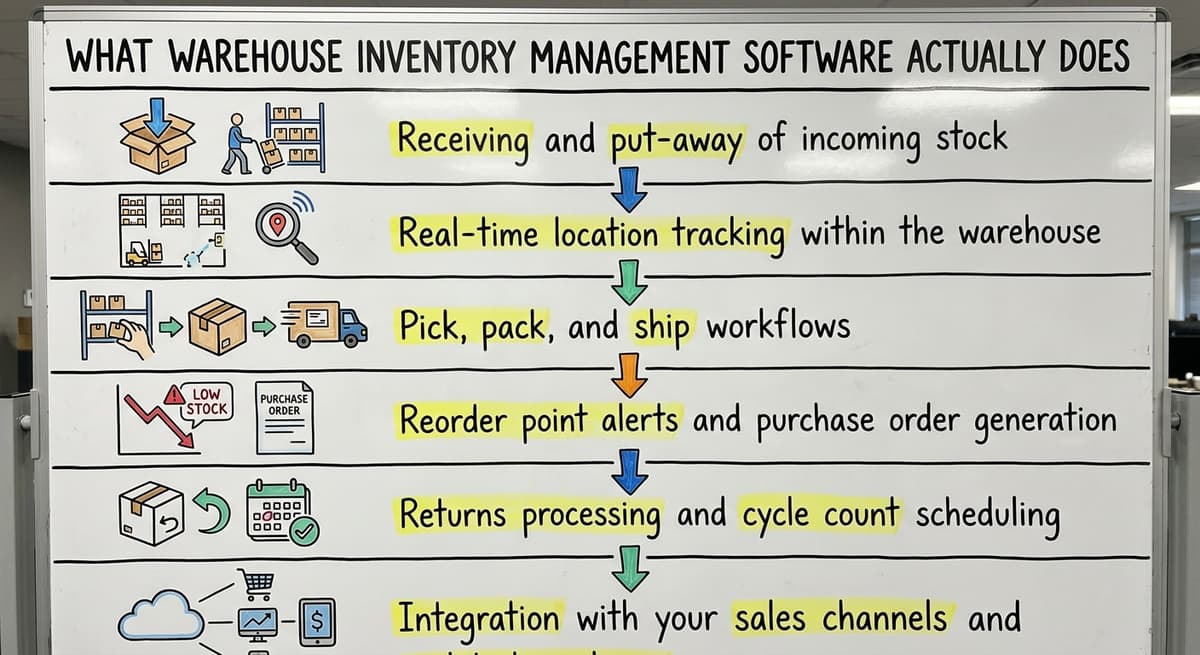
Warehouse inventory tracking software is the record of stock as it moves through your building. It records each item's location, quantity and status. It updates on every movement rather than on a schedule.
A tracking system handles:
- Receiving and put-away, with the bin recorded at the moment of scan
- Real-time location tracking down to aisle, rack and bin
- Pick, pack and ship, confirmed item by item
- Lot and serial tracking for regulated or high-value goods
- Cycle counts, and the variance reports that follow them
- Reorder points that fire on real stock levels, not estimates
The difference between tracking and counting is timing. A count tells you what was true when someone walked the aisles. Tracking tells you what is true now.
Item identity is what makes this possible. Most warehouses use a GS1 barcode so every scan resolves to one product, one unit of measure, and one owner.
We build the tracking around your warehouse, and the first look is free
Everything below is worth reading if you are comparing warehouse inventory tracking software. If you would rather not compare, describe how your warehouse already receives, picks and counts, and we build the tracking around that.
No build cost. You see it running on your own process first, and the monthly subscription starts only once it is live. This is what that looks like, in 20 seconds.
Get a free first lookHow Much Tracking Accuracy Does Your Warehouse Need?
Not every operation needs the same resolution. The right level of warehouse inventory tracking is the one that matches how much a mistake costs you.
- Bin-level tracking. You know the shelf an item is on. Enough for most wholesalers and small distributors.
- Lot tracking. You know the batch an item came from. Needed for food, chemicals and anything with an expiry date.
- Serial tracking. You know the individual unit. Needed for high-value goods, warranties and recalls.
Higher resolution costs more to run: someone has to scan more often. Pick the level your risk actually justifies.
If you are still choosing a platform rather than deciding how to track, the companion guide to warehouse inventory management software covers features, costs and the off-the-shelf versus custom decision in full.
How Do You Keep Track of Inventory in a Warehouse?
Accurate tracking is 4 habits: label every location, scan at every touchpoint, count in cycles, and review the variances.
Here is the process, and it holds whichever software you run:
- Label every location first. Aisle, rack and bin need a naming scheme before any software goes live. Retrofitting labels afterwards is how go-lives slip.
- Scan at every touchpoint. Receiving, put-away, picking and shipping each trigger an update. A step done from memory is a step the system cannot see.
- Count in cycles. Counting a slice of stock every week beats one annual shutdown. You find the drift while it is still small.
- Set reorder points on real lead times. Use what your suppliers actually deliver, not what they promised.
- Review variance reports weekly. The report is only useful if someone acts on it.
Keeping Warehouse Inventory Tracking Safe on the Floor
Warehouse work is physical, and the scanning routine has to survive a real shift. OSHA's warehousing guidance is worth reading alongside any process change that puts people on foot near moving equipment.
Where Does Warehouse Inventory Tracking Stop and Valuation Begin?
IRS Publication 538 puts the second half plainly: “To figure taxable income, you must value your inventory at the beginning and end of each tax year.” Tracking gives you the count that valuation depends on, and nothing more.
Tracking answers where an item is. Deciding how much to hold, when to reorder and what it is worth is the wider job, covered in the guide to a warehouse stock management system.
Already know tracking is the gap
The comparison above helps once you are ready to choose a system. If you would rather skip it, tell us how your warehouse currently operates: receiving, picking and counting, and we shape the tracking to match it.
The first look is free. No build cost, and the monthly subscription starts only once it is running.
Book a callBarcode vs RFID: Which Tracking Method Fits Your Warehouse?
Barcode scanning is the common choice. It is cheap, it is understood, and it needs line of sight to the label.
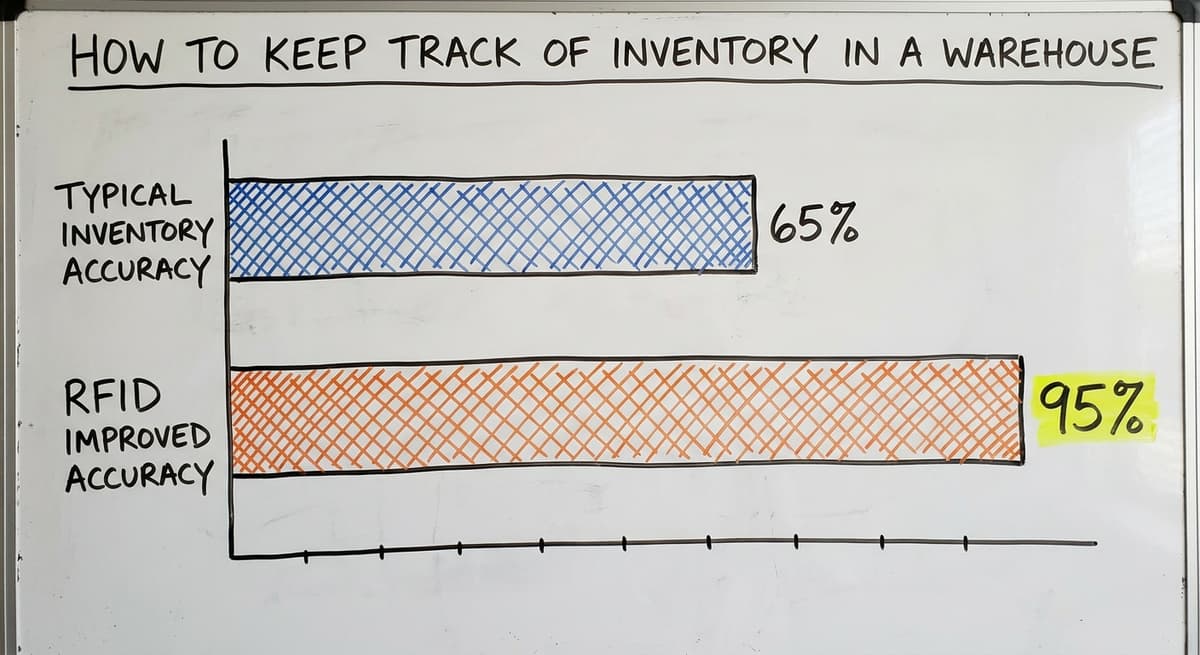
RFID reads tags without line of sight and can read many items at once. That turns a cycle count from an afternoon into a walk down the aisle.
Which Tracking Method Wins on Return?
For most small and mid-size warehouses, barcodes win on return. RFID earns its cost when you hold high SKU counts, move pallets fast, or cannot break a load down to count it.
The RFID Lab at Auburn University publishes the research on where the accuracy gains actually come from.
Connecting Tracking Data to the Rest of the Business
Standalone tracking is a second version of the truth. The gain arrives when the tracking data reaches everything downstream:
Tracking is also the part that decides whether you can run this without a server room. A cloud warehouse management system keeps the scan data off your own hardware, and that matters more the more sites you add.
- Your sales channels, so a sold item leaves stock immediately
- Your accounting, through something like the accounting suite's item API, so valuation is not rekeyed
- Your shipping carriers, so a label is generated from the pick rather than typed
- Your purchasing, so reorder points fire on real counts
Warehouse Inventory Tracking and What You Owe the Customer
Shipping what you said you would ship, when you said it, is also a legal obligation. The FTC's mail order rule sets the timeframes, and an inaccurate stock count is the usual reason a business misses them.
What Is the Best Program to Track Inventory?
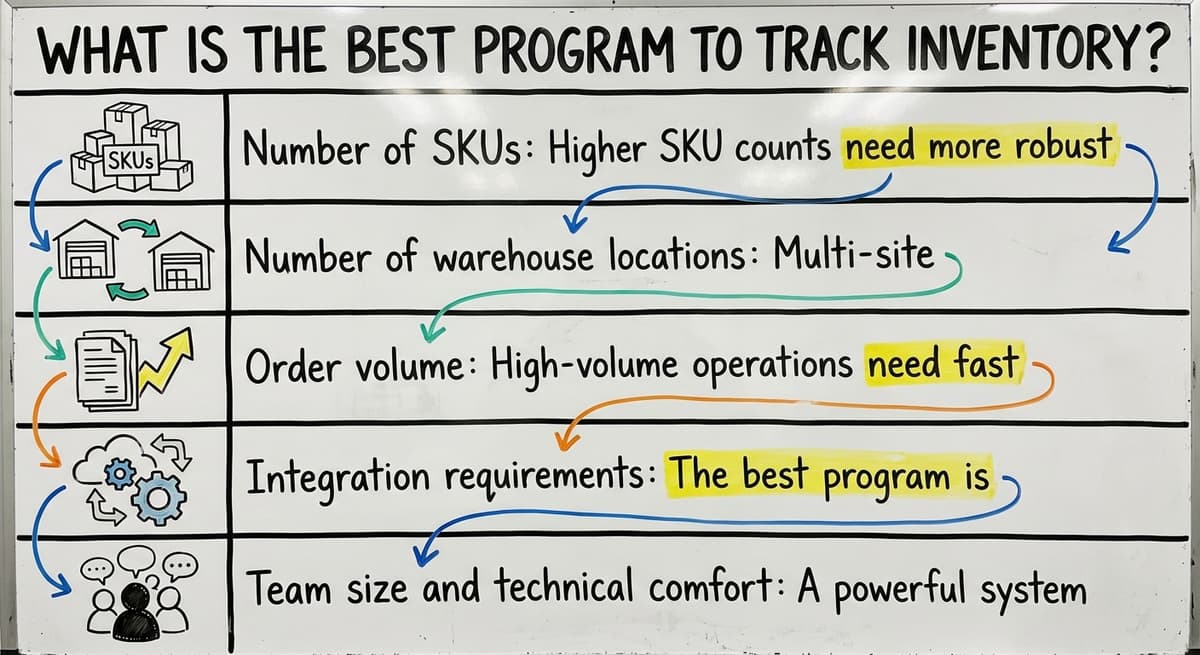
The best program to track inventory is the one that matches your movement volume and your tolerance for error. There is no single answer, and any list that gives you one is selling something.
What actually decides it:
- SKU count. More SKUs need better search, filtering and reporting, not more features.
- Locations. Multi-site operations need clean transfers between them, and many cheap tools handle those badly.
- Order volume. High volume needs batch and wave picking, or your pickers walk the same aisle all day.
- What it has to talk to. The strongest option is whatever already connects to what you run.
- Who uses it. A powerful system nobody on the floor will use is worth less than a simple one they will.
When Is a Full Inventory Tracking Program Not Warranted?
For a smaller operation the question is if a full system is warranted at all. That trade-off is covered in the guide to a warehouse management system for small business.

Are ERP Software and WMS the Same?
No. WMS is a category. A vendor's product is just one example.
WMS stands for warehouse management system. One enterprise vendor sells a specific product in that category, and several other established vendors sell their own.
That kind of enterprise suite suits large organizations already running the rest of that vendor's software elsewhere. The pieces integrate tightly, and that is why those companies stay. Without that existing commitment, buying it purely for warehouse inventory tracking is expensive and slow.

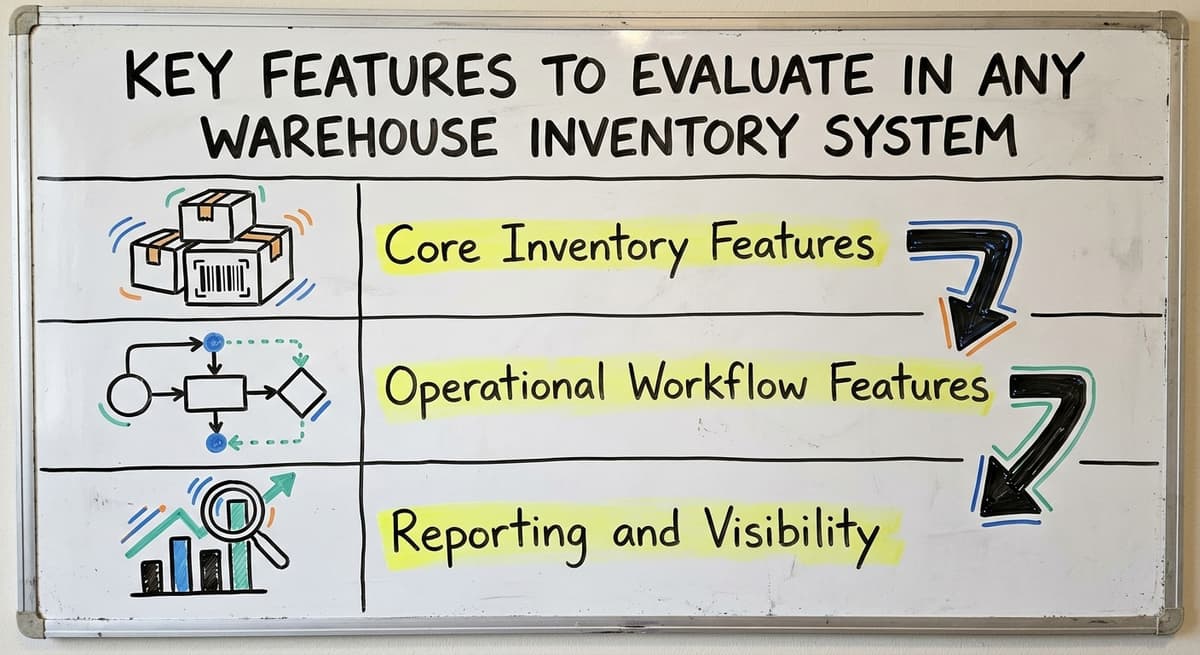
Key Features to Look for in Warehouse Inventory Tracking Software
Compare on the same dimensions across every vendor. Otherwise you are comparing demos.
Tracking itself
- Live stock levels across every location
- Lot and serial tracking for regulated or high-value goods
- Expiry dates for anything perishable
- Multi-warehouse support, with clean transfers between sites
- Kitting, if you assemble products from parts
The work on the floor
- Guided put-away, so stock lands where the system expects it
- Pick path optimisation, and batch picking at volume
- Packing confirmation, item by item
- Labels generated from the pick, not typed
- Returns that put stock back without a manual adjustment
What Can You See Afterwards?
- Valuation by FIFO, LIFO or weighted average
- Turnover, so you find the stock that is not moving
- Variance reports from every cycle count
- An audit trail showing who moved what, and when
Judge a warehouse inventory tracking system on the last group. Anyone can show you a live stock number. Fewer can show you why it changed.
Not sure how much tracking accuracy you actually need?
Bring your process to a call. We will map where your count drifts and say plainly whether a custom build earns its place, or whether an off-the-shelf tracker is the cheaper answer for you.
It costs nothing, and you leave with the answer either way.
Book a call
Why Does Tracking Fail at Implementation, Not at Purchase?
Warehouse inventory tracking is rarely a product failure. It fails when the rollout skips a step.
The steps that decide it:
- Map how the warehouse actually works before setting up anything
- Clean the product data before it moves. Bad SKUs stay bad
- Label and verify every bin location
- Train each role on its own task, not on a system tour
- Run old and new together for 2 to 4 weeks
- Name one person accountable for go-live
Skip the bin labelling and the tracking is wrong from the first scan. No software recovers from that on its own.
What Should You Ask Before You Buy?
The demo will look good. There are 6 questions to ask instead:
- What does onboarding include, and what is excluded?
- How long does a warehouse our size take to go live?
- Who do we talk to after go-live, and how fast do they answer?
- Can we speak to a customer running a similar operation?
- What do implementations of your product most often get stuck on?
The last question is the one that matters. A vendor who answers it honestly is worth trusting.
Cloud or On-Premise for Warehouse Inventory Tracking
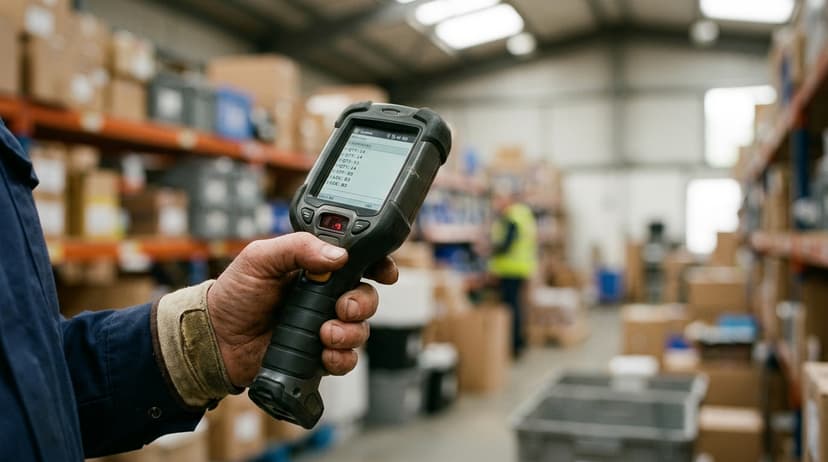
Most warehouse inventory tracking software now runs in the cloud. You reach it through a browser or a handheld. On-premise runs on servers you own.
| Factor | Cloud | On-premise |
|---|---|---|
| Upfront cost | Lower, by subscription | Higher, licence plus hardware |
| IT needed | Little | Real, and ongoing |
| Updates | Automatic | Manual, paid |
| Customisation | Limited to the roadmap | Deep, and expensive |
| Scanners on the floor | Work anywhere with signal | Tied to your network |
| If the internet drops | Scanning stops unless it caches | Keeps running |
Cloud wins for most small and mid-size operations. On-premise still makes sense where connectivity is poor or the data cannot leave the building.
Ask what happens offline. A tracking system that stops at the loading bay because the signal drops is a tracking system that gets bypassed.
Signs Your Warehouse Inventory Tracking Is Costing You Money
The clearest signals that your warehouse inventory tracking cannot be trusted are these:
- You find gaps only when an order cannot be filled
- Someone spends more than 2 hours a week checking stock by hand
- You wrote off expired or obsolete stock this year that nobody saw coming
- A new starter takes more than 2 weeks to learn where things are
- You cannot say what one SKU is worth across every location, right now
- The racking moved and the system still shows the old layout
One of these is a warning. Several together mean the cost is compounding, and it compounds quietly.

Choosing the Right Partner to Set Up Warehouse Inventory Tracking
Picking the software is the smaller half of the decision. Who configures it around your aisles, your SKUs and your shift patterns decides if the tracking is accurate a year later.
Tracking data is worth more when it does not stop at the warehouse door. When stock levels reach your sales pipeline, your invoicing and your reporting without anyone rekeying them, the count stops being a warehouse number and starts being a business number.
That is what we build. Not a warehouse inventory tracking product you adapt to, but a system shaped around the way your operation already receives, picks and counts.
Frequently asked questions
Frequently asked questions
What is warehouse inventory tracking software?
Warehouse inventory tracking software records what stock you hold, where each item sits, and every movement in or out. It updates on each scan rather than on a schedule, so the number on screen matches the number on the shelf.
How do you keep track of inventory in a warehouse?
Label every location first. Scan at receiving, put-away, picking and shipping. Count a slice of stock every week rather than everything once a year. Then review the variance report and act on it. The software supports those habits; it does not replace them.
Is barcode or RFID better for warehouse inventory tracking?
Barcode suits most small and mid-size warehouses. It is cheaper and everyone understands it. RFID reads without line of sight and counts many items at once, and that pays off at high SKU counts or where pallets cannot be broken down to count.
What is the best program to track inventory?
There is no single answer. What decides it is your SKU count, how many locations you run, your order volume, what the system has to connect to, and if the people on the floor will actually use it.
Are the software and WMS the same?
No. WMS is a category of software, short for warehouse management system. A specific vendor may sell one product under that name, and several other established vendors offer their own.
How accurate should warehouse inventory tracking be?
Accurate enough that a mistake costs less than the tracking does. Bin-level tracking suits most wholesalers. Lot tracking is needed for anything with an expiry date. Serial tracking is for high-value goods, warranties and recalls.
Does warehouse inventory tracking software work with your accounting software?
Good ones do. The stock movement should reach your accounting without anyone rekeying it, so valuation stays current and the 2 systems do not disagree.
How long does it take to set up warehouse inventory tracking?
A small warehouse on a cloud system can be live in 2 to 4 weeks. Most of that time is labelling locations and cleaning product data, not setting up software. Skipping either is why go-lives slip.
What is the best warehouse inventory software for a small business?
The best choice matches your order volume, SKU count and how many locations you run, rather than a single named product.
A smaller operation may only need bin level tracking and simple reorder points. Growth into more SKUs or sites calls for stronger filtering, transfers and reporting. Ease of use for the people actually scanning matters more than feature count.
How much does warehouse inventory tracking software cost?
Cost depends mainly on how much tracking resolution your risk actually justifies. Bin level tracking is the cheapest to run: it needs fewer scans. Lot or serial tracking costs more, with staff scanning more often.
Cloud based systems avoid server hardware costs, and pricing scales with SKU count, number of locations, and how many staff need access.
What is the difference between inventory software and a WMS?
Inventory software focuses narrowly on recording stock levels and movements. A warehouse management system, or WMS, is a broader category covering receiving, put away, picking, shipping and location tracking across an entire warehouse operation.
A WMS is the type of system, and different companies build their own competing products within that same category, each suited to different warehouse sizes.
How can barcode scanning improve warehouse inventory accuracy?
Barcode scanning improves accuracy by turning every movement into a recorded event rather than something noted from memory.
Each scan resolves to one product, one unit of measure and one owner, so receiving, put away, picking and shipping all update the system the moment they happen. This closes the gap between what the screen shows and what is actually on the shelf.
We will build your warehouse inventory tracking
There is nothing to build upfront. We shape it around your bins, your SKUs and your shifts, you watch it run on your own stock first, and the monthly fee begins after it goes live.
Book a callRelated guides
The rest of this guide, for the parts of the job this page does not cover.
Guides
- Warehouse Inventory Tracking System
- Warehouse Inventory Management Software
- Inventory and Warehouse Management Software
- Warehouse Inventory Software Programs
- Inventory Software Warehouse
- Warehouse Tracking System
- Inventory Tracking Software for Small Business
- Warehouse Receiving Software
- Warehouse Stock Management Software
- Software for Warehouse Management System
- List of Warehouse Management Software
- Online Warehouse Management Software
- Warehouse Stock Software
- Software Warehouse Management
- Warehouse Software System
- Quickbooks Inventory Management Software
- Custom Inventory Management Software
- Warehouse Inventory Management Systems
- Warehouse Inventory Systems
- Warehouse Inventory Management System