

Excel Inventory Spreadsheet Templates
Excel inventory spreadsheet templates are ready-made workbooks that track items, counts and stock moves. Pick one, fill in your SKUs, and you can run a small warehouse from it. It also shows how to match the sheet to QuickBooks and when to move on. Reviewed November 2026.
Book a callWhat Are Excel Inventory Spreadsheet Templates, and Why Do Teams Start With Them?
An Excel inventory spreadsheet template is a pre-built workbook with columns, formulas and formatting for tracking stock. Small wholesalers, warehouses and fulfillment teams use them to see what they own and when to buy more.
Excel is the common first step for three reasons:
- Excel is already installed. Your staff know it, so no one needs training.
- Excel works beside QuickBooks. You can export item lists and compare totals.
- Excel bends to fit. You add a column the day your process changes.
Barcodes can come later. The standards body GS1 describes the barcode standards that scan-based counts rely on. A spreadsheet gets you ready for that step. Start with the sheet, then grow.
Which Excel Inventory Spreadsheet Templates Fit Your Needs?
There are 7 main kinds of Excel inventory template. Pick by the question you must answer: what do I have, where is it, and when do I reorder? Each kind below answers one of those.
Basic Stock List and Stock In and Out Log
A basic stock list has one row per item. It suits under a few hundred SKUs in one location. Its limit is plain: the sheet keeps no history of movement.
A stock in and out log fixes that. Each row is one event with a date, item, quantity in and quantity out. The sheet adds the rows to get on-hand stock. Now you have a trail. When a count looks wrong, you can read the log and find where stock went.
Reorder Point and Cycle Count Templates
A reorder point template flags items at or below a set level. It uses lead time and daily use. Conditional formatting (a rule that colors cells) turns low rows red.
A cycle count spreadsheet compares expected and counted quantity. A variance column shows the gap. Add the count date and the name of the counter. Then use the counted number to fix the on-hand figure.
We build it for your operation, and the first look is free
If you would rather not compare products, describe how your operation already works and we build the system around it.
No build cost. You see it running on your own process first, and the monthly subscription starts only once it is live.
Book a callBin Location and Multi-Location Templates
A warehouse inventory spreadsheet with bin locations has columns for aisle, rack, shelf and bin. Pickers find items faster. Naming rules must be strict, or "A-01" and "A1" split one bin in two.
A multi-location template uses a column or sheet per site. It also logs transfers between sites. The risk is mismatched totals. A transfer out must always match a transfer in.
Inventory Valuation Template
Value matters for tax. IRS Publication 538 says "you must value your inventory at the beginning and end of each tax year". Reconcile your sheet total with QuickBooks before you report.
An inventory valuation template multiplies unit cost by quantity. Two common methods exist. Average cost blends all buy prices into one number. FIFO (first in, first out) assumes you sell the oldest stock first, so older costs leave first.
What Columns Should an Inventory Spreadsheet Have?
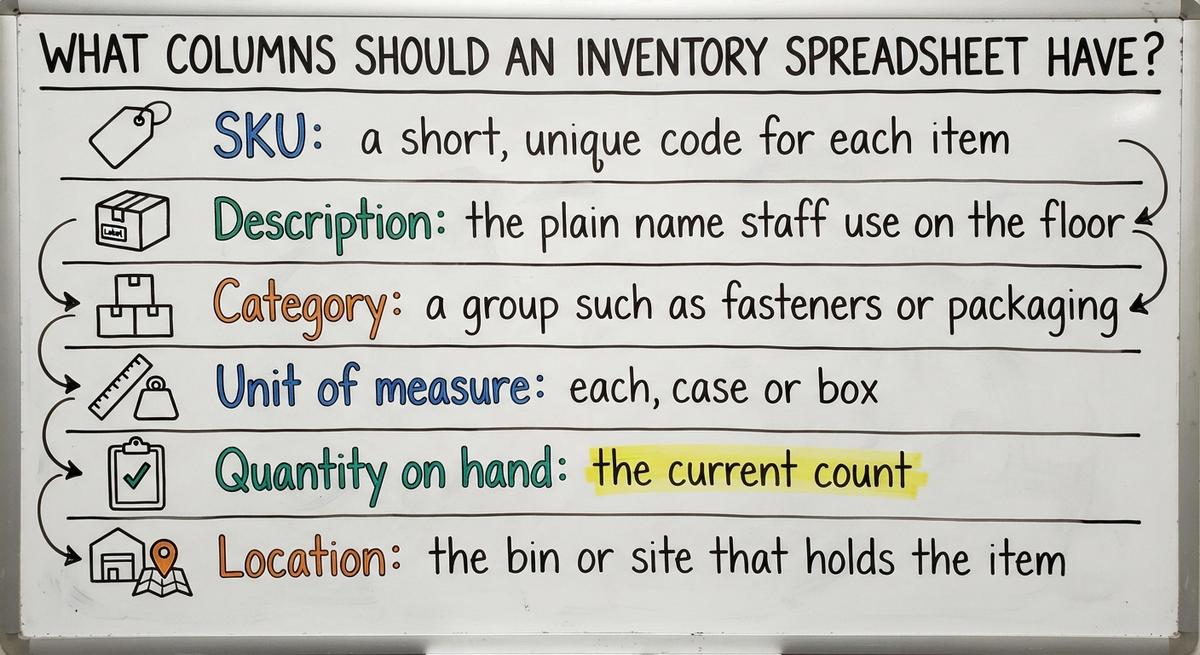
A good inventory spreadsheet needs about 10 core columns. Keep these in every workbook:
- SKU: a short, unique code for each item.
- Description: the plain name staff use on the floor.
- Category: a group such as fasteners or packaging.
- Unit of measure: each, case or box.
- Quantity on hand: the current count.
- Location: the bin or site that holds the item.
- Cost and price: what you pay and what you charge.
- Supplier: who you buy from.
- Reorder point: the level that triggers a buy.
- Last count date: when someone last checked the shelf.
Which Columns Are Optional?
Optional columns include lot or serial number, expiration date, weight and barcode. Add one only when a person will use it. Each extra column slows data entry and adds room for typos. A food distributor needs expiration dates. A bolt wholesaler may never look at them.
How to Build an Inventory Spreadsheet in Excel
You can build a working inventory tracking in Excel sheet in 6 steps. Plan on paper first. Decide which questions the sheet must answer, who edits it, and where the file lives. Then open Excel.
Steps 1 to 3: Items, Table and Drop-Downs
- List your items and assign SKUs. Use one simple pattern, such as BOLT-025-ZN. Allow no duplicates. Match the item names in QuickBooks.
- Format the range as a table. Press Ctrl+T. Freeze the header row so labels stay in view. Turn on filters to sort.
- Add drop-down lists. Use Data Validation (a rule that limits what a cell accepts) for category, location and unit. Drop-downs stop spelling variants that break counts.
Clean inputs make every later formula work.
Steps 4 to 6: Formulas, Alerts and Protection
- Add a formula for on-hand quantity. Use SUMIF to add all "in" rows for a SKU and subtract all "out" rows. In plain words: find every row with this SKU and total the numbers. Test with 3 items you can count by hand.
- Add low-stock alerts. An IF formula returns "Reorder" or "OK". Conditional formatting turns the row red. Review the list daily or weekly.
- Protect and back up. Lock formula cells. Save dated copies. Store the file on a shared drive with access control.
A locked, backed-up sheet survives the first bad Monday.

Not sure this is the right shape for your operation
Describe how the work runs today. We map it on a call and show you what it would look like built around that, before you spend anything.
Book a callUseful Excel Formulas for Inventory Tracking
Four formula families do most of the work in an excel inventory template. Keep each one simple. The next person who keeps the sheet must read it in 10 seconds.
How Does SUMIF Work for Stock Totals?
SUMIF inventory formulas add numbers that match one rule. Say the SKU sits in column B and the quantity in column C. The formula =SUMIF(B:B,"BOLT-025",C:C) totals every row for that bolt. SUMIFS adds more rules, such as one location or one month. Use it to total movement by item, site or date.
Lookups, IF Flags and Pivot Tables
XLOOKUP finds a SKU in your master list and returns the description or cost. VLOOKUP does the same in older Excel versions. Use XLOOKUP when you have it. An #N/A error means the SKU was not found. Check for stray spaces or a typo.
IF flags compare on-hand to the reorder point. Add a second column that shows the suggested order quantity.
Pivot tables sum stock by category, supplier or location. Refresh them after every update.
Small formulas, used well, give you a full stock tracking spreadsheet.
How to Set Reorder Points in a Spreadsheet
The reorder point formula is daily usage times lead time, plus safety stock. Lead time is the days between order and delivery. Safety stock is a buffer for surprises.
Here is a worked case. A wholesaler sells 20 cases a day. The supplier needs 7 days. The buffer is 40 cases.
- 20 times 7 is 140 cases.
- Add 40 and the reorder point is 180 cases.
Put that number in the reorder column. The IF flag now fires at 180. Recheck when demand shifts. A busy season or a slower supplier changes the math.
How to Keep an Excel Inventory Sheet Accurate
Accuracy comes from habits more than formulas. The wrong count costs sales. The FTC's mail, internet or telephone order rule holds sellers to the ship dates they promise. A true count protects those promises.
Record Moves and Name One Owner
Assign one owner per sheet. That person is responsible for the numbers. Limit who can edit. Keep a change log tab with the date, name and reason for each edit.
Should you log stock moves the same day? Yes. Record receipts, picks, returns and damage before the shift ends. Delay causes drift, and drift grows.
Count Often and Reconcile With QuickBooks
Run cycle counts on fast-moving items weekly. Write the reason for each variance. Patterns point to a cause, such as a wrong unit.
To reconcile QuickBooks and Excel inventory, follow a schedule:
- Compare quantities and values monthly.
- Look for mismatches from missed entries.
- Pick the source of truth for each field. QuickBooks may own cost. The sheet may own bin location.
A written rule for each field ends most arguments.

The comparison is easier when one option is built for you
Off-the-shelf means fitting your process to the software. We do it the other way round, and the first look costs nothing.
Book a callCommon Mistakes With Excel Inventory Spreadsheets
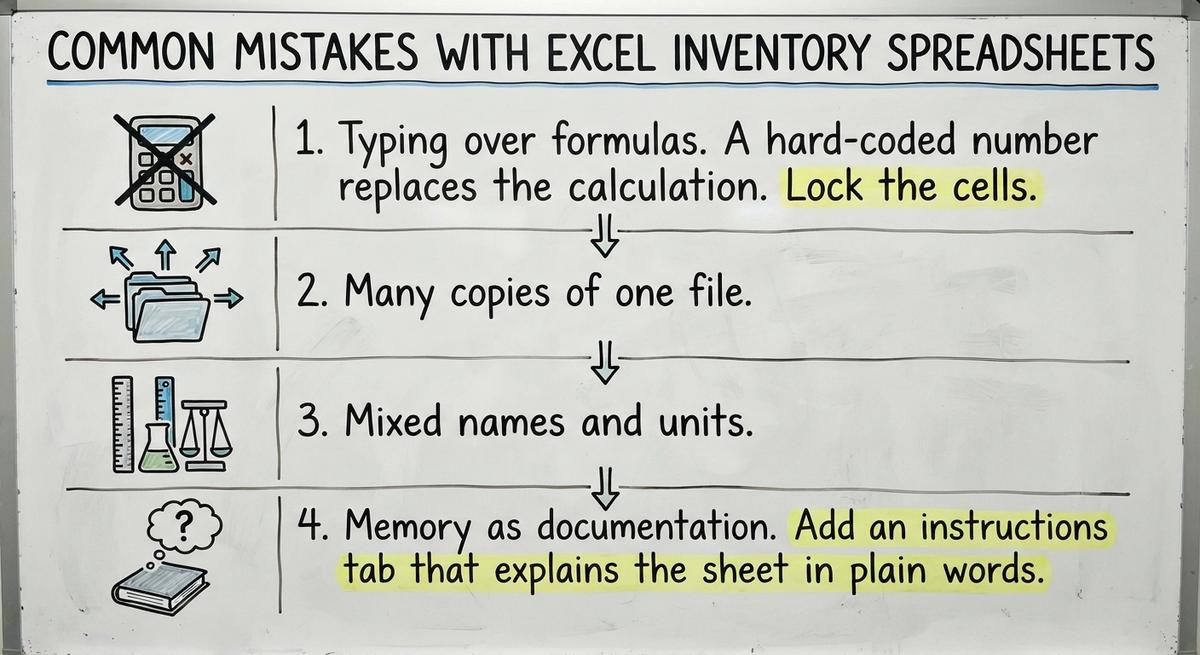
Four mistakes cause most broken sheets. Each is easy to prevent.
- Typing over formulas. A hard-coded number replaces the calculation. Lock the cells.
- Many copies of one file. Do emailed attachments cause conflicts? Yes. Two people edit two copies, and neither is right. Use one shared file.
- Mixed names and units. Each, case and box get confused. Use drop-downs and a unit conversion column.
- Memory as records. Add an instructions tab that explains the sheet in plain words.
Fix these four and your sheet lasts years longer.
Limits of Excel for Inventory Management
Excel handles inventory management in Excel well until volume and users grow. A sheet holds 1,048,576 rows, so size is rarely the issue. Trust is. Excel has no real-time updates and a weak audit trail. Several people cannot edit safely at once.
Manual work also costs money. Say 3 people spend 6 hours a week re-keying orders at $22 an hour. That is $20,592 a year. Use your own numbers.
Signs You Have Outgrown Your Spreadsheet
You have outgrown your sheet when you see these signs:
- Counts disagree with shelves. Staff stop trusting the numbers.
- Staff re-key orders. Someone copies orders from QuickBooks into Excel by hand.
- The file is slow or crashes. Large files lock up at the worst moment.
- Several people must edit at once. Conflicts and overwrites follow.
- Overselling or stockouts repeat. Customers feel the errors.
Two or more signs mean the manual parts need replacing.
What a Spreadsheet Cannot Do Well
A spreadsheet is weak at four jobs:
- Barcode scanning at the dock removes typing errors. Excel needs add-ons for it.
- Live stock across locations needs one shared record.
- Permissions and audit history show who changed what. Excel logs little.
- Automatic QuickBooks updates need extra tools or custom work.
See it running on your own process first
No build cost. The subscription starts once it is live and doing the job, not before.
Book a callExcel, Access, or Custom Software: Which Fits?
Excel fits small, single-site teams. Access fits a few users who need linked tables. Custom software fits teams whose workflow no tool matches. This table compares the three categories.
| Factor | Excel | Access database | Custom-built software |
|---|---|---|---|
| Cost | Low | Low to medium | Highest |
| Multi-user | Weak | Fair | Strong |
| Scale | Small | Medium | Large |
| Maintenance | Owner of the file | Needs a skilled builder | Ongoing support |
| Fit to workflow | Flexible but manual | Good if designed well | Built to match |
Pick the cheapest option that still answers your three questions.
How to Move Off a Spreadsheet Without Disruption
A safe move takes four steps, done in order:
- Clean the data first. Remove duplicate SKUs and fix units.
- Replace the most painful manual step first. Often that is receiving or order entry.
- Run old and new side by side briefly. Compare counts for a few weeks.
- Keep QuickBooks for accounting if it works. Do not swap what is not broken.
Small steps keep the dock moving.
What to Ask Any Provider Before Replacing Your Spreadsheet
Ask any provider these five questions:
- Will it fit our workflow? Ask to see your own process run in a demo.
- Does it connect to QuickBooks? Ask which fields sync and how often.
- What does it cost to change later? Ask about fees to export or switch.
- Who owns the data? Get the answer in writing.
- How long until first use? Ask for a date, not a range.
Clear answers now prevent a second migration later. NIST's supply chain guidance offers vendor-neutral process advice.
Excel Inventory Spreadsheet Template Checklist
Use this list to check any excel inventory spreadsheet templates you build or download:
- Every item has a unique SKU in one pattern.
- Drop-downs control category, location and unit.
- Formulas calculate on-hand from the log.
- Reorder flags turn low rows red.
- Formula cells are locked.
- Backups run on a set day.
- A count schedule names who counts what.
A sheet that passes all seven is ready for daily use.
Conclusion: Use Excel Well, and Know When to Move On
Track SKU, quantity, location, cost and reorder point. Log moves daily. Count often. Reconcile with QuickBooks on a schedule. That is inventory control with excel done right.
Check your sheet against the signs list. If two or more apply, pick the one painful manual step and replace it first. If none apply, keep the sheet and tighten the habits.
Frequently asked questions
Can Excel Be Used for Inventory Management?
Yes, for small and simple operations. One site, a few hundred items and a few editors work fine. Success depends on discipline: same-day entries, locked formulas and regular counts.
How Many Items Can an Excel Inventory Sheet Handle?
A sheet holds 1,048,576 rows, so the limit is trust, not space. Accuracy drops as items and editors grow. Most teams feel strain well before the row limit.
Can Excel Inventory Connect to QuickBooks?
Yes, by manual export and import. That works for low volumes. Automatic syncing needs add-on tools or custom work, and someone must keep it.
Is Excel Safe for Business Inventory Data?
Safety depends on where the file lives. Store it on a shared drive with access limits, version history and regular backups. A file on one laptop is at risk.
Start with a free first look
A 30 minute call, your operation mapped, and a clear picture of what we would build. No obligation and nothing to install.
Book a callRelated guides
More on the same work.
Guides
- Excel Spreadsheet for Inventory
- Excel Template for Inventory Control
- Excel Sheet Template for Inventory
- Excel Stock Management Template
- Ms Excel Inventory Template
- Excel Inventory Template
- Inventory Control with Excel
- Inventory Tracker Excel
- Excel Format for Inventory Management
- Inventory Format in Excel
- Excel Barcode
- Warehouse Inventory Management Software
- Warehouse Inventory Tracking Software
- Warehouse Inventory Management Systems
- Best Inventory Software
- Quickbooks Inventory Management Software
- Warehouse Inventory Systems
- Classification of Inventory
- Inventory and Warehouse Management Software
- Custom Inventory Management Software
- Excess Inventory
- Closed for Inventory