

Excel Inventory Template
A spreadsheet is where most warehouse and distribution operations start tracking stock. That is not a problem. It is a practical choice, and this guide is written to help you get the most out of it while being honest about where the limits are.
Reviewed September 2026. Figures are worked from the assumptions stated beside them, so you can substitute your own and the arithmetic still holds.
If you run a small wholesale operation, manage a fulfillment center, or oversee a warehouse team already using QuickBooks, this guide covers setup, formulas, accuracy tips, and the signs that tell you it is time for something more.
Book a callWhat Is an Excel Inventory Template and What Does It Include?
An Excel inventory template is a prebuilt spreadsheet with rows, columns, and formulas already arranged to track your stock. You open the file, enter your items, and start recording quantities. No programming required. Most templates include fields for item names, quantities, costs, and supplier details. You can download a free inventory template from Microsoft or other sources, or build one from scratch if your needs are specific. Either way, the goal is the same: a single place where your team can see what is on hand, what is running low, and what it is all worth.
The template is a tool, not a system. How well it works depends almost entirely on how consistently your team uses it.
We build it for your operation, and the first look is free
If you would rather not compare products, describe how your operation already works and we build the system around it.
No build cost. You see it running on your own process first, and the monthly subscription starts only once it is live.
Book a callWho Uses an Excel Inventory Template
Small and mid-size wholesale distributors, warehouses, and fulfillment centers make up the core audience for inventory tracking spreadsheets. These are usually teams of 5 to 100 people who need answers quickly and cannot justify the cost or setup time of enterprise software.
Operations managers running QuickBooks for invoicing and purchasing often track overflow stock in a separate spreadsheet because QuickBooks does not handle bin locations or multi-location counts natively. As GS1 explains on their barcode standards page, "barcodes are the global language of business", and even basic SKU tracking in a spreadsheet benefits from a consistent labeling approach.
If your team moves fast and your budget is tight, a spreadsheet is a reasonable starting point.
What Goes in an Inventory Spreadsheet?
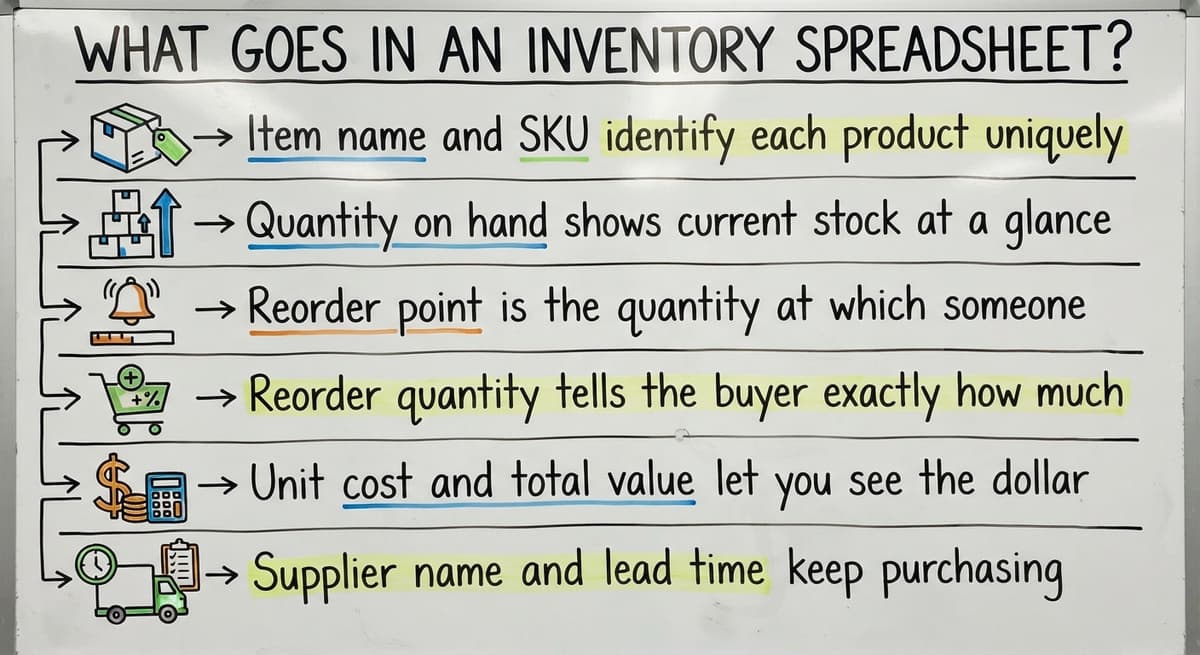
Every useful stock tracking template is built from the same core columns. Here is what each one does:
- Item name and SKU identify each product uniquely so there is no confusion between similar items
- Quantity on hand shows current stock at a glance and is the number your team will check most often
- Reorder point is the quantity at which someone needs to place a new order before stock runs out
- Reorder quantity tells the buyer exactly how much to order each time so they are not guessing
- Unit cost and total value let you see the dollar amount tied up in each product and across the whole warehouse
- Supplier name and lead time keep purchasing information next to the item so your team is not hunting through emails
What Three Questions Does a Good Inventory Spreadsheet Answer?
A well-organized inventory spreadsheet answers the three questions every operations manager asks every morning: what do we have, what do we need, and what is it worth.
Common Types of Excel Inventory Templates
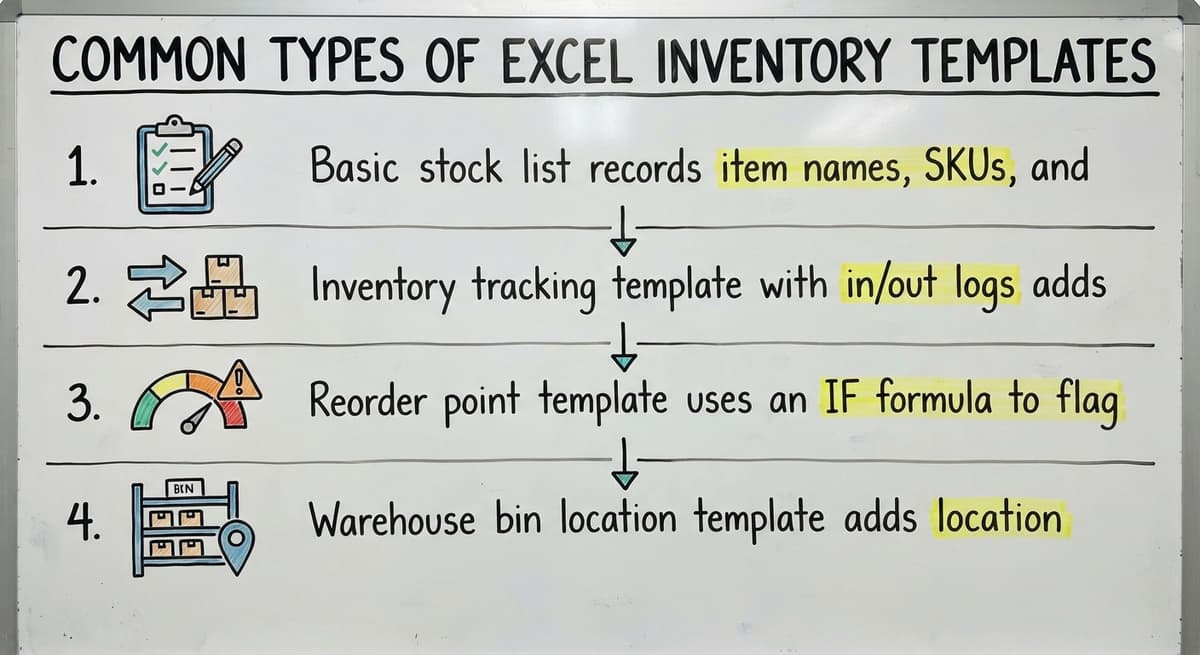
Not every warehouse needs the same layout. Four template types cover most situations:
- Basic stock list records item names, SKUs, and quantities. It is the right starting point for operations with fewer than 50 products and low daily transaction volume.
- Inventory tracking template with in/out logs adds a running transaction history so you can see how stock moved over time, not just where it stands today.
- Reorder point template uses an IF formula to flag items that have dropped below the threshold you set, removing the need to scan every row manually.
- Warehouse bin location template adds location fields for multi-zone or multi-rack operations where the same SKU might sit in more than one spot.
Choose the simplest type that covers your actual workflow. Complexity you do not need becomes clutter your team will work around.
The comparison is easier when one option is built for you
Off-the-shelf means fitting your process to the software. We do it the other way round, and the first look costs nothing.
Book a callHow to Set Up Your Excel Inventory Template for Your Warehouse
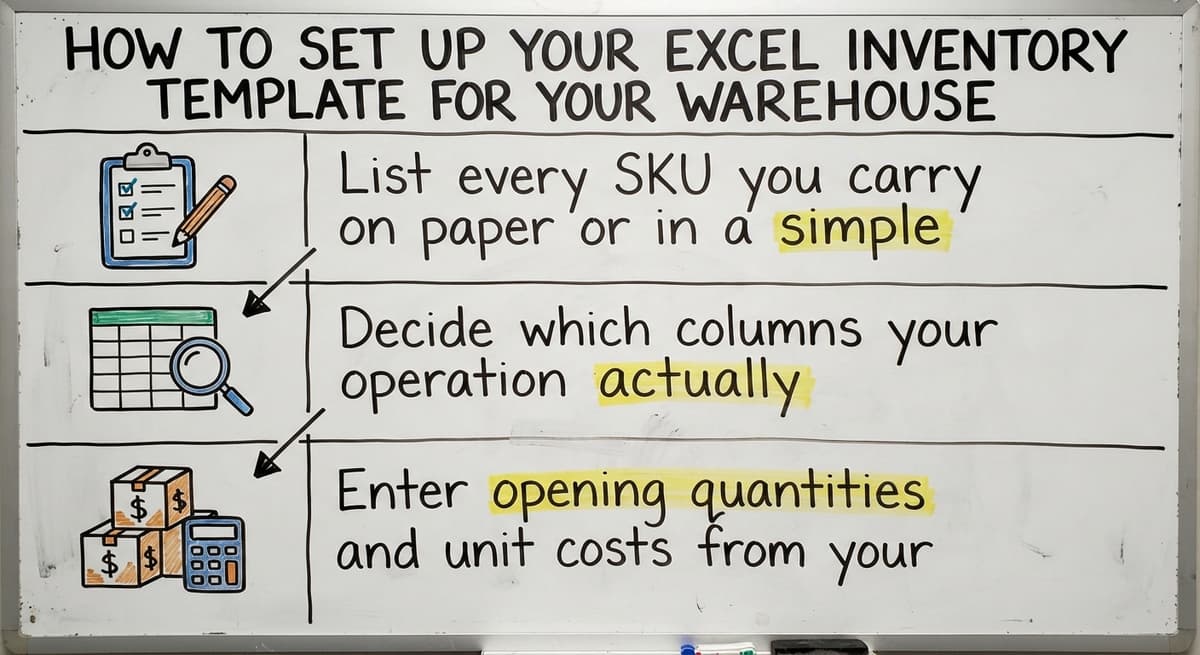
Setup goes faster when you do the preparation work before opening the file. Follow these steps in order:
- List every SKU you carry on paper or in a simple text file before touching the template. Trying to build the list and the spreadsheet at the same time creates gaps.
- Decide which columns your operation actually needs. A single-location warehouse does not need bin fields. A business with one supplier does not need a lead time comparison column.
- Enter opening quantities and unit costs from your most recent physical count. Do not estimate. Garbage in means garbage out from day one.

How to Lock In Accuracy Before You Go Live
With your data entered, two final steps protect the integrity of the spreadsheet going forward:
- Set reorder points by multiplying average daily usage by supplier lead time, then adding a small buffer for delays.
- Protect formula cells using Excel's cell protection feature so staff can update quantities without accidentally deleting a formula.
A setup that takes two hours now saves hours of troubleshooting later.
Formulas Every Inventory Template Should Have
You do not need to be a spreadsheet expert. These four formulas do the heavy lifting in any warehouse inventory template:
- SUM adds up the total value of all stock on hand so you always know what your inventory is worth in dollars
- IF checks whether a quantity has dropped below the reorder point and displays a flag like "ORDER NOW" in a separate column, so low stock is visible without anyone having to scan every row
- VLOOKUP or XLOOKUP pulls supplier name, lead time, and contact details into the main sheet the moment you type a SKU, eliminating manual lookups
- SUMIF totals usage or value by product category, which is useful when you need to see how a specific product line is moving
These four formulas cover roughly 90 percent of what a small distributor needs from a stock tracking template.

How to Track Stock Movement and Keep the File Accurate
Tracking movement needs a separate Transactions tab. Every receipt and every shipment gets a dated row there. A SUMIF formula on the main sheet pulls those entries into running totals automatically, so the quantity on hand column always reflects real activity.
Accuracy depends on process as much as formulas. Four habits that protect the data:
- Assign one person per shift to enter transactions so the same movement does not get logged twice
- Date-stamp every entry so you can trace a discrepancy back to the day it happened
- Run a physical stock count at least once a month and reconcile any differences before moving on
- Use conditional formatting to highlight negative quantities in red the moment they appear, because a negative number is always a sign that something was entered wrong
A spreadsheet is only as accurate as the last person who updated it.
See it running on your own process first
No build cost. The subscription starts once it is live and doing the job, not before.
Book a callHow Do I Connect My Excel Inventory Template to QuickBooks?
Many small distributors already use QuickBooks integration for warehouse operations as the accounting backbone. You can export your QuickBooks item list to Excel as a starting point for the SKU column, which saves large data entry time.
Reconciling the two manually is doable at low order volumes, usually fewer than 30 to 40 transactions a day. The friction point is this: QuickBooks and Excel do not sync automatically. A buy order closed in QuickBooks does not update your spreadsheet. A quantity adjustment in the spreadsheet does not post to QuickBooks. Someone has to transfer that information by hand, and every manual transfer is an opportunity for a number to change.
At low volume, the manual bridge works. As order volume climbs, the gap between the two files becomes a daily source of errors.

Where Can I Download a Free Excel Inventory Template?
Several reliable sources offer free inventory templates that work for warehouse and distribution operations:
- Microsoft Office template library includes multiple inventory options accessible directly inside Excel under File, then New
- Vertex42 offers warehouse and distribution-specific templates built for operations that track SKUs, reorder points, and supplier lead times
- Smartsheet provides downloadable Excel-compatible files that include transaction logs and summary dashboards
Before filling any template with real data, check that its columns match your actual workflow. A template built for a retail store may lack the bin location and lead time fields a distributor needs. Reformatting after the fact takes longer than choosing the right template upfront.
Where an Excel Inventory Template Works Well and Where It Breaks Down
A spreadsheet is the right tool under specific conditions:
- Fewer than 200 SKUs with a stable product line that does not change often
- Seasonal operations that need a quick count tool for a defined period
- Teams just starting to formalize stock tracking for the first time
- Situations where the software budget is genuinely zero
Outside those conditions, the problems compound. Multiple staff editing the same file at the same time creates version conflicts. There is no real-time visibility across a warehouse floor or across locations. Manual entry errors multiply as order volume rises. Nothing alerts your team automatically when a shipment arrives short or a pick cannot be filled.
A spreadsheet scales with effort, not with volume. At some point, the effort exceeds what the tool is worth.

Signs Your Operation Has Outgrown the Spreadsheet
Four signals that the inventory tracking spreadsheet has become a liability rather than an asset:
- You are reconciling the spreadsheet to QuickBooks more than once a day because the numbers keep drifting apart
- Staff are keeping personal shadow copies because they do not trust the main file to be current
- Stockouts or overstock situations are costing real money in lost sales or carrying costs
- New hires cannot learn the system without a full walkthrough from you personally, which means the process lives in your head, not in the tool
Any one of these is a signal. All four together mean the cost of staying on the spreadsheet is higher than the cost of replacing it.
Excel Template vs. Inventory Management Software
Choosing between a spreadsheet and dedicated software is a growth decision, not a technology decision. Here is how the two options compare across the dimensions that matter most to a small distributor:
| Factor | Excel Template | Inventory Management Software |
|---|---|---|
| Cost to start | Free or near-free | Monthly fee or one-time build cost |
| Setup time | Hours to a day | Days to weeks depending on complexity |
| Real-time accuracy | Only as current as the last manual entry | Updated at the point of transaction |
| Multi-user access | Version conflicts above 2 to 3 users | Designed for concurrent access |
| QuickBooks integration | Manual export and matching | Automated sync in most systems |
| Scalability | Degrades past roughly 200 SKUs or 50 daily orders | Scales with the operation |
Templates win on cost and speed to start. Software wins on accuracy, automating, and the ability to grow with you. The right answer depends on where your operation sits today and where it is heading in the next 12 months.
Not sure this is the right shape for your operation
Describe how the work runs today. We map it on a call and show you what it would look like built around that, before you spend anything.
Book a call
What Does a Custom Inventory System Look Like for a Small Distributor?
A custom inventory system does not mean a six-figure ERP rollout with a year-long rollout. For a small distributor, it usually means a purpose-built layer that sits alongside QuickBooks rather than replacing it. QuickBooks stays in place for accounting and invoicing. The custom layer handles receiving, picking, stock counts, and location tracking in a way that matches how your floor actually operates.
Rollout is shorter when the system is built around your workflow instead of forcing your team to adapt to a generic product. Custom working software for wholesale businesses can often be scoped, built, and running in weeks rather than months. The difference is that a builder who understands distribution does not need to be educated on your process before writing a single line of code.
The goal is a system your team uses correctly on day one, not one they work around for years.
How Local Builds Beat Off-the-Shelf for Mid-Size Operations
Off-the-shelf inventory software is designed for an average customer. That average customer is not a wholesale distributor with a specific receiving process, a particular bin numbering system, and a QuickBooks setup that has been customized over several years.
A local team can walk your floor, watch how your staff actually moves product, and build to match that reality. When something needs to change, a reachable builder makes that change in days rather than the weeks it takes to submit a support ticket to a software vendor and wait. Warehouse management system alternatives to ERP built this way tend to see faster adoption because the interface reflects the job, not a generic warehouse abstraction.
For distributors in the Columbus area, The Software Society works at exactly this scale.

Questions to Ask Before You Upgrade from a Spreadsheet
Before committing to any new tool, work through these four questions with your operations team:
- How many SKUs do you manage today, and is that number growing quarter over quarter?
- How many people need to update inventory at the same time during a typical shift?
- How many hours per week does your team spend finding and fixing spreadsheet errors rather than moving product?
- What would one fewer stockout per month be worth in recovered revenue and avoided rush shipping costs?
The answers tell you whether the spreadsheet is still earning its place or quietly costing you more than a replacement would.
Making the Transition Without Losing Your Data
Your existing Excel file is a useful starting point for migration, not something to throw away. A well-organized inventory spreadsheet exports cleanly into most inventory systems because the column structure translates directly.
How to replace manual processes in a distribution center without losing historical data:
- Export your current template and review it for duplicate SKUs, blank rows, and inconsistent naming before importing anywhere
- Run the new system and the spreadsheet in parallel for two to four weeks so discrepancies surface before the old file is retired
- Document your current receiving and picking process in writing before any change so institutional knowledge is captured, not lost
A clean spreadsheet makes migration faster. A messy one makes it harder. Either way, the data comes with you.
Next Steps for Wholesale Distributors Ready to Move Forward
If you are under 200 SKUs and under 50 orders a day, start with a free inventory template from Microsoft or Vertex42. Use the setup steps and formulas in this guide. That is the right move at that scale.
If you are past those thresholds, or if the signs of outgrowing the spreadsheet sound familiar, the next step is a conversation about your current process, not a software demo. The Software Society builds custom inventory tools for distributors in Columbus and beyond. No forced ERP migration, no enterprise price tag, no months-long rollout before you see anything working.
Schedule a free operations review to walk through what your team does today and what a right-sized system would look like for your specific operation.
Frequently asked questions
How do I make an inventory in Excel?
Start by listing every SKU you carry, then create columns for item name, SKU, quantity on hand, reorder point, unit cost, and supplier name. Enter your opening quantities from a physical count. Add a SUM formula to calculate total stock value and an IF formula to flag items below the reorder point. Protect the formula cells so staff cannot overwrite them accidentally. A separate Transactions tab for logging receipts and shipments, linked to the main sheet with a SUMIF formula, completes a functional inventory tracking spreadsheet.
What is the best Excel inventory template?
There is no single best template because the right one depends on your operation. A basic stock list works for under 50 SKUs with low transaction volume. A reorder point template suits operations that need automatic low-stock flags. A warehouse bin location template fits multi-zone facilities. Vertex42 and the Microsoft Office template library both offer solid starting points for wholesale and distribution operations. Check that the template includes the columns your workflow actually needs before loading it with data.
Is there a free inventory sheet template?
Yes. Microsoft Office includes free inventory templates accessible inside Excel under File, then New. Vertex42 offers free warehouse and distribution-specific templates. Smartsheet provides downloadable Excel-compatible files with transaction logs included. All three are legitimate starting points. Before using any of them, verify that the column structure matches your operation rather than reformatting after the fact.
Where can I download a free Excel template for inventory management?
The Microsoft Office template library is the most accessible source and is built directly into Excel. Vertex42.com offers free templates designed specifically for warehouse and distribution operations, including reorder point tracking and supplier fields. Smartsheet.com provides downloadable Excel-compatible files. Download from any of these sources, then review the columns against your actual workflow before entering live data.
When does an Excel inventory template stop being enough?
A spreadsheet usually stops working reliably when you pass roughly 200 SKUs or 50 orders per day, when more than two or three people need to update it simultaneously, or when reconciling it to QuickBooks becomes a daily task. Staff keeping personal shadow copies because they do not trust the main file is a clear signal. Recurring stockouts or overstock situations that trace back to data errors are another. At that point, the time your team spends managing the spreadsheet exceeds what a purpose-built system would cost.
What formulas should my inventory spreadsheet use?
Four formulas cover most needs. SUM calculates total stock value across all items. IF flags any SKU that has dropped below its reorder point so buyers act before stock runs out. VLOOKUP or XLOOKUP pulls supplier name and lead time into the main sheet when you enter a SKU, removing manual lookups. SUMIF totals usage or value by product category so you can see how individual product lines are performing. These four formulas handle the core math without requiring advanced spreadsheet skills.
How do I keep my inventory spreadsheet accurate with multiple staff?
Assign one person per shift as the designated person to log transactions so the same movement is never entered twice. Protect formula cells using Excel's cell protection feature. Use data validation drop-down lists for fields like supplier name and location to prevent free-text errors. Save a dated backup copy each week so you can roll back to a known-good version if something goes wrong. Run a physical count at least once a month and reconcile any differences before the next period begins.
How do I migrate from a spreadsheet to a real inventory system without losing data?
Your existing spreadsheet is a useful starting point. Clean it first by removing duplicate SKUs, filling blank fields, and standardizing item names. Most inventory systems accept a CSV export from Excel as an import file, so the column structure you already have translates directly. Run the new system and the old spreadsheet side by side for two to four weeks before fully switching over. Document your current receiving and picking process in writing before the changeover so nothing that lives in your team's heads gets lost in the transition.
Start with a free first look
A 30 minute call, your operation mapped, and a clear picture of what we would build. No obligation and nothing to install.
Book a callRelated guides
More on the same work.
Guides
- Ms Excel Inventory Template
- Inventory Format in Excel
- Inventory Control with Excel
- Excel Barcode
- Automated Inventory Management System
Common questions
- What is E Inventory Management
- What is Roq in Inventory Management
- What is Barcoding in Inventory Management
- What is Online Inventory Management System
- What is Effective Inventory Management
- What is the Definition of Inventory Management
- What is Inventory Management Mary Kay
- What is Inventory Management Practices
- What is Fluctuation Stock in Inventory Management
- What is Abc Classification in Inventory Management
- What is the Purpose of Inventory in Operations Management
- How to Manage Food Inventory
- What is Sales and Inventory Management System
- What is the Importance of Quality Inventory Management
- What is Inventory Management System Project
- How to Create an Inventory Tracking System?
- How to Manage Consignment Inventory
- What is Inventory Management Meaning in Hindi
- What is Fifo in Inventory Management
Added since this page was reviewed
The newer guides in this cluster are here.
- How to Manage Inventory in Rocket League Answered on its own page.
Added since this page was reviewed
The newer guides in this cluster are here.
- How to Manage Inventory in Stardew Valley Answered on its own page.
Added since this page was reviewed
The newer guides in this cluster are here.
- How to Manage Inventory Fallout 76 Answered on its own page.
Added since this page was reviewed
The newer guides in this cluster are here.
- Best Inventory Software Answered on its own page.
- Classification of Inventory Answered on its own page.
- How to Keep Track of Inventory Answered on its own page.
- Excess Inventory Answered on its own page.
- Closed for Inventory Answered on its own page.
- Multi Location Inventory Management Software Answered on its own page.
- What is the Difference Between Aggregate and Item Inventory Management Answered on its own page.
- Inventory Management for Multiple Locations Answered on its own page.
- Costing Inventory Answered on its own page.
- What is Jit Inventory Management Answered on its own page.
- What is Kanban System of Inventory Management Answered on its own page.
- Is Inventory a Long-term Asset Answered on its own page.
- Mro Inventory Meaning Answered on its own page.
- Inventory Management System for Manufacturing Answered on its own page.
- Inventory Fixed Assets Answered on its own page.
- Inventory Management Pics Answered on its own page.
- Inventory Monitoring Answered on its own page.
- What is an Important Factor in Inventory Management Answered on its own page.
- Push and Pull Inventory Answered on its own page.