


How to Manage Wholesale Inventory
How to manage wholesale inventory comes down to a few habits. Keep one trusted stock count. Log every move as it happens. Set a reorder point for each item. Count a few items each week. Watch a handful of numbers.
Book a callWhat Does It Mean to Manage Wholesale Inventory?
Wholesale inventory management means knowing what you have, where it sits, what is on the way, and what you promised to customers. The goal is enough stock to fill orders. Too much stock locks cash on the shelf. Wholesale differs from retail. Orders arrive in bulk. You sell by the case or the pallet. Repeat buyers expect the same fill every time.
Reviewed November 2026.
Why Is Wholesale Inventory Hard to Manage in Spreadsheets?
Stock data lives in too many places. Teams keep it in an accounting file, spreadsheets, a desktop database, printed sheets, and email. Each copy drifts out of date. Staff stop trusting the numbers. The results are oversold orders, stockouts, double orders, and surprise write-offs. No one is to blame. GS1 calls its barcode standards "the global language of business". Scattered files need that kind of shared language.
We build it for your operation, and the first look is free
If you would rather not compare products, describe how your operation already works and we build the system around it.
No build cost. You see it running on your own process first, and the monthly subscription starts only once it is live.
Book a callHow to Manage Wholesale Inventory Step by Step
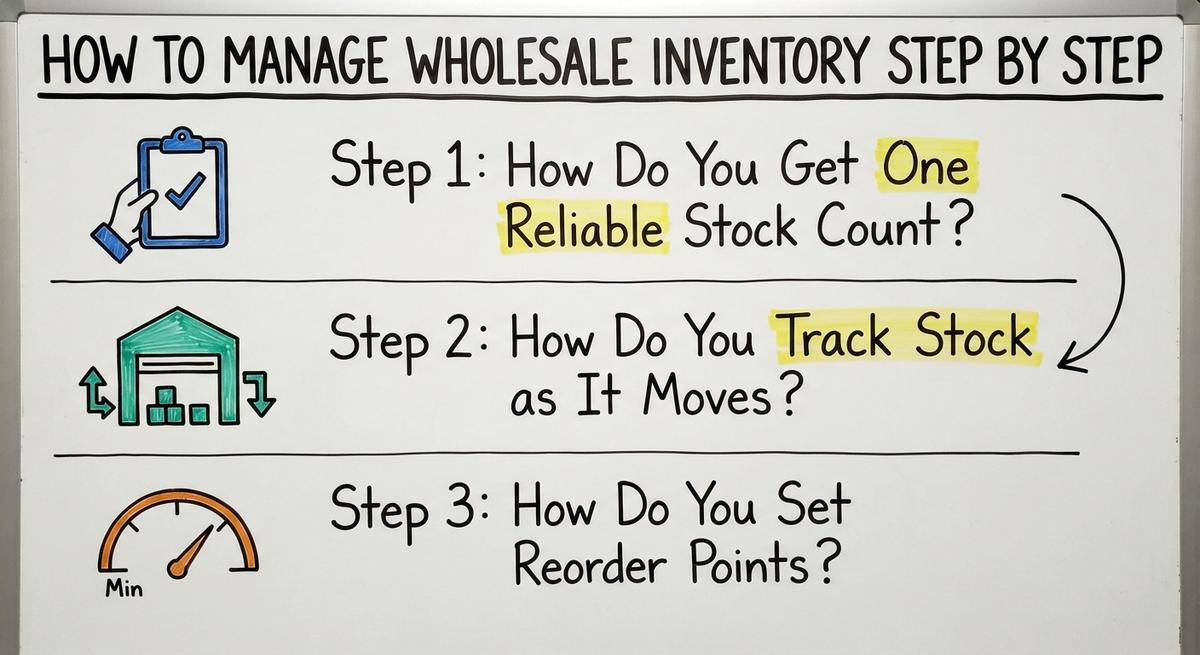
Three habits build the base of wholesale inventory management: one count, live tracking, and smart reorder points. Do them in this order.
Step 1: How Do You Get One Reliable Stock Count?
You get one reliable count by choosing a single source of truth, then counting every item once to start clean. The law backs this up. IRS Publication 538 says, "To figure taxable income, you must value your inventory at the beginning and end of each tax year." Then set these rules:
- Give each item one SKU and one name, so no product hides under two labels.
- Record the aisle, shelf, and bin for each item.
- Treat every other copy of the numbers as a report, not a record.
A clean start makes every later number worth trusting.
Step 2: How Do You Track Stock as It Moves?
You track stock by logging every receipt, pick, transfer, return, and adjustment the moment it happens. Good inventory tracking also handles units of measure. A case holds 12 each, and a pallet holds 40 cases. Track lot numbers or expiration dates for food, chemicals, and other products that need them. Use scanning or simple entry screens in place of paper. Late entries are where warehouse inventory errors begin.
Step 3: How Do You Set Reorder Points?
A reorder point is the stock level that tells you to buy more. The math is average daily sales times supplier lead time, plus safety stock. Safety stock is a small buffer for surprises.
Here is a small example. You sell 20 units a day. The supplier needs 5 days. That is 100 units. Add 30 units of safety stock. Reorder when you hit 130.
Start with your top sellers. Then review the numbers before each busy season, since demand shifts.
How Do You Know What to Stock More or Less Of?
Sort items by sales volume into 3 groups. A items are the top sellers. B items sit in the middle. C items sell the least. Count A items more often and C items less often.

Then look for slow movers. Dead stock is product that has not sold in a long time. It ties up cash and shelf space. Mark it down, bundle it, or stop buying it.
How to improve inventory management often starts with this one sort.
Keep Supplier Facts in One Place
Purchasing needs the same care as counting. Do these 4 things:
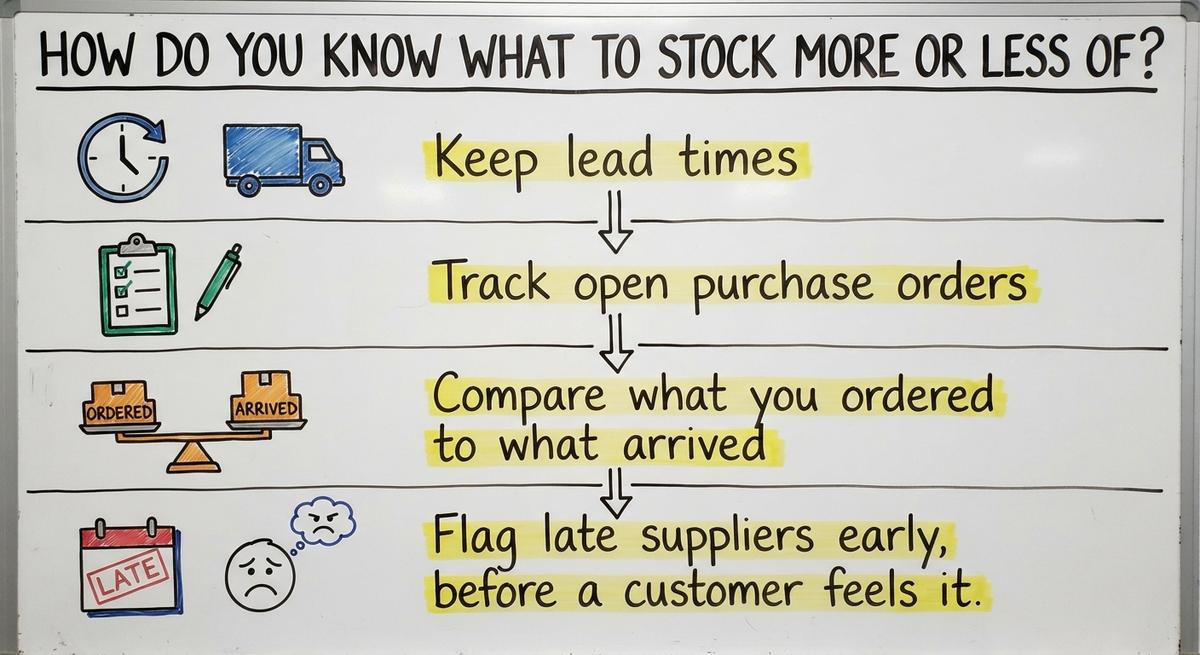
- Keep lead times, minimum order quantities, and prices in one record.
- Track open buy orders, so incoming stock counts as expected and not as on hand.
- Compare what you ordered to what arrived.
- Flag late suppliers early, before a customer feels it.
A supplier record you trust lets you buy with confidence instead of guesswork. The NIST Manufacturing Extension Partnership offers vendor-neutral guidance on supply chain process.
Not sure this is the right shape for your operation
Describe how the work runs today. We map it on a call and show you what it would look like built around that, before you spend anything.
Book a callHow Often Should You Count Inventory, and What Should You Watch?
Count a small slice every day or week. This is cycle counting. It beats shutting down for one big count. Count fast and high-value items more often. When a count is off, find the cause. Fix the habit, not just the number.

What numbers should a distributor track? Five tell you most of the story:
- Stock accuracy: how closely your system matches the shelf.
- Fill rate: the share of ordered units you ship on time.
- Stockouts: the times an item ran out when a customer wanted it.
- Days of stock on hand: how long current stock lasts at today's sales pace.
- Inventory turnover: how many times you sell through your stock in a year.
Review a few of these each week. Weekly checks catch problems that a monthly report buries. You can also compare your own ratio of stock to sales with the US Census Bureau monthly wholesale trade data.
Can Accounting Software Inventory Tools Handle Wholesale Work?
An accounting package handles the books well and basic item tracking fairly well. Many small distributors keep their accounting software for that reason, and they should. Gaps show up in bin locations, lots, pick lists, and multi-step order flow. Teams fill those gaps with spreadsheets and paper. Then the copies drift again.

When Is It Time to Move Beyond Spreadsheets?
Watch for these signs:
- Counts rarely match the shelf.
- Staff retype the same data in 2 or 3 places.
- One person holds the whole process in their head.
- Orders slip through email.
Put a price on it. Two people spending 5 hours a week at $20 an hour on retyping costs $10,400 a year.
You do not need a big ERP. That is a large system that replaces everything at once. Custom inventory software is another path. It fits how your team already works and replaces only the manual parts. It can connect to your accounting software, so accounting stays where it is.
What Should You Do First?
Start small this week. Follow this checklist:
- Pick the source of truth for quantities.
- Count everything once.
- Label every location.
- Set reorder points on your top 10 sellers.
- Review 3 numbers every week.
Then list the manual steps that eat the most time. That list shows where software pays off first. If you want a second opinion, talk with a Columbus, Ohio team that builds software around the workflows you already run. You can also read how to manage inventory for small business, or how to manage inventory in a warehouse, for more ideas.
Frequently asked questions
What are the 5 steps of inventory management?
Count your stock once to get a clean start. Track every move as it happens. Set reorder points for each item. Sort items by sales so you know what to stock more or less of. Review suppliers, counts, and key numbers on a steady schedule.
How do you set a reorder point?
Multiply average daily sales by supplier lead time in days. Add safety stock, a small buffer. If you sell 20 a day, the lead time is 5 days, and the buffer is 30, reorder at 130 units.
How often should a wholesaler count inventory?
Count a small slice every day or week through cycle counting. Count fast sellers and high-value items most often. Slow items need fewer counts. Find the cause of each gap instead of only fixing the number.
Can an accounting package manage wholesale inventory?
It handles accounting and basic item tracking well. Gaps appear with bin locations, lots, pick lists, and multi-step order flow. Many distributors keep their accounting package and add software for the manual parts.
What is the best software for wholesale inventory management?
No single tool is best for every business. The right choice depends on your size, how many locations you run, whether you track lots or expiration dates, and what you already use for accounting. A spreadsheet is cheap but fragile. An off-the-shelf tool is quick to start but may not fit your workflow. A custom build fits your process and costs more up front. Pick the option that replaces your costliest manual steps.
Do you need a big ERP to manage inventory?
No. A big ERP replaces many systems at once and brings a risky move. Many teams do better by keeping the tools that work and replacing only the manual parts with custom software.
When should a wholesaler move beyond spreadsheets?
Move when counts rarely match the shelf, staff retype the same data, one person holds the process in their head, or orders slip through email. Any 2 of these signs mean the manual cost is already high.
Start with a free first look
A 30 minute call, your operation mapped, and a clear picture of what we would build. No obligation and nothing to install.
Book a callRelated guides
More on the same work.
Guides
- Wholesale Inventory Software
- Define Wholesale Distributor
- Distribution Inventory Management
- Inventory Management Software for Distribution
- Warehouse Inventory Management Software
- Warehouse Inventory Management Systems
- Quickbooks Inventory Management Software
- Inventory and Warehouse Management Software
- Custom Inventory Management Software
- Warehouse Inventory Management System
- Retail Inventory Management
- Multi Location Inventory Management Software
Common questions
- Wholesale vs Distributor
- Difference Between Wholesale and Distribution
- Wholesale Distributor Meaning
- Wholesale Distribution Definition
- Wholesale Distribution Meaning
- Wholesale Distributors Definition
- What is Vendor Management Inventory
- What is Procurement and Inventory Management
- How Distributors Work
- Why is Warehousing and Inventory Management Important
- What is the Difference Between Aggregate and Item Inventory Management
- How to Manage Inventory in a Warehouse