

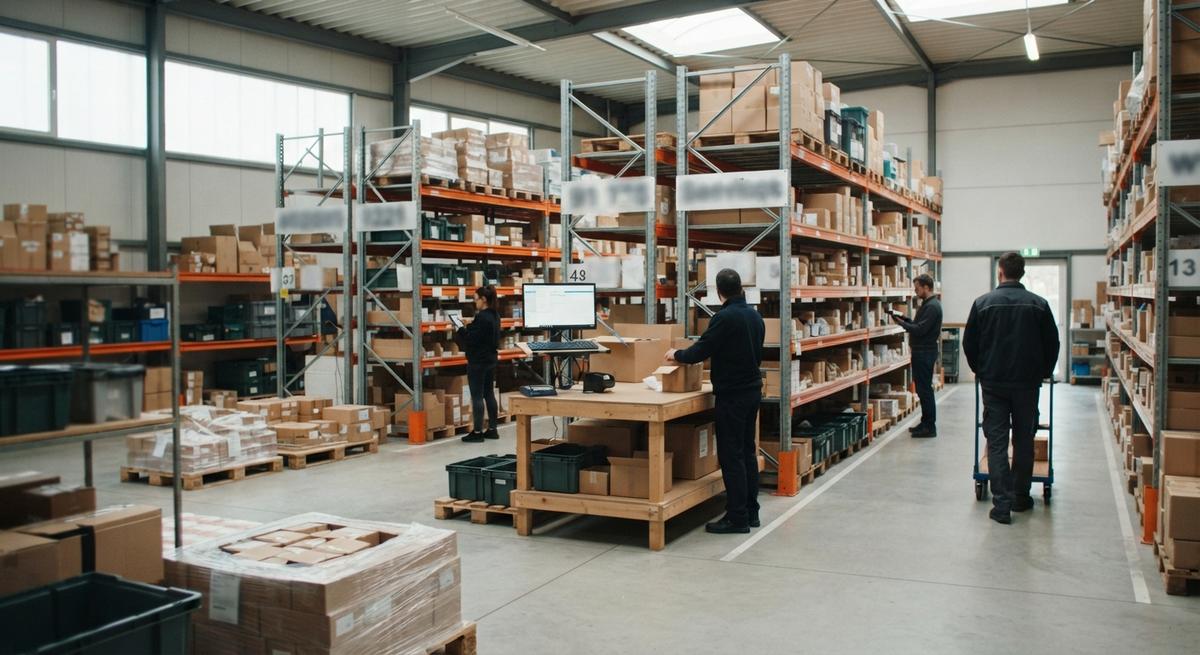
Small Inventory Management System
A small inventory management system is software that tracks what you own, where it sits, and when it moves. It fits teams of 5 to 100 people.
Book a callWhat Is a Small Inventory Management System?
A small inventory management system is software that tracks what you have, where it is, and when it moves. It is built for teams of roughly 5 to 100 people. Large enterprises need heavier tools. You do not.
Reviewed November 2026.
The system replaces guesswork, paper sheets, and scattered files with one record of stock. Everyone reads from the same page. This is what good inventory management for small business looks like: fewer surprises, and one place to look when a customer calls.
How a Small Inventory Management System Works
The flow is simple. Stock comes in, gets stored, gets picked, and goes out. Each step updates the count right away. Staff and managers see the same numbers.
Most scan-based inventory tracking rests on shared barcode rules. GS1 describes its standards as "the global language of business" on its barcode standards page. A scan then works the same way at your dock, on your shelf, and at your customer's door.
The takeaway: one scan or one entry per move keeps the count true.
We build it for your operation, and the first look is free
If you would rather not compare products, describe how your operation already works and we build the system around it.
No build cost. You see it running on your own process first, and the monthly subscription starts only once it is live.
Book a callWhen Is Excel No Longer Enough for Inventory?
Excel is no longer enough when the sheet and the shelf disagree, and people stop trusting the sheet. Spreadsheet inventory tracking works for a few dozen items and one person. Match the signs below to your own day. Two or more means you have outgrown it.
Counts That Never Match the Shelf
The sheet says 40. The shelf holds 32. Someone typed a number late, or typed it wrong, or forgot to type it at all. Manual entry always drifts. Each gap sends a wrong promise to a customer.
The law also cares about counts. IRS Publication 538 states: "To figure taxable income, you must value your inventory at the beginning and end of each tax year." A count you cannot trust makes that value wrong too.
Orders Held Up by Handoffs and One-Person Files
Check who built your file, too. Many shops run on an Access database or a spreadsheet that one employee made. That person goes on vacation, or quits. Then no one knows how the formulas work. A single point of failure is a risk you can fix.
Pick lists get printed, marked by hand, then retyped. Notes live in email. Each handoff loses a detail. The order ships late, or ships wrong.
Features a Small Business Actually Needs
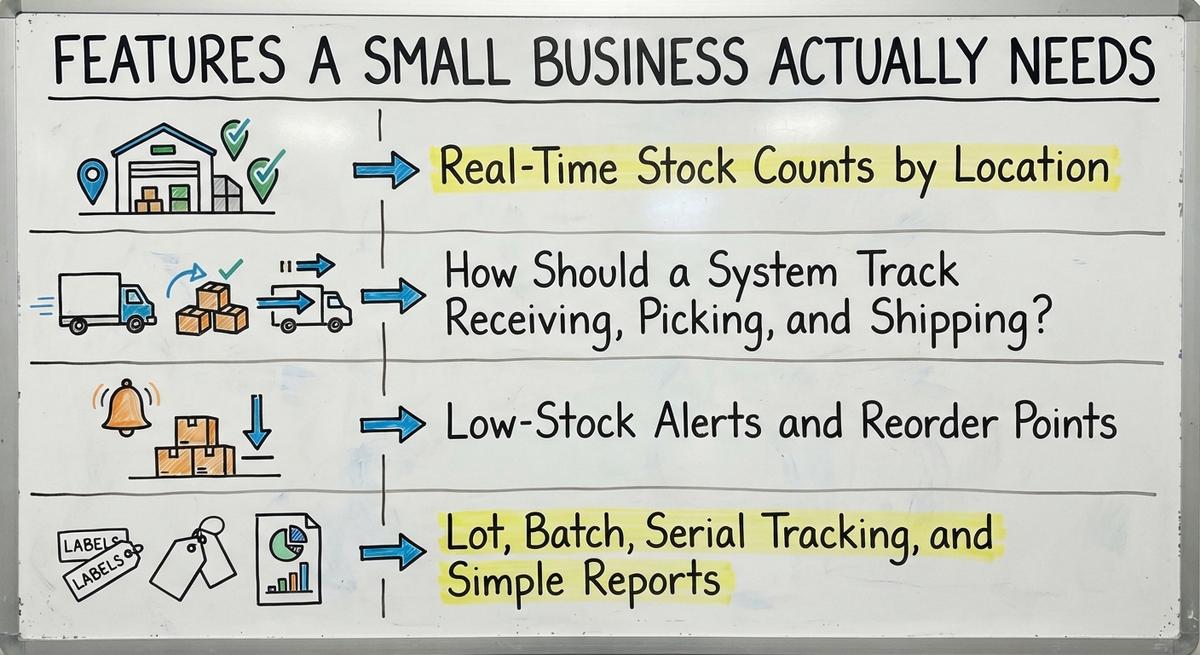
A small business needs five core features: live counts, step-by-step records, alerts, optional lot tracking, and plain reports. Start with the must-haves. Skip the extras until a real problem asks for them. Owners overpay when they buy a long feature list they never open.
Real-Time Stock Counts by Location
Location tracking shows stock by bin, shelf, and room. A picker sees where the item sits instead of walking the floor to hunt for it. This is the base of any warehouse inventory setup. It also cuts mistaken picks, since two similar items no longer share one vague spot.
How Should a System Track Receiving, Picking, and Shipping?
A system should record each step as it happens: receive, put away, pick, pack, and ship. Each record updates the count at once. Nobody waits for end-of-day entry.
Pick lists should match how your team already works. If your pickers walk the aisles in a set order, the list follows that order. A tool that forces a new routine slows people down.
Barcode scanning is a nice-to-have at first. It removes typing errors. Add it once the steps themselves run clean.
Not sure this is the right shape for your operation
Describe how the work runs today. We map it on a call and show you what it would look like built around that, before you spend anything.
Book a callLow-Stock Alerts and Reorder Points
A reorder point is the stock level that tells you to buy more. Set it by asking how many units you sell while a supplier ships. When the count drops to that level, the system sends an alert.
Good reorder points stop two costly errors. You avoid stockouts, which lose sales. You also avoid overbuying, which ties up cash in boxes. For wholesale inventory, where lead times run long, this feature pays off fast.
Lot, Batch, Serial Tracking, and Simple Reports
Lot, batch, and serial tracking is needed only for some products, such as food, parts, or gear with warranties. It links each unit to its source. That helps with recalls and returns.
Reports should answer daily questions without a data analyst. Look for four:
- Stock on hand shows what you hold right now.
- Fast movers show what to keep deep.
- Slow movers show what ties up shelf space.
- Stock value shows what your inventory is worth.
If you can read a report in a minute, the report is the right size.

Does a Small Inventory Management System Work With Accounting Software?
The split is clean. The inventory system handles the stock side. Accounting software keeps the books.
Yes. A small inventory management system can connect to your accounting software, and many small operations should keep it for accounting. Accounting software inventory tools handle basic counts. They strain once you add bins, pick steps, or several people moving stock.
The goal is no double entry. Staff should not key the same sale or receipt twice. Data flows from one tool to the other.
Replace only the manual parts. Keep what works. If you want a picture of the tool category, search for accounting-integrated inventory management software and compare how each one handles the hand-off to accounting. Your accountant stays happy because the books look the same as before.
Off-the-Shelf Software or a Custom-Built System?
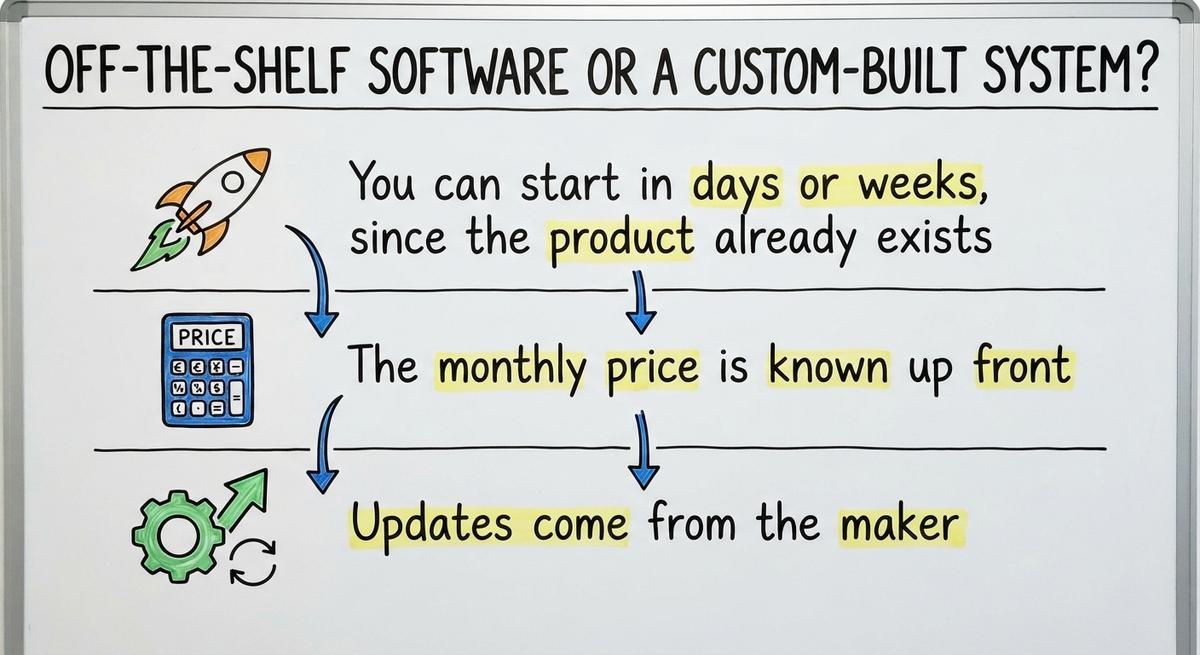
Off-the-shelf software starts faster but makes you adapt your process to it. Custom software is built around how your operation already runs. Neither wins every time. The right pick depends on how odd your workflow is.

Off-the-shelf has real strengths:
- You can start in days or weeks, since the product already exists.
- The monthly price is known up front.
- Updates come from the maker.
Its limits are real too. Staff learn new habits. Odd steps, such as special pack rules, may not fit.
Custom inventory software costs more at the start. It matches your floor, your forms, and your handoffs. Staff change less. You also own the choices. The cost is more planning and a longer first build.
A plain test: if you would change your process to fit the tool, buy it. If the tool must change to fit you, build it. Many teams also look at warehouse inventory management software first, then see where it falls short.

Why Do Small Teams Fear Big ERP Projects?
Small teams fear big ERP projects because they cost a lot, run long, force a full move, and demand heavy staff training. ERP means one large system that runs every part of a company. The worry is fair.
A small system skips that path. It can start with one pain point, such as wrong counts. Once that works, add the next piece.
NIST's supply chain guidance for small manufacturers stresses process first and tools second. The same advice fits here. Fix one flow, then grow.
The comparison is easier when one option is built for you
Off-the-shelf means fitting your process to the software. We do it the other way round, and the first look costs nothing.
Book a callHow to Start With a Small Inventory Management System
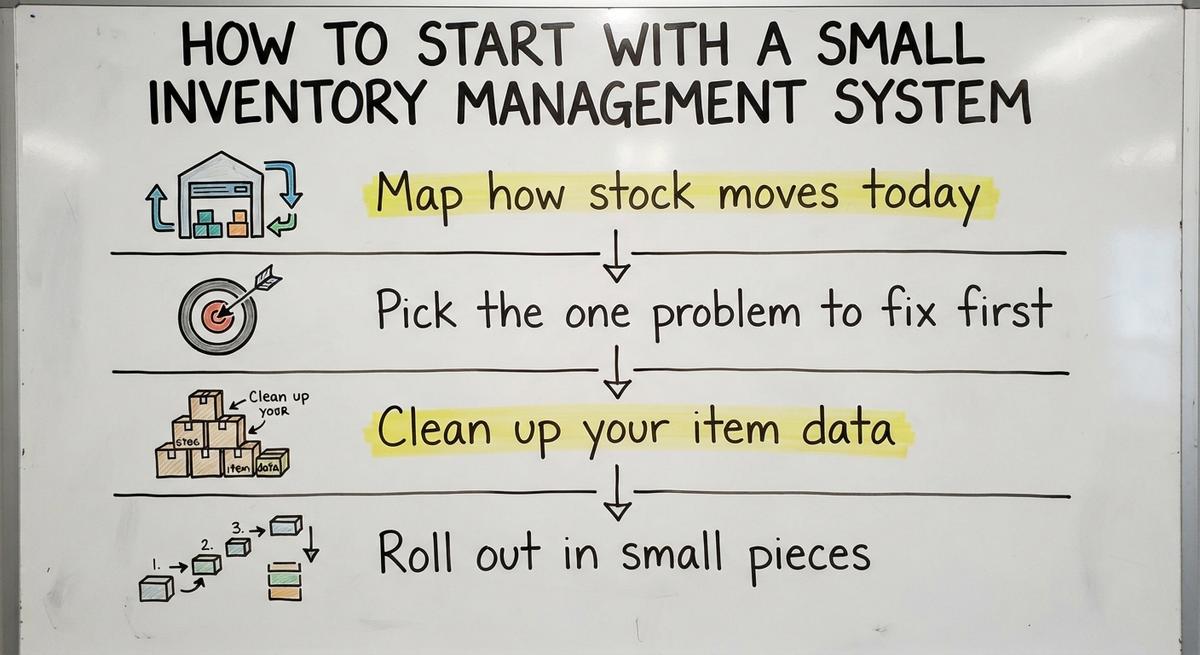
You can start in 4 plain steps, with no long, costly rollout:

- Map how stock moves today.
- Pick the one problem to fix first.
- Clean up your item data.
- Roll out in small pieces.
Each step is short. Do them in order.
Steps 1 and 2: Map the Flow and Pick One Problem
First, walk the floor from dock to door. Write down every sheet, file, and handoff you see. Ask each worker what they write down and why.
Then choose one problem. Wrong counts, slow picking, and late reorders are common picks. Fix one. A small first win builds trust with the team, and trust carries the next step.
Steps 3 and 4: Clean the Data and Roll Out in Pieces
Clean item data matters more than fancy features. Use one name per item. Use one unit, such as each or case. Give every spot a clear label.
Next, start with one area or one process. Run it next to the old way for a short time. Compare the two counts. When they match, switch off the old way.
What Does a Small Inventory Management System Cost?
The cost of a small inventory management system depends on 4 drivers: the number of users, the number of locations, the tools it must connect to, and any custom work. Prices vary too much to quote here.
Count the hidden cost of errors as well. Say 3 people spend 6 hours a week fixing counts and retyping sheets, at $22 an hour. That is $20,592 a year. The Bureau of Labor Statistics publishes pay data for stock clerks, so you can swap in your own rate.
Ask for a scoped plan before you commit. A scope names the work, the steps, and the price.

Common Mistakes to Avoid
Four mistakes cause most failed rollouts. Each one is easy to dodge.
- Buying too much software leaves you paying for tools nobody opens.
- Skipping floor staff input misses the quirks only pickers know.
- Moving everything at once swamps the team and hides what broke.
- Ignoring data cleanup loads old errors into a new tool.
Late or wrong shipments also carry legal weight. The FTC's mail, internet, or telephone order rule needs you to ship when you said you would. An accurate count protects that promise.
Talk Through Your Inventory Setup
We are a local Columbus, Ohio team. We build around your current operation and keep your accounting software where it helps. The same team builds the software, your website, and your search presence.
Bring your sheets, your files, and your biggest headache. We will talk through what to fix first. Reach out to start the conversation.
Frequently asked questions
What is a small inventory management system?
A small inventory management system is software that tracks what you have, where it is, and when it moves. It suits teams of about 5 to 100 people. It replaces paper sheets and scattered files with one shared record of stock.
Is custom software or off-the-shelf software better for a small operation?
Off-the-shelf software starts faster, but you adapt your process to it. Custom software is built around how your team already works, and costs more up front. If your workflow has odd steps, custom often fits better.
What affects the cost of a small inventory system?
Four things drive cost: the number of users, the number of locations, the tools it must connect to, and any custom work. Add the hidden cost of errors and rework. Ask for a scoped plan before you commit.
Can Excel work as an inventory system?
Excel works for a few dozen items and one careful user. It fails once several people edit it, or once locations multiply. Then counts drift, and no one can trace who changed what.
Do I need barcodes for inventory tracking?
No. Barcodes are optional at first. They cut typing errors, so add them once your steps run clean. Wholesale inventory with many look-alike items gains the most from scanning.
How long does setup take?
Setup time depends on scope. One area with clean data goes faster than 3 sites with messy files. A scoped plan gives the real answer for your case, so ask for one before you commit.
Can I keep my accounting software?
Yes. Keep your accounting software for accounting. The inventory system handles stock, and the accounting software keeps the books. Connect the two so staff never key the same sale or receipt twice.
Start with a free first look
A 30 minute call, your operation mapped, and a clear picture of what we would build. No obligation and nothing to install.
Book a callRelated guides
More on the same work.
Guides
- Inventory Management System for Manufacturing
- Automated Inventory Management System
- Web Based Inventory Management System
- Best Inventory Management System
- Cloud Based Inventory Management Systems
- Automotive Inventory Management Systems
- Inventory Management System Cloud
- Small Business Inventory Software
- Hospital Stock Management System
- Medical Stock Management System
- Inventory Bin System
- Manual Inventory System
- System Inventory
- Perpetual Inventory System
- Periodic Inventory Systems
- Best Inventory Tracking Systems
- Cloud Inventory System
- Multi Location Inventory Management Software