


Automated Inventory Management System
An automated inventory management system is software that tracks stock levels, records every movement, and triggers orders without manual data entry. It updates in real time as goods arrive and leave. This guide was reviewed in October 2026 and is written for wholesale distributors, fulfillment centers, and warehouses running 5 to 100 staff who are not ready for a full ERP.
Book a callWhat an Automated Inventory Management System Does
An automated inventory management system replaces the manual steps your team takes to record stock. When a shipment arrives, the system logs it. When an order ships, the system deducts it. No one types a number twice.
Manual methods, such as spreadsheets, printed pick sheets, and email chains, need someone to update each record by hand. That works at low volume. As orders grow, the gaps between what the spreadsheet says and what the shelf holds get wider and more costly. Automating closes that gap by connecting each physical movement to a live record.
The IRS makes the obligation clear: IRS Publication 538 states, "To figure taxable income, you must value your inventory at the beginning and end of each tax year." Accurate counts are not optional. Automating is the most reliable way to keep them current.
We build it for your operation, and the first look is free
If you would rather not compare products, describe how your operation already works and we build the system around it.
No build cost. You see it running on your own process first, and the monthly subscription starts only once it is live.
Book a callWhy Manual Tracking Breaks Down as Volume Grows
Most small distributors run accounting in one package, stock counts in a spreadsheet, and orders on printed sheets or email. Data lives in 3 separate places and gets out of sync the moment someone forgets to update one of them.
Errors multiply when staff re-enter the same number in multiple places. A receiving clerk logs a count on paper. A warehouse manager types it into a spreadsheet. An office admin copies it into the accounting package. Each step is a chance to introduce a mistake. Those mistakes show up as overselling, stockouts, and hours spent reconciling records that should already match.
Scan-based systems reduce that risk at the source. As GS1 explains, barcode standards give every product a unique, machine-readable identity so a scan, not a keystroke, creates the record.
Three staff members spending 6 hours a week each on manual re-entry, at the median wage for stock clerks tracked by the US Bureau of Labor Statistics, adds up to a real annual cost your operation can calculate with a single multiplication. That number rarely shrinks on its own.
What Features Matter Most for a Small Warehouse?
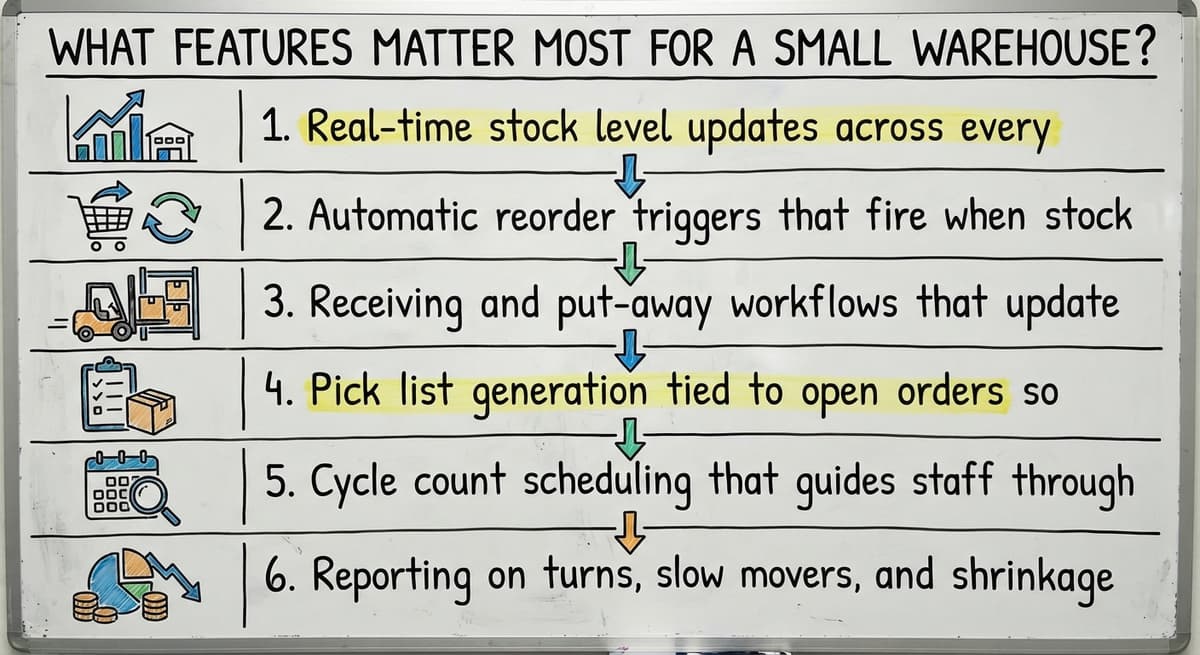
The right automated inventory management system covers the workflows where manual steps cause the most damage. For a small distributor, those are receiving, picking, reordering, and reporting.

Core features to rank:
- Real-time stock level updates across every location so the number on screen matches the shelf
- Automatic reorder triggers that fire when stock crosses a set threshold, removing the daily scan of a low-stock spreadsheet
- Receiving and put-away workflows that update counts on scan or keyboard entry at the dock
- Pick list generation tied to open orders so pickers work from a prioritized queue, not a handwritten sheet
- Cycle count scheduling that guides staff through rolling partial counts rather than annual shutdowns
- Reporting on turns, slow movers, and shrinkage readable on screen without exporting to a spreadsheet
Not every feature needs to go live on day one. Start with the workflow causing the most pain and expand from there.
Receiving and Order Fulfillment
Automated receiving works like this: a buy order arrives, staff confirm quantities at the dock, and the system updates stock counts instantly. Short shipments are flagged on the spot, not discovered days later when a customer order cannot be filled.
On the fulfillment side, the system generates a prioritized pick list from open orders. Stock is reserved the moment an order is confirmed, which prevents 2 pickers from pulling the same unit for different customers. When the shipment leaves, a scan or confirmation closes the order and adjusts on-hand counts. No one needs to circle back and update a record after the truck pulls away.
For a team of 5 to 20 people, this alone removes most of the matching work that currently fills afternoons.
The comparison is easier when one option is built for you
Off-the-shelf means fitting your process to the software. We do it the other way round, and the first look costs nothing.
Book a callReorder Points and Purchase Order Automation
A reorder point is the stock level that triggers a replenishment action. When on-hand inventory for a SKU drops to that number, the system drafts or sends a buy order automatically. Reorder points are set per SKU and can be adjusted for seasonal demand without rebuilding any logic.
This removes the daily task of scanning a spreadsheet for items running low. The NIST Manufacturing Extension Partnership notes that disciplined reorder processes are a core element of supply chain reliability for small and mid-size manufacturers and distributors. The same principle applies to any warehouse holding stock for resale.

Keeping Your Accounting Software in Place While Automating Inventory
Many small distributors run accounting in their existing software and have no reason to leave it. A well-built inventory system pushes summarized data to your accounting software rather than replacing it. Inventory details, stock movements, and receiving records live in the new system. Financial records stay in your accounting software where your accountant already works.
This avoids a full ERP migration and the cost and disruption that comes with one. The inventory system handles what your accounting software was never designed to do: track physical movement in real time. Your accounting software handles what it does well: invoicing, payables, and reporting to your tax preparer.
The two systems complement each other rather than compete. Your team learns one new tool. Your accountant changes nothing.

Is Custom Inventory Software a Realistic Option for a Small Operation?
Yes. Custom inventory software built for a small distributor does not mean a long timeline or an enterprise budget. Off-the-shelf tools are built for a generic operation and need your team to adapt to the software's logic. Custom software is shaped around the workflows your staff already uses.
A focused build replaces only the manual steps: the spreadsheets, the printed sheets, the re-entry. It does not touch accounting, CRM, or anything working well. For operations with unusual product types, non-standard units of measure, or specific fulfillment rules, a custom build is often faster to adopt than a generic platform that needs months of setup to come close.
Inventory management for distributors is a specific problem. A generic tool built for retail or e-commerce carries features you will never use and may lack the ones you need daily.
What a Build Actually Looks Like
Start by mapping every step where someone touches a spreadsheet or a printed sheet. Each of those steps becomes a screen or an automated rule in the new system. Your accounting software stays for invoicing. The new system handles stock movement.
Staff learn one tool that mirrors what they already do, so adoption is faster than a full platform switch. A new hire can follow the system without a long verbal walkthrough from a senior team member. That consistency is worth more than any feature list.

Multi-Location Inventory and Barcode Scanning
Stock spread across a main warehouse, a satellite location, and a showroom is hard to manage in a spreadsheet. A single inventory system shows all locations in one view. Transfers between locations are logged so nothing disappears in transit. Distributors who stock in more than one building or city get a clear picture of total on-hand without calling each site.
Barcode or QR scanning lets staff update counts without walking to a desktop. A mobile-friendly interface means a picker can confirm a pull from the aisle. Scanning removes the keying step that causes most receiving errors. That said, not every operation needs scanners on day one. The system works with keyboard entry first and scanning can be added as the team grows.
See it running on your own process first
No build cost. The subscription starts once it is live and doing the job, not before.
Book a callHow Automation Reduces Carrying Costs and Stockouts
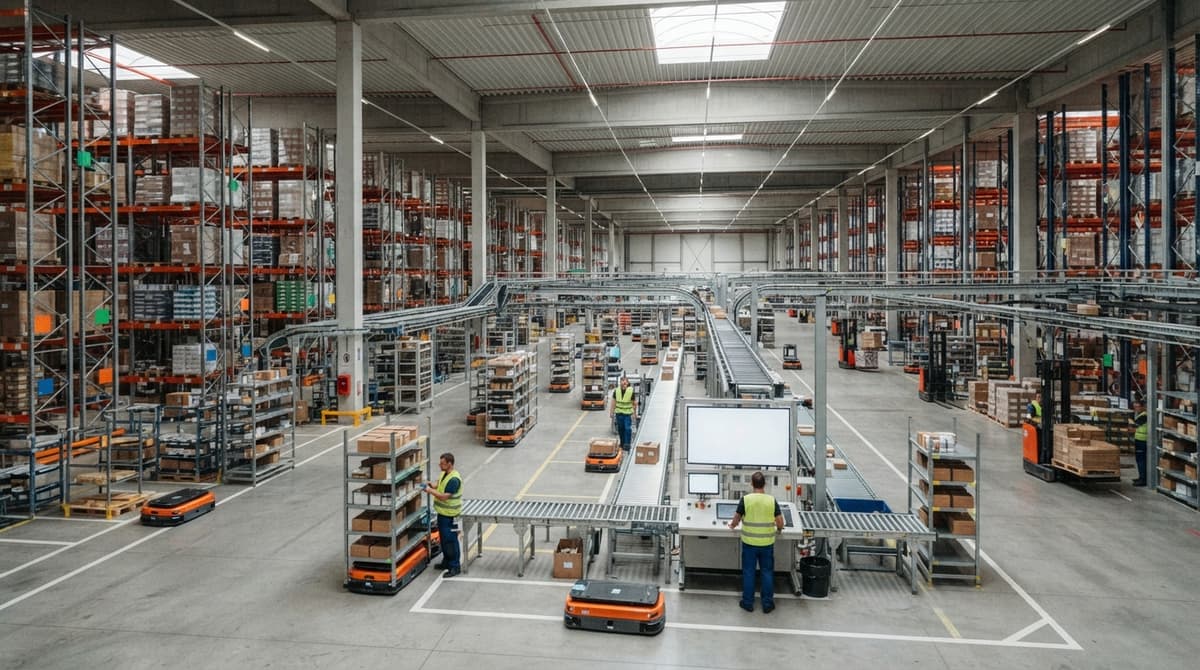
Carrying cost is the expense of holding stock: warehouse space, insurance, and capital tied up in goods sitting on shelves. Accurate reorder points prevent over-buying. Better visibility into slow movers lets managers decide earlier to clear them rather than hold them through another quarter.
The US Census Bureau Monthly Wholesale Trade data tracks the inventories-to-sales ratio for wholesale firms nationally. When that ratio climbs, it signals that stock is building faster than it is moving. An automated system gives you the same visibility at the SKU level so you catch the problem before it shows up in a national index.
On the stockout side: can automating prevent stockouts and backorders? It significantly reduces them. Reorder points fire before stock runs dry. The system flags items approaching the threshold on fast-moving SKUs that turn weekly. When a customer order cannot be filled, the FTC's Mail, Internet, or Telephone Order Merchandise Rule sets obligations around notifying buyers and offering cancellations. Preventing the stockout is simpler than managing the fallout from one.
A cycle count, meaning counting a portion of stock on a rolling schedule rather than shutting down for a full annual count, keeps records accurate throughout the year. The system schedules counts by location or product category, flags variances, and records shrinkage over time. Fewer surprises at year-end, and no full-day shutdown to get there.
Signs Your Operation Is Ready, and Questions to Ask Before You Choose
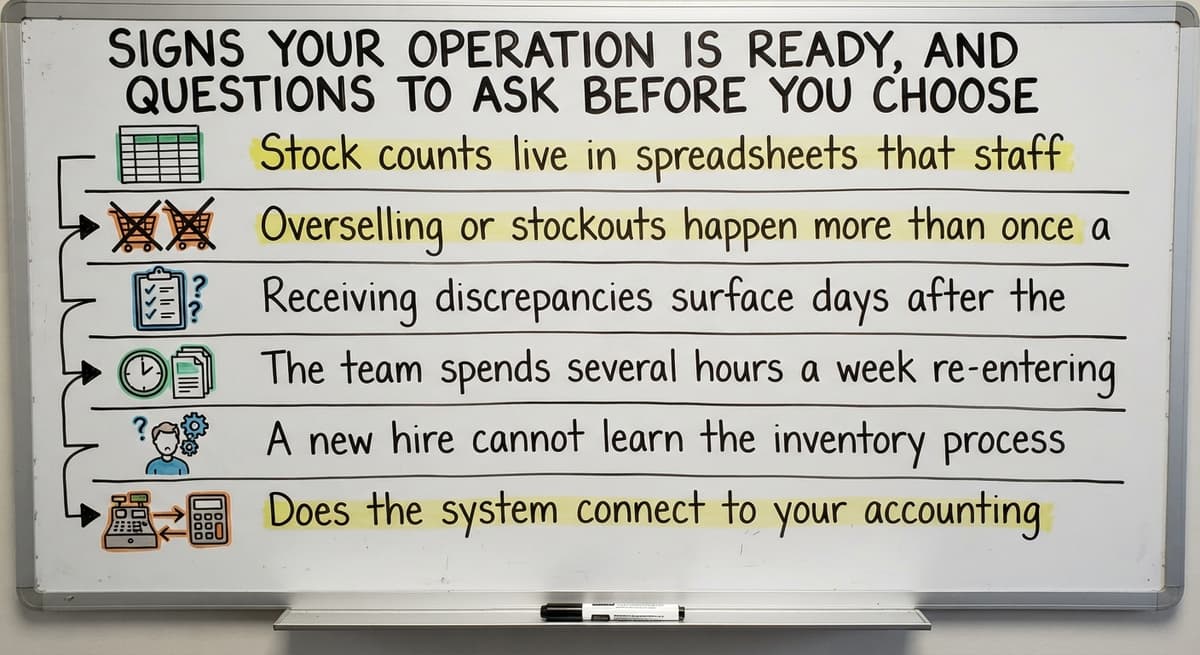
Your operation is likely ready for an automated inventory management system if several of these are true:

- Stock counts live in spreadsheets that staff update by hand
- Overselling or stockouts happen more than once a quarter
- Receiving discrepancies surface days after the fact rather than at the dock
- The team spends several hours a week re-entering data that already exists somewhere else
- A new hire cannot learn the inventory process without a long verbal explanation from a senior colleague
Before choosing a system, ask the vendor or builder these questions:
- Does the system connect to your accounting software without replacing it?
- Can it be configured to match the way the operation already works, or does the team have to change its process to fit the software?
- Who supports the system after go-live, and can they make changes quickly when the operation shifts?
- What happens to data if the business grows and needs new features added later?
The answers to those questions separate a system that fits from one that creates a new set of problems.
Common Mistakes When Automating Inventory
The most common errors are not technical. They are about scope and sequence.
- Trying to automate every workflow at once instead of starting with the single biggest pain point
- Choosing a platform built for enterprise scale when the operation has 10 warehouse staff and different daily realities
- Migrating away from your accounting software when the accounting team is comfortable with it and the system works fine
- Designing the new system without involving the warehouse team, so the screens do not match how they actually work
- Going live without clean starting data, which means the new system inherits the errors of the old one
A focused build that replaces only the manual inventory steps can go live faster than a full ERP rollout. Starting with the highest-pain workflow and expanding keeps disruption low and gets the team seeing value before the project grows.

Next Steps for Wholesale Distributors and Warehouse Operators
Manual inventory is a solvable problem for operations of 5 to 100 staff. A custom-built system keeps your accounting software exactly where it is and replaces only the steps that currently cost your team time and accuracy. No full ERP. No retraining the accounting team. No adapting your process to fit software built for someone else's operation.
Describe your current process and your biggest inventory pain point. That conversation, not a demo of generic features, is where a useful system starts.
Frequently asked questions
What is an automated inventory management system?
An automated inventory management system is software that tracks stock levels, records every movement, and triggers replenishment orders without manual data entry. When goods arrive or ship, the system updates counts in real time. It replaces spreadsheets, printed pick sheets, and email chains with a single live record that any authorized staff member can read from any location.
Can an automated inventory system connect to your accounting software without replacing it?
Yes. A well-built system pushes summarized data to your accounting software so your accountant's workflow stays unchanged. Inventory details and stock movements live in the new system. Financial records, invoicing, and payables stay in your accounting software. The two systems work alongside each other rather than competing, which avoids the cost and disruption of a full accounting migration.
Is there a free AI tool for inventory management?
Some cloud platforms offer free tiers with basic stock tracking, but free tools usually cap the number of SKUs, locations, or users and lack the receiving workflows and reorder automation that a growing distributor needs. The right question is not whether a tool is free but whether it matches your actual process. A focused custom build often costs less over 3 years than a subscription that needs workarounds from day one.
What is a reorder point and how does automating use it?
A reorder point is the stock level at which the system triggers a replenishment action. When on-hand inventory for a SKU drops to that number, the system drafts or sends a buy order automatically. Reorder points are set per SKU and can be adjusted for seasonal demand. This removes the daily task of scanning a spreadsheet for items running low.
Does Amazon use VMI?
Vendor-managed inventory, where a supplier monitors and replenishes a buyer's stock directly, is used across large retail and distribution networks. Whether any specific retailer uses it for a given supplier relationship is not publicly confirmed in detail. For a small distributor, the more relevant question is whether your own reorder process is automated, since that is the part you control and the part that prevents stockouts on your end.
What are the top 5 inventory management software?
There is no single right answer. The best fit depends on your operation's size, the number of locations, whether you need accounting software integration, and how closely the software matches your existing workflows. Options range from spreadsheet-based tracking to cloud inventory platforms to custom-built systems. For a distributor with 5 to 100 staff, the deciding factors are accounting software compatibility, receiving workflow support, and whether the vendor can configure the system around your process rather than the other way around.
Do we need barcode scanners to start using an automated inventory system?
No. Scanning can be added later. The system works with keyboard entry first, which means your team can go live and see value before investing in scanning hardware. Once volume justifies it, barcode or QR scanning is added to remove the manual keying step that causes most receiving errors. Start with the workflow, not the hardware.
What is a cycle count and how does software support it?
A cycle count means counting a portion of stock on a rolling schedule rather than shutting down for a full annual count. Automated systems schedule counts by location or product category, guide staff through the count, and flag variances as they appear. Shrinkage is tracked over time rather than discovered once a year. Records stay more accurate throughout the year and year-end surprises are fewer.
Start with a free first look
A 30 minute call, your operation mapped, and a clear picture of what we would build. No obligation and nothing to install.
Book a callRelated guides
The rest of this guide, for the parts of the job this page does not cover.
Guides
- Inventory Management System for Manufacturing
- Asrs Automated Storage Retrieval System
- Hospital Stock Management System
- Inventory Bin System
- Manual Inventory System
- Multi Location Inventory Management Software
- Inventory Management for Multiple Locations
- Inventory Management Pics
- B2b Inventory Management
- Jewelry Inventory Management
- Dental Inventory Management
- The Objective of Inventory Management is To
- Qr Code for Inventory Management
- Hvac Inventory Management Software
- Inventory Management Software for Schools
- Nonprofit Inventory Management
- Manual Inventory Management
- Inventory Management Photos
- Inventory Management Software Costs
- Hvac Inventory Management
- Warehouse Inventory Management Systems
- Warehouse Inventory Management System
- Retail Inventory Management Systems