


Best Inventory Management System
The best inventory management system is the one that fits how your team already works. An inventory management system is software that tracks what you have, where it sits, and what moves each day. No one product wins for every warehouse. It also shows how to keep QuickBooks and replace only the manual steps around it. Owners at wholesale firms and warehouses with 5 to 100 staff will find plain advice, simple math, and clear questions to ask any vendor.
Book a callWhat Is the Best Inventory Management System?
The best inventory management system matches your current steps. A tool that forces new habits on 12 people costs more than its price tag. Staff lose time, make mistakes, and often work around the software. Look at how stock moves today, from receiving to shelving to picking to shipping. Write down each step and who does it. Then pick software that follows that path instead of replacing it. A good fit feels familiar on day one and needs little retraining. The checklist below shows how, step by step.
We build it for your operation, and the first look is free
If you would rather not compare products, describe how your operation already works and we build the system around it.
Reviewed November 2026. Figures are worked from the assumptions stated beside them, so you can substitute your own and the arithmetic still holds.
The holding cost is the part nobody prices. 500 units sitting for 90 days, at 3 dollars a unit a month, is 4,500 dollars of shelf time on stock that has not sold. Turning that stock 4 times a year instead of 2 halves it.
No build cost. You see it running on your own process first, and the monthly subscription starts only once it is live.
Book a callWhat an Inventory Management System Does
An inventory management system tracks stock by item and by place, then records every move. Good inventory tracking replaces guesses with one shared count.
Counts, Moves and Codes
The software logs receiving, picking, packing and shipping. Each scan updates the count, so the numbers on screen match the shelves without manual entry. Every move of stock leaves a record you can review later. Barcodes follow shared rules, which lets your labels work across suppliers, tools and scanners. GS1 keeps the barcode standards behind most scan-based counts.
Alerts and Accounting
The system flags low stock and sets reorder points. A reorder point is the stock level that triggers a new order. It also keeps numbers in step with your books. The IRS agrees the count matters. IRS Publication 538 says: "To figure taxable income, you must value your inventory at the beginning and end of each tax year."
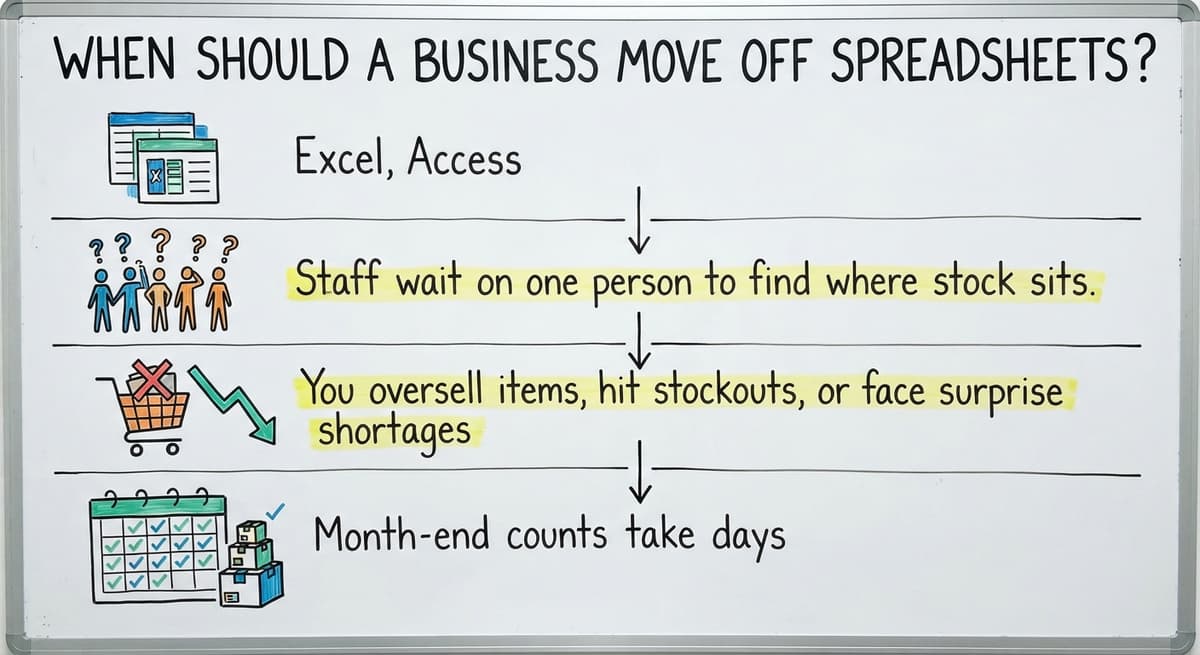
When Should a Business Move Off Spreadsheets?
A business should move off spreadsheets when the counts stop agreeing. Watch for these signs:
- Excel, Access, printed sheets and email each show a different count.
- Staff wait on one person to find where stock sits.
- You oversell items, hit stockouts, or face surprise shortages.
- Month-end counts take days.
Put a price on the last one. 4 people counting for 2 days at 8 hours and $20 an hour cost $1,280. Do that 12 times a year and the bill is $15,360. A spreadsheet that costs that much is not free.
Not sure this is the right shape for your operation
Describe how the work runs today. We map it on a call and show you what it would look like built around that, before you spend anything.
Book a callThree Kinds of Inventory Management Software
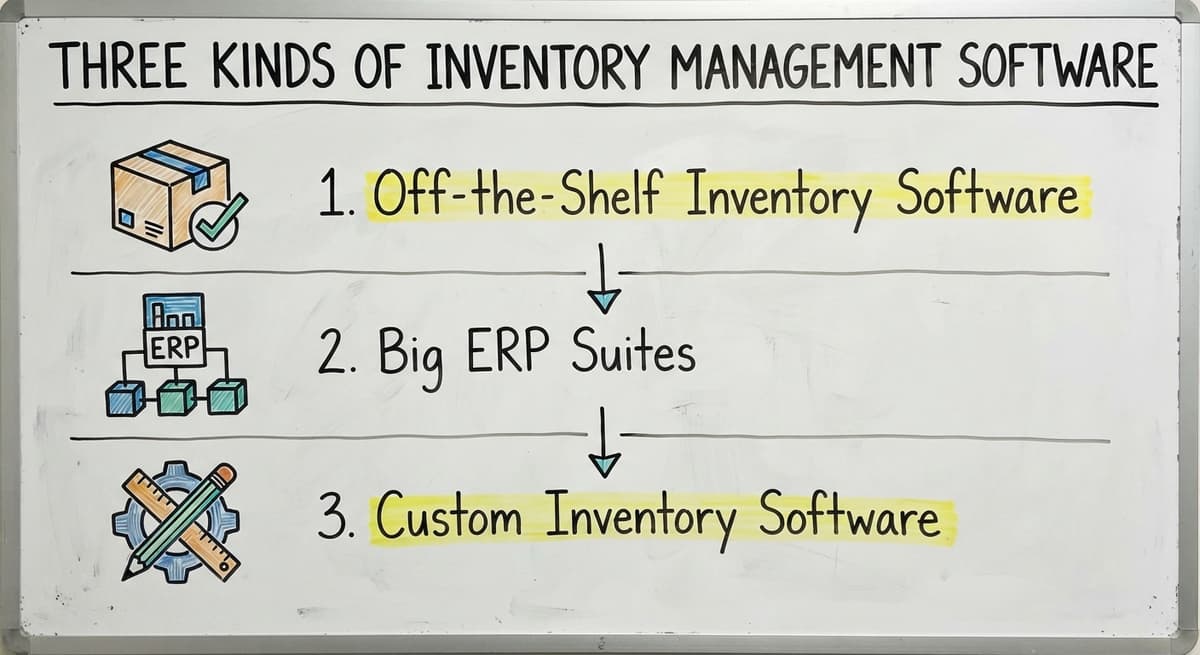
Three kinds of inventory management software exist: off-the-shelf apps, big ERP suites, and custom builds. Each has one clear strength and one clear cost. The next three parts say who each one fits.
Off-the-Shelf Inventory Software
Off-the-shelf software is a ready-made app you rent each month. It starts fast and costs little, since you skip custom work and can often sign up in a day. It works when your process is standard and the tool's built-in steps already match how you receive, store and ship. The catch is change. You often bend your steps to fit the tool. Add-ons and caps on users or orders pile up over time, and the monthly bill grows with them.
Big ERP Suites
An ERP is a large suite that runs finance, sales, buying and stock in one place. Large, complex firms need that reach. Rollouts run long and cost a lot. Staff need heavy training. A team of 5 to 100 uses a small slice of the features. Most small warehouses do not need an ERP.
Custom Inventory Software
Custom inventory software is built around the steps you already run. It replaces only the manual parts. It fits odd units, special pricing rules, lot tracking, or customer demands that stock tools miss. The build needs a clear scope. It also needs a partner who listens to your floor team before writing code.
What Features Matter Most in Inventory Management Software?
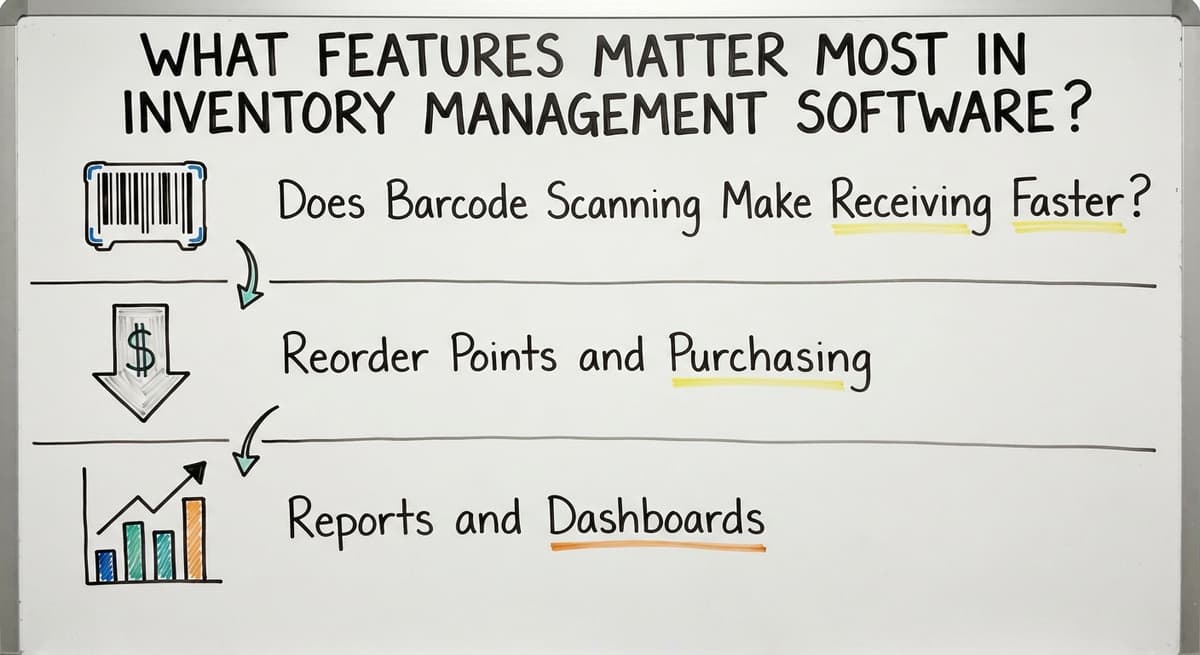
The features that matter most are live stock counts, barcode scanning, multiple locations and bins, buy orders, and reports an owner can read. Skip the rest until you need them. Warehouse inventory management lives or dies on these five.
Does Barcode Scanning Make Receiving Faster?
Yes, barcode scanning speeds up receiving and picking. It cuts typing errors, because staff no longer key in item codes and quantities by hand. A phone or a handheld scanner works, so you do not need costly hardware to start. Staff scan a box and the count updates at once. The office then sees the same stock numbers the dock sees, without waiting for someone to enter data later.
Reorder Points and Purchasing
Set a minimum for each item, based on how fast it sells and how long your supplier takes to deliver. The system alerts you before you run out. Then it turns the alert into a buy order, so no one has to build one from scratch. Stock control gets easier when buying follows the numbers instead of memory or guesswork. You avoid both empty shelves and cash tied up in extra stock.
Reports and Dashboards
Good reports show stock on hand, turns, and slow movers. Turns count how often you sell through stock. Slow movers are items that sit on shelves and tie up cash. Owners want simple views that show the state of the business at a glance. Managers want a bit more detail to plan buying and staffing. Avoid report overload. Ten charts that no one reads help no one.
The comparison is easier when one option is built for you
Off-the-shelf means fitting your process to the software. We do it the other way round, and the first look costs nothing.
Book a callDoes an Inventory System Work With QuickBooks?
Yes, an inventory system can work with QuickBooks through a sync. Keep QuickBooks for accounting where it works well. Let the stock tool handle detail that QuickBooks inventory handles poorly, such as bins, lots and scans. Items, orders and costs can pass between the two, so staff avoid double entry. Results depend on the tools and setup, so ask each vendor to show a live sync. QuickBooks inventory management software add-ons exist. A custom link is another route.

Do You Need to Replace QuickBooks?
No, you rarely need to replace QuickBooks. Fix the manual steps around it instead, such as retyping orders or copying counts from a spreadsheet. That carries less risk than a full move. Your books, reports and accountant stay the same, so no one has to learn a new ledger or rebuild past records. Replace the spreadsheet, not the ledger.

What Affects the Cost of Inventory Software?
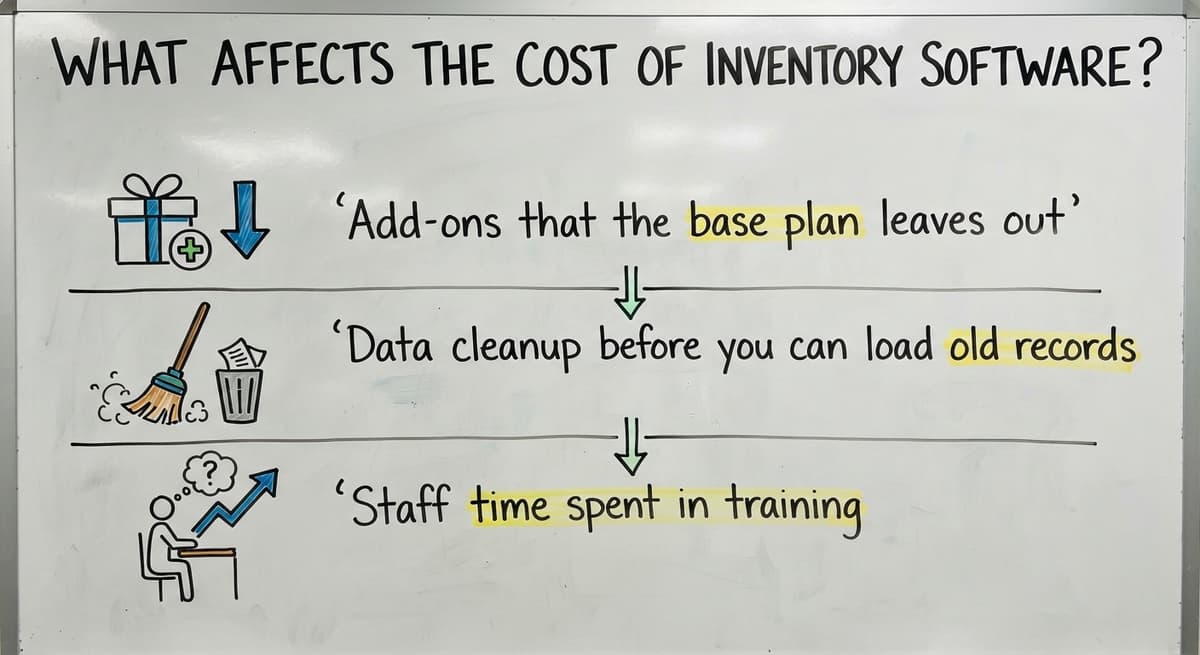
Five things drive the cost of inventory software: users, locations, integrations, custom rules, and training. A multi location inventory management software plan costs more than a single-site plan. Subscriptions charge every month. A custom build charges once, plus upkeep. Watch for hidden costs:
- Add-ons that the base plan leaves out.
- Data cleanup before you can load old records.
- Staff time spent in training.
Price the whole first year, not just the sign-up fee.

How Long Does Setup Take?
Setup should take weeks, not months, for a small team. Start small. Roll out in phases, one location or one product line first. Be wary of long rollouts. Test with real orders before the full switch. Run 20 live orders through the new system and compare them to your old count. A tool that cannot pass that test is not ready.
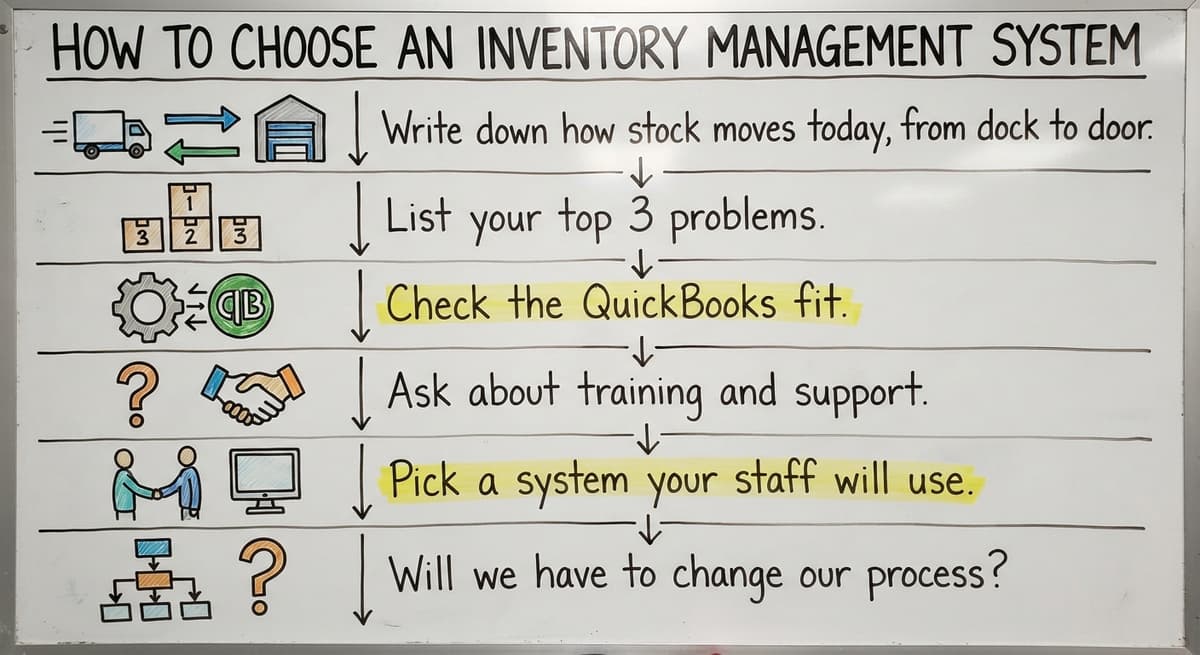
How to Choose an Inventory Management System
Follow these steps to choose:

- Write down how stock moves today, from dock to door.
- List your top 3 problems.
- Check the QuickBooks fit.
- Ask about training and support.
- Pick a system your staff will use.
Staff use decides the outcome. A simple tool that people open beats a rich tool that sits idle.
Questions to Ask Any Vendor or Builder
Ask each one these four things, and write down the answers so you can compare them later:
- Will we have to change our process?
- What happens to our existing data?
- Who supports us after launch?
- What does it cost to change later?
Vague answers are an answer.
Mistakes to Avoid
Four mistakes cost owners the most. They buy features they never use, and pay for them every month. They skip staff input, so the people who use the tool daily are the last to see it. They move all old data without cleanup. They ignore how orders flow into accounting. Each one is cheap to avoid before you sign.

How to Roll Out Without Stopping Work
You can roll out a new system without stopping work by moving in small steps:
- Clean up your item lists first.
- Run old and new side by side for a short time.
- Train the floor team early.
- Review results after the first month.
People trust the new count once they see it match the shelf.
Example: A Wholesale Distributor Moving Off Spreadsheets
The following is an illustrative example, not a client result. A wholesale distribution team keeps Excel counts and prints pick sheets each morning. Counts drift by noon. After the change, one stock view feeds QuickBooks. Pickers scan items. The office sees the same numbers the floor sees. The team keeps its accounting tool and drops the sheets.
See it running on your own process first
No build cost. The subscription starts once it is live and doing the job, not before.
Book a call
When Does Custom Inventory Software Make Sense?
Custom inventory software makes sense when your process is unusual and already works. Off-the-shelf tools would force big changes. You want to keep QuickBooks. You want a local partner who learns your floor. If those four fit, a right-sized build competes with any boxed product.
How The Software Society Approaches Inventory Systems
The Software Society builds custom inventory software around how your operation already works. We keep QuickBooks and replace only the manual parts. We are local to Columbus, Ohio, and we work at small scale. One team builds the software, the website and your search presence. Describe your floor to us, and we will tell you if a build fits.


Frequently asked questions
Is QuickBooks used for inventory management?
Yes, QuickBooks tracks basic stock and costs. It works for simple needs. Warehouses with bins, lots, scans, or several locations outgrow it. Many teams keep QuickBooks for accounting and add an inventory system that syncs with it. Ask any vendor to show that sync live.
What is the best inventory management system for a small business?
No single system wins for every small business. The best one matches how your team works today, fits your QuickBooks setup, and stays easy for staff to use. Compare off-the-shelf apps, ERP suites and custom builds against your top 3 problems.
Do I need an ERP for a small warehouse?
Most small warehouses do not need an ERP. These large suites cost a lot, take long to roll out, and carry features a team of 5 to 100 never uses. A focused inventory system, off the shelf or custom, fits better.
How much does inventory management software cost?
Cost depends on users, locations, integrations, custom rules and training. Subscriptions bill monthly. A custom build bills once, plus upkeep. Add hidden costs such as add-ons, data cleanup and staff time. Get a full first-year quote before you choose.
How long does it take to set up an inventory system?
A small team should expect weeks, not months. Start with one location or product line. Test with real orders before the full switch. Be wary of any plan that needs a long rollout before you see results.
Do I need barcode scanning?
Most warehouses gain from it. Barcode scanning cuts typing errors and speeds up receiving and picking. Phones and handheld scanners both work. If you move few items by hand, you can add it later.
When does custom inventory software make sense?
Custom software makes sense when your process is unusual and works well, and off-the-shelf tools would force big changes. It also fits teams that want to keep QuickBooks and work with a local partner who learns the floor.
Start with a free first look
A 30 minute call, your operation mapped, and a clear picture of what we would build. No obligation and nothing to install.
Book a callRelated guides
More on the same work.
Guides
- Inventory Management System for Manufacturing
- Automated Inventory Management System
- Hospital Stock Management System
- Inventory Bin System
- Manual Inventory System
- Multi Location Inventory Management Software
- Inventory Management for Multiple Locations
- Inventory Management Pics
- B2B Inventory Management
- Jewelry Inventory Management
- Dental Inventory Management
- The Objective of Inventory Management is To
Common questions
- What is Kanban System of Inventory Management
- What is Online Inventory Management System
- What is Sales and Inventory Management System
- What is Rol in Inventory Management System
- What is Inventory Management System Project
- What is the Use of Inventory Management System
- What is the Difference Between Aggregate and Item Inventory Management
- What is Jit Inventory Management
- What is the Definition of Inventory Management
- What is an Important Factor in Inventory Management
- What is Abc Classification in Inventory Management
- What is Inventory Management in Working Capital