

Cloud Based Inventory Management Systems
Cloud based inventory management systems track your stock online. You use them in a browser or on a phone. Your team sees every count change at once.
Reviewed November 2026.
Many run on QuickBooks and spreadsheets.
You will learn how the software works and which features matter. You will also see what it costs, where it can fail, and how to switch without chaos.
Book a callWhat Are Cloud Based Inventory Management Systems?
Cloud based inventory management systems are software you use online instead of on one office computer. The data lives on secure servers, not on a single machine in the back office. The system tracks what you have, where it sits, and what moves in and out. Anyone with a login sees the same live numbers, whether they work at the front desk, on the warehouse floor, or from home. That shared view means fewer mistakes from outdated spreadsheets and fewer calls to ask someone to check the shelf.
We build it for your operation, and the first look is free
If you would rather not compare products, describe how your operation already works and we build the system around it.
No build cost. You see it running on your own process first, and the monthly subscription starts only once it is live.
Book a callHow Does Cloud Based Inventory Software Work?
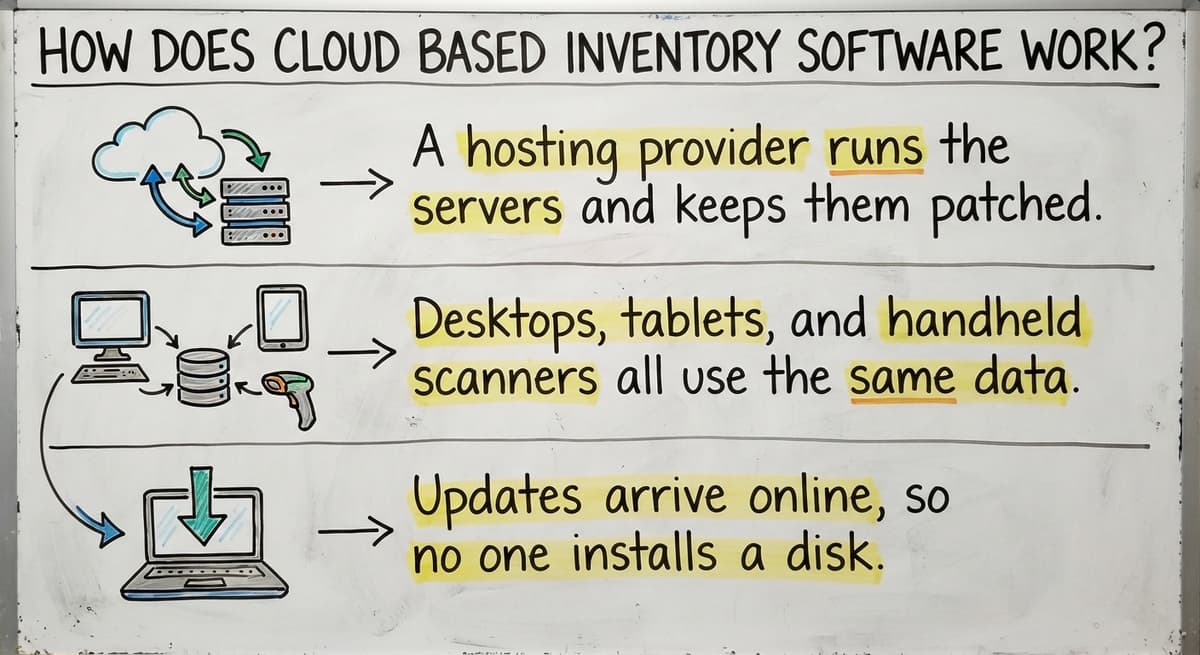
Cloud based inventory software works in three steps. Staff scan or type a stock change. The server saves it. Everyone sees the new count right away.
- A hosting provider runs the servers and keeps them patched.
- Desktops, tablets, and handheld scanners all use the same data.
- Updates arrive online, so no one installs a disk.
Scans rely on barcode rules. GS1 sets the global barcode standards that most scan-based counts use. One vendor says you can "Use Sortly on mobile, desktop, or tablet, thanks to automatic, cloud-based syncing."
Is Cloud Based or On-Premise Inventory Software Better?
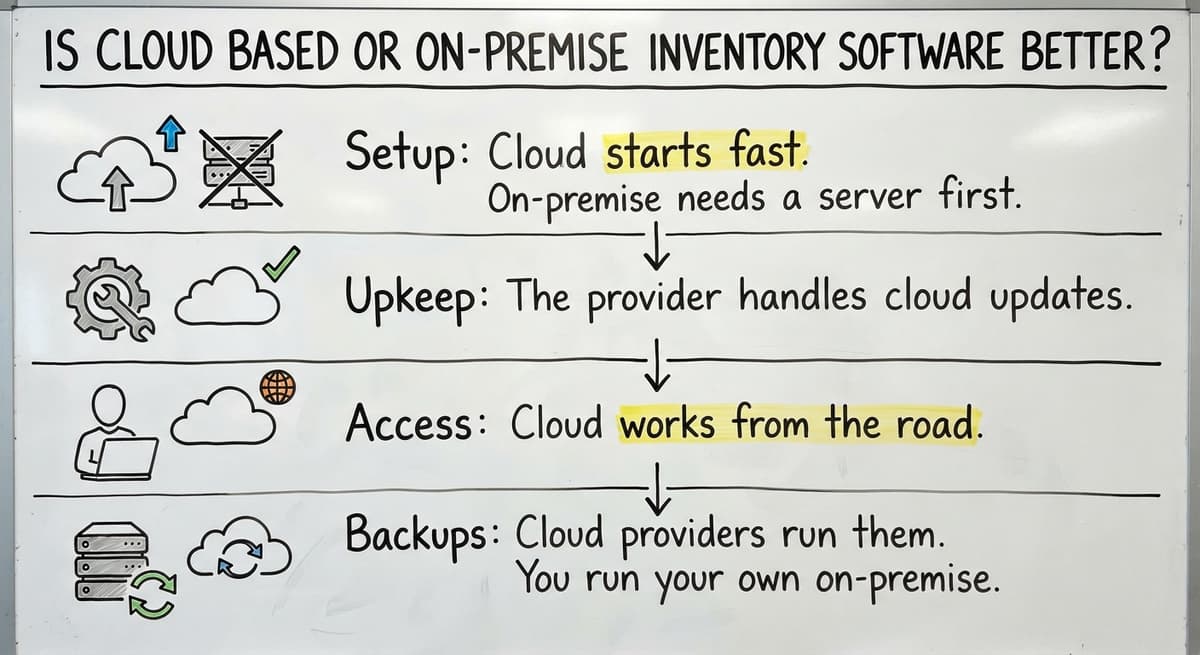
Cloud wins for most teams that need access from many places. On-premise software keeps the program and data on a server in your building. Cloud needs only an internet link.
- Setup: Cloud starts fast. On-premise needs a server first.
- Upkeep: The provider handles cloud updates. Your staff handle on-premise ones.
- Access: Cloud works from the road. On-premise works mostly inside.
- Backups: Cloud providers run them. You run your own on-premise.
On-premise can fit a site with poor internet. Weak signal is the one good reason to stay local.
Why Do Spreadsheets and Paper Fall Short?
Spreadsheets and paper fall short because they make copies that disagree. An Excel file, an Access database, a printed pick sheet, and an email can each hold a different count. None of that is your fault. These tools were never built to track moving stock.
One person often holds the secret rules. When that person is out, work slows. The errors show up as wrong counts, late orders, and rush fixes.
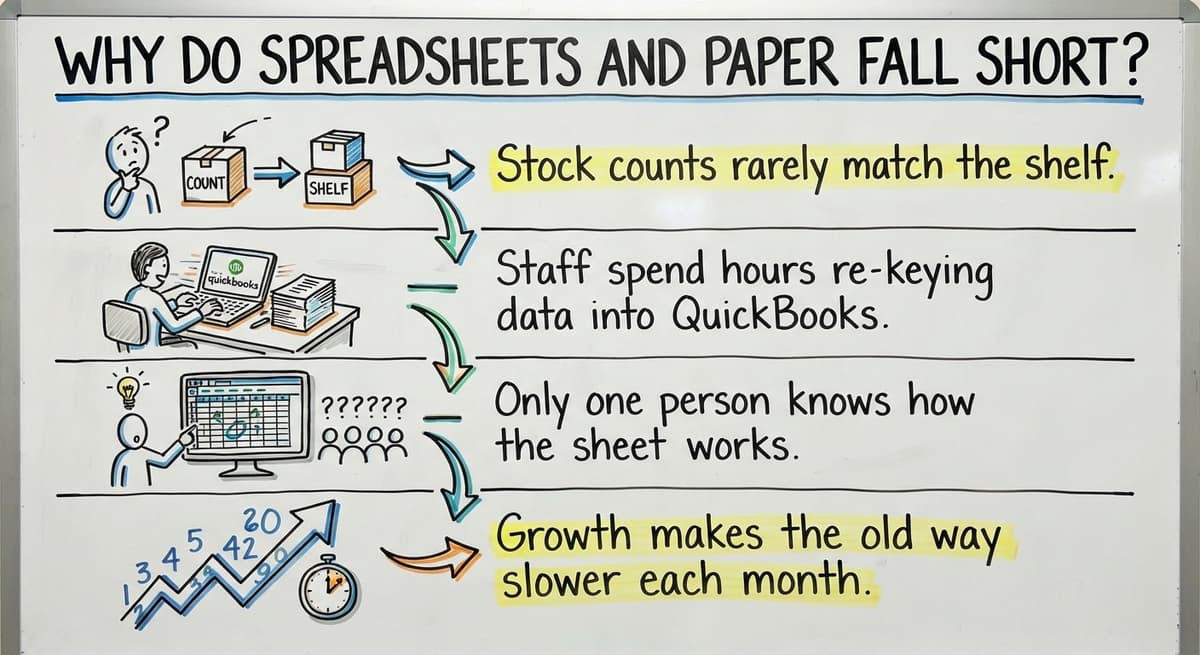
You are ready for a cloud system if these are true:
- Stock counts rarely match the shelf.
- Staff spend hours re-keying data into QuickBooks.
- Only one person knows how the sheet works.
- Growth makes the old way slower each month.
Three or more checks mean the old way costs you real money.
Not sure this is the right shape for your operation
Describe how the work runs today. We map it on a call and show you what it would look like built around that, before you spend anything.
Book a callWhat Core Features Matter for Warehouses and Distributors?
Wholesale distribution inventory teams need a short list of features. Skip the rest and avoid paying for extras.
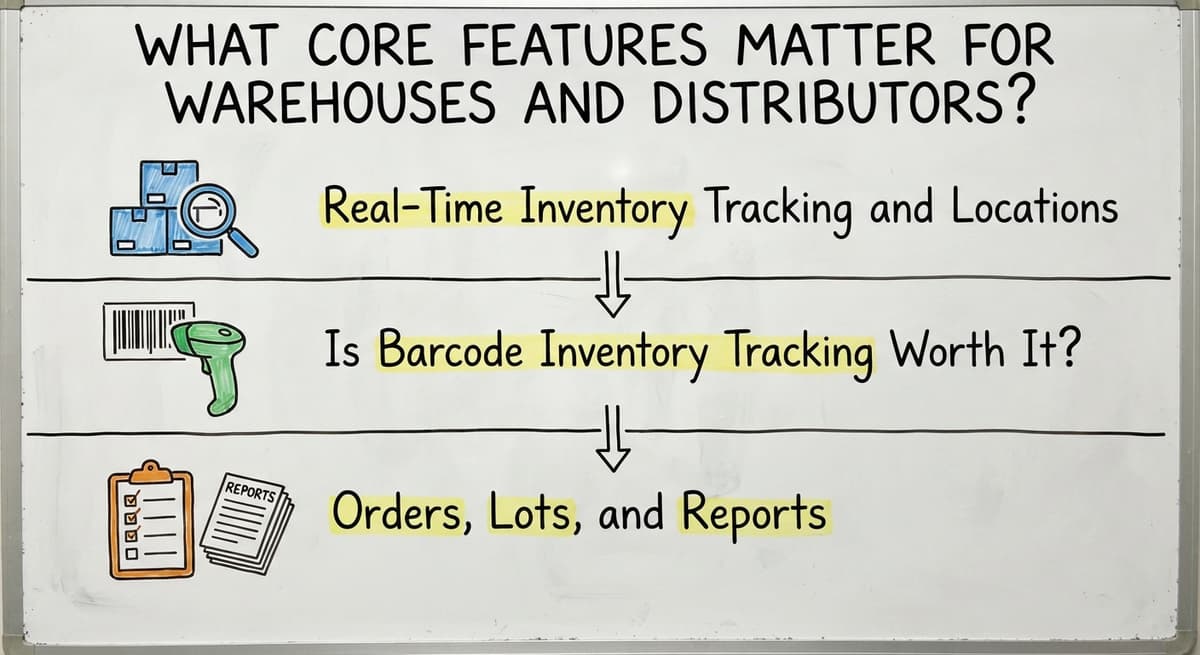
Real-Time Inventory Tracking and Locations
Real-time inventory tracking means counts change as items are received, picked, and shipped. The number on screen matches what is on the shelf, so you oversell less. Surprise stockouts drop. Good systems also track stock by building, shelf, and bin, so you know not only how many units you hold but exactly where they sit. Pickers find items faster because every item has an address. New staff learn the floor sooner, since the system tells them where to walk instead of leaving them to guess.
Is Barcode Inventory Tracking Worth It?
Yes. Barcode inventory tracking cuts typing errors, since a scan reads the code the same way each time. A person can mistype a part number, but a scanner does not. Receiving, picking, and counting all move faster as a result. Many builds work with common handheld scanners, so you may not need special hardware. Some use the phone camera instead, which keeps startup cost low. Ask which option fits your floor, your volume, and your budget before you decide.
Orders, Lots, and Reports
Three more features earn their place when you need them:
- Reorder alerts warn you when stock falls below a level you set.
- Buy orders match to what actually arrives at the dock.
- Lot, serial, and expiration tracking matters for food, parts, and regulated goods.
Reports should be plain screens. Look for turnover, slow movers, stock value, and fill rates. A report you can read in 1 minute gets used.

Can a Cloud Inventory System Work With QuickBooks?
Yes. Inventory management QuickBooks integration is common. QuickBooks keeps the books. The inventory system handles stock movement. Then it sends totals across.
That sync is a timed copy of numbers from one tool to the other. Trouble starts when item names differ. You then get duplicate items. Clean your item list first.
What a sync covers depends on the build. A custom build can match your own steps. Ask for the exact fields before you sign.
The comparison is easier when one option is built for you
Off-the-shelf means fitting your process to the software. We do it the other way round, and the first look costs nothing.
Book a call
What Are the Benefits and Risks of Cloud Inventory?
The benefits are plain. You get fewer counting errors and fewer rush orders. Staff key in less data. Work happens on the floor, in the office, or on the road. You grow by adding users, not servers.
Staff time has a price. Say 3 people spend 6 hours a week on re-keying at $22 an hour. That is $20,592 a year. The Bureau of Labor Statistics lists real pay for this work.
What Happens If the Internet Goes Down?
Work can stall if the internet goes down. Ask each provider about offline modes. Also plan for these limits:
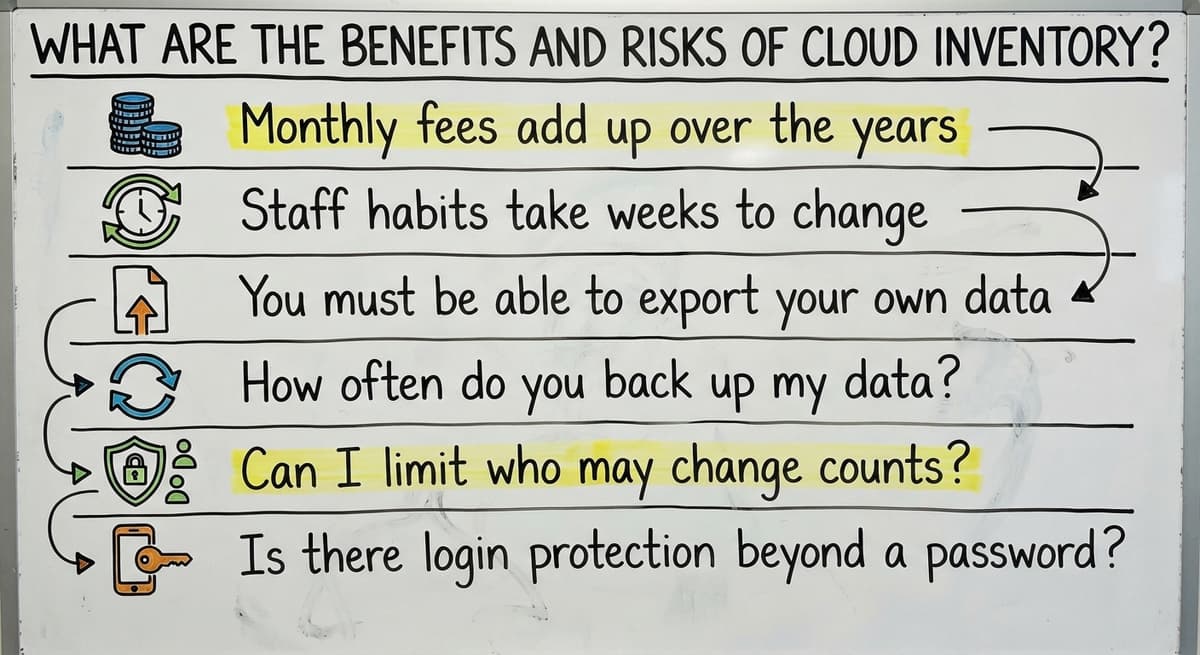
- Monthly fees add up over the years.
- Staff habits take weeks to change.
- You must be able to export your own data.
Pick a vendor that lets you leave with your data.
Is Cloud Inventory Management Safe?
Cloud inventory can be safe. It depends on the provider. We hold no certifications to claim here, so ask each vendor to show theirs. Ask these:
- How often do you back up my data?
- Can I limit who may change counts?
- Is there login protection beyond a password?
- Who owns the data if I leave?
Role-based access means each person sees only what their job needs.

Which Inventory Management System Is Best?
No single system is best. The right one depends on your steps, your size, and your tools. Compare options on four things: fit, cost, data export, and support after launch.
Here is how the field splits:
- Sortly covers simple tracking on mobile, desktop, and tablet. It suits small teams with basic needs.
- Zoho Inventory lets you "Sell on multiple channels and track all your sales within Zoho Inventory." It suits sellers on many channels.
- The Software Society builds custom inventory management software around how your warehouse already works. It suits shops with odd steps.
Packages start faster. You adapt to their rules. Custom fits your rules. Mid-size shops often have steps no package handles.

Does Salesforce Have Inventory Management?
Salesforce is a customer tool, not a stock tool. Its core product tracks leads and accounts, along with the sales activity tied to them. It was not designed to count items on shelves. Teams that want stock counts add apps or a custom build. Check any add-on against your own receiving and picking steps first. If the app forces your staff to change how they work, or leaves gaps in how goods move through your building, it may not be the right fit.

Do You Need an ERP to Track Inventory Well?
No. An ERP is a large suite that runs money, orders, people, and stock together. Many small operations need only stock control, and paying for a full suite means paying for tools they will not use.
Replace the manual parts and keep QuickBooks. Your accounting stays where your bookkeeper already works. Smaller projects carry less risk. Cost also holds steady. You skip the long rollout that makes owners wary.
See it running on your own process first
No build cost. The subscription starts once it is live and doing the job, not before.
Book a call
How Do You Move Off Spreadsheets Without Chaos?
Most teams move in a few weeks to a few months. Scope sets the pace. Start with one process, such as receiving.
- Map your current steps.
- Clean your item data.
- Pilot one area.
- Train the staff who use it.
- Expand to the next area.
Run old and new side by side for a short time. Compare counts daily. You trust the new system once the numbers match.

How Do You Choose the Right System?
Choose by writing your must-have steps before you look at any tool. Then test each tool against them.
- Ask for a demo with your own items and orders.
- Check who owns the data and how you export it.
- Ask what support looks like after launch.
What Does a Cloud Inventory System Cost and How Long Does It Take?
Cost depends on scope, so no fixed price fits every shop. A small shop with one location differs greatly from a multi-site operation. Four types of cost apply: subscription, setup, custom build, and support.
Phased builds spread the cost. They also show first results sooner, so you see value before the full project is done. Ask each vendor for a written scope and a list of what is extra.

A Local Columbus Team for Warehouse Software
The Software Society is in Columbus, Ohio. We build custom working software around how your warehouse already works, rather than asking you to bend your process to fit a template. We keep QuickBooks where it helps and replace the manual parts. We work at small scale. One team builds the software, the website, and your search presence, so you deal with one group instead of several.

Next Steps
Cloud inventory gives you one live view of stock. To get started, pick your messiest process, whether that is receiving, picking, or counting. Describe it to us, and we will talk it through with you. No pitch, just a plain look at what to fix first. You leave the conversation with a clearer idea of where to begin.
Frequently asked questions
Does Salesforce have inventory management?
Salesforce is a customer relationship tool. Its core product tracks leads, accounts, and deals, not shelf stock. Teams that want stock counts add an app or a custom build. Test any add-on against your own receiving, picking, and shipping steps before you commit.
Which inventory management system is best?
No single system is best for every shop. Judge each one on fit with your steps, total cost, data export, and support after launch. Simple tools suit small teams. Custom software suits shops with odd steps that packages cannot handle.
Can a cloud inventory system work with QuickBooks?
Yes. QuickBooks keeps the books, and the inventory system tracks stock moves, then sends totals across. Clean your item names first to avoid duplicates. Ask any vendor which fields sync before you sign.
What happens if the internet goes down?
Work can stall if the link drops. Ask each provider whether it has an offline mode and how it syncs when the link returns. Sites with weak internet may fit on-premise software better.
How long does it take to move off spreadsheets?
The time depends on scope. Start with one process, such as receiving. Map steps, clean item data, pilot, train, then expand. Run old and new side by side for a short time to check counts match.
When does custom software make more sense than off-the-shelf?
Custom makes sense when your steps are odd and a package forces you to change them. Off-the-shelf starts faster but you adapt to its rules. Custom costs more up front and fits how you already work.
How much does a cloud inventory system cost?
Cost varies with scope. Expect a subscription, setup, support, and a build fee if custom. Phased builds spread the cost. Ask for a written scope and a list of extras before you commit.
Start with a free first look
A 30 minute call, your operation mapped, and a clear picture of what we would build. No obligation and nothing to install.
Book a callRelated guides
More on the same work.
Guides
- Web Based Inventory Management System
- Cloud Based Warehouse Management
- Cloud Stock Management Software
- Inventory Management System for Manufacturing
- Automated Inventory Management System
- Best Inventory Management System
- Hospital Stock Management System
- Warehouse Management Cloud
- Cloud Warehouse Management System
- Inventory Bin System
- Manual Inventory System
- Perpetual Inventory System
- Periodic Inventory Systems
- Multi Location Inventory Management Software
- Inventory Management for Multiple Locations
Common questions
- What is Kanban System of Inventory Management
- What is Online Inventory Management System
- What is Sales and Inventory Management System
- What is Rol in Inventory Management System
- What is Inventory Management System Project
- What is the Use of Inventory Management System
- What is the Difference Between Aggregate and Item Inventory Management
- What is Jit Inventory Management
- What is the Definition of Inventory Management