


Cloud Inventory System
A cloud inventory system is software that tracks stock online instead of on one computer or paper sheet. Anyone with a login sees the same numbers from the office, the warehouse floor, or a phone.
Book a callWhat Is a Cloud Inventory System and How Does It Work?
Scanning makes that record faster. GS1 publishes the barcode standards that most scan-based counts rely on. A worker scans a label, and the count changes at once. Nobody retypes a number later.
Reviewed November 2026.
A cloud inventory system keeps your data on secure online servers. No single office PC holds it. Staff open it in a web browser or on a handheld scanner. Every receive, pick, move, and ship updates one shared record.
This kind of cloud inventory management replaces guesswork with a live record that every team member can read.
We build it for your operation, and the first look is free
If you would rather not compare products, describe how your operation already works and we build the system around it.
No build cost. You see it running on your own process first, and the monthly subscription starts only once it is live.
Book a callIs Cloud Inventory Software Better Than On-Premise Software?
For most small warehouses, yes. Cloud software needs no server in your building, and you reach it from anywhere with internet. On-premise software runs on a server or PC you own, so you must back it up and fix it.
| Cloud | On-premise | |
|---|---|---|
| Where data lives | Online servers | A machine in your building |
| Who keeps it | The provider | You or your IT person |
| How you get in | Any browser, any place | Usually on site |
The cloud wins on upkeep and reach. On-premise wins only when you cannot count on any internet at all.
Signs Your Spreadsheets Have Stopped Working
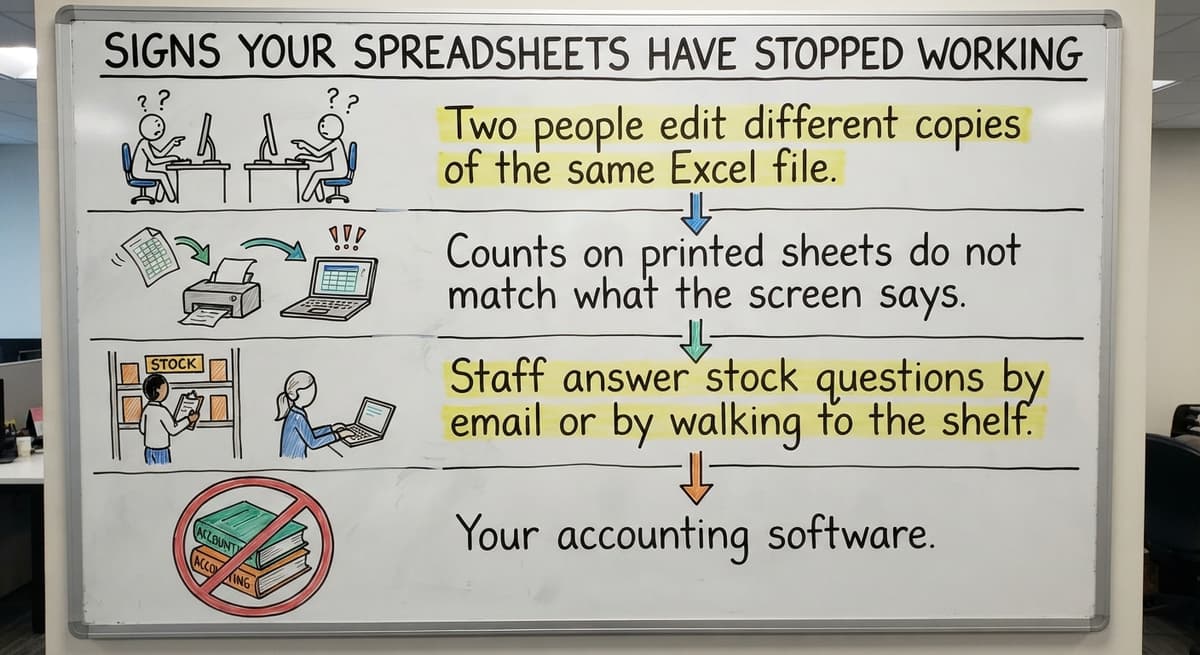
Spreadsheets fail when more than one person touches them. Look for these signs:
- Two people edit different copies of the same Excel file.
- Counts on printed sheets do not match what the screen says.
- Staff answer stock questions by email or by walking to the shelf.
- Your accounting software, a spreadsheet, a database, paper, and email each hold part of the truth.
What Do Bad Inventory Counts Cost?
The cost adds up. Say 3 people spend 6 hours a week fixing counts at $22 an hour. That is $20,592 a year (3 x 6 x 52 x 22). The Bureau of Labor Statistics tracks pay for this kind of clerk work if you want your own local rate.
Counts also matter by law. The IRS says, "To figure taxable income, you must value your inventory at the beginning and end of each tax year." A team that needs to replace Excel inventory usually feels this pain first at year end.
Not sure this is the right shape for your operation
Describe how the work runs today. We map it on a call and show you what it would look like built around that, before you spend anything.
Book a callWhat a Cloud Inventory System Can Do for a Small Warehouse
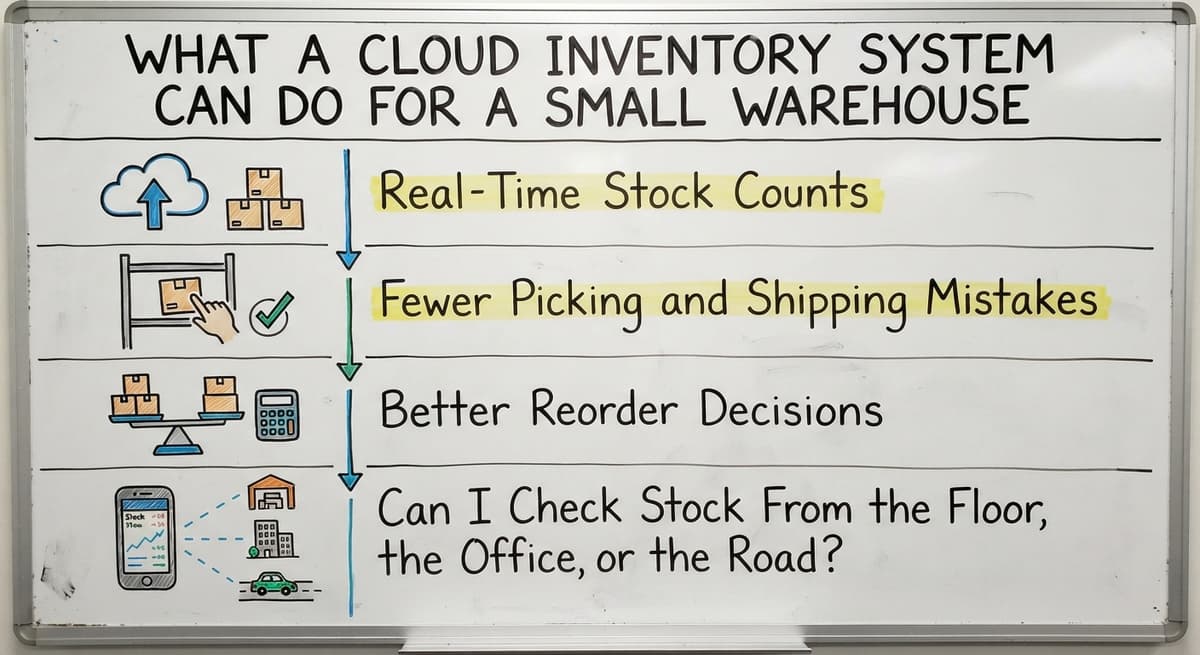
A good system helps with daily work, not with charts nobody reads. Four gains show up first. Each one ties to a task your crew does today.

Real-Time Stock Counts
Fewer Picking and Shipping Mistakes
Bin locations and pick lists replace memory and messy handwriting. A picker sees the aisle, shelf, and bin for each item, so there is no guessing about where to walk or what to grab. Scanning can confirm the right item before it ships, which catches a mistake while it is still easy to fix. A warehouse inventory system like this cuts wrong-item returns, and the label check happens before the truck leaves.
Better Reorder Decisions
Reorder points flag low stock before it runs out. You set a floor for each item. The system warns you when stock drops near it. History also shows what sells fast and what sits. For wholesale distribution inventory, that means you buy more of the winners and stop tying up cash in dust collectors.
Can I Check Stock From the Floor, the Office, or the Road?
Yes. A cloud system works on any device with a login, whether that is a phone, a tablet, or a desktop computer. Owners check stock without calling the warehouse. Multiple locations or trucks share one record. A driver can see what is on the truck, and the office sees the same number. Everyone reads the same count, wherever they stand.
Features to Look For and How Your Accounting Software Fits
Choose only the features your team will use. Extra buttons slow training. This short list covers the usual needs:
- Lot or serial tracking follows each batch or unit back to its source.
- Bin locations tell pickers exactly where to walk.
- Buy orders record what you ordered and what arrived.
- Barcode scanning removes the typing step that causes receiving errors.
- User permissions limit who can change counts or costs.
- Reports show stock value, turns, and slow items.
Can a cloud inventory system work with your accounting software? Yes. Your accounting software's inventory data can flow both ways. Your accounting software keeps the accounting work it does well. The inventory tool handles stock moves and the manual parts. Data passes between them, so no one types the same thing twice.

Do You Need a Big ERP?
Most operations with 5 to 100 people do not need an ERP, which is a large suite that runs every part of a company. Those projects can run long and cost a lot. Owners are right to feel wary.
Replace only the manual pieces that cause the most trouble. That might be receiving, or picking, or the Excel file everyone fears. Off-the-shelf tools start fast, but you adapt your process to them. Custom inventory software fits how your crew already works. Off-the-shelf is enough when your process is plain. Go custom when it is not.
What Does a Cloud Inventory System Cost?
Cost depends on a few drivers. More users cost more. More locations cost more. Extra features and links to other tools add to the bill. Setup and data cleanup take time, and time costs money.
Pricing comes in two shapes. A subscription charges a monthly fee and you rent the tool. A one-time build costs more up front, and you own what you get. Ask each provider for a written quote that lists setup, support, and any fee per user. Compare the full first-year cost, not just the monthly number.
The comparison is easier when one option is built for you
Off-the-shelf means fitting your process to the software. We do it the other way round, and the first look costs nothing.
Book a call
Is a Cloud Inventory System Safe?
Ask any provider how data is backed up, and who can see it. A clear answer is a good sign. A vague one is a warning.
Yes, when the provider does the basics well. Each user gets a login. Permissions decide who can see or change what. Backups copy your data on a schedule, so one failed machine does not erase your stock record.
What Happens if the Internet Goes Down?
Work slows. Cloud tools need a connection, and no honest vendor says otherwise. Plan for it during setup, while nothing is at stake and the team can think calmly. Options include an offline mode, a backup connection such as a phone hotspot, or printed pick lists as a fallback. Decide the fallback before the outage, not during it.
How to Move From Excel to a Cloud Inventory System
You can move without stopping work. Go in small steps and keep shipping.
- Start with one pain point, such as receiving or picking.
- Clean up item names and counts before you import them.
- Run the old and new systems side by side for a short time.
- Add pieces in steps, not all at once.
To pick a tool, map your process and list your biggest pains first. Set a budget and check the accounting software fit. Test with real data, and ask about support. NIST's supply chain guidance offers vendor-neutral help. A step plan keeps risk small.
Mistakes to Avoid
Four errors cause most failed launches. Each one is avoidable if the team plans for it before the project starts:
- Buying more than the team needs.
- Skipping staff training.
- Moving messy data without cleaning it.
- Forcing every habit to change at once.
The pattern is the same in each case: too much, too fast, or too little preparation. Small, clean, trained steps win.
How Does The Software Society Approach Cloud Inventory?
The Software Society builds a cloud inventory system around how your operation already works. There is no forced migration. We keep your accounting software where it helps and replace only the manual parts. We are local to Columbus, Ohio, and we work well at small scale.
One team builds the software, the website, and the search presence. That fits distributors, fulfillment centers, and warehouses with 5 to 100 staff. It suits teams whose process does not fit standard software. You keep what works and fix what hurts.
Next Steps
One shared record ends the spreadsheet fights. Your accounting software stays. You start small, with the single task that hurts most, rather than changing everything at once. If you want to talk through your current process, The Software Society is glad to listen and suggest a first step.
Frequently asked questions
What is a cloud inventory system?
A cloud inventory system is software that tracks stock online instead of on one computer or paper sheet. Anyone with a login sees the same counts from the office, the floor, or a phone.
Do I need an ERP to track inventory in the cloud?
Most operations with 5 to 100 people do not. Replace the manual pieces that cause the most trouble first.
Can a cloud inventory system work with your accounting software?
Yes. Your accounting software keeps the accounting work. The inventory system handles stock moves, and data passes between them.
When is custom-built better than off-the-shelf?
Custom is better when your process does not fit standard software. Off-the-shelf is enough when your process is plain.
Start with a free first look
A 30 minute call, your operation mapped, and a clear picture of what we would build. No obligation and nothing to install.
Book a callRelated guides
More on the same work.
Guides
- Cloud Based Inventory Management Systems
- Cloud Stock Management Software
- Inventory Management System for Manufacturing
- Inventory Bin System
- Manual Inventory System
- Automated Inventory Management System
- Web Based Inventory Management System
- Best Inventory Management System
- Automotive Inventory Management Systems
- System Inventory
- Perpetual Inventory System
- Periodic Inventory Systems
- Best Inventory Tracking Systems
- Cloud Based Warehouse Management
- Warehouse Management Cloud
- Cloud Warehouse Management System
- Hospital Stock Management System
- Top 10 WMS Systems