

Barcode Scanner App Ios
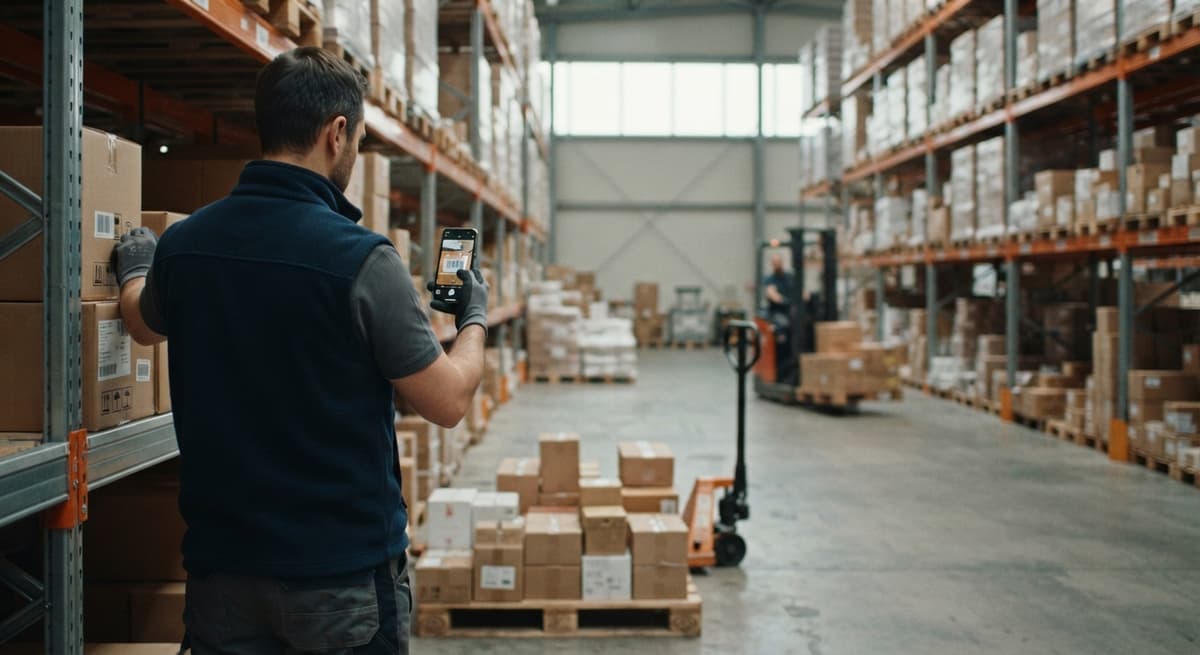
A barcode scanner app for iOS turns your iPhone or iPad camera into a scanner that reads product barcodes and feeds the data into your inventory system. No extra hardware required to start. If your team is still logging receipts on paper or typing counts into a spreadsheet, a mobile barcode scanner app is the fastest way to close that gap.
Reviewed September 2026. Figures are worked from the assumptions stated beside them, so you can substitute your own and the arithmetic still holds.
Reviewed and updated: June 2025
Book a callWhat Is a Barcode Scanner App for iOS and How Does It Work?
An iOS barcode scanner app uses your iPhone or iPad camera to read a barcode label. The app decodes what the camera sees, then sends that data somewhere useful: an inventory record, a receiving log, or a pick confirmation. The whole step takes under a second.
Modern iPhones can read barcodes through the native camera app, but the native camera only looks up a product or URL. It does not update your stock levels or flag a discrepancy. A dedicated barcode scanning app for iPhone does those things because it connects to your inventory system in the background.
As GS1 explains, barcodes are "a series of parallel bars and spaces that represent data in a machine-readable form." The iOS app is what turns that machine-readable data into an action your warehouse team can act on.
We build it for your operation, and the first look is free
If you would rather not compare products, describe how your operation already works and we build the system around it.
No build cost. You see it running on your own process first, and the monthly subscription starts only once it is live.
Book a callWhat Barcode Formats Does an iOS Scanner App Support?
Most iOS barcode scanner apps support every format a wholesale or warehouse team is likely to encounter, right out of the box. The common ones are listed below, along with where you will see each one.
| Format | Type | Where you see it |
|---|---|---|
| UPC-A | 1D | Retail products, consumer goods |
| EAN-13 | 1D | International retail and wholesale |
| Code 128 | 1D | Shipping labels, warehouse bins |
| Code 39 | 1D | Automotive, government, industrial |
| QR Code | 2D | Packaging, receiving docs, returns |
| Data Matrix | 2D | Small parts, electronics, medical |
Code 128 and UPC-A are the formats you will scan most often in a distribution or wholesale setting. Most iOS scanner apps handle all 6 formats without any extra setup, which means you can start scanning existing labels on day one without reprinting anything.
Free vs. Paid vs. Custom iOS Barcode Scanner Apps
Free barcode scanner apps are fine for looking up a price or checking a product detail. They are not built for warehouse work. They do not connect to your inventory records, they do not log who scanned what, and they do not flag receiving errors.
Paid off-the-shelf apps go further. Many connect to cloud inventory platforms and support basic workflows like receiving and picking. The trade-off is that they are built around a generic workflow, not yours.
A custom barcode scanner app for iOS is built around the way your team already works. It connects to the specific systems you run, including QuickBooks, and it handles the edge cases your operation actually has. For a team of 5 to 100 people, a custom app often costs less over 3 years than a paid platform with features you will never use.
Why Choosing a Barcode Scanner App on Price Alone Is a Mistake
Choosing based on price alone is the most common mistake. A free app that saves no time costs more than a paid app that removes 10 hours of manual entry a week.
Standalone Scanner App vs. Integrated Inventory App
A standalone barcode scanner app reads the barcode and shows you the data. What you do with that data is up to you. In practice, that means someone still has to type the count into a spreadsheet or QuickBooks after the scan. The scanning step is faster, but the manual entry step remains.
An integrated inventory barcode scanner app pushes the scan data directly into your inventory system the moment the scan happens. Stock levels update in real time. Receiving logs write themselves. Pick confirmations post without a keyboard.
The Real Cost of the Gap Between Standalone and Integrated
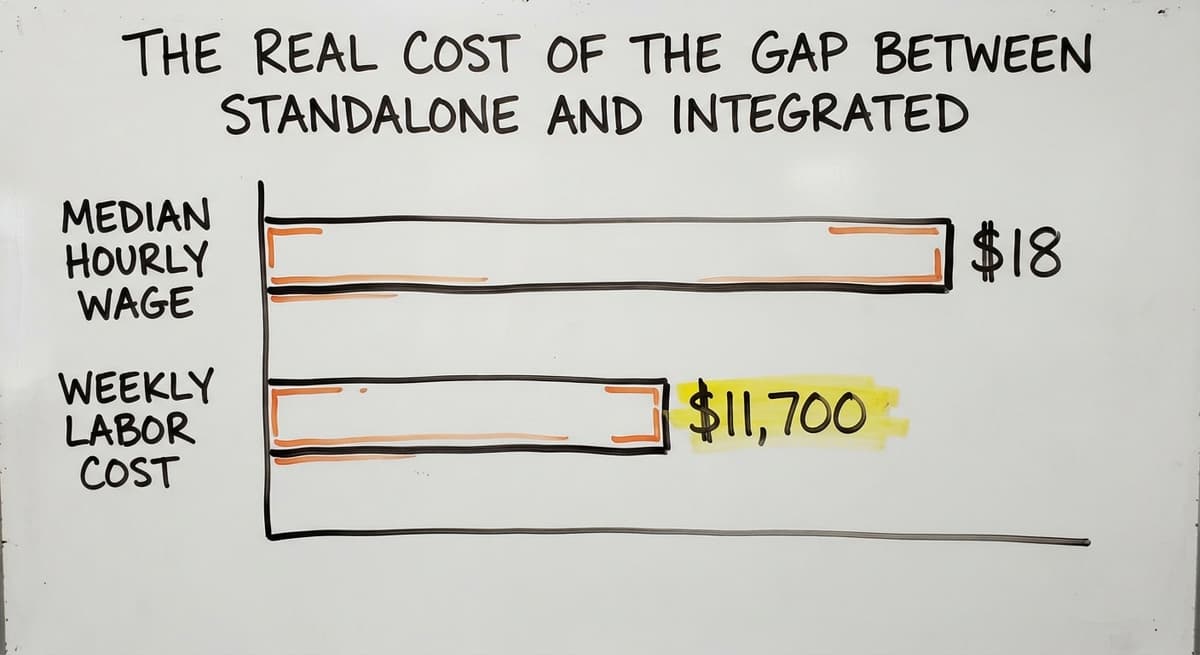
The gap between standalone and integrated is where most small warehouse teams lose the most time. If your team scans 200 items a day and each one still needs a manual entry that takes 30 seconds, that is 100 minutes of avoidable work every single shift. For a warehouse with 3 staff at the median wage for stock clerks, which the Bureau of Labor Statistics puts at about $18 per hour, 100 minutes a day across a 5-day week adds up to roughly $11,700 a year in labor spent on a step the right app removes.
The comparison is easier when one option is built for you
Off-the-shelf means fitting your process to the software. We do it the other way round, and the first look costs nothing.
Book a callHow a Barcode Scanner App Connects to Your Inventory System
When a staff member scans a barcode, the app reads the code and sends the result to a central database over Wi-Fi or a cellular connection. The database updates the record: quantity received, location, timestamp, user. The whole exchange takes a fraction of a second.
The technical term for how the app talks to the database is an API, which stands for Application Programming Interface. Think of it as a secure doorway between the scanner app and your inventory records. The app knocks, the database answers, and the record changes.
Off-the-shelf apps connect to their own databases or to a short list of supported platforms. A custom-built iOS barcode scanner app connects to whatever system you already run, including QuickBooks, because the API is written specifically for your setup. That is the practical advantage of a custom build: the connection is not a workaround, it is the design.
Why Offline Mode Matters for Warehouse Barcode Scanning
For warehouses with dead zones, some apps also store scans locally and upload the batch when a connection returns. That feature is called offline mode or store-and-forward, and it matters more than most buyers realize before they try to scan in a basement or a loading dock with weak signal.
Will a Barcode Scanner App Work With QuickBooks?
QuickBooks does not have strong native barcode scanning support. It can track inventory, but the process for updating it by scan is limited and often manual. A connected barcode scanner app fills that gap without replacing QuickBooks.
Here is how it works in practice. The scanner app sits between your team and QuickBooks. A staff member scans a received item. The app records the scan and sends an update to QuickBooks through an API connection. QuickBooks reflects the new quantity. No one typed anything.
This does not need a full ERP migration or a new accounting system. QuickBooks stays exactly where it is. The scanner app handles the physical workflow; QuickBooks handles the books. For a small distributor already running on QuickBooks, this is the lowest-disruption path to accurate inventory.

How a QuickBooks-Integrated Scanner App Improves Receiving
A QuickBooks inventory integration built into a custom scanner app can also pull open buy orders into the receiving workflow, so the staff member scanning a shipment can see what was expected versus what arrived, and flag the difference on the spot.
Should I Use an iPhone Camera or Buy a Dedicated Barcode Scanner?
For most small to mid-size operations, an iPhone works well enough to start, and it costs nothing extra if the team already carries phones. The camera on a current iPhone reads clean labels quickly and correctly.
Dedicated barcode scanner hardware is faster in high-volume environments. A warehouse scanning 2,000 items per shift will feel the difference. Dedicated scanners are also more rugged: they survive drops, dust, and cold storage better than a consumer phone.
The Case for a Bluetooth Barcode Scanner Paired With an iOS App
The middle path is a Bluetooth barcode scanner paired with an iOS app. A handheld gun-style scanner or a ring scanner pairs with the iPhone over Bluetooth. The hardware handles the scan trigger and the laser read. The iOS app handles the processing and the data routing. You get the speed of dedicated hardware with the flexibility of an iPhone app, and the staff member is not staring at a phone screen all day.
For a team just starting out, begin with the iPhone camera. If scanning becomes a bottleneck, add Bluetooth hardware. That upgrade costs far less than replacing the whole system.
See it running on your own process first
No build cost. The subscription starts once it is live and doing the job, not before.
Book a call
What Warehouse Teams Actually Scan Day to Day
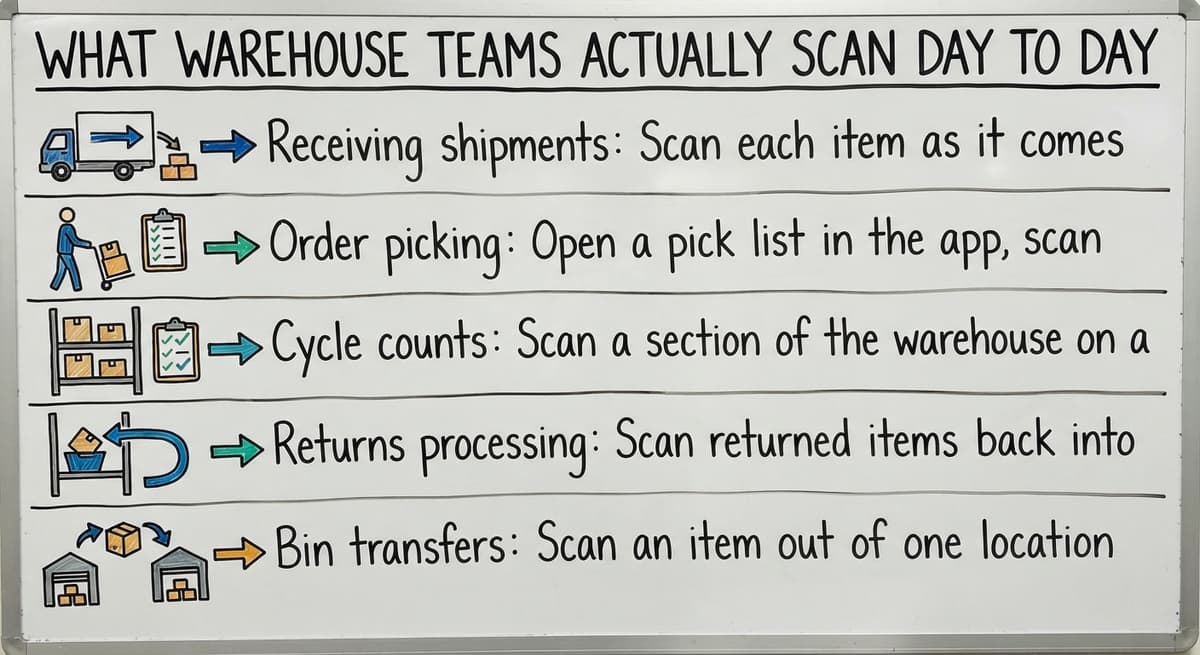
Scanning replaces the paper log and the spreadsheet entry at every step where stock moves. The common daily tasks look like this:
- Receiving shipments: Scan each item as it comes off the truck. The system checks it against the buy order and flags anything short or wrong.
- Order picking: Open a pick list in the app, scan each item as you pull it from the shelf, and confirm the right quantity before the box closes.
- Cycle counts: Scan a section of the warehouse on a rolling schedule instead of shutting down for a full annual count.
- Returns processing: Scan returned items back into stock or into a quarantine location with a single tap.
- Bin transfers: Scan an item out of one location and into another so the system always knows where stock sits.
How Scanning Collapses Two Steps Into One
Scanning collapses those two steps into one, and the record is already in the system before the staff member puts the scanner down. Every one of these tasks used to generate a paper log that someone later typed into a system. That second step is where errors happen and time disappears.
Setting Up an iOS Barcode Scanner App in a Small Warehouse
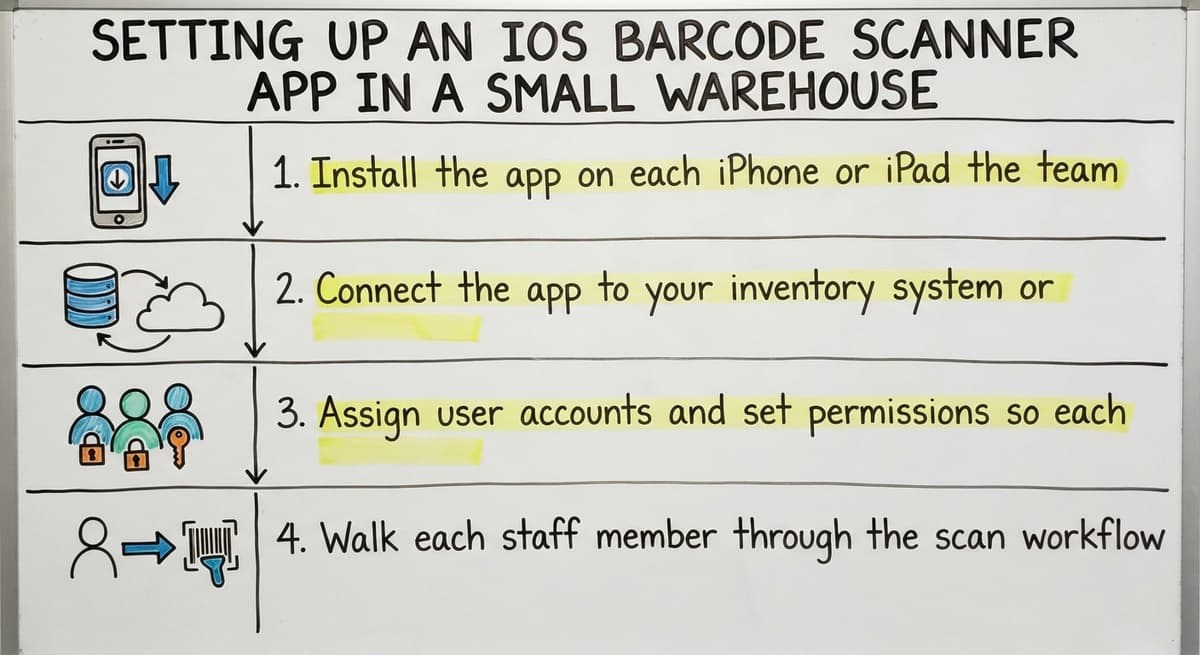
Setup does not have to be a long project. For a team of 5 to 20 people, a basic rollout follows four steps.
- Install the app on each iPhone or iPad the team will use.
- Connect the app to your inventory system or QuickBooks through an API or a direct database link.
- Assign user accounts and set permissions so each role sees only what it needs.
- Walk each staff member through the scan workflow for their specific tasks: receiving, picking, or counting.
A well-scoped custom build can reach this point in a few weeks, not months. The NIST Manufacturing Extension Partnership notes that process improvements in small supply chain operations do not need enterprise-scale rollouts. The goal is to target the manual steps that cause the most errors and replace only those.

Why User Permissions Matter in a Warehouse Barcode App
User permissions matter more than most buyers expect. A picker should be able to confirm a scan. A picker should not be able to adjust a stock count. A manager should do both. Role-based access keeps the data clean in a busy warehouse where multiple people are scanning at the same time.
How to Choose the Right Barcode Scanner App for iOS?
The right iOS barcode scanner app answers yes to the questions your operation actually asks. Before you commit to anything, run through this list.
- Does it integrate directly with the inventory system or QuickBooks you already use?
- Does it work offline and sync when the connection returns?
- Can you set role-based permissions for different staff members?
- Does the vendor offer a real support contact, not just a help doc?
- Can you test it with your actual workflow before you pay?
Red Flags to Watch for When Evaluating iOS Barcode Scanner Apps
Watch for these red flags in off-the-shelf apps:
- No integration with your existing systems, only their own platform
- No offline mode, which is a problem on any loading dock
- Needs you to switch away from QuickBooks to use it
- Long rollout timelines and expensive per-seat licensing
- No dedicated support contact when something breaks on a busy receiving day
A custom barcode scanner app built around your workflow avoids every item on that list because it is scoped to what you actually do, not a generic template. Custom does not mean expensive. For a team of 5 to 100, a scoped custom build is often the most cost-effective path when you count the hours saved in the first year.
Not sure this is the right shape for your operation
Describe how the work runs today. We map it on a call and show you what it would look like built around that, before you spend anything.
Book a call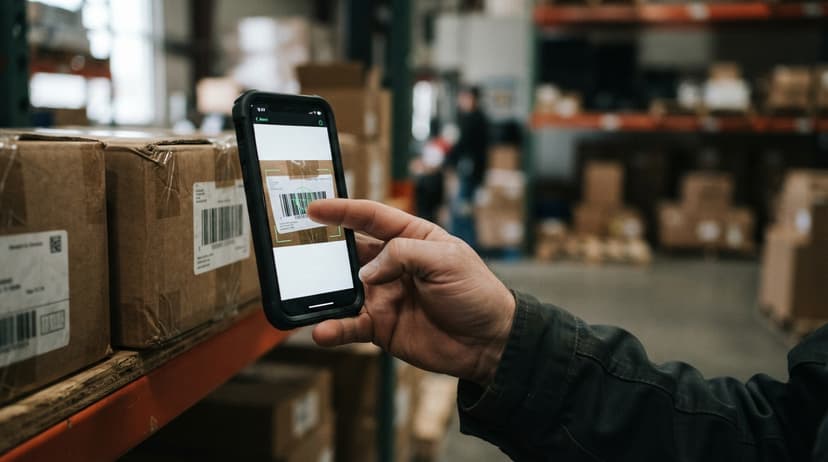
Real Workflow Examples: Receiving and Picking With an iOS Scanner App
Receiving a Shipment
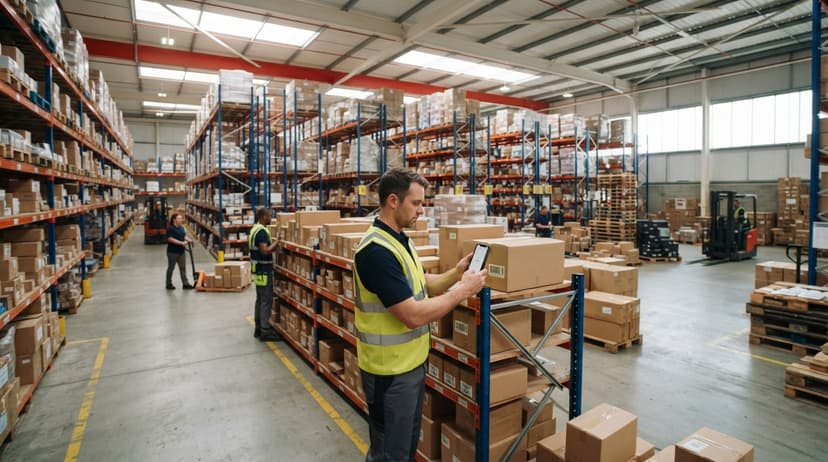
A truck arrives. A staff member opens the warehouse barcode scanner iOS app on their iPhone. They scan each item as it comes off the pallet. The system checks each scan against the open buy order and shows a green check or a red flag. A short shipment is flagged before the truck leaves. Stock levels update automatically. No paper receiving log. No manual entry into a spreadsheet afterward.
The IRS needs that businesses "value your inventory at the beginning and end of each tax year." Accurate receiving records are the foundation of that valuation. Every missed or mistyped receiving entry is a gap in that foundation.
Picking an Order
A picker opens a pick list in the app. The list shows the items, quantities, and bin locations for the order. The picker walks the warehouse and scans each item as they pull it. The app confirms the right item and quantity. A wrong scan triggers an alert before the item goes in the box. Order accuracy improves without adding headcount, because the app catches the error at the shelf instead of at the customer's door.
What Reporting Do You Get After Every Scan?
Every scan creates a timestamped data record tied to a user, a location, and a quantity. That record feeds your reporting automatically. Managers can see current stock levels, movement history by item or by staff member, and discrepancies between expected and actual counts, all without running a manual count or waiting for an end-of-day report.
The US Census Bureau's Monthly Wholesale Trade data tracks inventory-to-sales ratios across wholesale sectors. Operations that carry too much or too little stock relative to sales are the ones most likely to be working from inaccurate counts. Real-time scan data is what closes that gap.
Good reporting is a byproduct of good scanning, not a separate project. If the scans are accurate, the reports are accurate, and the guesswork between physical counts goes away.
Frequently Asked Questions About Barcode Scanner Apps for iOS
What is the best app to scan barcodes on iPhone? There is no single best answer. For simple lookups, the native iPhone camera or a free app like Scanbot works fine. For warehouse and inventory work, the best barcode scanner app for iOS is the one that connects directly to your inventory system. That is usually a paid integrated app or a custom-built solution, depending on how specific your workflow is.
Can I use my iPhone as a barcode scanner? Yes. Every iPhone with a camera can read barcodes. The native camera reads QR codes and some 1D barcodes. A dedicated barcode scanning app for iPhone reads all major formats and, if it is integrated, sends the data directly to your inventory records.
Can I scan a barcode on my iPhone? Yes. Open the camera app, point it at a barcode, and the iPhone reads it automatically on any model running iOS 11 or later. For warehouse use, a dedicated app gives you more control over what happens after the scan.
More Frequently Asked Questions About iOS Barcode Scanner Apps
Does my iPhone have a built-in barcode scanner? The iPhone camera can read QR codes and some barcodes natively, but it is not a full barcode scanner for inventory purposes. It does not log the scan, update a record, or connect to a system. A barcode scanner app for iOS adds all of those steps on top of the camera hardware you already have.
Does an iOS barcode scanner app work without internet? Some do. Look for apps with an offline mode, also called store-and-forward. The app saves scans locally and uploads them when a Wi-Fi or cellular connection returns. Ask about this before you buy, especially if your warehouse has dead zones.
How long does it take to set up a barcode scanner app for a small warehouse? A simple setup with an off-the-shelf app can take a day or two. A custom-built app scoped to your workflow usually takes a few weeks from kickoff to live use. Either way, the team learns one new tool, not an entirely new system.
Next Steps: Getting a Barcode Scanner App That Fits Your Operation
The right barcode scanner app for iOS is the one that fits the way your team already works, connects to the systems you already run, and replaces the manual steps that cost you the most time and accuracy.
Before you choose anything, map out your current manual steps. Where does paper touch the process? Where does someone retype data that already exists somewhere else? Those are the spots a scanner app should hit first.
If an off-the-shelf app covers those spots cleanly, start there. If your workflow has edges that generic apps do not handle, a custom build scoped to your operation is worth a conversation.

Talk With Our Team About a Custom iOS Scanner Solution
The Software Society builds custom workflow tools for teams like yours: operations running on QuickBooks, managing real inventory, and ready to stop doing things by hand.
Talk with our team about what a scoped iOS scanner solution would look like for your warehouse. No hard sell, just a clear picture of what is possible and what it would take to get there.
Frequently asked questions
What is the best app to scan barcodes on iPhone?
There is no single best answer. For simple lookups, the native iPhone camera or a free app like Scanbot works fine. For warehouse and inventory work, the best barcode scanner app for iOS is the one that connects directly to your inventory system. That is usually a paid integrated app or a custom-built solution, depending on how specific your workflow is.
Can I use my iPhone as a barcode scanner?
Yes. Every iPhone with a camera can read barcodes. The native camera reads QR codes and some 1D barcodes. A dedicated barcode scanning app for iPhone reads all major formats and, if it is integrated, sends the data directly to your inventory records without any manual entry.
Can I scan a barcode on my iPhone?
Yes. Open the camera app, point it at a barcode, and the iPhone reads it automatically on any model running iOS 11 or later. For warehouse use, a dedicated app gives you more control over what happens after the scan, including logging, system updates, and error alerts.
Does my iPhone have a built-in barcode scanner?
The iPhone camera can read QR codes and some barcodes natively, but it is not a full barcode scanner for inventory purposes. It does not log the scan, update a record, or connect to a system. A barcode scanner app for iOS adds all of those steps on top of the camera hardware you already have.
Does an iOS barcode scanner app work without internet?
Some do. Look for apps with an offline mode, also called store-and-forward. The app saves scans locally and uploads them when a Wi-Fi or cellular connection returns. Ask about this before you buy, especially if your warehouse has areas with weak or no signal.
Will a barcode scanner app work with QuickBooks?
Yes, but QuickBooks has limited native barcode support on its own. A connected barcode scanner app fills that gap by sending scan data into QuickBooks through an API connection. QuickBooks stays in place; the app handles the physical workflow. No accounting migration required.
How long does it take to set up a barcode scanner app for a small warehouse?
A simple setup with an off-the-shelf app can take a day or two. A custom-built app scoped to your specific workflow usually takes a few weeks from kickoff to live use. Either way, the team learns one new tool, not an entirely new system.
Start with a free first look
A 30 minute call, your operation mapped, and a clear picture of what we would build. No obligation and nothing to install.
Book a callRelated guides
More on the same work.
Guides
- Barcode Scanner Inventory System
- Imager Barcode Scanner
- Inventory Management Software Barcode Scanner
- 2d Wireless Barcode Scanner
- 2d Imaging Barcode Scanners
- 2d Imager Barcode Scanner
- 2d Usb Barcode Scanner
- Free Inventory Management Software with Barcode Scanner
- Barcode Scanner Description
- 2d Image Barcode Scanner
- Upc Scanner Gun
- Quickbooks Inventory Scanner
- Scanner Manuals
- Aml Scanners
- Warehouse Scanner System
- Scanner Inventory Software
- Barcode Abbreviation
- Barcode Scan Machine