

2d Imaging Barcode Scanners
A 2D imaging barcode scanner is a handheld or fixed device that takes a photo of a barcode and decodes it. Unlike a laser scanner, it reads both 1D barcodes like UPC and 2D barcodes like QR codes. One scanner handles every label your suppliers send. That makes it the practical default for any warehouse running scan-based inventory today.
Reviewed September 2026. Each figure comes from the assumptions stated beside it, so you can substitute your own and the arithmetic still holds.
Published 15 July 2026. Reviewed and updated 15 September 2026.
Book a callWhat Is a 2D Imaging Barcode Scanner and How Does It Work?
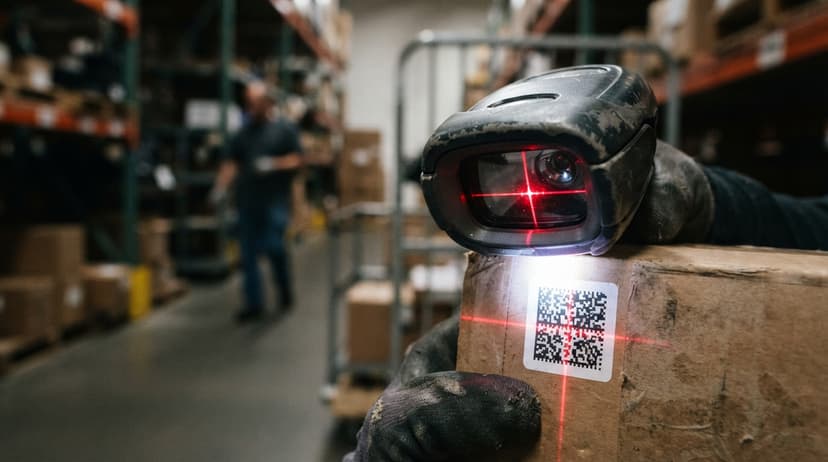
A 2D imaging barcode scanner uses a small camera sensor to capture the whole barcode at once, the same way a phone camera takes a photo.
The device then runs decoding software on that image to pull out the data. No moving parts, no laser beam.
A laser scanner fires a single beam across a label and reads the reflected light as a 1D pattern. That works fine for a standard UPC strip, but the beam cannot decode a QR code or Data Matrix symbol.
A 2D imager reads both, which is why most warehouses have moved away from laser-only devices.
Would you rather have it built around your operation?
The first look is free. If you would rather not compare products, describe how your operation already works and we build the system around it.
No build cost. You see it running on your own process first, and the monthly subscription starts only once it is live.
Book a callWhy Does the Image-Capture Approach Matter for Real-World Labels?
Because the scanner captures the full image, it works at various angles and distances.
As GS1 explains in its barcode standards records, barcode symbologies encode data in patterns that range from simple parallel lines to complex two-dimensional matrices, and reading those matrices needs an imaging sensor rather than a line scan.
That image-capture approach also makes 2D imagers more forgiving. A smudged or torn label that would stop a laser scanner cold can still be decoded from a partial image.
What Is the Difference Between a 1D and a 2D Barcode?
A 1D barcode stores data in horizontal lines only; a 2D barcode stores data in two directions using dots, squares, or other shapes, so it holds far more data in a smaller space.
Familiar 1D formats include UPC-A (the strip on a retail product) and Code 128 (common on shipping labels). They store enough data for a product number or order reference, but nothing more.
Familiar 2D formats include:
- QR Code: widely used for product links, digital work orders, and proof-of-delivery apps
- Data Matrix: common on small parts and pharmaceutical packaging where space is tight
- PDF417: used on driver's licenses and shipping manifests where longer strings are needed
- Aztec: found on transit tickets and boarding passes
A 2D barcode can encode a full URL, a serial number, a lot code, and an expiry date all in one symbol. A 1D barcode cannot.
Barcode Formats a 2D Imager Can Read
One of the strongest reasons to choose a 2D imaging barcode scanner is format coverage. A single device replaces the need for multiple scanners when your suppliers use different label standards.
Most area imagers read all of the following:
2D formats:
- QR Code
- Data Matrix
- PDF417
- Aztec
- MaxiCode
1D formats:
- UPC-A and UPC-E
- Code 39 and Code 128
- EAN-8 and EAN-13
- Interleaved 2 of 5
For a warehouse that receives product from 20 different vendors, this matters. One supplier ships with a Data Matrix on small components. Another uses Code 128 on cartons.
A third prints QR codes on packing slips. Your team scans all of them with the same device, without switching hardware or adjusting settings.
Area Imager vs Linear Imager: Which Scanner Do You Actually Need?
An area imager captures a two-dimensional field of view and reads both 1D and 2D codes; a linear imager captures a single horizontal line and reads 1D codes only.
When you read a product spec sheet and see "area imager," that means the scanner can handle QR codes, Data Matrix, and every standard 1D format. When you see "linear imager," it reads UPC and Code 128 but nothing more complex.
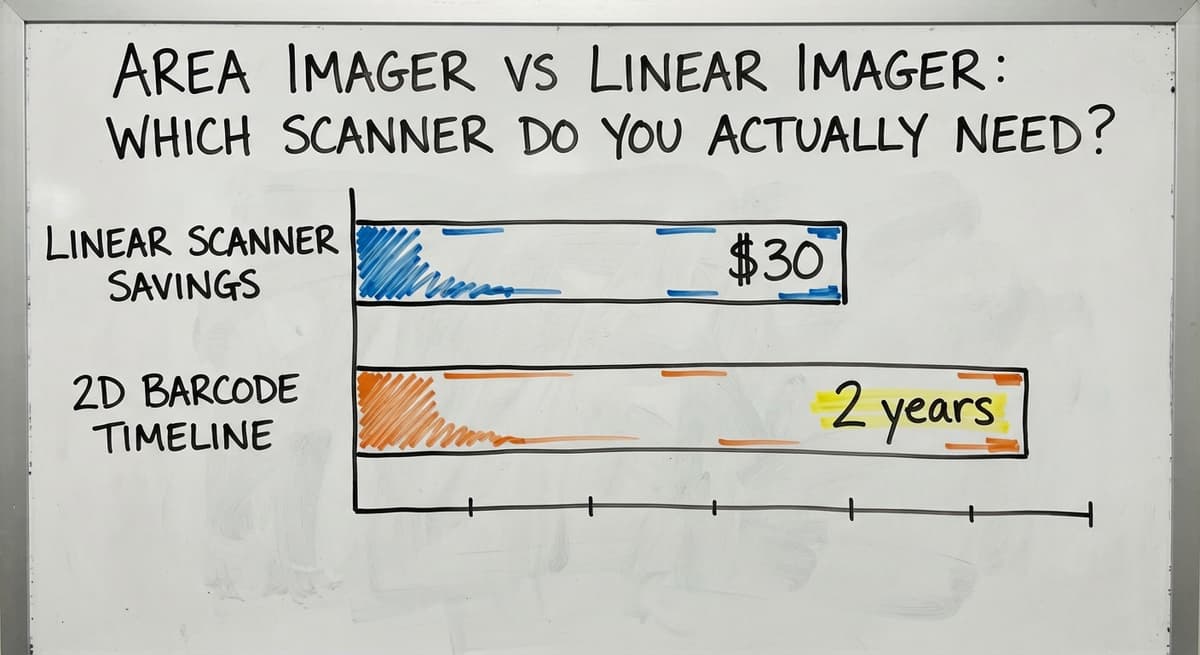
Most modern warehouse barcode scanners sold today are area imagers. The price gap between the two has narrowed enough that buying a linear imager to save $30 rarely makes sense.
If there is any chance your operation will use 2D barcodes in the next 2 years, buy the area imager now.
Is the comparison easier when one option is built for you?
Yes. Off-the-shelf means fitting your process to the software, and custom is the other way round. The first look costs nothing.
Book a callWhat Does Omni-Directional Reading Add on a Pick Line?
Omni-directional reading is a related feature worth noting. An omni-directional scanner decodes a barcode regardless of which way the label is turned, so your picker does not need to rotate the item to line up the symbol.
Most area imagers include this by default. On a busy pick line, that saves several seconds per scan, which adds up fast across hundreds of picks a shift.
Corded, Cordless, Handheld, and Hands-Free: Choosing the Right Form Factor
The right physical setup depends on where scanning happens and how often workers move. A corded handheld scanner works well at a fixed receiving desk where the worker stays in one place and cable management is not a problem.
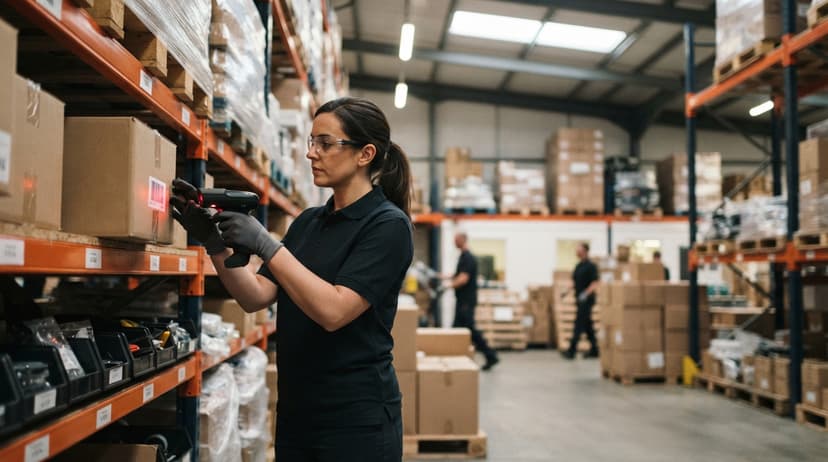
A cordless handheld is the standard choice for picking and put-away, where the worker moves through aisles and needs both hands free between scans. Hands-free ring or wrist scanners suit high-volume pick lines where the worker scans dozens of items a minute and cannot afford to set down and pick up a device each time.
Corded vs Cordless
A corded scanner plugs into a workstation via USB. It is always ready, never needs charging, and costs less. It suits a fixed receiving desk where the worker stays in one spot.
A wireless barcode scanner uses Bluetooth or a radio frequency (RF) connection to talk to a base station or computer. Workers can move freely across a warehouse floor without dragging a cable.
For a large pick floor or a loading dock where the worker walks to the item, cordless is the right call. Battery life and wireless range both matter when you are selecting a cordless model, so check both specs before buying.
Handheld vs Hands-Free
A handheld barcode scanner needs the worker to aim the device and pull a trigger. A hands-free, or presentation, scanner sits on a stand and reads automatically when a label passes in front of it.
Hands-free units work well at packing stations or shipping desks where volume is high and both hands are needed to handle product.
Both types use the same 2D imaging technology underneath. The choice is purely about ergonomics and workflow.
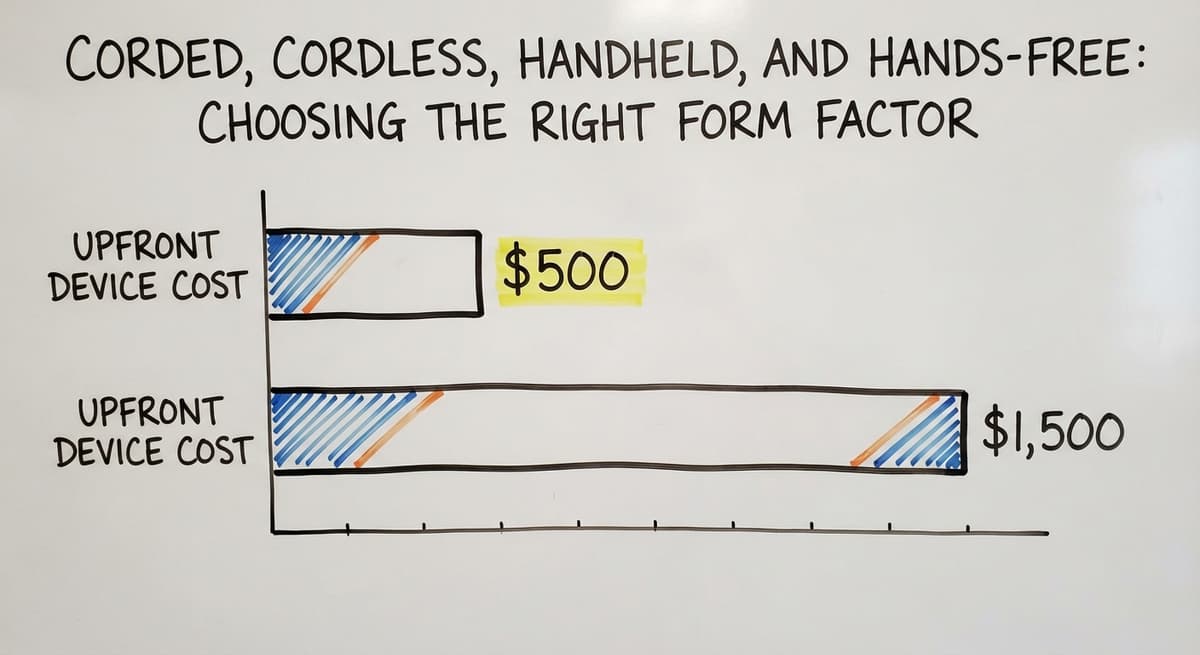
Mobile Computers with Built-In Imagers
A rugged mobile computer, such as a Zebra TC-series or Honeywell CK-series device, combines a scanner, a screen, and a full computer in one unit. Workers pick, receive, or count while the device runs warehouse software directly. No return trip to a workstation is needed.
These devices cost more upfront, $500 to $1,500 each, but they cut walking time and remove the paper step entirely. For operations with 10 or more active pickers, the time saving justifies the cost within the first year.
How Do 2D Imaging Scanners Connect to Inventory Software?
Most 2D imaging barcode scanners connect to a computer as a keyboard, a mode called HID (Human Interface Device).
When the worker scans a label, the scanner types the barcode string into whatever field is active on screen. No special driver is needed for basic use.
More advanced setups use a serial connection or a software development kit (SDK) so the inventory system can control the scanner directly, handle errors, and capture richer data. For most small warehouses, HID mode works fine to start.
The inventory system receives the barcode string and looks it up in its database. The match triggers the next step: receiving a quantity against a buy order, confirming a pick, or closing a shipment.
Using 2D Scanners with QuickBooks-Based Operations
Many small distributors run QuickBooks for their financials but have no scan-based layer for receiving or picking. Adding scanners does not mean replacing QuickBooks.
A custom inventory layer sits between the scanner and QuickBooks. Workers scan items; the system updates inventory records in real time. When a transaction is approved, it posts to QuickBooks automatically. The financial data stays accurate without anyone typing it.
What Manual Data Entry Actually Costs a Small Operation
This is a common setup for operations with 5 to 50 staff. QuickBooks inventory integration handles the books. The scanning layer handles the floor. The two talk to each other, and your team never re-keys a number.
For a sense of the cost of not doing this: 2 workers spending 3 hours a week each on manual data entry, at the median warehouse clerk wage of roughly $20 an hour per the US Bureau of Labor Statistics, costs about $6,240 a year in labor alone, before counting the errors those entries create.
How Does Scan-Based Receiving Reduce Errors?
Scan-based receiving cuts errors because the system checks each item against the open buy order the moment the worker scans it, not hours or days later.
The worker scans each item as it comes off the truck. The system compares the scan against the buy order automatically.
A short shipment, a wrong SKU, or a quantity mismatch is flagged on screen before the truck leaves. The discrepancy gets resolved while the evidence is still in front of you.
What does it look like running on your own process?
The first thing you see is it running on your own process, at no build cost. The subscription starts once it is live and doing the job, not before.
Book a call
Why Receiving Accuracy Flows Directly to Your Books
Manual check-off sheets create a two-step problem: the checker marks the sheet, then someone else keys the sheet into the system. Each step adds a chance for error. Scan-based receiving collapses both steps into one. The scan is the record.
This connects directly to a legal reality. The IRS states in Publication 538: "To figure taxable income, you must value your inventory at the beginning and end of each tax year." Accurate receiving is where that valuation starts.
A wrong count at the dock becomes a wrong count on the books.
Common Warehouse Tasks That Use 2D Imaging Scanners
Barcode inventory management covers more than just receiving. A 2D imaging barcode scanner touches nearly every movement of product through a warehouse.
- Receiving: scan each inbound item and match it to the open buy order before it leaves the dock
- Put-away: scan the item barcode and the bin location barcode together so the system records exactly where the SKU lives
- Picking: scan to confirm the right item is pulled before it goes into the tote, which is the core of scan-to-pick
- Shipping: scan the carton at the packing station to close the order and create the shipment record
- Cycle counting: scan items during periodic counts so the system updates on-hand quantities without a full shutdown
How Location Barcodes Tie the Workflow Together
Each bin or shelf gets a barcode label with a location code. Workers scan the location and the item together. That makes cycle counting software faster to run and cuts search time during picking because the system always knows where a SKU was last placed.

What to Look for When Buying a 2D Imaging Scanner
Spec sheets for warehouse barcode scanners can be dense. These are the numbers that actually matter for daily use.
- Scan range: how far away the scanner reliably reads a label. A desk scanner might need 2 to 4 inches. A scanner used on high shelving might need 18 inches or more.
- Drop rating: expressed as a height in feet, such as "6-foot drop to concrete." Higher is better for busy floors.
- IP rating: a 2-digit code for dust and water resistance. IP54 handles splashes; IP65 handles a direct water jet. Choose based on your environment.
- Trigger style and grip: workers use these devices for hours. An uncomfortable grip slows them down and causes fatigue.
- Connectivity: USB for fixed desks, Bluetooth or RF for mobile work.
Popular Brands and Typical Costs
Zebra Technologies and Honeywell are the two most common names in distribution and logistics. Datalogic is widely used in retail and light industrial settings. Socket Mobile makes compact Bluetooth options suited to smaller operations.
Brand matters less than software compatibility. Before buying, confirm the scanner works with your inventory system or that your software vendor supports it.
Typical price ranges:
- Entry-level corded 2D imager: roughly $100 to $200
- Mid-range cordless scanner: roughly $200 to $500
- Rugged mobile computer with built-in imager: $500 to $1,500 or more
Hardware is the smallest part of the total investment. The software that connects the scanner to your operations is where the value is built, and where most of the cost lives.
Not sure this is the right shape for your operation?
The call is free. Describe how the work runs today. We map it on a call and show you what it would look like built around that, before you spend anything.
Book a callHow Many Scanners Does a Small Warehouse Need?
A small warehouse needs at least 1 scanner per active workstation, plus spares to cover charging cycles and device failures.
A 10-person operation might start with 4 to 6 scanners: 1 at the receiving desk, 1 or 2 for picking, 1 at the packing station, and 1 or 2 spares. As workflows expand to returns processing or cross-docking, add scanners to match.
Cordless scanners need charging time, so a spare is not optional. A dead scanner at the receiving dock during a busy morning delivery costs more in lost time than the scanner itself.
Adding 2D Imaging Scanners to an Existing Operation
The lowest-risk way to add inventory scanning is to start with one workflow before expanding. Receiving is the best first step because the benefit is immediate and the process is contained.
Before going live, label existing inventory with barcodes. Unlabelled SKUs cannot be scanned, and a partial rollout creates more confusion than no rollout at all.
Building Software Around Your Current Process, Not Against It
Custom software takes shape around your current processes rather than forcing your team to change how they work.
Pick and pack software for small distributors, for example, can mirror your existing pick sequence rather than imposing a new one. Warehouse receiving software can match your current PO format rather than requiring you to restructure it.
What Training and Local Support Actually Look Like
Most workers learn basic scanning in under an hour. Training focuses on the software workflow, not the device. Clear on-screen prompts tell the worker what to scan next, which removes guesswork and makes the learning curve short.
A well-designed Barcode Inventory Management System guides the worker through each step, so the system carries the process knowledge rather than relying on the worker to remember it.
Local rollout support reduces risk for small and mid-sized operations. A system built to your workflow, with someone accountable for making it work on your floor, is a different outcome than a generic off-the-shelf tool your team has to figure out alone.
Ready to Add Scanning to Your Operation?
If your team is still checking in deliveries on paper or typing order numbers by hand, a 2D imaging barcode scanner connected to the right software is the single change that fixes the most errors in the least time.
The Software Society builds custom inventory and scanning systems for small distributors, connecting scanners to your existing tools including QuickBooks, without replacing what already works.
If you want to see how scan-based receiving or a scan-to-pick workflow would look for your operation, reach out and we will walk through it with you.
Frequently asked questions
What is a 2D barcode scanner?
A 2D barcode scanner is a device that uses a camera sensor to capture and decode barcodes.
Unlike a laser scanner, it reads both standard 1D barcodes like UPC and Code 128 and 2D formats like QR Code and Data Matrix. One device handles every label type, which makes it the standard choice for most warehouse operations.
What's the difference between a 1D and a 2D barcode scanner?
A 1D barcode scanner reads barcodes made of parallel lines, such as UPC and Code 128.
A 2D barcode scanner reads those same formats plus two-dimensional symbols like QR codes and Data Matrix, which store far more data in a smaller space. A 2D scanner does everything a 1D scanner does, plus more.
Can a 2D imager read 1D barcodes like UPC and Code 128?
Yes. A 2D area imager reads all common 1D formats including UPC-A, UPC-E, Code 39, Code 128, EAN-8, and EAN-13, as well as 2D formats like QR Code, Data Matrix, and PDF417. You do not need a separate scanner for each format.
What is the best 2D barcode scanner?
There is no single best answer. Zebra and Honeywell lead in distribution and logistics for durability and software support. Datalogic suits retail and light industrial use. Socket Mobile works well for smaller operations needing compact Bluetooth devices.
The right choice depends on your drop rating needs, wireless range, budget, and which inventory software you run. Confirm compatibility with your software before buying any hardware.
How much does a 2D scanner cost?
Entry-level corded 2D imagers run roughly $100 to $200. Mid-range cordless models cost $200 to $500. Rugged mobile computers with built-in imagers range from $500 to $1,500 or more.
Hardware is the smallest part of the total investment. The software connecting the scanner to your operations is where most of the cost and most of the value sits.
Should I choose a corded or cordless 2D scanner for my warehouse?
Choose corded for fixed workstations like a receiving desk where the worker stays in one place.
Choose cordless when workers need to move across a floor, walk to shelving, or work on a loading dock. For cordless models, check battery life and wireless range before buying, as both affect daily reliability.
Can 2D scanners read barcodes on phone screens?
Yes. Most 2D imaging barcode scanners read barcodes displayed on a phone or tablet screen. This is useful for proof-of-delivery apps and digital work orders.
Laser scanners struggle with screen glare, which is one reason 2D imagers have become the default in modern fulfilment operations.
How hard is it to train warehouse staff to use barcode scanners?
Most workers learn basic scanning in under an hour. The learning curve is almost entirely about the software workflow, not the device.
A well-designed system shows the worker what to scan next on screen, so they do not need to memorise a process. Clear prompts and simple screens matter more than any feature on the scanner itself.
What is the difference between a 1D laser scanner and a 2D imager?
A laser sweeps a beam and reads 1D codes in line with it.
A 2D imager photographs the code and decodes it in software, so it reads 1D and 2D formats from any angle, on damaged labels and on phone screens, with no moving mirror to break.
Which 2D barcode scanner is best for inventory?
A cordless 2D area imager with a range matched to your shelving, or a rugged mobile computer where staff scan all shift. Spend on the inventory software that records the scan before spending on a premium scanner.
How do I connect a 2D scanner to a POS system?
Plug in over USB and the scanner types into the active field, which is how most POS software expects it. Some systems want serial mode instead; the scanner's programming barcodes switch it in one scan.
Can 2D barcode scanners read QR codes from phone screens?
Yes. Reading from a screen is one of the reasons to choose an imager over a laser. Ask the driver or customer to raise the brightness and hold the phone flat.
What is in a free first look?
A 30 minute call, your operation mapped, and a clear picture of what we would build. No obligation and nothing to install.
Book a callRelated guides
The rest of this guide, for the parts of the job this page does not cover.
Guides
- 2d Image Barcode Scanner
- 2d Usb Barcode Scanner
- 2d Wireless Barcode Scanner
- 2d Imager Barcode Scanner
- 2d Barcode Readers
- Inventory Management Software Barcode Scanner
- Imager Barcode Scanner
- Free Inventory Management Software with Barcode Scanner
- Barcode Scanner App Ios
- Barcode Scanner Description
- Barcode Scanner Inventory System
- Upc Scanner Gun
- Scanner Inventory Software
- Quickbooks Inventory Scanner
- Scanner Manuals
- Aml Scanners
- Warehouse Scanner System
- Barcode Words