

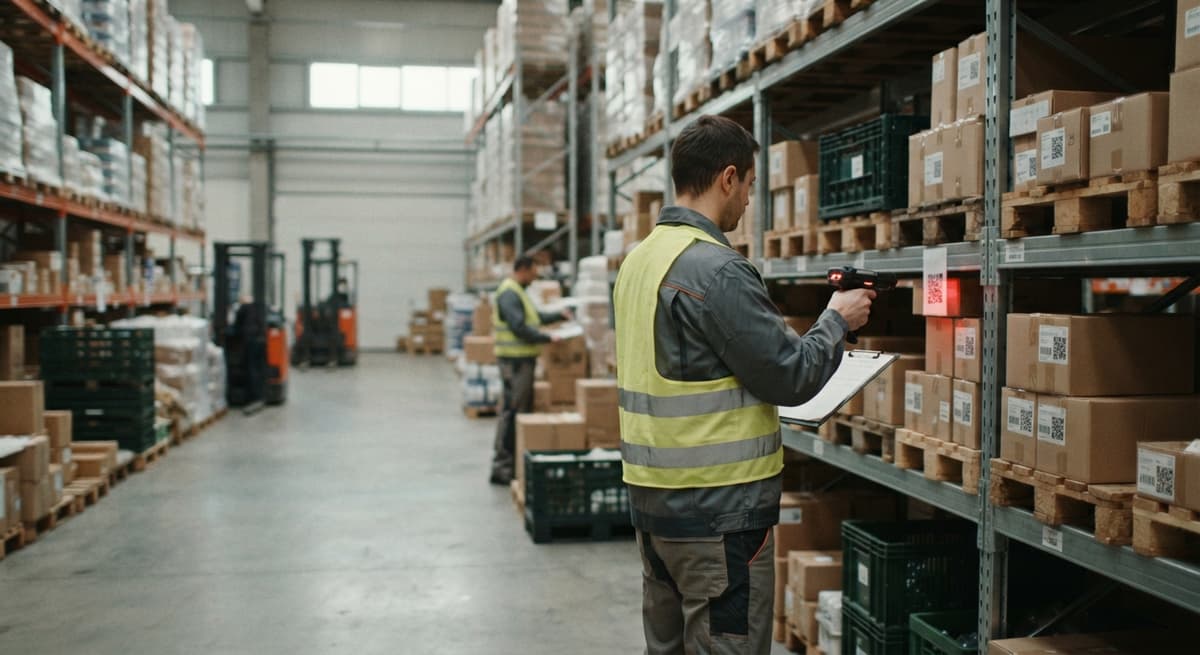
2d Image Barcode Scanner
A 2D image barcode scanner is a camera-based device that photographs a barcode and decodes it in under a second. It reads both traditional barcodes and modern 2D codes like QR and DataMatrix. If your team still types item numbers by hand or re-scans labels because they are at the wrong angle, a 2D scanner is the fastest fix available.
Published 28 August 2026. Reviewed and updated 15 September 2026.
Reviewed September 2026. Each figure comes from the assumptions stated beside it, so you can substitute your own and the arithmetic still holds.
Book a callWhat Is a 2D Image Barcode Scanner?
A 2D image barcode scanner is a device that takes a photo of a barcode and uses software to read the pattern in that photo.
Think of it as a camera that also knows how to translate what it sees into a number or a string of text your computer can use.
A traditional 1D laser scanner shoots a single red line across a barcode. That line must hit the bars at the right angle.
A 2D image scanner takes a full picture instead. Because it sees the whole label, it can read codes that store data in two directions, not just left to right.
One key point: a 2D scanner reads both 1D and 2D barcode formats. You do not need a separate device for old-style barcodes.
Would you rather have it built around your operation?
The first look is free. If you would rather not compare products, describe how your operation already works and we build the system around it.
No build cost. You see it running on your own process first, and the monthly subscription starts only once it is live.
Book a callHow Does a 2D Image Barcode Scanner Work?
The process starts when you pull the trigger or move the scanner close to a label. A camera sensor inside the device takes a snapshot, exactly like your phone camera does when you photograph a document.
Onboard decoding software then finds the barcode in that image and reads the pattern of squares, dots, or bars.
Because the scanner reads a full image, it works at any angle. Workers do not need to rotate a label or hold it perfectly straight.
GS1, the global standards body for barcodes, describes the range of barcode symbologies and how they carry data at gs1.org/standards/barcodes. Understanding which symbology a label uses helps you confirm your scanner can read every supplier's format before you buy.
The whole capture and decode cycle takes well under a second in normal warehouse light.
1D Laser Scanner vs 2D Image Scanner: Which One Do You Actually Need?
A 2D image scanner is the better buy for almost every warehouse operating today, because it reads every format a laser scanner reads plus the 2D codes that carry far more data per label.
Here is how the 2 technologies compare across the dimensions that matter on a warehouse floor:
| Feature | 1D Laser Scanner | 2D Image Scanner |
|---|---|---|
| Barcode formats | 1D only (UPC, Code 128) | 1D and 2D (QR, DataMatrix, PDF417) |
| Angle sensitivity | Must align to the bars | Reads at any orientation |
| Damaged labels | Struggles with low contrast | Handles poor print quality better |
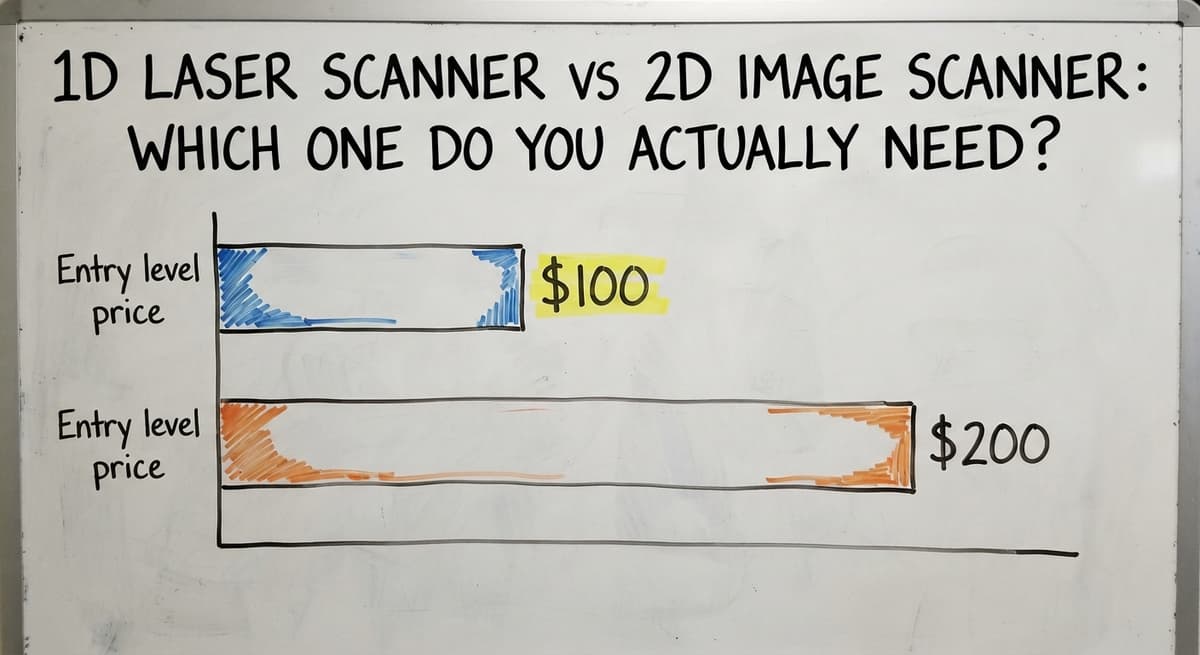
| Entry-level price | Under $100 | Under $200 |
| Lot and expiry data | Needs a second label | Single scan captures all fields |
When Does the Price Difference Between Scanner Types Actually Matter?
The price gap has narrowed. Entry-level 2D handheld scanners now start below $200, which puts them in reach for a 5-person receiving team.
If your suppliers already ship goods with QR codes or DataMatrix labels, or if you plan to track lot numbers, go 2D from the start.
Barcode Formats a 2D Image Scanner Can Read
Format flexibility matters when your warehouse receives goods from 20 different suppliers, each printing labels their own way. A 2D image scanner handles the full range without swapping devices.
Common 2D formats your scanner will read:
- QR Code: widely used on consumer goods, shipping labels, and internal documents
- DataMatrix: compact and common in pharmaceuticals, electronics, and direct-part marking
- PDF417: used on driver licences, shipping manifests, and airline boarding passes
- Aztec Code: found on transit tickets and some pharmaceutical packaging
1D formats the same scanner also reads:
- UPC-A and UPC-E: retail point-of-sale items
- Code 128: shipping cartons and general distribution
- Code 39: automotive and defence supply chains
- ITF-14: outer cartons and pallets
Why Does GS1 DataBar Support Matter for Food and Perishables?
GS1 DataBar is worth a specific mention. It is a compact 1D format used on fresh produce and variable-weight items where space on the label is tight.
A 2D image scanner reads GS1 DataBar without any extra setup, which matters if you distribute food or perishables.
Why Are Warehouses and Distributors Switching to 2D Image Scanners?
The core reason is data density. A 1D barcode holds an item number.
A 2D barcode holds an item number, a lot number, an expiry date, a serial number, and a bin location, all in one scan. That single scan replaces 4 or 5 keystrokes, and it does so without the typo risk that comes with manual entry.
Fewer scan errors mean fewer mis-picks. A mis-pick that reaches a customer costs time in returns processing, freight, and goodwill. Preventing it at the scan point is cheaper than fixing it after the fact.
Workers also spend less time repositioning labels. With a laser scanner, a label at the wrong angle means a failed read and a second attempt. With a 2D image scanner, the first attempt almost always succeeds.
Is the comparison easier when one option is built for you?
Yes. Off-the-shelf means fitting your process to the software, and custom is the other way round. The first look costs nothing.
Book a callHow Does Faster Scanning Improve Inventory Accuracy at Tax Time?
For small distributors still running on an accounting package and spreadsheets, the gain is clearest at the keyboard.
The IRS notes that businesses must value inventory at the start and end of every tax year, as stated in IRS Publication 538: "To figure taxable income, you must value your inventory at the beginning and end of each tax year." Every scan that replaces a manual keystroke makes that count faster and more accurate.
Types of 2D Image Barcode Scanners
Choosing the right form factor saves money and avoids frustration. The best scanner for a fixed receiving desk is different from the best one for a worker moving across a 20,000-square-foot floor.
The main options are:
- Handheld corded scanners connect via USB and are reliable, low cost, and best for fixed workstations where a cable is not a problem
- Handheld wireless or Bluetooth scanners give workers freedom to move without dragging a cable across the floor
- Mobile computers with built-in scanners combine a scanner, touchscreen, and software in one rugged device for workers who need to receive, pick, and count without returning to a desk
- Fixed-mount or presentation scanners sit at a conveyor or checkout point and read labels hands-free as items pass
- Smartphone scanning apps cost little to start but are slower, less durable, and not suited to high-volume daily use
Handheld 2D Image Scanners for Small Warehouses
For an operation with 5 to 30 staff, a handheld 2D image scanner is the right starting point. Corded USB models plug directly into a PC running your inventory software and need no pairing, no charging routine, and no wireless setup. They just work.
Bluetooth models add freedom of movement. A worker can scan a pallet 10 metres from the nearest PC and the data still lands in the right field. The trade-off is a battery to charge and a pairing step when the scanner is replaced.
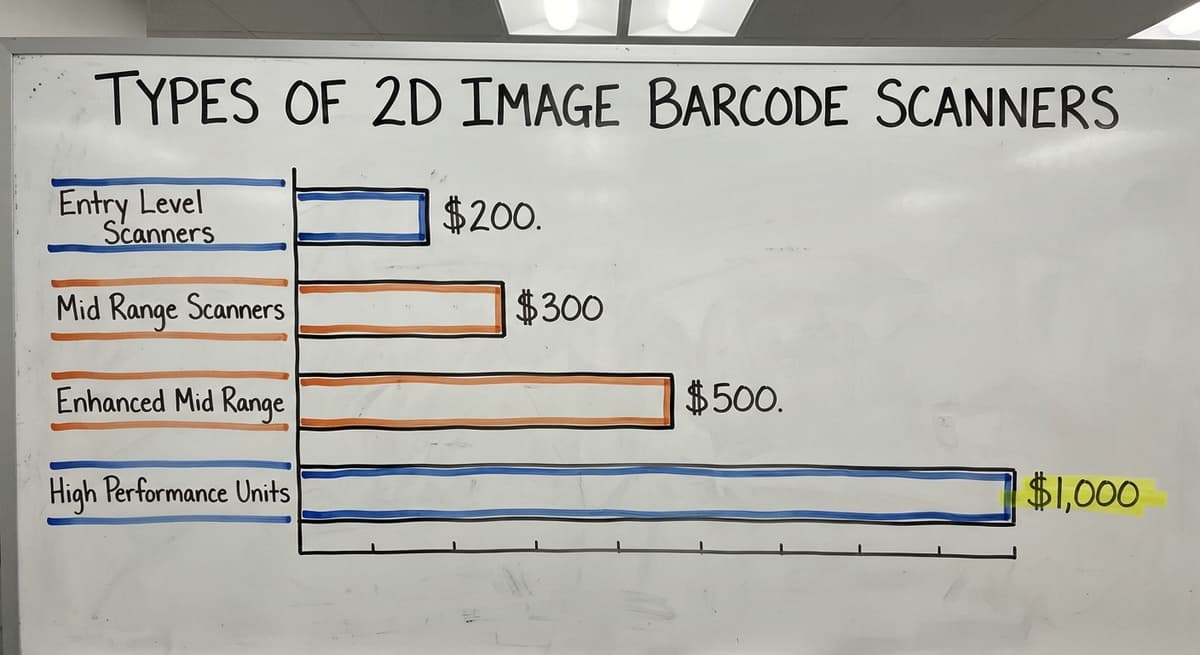
Price is accessible. Entry-level handheld 2D scanners start below $200. Mid-range models with better decode engines and stronger builds run $300 to $500.
Durability Specs to Check Before Buying a Warehouse Handheld Scanner
For a warehouse floor, check 2 durability specs before buying: an IP42 ingress rating at minimum, which means the device handles dust and light splashes, and a drop specification of at least 1.5 metres.
A scanner that breaks on its first fall from a packing bench costs more than the upgrade would have.
Mobile Computers with 2D Imaging for Larger Operations
Rugged mobile computers from brands like a major scanner maker, a major scanner maker, and a major scanner maker combine a 2D image scanner, a touchscreen, and Wi-Fi in a single device.
A worker carries one unit and uses it to receive a buy order, put stock away, pick an order, and confirm a shipment, all without returning to a desktop.
The upfront cost is higher, $1,000 to $2,500 per unit, but the total device count across the operation is lower. Fulfilment centres processing hundreds of orders a day see the payback quickly.
For an operation processing 30 to 50 shipments a day, the handheld scanner connected to a desktop PC is the better investment.
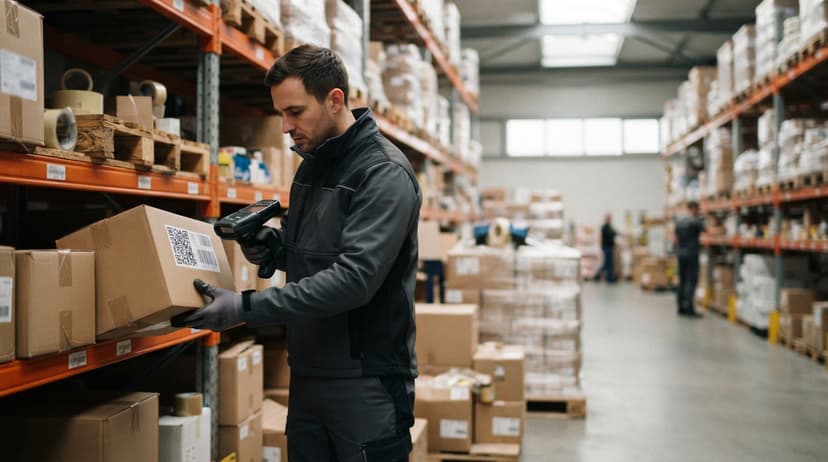
What Specs Should I Look for When Buying a 2D Image Barcode Scanner?
The decode engine is the most important spec, because it work out how fast and reliably the scanner reads a label in real warehouse conditions, not just in a brightly lit demo room.
Specs worth checking before you buy:
- Decode engine: a major scanner maker Adaptus and a major scanner maker PRZM are proven imaging engines that decode faster and perform in poor light or on damaged labels
- Scan range: near-field models work best for labels held close; extended-range models read barcodes on a shelf or pallet from 60 cm or more away
- Interface: USB HID is plug-and-play with almost any software; USB COM, RS-232, Bluetooth, and Wi-Fi suit specific integration needs
- Drop and ingress ratings: look for IP42 or better and a drop spec matched to your floor surface
- Battery life: wireless models should run a full 8-hour shift on one charge without needing a mid-day swap
- Software compatibility: confirm the scanner outputs data in a format your inventory system or accounting integration can accept
Does a Cheaper Scanner Cost More Over Time?
A scanner that costs $50 less but fails to read a damaged label twice per shift costs far more in lost time across a year.
How Does a 2D Image Barcode Scanner Connect to Inventory Software?
Most 2D scanners output decoded text exactly the way a keyboard does. Plug one into a USB port, click into a field in your software, and scan.
The item number appears as if you typed it. No driver, no API, no setup required for basic use.
Dedicated barcode inventory management software goes further. A scan can trigger a specific action: receive a buy order line, update a bin location, or confirm a pick. The software knows what the scan means based on context, not just what the barcode says.
Using Middleware to Connect a Scanner to the accounting software
For operations running the accounting software inventory, a middleware layer can sit between the scanner and the accounting software.
The scanner sends data to the middleware, the middleware writes the right record to the accounting software, and the worker never touches a keyboard for that transaction. That is the point where a scanner stops being a faster keyboard and starts being a process change.
The NIST Manufacturing Extension Partnership offers vendor-neutral guidance on connecting scanning hardware to supply chain processes, which is useful reading before you commit to a specific integration approach.
The scanner is only as useful as what happens to the data after the scan.
Replacing Manual Data Entry with a 2D Scanner
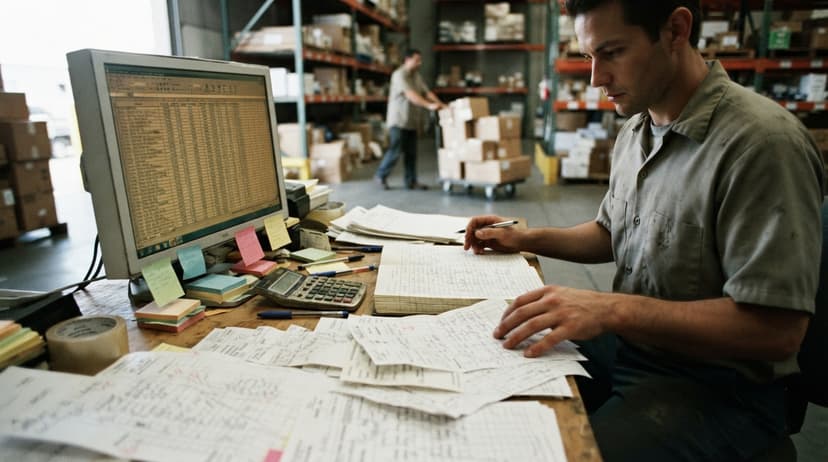
Consider a typical receiving workflow at a small distributor. A delivery arrives. A worker reads the supplier label, finds the item in a spreadsheet or the accounting software, types the item number, types the quantity, and moves to the next line.
One line takes 5 to 15 seconds of focused typing. A 50-line buy order takes 8 to 12 minutes, and every keystroke is a chance for a typo.
With a 2D image scanner, the worker scans the label. The software fills in the item number, lot number, and quantity from the barcode data. The worker confirms and moves on. That same line takes under 1 second of active input.
What does it look like running on your own process?
The first thing you see is it running on your own process, at no build cost. The subscription starts once it is live and doing the job, not before.
Book a callWhat Is the Annual Labour Cost of Manual Receiving Entry?
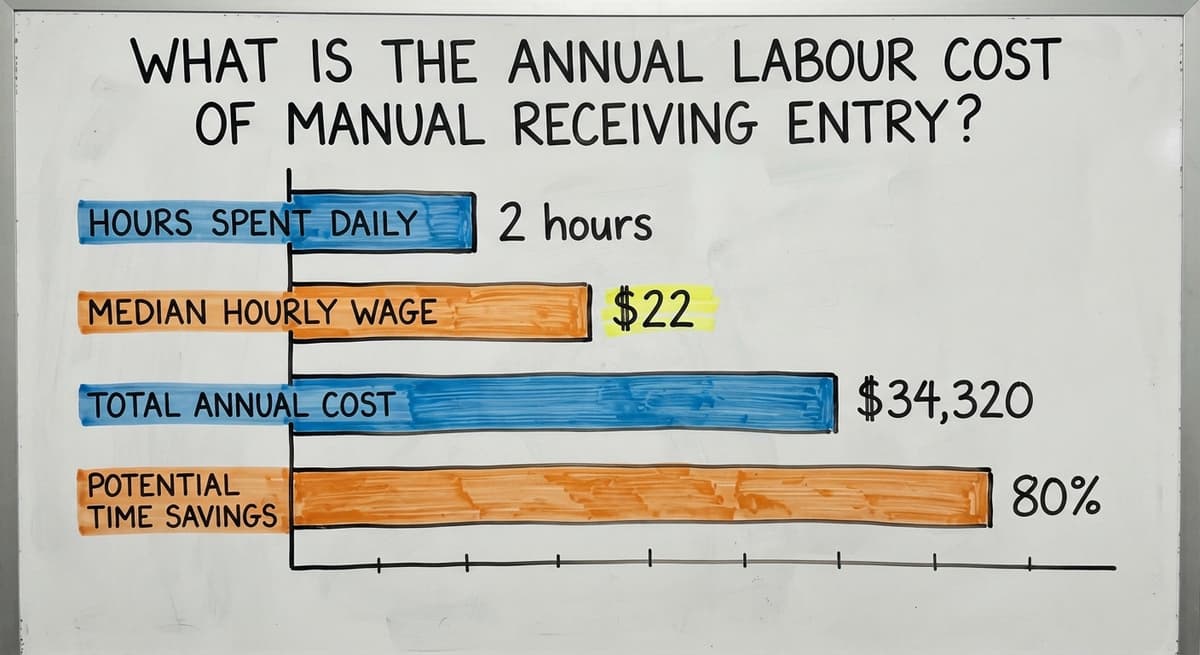
The math is straightforward. 3 receiving staff spending 2 hours a day on manual entry, at a median wage of $22 an hour as reported by the US Bureau of Labor Statistics, costs about $34,320 a year in labour for that one task alone.
Cutting that time by 80% with a scanner and the right software layer recovers roughly $27,000 annually.
That is the manual part that custom software can replace without forcing a migration away from the accounting software.

Using 2D Barcodes for Bin and Location Tracking
Bin location scanning starts with a simple step: print a QR code or DataMatrix label for every bin, shelf, and dock door in your warehouse. Label printers that produce durable, scan-ready labels cost under $300 for a basic thermal model.
When a worker puts stock away, they scan the location label and then the item label. The software records that item X is now in bin B-14.
When a picker needs item X, the software sends them to B-14. No one has to remember, guess, or check a spreadsheet.
Can a Small Operation Run Bin Tracking Without an ERP?
Location data updates in real time, so a manager can see where every SKU sits without walking the floor or running a physical count. This is practical for a 10-person operation. It does not need a large ERP or a long rollout.
A basic inventory system, a thermal label printer, and a 2D scanner are enough to start.
This is also the stepping stone toward a full warehouse management process without the cost or complexity of enterprise software.
2D Barcode Scanners and Lot or Serial Number Tracking
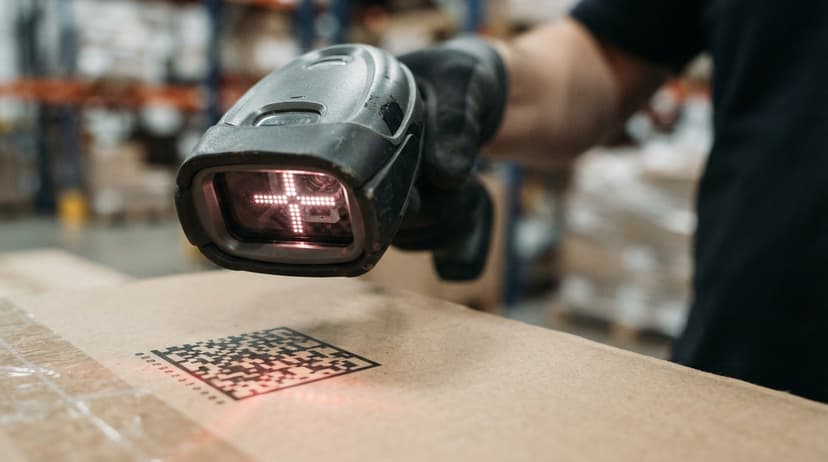
A single 2D barcode can carry an item code, a lot number, an expiry date, and a serial number in one label. One scan captures all 4 fields at once. No second label, no second scan, no secondary lookup in a separate system.
For distributors handling food, pharmaceuticals, or any regulated goods, this matters for recall traceability.
If a supplier issues a recall on lot 4821-B, your software can show every inbound shipment that contained that lot, every customer order it went into, and every unit still on your shelves. That query takes seconds when the data was scanned in. It takes hours, or days, when lot numbers were typed by hand or never captured at all.
Why Does 1D Scanning Create Lot Tracking Gaps Under Time Pressure?
Contrast this with 1D scanning. A 1D barcode holds only the item number. Lot and expiry data need a separate label and a second scan at every touch point.
Workers skip the second scan under time pressure. The data gaps show up during an audit or a recall, not before.
A 2D image scanner closes that gap at the point of receiving, not after the fact.
Common Problems 2D Image Scanners Solve in Distribution
The problems below are ones that owners and operations managers describe in almost identical terms, regardless of the size of their operation.
- Mis-picks from look-alike items: similar item numbers or packaging cause workers to grab the wrong SKU. A scan that checks the barcode against the pick list catches the error before the box is sealed
- Receiving errors from mixed supplier formats: one supplier prints Code 128, another prints DataMatrix, a third prints a QR code. A 2D image scanner reads all 3 without any manual switch or workaround
- Slow cycle counts: workers hand-write counts on paper, then someone re-enters the numbers into a spreadsheet. A scanner connected to inventory software cuts the re-entry step entirely
- Lost inventory from spreadsheet-based bin tracking: when bin locations live in a spreadsheet, they go stale the moment someone moves stock without updating the file. Scanned location data stays current
- Duplicate entry between paper pick sheets and the accounting software: a worker picks the order, writes it down, and someone else types it into the accounting software later. That second keystroke is where errors and delays live
Are These Distribution Problems Theoretical or Daily Friction?
Each of these is a daily friction point, not a theoretical risk. A 2D scanner, connected to the right software, removes the friction at the source.
How Do I Set Up a 2D Image Barcode Scanner in a Small Operation?
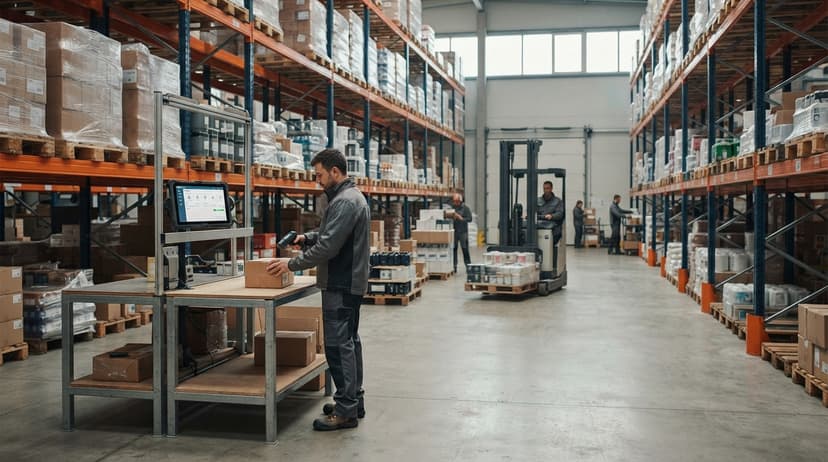
Setup is simpler than most managers expect, and for a handheld corded scanner, the whole process from unboxing to first scan takes under an hour.
Follow these 5 steps:
- Choose the scanner type that fits your workflow: corded for a fixed desk, Bluetooth for floor mobility, or a mobile computer for workers who need a screen and software with them
- Print or apply 2D barcode labels to items, bins, buy orders, and any document that moves through your process. Thermal label printers handle this at low cost per label
- Connect the scanner to your inventory software or a middleware layer that passes data to the accounting software. For USB HID scanners, this is plug-and-play
- Train staff, which takes less than an hour for a handheld scanner. The motion is the same as using a TV remote: point and press
- Run a parallel test alongside your current process for 1 to 2 weeks before cutting over fully. This catches any label gaps or software mismatches before they cause a real problem
Not sure this is the right shape for your operation?
The call is free. Describe how the work runs today. We map it on a call and show you what it would look like built around that, before you spend anything.
Book a callWhy Is the Parallel Test the Step Most Teams Skip and Regret?
The parallel test is the step most teams skip and then regret. Running it for 1 to 2 weeks before cutting over fully catches label gaps and software mismatches before they affect a real shipment or a real count. Run it.
Printing Your Own 2D Barcode Labels
Thermal label printers produce durable, scan-ready labels at a cost of a few cents each. The printers themselves start below $300 for a basic desktop model.
Labels printed on thermal stock resist smearing and hold up in a warehouse environment far better than inkjet-printed paper labels.
Free and low-cost barcode label software can generate QR codes and DataMatrix barcodes directly from a spreadsheet or a database export. Bartender, ZebraDesigner, and several browser-based tools handle this without requiring a developer.
Every label should include a human-readable line below the barcode: the item number, lot, or location in plain text. If a scanner fails or a label is too damaged to scan, a worker can still read the label by eye.
How Do Label Size and Print Density Affect Scan Reliability?
Label size and print density affect scan reliability. A QR code printed too small at too low a dots-per-inch setting will fail on many scanners. Follow the scanner manufacturer's minimum size guidelines before you print a full roll.
How Does Custom Software Make a 2D Image Barcode Scanner More Powerful?
Off-the-shelf inventory apps cover common workflows well. They rarely cover the exact sequence your operation uses, the specific fields your customers need on a packing slip, or the way your the accounting software chart of accounts is structured.
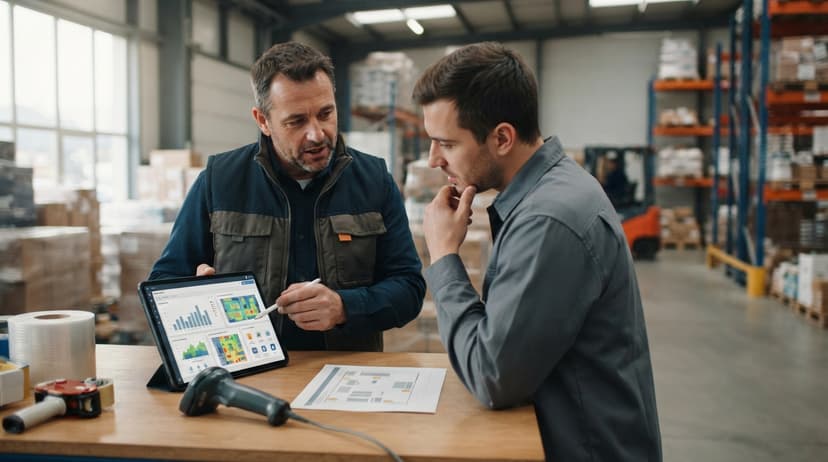
Custom software built around your scan events changes the scanner's role. Instead of acting as a faster keyboard, it becomes the input device for the whole operation. A scan at the dock door triggers a buy order receipt.
A scan at the pick face confirms the right item and quantity. A scan at the shipping station closes the order and updates inventory, all without a worker touching a keyboard or opening a second application.
How Do Scan-Driven Workflows Write Directly to the Accounting Software?
Each of those actions writes to the right record in the accounting software without double entry. The scanner becomes the single source of truth for what moved, when, and where.
This is the value proposition of custom workflow rollout: built around how your operation already works, not around a generic template you have to reshape your process to fit.
No large ERP, no long rollout, no forced migration. The system grows from the scan events that matter to your team today.
Questions to Ask Before Buying a 2D Image Barcode Scanner
Before you talk to a vendor, answer these questions about your own operation. The answers will narrow the field quickly.
- What barcode formats do your suppliers and customers use? If you do not know, scan a few inbound labels with a free smartphone app to find out
- Will workers scan from a fixed desk or move around the warehouse? Corded for fixed, Bluetooth or mobile computer for mobile
- Does the scanner need Wi-Fi, or is a USB connection enough? Wi-Fi adds cost and setup complexity; only pay for it if the workflow demands it
- How rough is the environment? A cold storage facility or a busy shipping dock needs a higher drop and ingress rating than a clean office receiving area
- What software will receive the scan data? Confirm the scanner's output format matches what your inventory system or accounting integration expects
- What is the daily scan volume? High-volume operations justify a better decode engine and a longer battery; low-volume operations do not need to pay for either
How Do You Evaluate a Scanner Vendor Before Committing to a Purchase?
A vendor who cannot answer these questions in plain terms before asking for a buy order is not the right vendor.
Next Steps for Adding a 2D Image Barcode Scanner to Your Operation
The decision comes down to 3 things: the right scanner form factor for your workflow, labels on everything that moves, and software that does something useful with each scan.
Start by mapping your current manual steps on paper. Write down every point where a worker reads a label and types something.
Each of those points is a candidate for a scan. That map will tell you how many scanners you need, where they should live, and what your software needs to do in response.
Why Does the Software Layer Deliver More Return Than the Scanner Hardware?
The scanner is the easy part. Hardware is a commodity buy. The software layer is where the real return comes from, because it work out whether each scan updates one record or five, triggers one action or a whole workflow, and feeds the accounting software automatically or creates more manual work downstream.
If your operation runs on an accounting package and spreadsheets and you want to replace the manual steps without a large ERP or a long rollout, talk to a team that builds scan-driven inventory workflows around operations your size.
No forced migration. No system you have to grow into. Built for the way your team already works.
Frequently asked questions
What is a 2D image barcode scanner and how is it different from a laser scanner?
A 2D image barcode scanner uses a camera to photograph a barcode and decode it with software. A laser scanner shoots a single line across a barcode and must be aligned to the bars.
The image scanner reads at any angle and handles both 1D and 2D barcode formats. A laser scanner reads only 1D formats.
What barcode formats can a 2D image scanner read?
A 2D image scanner reads QR Code, DataMatrix, PDF417, and Aztec Code in the 2D family, plus UPC, Code 128, Code 39, ITF-14, and GS1 DataBar in the 1D family. You do not need a separate scanner for older barcode formats.
How does a 2D image barcode scanner connect to the accounting software?
Most scanners output data like a keyboard, so they work with any software that accepts typed input, including the accounting software.
A middleware layer can sit between the scanner and the accounting software to trigger specific records automatically, removing the need for manual re-entry after each scan.
Can a 2D scanner help with lot number and serial number tracking?
Yes. A 2D barcode can hold a lot number, expiry date, and serial number alongside the item code. One scan captures all of that data at once.
With a 1D scanner, lot numbers need a separate label and a second scan at every touch point, which workers skip under time pressure.
Which type of 2D image scanner is best for a small warehouse?
For most operations with 5 to 30 staff, a handheld corded USB scanner is the best starting point. It plugs into a PC, needs no pairing or charging, and starts below $200.
Bluetooth models suit workers who move around the floor. Mobile computers are worth the higher cost only for high-volume fulfilment operations.
How hard is it to set up a 2D image barcode scanner in a small operation?
Setup for a corded handheld scanner takes under an hour from unboxing to first scan.
The 5 steps are: choose the scanner type, print 2D labels for items and bins, connect the scanner to your software, train staff (usually less than an hour), and run a parallel test for 1 to 2 weeks before cutting over fully.
Do I need custom software to get the most out of a 2D barcode scanner?
Not to start. A basic scanner connected to existing inventory software or the accounting software adds value at once by replacing manual keystrokes.
Custom software becomes worthwhile when you want each scan to trigger a specific workflow action, write to multiple records, or feed the accounting software automatically without any manual step in between.
What specs matter most when buying a 2D image barcode scanner for a warehouse?
Focus on the decode engine first: proven engines like a major scanner maker Adaptus or a major scanner maker PRZM read faster and work in poor light.
Then check scan range for your typical label distance, drop and ingress ratings for your floor environment, battery life for wireless models (aim for a full 8-hour shift), and compatibility with your inventory software.
What is the difference between a 1D laser scanner and a 2D image scanner?
A laser sweeps a beam across the bars and reads 1D codes in line with the beam. A 2D image scanner photographs the code and decodes the picture, so it reads 1D and 2D formats from any angle, on damaged labels, and on phone screens.
Can a 2D barcode scanner read QR codes from a phone screen?
Yes. Reading off a screen is one of the main reasons to choose an imager, since glass and backlight defeat a laser. Brightness up and the phone held flat gives the cleanest read.
Do 2D barcode scanners work with phones and tablets?
Yes, over Bluetooth in keyboard mode, so the scan types into whatever app is open. Pair once, and the scanner works with any inventory app on the device.
How do I scan a barcode from an image file?
A phone camera app or a browser-based decoder reads a photo or screenshot of the code. Handheld scanners read only what is in front of the lens, so for a code inside a PDF, display it on a screen and scan that.
What is in a free first look?
A 30 minute call, your operation mapped, and a clear picture of what we would build. No obligation and nothing to install.
Book a callRelated guides
More on the same work.
Guides
- 2d Imaging Barcode Scanners
- 2d Wireless Barcode Scanner
- 2d Imager Barcode Scanner
- 2d Usb Barcode Scanner
- 2d Barcode Readers
- Barcode Scanner App Ios
- Barcode Scanner Inventory System
- Imager Barcode Scanner
- Inventory Management Software Barcode Scanner
- Free Inventory Management Software with Barcode Scanner
- Barcode Scanner Description
- Upc Scanner Gun
- Quickbooks Inventory Scanner
- Scanner Manuals
- Aml Scanners
- Warehouse Scanner System
- Scanner Inventory Software
- Barcode Abbreviation
- Barcode Scan Machine