

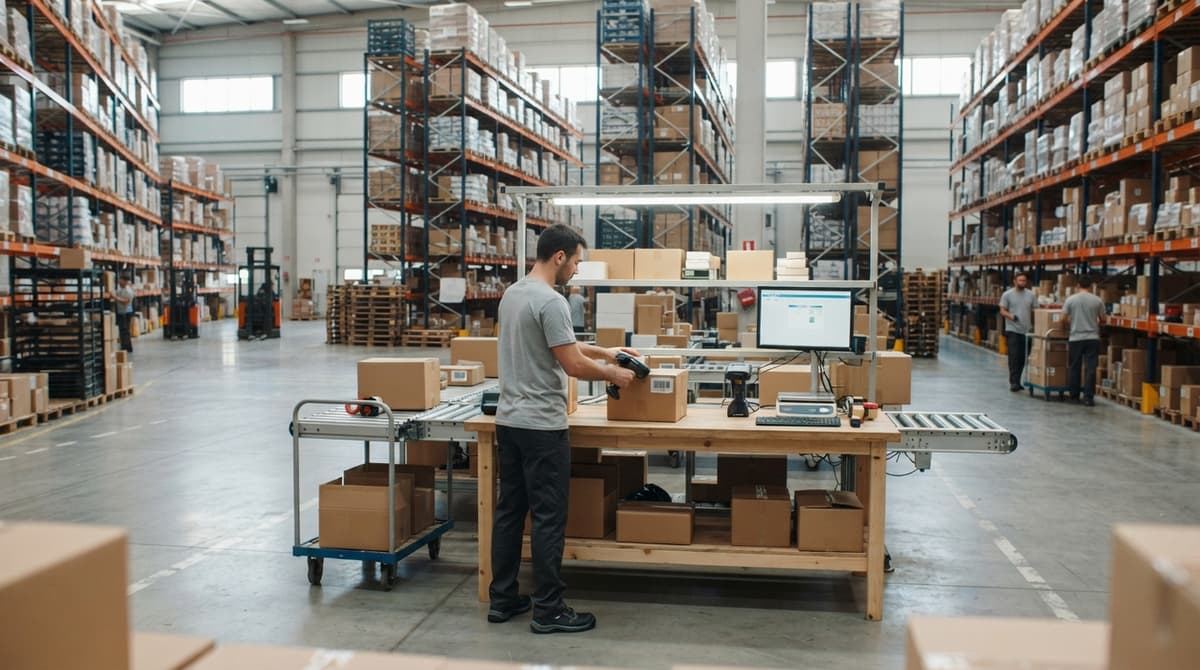
Barcode Scan Machine
A barcode scan machine reads the pattern on a product label and sends that data straight to your software. It removes manual typing from receiving, picking, and shipping. Most plug in and work in minutes. This guide covers how scanners work, which type fits your operation, and what a scanner cannot do without software behind it.
Reviewed September 2026. Each figure comes from the assumptions stated beside it, so you can substitute your own and the arithmetic still holds.
Published 29 July 2026. Reviewed and updated 15 September 2026.
Book a callWhat Is a Barcode Scan Machine and How Does It Work?
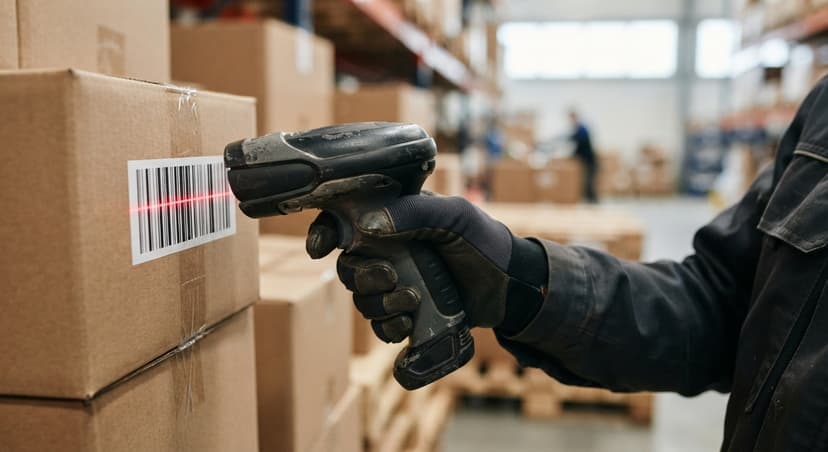
A barcode scan machine is a small device that reads the black-and-white lines or squares printed on a product label. It shines a light on the label, a sensor picks up the reflected pattern, and a built-in decoder turns that pattern into a number. That number goes straight to whatever software is open on your screen.
As GS1 explains, barcode standards define "the rules for how data is encoded in a barcode symbol" so any compliant scanner can read any compliant label. You can read those standards at gs1.org/standards/barcodes. The whole read takes under a second, and no technical skill is needed to pull the trigger.
Would you rather have it built around your operation?
The first look is free. If you would rather not compare products, describe how your operation already works and we build the system around it.
No build cost. You see it running on your own process first, and the monthly subscription starts only once it is live.
Book a callTypes of Barcode Scan Machines
What types of barcode scan machines are available? Three main categories cover most warehouse and distribution needs: handheld scanners, fixed-mount scanners, and mobile computers. The right choice depends on your volume, your floor layout, and how much your staff moves around.
Handheld Barcode Scanners
A handheld barcode scanner is the most common starting point for small warehouses and distribution centers. Staff pick it up, point it at a label, and squeeze the trigger. Wired (USB) models cost less and never run out of battery.
Wireless Bluetooth models give staff freedom to move without dragging a cable. Either version works well for receiving, cycle counts, and pick-and-pack tasks. Entry-level USB handhelds start under $100, which makes them a low-risk first step for an operation that has never scanned before. Buy 1 or 2 to start, prove the workflow, then scale.
Fixed-Mount and Mobile Computer Scanners
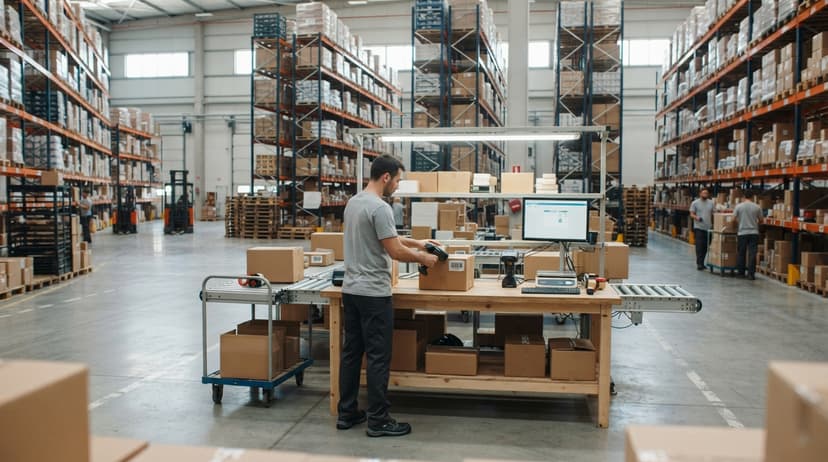
Fixed-mount scanners bolt to a conveyor or checkout point. Staff pass items in front of the beam, and the scanner reads labels hands-free. That setup suits fulfillment centers processing hundreds of orders per hour, where stopping to aim a handheld would slow the line.
The upfront cost is higher, but throughput gains pay it back quickly at volume.
Mobile computer scanners combine a barcode scanner with a small screen and keyboard on one device.
An operator can scan a bin location, see current stock on the screen, and confirm a put-away without walking back to a desktop. These units are popular in mid-size warehouses with 10 to 100 staff who move across a large floor all day. They cost more than a basic handheld but remove a round-trip to the office for every decision.
1D Versus 2D Barcodes
A 1D barcode is the familiar set of vertical stripes on a grocery item. It holds a short string of digits, a product code. A 2D barcode, such as a QR code, stores data in a grid of small squares and can carry far more information in a smaller label. That extra capacity lets a 2D code hold a lot number, an expiry date, and a serial number all at once.
Most modern barcode scan machines read both formats without any setting change. If your labels are already printed in 1D, a standard scanner works fine today. If you plan to add lot tracking or expiry dates, move to 2D labels and confirm your scanner supports them before you buy.
How Does a Barcode Scan Machine Connect to Your Software?
Most scanners connect in 1 of 3 ways: USB cable, Bluetooth, or Wi-Fi. A USB scanner acts like a keyboard. You click into any field, scan a label, and the number appears, exactly as if you had typed it.
No driver install, no setup. Bluetooth and Wi-Fi models do the same thing wirelessly, which matters when staff are 30 feet from the nearest computer.
This keyboard-wedge behavior means a barcode scanner works with the accounting software, a shared spreadsheet, or a custom inventory system right out of the box.
The scanner does not care what software is open. It just sends characters. That simplicity is useful, but it also sets a ceiling: the scanner can only fill in the field your cursor sits in. Smarter routing of that data needs software logic, not better hardware.
Is the comparison easier when one option is built for you?
Yes. Off-the-shelf means fitting your process to the software, and custom is the other way round. The first look costs nothing.
Book a call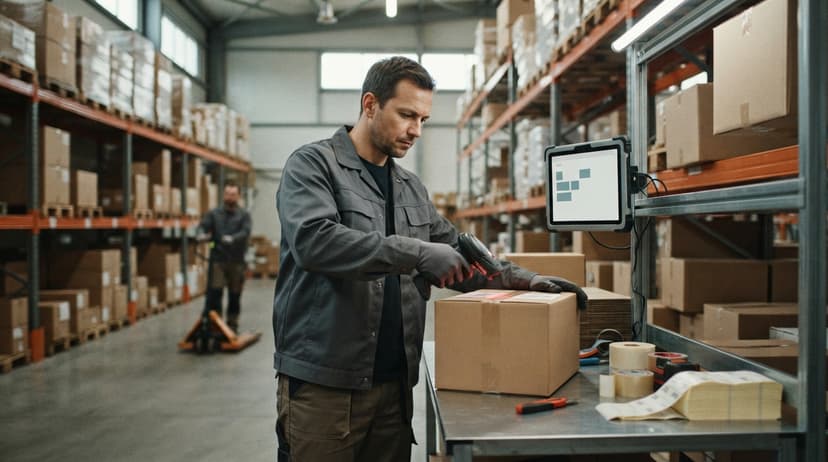
Where Does Barcode Scanning Add the Most Value in a Warehouse Workflow?
Scanning adds the most value at the 5 points where data enters or leaves your inventory system. Each one is a place where a missed keystroke creates a problem downstream.
- Receiving: scan items as they arrive and stock levels update instantly, with no paper tally sheet to re-key later
- Put-away: scan the bin label to confirm the right location before setting the box down
- Picking: scan the item before packing to catch a wrong SKU before it ships
- Shipping: scan outbound boxes to close the order and trigger a tracking update
- Cycle counts: scan shelf by shelf to audit stock without shutting the warehouse down for a weekend
The warehouse receiving process improvement alone tends to justify the hardware cost within the first month for most small distributors.
What Problems Does a Barcode Scan Machine Solve?
For a 10-to-100-person distributor, the daily pain falls into 4 buckets. Manual typing causes mis-ships: a staff member keys in the wrong SKU and the wrong item goes out the door. Slow receiving backs up the dock while someone transcribes a paper packing list.
Inventory counts eat a full weekend because every item has to be counted and written down by hand. The IRS makes this count non-optional: Publication 538 states, "To figure taxable income, you must value your inventory at the beginning and end of each tax year," which you can verify at irs.gov/publications/p538.
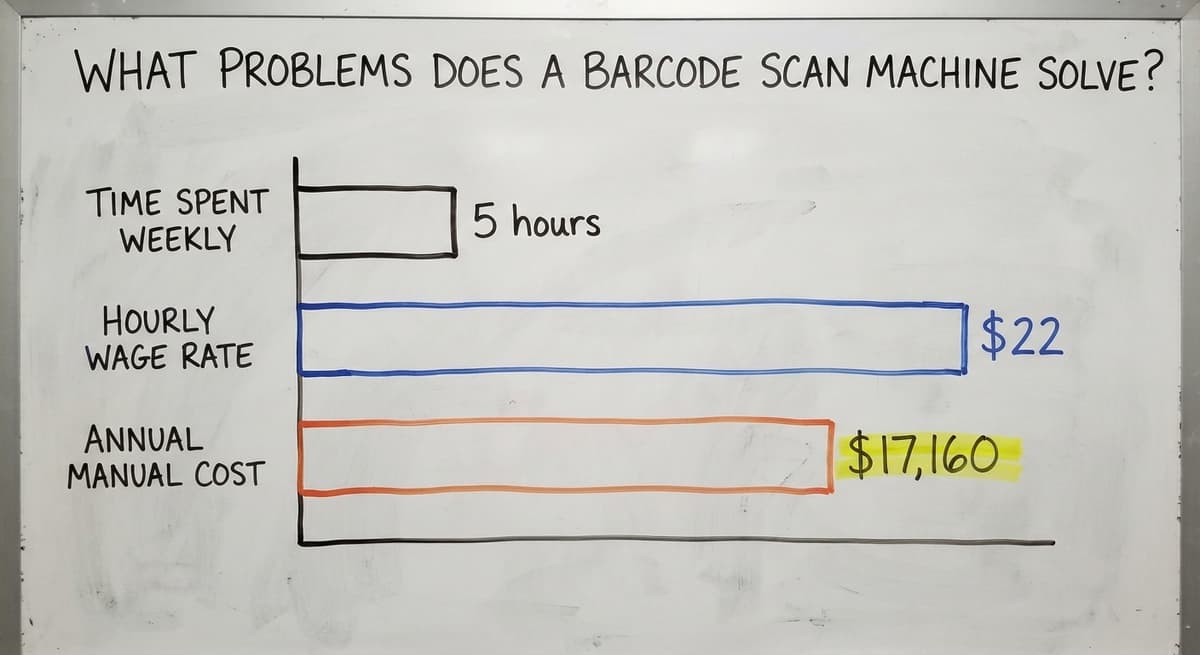
Consider the labor cost alone. If 3 staff members spend 5 hours a week on manual data entry at $22 an hour (near the median for stock clerks per the Bureau of Labor Statistics), that is $17,160 a year in time spent typing numbers that a scanner could capture in a second.
A barcode scan machine does not remove all of that cost, but it removes the step that causes most of the errors.

What Can a Barcode Scanner Not Do Without Software?
A scanner is an input device. It captures a number and hands it to whatever is waiting on the other end.
Without a connected inventory system, that number goes into a spreadsheet cell or a the accounting software field, and a person still has to decide what to do with it.
Scanning into a spreadsheet beats typing by hand. It cuts entry errors and speeds up receiving. But the spreadsheet still needs someone to review it, update formulas, and share the file.
Real-time stock levels, bin locations, and reorder alerts need software logic that a scanner alone cannot provide. Set this expectation before you buy hardware: the scanner is the input, and the system behind it is where the value lives.
Choosing the Right Barcode Scan Machine for Your Operation
Five factors decide which scanner fits your warehouse. Work through them before you order anything.
- Volume: a warehouse scanning 50 labels a day can use any entry-level USB handheld; one scanning 2,000 a day needs faster hardware and reliable wireless
- Environment: a loading dock or freezer needs a rugged barcode scanner rated for drops, dust, and temperature swings
- Connectivity: wireless scanners need stable Wi-Fi across the floor; if your signal drops in the back corner, fix that first
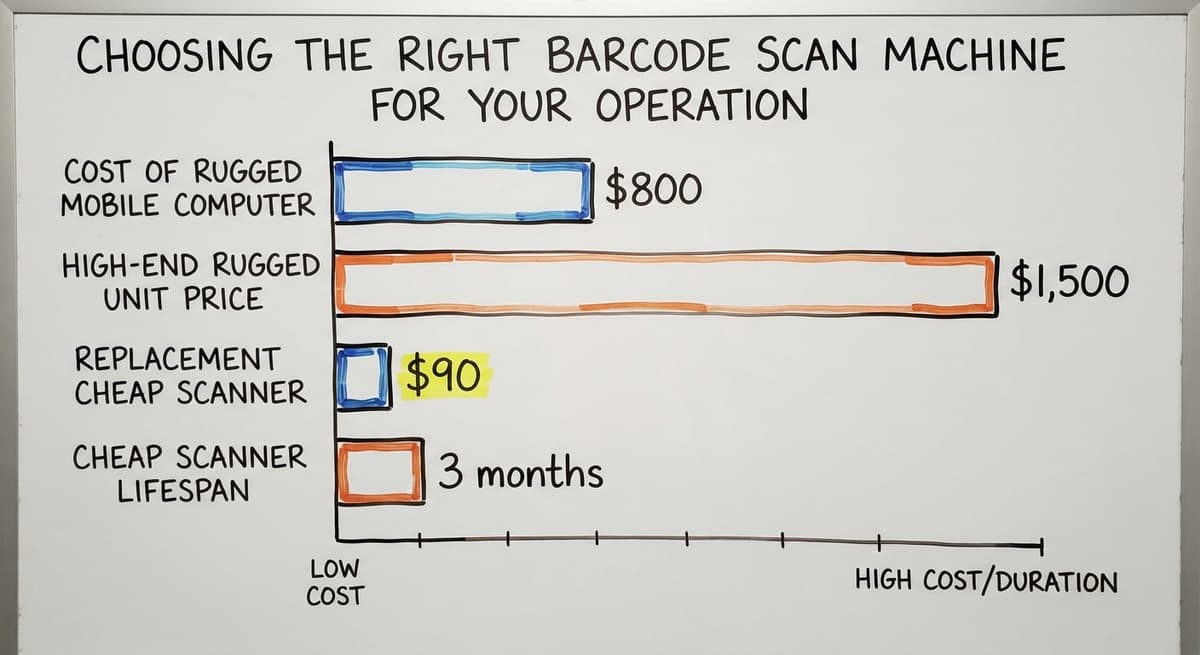
- Budget: USB handhelds start under $100; rugged mobile computers can run $800 to $1,500 each
- Compatibility: confirm the scanner works with your current software before you buy, not after
Rugged Versus Standard Scanners
Standard scanners work well in an office or a clean, climate-controlled warehouse. A rugged barcode scanner is built to survive a 6-foot concrete drop, dust, and temperatures from a freezer to a loading dock in summer. Look for an IP rating on the spec sheet. IP54 means dust-resistant and splash-proof.
IP67 means fully dust-tight and can handle a brief dunk. The extra cost is worth it if the scanner will live on a dock or travel between a freezer and the floor. A broken $90 scanner that gets replaced every 3 months costs more than a $400 rugged unit that lasts 5 years.
What does it look like running on your own process?
The first thing you see is it running on your own process, at no build cost. The subscription starts once it is live and doing the job, not before.
Book a call
The accounting software Barcode Scanning: What Works and What Does Not
The accounting software accepts scanned input the same way it accepts typed input. A scanner can fill in the item field on a sales order or buy order, which speeds up data entry and cuts keying errors.
For a small operation with 1 warehouse and a simple SKU list, that may be enough.
The limits appear fast in a growing operation. The accounting software does not track bin locations, does not direct put-away or picking, and does not give real-time stock visibility across multiple warehouses. Staff end up printing reports, marking them up by hand, and re-entering corrections. That is the sign that barcode inventory scanning has outgrown the software behind it, not the scanner itself.
The accounting software inventory limitations for distributors are well documented, and adding a dedicated inventory layer is the practical fix rather than replacing the accounting software entirely.
When Should You Add Inventory Software Behind the Scanner?
You have outgrown scanning into an accounting package or spreadsheets when any of these are true. Staff are making decisions based on printed sheets from yesterday. Stockouts and overstock happen on the same SKUs in the same month.
You run more than 1 warehouse or more than a handful of bin locations. A cycle count still takes days because no one trusts the system numbers. Inventory cycle count best practices all assume a live system; a spreadsheet cannot support them.
Custom inventory software for small distributors is the next step, not a full ERP replacement. A focused system sits between your scanner and the accounting software, handles the warehouse logic, and syncs the financial data.
The scanner stays the same; the software behind it does the work that was eating your staff's time.
Getting Your Team to Use the Scanner and Keeping It Running
Adoption is the real challenge, not the hardware. Start with 1 workflow, receiving works well, and prove that scanning is faster than the old way.
Staff who see the time saved will ask when the rest of the process gets the same treatment. A 20-minute hands-on session beats a printed manual every time.
On the maintenance side, most scanner problems are simple. Keep the scan window clean; a smudged lens causes more missed reads than any hardware fault. Replace worn USB cables before they cause random failures.
On wireless units, low battery is the most common reason a scan does not register. Check charge levels at the start of each shift. None of these issues need a technician. A clean scanner with a charged battery reads reliably; that is the full maintenance program for most operations.
Frequently Asked Questions About Barcode Scan Machines
What is the best barcode scanner device? There is no single best device. The right scanner depends on your environment, volume, and software. For a light warehouse on a tight budget, an entry-level wired USB scanner handles most tasks under $150.
For a loading dock or freezer, look at rugged units like the a rugged mobile computer. Match the spec to the job rather than buying the most expensive option.
How much does a barcode scanner cost? A basic USB handheld starts under $100. Mid-range wireless handhelds run $150 to $350. Rugged mobile computers with screens cost $600 to $1,500 each.
Fixed-mount industrial scanners vary widely based on read speed and mounting hardware. Plan for software and setup time as part of the total cost, not just the device.
Can I scan a bar code with my phone? Yes, for light use.
A smartphone camera reads most 1D and 2D barcodes using a free app. That works fine for occasional lookups or a very small operation. It does not hold up for high-volume scanning: the camera is slower than a dedicated scanner, the screen is harder to read in bright warehouse light, and phones are not built for all-day scanning shifts.
What is the best barcode scanner for a small business? For most small businesses, an entry-level wired USB scanner or a rugged handheld covers daily needs at a low cost.
If staff move around the floor, add a Bluetooth model from any major maker. The best scanner for your business is the one that matches your scan volume, connects to your software, and survives your environment.
Do I need special labels to use a barcode scan machine? No special label stock is required. Standard thermal or laser-printed labels work.
Print quality matters more than the label material. A smeared or low-contrast barcode will not scan reliably regardless of how good the scanner is.
How long does setup take for a USB barcode scanner? Plug it in, click into a field in your software, and scan. Most USB scanners are ready in under 5 minutes with no driver install needed.
Next Steps for Your Warehouse or Distribution Center
A barcode scan machine is a practical, affordable first step toward accurate inventory. It removes the manual typing that causes most receiving errors and mis-ships.
Hardware alone, though, is only the input layer. The system behind the scanner decides whether that data drives better decisions or just lands in a spreadsheet.
If you are near Columbus, Ohio or running a distribution operation anywhere and want to talk through how scanning fits your current workflow, we are happy to look at what you already have and say plainly what would help.
No pitch, just a conversation about how your operation actually works and what a connected system could do for it.
Frequently asked questions
What is the best barcode scanner device?
There is no single best device. The right scanner depends on your environment, volume, and software. For a light warehouse on a tight budget, an entry-level wired USB scanner handles most tasks under $150.
For a loading dock or freezer, look at rugged units like the a rugged mobile computer. Match the spec to the job rather than buying the most expensive option.
How much does a barcode scanner cost?
A basic USB handheld starts under $100. Mid-range wireless handhelds run $150 to $350. Rugged mobile computers with screens cost $600 to $1,500 each.
Fixed-mount industrial scanners vary widely based on read speed and mounting hardware. Plan for software and setup time as part of the total cost, not just the device.
Can I scan a bar code with my phone?
Yes, for light use. A smartphone camera reads most 1D and 2D barcodes using a free app. That works fine for occasional lookups or a very small operation. It does not hold up for high-volume scanning: the camera is slower than a dedicated scanner, the screen is harder to read in bright warehouse light, and phones are not built for all-day scanning shifts.
What is the best barcode scanner for a small business?
For most small businesses, an entry-level wired USB scanner or a rugged handheld covers daily needs at a low cost. If staff move around the floor, add a Bluetooth model from any major maker.
The best scanner for your business is the one that matches your scan volume, connects to your software, and survives your environment.
Do I need special labels to use a barcode scan machine?
No special label stock is required. Standard thermal or laser-printed labels work. Print quality matters more than the label material. A smeared or low-contrast barcode will not scan reliably regardless of how good the scanner is.
How long does setup take for a USB barcode scanner?
Plug it in, click into a field in your software, and scan. Most USB scanners are ready in under 5 minutes with no driver install needed.
When should I add inventory software behind my barcode scanner?
Add dedicated inventory software when scanning into an accounting package or spreadsheets is no longer giving you real-time stock visibility, when you manage more than 1 warehouse or multiple bin locations, or when stockouts and overstock keep happening on the same SKUs.
The scanner stays the same; the software behind it handles the warehouse logic your current setup cannot.
How much does a barcode scanning machine cost?
A wired 1D scanner starts near $30. A wired 2D imager runs $80 to $200. A cordless 2D scanner is $150 to $400, and a rugged mobile computer with a built-in scanner runs $800 to $2,000. Most small warehouses spend $100 to $300 per station.
What is the difference between a barcode scanner and a QR code scanner?
A QR code scanner is a 2D imager, and every 2D imager reads ordinary 1D barcodes as well. A laser barcode scanner reads only 1D codes. If the label mix includes QR or Data Matrix codes, buy the imager.
Can a barcode scanner connect to a laptop?
Yes. A USB scanner plugs into a laptop and acts as a keyboard, typing the code into whatever field has the cursor. Bluetooth scanners pair with a laptop the same way a wireless keyboard does.
Can barcode scanners read codes directly from a smartphone screen?
A 2D imager can read a code on a phone screen; a laser scanner cannot, because the screen's glow and glass defeat it. Turn the phone's brightness up and hold it flat for the cleanest read.
What is in a free first look?
A 30 minute call, your operation mapped, and a clear picture of what we would build. No obligation and nothing to install.
Book a callRelated guides
More on the same work.
Guides
- Barcode Reader Machine
- Warehouse Scanning System
- Package Scanning
- Scanning Manual
- Barcode Abbreviation
- Tracking Number Barcode
- Barcode Scanner App Ios
- 2d Barcode Readers
- Barcode Producer
- Barcode Systems for Warehouse
- Barcode Reader Description
- Barcodes and Labels
- Alphanumeric Barcode
- Barcode Scanner Inventory System
- Lpn Barcodes
- Imager Barcode Scanner
- Barcode System for Inventory Free
- Inventory Management Software Barcode Scanner